Introducing TSK-1Introducing TSK-1—Taskade's intelligence layer.
taskade
PricingHelpDashboard →Dashboard →
PricingLoginSign up for free →Sign up for free →
Dashboard →Dashboard →
Sign up →Sign up →
Loved by 1M+ users·Hosting 100K+ apps·Deploying 500K+ AI agents·Running 1M+ automations·Backed by Y Combinator·Powered by TSK-1
TaskadePricingFeaturesContact usIntegrationsMCP ServerDeveloper APIChangelogPressLearnAbout
ConnectProductivityKitsVideosReviewsFAQ
VibeVibe AppsVibe AgentsVibe CodingVibe WorkflowsVibe Marketing
Vibe DashboardsVibe CRMVibe AutomationVibe PaymentsVibe DesignVibe SEOVibe Tracking
Community
FeaturedQuick AppsToolsDashboardsWebsites
WorkflowsProjectsFormsCreators
DownloadsAndroidiOSMacWindows
ChromeFirefoxEdge
Compare
vs Cursorvs Boltvs Lovablevs V0vs Windsurf
vs Replitvs Emergentvs Devinvs Claude Codevs ChatGPTvs Claudevs Perplexityvs GitHub Copilotvs Figma AIvs Notionvs ClickUpvs Asanavs Mondayvs Trellovs Jiravs Linearvs Todoistvs Evernotevs Obsidianvs Airtablevs Basecampvs Mirovs Slackvs Bubblevs Retoolvs Webflowvs Framervs Softrvs Glidevs FlutterFlowvs Base44vs Adalovs Durablevs Gammavs Squarespacevs WordPressvs UI Bakeryvs Zapiervs Makevs n8nvs Jaspervs Copy.aivs Writervs Rytrvs Manusvs Crewvs Lindyvs Relevance AIvs Wrikevs Smartsheetvs Monday Magicvs Codavs TickTickvs Any.dovs Thingsvs OmniFocusvs MeisterTaskvs Teamworkvs Workfrontvs Bitrix24vs Process Streetvs Toggl Planvs Motionvs Momentumvs Habiticavs Zenkitvs Google Docsvs Google Keepvs Google Tasksvs Microsoft Teamsvs Dropbox Papervs Quipvs Roam Researchvs Logseqvs Memvs WorkFlowyvs Dynalistvs XMindvs Whimsicalvs Zoomvs Remember The Milkvs Wunderlist
Taskade GenesisVideo GuideApp BuilderVibe CodingAgent BuilderDashboard Builder
CRM BuilderWebsite BuilderForm BuilderWorkflow AutomationWorkflow BuilderBusiness-in-a-BoxAI for MarketingAI for Developers
AI Agents
FeaturedProject ManagementOperations Intelligence AgentsProductivityMarketing
TranslatorContentWorkflowResearchPersonalSalesSocial MediaTo-Do ListCRMTask AutomationCoachingCreativityTask ManagementBrandingFinanceLearning and DevelopmentBusinessCommunity ManagementMeetingsAnalyticsDigital AdvertisingContent CurationKnowledge ManagementProduct DevelopmentPublic RelationsProgrammingHuman ResourcesE-CommerceEducationLegalEmailSEODeveloperVideo ProductionDesignFlowchartDataPromptNonprofitAssistantsTeamsCustomer ServiceTrainingTravel PlanningUML DiagramER DiagramMath TutorLanguage LearningCode ReviewerLogo DesignerUI WireframeFitness CoachLead EnrichmentFounder OSSales DevelopmentBookkeepingRecruitingWebsite MonitoringField ServiceAll Categories
Automations
FeaturedBusiness-in-a-BoxOperations Intelligence AutomationsInvestor OperationsEducation & Learning
Healthcare & ClinicsReal EstateStripeSalesE-commerceContentMarketingEmailCustomer SupportHubSpotProject ManagementAgentic WorkflowsBooking & SchedulingCalendarReportsSlackWebsiteFormTaskWeb ScrapingWeb SearchChatGPTText to ActionYoutubeLinkedInTwitterGitHubDiscordMicrosoft TeamsWebflowRSS & Content FeedsGoogle WorkspaceManufacturing & OperationsAI Agent TeamsMulti-Agent AutomationNotion AutomationsAgentic AutomationProposalBookkeeping & ExpensesClient OnboardingAll Categories
Wiki
Taskade GenesisAI AgentsAutomation
ProjectsLiving DNAAutonomous Workspaces, Agents & AppsQuantum AI & Taskade Genesis QuantumPlatformIntegrationsProductivityMethodsProject ManagementAgileScrumAI ConceptsCommunityTerminologyFeatures
Templates
FeaturedChatGPTOperations Intelligence TemplatesTablePersonal
Project ManagementSalesFlowchartTask ManagementEngineeringEducationDesignTo-Do ListMarketingMind MapGantt ChartOrganizationalPlanningMeetingsTeam ManagementStrategyGamingProductionProduct ManagementStartupRemote WorkY CombinatorRoadmapCustomer ServiceLegalEmailBudgetsContentConsultingE-CommerceStandard Operating Procedure (SOP)Human ResourcesProgrammingMaintenanceCoachingSocial MediaHow-TosResearchMusicTrip PlanningCRMClient OnboardingEmployee OnboardingSOPBug TrackerRecruitment TrackerFormSales PipelineContent CalendarMarketing PlanProduct RoadmapBusiness PlanSWOT Analysis30-60-90 Day PlanInterviewNotion AlternativeKPIStrategic PlanMeeting AgendaInvoiceRisk RegisterIT Asset ManagementKanban BoardChange ManagementCommunication PlanRFPScope of WorkStatement of WorkHelpdeskKnowledge BaseCreative BriefGoal SettingExecutive SummaryGap AnalysisBooking SystemEvent ManagementPortfolio TrackerCustomer Onboarding PortalsClient PortalAgency OperationsFinance TrackingAll Categories
Generators
AI SoftwareNo-Code AI AppAI AppAI WebsiteAI Dashboard
AI Operations Intelligence GeneratorsAI FormAI AgentAI Client Portal BuilderAI WorkspaceAI ProductivityAI To-Do ListAI WorkflowsAI EducationAI Mind MapsAI FlowchartAI Scrum Project ManagementAI Agile Project ManagementAI MarketingAI Project ManagementAI Social Media ManagementAI BloggingAI Agency WorkflowsAI ContentAI Software DevelopmentAI MeetingAI PersonasAI OutlineAI SalesAI ProgrammingAI DesignAI FreelancingAI ResumeAI Human ResourceAI SOPAI E-CommerceAI EmailAI Public RelationsAI InfluencersAI Content CreatorsAI Customer ServiceAI BusinessAI PromptsAI Tool BuilderAI SEOAI Gantt ChartAI CalendarsAI BoardAI TableAI ResearchAI LegalAI ProposalAI Video ProductionAI Health and WellnessAI WritingAI PublishingAI NonprofitAI DataAI Event PlanningAI Game DevelopmentAI Project Management AgentAI Productivity AgentAI Marketing AgentAI Personal AgentAI Business and Work AgentAI Education and Learning AgentAI Task Management AgentAI Customer Relations AgentAI Programming AgentAI SchemaAI Business PlanAI Pitch DeckAI InvoiceAI Lesson PlanAI Social Media CalendarAI API DocumentationAI Database SchemaAI Marketing PlanAI Sales Pipeline GeneratorAI Course BuilderInternal ToolsBooking SystemReal Estate CRMInventory ManagementAI CRM BuilderAI TimesheetAI DispatchAI NewsletterAI Clinic OperationsAI Directory BuilderAll Categories
Converters
AI Featured ConvertersAI PDF ConvertersAI CSV ConvertersAI Markdown ConvertersAI Prompt to App Converters
AI Data to Dashboard ConvertersAI Workflow to App ConvertersAI Idea to App ConvertersAI Flowcharts ConvertersAI Mind Map ConvertersAI Text ConvertersAI Youtube ConvertersAI Knowledge ConvertersAI Spreadsheet ConvertersAI Email ConvertersAI Web Page ConvertersAI Video ConvertersAI Coding ConvertersAI Task ConvertersAI Kanban Board ConvertersAI Notes ConvertersAI Education ConvertersAI Language TranslatorsAI Business → Backend App ConvertersAI File → App ConvertersAI SOP → Workflow App ConvertersAI Portal → App ConvertersAI Form → App ConvertersAI Schedule → Booking App ConvertersAI Metrics → Dashboard ConvertersAI Game → Playable App ConvertersAI Catalog → Directory App ConvertersAI Creative → Studio App ConvertersAI Agent → Agent App ConvertersAI Audio ConvertersAI DOCX ConvertersAI EPUB ConvertersAI Image ConvertersAI Resume & Career ConvertersAI Presentation ConvertersAI PDF to Spreadsheet ConvertersAI PDF to Database ConvertersAI PDF to Quiz ConvertersAI Image to Notes ConvertersAI Audio to Notes ConvertersAI Email to Tasks ConvertersAI CSV to Dashboard ConvertersAI YouTube to Flashcards ConvertersURL to NotesVideo → SummaryAI Receipts to Expense Tracker ConvertersAI Docs to Knowledge Base ConvertersAI Form to Client Portal ConvertersSpreadsheet to CRMAll Categories
Prompts
Client PortalsDocument IntakeField Service
Operations Intelligence PromptsCRMAdvertisingDesignInvoicing and PaymentsSocial MediaCodingBooking and SchedulingConsultingCustomer SupportNonprofitPatient IntakeBlog WritingBrandingPersonal FinanceHuman ResourcesPublic RelationsTeam CollaborationProduct ManagementSupportAgencyReal EstateMarketingResearchSalesCopywritingContentProject ManagementWebsite CreationStrategyE-commerceEngineeringSEOEducationEmail MarketingUX/UIProductivityInfluencer MarketingAnalyticsEntrepreneurshipLegalVibe CodingRecruitingAll Categories
Blog
Introducing Taskade TSK-1: The System Kernel Behind Every App (2026)Estimate to Invoice Workflow for Trades (2026): One Pipeline You OwnHousecall Pro Alternative for Small Crews (2026): Own Your Dispatch Board
How LLMs Got Hands: The History of Tool Use and Function Calling (2026)HVAC Dispatch Board You Own (2026): Daily Jobs Without Enterprise PricingTaskade Genesis vs AI App Builders for Ops Systems (2026)From 4K to 1M: The History of the Context Window (2026)Missed Call Text-Back for Speed-to-Lead (2026 Playbook)Accounts Receivable Aging Tracker for Agencies (2026 Honest Ranked)Field Service Dispatch Software You Own (2026 Ranked Guide)Follow Up Boss Alternative for Solo Agents (2026 Honest Ranked)The History of the Model Context Protocol: How AI Got a Universal Plug (2026)How to Automate 99% of Nonprofit Operations with AI in 2026Speed-to-Lead CRM: Text-Back System That Closes in Minutes (2026)Student Enrollment Portal Without Kajabi (2026 Ranked)Transaction Coordinator Dashboard Without IDX (2026 Honest Guide)How to Automate 99% of Real Estate Work with AI Agents (2026)Jobber Alternative: Dispatch Board You Own (2026 Ranked)ServiceTitan Alternative for Small Crews (2026): Own Your Dispatch BoardRun Your Whole Business in One App with Taskade Genesis (June 2026)
AIAutomationProductivityProject ManagementRemote WorkStartupsKnowledge ManagementCollaborative WorkUpdates
Changelog
File Uploads for Your Apps & Saved Originals (Jul 26, 2026)Scans and Photos Become Text in Automations (Jul 25, 2026)Named Cards at a Glance & Complete Reports (Jul 25, 2026)
AI Steps Run on the Prompt Alone (Jul 24, 2026)Single Sign-On Setup Tells You What to Fix (Jul 23, 2026)Project Outlines for Taskade EVE & Reliable Runs (Jul 22, 2026)MCP Connections Do More & Signed Webhooks (Jul 21, 2026)
Wiki
Taskade GenesisAI AgentsAutomation
ProjectsLiving DNAAutonomous Workspaces, Agents & AppsQuantum AI & Taskade Genesis QuantumPlatformIntegrationsProductivityMethodsProject ManagementAgileScrumAI ConceptsCommunityTerminologyFeatures
Prompts
Client PortalsDocument IntakeField Service
Operations Intelligence PromptsCRMAdvertisingDesignInvoicing and PaymentsSocial MediaCodingBooking and SchedulingConsultingCustomer SupportNonprofitPatient IntakeBlog WritingBrandingPersonal FinanceHuman ResourcesPublic RelationsTeam CollaborationProduct ManagementSupportAgencyReal EstateMarketingResearchSalesCopywritingContentProject ManagementWebsite CreationStrategyE-commerceEngineeringSEOEducationEmail MarketingUX/UIProductivityInfluencer MarketingAnalyticsEntrepreneurshipLegalVibe CodingRecruitingAll Categories
© 2026 Taskade
PrivacyTermsSecurity
Made withTaskade AIforBuilders
BlogAIExcel Job Log to Dispatch App…

Excel Job Log to Dispatch App (2026): Own the Board

Trades crews still run on Excel job logs. Here is how to graduate that tab into a living dispatch app without GPS theater.

Excel Job Log to Dispatch App (2026): Own the Board
August 23, 202610 min readTaskade TeamAI·#excel-to-app#dispatch#field-service
On this page (21)
Why Excel job logs break (even when Excel is fine)Excel vs Sheets vs packaged dispatch vs Taskade GenesisAnatomy of a dispatch app from a job logMigration playbook (Excel → Taskade Genesis)Phase 0: Freeze the chaosPhase 1: Generate and mapPhase 2: Dual-runPhase 3: CutoverDecision guide: stay in Excel, buy FSM, or build in Taskade Genesis?Stay in Excel if...Buy packaged FSM if...Choose Taskade Genesis if...What to automate first (and what not to)Sheets-specific notesWhat this actually costsHonest boundariesA week in the life: sheet vs dispatch appColumn cleanup recipes (do this before import)Training script (10 minutes)FAQCTA

Trades teams keep job logs in Excel because Excel is honest. Columns are obvious. Filters work. Nobody needs a training webinar to add a row. Then the file becomes five files, then a SharePoint mystery, then a Saturday fight about which tab is true. This guide is the 2026 path from an Excel (or Google Sheets) job log to a living dispatch app in Taskade Genesis, without pretending you bought full field service management.

Taskade Genesis is not Jobber, ServiceTitan, or a GPS platform. It is Projects + Agents + Automations + App UI shaped into dispatch you own. Start from the Excel job log to dispatch app generator, use Google Sheets to ops app if Sheets is the source, and read the Jobber alternative dispatch board when you are comparing packaged FSM pricing.

TL;DR: Excel wins for personal logs and tiny crews who update one file faithfully. Taskade Genesis wins when multiple people must assign jobs, see status, notify customers, and keep history without tab chaos. Generate the Excel-to-dispatch app, migrate one week of jobs, and keep invoicing, payments, and GPS in the tools you already trust.
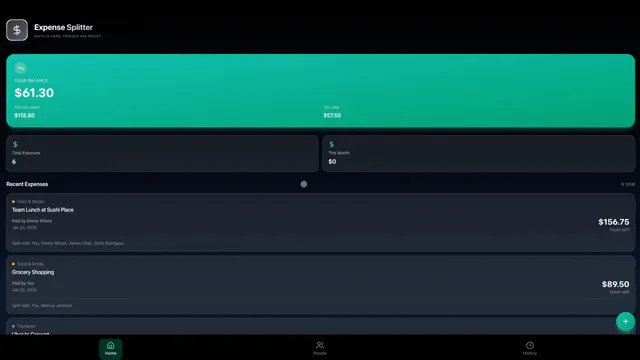

Your tools work: turn a job log into a dispatch app

Why Excel job logs break (even when Excel is fine)

Excel did not fail you. Collaboration patterns failed Excel.

  1. Two editors, two truths. Offline copies diverge.
  2. Status meanings drift. "Done" means invoiced to one person and left-site to another.
  3. No notifications. Customers text the owner while the sheet says "scheduled."
  4. No permissions. Techs see pricing columns they should not.
  5. No agents. Nobody summarizes overdue jobs unless a human pivots a table at 9pm.
Excel strength Breaks when... Taskade Genesis answer
Fast data entry Multiple simultaneous editors Multiplayer Projects
Familiar filters People need role-based views App UI views per role
Free-form columns Schema chaos across tabs Deliberate fields
Pivot charts Operators need queues, not pivots Ops board + light rollups
Exports everywhere Exports become competing masters One system of record

Excel vs Sheets vs packaged dispatch vs Taskade Genesis

Approach Best for Weak for 2026 note
Excel job log Solo / tiny crew Live dispatch Still fine as archive
Google Sheets Light multiplayer Permissions + apps Good bridge; easy import
Jobber-class FSM Packaged scheduling + billing Cost vs small crew needs See Jobber alternative
Heavy FSM (ServiceTitan-class) Large home-services ops Price / impl for small shops Overkill for many
Taskade Genesis Owned dispatch board + agents Full FSM / GPS / payments Living app you reshape
No Yes Yes No Excel or Sheets job log Multiplayer pain? Keep spreadsheet Need full billing + GPS FSM? Packaged FSM Taskade Genesis app Dual-run one week Cutover write path

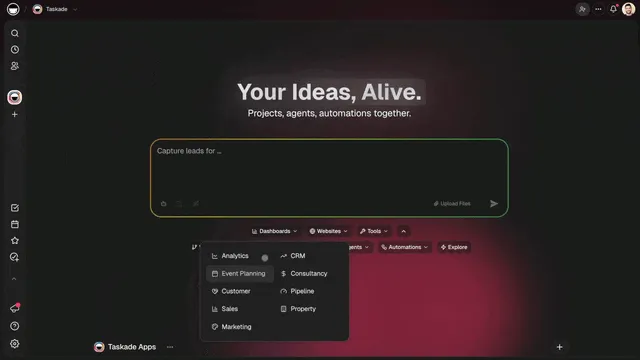
One prompt one live dispatch app for the crew

Anatomy of a dispatch app from a job log

Your columns are already a schema. Resist the urge to invent a fancier one on day one.

Typical Excel column Taskade Genesis field Notes
Date Job date Keep local timezone clear
Customer Customer link Separate customer records if repeats
Address Address text Plain address plus a map link; no GPS tracking
Job type Job type enum Normalize spellings
Tech Assignee People records
Status Status Scheduled / en route / done / blocked
Notes Notes Staff vs customer-visible later
Price Price (staff-only) Hide from tech view if needed
Export CSV from Excel Map columns to fields Generate dispatch app Dispatch board Agent: overdue + unassigned Automation: status notifications Optional customer status later

Generate with /generate/dispatch/excel-dispatch. If the master file is Sheets, also use /generate/dashboards/sheets-to-ops for the ops-shaped import path.
Create job from call Assign + notify Update status en route / done Optional status message Evening digest of open jobs Owner Dispatch app Tech Customer Agent

Dashboards that think as jobs move from queue to done

Migration playbook (Excel → Taskade Genesis)

Phase 0: Freeze the chaos

  1. Pick the canonical file (one). Archive the others with a date stamp.
  2. Normalize status values (yes, a find-replace party).
  3. Delete empty vanity columns nobody uses.
  4. Export CSV.

Phase 1: Generate and map

  1. Run the Excel job log to dispatch app prompt with your column list pasted in.
  2. Map every Excel column to a field or explicitly drop it.
  3. Import last 14 days of jobs only. Historical archaeology can wait.

Phase 2: Dual-run

  1. For one week, new jobs enter Taskade Genesis first.
  2. Optionally mirror to Excel nightly for nervous owners.
  3. Techs update status only in the new app for the pilot crew.

Phase 3: Cutover

  1. Excel becomes read-only archive.
  2. Add automations (customer text/email) carefully.
  3. Add an agent digest after data quality is real.
Day Excel Taskade Genesis Success check
0 Canonical Generate Schema match signed
1-2 Canonical Import history Spot-check 20 rows
3-7 Mirror optional New jobs live Zero missing assignments
8+ Archive Canonical No shadow workbook

Decision guide: stay in Excel, buy FSM, or build in Taskade Genesis?

1 2-8 Yes No 8+ Yes No Job log pain? How many people edit daily? Stay in Excel Need card payments + native GPS routing? Packaged FSM Taskade Genesis dispatch Already paying FSM? Keep FSM; add Taskade Genesis for niche boards Compare FSM quote vs Taskade Genesis pilot

Stay in Excel if...

  • One person owns the file and it never forks.
  • Volume is a handful of jobs per day.
  • You do not need customer-visible status.

Buy packaged FSM if...

  • You need integrated quoting, payments, and campaign tools.
  • You need mature native GPS and route optimization, which Taskade Genesis does not offer.
  • Your finance team wants a vendor-shaped audit trail.

Choose Taskade Genesis if...

  • The pain is multiplayer dispatch + status + history.
  • You want agents on the job board.
  • You want to reshape fields without filing a feature request.
  • The case in Jobber alternative dispatch board fits your crew, but you want to own the board first.
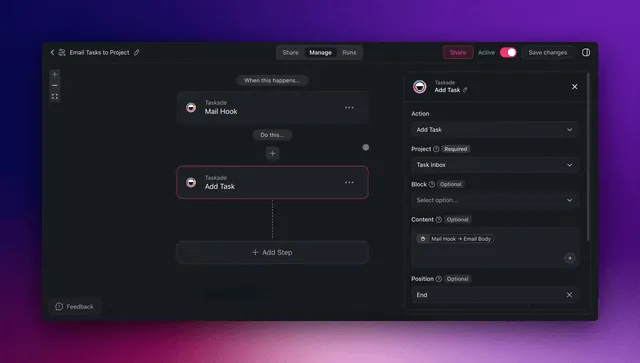
Automate status emails and crew workflows without a brittle sheet

What to automate first (and what not to)

Automate early Wait Keep in a dedicated tool
Notify tech on assignment Complex payroll exports Card processing
Notify office on blocked Deep accounting sync GPS tracking hardware
Evening open-job digest Marketing drips Full LMS training paths
Status → customer message (opt-in) Multi-branch franchises IDX / listing portals

Agents are best at digests, missing-field nags, and draft customer updates. Humans still assign blame and discounts.


Sheets-specific notes

Google Sheets users often believe they already have multiplayer. They have multiplayer cells, not multiplayer ops.

Sheets pattern Risk Taskade Genesis move
One row per job Good Import as jobs
Tab per tech Fragmentation Filter by assignee
Tab per week History hell Date fields + views
Apps Script notify Fragile owner Automations you can see
IMPORTRANGE webs Silent breakage One system of record

Use /generate/dashboards/sheets-to-ops when the sheet is already an ops dashboard in denial.


What this actually costs

There is no "customers saved $X" stat here, because your numbers are the only ones that matter. Do your own napkin math:

Cost bucket Spreadsheet world Packaged FSM Taskade Genesis dispatch
Software Near $0 Often tens to hundreds $/mo Workspace plan
Mistakes / rework High when tabs diverge Lower if adopted Lower if ritual sticks
Training Low Medium Low-medium
Flexibility High chaos Vendor roadmap Reshape in chat

If a Jobber-class quote is fine and you want payments included, buy it. If you are paying FSM prices to replace a sheet, pilot Taskade Genesis for two weeks first.


Honest boundaries

Taskade Genesis does not do GPS fleet tracking, route optimization, or offline truck apps today. Its strength is the office side: dispatch boards, customer history, status visibility, and client portals. Here is where the line sits.

What you might expect What you actually get
Full FSM replacement A dispatch board and ops layer, not a full suite
GPS and route optimization Not available. Pair a map or telematics tool
Instant QuickBooks perfection Integrate deliberately and verify the mapping
IDX / real-estate boards Different category. Use a real-estate platform
Published install or download counts Taskade does not publish per-app install or download numbers


A week in the life: sheet vs dispatch app

Monday: Three calls hit the owner before 8am. In Excel, rows get added in a parking lot with bad cell service; formulas break; the tech list is stale. In Taskade Genesis, jobs land on a board with status Scheduled and an assignee. An automation can notify the tech without a separate text from memory.

Wednesday: A job is blocked on parts. In Excel, someone paints the cell orange and hopes. In Taskade Genesis, status Blocked plus a blocker note feeds the evening agent digest so the owner does not discover it on Friday.

Friday: Payroll wants hours. Excel can do this if everyone logged time in the same columns. Taskade Genesis can hold light time-spent fields. Neither replaces a payroll system. The win is that Friday is not a forensic investigation of which tab was real.

Pain moment Spreadsheet failure Dispatch app behavior
Two techs claim the same job Row edit collision Assignment visibility
Customer asks ETA Scroll + guess Status field + optional message
Owner on vacation File lock / email attachments Shared board with roles
New helper starts "Ask Mike which columns matter" Field labels + views

Column cleanup recipes (do this before import)

  1. Statuses: map synonyms (complete / completed / done) to one value.
  2. Techs: one spelling per person; no "Mike / Michael / M."
  3. Dates: one format; kill floating text like "next week."
  4. Phones: store as text so leading zeros survive.
  5. Prices: separate quoted vs invoiced if both exist; hide from tech views later.
Dirty value Clean value Why
"DONE!!" Done Filters work
"mke" Mike Chen Assignment clarity
"asap" (priority=High + date) Sortable
"call back?" Blocked + note Queueable

Training script (10 minutes)

  1. Show the board sorted by date.
  2. Show how to claim or accept an assignment.
  3. Show status changes allowed for techs.
  4. Show where notes go (and what customers will never see).
  5. Ban the old file for pilot jobs out loud, in the group chat, once.

FAQ

Can I paste my Excel headers into the generator?

Yes. Paste column names and two sample rows (scrub private data) into the Excel-to-dispatch prompt so field types match reality.

What if we use Google Sheets, not Excel?

Same playbook. Prefer the Sheets to ops app path when the sheet is already shared.

Is this a Jobber alternative?

For dispatch boards you own, it is in the same shopping journey. For full Jobber-shaped billing packages, read /blog/jobber-alternative-dispatch and decide honestly.

Will techs hate it after Excel?

Techs hate double entry, not new tools. Dual-run with a single write path. If they must update Excel and Taskade Genesis, the pilot is already broken.

Can customers see job status?

Yes as a later phase with a portal-style view. Do not expose price and internal notes. Start staff-only.

Where do we start?
/create, generate the dispatch app, import two weeks, run the dual-run table above.


Explore living apps to clone after you leave the workbook

CTA

Your job log already knows your business. Stop letting tabs fork the truth. Generate the Excel job log to dispatch app, bridge Sheets through Google Sheets to ops app if needed, compare packaged options via the Jobber alternative dispatch board, and build the living board in Taskade Genesis. Keep GPS and payments in trusted tools. Own the dispatch queue that runs the day. Two clean weeks beat two years of forked workbooks.

0%

On this page

Why Excel job logs break (even when Excel is fine)Excel vs Sheets vs packaged dispatch vs Taskade GenesisAnatomy of a dispatch app from a job logMigration playbook (Excel → Taskade Genesis)Phase 0: Freeze the chaosPhase 1: Generate and mapPhase 2: Dual-runPhase 3: CutoverDecision guide: stay in Excel, buy FSM, or build in Taskade Genesis?Stay in Excel if...Buy packaged FSM if...Choose Taskade Genesis if...What to automate first (and what not to)Sheets-specific notesWhat this actually costsHonest boundariesA week in the life: sheet vs dispatch appColumn cleanup recipes (do this before import)Training script (10 minutes)FAQCTA

Related Articles

Jobber-style dispatch board with crew columns and client portal in Taskade Genesis
July 30, 2026AI

Jobber Alternative: Dispatch Board You Own (2026 Ranked)

Jobber is excellent packaged field service. When per-seat pricing or rigid screens hurt, operators want a dispatch board...

Estimate to job to invoice pipeline with linked customer records in Taskade Genesis
August 3, 2026AI

Estimate to Invoice Workflow for Trades (2026): One Pipeline You Own

Trades lose margin when quotes, jobs, and invoices live in three tools. Here is how to run an estimate-to-invoice workfl...

Small crew dispatch board with jobs, customers, and review status in Taskade Genesis
August 3, 2026AI

Housecall Pro Alternative for Small Crews (2026): Own Your Dispatch Board

Housecall Pro fits solo operators who want packaged booking and reviews. Small crews that outgrow per-seat pricing need ...

HVAC daily dispatch board with tech assignments, job status, and customer records in Taskade Genesis
August 3, 2026AI

HVAC Dispatch Board You Own (2026): Daily Jobs Without Enterprise Pricing

HVAC shops need a daily dispatch board that matches how techs actually work. Enterprise suites oversell. Here is how to ...

Missed call text-back automation connected to lead CRM in Taskade Genesis
August 2, 2026AI

Missed Call Text-Back for Speed-to-Lead (2026 Playbook)

Missed calls are warm leads. A text-back in 60 seconds beats voicemail. Here is how to wire missed-call speed-to-lead on...

Owned field service dispatch software with crew board and customer portal
August 1, 2026AI

Field Service Dispatch Software You Own (2026 Ranked Guide)

Rental dispatch SaaS scales seats. Owned dispatch software scales with your trade. Here is an honest 2026 ranking for op...

View All Articles
Excel Job Log to Dispatch App 2026: Own the Board, No Code | Taskade Blog