






Many "best software factory platforms" lists we read in October 2026 rank their own product, or a sponsor, first. Many of the same names show up in each one, and most are written for an engineering leader with a repository and a CI pipeline.
This list is different in two ways. First, it splits the field into two tracks: code factories for engineering teams, and app factories for teams who do not code. Second, every fact comes from the vendor's own site, read on 2026-10-20, and every limit is stated. We make Taskade Genesis, so it appears only in Track B, where its loop fits, and its limits are listed next to everyone else's.
TL;DR: We ranked 15 software factory tools on two tracks. Code factories (Factory, Warp Factories, Devin, Codex, Claude Code, Copilot, Cursor, 8090, GitLab, Port) turn tickets into reviewed pull requests. App factories (Taskade Genesis, Lovable, Replit, Bolt, Softr) turn a request into a working app. A person approves in both. Build your first app free.
🧭 Best Software Factory Platforms in 2026: The Short Answer
The best software factory platform depends on what comes out of the line. If the output is a merged pull request, pick a code factory: Factory for a governed full-cycle rollout, Warp Factories to own the factory as code, Devin for one ticket at a time. If the output is a live business app and nobody on the team writes code, pick an app factory such as Taskade Genesis.
| If you want | Start with | Track |
|---|---|---|
| One platform for the whole development cycle | Factory | A |
| A factory you define, version and benchmark in code | Warp Factories | A |
| An autonomous engineer that takes one ticket | Devin | A |
| A small factory you build and fully understand | Claude Code | A |
| A live app with agents and automations, no code | Taskade Genesis | B |
| A polished web app and its source code | Lovable | B |
This page is the buyer's list. The definition and the history live in the companion guide linked in Related Reading below.
🏭 What Counts as a Software Factory Tool?
A software factory tool runs a loop, not a single prompt. Work comes in from Slack, Linear, Jira or a form. Agents write a spec, build, test and review. A person approves at one or more gates. The change ships, and each run is stored so the team can measure cost, quality and time.
The two tracks share that loop. What differs is the input, the output and the person at the gate.
A code factory ends at a merged change that someone must still deploy and host. An app factory ends at a URL that customers use the same day.
🔍 How We Picked and Ranked These Tools
We read each vendor's own product page, docs and pricing page on 2026-10-20, and we cite them inline. We did not benchmark each product, so this list does not score code quality. It scores how much of the factory loop each tool runs for you, and how clearly it shows the gates, the metrics and the price.
| Criterion | What we checked | Why it matters |
|---|---|---|
| Loop coverage | Which of intake, spec, build, review, approve, ship and monitor the tool runs | A factory is the loop, not the agent |
| Human gates | Where a person approves, and whether you can move the gate | Review is the bottleneck in every 2026 factory |
| Evals and metrics | Scoring, benchmarks, dashboards, stored runs | You cannot improve what you do not measure |
| Model choice | One provider, many providers, or your own | Model prices and quality change every month |
| Entry path | Self-serve price on the vendor page, or sales only | Tells you how fast you can try it |
Within each track, tools are ordered by loop coverage, then entry path. The numbers run across both tracks, so Track B starts at 11. The tracks serve different buyers, so #11 is not "worse" than #10.
📊 Master Comparison Table: 15 Software Factory Tools
| Tool | Track | Loop it runs | Where a person approves | Entry price (read 2026-10-20) |
|---|---|---|---|---|
| Factory | A | Droids across the cycle, Missions, automations | Mission plan, approval rules | Pro $20/mo |
| Warp Factories | A | Triage, spec, implement, verify, ship, monitor | Spec, code review, product QA, merge | Usage-based per run, early access |
| Devin | A | Ticket to tested PR, review, automations | You review the PR | Free, Pro $20/mo |
| OpenAI Codex | A | Cloud tasks, parallel agents, PR review | You review the PR | Included in ChatGPT plans |
| Claude Code | A | The factory you build from subagents and skills | Wherever you put the gate | Pro $17/mo billed annually |
| GitHub Copilot cloud agent | A | Issue to branch to PR in GitHub | You review before the PR | Copilot Pro $10/user/mo |
| Cursor Cloud Agents | A | Ticket to merge-ready PR in a cloud VM | You review the PR | Cloud agents from Premium, $30/mo |
| 8090 Software Factory | A | Requirements, Blueprints, Work Orders, Feedback | Engineers sign off on the design | Not published |
| GitLab Duo Agent Platform | A | Past the MR: review, tests, security, pipelines | Checkpoints set by policy | Premium $29/user/mo billed annually, plus credits |
| Port | A | Context, governance and workflow orchestration | Human in the loop in workflows | Free up to 15 seats |
| Taskade Genesis | B | Prompt to live app, then agents and automations run it | The owner tests and publishes | Free, Pro $10/mo billed annually |
| Lovable | B | Prompt to web app with hosting and backend | You review and deploy | Free, Pro $25/mo |
| Replit | B | Agent builds, tests and deploys the app | You review and deploy | Core $18/mo billed annually |
| Bolt | B | Prompt to app with databases and hosting | You review and publish | Free, Pro $18/mo billed annually |
| Softr | B | Describe the app, then workflows run it | You set roles and publish | Free, Basic $19/mo billed annually |
Prices change often. Each entry names the page we read, so treat a price here as a pointer, not a quote.
🛠️ Track A: Code Factories for Engineering Teams
Track A tools turn tickets into reviewed code changes, for teams with a repository, CI and an engineer who owns the result. Some are full factory platforms. Others are strong agents that you place inside your own loop. For a wider list of the coding agents themselves, see our guides to Claude Code alternatives and GitHub Copilot alternatives.
1. Factory: Best for a Governed, Full-Cycle Enterprise Rollout
Factory calls itself "an agent-native software development platform" for planning, building, reviewing, testing and shipping software (factory.com, read 2026-10-20). Its agents are called Droids, and they run across desktop, terminal, web and CLI.
Who it is for: engineering organizations that want one vendor for the whole cycle, with enterprise controls.
The loop it runs: Work enters from Slack, Microsoft Teams, Jira, Linear or CI. Droids plan and build. Automations run event-driven or scheduled work. For large jobs, Missions carry a project from start to finish: Droid splits the work into features, runs a worker session for each, and recovers from failures (Missions).
Human approval: You describe the goal and approve the Mission plan before work starts. Autonomy levels and permission rules decide which commands need your approval (Factory docs).
Evals and metrics: Each Mission milestone ends with a validation phase that runs tests and looks for regressions. Plans include usage statistics and an "agent-readiness dashboard". Factory says it supports "all leading frontier and open-weight models".
Pricing (factory.com/pricing, read 2026-10-20): Pro $20/mo, Plus $100/mo, Max $200/mo. Teams is $60/mo per team plus $40/mo per seat, up to 10 seats. Business and Enterprise are sales-led, with SSO, SCIM, audit logs and, on Enterprise, on-premise options.
Limits: Factory is built for engineers, and its output is code. The pricing page describes usage as multiples of Pro, not as token counts, so cost per change takes measurement. Missions launched for Max and Enterprise plans first.
2. Warp Factories: Best for Teams That Want to Own the Factory as Code
Warp Factories is open infrastructure for a software factory: "Your software factory, defined in code" (warp.dev/factories, read 2026-10-20). A factory.yaml file plus folders for agents, skills, scorers and benchmarks live in your repository, so every change to the factory is versioned.
Who it is for: platform and developer-experience teams that want to pick the model and the harness for each stage, and to tune the factory like any other system.
The loop it runs: A foreman agent moves each issue through triage, spec, implement, verify, ship and monitor. Intake comes from Slack, Teams, Linear, Jira, GitHub and GitLab, or from a schedule or a webhook. You can bring your own harness, such as Claude Code or Codex, and frontier or open-weight models.
Human approval: The line "stops wherever you decide", with checkpoints for spec approval, code review and product QA. Merging stays with people.
Evals and metrics: Warp says "every run is scored", with scorers defined in code. Observer agents can open pull requests against the factory definition to improve it. Benchmarks replay your historical tasks across models and harnesses. In its rollout post, Warp reported that its own cost per pull request went "$80 → $20 in the last six weeks", with 40% higher PR throughput and a lower revert rate (Warp blog, 2026-10-15).
Pricing: The factories page says "usage-based, priced per agent run" and lists no rate. Access is by early-access request.
Limits: It is early: access is by request, and the factory schema version is v1alpha1. Engineers must own the factory definition.
3. Devin: Best for Handing One Ticket to an Autonomous Engineer
Devin, from Cognition, is "your team's autonomous software engineer" (devin.ai, read 2026-10-20). It runs in the cloud or on your machine, tests in its own browser, and keeps going "until the PR is ready to merge". It is a strong single agent that you place inside your own factory loop.
Who it is for: teams that want to hand off tickets, bugs and migrations to an agent and get back a tested pull request.
The loop it runs: You tag @Devin in Slack or Teams, or assign a ticket. Devin reads the thread, plans, codes and tests the change, and opens a pull request. Devin Review checks pull requests for bugs and vulnerabilities. Automations run recurring jobs, for example a morning sweep for stale Linear tickets. Devin Wiki documents the codebase.
Human approval: You review the pull request before it merges.
Evals and metrics: The Teams plan includes an admin dashboard with analytics. Devin shows test results and recordings with each pull request, which helps a reviewer check the claim.
Pricing (devin.ai/pricing, read 2026-10-20): Free $0, Pro $20/mo, Max $200/mo. Teams is $80/mo for the team plan plus $40/mo per full seat, up to 200 users. Enterprise is sales-led, with SSO and a dedicated deployment option.
Limits: Devin is a worker, not the whole line. You still design the intake, the gates and the metrics. Each session ends at one pull request. The "factory vs single coding agent" table below shows where it fits.
4. OpenAI Codex: Best for Teams Already on ChatGPT Plans
OpenAI Codex is a coding agent that runs tasks in the cloud and "keeps going when you close your laptop" (openai.com/codex, read 2026-10-20). It runs many agents in parallel, uses reusable cloud environments for each repository, and can check its own work with computer and browser tools.
Who it is for: teams already on ChatGPT that want a cloud agent without a new vendor.
The loop it runs: You start a task from ChatGPT, the IDE extension or the CLI. Codex works in a cloud environment, then returns a change for review. Codex also "automatically reviews pull requests, surfaces findings, and answers questions". Plugins connect it to other apps.
Human approval: You review the change, and Codex review comments add a second check.
Evals and metrics: The product page does not describe a factory dashboard, scoring or flow metrics. You measure cost and quality in your own tools.
Pricing: "Codex is included in your ChatGPT plan," the page says. It does not list which plans or limits on that page, so check your plan before you plan a rollout.
Limits: Codex is an agent and a reviewer, not a packaged factory, so intake, stages and gates are yours to build. In OpenAI's harness engineering post (2026-02-11), a small team drove Codex to about 1,500 merged pull requests, and the main job became the environment (OpenAI). See what an agent harness is.
5. Claude Code: Best for Building Your Own Small Factory From Subagents and Skills
Claude Code is Anthropic's coding agent. You "steer and review from your terminal, IDE, Slack, or web" (claude.com, read 2026-10-20). It is not a packaged factory. It gives you the parts to build one in your own repository.
Who it is for: developers and small teams who want a factory they understand line by line.
The loop it runs: You define it. Subagents live in .claude/agents/ as Markdown files, each with its own model and tool list, and they can run in the background in parallel (subagents docs). Skills live in .claude/skills/ and run as slash commands. Hooks run checks at set points, and headless mode (claude -p) runs the loop from scripts or GitHub Actions.
Human approval: Wherever you put it. A common pattern is an approver subagent that merges safe changes and sends risky ones to a person.
Evals and metrics: None packaged. You store run state in files and build the dashboard yourself. Our list of Claude Code skills shows what others publish.
Pricing (claude.com, read 2026-10-20): Claude Code is included in Pro at $17/mo with the annual discount ($200 billed up front), or $20 billed monthly. Max 5x is $100/mo. Team and Enterprise plans include it too.
Limits: You build and maintain every stage, and subagents pass context back and forth, which costs more tokens. The video below builds a small factory with a spec writer, a builder, four reviewers and an approver:
What this video shows: ZazenCodes, 2026-10-07, sponsored by Anthropic. A factory skill, subagents, a backlog file and a dashboard, then git worktrees for three parallel jobs.
6. GitHub Copilot Cloud Agent: Best for GitHub-Native Teams
The GitHub Copilot cloud agent, formerly called the coding agent (GitHub changelog, 2026-04-01), can "research a repository, plan changes, and implement them in the background" (GitHub Docs, read 2026-10-20). It works in an ephemeral cloud development environment, runs tests and linters, creates a branch and pushes commits.
Who it is for: teams whose code, issues and reviews already live in GitHub.
The loop it runs: You start work from the agents panel, a conversation, or an issue or pull request on GitHub.com. Teams and Slack integrations can delegate work too. Automations can run tasks on a schedule or on repository events, and security campaigns can assign code scanning alerts to Copilot. On Pro+ and Max, the plans page also lists delegation to third-party coding agents such as Claude and OpenAI Codex, in preview.
Human approval: You can review and refine the work before the agent creates a pull request. Repository rules still apply, and teammates follow sessions and review the changes. GitHub's docs say that "logs do not replace your own review and testing."
Evals and metrics: Session logs show what the agent did. The docs page lists no factory scorecard.
Pricing (github.com/features/copilot/plans, read 2026-10-20): Free $0, Pro $10 per user/month, Pro+ $39, Max $100. The cloud agent, chat, agent mode and code review consume GitHub AI Credits, with usage that varies by model. The cloud agent is not included on Free.
Limits: It is GitHub-centered, and factory parts such as a spec gate or cost per pull request take extra setup.
7. Cursor Cloud Agents: Best for IDE-First Teams That Want Agents in Cloud VMs
Cursor Cloud Agents "run in isolated VMs in the cloud with full development environments" (Cursor docs, read 2026-10-20). Because each agent has its own virtual machine, it can build, test and use the changed software, including control of the desktop and browser.
Who it is for: teams that already code in Cursor and want the same agents to work in the background.
The loop it runs: You start an agent from Cursor, or from Slack or Linear with @cursor. The agent clones the repository from GitHub, GitLab, Azure DevOps or Bitbucket, works on a separate branch and pushes the change. Multi-repo environments let one agent change a frontend, a backend and shared libraries together. Automations and Bugbot extend the loop to recurring work and review.
Human approval: Cloud agents "produce merge-ready PRs with artifacts to demo their changes." You can also take over the agent's remote desktop to test the change yourself, then hand control back.
Evals and metrics: A built-in Cursor Cloud MCP exposes run diagnostics: transcripts, run events, environment details and setup logs. The dashboard shows which environment each agent used.
Pricing (cursor.com/pricing, read 2026-10-20): Cloud agents and automations start on the Premium plan at $30/month. Plans run from Free to Ultra at $200/month. Teams starts at $30 per user per month.
Limits: Cursor's docs say environment setup is "the most important step" to make cloud agents work. Cloud agents use a curated selection of models.
8. 8090 Software Factory: Best for Legacy Modernization With an Audit Trail
8090 Software Factory is "the AI-native software development control plane" (8090.ai, read 2026-10-20). Its homepage calls it "the AI-native SDLC platform that refines intent, governs execution, verifies outputs and preserves the complete audit trail". 8090 also sells its engineers, who build with your team.
Who it is for: large organizations with critical or decades-old systems, where every change must trace back to a business decision.
The loop it runs: Four stages. Requirements capture business intent in plain English. Blueprints turn intent into the technical design. Work Orders split the build into tasks and send them to your engineers and their agents through MCP, in Cursor, VS Code or Claude Code. Feedback gets collected and triaged to close the loop.
Human approval: Engineers review and sign off on each Blueprint before Work Orders go out. Reviewers and stakeholders can follow the work without a full seat.
Evals and metrics: The focus is traceability: each change ties back to intent. The homepage cites its work with CMS, the US Medicare agency, where more than 100,000 rules were extracted from 18M+ lines of COBOL.
Pricing: Not published. The site offers "Try Software Factory" and "Talk to us".
Limits: 8090 is part platform, part service engagement, so a small team can start faster with a self-serve tool. On 2026-06-29, 8090 announced a $135M Series A led by Salesforce Ventures (8090, SiliconANGLE, read 2026-10-20).
9. GitLab Duo Agent Platform: Best for GitLab Shops That Need Gates Past the Merge Request
GitLab Duo Agent Platform is "the repo-side AI that carries the change through review, tests, security, and pipelines, to a change that actually ships" (GitLab, read 2026-10-20). It picks up where coding agents stop, at the merge request.
Who it is for: teams that run GitLab for code, CI and security, and want one policy for every agent.
The loop it runs: Specialized agents handle planning, coding, security analysis and analytics. An AI Catalog holds agents and flows that teams activate across projects. You can bring external agents such as Claude Code and Codex into GitLab. Two-way MCP lets agents pull context from your tools, or call GitLab from the agents you already use.
Human approval: GitLab says you can "put a human checkpoint where your policy calls for one". Admins decide which agents and flows may run, where, and on which models.
Evals and metrics: Full traceability: every agent action traces to a real user's identity and permissions, with sessions, tools, models and approvals in one trail. Self-hosted models are an option.
Pricing (about.gitlab.com/pricing, read 2026-10-20): Premium is $29 per user/month billed annually and includes 12 GitLab Credits per user/month for the agent platform. Ultimate includes 24 and has custom pricing. Included credits are a limited-time GitLab.com offer, and extra credits are $1 each.
Limits: It is built for GitLab. Credit use per task varies, so plan a pilot to learn your real cost.
10. Port: Best for Platform Teams That Govern Many Agents
Port is "the platform to build, govern and operate the Agentic SDLC", and its homepage headline is "Build your own AI Software Factory" (port.io, read 2026-10-20). Port sits above your coding agents. It maps your services, owners and tools into a live Context Lake, and it orchestrates and governs the agents that act on them.
Who it is for: platform engineering teams in larger companies that run several coding agents and need standards across them.
The loop it runs: Port says it "orchestrates agentic workflows across the SDLC", and its platform lists a Workflow Orchestrator, an AI Builder and agent management. Solution pages cover autonomous ticket resolution and self-healing incidents. Port says it can "auto-discover agents, MCPs, skills so you can enforce your standards".
Human approval: Port lists human-agent collaboration and "human in the loop" as part of the platform. You decide which steps need approval inside each workflow.
Evals and metrics: Port says it "measures the ROI of AI in engineering", and it publishes engineering intelligence as a solution area.
Pricing (port.io/pricing, read 2026-10-20): Free from $0 for up to 15 seats. Basic from $30 per seat/month in a package of 50 seats. Standard from $40 per seat/month for up to 200 seats. Enterprise is custom. Basic and Standard bill annually.
Limits: Port is the control and context layer. It pays off most when you already run several coding agents.
🧩 Track B: App Factories for Teams Who Don't Code
Track B tools turn a request into a working app, not a pull request. The person at the gate is the business owner who asked for the app. For wider lists, see the best free AI app builders and the best vibe coding tools.
An app factory has one extra stage that a code factory leaves to others: run. After launch, someone must answer users, move records and act on events. The best entries keep that work inside the same tool. Here is the output of an app factory, a maintenance tracker kit for assets and service work. Click around in it:
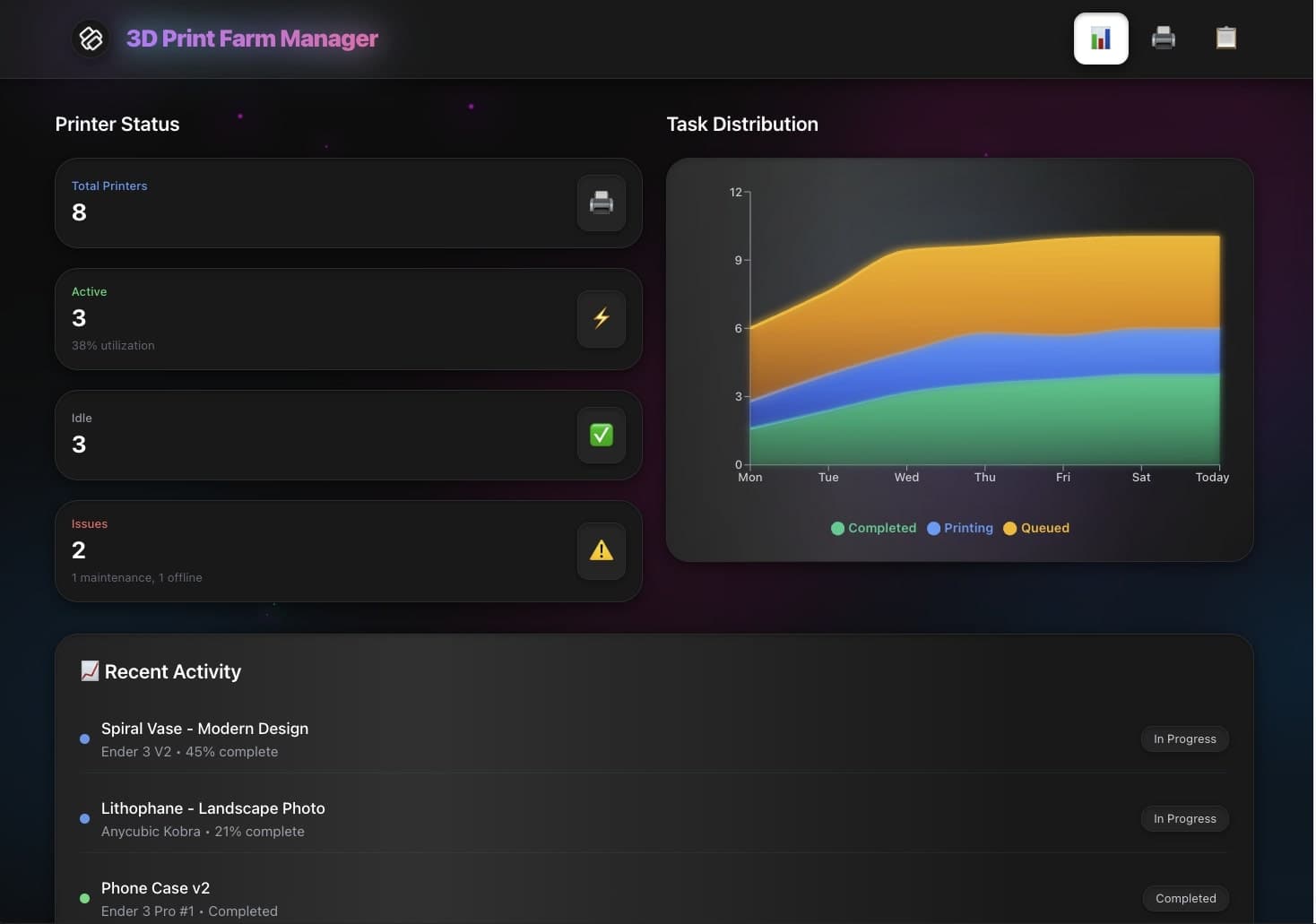
▲ ■ ● This is live. The Maintenance Tracker Dashboard kit tracks assets, due dates and service history, and it runs on 3 projects, 1 AI agent and 2 automations. Cloning it needs a paid plan, because the kit includes automations.
11. Taskade Genesis: Best for a Business That Wants the App, Its Agents and Its Automations in One Workspace
Taskade Genesis builds a live app with its database from one prompt, and Taskade EVE builds and edits it in chat. We make it. It leads Track B on loop coverage: the app, its AI agents and its automations share one workspace.
Who it is for: business owners, operations leads and agencies who need portals, trackers and dashboards, and who do not write code.
The loop it runs: Intake is a request in chat, or a trigger from 100+ integrations, where triggers pull events in and actions push data out. Build is Taskade EVE in chat. Run follows Workspace DNA: projects are memory, AI agents with knowledge and tools are intelligence, and automations are execution.
Human approval: A person tests the app and publishes it. With the app set to publish manually, nothing goes live without that step, so Taskade Genesis runs as a light factory, not a dark one. Client sign-in works on every plan. Sign-in confirms identity, not isolation: you match records to each login and test with a second account.
Evals and metrics: Taskade publishes TSK-Bench, an eval where the only pass is a working app. Customers cannot yet run their own eval suite.
Pricing (taskade.com/pricing, read 2026-10-20): Free holds 3 apps, 1 agent and 2 members, and starts with no AI credits. Pro is $10/mo billed annually, Business $25/mo billed annually. Custom domains: up to 10 on Pro, unlimited on Business and up. BYOK for OpenAI, Anthropic and Google keys is Pro and up.
Limits: No code CI and no sandboxed runs. Agents read the web but do not drive a browser. Taskade EVE does not run on a customer key today.
12. Lovable: Best for Founders Who Want a Polished Web App and Its Code
Lovable builds web apps from a chat, then "handles hosting, SSL, and backend infrastructure" (lovable.dev, read 2026-10-20). Its homepage says it covers infrastructure "from hosting and authentication to payments and integrations", and it adds that "your code and data stay yours".
Who it is for: founders, product managers and designers who want a customer-facing web app with a strong first design, and who may hand the code to engineers later.
The loop it runs: You describe the app. Lovable builds it, and you refine the design in follow-up messages. Lovable Cloud hosts the app and its backend. Paid credits also cover AI features that you offer to your app's users.
Human approval: You review each version in the preview and choose when to deploy.
Evals and metrics: The homepage lists automatic security scans and audit logs, but no factory scorers or flow metrics.
Pricing (lovable.dev/pricing, read 2026-10-20): Free $0. Pro $25/month with 100 monthly credits and unlimited users. Business $50/month with 100 monthly credits. Enterprise is custom. Credits pay for building, for hosting with Cloud and for AI features in your app.
Limits: The output is a codebase plus hosting. After launch, recurring work such as follow-ups, triage and data moves needs integrations that you add yourself. For a deeper look, see our list of Lovable alternatives.
13. Replit: Best for Builders Who Want an Agent Plus a Full Development Environment
Replit Agent builds an app or website "through chat", and Replit says it is "like having an engineering team on demand, with no coding experience required" (replit.com, read 2026-10-20). Replit hosts the result, with a built-in database and user authentication.
Who it is for: builders who start without code but want the option to open the code, run it and grow into a developer workflow.
The loop it runs: You describe the app, and the Agent builds it. You give feedback, and the Agent refines it. The Agent can search the web for current information, and it can connect to built-in services such as Database and Auth, or to third-party tools such as Stripe. Replit says the Agent can also "build other agents and create workflows".
Human approval: You review the app and choose when to deploy it. Database rollback on Pro helps you undo a bad change.
Evals and metrics: Replit says the Agent "tests and fixes its code" in a reflection loop. It periodically tests the app in a browser, writes a report and fixes what it finds.
Pricing (replit.com/pricing, read 2026-10-20): Core is $18/month billed annually ($20 monthly). Pro is $90/month billed annually ($100 monthly), with up to 10 parallel agents and database rollback up to 28 days.
Limits: The more you build, the more the app behaves like a codebase that someone must maintain. Usage beyond plan credits adds cost. See our list of Replit alternatives.
14. Bolt: Best for Fast Browser-Based Apps With Databases and Hosting
Bolt builds apps in the browser from a prompt and "automatically routes to the right model for each task, balancing quality and cost" (bolt.new, read 2026-10-20). Bolt Cloud adds hosting, databases, user management and authentication, analytics and custom domains in the same product.
Who it is for: product managers, marketers, agencies and founders who want a working app or site in an afternoon.
The loop it runs: You describe the app, or start from a template, a Figma file or a GitHub repository. The Bolt Agent builds it. You refine it in chat, then publish to Bolt hosting with your own domain on Pro.
Human approval: You review in the preview and publish when it is ready.
Evals and metrics: Hosting includes analytics. Bolt does not describe factory scoring or stored-run metrics on its homepage.
Pricing (bolt.new/pricing, read 2026-10-20): Free $0, with unlimited databases and website hosting. Pro is $18/month billed annually ($216 a year), with expanded database capacity, a choice of database provider and your own domain. Teams is $27 per member/month billed annually. Enterprise is custom, billed by consumption.
Limits: The output is an app codebase on Bolt hosting. Work that must run after launch, such as agents that answer users or automations across your other tools, needs extra setup.
15. Softr: Best for Portals and Internal Tools With Roles and Workflows
Softr is "the AI app builder for business operations", for "secure internal tools and portals with databases, workflow automation, and integrations included" (softr.io, read 2026-10-20). You describe the app, and the AI Co-Builder creates the database, the interface and the workflows.
Who it is for: operations teams that build client portals, vendor portals, CRMs and intranets, and that need tight control of who sees what.
The loop it runs: You describe the app, open a template or build by hand. Softr Databases holds the data, or you connect to sources such as Airtable, Notion, Google Sheets and a REST API. Softr Workflows run approvals, reminders, onboarding steps, ticket routing and status updates. A workflow can start from a button, a form, a schedule and more.
Human approval: You set roles and permissions yourself, then publish. Softr's user groups decide which pages, data and actions each user can reach.
Evals and metrics: Softr does not describe AI scoring. It lists SOC 2 Type II compliance, data residency in the EU (Germany) or the US, and enterprise SSO over SAML and OpenID.
Pricing (softr.io/pricing, read 2026-10-20): On annual billing, Free $0, Basic $19/month, Pro $99/month and Business $329/month. Enterprise is custom. Every plan includes unlimited apps, databases and workflows.
Limits: Softr assembles tested building blocks instead of generating new code, so it does not hand you a codebase. It is built for portals and internal tools more than for custom consumer apps.
👀 Also Worth a Look
Two more names appear on other 2026 lists. Ona, formerly Gitpod, calls itself "the Enterprise software factory": background agents in full cloud environments inside your VPC, and its site says it is part of OpenAI. Base44 is a no-code AI app builder with an integrated backend, database and authentication on every plan, and paid plans from $16/month billed annually.
🧮 Who Picks What: A Decision Matrix
The right tool follows from three facts: whether you have a codebase, where it lives, and who approves the output. Find your row, then read that entry above.
| Your team | Your main need | Pick |
|---|---|---|
| Large engineering org | One vendor for the full cycle | Factory |
| Platform team | Own and benchmark the factory | Warp Factories |
| Small dev team | Hand off tickets | Devin or Codex |
| Solo developer | Learn the pattern | Claude Code |
| GitHub shop | Stay in GitHub | Copilot cloud agent |
| GitLab shop | Gates after the MR | GitLab Duo Agent Platform |
| Regulated legacy system | Trace every change | 8090 Software Factory |
| Many agents, many teams | Govern them all | Port |
| Operations or agency, no code | Live app plus agents and automations | Taskade Genesis |
| Founder, no code | Polished web app and code | Lovable or Bolt |
| Ops team, no code | Portals with strict roles | Softr |
Many companies need two rows: engineers on the product, operations teams on their own tools. That split is the subject of build vs buy software in 2026.
⚖️ Factory vs Single Coding Agent (Factory vs Devin)
A single coding agent such as Devin takes one task and returns one pull request. A software factory such as Factory or Warp Factories runs many agents through fixed stages and measures every run. Pick the agent for a ticket. Pick the factory for a stream of tickets that you want to tune.
| Question | Single coding agent (Devin, Codex) | Software factory (Factory, Warp, 8090) |
|---|---|---|
| Unit of work | One ticket or task | A queue of tickets, or a multi-day project |
| Where work comes from | A person hands it over | Slack, trackers, schedules and webhooks |
| Who sets the gates | Your existing review process | The factory definition, per stage |
| What gets measured | The pull request | Cost per PR, human touches, time to ship |
| How it improves | A better model or prompt | Scored runs, benchmarks, changes to the factory |
| First week | Useful on day one | Needs tuning before a wide rollout |
Factory vs Devin, in one paragraph: Factory and Devin both list a Pro plan at $20/month on their pricing pages (read 2026-10-20). Devin is the better fit when you want one autonomous engineer that tests in its own browser and returns a pull request. Factory is the better fit when you want Droids across the whole cycle and Missions for projects that run for hours or days, with a plan you approve first. Our Devin alternatives guide goes deeper on the single-agent side.
Here is the same request through each track, step by step:
ONE REQUEST: "Clients need a page
to check their order status."TRACK A: CODE FACTORY
- Ticket filed in Linear
- Spec agent writes the plan
- Engineer approves the spec
- Builder agents write the code
- Tests, CI and reviewers check
- Engineer approves the merge
- CI/CD deploys the change
=> Output: a merged pull request
TRACK B: APP FACTORY
- Owner types the request
- AI asks about order records
- App and database are built
- Owner tests two client logins
- Owner publishes the app
- Agent answers client questions
- Automation emails updates
=> Output: a live app in use
Both tracks keep a person at the gate: an engineer who approves code in Track A, an owner who approves a working app in Track B.
🌳 How to Choose: A Selection Decision Tree
Start with one question: is the output code that engineers own, or an app that a business runs? Then follow the branch. Most teams land on two or three candidates, and a one-week pilot on real work settles the rest.
Inside Track B, pick Taskade Genesis when agents and automations must run the app after launch, and Lovable, Bolt, Replit or Softr when you need the app alone.
Run the pilot on tasks you already finished by hand, so you can compare the result with a known answer. Warp's replayable benchmarks and Taskade's TSK-Bench leaderboard use the same idea.
📏 What to Measure in a Software Factory
A software factory is worth what it saves per shipped change. Five numbers cover most of it: cost per merged change, human touches per change, time from request to ship, revert rate and the pass rate of your own evals. Warp made cost per pull request its headline metric, and most 2026 platforms now show some form of it.
| Metric | What it tells you |
|---|---|
| Cost per merged change | Whether the factory is cheaper than the old way |
| Human touches per change | How much review the line still needs |
| Time to ship | How long a request waits |
| Revert rate | Whether speed costs quality |
| Eval pass rate | Whether a new model or prompt is better |
Two rules help. First, measure on your own tasks: our wiki entry on evals explains why a public leaderboard is not enough. Second, keep a human in the loop until the numbers earn trust. For cost, read how to calculate AI cost per task. For picking a model per task, see model routing.
For an app factory, the unit is an app change, not a pull request. A small business can track request-to-fix time in a project, the method in the end of the software backlog.
⚠️ Limits and Risks Every Buyer Should Know
Every tool on this list needs a person who owns the result. A factory multiplies output, so it also multiplies a wrong spec. Four risks show up across both tracks:
- Review becomes the bottleneck. Start with low-risk work, and add reviewer agents before you remove any human gate.
- Cost is hard to predict. Pricing pages describe credits or usage multiples, not a cost per change. Run a two-week pilot and compute your own.
- Lock-in moves up a layer. Factory definitions, skills and scorers are assets. Prefer tools that keep them in your repository or let you export them.
- Sign-in is not privacy. On every Track B tool, match each record to its owner and test with a second account before you share an app.
💡 Why We Built Taskade Genesis as an App Factory
Most teams that need software do not have a codebase. They have a process, a spreadsheet and a backlog of tools. We built Taskade Genesis for them: a request becomes a live app with its database, and the same workspace runs it after launch.
The loop is Workspace DNA. Projects hold the records (memory). AI agents answer, triage and draft (intelligence). Automations with 100+ integrations move data and send messages (execution). Each run writes back to the projects, so the next run starts from better context.
We kept a person at the gate on purpose. Taskade EVE builds and edits, and you publish. That makes Taskade Genesis a light factory for business apps, next to the code factories that engineering teams run, and a fit for one-person companies. For the wider category, see the best AI agent platforms, the agentic engineering platforms list and software that runs itself.
❓ Frequently Asked Questions
What is a software factory platform?
A software factory platform runs a repeatable loop around AI agents: intake, spec, build, review, approval, ship and measurement. The agents do the work at each station, and people approve at the gates they choose. A single coding agent completes one task. A factory platform runs the whole line around many tasks and records each run so the team can improve it.
What are the best software factory platforms in 2026?
For engineering teams, the leading code factories are Factory, Warp Factories, Devin, OpenAI Codex, Claude Code, the GitHub Copilot cloud agent, Cursor Cloud Agents, 8090, GitLab Duo Agent Platform and Port. For teams who do not code, app factories such as Taskade Genesis, Lovable, Replit, Bolt and Softr turn a request into a working app.
What is the difference between Factory and Devin?
Devin is a single autonomous agent: you hand it a ticket, and it returns a pull request after it tests the change in its own browser. Factory is a platform of Droids across the whole development cycle, with Missions for multi-day projects where you approve the plan and each milestone ends with a validation phase. Both list a Pro plan at $20 a month on their pricing pages, read on 2026-10-20.
Is a software factory the same as an agentic coding platform?
No. An agentic coding platform gives you agents that write and test code. A software factory adds the parts around the agents: a fixed intake, stages, human gates, stored runs and metrics such as cost per pull request. The terms overlap because most factory vendors sell both.
Do software factories remove human code review?
Most do not. Warp Factories stops at checkpoints for spec approval, code review and product QA, and merging stays with people. Factory Missions start only after you approve the plan. GitLab Duo Agent Platform puts a human checkpoint where your policy calls for one. A dark factory that ships code nobody reviews is a design choice that few teams make.
How do you measure a software factory?
Track cost per merged pull request, human touches per change, time from request to ship, revert rate and the pass rate of your own evals. Warp published that its own cost per pull request fell from $80 to $20 in six weeks, with 40% higher pull request throughput and a lower revert rate, on 2026-10-15. Measure on your own tasks, not on a public leaderboard alone.
Can a team without engineers run a software factory?
Yes, if the output is a working app instead of a pull request. An app factory such as Taskade Genesis builds a live app with its database from one prompt, and Taskade EVE builds and edits it in chat. A person tests and publishes each change. After launch, AI agents answer and triage, and automations with 100+ integrations act on events.
How much do software factory tools cost?
On 2026-10-20, Factory listed Pro at $20 a month, Devin listed Pro at $20 a month, GitHub Copilot Pro was $10 per user per month, Cursor listed cloud agents from its $30 Premium plan, and Port listed a Free plan for up to 15 seats. Warp Factories is usage-based per agent run with no published rate, and 8090 publishes no price. Taskade Pro is $10 a month billed annually.
Which software factory tool works with GitHub or GitLab?
The GitHub Copilot cloud agent works inside GitHub, and Copilot Pro+ and Max can also delegate tasks to third-party coding agents in preview. GitLab Duo Agent Platform carries a change from the merge request through review, tests, security and pipelines. Warp Factories and Cursor Cloud Agents connect to both GitHub and GitLab. Factory and Devin open pull requests in the repositories you connect.
Can I build my own software factory with Claude Code?
Yes. Claude Code gives you the parts: subagents in .claude/agents with their own model and tools, skills in .claude/skills that you call with a slash command, hooks, background runs and a headless mode for scripts. You write the stages and the gates yourself, so you understand every part of the line.
When is a code factory a better fit than Taskade Genesis?
Pick a code factory when the product is a codebase that engineers own, with CI, tests, sandboxed runs and pull requests. Pick Taskade Genesis when the product is a working business app, such as a client portal or a tracker, and the people who ask for it do not write code. Many companies use both.
What does Taskade Genesis include on the Free plan?
The Free plan holds 3 apps, 1 AI agent and 2 workspace members, and it starts with no AI credits. You earn credits with referrals and invites, or you buy a credit pack. Automations you build yourself get 10 runs a month on Free. Cloning an app kit that includes automations needs a paid plan. Pro is $10 a month billed annually, and Business is $25 a month billed annually.
🚀 Start Your App Factory
A code factory needs a repository, CI and an engineer who tunes it. An app factory needs a request. If your team runs a process in a spreadsheet, describe it once and test the app that comes back.
▲ ■ ● Memory, intelligence and execution in one workspace. Clone a kit from the app gallery and change it.
🔗 Related Reading
- What is an AI software factory?: the definition, the history and the five levels
- What is agentic engineering?: the practice behind the factory
- Internal tools dashboard guide: build the tools your team waits for
- Taskade vs Factory: the no-code side of the Factory choice