






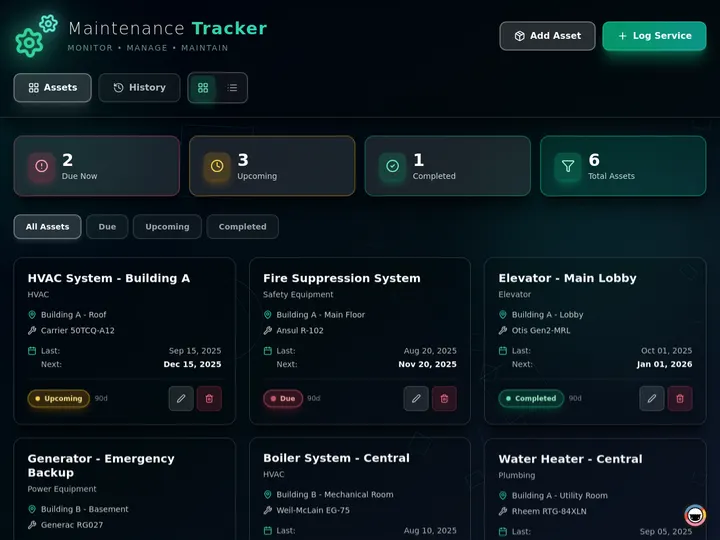
Taskade Genesis gives agencies a retainer scope tracker, deliverable board, and client request portal from one prompt, so "one small favor" requests become visible before they eat the margin you priced into the contract. This guide covers honest retainer ops in 2026.
TL;DR: Harvest plus Asana splits time and tasks. Spreadsheets hide creep until payroll hurts. Taskade Genesis wins agencies who want one owned retainer board with client visibility. Generate an agency retainer scope tracker →
Related: buyer-seller closing checklist portal, Taskade Genesis vs AI app builders, ops dashboard builders.
Competitor prices below are public list ranges as of July 2026, quoted for budget sketching only. Vendors reprice tiers and move features between them. Confirm a live quote for your headcount before you sign anything.

What Agencies Actually Need From a Retainer Tracker
A retainer tracker has one job: make the gap between agreed scope and delivered work visible while you can still price it. Most agencies do not need a full professional services automation suite for that. They need six things that live in the same place:
- A client record with the retainer tier and the monthly or quarterly cap.
- A request queue with a date on every ask, whoever asked.
- An in-scope flag so nobody argues about it in week four.
- A change order with a price and a dated client approval.
- A running hours number the account manager can read mid-month.
- A client-facing view that shows status without showing margin.
That spine is a scope board. It is not a payroll-grade time-billing rail, and it is not an accounting ledger. Confusing the three is how agencies end up paying for two per-seat tools and still losing the argument at month-end.
| Weekly need | Time tracker default | PM tool default | Retainer board in Taskade Genesis |
|---|---|---|---|
| Hours logged per client | Native timers, strong | Add-on or estimate fields | Hours fields plus rollup views |
| Request queue with dates | Not the product | Task inbox, internal only | Client-visible request queue |
| In-scope vs change order | Not modeled | Custom field you invent | First-class field on every request |
| Dated client approval | Invoice approval only | Comment thread | Approval column clients toggle |
| Payroll-grade export | Strong, the reason to buy | Not the product | Pair your time tool |
| Who reshapes the schema | Vendor | You, inside vendor rules | You, by chatting with Taskade EVE |
If your week is the six items above, you are shopping for ownership of the scope record. If your week is timesheet approvals feeding payroll and a general ledger, keep the tool that already does that and put the scope board beside it.
Why Scope Creep Exists in the First Place
Scope creep is not a client character flaw. It is a structural gap between how retainers are sold and how work arrives.
Retainers are sold as a bundle: a monthly fee, a list of included deliverables, and an hours cap that nobody expects to be counted precisely. That framing is what makes retainers attractive to buy. It is also what makes them leak, because three things happen after the contract is signed:
- The request surface multiplies. The contract names one point of contact. Reality gives you a marketing lead in email, a founder in Slack, and a product manager who tags your designer directly. Each channel is invisible to the others.
- Small asks are individually reasonable. No single "can you swap this headline" justifies a change order. Twenty of them consume a designer's week. Nobody notices because no single request was ever priced.
- The cap is measured after the fact. Hours land in a time tracker that the client cannot see and the account manager checks at invoicing. By then the money is spent and the only remaining move is an awkward conversation.
The result is a predictable failure shape. Work that never touched a board becomes invisible labor, and invisible labor becomes a month-end invoice dispute.
Notice where the diagram forks. Everything good happens because the request hit a shared record early. That is the whole product requirement.
2026 Pricing Reality: Harvest, Toggl, Asana, Monday, ClickUp, Productive
The retainer stack is usually two or three per-seat tools stacked on each other. That is where the cost hides, not in any single line item.
| Tool | Product shape | Entry paid, per seat | Tier often needed | Retainer-scope note |
|---|---|---|---|---|
| Harvest | Time tracking plus invoicing | Teams 9 dollars annual, 11 monthly | Enterprise 14 annual | Best-in-class hours. No client scope queue |
| Toggl Track | Time tracking plus reporting | Starter 9 dollars annual | Premium 14 first year, then 18 | Billable-rate depth. Approvals sit above Starter |
| Asana | Work management | Starter 10.99 annual, 13.49 monthly | Advanced 24.99 annual | Portfolios and forms land on upper tiers |
| Monday | Work management | Basic 9 dollars annual | Standard 12, Pro 19 annual | Dashboards and time tracking climb tiers |
| ClickUp | Work management | Unlimited 7 dollars annual | Business 12 annual | Cheapest seats. Schema sprawl is the tax |
| Productive | Agency PSA suite | Essential 9 annual, 10 monthly | Professional 24 annual | Real retainer and profitability modeling |
| Taskade Genesis | Living ops app platform | Free plan available | Workspace plans, not per-seat PSA licenses | Own the scope board. Pair billing elsewhere |
Those are annual-billing list rates checked in July 2026. Confirm them live, because two of the seven moved tiers in the last year.
Rough monthly stack math, paid seats only
| Paid seats | Harvest Teams at 9 | Monday Standard plus Harvest, 21 | Productive Professional at 24 |
|---|---|---|---|
| 3 | 27 dollars | 63 dollars | 72 dollars |
| 5 | 45 dollars | 105 dollars | 120 dollars |
| 10 | 90 dollars | 210 dollars | 240 dollars |
| 15 | 135 dollars | 315 dollars | 360 dollars |
Those numbers are the floor, not the bill. Add the seats you buy so a client can see anything, add the upper tier you jump to for approvals or dashboards, and add the hours your operations lead spends reconciling two systems every month.
How Taskade Genesis changes the shape: you are not licensing every person who touches a retainer. Taskade sells workspace plans. Free is 0 dollars. You earn free AI credits with referrals and invites, and you can upgrade any time. Paid plans include a monthly credit allowance. Pro is 10 dollars per month billed annually, or 20 dollars billed monthly. Business is 25 dollars per month billed annually, or 50 dollars billed monthly. Published app end users and AI credit usage follow Taskade plan rules, which is a different meter than "every account manager is a PSA license." Check current pricing for your headcount.
Who Should Switch to an Owned Retainer Board
Switch, or dual-run for a month, when several of these are true:
- You run 3 to 25 retainer clients and the arguments are about scope, not about payroll accuracy.
- Your scope record today is a spreadsheet plus a Slack search, and nobody trusts either.
- You already have hours in a time tracker you do not want to migrate.
- You want client-visible approvals without buying a seat for every client stakeholder.
- Your retainer tiers keep multiplying and each new tier means rebuilding a board.
- You want an agent reading your own records, not a chatbot that cannot see your schema.
Good fits: creative and content studios, performance marketing shops, dev shops on monthly blocks, and consultancies running fractional engagements alongside project work.
Start points worth generating:
- Agency retainer scope tracker as the system of record
- Retainer scope board when deliverable checklists lead
- Retainer burn board when the hours cap is the fight
- Retainer hours burn tracker for a lighter hours-only view
- Creative request queue portal when intake chaos is the root cause
- Agency capacity planning board when creep is really an understaffing symptom
If your problem is utilization rather than scope, read the Float alternative for agency utilization first. Fixing the wrong board is the most common wasted month.
Who Should Stay on Harvest, Productive, or a PSA Suite
These tools are not weak. They are purpose-built, and three of their strengths are genuinely hard to replicate:
- Harvest owns the hours-to-invoice rail. Timers, per-person billable rates, retainer invoicing, and clean export into QuickBooks and Xero. If your bookkeeper's month closes inside that pipeline, do not move it. Put the scope board beside it.
- Productive models agency profitability properly. Cost rates versus bill rates, budget burn, forecasted revenue, and per-service margin in one suite. If you need to answer "which service line is actually profitable" with defensible numbers, that is what the product is for.
- Toggl Track is excellent at rate depth and reporting. Billable rate hierarchies and approval flows that a finance lead already trusts. Switching those away from a working setup is downside risk with no upside.
Stay put when any of these are true:
- Payroll or contractor payouts depend on approved timesheets inside one system.
- Cost-rate profitability reporting is a board-level number, not a curiosity.
- You are mid-rollout with training sunk and adoption is finally sticking.
- Your finance team needs a vendor audit trail they already reconcile against.
- Multi-currency invoicing and tax handling are part of the product you buy.
| Constraint you refuse to drop | Lean this way |
|---|---|
| Timesheets feeding payroll and the ledger | Harvest or Toggl Track, kept as the billing rail |
| Cost-rate versus bill-rate margin reporting | Productive or a full PSA suite |
| Cheapest per-seat work management | ClickUp Unlimited, and accept schema sprawl |
| Portfolio reporting your large client mandates | Asana Advanced or Monday Pro |
| Owning the scope record, requests, and approvals | Taskade Genesis retainer board |
| One place for scope, delivery, agents, and automations | Taskade Genesis workspace |
Honest buyers pick the constraint they refuse to compromise, then pair the rest.
Workspace DNA: Projects, Agents, Automations
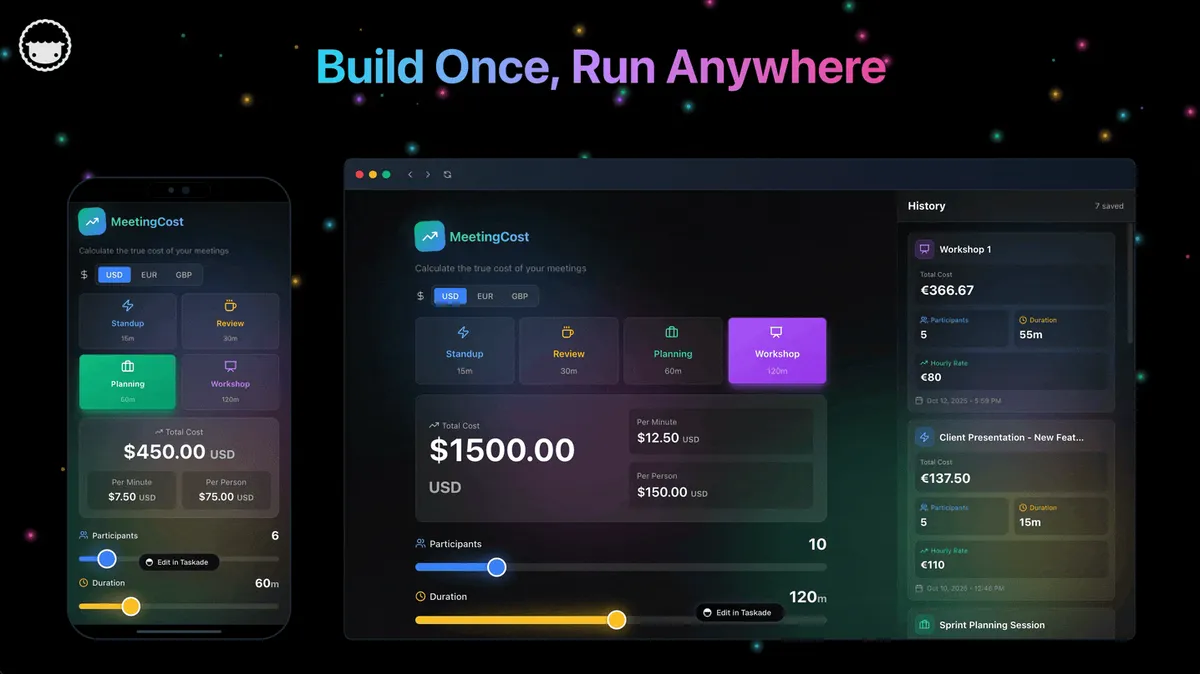
A Taskade Genesis app is not a static template. It runs on Workspace DNA: Memory, Intelligence, and Execution feeding each other.
| Pillar | Component | Role on a retainer board |
|---|---|---|
| Memory | Projects | Clients, caps, periods, requests, approvals |
| Intelligence | AI Agents | Tag in-scope, draft change orders, summarize burn |
| Execution | Automations | Alert at 80 percent of cap, notify on approval |
The loop is the point. A client request writes Memory. An agent proposes an in-scope verdict. An automation warns the account manager before the cap is gone. The approval writes Memory again, so next month's argument starts from a dated record instead of a Slack search. That is the Taskade Genesis loop applied to margin.
Agents get built-in tools and can be trained on your own project records, so a scope agent reads the same rows your account manager reads. Build them with custom agents once the board holds real data. An agent pointed at three sample rows is theater.
Nothing in that sequence needs a developer. Triggers fire on a field change or a schedule, and actions send the notification or update the record.
The Retainer Data Model
Model four nouns and the rest is presentation. Client holds retainers. A retainer resets into periods. A period includes deliverables and receives requests. Every request carries its own in-scope verdict and its own dated approval.
Fields worth tracking day one
| Field | Purpose | Client-visible? |
|---|---|---|
| Client name | Account record and portal identity | Yes |
| Retainer tier | Hours or deliverables included | Yes |
| Period | Monthly or quarterly cap reset | Yes |
| Hours cap | The number the contract promised | Yes |
| Hours consumed | Running total this period | Your call |
| Percent of cap | Derived warning number | Your call |
| Deliverable checklist | Included items this period | Yes |
| Request queue | Client asks with a date | Yes |
| Requester | Who actually asked | Yes |
| In scope | Yes, no, or change order | Yes |
| Change order price | What the extra scope costs | Yes |
| Approval | Dated client sign-off | Yes |
| Owner | Account manager on the hook | Yes |
| Internal cost rate | Margin math | No |
| Utilization notes | Cross-account staffing | No |
| Renewal risk | Account health flag | No |
Keep the field list boring. Agencies stall in custom-property sprawl far more often than they stall on a missing field. Add the sixteenth field when a real conversation demands it, using a table view to see the whole period at once.
What Taskade Genesis Owns vs What You Pair
Honest boundaries matter more than a feature checklist.
| Layer | Taskade Genesis | Pair with |
|---|---|---|
| Scope and request record | Owns it. This is the product | Nothing needed |
| Change orders and approvals | Owns it, dated and client-facing | E-signature tool for formal contracts |
| Hours as a visible number | Fields plus rollup views | Harvest or Toggl for payroll-grade timers |
| Invoicing and the ledger | Not a strength | QuickBooks, Xero, FreshBooks |
| Cost-rate profitability | Lightweight, honest | Productive or a PSA suite |
| Client status visibility | Owns it via App Users | Nothing needed |
| Capacity and utilization | Separate board, same workspace | Float or Runn if scheduling UX is the product |
What Taskade Genesis does not do today. It is not a payroll-grade timer with per-person cost-rate hierarchies. It is not an accounting system, and it will not close your books. It does not do multi-currency tax invoicing. On Model Context Protocol, both directions work but in different places: the hosted Taskade MCP server is on every paid plan if you want an external AI client reading your workspace, and outbound calls to a third-party MCP server run through the MCP Client automation step on every plan — an agent will not make that call on its own. If a pitch tells you this replaces your entire finance stack, that pitch is overselling, including when it comes from us.
What it does replace is the spreadsheet nobody trusts and the Slack search nobody wants to do. Browse the Community Gallery to see how other teams shaped ops boards before you generate yours, or read what separates an app builder from an ops system if you are still comparing categories.
Client Portal Without Oversharing
The reason agencies avoid client-visible scope tracking is fear of oversharing. That fear is solvable, but it takes a deliberate setup rather than one visibility toggle.
Taskade uses role-based access from Owner down to Viewer for the people inside your workspace, and published apps add App Users as a separate audience who sign in to the app itself. Sign-in confirms who someone is. Turn on row scoping, point it at the owner field, and check per-client visibility with a second client account.
Here is the layout to aim for. Read it as a target, not as a row of switches you flip:
| Surface | Account manager | Delivery team | Client App User |
|---|---|---|---|
| Request queue and status | Full edit | Edit assigned rows | Read plus submit |
| Deliverables remaining | Full edit | Read | Read |
| Hours consumed vs cap | Full edit | Read | Read, or leave it out |
| Change order price | Full edit | Read | Read plus approve |
| Internal cost rate | Full edit | Not in their view | Not in their app |
| Cross-account utilization | Full edit | Read | Not in their app |
| Renewal risk notes | Full edit | Not in their view | Not in their app |
Those last two columns are held up by different things, and the difference matters. Taking a column out of a delivery-team view tidies the screen; it does not stop a workspace member with edit access from reaching that data, so anything genuinely sensitive belongs in a separate project you share with a smaller group. For clients the boundary is the published app itself, and it rests on the record scoping you configure — so publish to a test client account first and confirm what it opens. If you want a heavier client-facing surface, the agency reporting client portal and the client status portal start from the same DNA. For milestone-heavy engagements, the closing checklist portal pattern handles staged sign-offs better than a flat request queue. Details on role behavior live in project permissions.
Migration Checklist: Spreadsheet or PSA to a Retainer Board
Run a parallel period. Do not cut over the week an invoice is due.
Week 0: Decide the nouns
- Name the four nouns you cannot lose: client, period, request, approval
- Note the optional ones: requester, deliverable, change order price, renewal risk
- Write down the tools that stay: time tracker, accounting, e-signature
- Pick one system as the authority per noun. The board owns scope status. Your time tool owns billable hours
Week 1: Generate and load real records
- Generate the agency retainer scope tracker
- Load your three noisiest retainers, not the easy ones
- Backfill open requests from Slack and email with their real dates
- Mirror the language your team already says for statuses
- Invite account managers first, delivery team second
Week 2: Portal, automations, agent
- Invite one friendly client to the request portal
- Turn on a single automation: the 80 percent of cap alert
- Add the change order approval column and test it with a real ask
- Add a scope agent only after the board holds a full period of data
- Freeze the old spreadsheet for new rows. Keep it readable for history
| Day | Focus | Done looks like |
|---|---|---|
| 1 | Generate the tracker | Fields match your contract language |
| 2 | Load three retainers | Every cap and tier is correct |
| 3 | Backfill open requests | No ask lives only in Slack |
| 4 | Scope client records | A second client account opens only its own rows |
| 5 | One automation | Cap warning fires on a test row |
| 6 to 7 | Team feedback | Rename one confusing field |
| 8 to 10 | Invite one client | A real request arrives through the portal |
| 11 to 14 | Approval test | One change order is approved with a date |
| 15 to 30 | Parallel period | Old spreadsheet gains zero new rows |
Cutover rules
- New requests enter the board only, whatever channel they arrived in.
- Emergencies may still start as a phone call. The record lands on the board the same day.
- Hours stay in your time tool. Paste the period total into the board weekly, or automate it.
- One system is the authority per noun. Never two.
If your source of truth today is a spreadsheet, the mechanics of that specific move are covered in Google Sheets to an ops app.
Side-by-Side: Choosing a Retainer Scope Tracker
| Question | Harvest | Asana or Monday | Productive | Taskade Genesis |
|---|---|---|---|---|
| Product shape | Time and invoicing | Work management | Agency PSA suite | Living ops app |
| Seat model | Per user | Per user | Per user | Workspace plans |
| Scope record | Not modeled | Custom fields | Native | Native and client-facing |
| Client approvals | Invoice level | Comments | Native on upper tiers | Dated approval column |
| Payroll-grade hours | Best in class | Add-on | Native | Pair outside |
| Reshape the schema | Vendor rules | Inside vendor rules | Inside vendor rules | Chat with Taskade EVE |
| Agents on your data | Vendor features | Vendor features | Vendor roadmap | Agents on your Projects |
| Best for | Hours to invoice | General delivery | Profitability modeling | Owning the scope record |
Feature depth vs ownership
| Capability | Purpose-built tool | Taskade Genesis board |
|---|---|---|
| Request intake | Forms on paid tiers | First class, client-facing |
| In-scope verdicts | Field you invent | Modeled on every request |
| Hours accuracy | Excellent | Good enough to warn you |
| Invoicing | Excellent | Not a strength, pair it |
| Change order trail | Varies by tool | Dated, next to the request |
| Custom workflow changes | File a request, wait | Change the app yourself |
| Adjacent ops in one place | Separate product | Same workspace and DNA |

A Day in the Life on a Retainer Board
08:15 The account manager opens one board. Three retainers are past 60 percent of cap on day eleven. Two requests came in overnight and are already tagged as likely change orders.
09:40 A client marketing lead submits "quick landing page refresh" through the portal. The scope agent reads the deliverable list, sees no landing page in this period, and tags it change order with a suggested hours estimate. A human confirms.
11:05 The account manager sends the change order from the same record. The client sees the price next to the original ask, not in a separate email thread.
13:30 A designer logs four hours in the time tracker. The weekly total lands on the board. The cap percentage updates and the 80 percent automation stays quiet for one more day.
15:50 The client approves the change order in the portal. The approval carries a date. An automation notifies the delivery lead, and the added hours join the period cap.
17:20 The owner opens the multi-client rollup once. Cap health across every retainer, open change orders, and which accounts are quietly subsidizing others. No export, no pivot table.
That day needed no payroll timer inside Taskade and no general ledger. It needed one record both sides could read. If your agency also runs project work beside retainers, keep them on separate filtered views and consider an agency multi-client ops dashboard for the roll-up rather than forcing one schema to do both.
FAQ: Retainer Scope Tracking for Agencies
Can clients approve change orders in the portal?
Yes. Add an approval column your client App Users toggle when they accept added scope, and let an automation notify the account manager when it lands. Because the approval sits next to the original request and the in-scope flag, both sides read the same dated record instead of searching Slack at month-end.
Does Taskade Genesis replace Harvest for billing?
Not necessarily. Taskade Genesis tracks scope, deliverables, requests, and approvals. Harvest still wins payroll-grade time export into QuickBooks and Xero. Many agencies run Taskade Genesis for client-facing scope and Harvest for billing during a transition, and plenty keep both permanently. A parallel period is the low-risk way to decide.
How do I handle multiple retainer tiers?
Add a tier field and filter views per package. Smaller retainers see fewer included deliverables on the same board template, so you maintain one schema instead of a board per client. The tracker already carries tier, period, hours consumed, and the deliverable checklist, which makes a new tier a filter plus a cap value rather than a rebuild.
What about project-based work outside retainers?
Add a deal type field marking each record as retainer or project. Project deals then live in separate filtered views, or link out to your existing PM tool. Keeping both in one tracker lets account managers see total committed hours per client, which is exactly where creep hides when a project runs beside an active retainer.
How do I stop requests arriving in Slack?
You do not stop them, you re-route them. Publish an intake form as the one link you give clients, then answer every Slack ask with that link once. A client intake form or the creative request queue portal does this in a day. Reroute the habit, do not fight it.
Can an agent decide what is in scope?
An agent should propose, and a human should confirm. Train it on the deliverable list and past change orders so it reads your actual contracts, then let it draft the verdict and the change order language. Approving scope is a commercial decision and belongs to a person, which is why the approval column exists.
How is this different from a general PM tool with custom fields?
A PM tool gives you fields. It does not give you a client-facing approval surface, an agent reading those fields, and automations that fire before the cap is gone. The comparison in Taskade Genesis vs AI app builders covers the category difference, and prompt to ops dashboard covers why generated boards beat configured ones once tiers multiply.
Do clients need a paid seat to see their requests?
No. Clients arrive as App Users on a published app, which is a separate audience from your workspace members. Published app end users and AI credit usage follow Taskade plan rules, so confirm current limits for your client count on the pricing page.
What does it cost to run the retainer tracker?
Free is 0 dollars. You earn free AI credits with referrals and invites, and you can upgrade any time. Paid plans include a monthly credit allowance. Pro is 10 dollars per month billed annually, or 20 dollars billed monthly. Business is 25 dollars per month billed annually, or 50 dollars billed monthly.
What if creep is really a staffing problem?
Sometimes the cap is fine and the team is simply overbooked. In that case a scope board will document the pain without fixing it. Generate an agency capacity planning board or read the Float alternative for agency utilization first, then come back to scope once staffing is honest.
Related Reading
- Buyer-seller closing checklist portal
- Taskade Genesis vs AI app builders
- Best AI ops dashboard builders
- Float alternative for agency utilization
- Softr alternative for living client portals
- Client portal builder guide
- Estimate to invoice workflow
- Agency retainer scope tracker generator
- Multi-client agency ops hub
- Agency capacity and profitability dashboard
- Client handoff board
- Agency client account CRM
- Client billing workflow
- Client reporting workflow
- Agency client time tracker
- Billable hours timesheet tracker
- Timesheet to invoice bridge
- Marketing agency reporting portal
- Agency back office portal
- Agency ops center dashboard
- Taskade Genesis FAQ
- Taskade integrations
- AI agents and automations
Make Scope Creep Visible Before It Costs You
Harvest, Toggl, Asana, Monday, ClickUp, and Productive all earned their place. None of them was designed to be the record a client reads when they ask for one more small thing. That record is cheap to own and expensive to skip.
If timesheets drive your payroll and cost-rate margin is a board metric, keep the tool that does it and negotiate seats with clear eyes. If your real problem is that nobody, including your client, can see how much of the cap is gone on day eleven, generate the board and let the period speak for itself. Memory holds the scope, Intelligence flags the drift, Execution warns you in time. ▲ ■ ●
Generate an agency retainer scope tracker or start free in Taskade Genesis.