






Every AI app builder calls its entry plan "free." Most of them mean "free to try."
TL;DR: We tested 15 free AI app builders with one brief. Taskade Genesis is the only free plan that published a live app with an AI agent, automations, and a database on a shareable URL, no card: 3 apps, 1 agent, and 6,000 credits to start. Browse live examples or build yours.
Taskade Genesis is the best free AI app builder in 2026 because it is the only free plan tested that passes all four shipping checks: live deploy, no credit card, movable app and data, and a shareable URL today. Bolt.new fits developers who want source files; Replit fits learning to code. Compare paid tiers in best AI app builders — the full ranked field, free and paid — clone starters from the Community Gallery, or read how to choose an AI app builder if you are still deciding what you need. Build a free app from a prompt to test the full Genesis flow without a card.
Quick answer
Taskade Genesis is the best free AI app builder in 2026 because it is the only free plan tested that publishes a live app with an AI agent, automations, and a database on a shareable URL, with no credit card. Bolt.new fits developers who want source files. Replit fits learning to code.
Method: one identical brief, one fresh account per tool, June 2026. Every free-plan number below re-verified against vendor pricing pages and documentation on August 11, 2026, then spot-checked again on September 23, 2026 — five vendors had changed a number in the six weeks between passes (Softr, Replit, v0 by Vercel, Bubble, and Glide); those rows are marked below.
Free plans move fast, and three of the numbers that circulate most widely in this category are now wrong. Softr's free plan does not include a custom domain, despite a 2023 Softr blog post that says otherwise. Replit's free plan allows one published app, not unlimited public projects. Google AppSheet's free tier is for testing with up to 10 users, and deployment requires a paid plan. Those corrections are marked in place below.
What Is the Best Free AI App Builder in 2026?
Taskade Genesis is the best free AI app builder in 2026 because it is the only free plan tested that passes all four shipping checks at once: it deploys a live app rather than handing you code, it needs no credit card, you keep and can move the app and its data, and you get a real shareable URL you can send to a user today. Every other builder fails at least one.
Here is the full field, with the free-plan limit that decides whether you can ship.
| Tool | Free plan (verified Sept 2026) | Publish free? | Custom domain on free | Paid from |
|---|---|---|---|---|
| Taskade Genesis | 3 apps, 1 AI agent, automations (10 runs/mo), 6,000 credits to start | Yes — shareable URL, badged | No (Business) | $10/mo Pro, billed annually |
| Bolt.new | 1M tokens/mo, 300K daily cap | No — code export | Self-host | $25/mo |
| Lovable | 5 credits/day (~30/mo), public projects only | Public preview only, badged | No | $25/mo |
| Replit | 1 published app, "Made with Replit" badge | Yes — 1 app, badged | No | $25/mo ($20 annual) → now $20/mo ($18 annual) |
| v0 by Vercel | ~$5 credits/mo, 7 messages/day, token-metered | No — copy-paste output | Self-host | $30/mo Plus (was $20 Premium, now sunset) |
| Cursor | Limited completions and agent requests (quotas unpublished) | No — it is an editor | n/a | $20/mo |
| Bubble | 3 apps, development mode only | No — going live is paid | No | $29/mo web-only, billed annually |
| Glide | 10 projects, 2 team members, credits, 0 published apps | No — publishing is paid | No | $25/mo Basic, was ~$19/mo Explorer |
| Google AppSheet | 10 test users; deployment requires a paid plan | No — deployment is paid | No | Paid plan required |
| Softr | Unlimited apps, 5 app users (was 10), 5,000 records, 5 AI credits/mo | Yes — subdomain, badged | No (correction) | $49/mo Basic |
| Base44 | 5 credits/day (25/mo cap), 100 integration credits/mo | Yes — badged | No | $16/mo, billed annually |
| Retool | Unlimited apps, up to 5 users, 500 runs/mo | Internal only | No | $10/user |
| FlutterFlow | 2 projects, 5 AI requests for the account lifetime | Web only, 2 subdomains | No | $39/mo Basic |
| Figma Make | 3 files; credit-metered generation (150 credits/day) | Sites publishing, limited | No | $16/mo, billed annually |
| Appy Pie | Branded, ad-supported builds | Store publishing is paid | No | Paid plan required |
Two results in that table deserve their own sentence, because rival guides still get them wrong.
No free AI app builder tested includes a custom domain. Softr was the long-standing exception in every roundup on this topic, including earlier versions of this one. Softr's current documentation is explicit that the free plan does not include a custom domain; the widely-copied claim traces back to a 2023 Softr blog post the docs now contradict. If a branded domain is a day-one requirement, budget for a paid plan on any platform.
Three tools that appear on rival "free" lists no longer belong there. Create.xyz has been renamed Anything and no longer offers a free tier at all. Firebase Studio has been closed to new signups since June 22, 2026, with a sunset date of March 22, 2027. Windsurf now ships as Devin Desktop. Any 2026 list still recommending those three as free options has not been re-checked.
One tool we could not verify: Canva. Every documented method of reading its current free-tier app-building terms returned a 403, so rather than publish an unverified number, we have left Canva out of the table. That is a data gap, not a verdict.
Is the Free Plan Actually Free, or Just a Trial?
Most of them are trials. Of the 15 builders tested, only four let you build and publish a working app at zero cost with no credit card: Taskade Genesis, Softr, Base44, and Replit (one app). Everything else either paywalls publishing, forces your project public, or hands you code and leaves the hosting bill to you.
The distinction that matters is not how many credits you get. It is where the wall sits.
┌──────────────────────────────────────────────────────────┐
│        THE FREE-PLAN RUBRIC — PASS ALL 4 TO COUNT        │
├──────────────────────────────────────────────────────────┤
│                                                          │
│  1. DEPLOYABLE     Ships a live, running app —           │
│                    not just code you host yourself.      │
│                                                          │
│  2. NO CREDIT CARD You can build and publish without     │
│                    entering a card or starting a trial.  │
│                                                          │
│  3. OWN YOUR APP   The app and its data are yours to     │
│                    keep, clone, and move — no lock-in.   │
│                                                          │
│  4. REAL URL       You get a shareable, working URL      │
│                    you can hand to a real user today.    │
│                                                          │
└──────────────────────────────────────────────────────────┘
Sorting the field by that rubric produces three groups, and knowing which group a tool belongs to predicts your experience better than any credit count.
What Every Free Plan Caps Hardest
"Unlimited" marketing almost always hides one hard cap. Each free plan in this guide limits one dimension far harder than the rest, and that dimension tells you exactly when the wall arrives.
| What gets capped | The typical wall | Who caps it this way |
|---|---|---|
| AI credits or messages | A handful per day or month | Lovable (5/day), Base44 (5/day, 25/mo), Softr (5/mo), v0 (~$5/mo), FlutterFlow (5 for the account lifetime) |
| Tokens | Monthly meter plus daily throttle | Bolt.new (1M/mo, 300K/day) |
| App or project count | 1–3 apps (Glide builds up to 10, but publishes 0) | Glide (10 build / 0 publish), Replit (1 published), FlutterFlow (2), Taskade Genesis (3), Bubble (3, dev mode) |
| Publishing itself | Build free, ship paid | Glide, Adalo, AppSheet, Bubble, Appy Pie (store) |
| Data rows or users | Row and seat ceilings | Softr (5 app users, 5,000 records), AppSheet (10 test users), Retool (5 users), Adalo (500 records) |
A credit cap ends mid-build, before you have anything to show. An app-count cap ends after you have already shipped something real. If you have to accept one, accept the second.
Does the Free App Carry a Watermark?
Yes, on every hosted builder tested, including Taskade. Free apps published from Taskade Genesis carry a small "Powered by Taskade" footer; Lovable, Bubble, Glide, Softr, Base44, and Replit each stamp their own, and Appy Pie adds ads on top. No hosted free plan in this category ships an unbranded app, and any guide claiming otherwise has not published one.
What differs is the price of removing it: $10/month on Taskade Pro billed annually, $25/month on Lovable, $29/month on Bubble. The code-export tools sidestep the question entirely by not hosting your app at all.
Three Generations of Builder, One Label
Part of the confusion is that "AI app builder" now covers three different product generations competing in the same search results.
| Generation | Approach | Time to something usable | Examples |
|---|---|---|---|
| Gen 1: Visual no-code | Drag and drop, manual logic | Hours to days | Bubble, Glide, AppSheet, Appy Pie |
| Gen 2: AI code export | Prompt to code, deploy it yourself | Minutes plus setup | Bolt.new, Lovable, v0, Cursor |
| Gen 3: Hosted living software | Prompt to a running system | Minutes | Taskade Genesis, Base44 |
The generation gap explains most disappointed reviews in this category. Someone expecting Gen 3 signs up for a Gen 2 tool, receives a folder of React files, and concludes that AI app builders do not work. They work; they just stop at different places.
Runtime Metering: The Free-Tier Cost Nobody Warns You About
Almost every comparison of free AI app builders counts prompts. The meter that actually ends free plans is the one that counts runtime — what your app does after it is built, when you are not looking. Prompt metering is visible and predictable. Runtime metering is neither, and it is where most people's free plans quietly disappear.
Three patterns show up repeatedly across the category.
A schedule is a spend. Automation and cron features are marketed as free-plan perks, but each execution is billed. Set a task to run every 5 seconds and it consumes roughly 1.86 run credits out of a 20-credit monthly allowance — from one small scheduled job you configured once and forgot. Nothing about the builder UI tells you a five-second interval is 12 times more expensive than a one-minute interval. Before you turn on any schedule, work out its executions per month and multiply.
Inactivity is a state your app can be punished for. Several platforms pause static sites and hosted projects when there is no active development, not when there is no traffic. That is a meaningful distinction: an app that works perfectly and needs no changes is exactly the app most likely to be paused. If the app is a client portal or a status page you built once, "no recent edits" is the normal steady state, not a signal of abandonment.
Failures are billed like successes. A documented pattern across credit-metered builders is that generations which fail, error out, or produce unusable output still draw down your balance. On a plan with 5 credits a day, two failed generations is a lost day. Ask the vendor's docs or support one question before you commit: are failed runs refunded? On most platforms tested, the answer is no.
Here is the practical checklist that separates a free plan you can budget for from one that will surprise you:
BEFORE YOU COMMIT TO A FREE PLAN — ASK THE METER FOUR QUESTIONS
────────────────────────────────────────────────────────────────
1. WHAT DOES IT COUNT?     prompts · tokens · runs · seats · rows
2. WHEN DOES IT RESET?     daily · monthly · never (one-time grant)
3. DOES IT RUN WHEN
   I AM NOT LOOKING?       schedules · webhooks · background jobs
4. AM I CHARGED FOR
   FAILURES AND IDLE?      failed runs · paused apps · wake-ups
────────────────────────────────────────────────────────────────
Questions 3 and 4 are the ones nobody asks, and the ones that end free plans.
Taskade's free plan is metered on all four dimensions too, and it is worth being precise about how: 3 apps counted at creation, 1 AI agent, 10 automation runs a month, and 6,000 credits from signup and your first build (1,000 when you verify your email, 5,000 on your first build), with further activation milestones adding more on top. None of it refills monthly, and that matters more than the headline number: the free grant is sized to fund roughly one complete app end to end, not a recurring monthly allowance. Monthly refills start on paid plans, and the full ladder is on the pricing page.
How Do I Move My App Off? Export and Lock-In Compared
Portability breaks into three very different stories depending on which generation of builder you picked, and almost no comparison covers it before you have already invested a weekend.
| Tool group | What you can take with you | What stays behind | Realistic migration effort |
|---|---|---|---|
| Code export (Bolt.new, Lovable, v0, Cursor) | The complete source files, via GitHub | Nothing — you already hold everything | Low, if you can host and deploy code |
| Data-source (Glide, Softr, AppSheet) | Your data, which never left the sheet or base | The entire interface, logic, and permissions | Rebuild the front end from scratch |
| Hosted platforms (Taskade Genesis, Bubble, Base44, Adalo) | Varies widely — check before you build | Platform-specific logic and UI | Depends entirely on the export path |
Code-export tools have the cleanest exit and the most expensive entry. Because Bolt.new, Lovable, v0, and Cursor produce files rather than a hosted service, migration is a non-event: point your own hosting at your own repository. The cost is that you were always going to do that work, free plan or not.
Data-source builders lose less than people fear and more than they expect. With Glide, Softr, and AppSheet, your records live in a Google Sheet or an Airtable base that you already control, so the data walks out untouched. What does not walk out is everything you actually built: the screens, the filters, the roles, the workflows. Leaving means rebuilding the app while keeping the database.
Hosted platforms are where you have to read carefully. This group varies more than any other, so the question to ask before your first build is simply "what does export produce?" On Taskade, an app can be cloned or exported with its projects, agents, and automations attached, into another workspace or to another account, and the underlying records live in ordinary projects with standard export. Some hosted competitors export data but not logic; some export nothing at all on a free plan.
One free-plan asymmetry worth knowing on any platform that ships automations: building your own automation and running it is usually allowed, while importing a pre-built template bundle that already contains automations is frequently a paid-plan action. On Taskade specifically, you can build and run your own automations on the free plan with a 10-run monthly allowance, but importing a bundle file that already includes automation workflows requires a paid plan. Plan the direction of travel accordingly: build first, import later.
How We Tested 15 Free AI App Builders
In June 2026 we opened a fresh account on all 15 platforms and ran one identical brief through each: "Build a client intake portal with a form, a status dashboard, and an automated welcome email." We recorded what shipped, what asked for a credit card, and the exact minute the paywall appeared. Every free-plan number was then re-verified against the vendor's live pricing page and documentation on August 11, 2026.
Eight tools handed back code to host ourselves. Four stopped at a credit or message wall before the brief was finished. Taskade Genesis published a live, shareable app with an AI agent and an automation attached in under five minutes with no card.
Each tool was scored on eight criteria: can you build a complete app at $0; is there a generation or token limit; is hosting included; can you use a custom domain; are AI features included; is there a data or user ceiling; does the published app carry branding; can you invite collaborators. Tools that gate essential capability behind a paywall scored lower than tools that limit scale.
Reading the same brief tool by tool, this is where each free plan stopped.
WHERE THE FREE PLAN STOPS  (June 2026 brief, re-verified Aug 2026, spot-checked Sept 2026)
────────────────────────────────────────────────────────────────
TOOL            BUILD   PUBLISH LIVE   AI AGENT   WALL HIT AT
────────────────────────────────────────────────────────────────
Taskade Genesis  Y        Y (URL)        Y         4th app / domain
Softr            Y        Y (badged)     N         6th AI credit
Base44           Y        Y (badged)     N         6th credit that day
Replit           Y        Y (1 app)      metered   2nd published app
Bubble           Y        N (dev mode)   N         going live = paid
Glide            Y        N (10 proj.)   N         publishing = paid
AppSheet         Y        N (test only)  N         deployment = paid
Bolt.new         Y        N (export)     N         daily token cap
Lovable          Y        public only    N         6th edit (5/day)
v0 by Vercel     part     N (copy-paste) N         ~$5 credits gone
FlutterFlow      Y        Y (2 subdoms)  N         6th AI request, ever
Cursor           n/a      N (editor)     N         agent request cap
────────────────────────────────────────────────────────────────
Y = free   N = blocked on free   part = components only
Two honesty notes on method. First, we could not verify Canva's current free app-building terms by any documented route, so it is excluded rather than estimated. Second, free plans in this category change on a scale of weeks, not years — three of the numbers in the previous version of this guide were out of date within four months. Treat the vendor links in the Sources list at the end as the authority, and this guide as the map.
Who publishes this, and what we make from it. Taskade publishes this guide, and Taskade Genesis is ranked first in it. That is a conflict of interest, so here is the basis for the placement instead of an assertion: against the June 2026 brief, it was the only free tier that published a working, shareable app with an AI agent attached and no credit card. Every entry on this page is scored against the same eight criteria, and each vendor limit links to that vendor's own pricing page so you can check it without taking our word for it. Where a competitor's free tier is genuinely better, the entry says so — Bolt.new gives more raw generation headroom on free, Replit is the better place to learn to code, and v0 produces cleaner React than we do.
1. Taskade Genesis: Best Overall Free AI App Builder
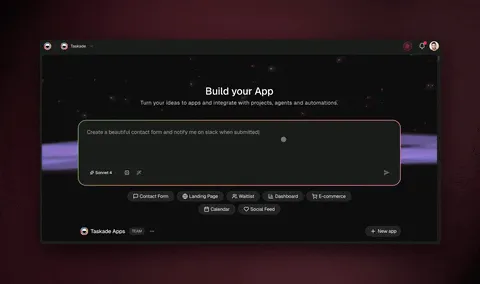
Taskade Genesis generates a complete running application from a plain-English prompt: a live app with a database, the full set of project views, an AI agent, and automations, published to a shareable URL. It sits in the no-code app builder category rather than the code-generator one — nothing is exported for you to host.
Key features: prompt-to-app generation; 1 AI agent with the full built-in toolkit including web search, code execution, file analysis, and persistent memory; automation workflows with triggers in and actions out; 100+ bidirectional integrations; multiple project views (List, Board, Table, and Mind Map inline, plus Docs, Gantt, Calendar, Actionsheet, and Org Chart behind the More Views menu; Gantt, Actionsheet, and Org Chart are paid-only); real-time multiplayer; a community gallery of live apps to clone.
Free plan (verified Sept 2026): 3 apps per workspace, counted at creation rather than at publish — the fourth app is blocked until you upgrade, and archiving frees a slot. Plus 1 AI agent, automations you build yourself with 10 runs a month, 6,000 AI credits to start (1,000 on email verification, 5,000 on your first build), and a small "Powered by Taskade" badge on published apps.
Pros
- The only free plan tested that publishes a live app with an AI agent and automations attached, on a real shareable URL.
- No credit card, and the app is cloneable and exportable with its projects, agents, and automations.
- Basic views and the full database layer are on the free plan; the main cap is on app count, not capability.
Cons
- 3 apps is a hard ceiling, and the 6,000 credits from signup and your first build do not refill monthly, though activation milestones can add more.
- Free apps carry a badge, and custom domains do not arrive until Business.
- Importing a bundle file that already contains automations requires a paid plan, even though building your own does not.
Pricing: Free, then Pro at $10/month billed annually ($120/year) for unlimited apps, unlimited agents, badge removal, password protection, and 10 included users. Business at $25/month billed annually adds custom domains with automatic SSL, branded sign-in, white-labeling, and SAML single sign-on. Max is $100/month and Enterprise $250/month, both billed annually.
Bottom line: the free plan you would pick if the goal is to hand a working link to a real person this week. The 3-app ceiling arrives after you have shipped something, not before.
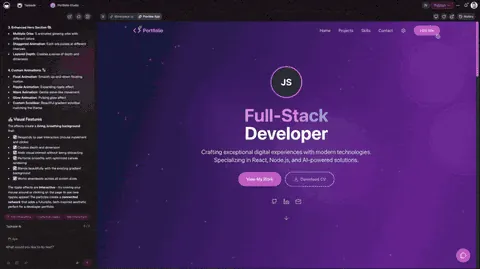
How to Build Your First Free App in 5 Minutes
Describe what you want in specific terms — the purpose, the users, and the key fields — then iterate in chat rather than in a settings panel:
Build a project intake form for my freelance design agency.
Include fields for client name, project type, budget range,
timeline, and design references. When a form is submitted,
create a new project in my workspace and send me a notification.
Review the generated app, refine it conversationally ("add a progress tracker", "switch to dark mode"), publish to a shareable URL, then attach an agent that can answer questions about the data it collects. Model choice per agent and automation triggers are both editable after publishing, and the whole loop runs on 15+ frontier models from OpenAI, Anthropic, and open-weight providers.
2. Bolt.new: Best Free Plan for Developers
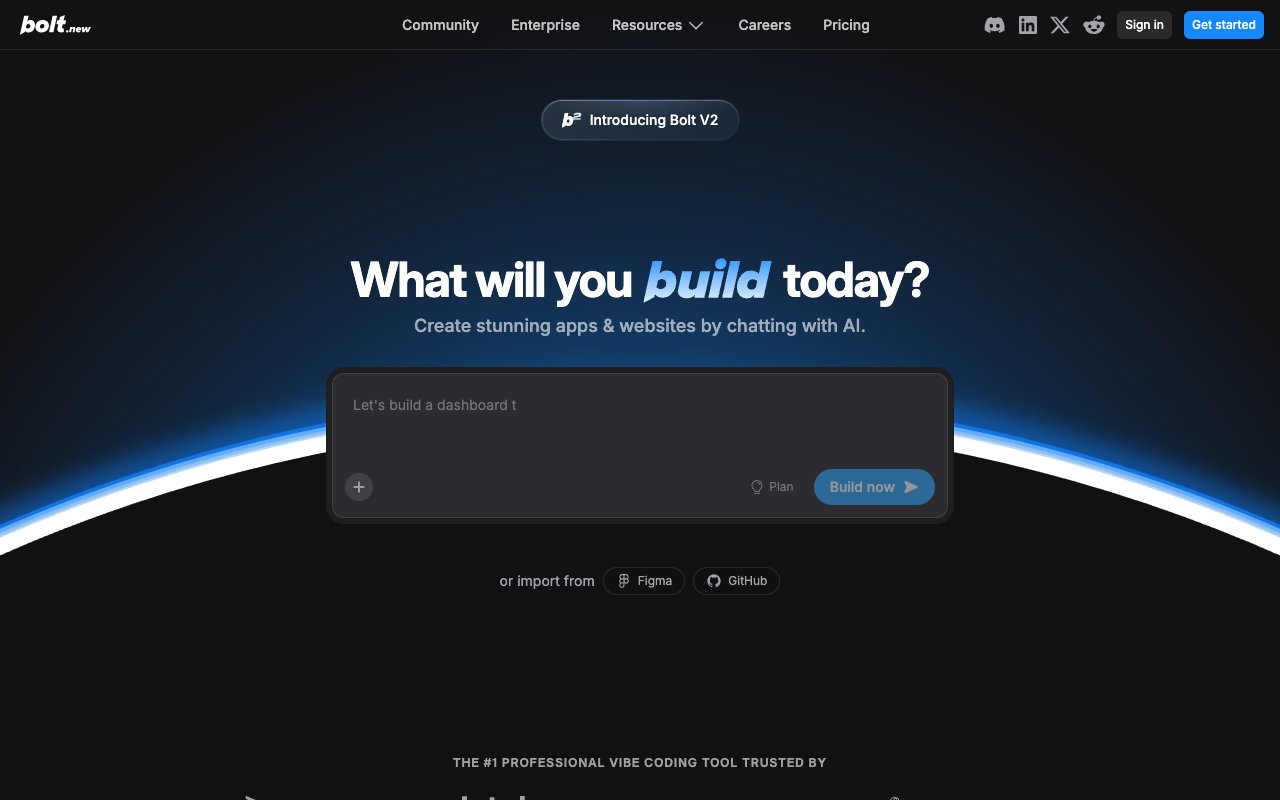
Bolt.new is a browser-based AI code generator from StackBlitz. You prompt it, and a React or Next.js app runs live in a WebContainer in your browser. You then export the code or deploy it to Netlify yourself.
Key features: prompt-to-code generation in the browser; live preview with hot reload; GitHub export; community templates; Netlify deploy integration.
Free plan (verified Sept 2026): 1,000,000 tokens per month with a 300,000-token daily cap. That is the most generous raw allowance of any AI builder tested.
Pros
- The largest free token allowance in the category by a wide margin.
- Output is real, exportable source code you fully own from the first generation.
- Genuinely fast: a working frontend preview in a browser tab in under a minute.
Cons
- Tokens go faster than the headline suggests — one complex prompt with a few iterations can burn 100,000+, so the daily cap binds before the monthly one.
- No hosting, no database, and no backend; a real app means wiring Supabase and a deploy pipeline yourself.
- No AI agents, no automations, and single-player editing only.
Pricing: Free, then $25/month for 10M tokens and no daily cap.
Bottom line: the best free plan here if you can already deploy a React app. The token allowance is real generosity, but you are receiving a scaffold, not a shipped product.
3. Lovable: Best Design Quality, Thinnest Free Plan

Lovable generates full-stack web applications with Supabase backends and has the strongest visual design output in the prompt-to-code group. Apps look finished the moment they generate. Lovable raised $400 million at a $13.3 billion valuation on August 12, 2026, among the largest rounds in this category.
Key features: full-stack React plus Supabase generation; Supabase database integration; GitHub code sync; strong default design system; unlimited public projects.
Free plan (verified Sept 2026): 5 build credits per day, capped at roughly 30 per month, plus separate monthly Cloud credits. Projects must be public, and every published app carries a mandatory Lovable badge.
Pros
- Best-looking default output of any tool tested; very little design cleanup needed.
- Full-stack generation including a real Supabase database, not just a frontend.
- Code syncs to GitHub, so you own what it produces.
Cons
- 5 credits a day is roughly three meaningful edits, and one app usually needs more than five iterations.
- Free projects are public only, with no private option and a forced badge.
- No hosting beyond the public preview, and no agents or automations after the build.
Pricing: Free, then $25/month for more credits, private projects, and badge removal.
Bottom line: a free trial wearing a free-plan label. Excellent for seeing what the paid product does; not enough runway to finish anything.
4. Replit: Best Free Environment for Learning to Code

Replit is a browser IDE supporting 50+ languages, with an AI agent bolted on and hosting included. It remains the default place people learn to code in the browser.
Key features: full cloud IDE in the browser; Replit Agent for prompt-to-app generation; multiplayer editing; large template library; mobile app; hosting integrated with the editor.
Free plan (verified Sept 2026, corrected): 1 free published app, carrying a "Made with Replit" badge. Earlier versions of this guide repeated the widely-copied "unlimited public Repls with free hosting" claim; that is no longer the free plan. Agent generation draws on metered credits.
Pros
- Hosting and editing live in one place, with no separate deploy step to learn.
- Unmatched as a teaching environment: multiplayer, templates, and 50+ languages.
- You can start from a prompt and then read and fix the code the agent wrote.
Cons
- One published app on the free plan, and it is badged.
- Agent use is credit-metered, so the prompt-to-app path runs out quickly at $0.
- You need to understand code to repair what the agent gets wrong.
Pricing: Free, then Core at $20/month ($18/month billed annually) for more compute, up to 5 collaborators, and full Agent access — down from $25/month ($20 annual) after a February 2026 repricing (verified against Replit's own docs, September 2026).
Bottom line: still the best free place to learn, and a fine home for one small hosted project. Not a platform for shipping several free apps.
5. v0 by Vercel: Best for UI Component Generation

v0 generates React and Next.js UI components from text or image prompts. It is closer to an AI design-to-code converter than an app builder, and it is very good at that narrower job.
Key features: component generation from text prompts; image-to-code conversion; browser preview; direct copy-paste into an existing Next.js project.
Free plan (verified Sept 2026): roughly $5 in monthly credits, metered on input and output tokens, plus a 7-message-per-day cap added since the last check.
Pros
- Best-in-class component output that drops straight into a Next.js codebase.
- Image-to-code conversion is genuinely useful for turning a mockup into markup.
- No credit card to start experimenting.
Cons
- Generates components, not applications: no backend, no database, no hosting.
- You need an existing project and developer skills to use anything it produces.
- Token metering means complex prompts drain the monthly credit faster than the old message-count model.
Pricing: Free, then Plus at $30/user/month for a larger credit allowance — the old $20/month Premium plan is being sunset and is closed to new signups (verified against v0's own pricing docs, September 2026).
Bottom line: excellent at what it does, and not an app builder. Judge it as a component generator and it is one of the best free tools on this list.
6. Cursor: Best Free AI Code Editor

Cursor is a VS Code fork with inline AI completions, chat, and multi-file editing. It belongs on this list because people search for it as an app builder, and it is worth being clear that it is a development tool. Cursor's maker, Anysphere, was acquired by SpaceX in an all-stock deal worth $60 billion that closed August 14, 2026 — the free plan and pricing below are unchanged by the acquisition as of this check.
Key features: inline completions and chat; multi-file editing; full VS Code extension compatibility; local file access; a trial of premium models.
Free plan (verified Sept 2026): limited tab completions and a limited number of agent requests. Cursor no longer publishes fixed quotas on its pricing page, so the free allowance cannot be stated as a number.
Pros
- The most capable free AI coding assistant available, in a familiar editor.
- Works on your real local codebase, not a sandbox.
- Every VS Code extension you already use keeps working.
Cons
- Not an app builder at all — you still write and deploy the code.
- Free premium-model requests are tightly limited with no overage path; it pauses at the cap until reset.
- No hosting, preview, database, or backend generation of any kind.
Pricing: Free Hobby plan, then paid plans from $20/month.
Bottom line: the right tool if you can code and want AI help. The wrong tool if you searched for "app builder" and cannot.
7. Bubble: Best Free Visual Sandbox

Bubble is the original visual no-code builder: drag-and-drop UI, a built-in database, and a visual workflow engine. There is no native AI generation; you build everything by hand.
Key features: visual editor with pixel-level control; built-in database; visual workflow builder; large plugin ecosystem; responsive design tools.
Free plan (verified Sept 2026): up to 3 apps in development mode, with a monthly workload-unit allowance of roughly 50,000. You can build and test on a Bubble development URL, but you cannot launch.
Pros
- The deepest free sandbox in this guide — genuinely complex apps are buildable in dev mode.
- A mature plugin ecosystem covers integrations most AI builders do not reach.
- Complete control over layout and logic for people who want it.
Cons
- Going live requires Starter at $29/month billed annually; the free plan cannot launch.
- The steepest learning curve of any tool tested — what a prompt does in minutes takes hours here.
- No native AI generation; AI means third-party plugins.
Pricing: Free (development only), then Starter at $29/month billed annually ($32 month-to-month) for the web-only track — Bubble now prices by track, and Web+Mobile Starter is $59/month billed annually ($69 month-to-month, verified against Bubble's own docs, September 2026).
Bottom line: free to learn, paid to ship. Choose it when total visual control matters more than time to launch.
8. Glide: Best for Spreadsheet-Backed Internal Tools
Glide turns Google Sheets and Excel data into mobile-friendly apps, and remains one of the fastest routes from a spreadsheet to something usable on a phone.
Key features: spreadsheet and Airtable data sources; 40+ prebuilt components; mobile-responsive output; row-level permissions on paid tiers; template library.
Free plan (verified Sept 2026, corrected again): under GlideOS, the free plan is now 10 projects, 2 team members, and a limited monthly credit allowance, with 0 published apps and 0 enabled workflows — publishing and automation both sit behind a paid plan. That is a real widening from the 1-project cap this guide reported in August 2026; Glide's free-tier project count moved up even as publishing stayed paywalled. Earlier guides — including earlier versions of this one — described the retired Classic plan's unlimited drafts and 25,000-row allowance. Those numbers no longer apply either.
Pros
- Fastest path from an existing spreadsheet to a phone-ready interface.
- Clean, genuinely mobile-first output with no design work required.
- Data stays in a sheet you already control, so the data side is never locked in.
Cons
- 0 published apps on the free plan — you can build across 10 projects but cannot ship any of them.
- Publishing, Glide AI, and integrations all sit on paid tiers.
- No custom domain and no AI agents.
Pricing: Free, then Basic at $25/month (100 credits), Plus at $50/month (250 credits), and Pro at $125/month — replacing the Explorer/Maker names this guide previously listed, which belonged to the retired Classic plan (verified against Glide's own pricing page, September 2026).
Bottom line: a good evaluation plan and a poor shipping plan. The GlideOS free tier is materially tighter than the Classic plan most roundups still describe.
9. Google AppSheet: Best for Google Workspace Teams
AppSheet is Google's no-code builder, generating apps from Sheets, Drive, and Calendar data with a formula-driven logic layer.
Key features: deep Google Workspace integration; automation over spreadsheet data; PWA output for Android and iOS; formula-expression logic; offline data capture.
Free plan (verified Sept 2026, corrected): the free tier is a prototyping tier limited to 10 test users, and deploying an app to real users requires a paid plan. Paid plans now start at Starter, $5/user/month. The older claim that AppSheet offers "free hosting through Google" for unlimited apps does not reflect current terms.
Pros
- Unmatched if your data already lives in Google Sheets, Drive, and Calendar.
- Strong offline and mobile data-capture support for field work.
- Automation over spreadsheet data is genuinely capable for approval flows.
Cons
- Free means testing only — deployment to real users is a paid action.
- No AI generation; every screen and rule is built manually.
- Complex logic requires learning AppSheet's expression language.
Pricing: Free for prototyping with up to 10 test users; deployment requires a paid AppSheet plan.
Bottom line: a capable builder with a free tier that is explicitly a sandbox. Budget for a paid plan from day one if real users are the point.
10. Softr: Best for Airtable-Backed Client Portals
Softr builds web apps and client portals on top of Airtable, Google Sheets, or its own database, using prebuilt blocks for lists, forms, charts, and user authentication.
Key features: Airtable and Google Sheets data sources; prebuilt UI blocks; built-in user authentication; workflow actions; unlimited published apps on the free plan.
Free plan (verified Sept 2026, corrected again): unlimited published apps, 5 app users (Softr's own docs now say "5 total, combined" — down from the 10 this guide reported in August), up to 3 builder seats, 5,000 Softr Database records, 500 workflow actions per month, 5 AI credits per month, Softr branding, and a Softr subdomain. The free plan does not include a custom domain. Softr's own documentation states this directly; the contrary claim, repeated across most roundups in this category, traces to a 2023 Softr blog post that the current docs contradict.
Pros
- Unlimited published apps on a free plan is genuinely unusual in this field.
- Built-in authentication with 10 free app users makes real client portals possible at $0.
- If your data is already in Airtable, this is the shortest route to a portal over it.
Cons
- No custom domain on the free plan, contrary to the claim in most guides.
- 5 AI credits a month makes AI generation effectively unavailable at $0.
- No AI agents or automation engine, and paid plans start relatively high.
Pricing: Free, then Basic at $49/month.
Bottom line: still one of the strongest free plans here for Airtable users, just not for the reason everyone repeats. Judge it on unlimited apps and free authentication, not on a domain it does not include.
11. Base44: Best Free Plan for Prompt-to-Business-App
Base44 generates business applications — internal tools, dashboards, CRUD apps — from text prompts, and hosts the result rather than exporting code. Base44 is Wix-owned (Wix acquired it in 2025; its site footer now reads "© 2026 Wix.com Ltd."), which gives it distribution and balance-sheet backing most of the code-export tools on this list do not have.
Key features: prompt-to-app generation; built-in database; hosted output; integration credits; template library.
Free plan (verified Sept 2026): up to 5 apps, 5 message credits per day, capped at 25 per month, plus 100 integration credits monthly. Unused daily credits do not roll over. Published apps carry Base44 branding.
Pros
- Hosts what it builds, so you get a working URL rather than a code export.
- Generation quality is solid for straightforward CRUD and dashboard apps.
- Built-in database with no separate backend to wire up.
Cons
- 25 message credits a month is a proof-of-concept budget; one app typically needs more.
- Base44 branding, no custom domains, and limited integrations on free.
- No AI agents or automation engine after the build.
Pricing: Free, then paid plans from $16/month billed annually.
Bottom line: the closest free competitor to a hosted prompt-to-app experience, throttled by a credit meter that runs out inside a single build session.
12. Retool: Best Free Internal Tool Builder
Retool is a developer-oriented platform for internal tools: connect a database or API, drag components onto a canvas, and write queries where the visual layer runs out.
Key features: PostgreSQL, MySQL, and MongoDB connections; REST and GraphQL integration; prebuilt tables, forms, and charts; workflow runs; code-level control inside a visual builder.
Free plan (verified Sept 2026, corrected): unlimited web and mobile apps for up to 5 users, plus 500 workflow runs per month, 5GB of database capacity, 5GB of file storage, and 250 monthly AI credits, cloud-hosted only. Retool's pricing page now states one 5-user cap and no longer splits builders from end users, so this guide no longer reports 5 builders plus 5 end users.
Pros
- Unlimited apps on the free plan, which almost nothing else here offers.
- Real database and API connections rather than spreadsheet proxies.
- SQL-level control when the visual builder is not enough.
Cons
- The 5-builder, 5-end-user ceiling keeps it strictly internal.
- No AI generation at all; every app is assembled manually.
- Self-hosting, SSO, and audit logs require paid plans.
Pricing: Free, then Team from $10/user/month.
Bottom line: the best free plan on this list for admin panels and operations dashboards, provided you have a database and someone who can write a query.
13. FlutterFlow: Best for Native Mobile Prototyping
FlutterFlow is a visual builder that generates real Flutter code for iOS, Android, web, and desktop. It is the only tool here with a credible native mobile path.
Key features: visual builder with real Flutter code generation; Firebase and Supabase integration; in-browser preview; web publishing to FlutterFlow subdomains; large template library.
Free plan (verified Sept 2026, corrected): 2 projects and web publishing to 2 FlutterFlow subdomains. AI assistance on the free plan is 5 requests for the lifetime of the account — not a monthly or daily allowance. Code and APK download require a paid plan.
Pros
- Generates genuine Flutter source, so a serious native app can start here.
- Free web publishing to 2 subdomains makes validation possible at $0.
- Strong Firebase integration for teams already on Google infrastructure.
Cons
- 5 lifetime AI requests makes the AI features effectively a demo.
- No code or APK export on free, which is the entire point of choosing Flutter.
- No custom-domain web publishing on the free plan.
Pricing: Free, then Basic at $39/month for code export and native app-store deployment.
Bottom line: the right free plan for validating a mobile concept visually, and the wrong one for anything AI-assisted. Treat the free tier as a design environment. For native App Store and Google Play publishing across more tools, see the best AI mobile app builders.
14. Figma Make: Best for Design-to-Web
Figma Make is the current name for Figma's AI generation feature, replacing the earlier "Figma AI" and "Make Designs" branding. It turns prompts into designs and, with Figma Sites, publishes them as live web pages.
Key features: prompt-to-design generation; Figma Sites publishing; full collaboration on the free plan; prototype sharing; direct handoff into an existing Figma workflow.
Free plan (verified Sept 2026): 3 Figma files on the Starter plan. Generation is credit-metered, at 150 credits per day up to 500 per month on eligible seats.
Pros
- Best design output of anything on this list, by a wide margin.
- Free collaboration and prototype sharing that designers already know.
- Figma Sites turns a design into a published page with no separate build step.
Cons
- Not an app builder: no database, no logic, no automation, no backend.
- 3 files on Starter is restrictive for anything beyond a single project.
- Sites publishing is limited compared with a real web builder.
Pricing: Free Starter plan, then paid seats from $16/month billed annually.
Bottom line: the best free tool here for making something look right, and not a tool for making something do anything. Name-check it correctly — "Figma AI" and "Make Designs" are retired labels.
15. Appy Pie: Best for Absolute Beginners
Appy Pie is a template-driven builder for simple mobile apps, websites, and chatbots, aimed squarely at people who have never built anything before.
Key features: drag-and-drop mobile app builder; industry template packs; basic chatbot builder; website builder; app-store submission assistance on paid plans.
Free plan (verified Sept 2026): limited builds carrying Appy Pie branding and ads. App-store publishing requires a paid plan.
Pros
- The lowest possible barrier to producing something app-shaped.
- Industry template packs cover common small-business cases out of the box.
- Bundles a website builder and chatbot builder alongside the app builder.
Cons
- Ads and Appy Pie branding on free builds.
- Dated output quality compared with AI-generated alternatives.
- Very limited customization, and no meaningful AI generation.
Pricing: Free with branding and ads; app-store publishing requires a paid plan.
Bottom line: the simplest tool here and the weakest output. Most beginners will get a better result faster from a prompt-based builder.
Which Free AI App Builder Fits Your Goal?
Start from what you are shipping, not from the tool. The category splits into two groups that get blended in every ranking: prompt-to-app builders that start from a description, and data-source builders that wrap a spreadsheet or base you already maintain. Picking the wrong branch wastes a free plan.
GOAL                              →  FREE BUILDER THAT FITS
──────────────────────────────────────────────────────────────────
Internal tool over a spreadsheet  →  Glide · AppSheet
Admin panel over a database       →  Retool (up to 5 users)
Client portal over Airtable       →  Softr (5 app users, no domain)
Native mobile app                 →  FlutterFlow (design only on free)
Web MVP, you host the code        →  Bolt.new · Lovable · v0
Learning to code                  →  Replit (1 published app)
App with agents + automations     →  Taskade Genesis
──────────────────────────────────────────────────────────────────
Which Free AI App Builders Are Truly No-Code?
Ten of the 15 are genuinely no-code on the free plan: Taskade Genesis, Base44, Bubble, Glide, AppSheet, Softr, Retool, FlutterFlow, Figma Make, and Appy Pie. You never receive a file, and the app runs on the vendor's infrastructure. The other five — Bolt.new, Lovable, v0, Replit, and Cursor — hand you a codebase. That distinction matters more than any feature list, because it decides who can maintain the app after it is built.
"No-code" gets used for two different promises, and free plans are where the gap shows. A no-code runtime means nothing is exported and nothing needs hosting — you describe the app, it runs, you share a link. A code generator means the AI writes React or Next.js for you; there is no code to write, but there is very much code to review, deploy, and maintain. Bolt.new, Lovable, v0, Replit, and Cursor all sit in the second group, and on a free plan you inherit the deployment work without the paid support that usually cushions it. Two of them carry an asterisk of their own: Lovable and Replit also host a preview on their own subdomain, badged, which is why both appear as hosted builders in the free-plan table above. The codebase is still yours, and so is the production deployment.
Three of the hosted ten deserve an asterisk, and it is the same asterisk in three shapes. Retool never hands you a codebase, but it expects someone to write SQL where the visual layer runs out. FlutterFlow generates real Flutter source and then withholds it on free — code and APK download start at $39/month — so at $0 it behaves like a hosted builder. Figma Make publishes pages through Figma Sites rather than applications, so there is no database or logic to maintain in the first place.
| Free builder | You write code? | You maintain code? | Where the app runs |
|---|---|---|---|
| Taskade Genesis | No | No | Hosted, shareable URL |
| Base44 | No | No | Hosted, branded on free |
| Bubble | No | No | Hosted, development mode on free |
| Glide / AppSheet / Softr | No | No | Hosted, over your data source |
| Retool | Queries, yes | No | Hosted on Retool's cloud |
| FlutterFlow | No | No | Hosted on a FlutterFlow subdomain; export is paid |
| Figma Make | No | No | Hosted pages via Figma Sites |
| Appy Pie | No | No | Hosted, branded on free |
| Bolt.new / v0 | No | Yes | You deploy it |
| Lovable | No | Yes | Hosted preview on a Lovable subdomain; production is yours to deploy |
| Replit | Sometimes | Yes | Hosted preview on a Replit subdomain; production is yours to deploy |
| Cursor | Sometimes | Yes | You deploy it |
No-code, honestly labeled
─────────────────────────────────────────────────────────────
Never touch code, never host      →  Taskade Genesis · Base44
Never touch code, over a sheet    →  Glide · AppSheet · Softr
Never touch code, build by hand   →  Bubble · Appy Pie
Never touch code, write a query   →  Retool
Never touch code, export is paid  →  FlutterFlow
Never touch code, pages not apps  →  Figma Make
AI writes code, you own it        →  Bolt · Lovable · v0
AI writes code, you learn from it →  Replit · Cursor
─────────────────────────────────────────────────────────────
The practical test is what happens on the day something breaks. On a no-code runtime you describe the fix in the same chat that built the app. With a generated codebase you open an editor, and if nobody on the team can read the file, the app is frozen. Choose the second group only when someone will realistically maintain the output.
Free AI App Builders for Students
Taskade Genesis is the strongest free option for student projects because the free plan includes 3 apps, 1 AI agent with the full built-in toolkit, automations, and 6,000 credits to start — enough headroom to ship a capstone or hackathon demo with a link you can submit, without a credit card.
Pair it with Replit if the course is teaching you to code: the browser IDE, multiplayer editing, and one free published app cover the learning half of the stack. Bolt.new's 1M monthly tokens are the most generous free allowance for coursework that involves reading generated code, though you still have to deploy it. Avoid Lovable for assignments — 5 credits a day runs out before one iteration cycle finishes. Glide can prototype a data-driven class project from a sheet across 10 free projects, but its free plan cannot publish any of them, so you cannot hand in a live link.
Free AI App Builders for Small Businesses
Small businesses need three things from a free plan: real output rather than a prototype, a low upgrade price if it works, and enough collaboration for a small team. Taskade Genesis fits all three — free apps publish to real shareable URLs, and Pro is $10/month billed annually with 10 included users if you outgrow it, with custom domains arriving at Business ($25/month billed annually).
The three patterns that come up most are client intake portals, lightweight CRMs, and booking systems. Each generates from a single prompt with a database, basic views, and an agent attached, and each can be handed to a customer the same day. One operator, an IT program manager with no engineering team, built a production field-service dashboard this way — four connected projects covering customers, jobs, invoices, and team, tracking 20+ live service jobs — and described the result as work that "would have taken me and a team of 40+ people 18 months or longer" in a previous corporate role.
Strong secondary options: AppSheet if the business already runs on Google Workspace and you accept that deployment is paid, Softr if the data already lives in Airtable, and Retool if there is a real database and someone who can write SQL. Skip the code-export tools for small business use — they produce files a non-technical owner cannot maintain.
Free AI App Builders for Mobile and Android
No tool on this list is free end to end for a native store app, and the app stores add their own fees regardless of builder: Google Play charges a one-time $25 developer registration fee and Apple's Developer Program costs $99 per year.
The free path that works is a mobile-web app. Build in a hosted builder, open the shareable URL in Chrome on Android, and use "Add to Home Screen" to install it with an icon and a full-screen view — no store review, no Play Console fee, and updates ship instantly. Every app Taskade Genesis generates is mobile-responsive by default and works this way at $0.
| Tool | Mobile output on the free plan | Native store publishing | Cost of going native |
|---|---|---|---|
| Taskade Genesis | Mobile-responsive web app on a shareable URL | Not the model — apps run on the web | $0 on free |
| FlutterFlow | Web publishing to 2 free subdomains | Paid — code and APK export at Basic | $39/mo + store fees |
| Adalo | 1 app buildable; the free plan cannot publish at all | Starter and up | $36/mo annual + store fees |
| Glide | 10 projects, publishing is paid | PWA model, no store builds | Paid plan required |
| Appy Pie | Branded, ad-supported builds | App-store publishing is paid | Paid plan + store fees |
Free AI App Builders With Custom Domains
There are none. This is the single most common upgrade trigger in the category, and after re-verification in August 2026 and again in September 2026 not one builder tested includes a custom domain on its free plan. Softr, the exception every roundup names, does not: its documentation states plainly that the free plan does not include a custom domain.
The realistic options are three. Pay for it — Bubble Starter at $29/month billed annually, Taskade Business at $25/month billed annually with automatic SSL and branded sign-in, or Softr Basic at $49/month. Self-host it — take a Bolt.new, Lovable, or v0 export, deploy it to your own hosting, and point any domain at it, accepting the DNS, SSL, and maintenance work as the price. Or ship on a free subdomain first, validate that anyone wants the thing, and buy the domain when there is usage to justify it. The third option is almost always the right one.
Security and Production Readiness on Free Plans
Most free-plan comparisons skip authentication and permissions entirely, which is where the real gap between a toy and a tool sits.
| Tool | Sign-in on free | Role-based access | SSO |
|---|---|---|---|
| Taskade Genesis | Branded sign-in on published apps | Role-based, Owner through Viewer, all plans | Business and up |
| Softr | Built-in, up to 5 app users | Basic permissions | Paid |
| Glide | Built-in | Row-level, paid | Paid |
| Retool | Built-in | Paid tiers | Paid |
| Bubble | Build it yourself | Build it yourself | Paid |
| Code-export tools | You build it | You build it | You build it |
Softr's free authentication with 5 app users is the standout among the data-source builders. On Taskade, role-based access from Owner to Viewer is present from the first free app and SAML single sign-on is included from Business at $25/month billed annually, so the permission model does not have to be rebuilt when the team grows. The code-export tools can be hardened arbitrarily well, but only by teams who already run their own auth.
Free Open-Source AI App Builders
Three names matter in 2026: Dyad, OpenUI, and Bolt.diy, a community fork of Bolt.new. All three run the generation pipeline locally against your own OpenAI, Anthropic, or Google API keys, which makes them the honest answer to "unlimited free" — they are unlimited because you are paying the model bill directly.
The trade-off is that "free" here means free to run if you already know DevOps. You get code and a local runner. You do not get a managed runtime, built-in agents, an automation engine, collaboration, or a gallery to clone from. For teams with an on-premises compliance requirement, Dyad is the most polished option. For everyone else, the setup time exceeds the value of the free plan it replaces.
Free AI App Builders With No Signup
There is no serious AI app builder that lets you build and publish without an account, because running the generation pipeline costs the vendor real money per request. The closest thing is browsing published work: the Taskade community gallery lets you open and use live apps without an account, and Replit lets you browse public projects. v0 allows limited anonymous previews but requires a GitHub login to save anything.
If the concern is privacy rather than friction, the local open-source tools above are the genuine no-cloud-account path.
What to Build First
If the answer is "something, anything, to see whether this works," these are the shapes that succeed most often on a free plan, ordered by how forgiving they are.
| App shape | Why it works on a free plan | Complexity |
|---|---|---|
| Landing page or waitlist | One screen, no logic, instant proof | Low |
| Client intake portal | A form, a status view, one automation | Low–medium |
| Ops or KPI dashboard | Reads data you already have | Medium |
| Booking or scheduling app | Bounded logic, obvious value | Medium |
| Internal directory or inventory | Small dataset, many users | Medium |
| CRM or pipeline | Highest payoff, most fields to get right | High |
Start at the top of that list on a credit-metered plan and at the bottom only on a plan that caps app count instead. A CRM is the most satisfying thing to build and the fastest way to burn a daily credit allowance.
Free vs Paid: When to Upgrade
A free plan is enough for prototyping, internal tools under about 10 users, learning, portfolio work, and MVPs that need to prove demand before they need to look professional. That covers more real projects than most people assume.
Four triggers reliably end the free plan, in roughly this order: you need a custom domain (no free plan in this guide has one), you cross the user or app ceiling, you need the branding removed before showing a client, or you need SSO, granular permissions, or private data handling.
| Platform | Free → paid step | Price | What it unlocks |
|---|---|---|---|
| Taskade | Free → Pro | $10/mo billed annually | Unlimited apps and agents, badge removal, password protection, 10 users |
| Taskade | Pro → Business | $25/mo billed annually | Custom domain with SSL, white-label, SAML SSO |
| Bolt.new | Free → Pro | $25/mo | 10M tokens, no daily cap |
| Lovable | Free → Pro | $25/mo | More credits, private projects, badge removal |
| Replit | Free → Core | $20/mo ($18 annual) | More compute, up to 5 collaborators, full Agent |
| Bubble | Free → Starter | $29/mo annual | Launch live, custom domain |
| Glide | Free → Basic/Plus/Pro | $25–125/mo | Publishing at all, AI features |
| Softr | Free → Basic | $49/mo | Custom domain, more users and records |
| Retool | Free → Team | $10/user | More seats, audit logs, SSO |
| FlutterFlow | Free → Basic | $39/mo | Code and APK export, store deployment |
The pattern worth noticing: the platforms that paywall publishing (Glide, Adalo, AppSheet, Bubble) charge you before you know whether the app is any good. The platforms that paywall scale let you find out first. That ordering matters more than the headline price.
Free-Plan Generosity, Scored
Scoring each builder on what you can actually ship at $0 — publishing, hosting, included AI, branding, and how long the allowance lasts — produces a spread that does not match the marketing.
| Tool | Ships live free | No card | AI agent + automation | Score /10 |
|---|---|---|---|---|
| Taskade Genesis | Yes, shareable URL | Yes | Yes, built-in tools | 9 |
| Softr | Yes, badged subdomain | Yes | No | 7 |
| Retool | Internal only, 5 users | Yes | No | 6 |
| Bubble | Dev mode only | Yes | No | 6 |
| Replit | Yes, 1 app | Yes | Metered | 5 |
| Base44 | Yes, badged | Yes | No | 5 |
| Bolt.new | No, code export | Yes | No | 4 |
| v0 by Vercel | No, copy-paste | Yes | No | 4 |
| FlutterFlow | Web subdomains only | Yes | 5 lifetime requests | 3 |
| Glide | No, 10 projects, paid publish | Yes | No | 2 |
| Lovable | Public preview only | Yes | No | 2 |
Softr rose in this revision despite losing its custom-domain claim, because unlimited published apps with free authentication is a stronger free plan than the domain was. Glide and Replit fell after their free plans tightened. Lovable stays at the bottom: 5 credits a day is a demo, not a plan.
Free AI App Builder FAQ
Is there a 100% free AI app builder with no paywall?
No builder is unlimited forever, but four let you build and publish at $0 with no card: Taskade Genesis (3 apps with an agent and automations), Softr (unlimited apps, 5 app users, badged), Base44 (badged, 25 credits a month), and Replit (1 published app). Everything else paywalls publishing, forces projects public, or hands you code to host.
Can I use a custom domain on a free AI app builder?
No — not on any builder tested as of September 2026. Softr, the exception named in nearly every guide on this topic, does not include a custom domain on its free plan according to its own documentation. Expect to pay from about $25 to $49 a month for a branded domain, or self-host a code export and point your own domain at it.
How do I move my app off a free AI app builder?
It depends on the group. Code generators give you the source files, so migration is just hosting. Data-source builders leave your data in the spreadsheet or base you already own but keep the interface. Hosted platforms vary widely — on Taskade an app can be cloned or exported with its projects, agents, and automations into another workspace, while some competitors export data but not logic. Ask "what does export produce?" before your first build, not after.
What hidden costs do free AI app builders have?
Runtime metering rather than prompt metering. Scheduled jobs bill per execution — a task firing every 5 seconds can consume 1.86 run credits from a 20-credit monthly allowance. Some platforms pause static sites when there is no recent development activity rather than no traffic. And failed generations are commonly charged against your balance anyway. Read what the meter counts, when it resets, and whether failures are refunded.
Can a free AI app builder connect to a real database?
Yes. Taskade Genesis gives every free app a workspace-native database with basic project views, and the full set of project views on any paid plan. Bubble includes a database on its free dev-mode plan, Retool connects to PostgreSQL, MySQL, and MongoDB on free, and Softr and Glide read from Airtable or Sheets. Code tools like Bolt.new and v0 ship no backend, so you wire Supabase yourself.
How fast can I build a free app from a prompt?
Under five minutes on a hosted prompt-to-app builder. In the June 2026 test, one brief produced a live client-intake portal with a form, a dashboard, an AI agent, and an automated welcome email on Taskade Genesis, published to a shareable URL with no card. Code-export tools took longer because hosting and a database still had to be set up afterwards.
Do free AI apps keep running after I build them?
On hosted platforms, generally yes, though watch for inactivity policies — several builders pause projects when there is no recent development activity, and some sleep apps between requests. Code-export tools only run as long as you keep paying for the hosting you chose. On Taskade, a free app stays live on its shareable URL for as long as it is one of your 3 apps.
Which free AI app builder is actually unlimited?
None of the hosted builders offers unlimited AI generation for free. Softr allows unlimited published apps within a 5-user, 5,000-record, 5-AI-credit ceiling, and Retool allows unlimited apps for up to 5 users. Open-source Dyad is unlimited because you supply the API keys and hosting. The cheapest unlimited-apps hosted upgrade tested is Taskade Pro at $10/month billed annually.
The Verdict
"Best free AI app builder" resolves differently depending on what you mean by free.
If free means free to try before buying, Lovable, Bolt.new, and FlutterFlow show you the paid product convincingly, and Bolt.new's 1M monthly tokens make it the most generous of the three by a distance.
If free means free to learn, Replit and Bubble are the answer. Both give you a deep environment at $0 and charge only when you want to ship.
If free means free to hand a working link to a real person this week, the field narrows to four, and only Taskade Genesis publishes that link with an AI agent, automations, a database, and basic views attached — 3 apps, no credit card, 6,000 credits to start. When you outgrow the 3-app ceiling or want the badge off, Pro is $10/month billed annually.
The wider trend is worth naming. Tools that charged $50 a month two years ago now have free plans; tools that required code last year now accept plain English; and the free plans that used to be the most generous in this category are the ones that tightened hardest this year, which is reshaping how software gets bought and built. The question stopped being "can I afford to build an app" some time ago. It is now "what should I build first, and which meter am I building against."
Build your first app free in Taskade Genesis → — signup takes about 30 seconds, no credit card, and you can clone a working app from the community gallery instead of starting from a blank page.
▲ ■ ● Memory, Intelligence, Execution: every app you build inherits all three.
Further Reading
- 13 Best AI Website Builders for Non-Coders — when the thing you need is a site rather than an app.
- AI Design Tools 2026: 14 Tested, DESIGN.md Checked — the design step that happens before the builder runs, and why a design brief beats a better prompt.
- 17 Best AI App Builders in 2026 — the full ranked field, free and paid
- AI App Builders: The 2026 Guide — how to choose an AI app builder before you pick a free plan to test
- Best AI Model for Building Apps in 2026 — the model layer under every builder, tested on real apps
- AI App Builder vs Website Builder vs Agent Builder — which category you are actually shopping in
- What Is Vibe Coding? — the philosophy behind prompt-based building
- State of Vibe Coding 2026 — adoption data and where the market is heading
- Best Vibe Coding Tools 2026 — Cursor, Bolt.new, and the rest head to head
- Anatomy of a Taskade Genesis App — how a generated app is put together
- What People Actually Build With AI — a census of 471 real AI-built apps
- The Remix Economy — first-party data on cloning versus building from scratch
- Best AI Dashboard Builders in 2026 — dashboards specifically
- Bolt.new alternatives, Replit alternatives, and v0 alternatives — if you have already picked one and it is not working out
- Windsurf alternatives — including where the Windsurf brand went (it now ships as Devin Desktop)
Head-to-head comparisons: Taskade vs Bolt.new · Taskade vs Lovable · Taskade vs Bubble
Explore the building blocks directly: AI agents, automations, and the pricing ladder.
Sources
Every free-plan figure in this guide was checked against the vendor's own pricing page or documentation on August 11, 2026, and spot-checked again on September 23, 2026 (Softr, Replit, v0 by Vercel, Bubble, Glide, Base44, Cursor, and Lovable all reflect the later check). Primary sources only:
- Taskade — pricing and plan limits: https://www.taskade.com/pricing
- Bolt.new — pricing and token allowances: https://bolt.new
- Lovable — pricing and free credits: https://lovable.dev/pricing
- Replit — pricing and published-app limits: https://replit.com/pricing
- v0 by Vercel — pricing and credit metering: https://v0.app/pricing
- Cursor — pricing and free plan: https://cursor.com/pricing
- Bubble — pricing and launch requirements: https://bubble.io/pricing
- Glide — GlideOS pricing and free-plan limits: https://www.glideapps.com/pricing
- Google AppSheet — pricing and deployment requirements: https://about.appsheet.com/pricing/
- Softr — pricing and custom domain documentation: https://www.softr.io/pricing
- Base44 — pricing and credit allowances: https://base44.com/pricing
- Retool — pricing and free-plan seats: https://retool.com/pricing
- FlutterFlow — pricing and AI request limits: https://www.flutterflow.io/pricing
- Figma — Figma Make pricing and credits: https://www.figma.com/pricing/
- Appy Pie — pricing and publishing requirements: https://www.appypie.com/pricing
- Adalo — pricing and publishing requirements: https://www.adalo.com/pricing
- Dyad — open-source project: https://www.dyad.sh/
