






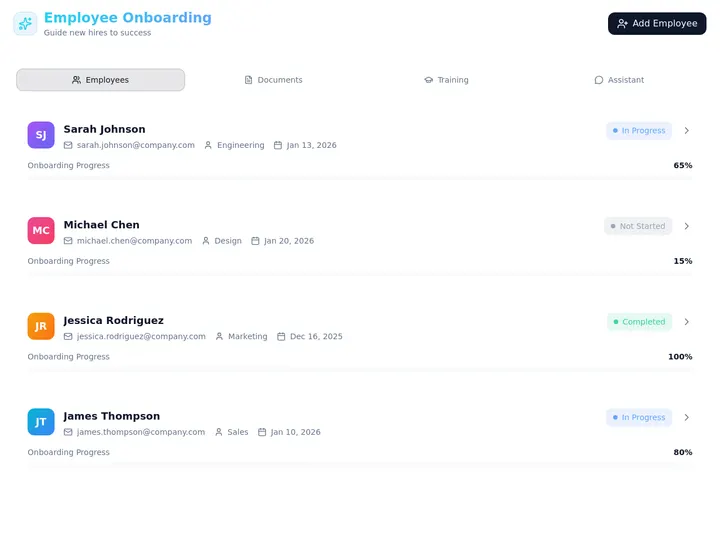
Taskade Genesis builds a student enrollment portal with parent logins, cohort rosters, and staff approval queues from one prompt, so academies and tutors run intake on a system they own instead of forcing cohort ops into Kajabi's course funnel. This guide ranks alternatives honestly for 2026.
TL;DR: Kajabi wins async course funnels and creator marketing. Taskade Genesis wins enrollment portals, parent visibility, and roster ops you reshape. Generate a student and parent portal →
Related: ops dashboard builders, AI for agencies when you run multiple client programs, and Kajabi alternative ops portal if you already host video somewhere else.
Pricing notes below describe price shape rather than quoting live vendor numbers. Course platforms retier often. Confirm current plans on each vendor site before you budget, and price payment processing separately on every path.

What Enrollment Teams Actually Need (Not a Course Cart)
An enrollment team's week is admissions, not content marketing. A private academy, a test-prep tutor, and a robotics club all run the same five-step spine: a family applies, staff reviews, a seat gets assigned, documents get chased, and a parent needs somewhere to check what happens next. Course platforms optimize a different spine entirely.
| Daily job | Course platform default | Owned enrollment portal |
|---|---|---|
| Application intake | Checkout form | Application form tied to a student record |
| Staff review | Not modeled | Accept / waitlist / decline pipeline |
| Cohort capacity | Product inventory count | Seats remaining per cohort, visible |
| Parent visibility | Student course login | Scoped App Users view per family |
| Document chase | Email attachments | Upload field on the student record |
| Custom fields | Vendor template | You add grade level, allergies, pickup authorization |
| Waitlist | Sold-out page | Ordered waitlist with seat-offer automation |
If your week is those five steps, you are shopping for ownership of the roster. If your week is publishing video modules and running launch funnels, you are shopping for a course platform, and Kajabi is a reasonable answer.
Why Course Platforms Never Modeled Admissions
Kajabi, Teachable, and Thinkific grew up around one buyer: the solo creator selling evergreen video at scale. That buyer's whole business is landing page, checkout, modules, email sequence. Enrollment ops were never the product, and three shifts made the mismatch loud.
- Cohorts came back. Live programs, bootcamps, tutoring pods, and after-school academies sell seats, not downloads. Seats have capacity, waitlists, and start dates. A cart models "in stock," not "12 of 14 filled, two on waitlist."
- Parents became a second audience. In K-12 and youth programs the buyer and the learner are different people. Parents want schedules, forms, and announcements. A course login shows lessons, not the enrollment status a parent is actually asking about.
- Building a custom portal got cheap. In 2026 you can describe an enrollment app and get a working one, then reshape fields by chatting with Taskade EVE instead of filing a feature request. That moves the decision from "which course platform?" to "do we rent a schema or own one?"
None of that makes Kajabi wrong. It makes it a content commerce platform being asked to do admissions operations. The workarounds are familiar: waitlists in Sheets, parent questions in email, staff review in a separate notes tool, and a "student record" that is really three tabs.
2026 Pricing Reality: What You Are Actually Buying
Course platform pricing is bundled by design. You buy the video player, the funnel builder, the email tool, and the checkout as one line item, then step up a tier for the feature you actually came for. Enrollment teams often discover the thing they need most, such as deeper automations or multiple products, sits above the tier they signed up for.
| Path | Price shape | What pushes you up a tier | Cohort enrollment fit |
|---|---|---|---|
| Kajabi | Platform tier, bundled stack | Product count, funnels, admin seats | Weak, no admissions pipeline |
| Teachable / Thinkific | Platform tier per site | Transaction terms, admin seats, automations | Light, checkout is the enrollment |
| Google Classroom | Free with Workspace for Education | Institutional Workspace edition | Strong in-district, no branded portal |
| Airtable + a portal front-end | Two subscriptions, per editor | Editor seats, portal page views | Workable, two bills and two schemas |
| Taskade Genesis | Workspace plan, not per student | Plan features, AI credit usage, app users | Strong: roster, portal, automations in one |
The structural difference is what scales. Course platforms scale with products and platform tiers. Table-plus-portal stacks scale with editor seats and page views. A workspace plan scales with the people who run the board, and families who log into a published app are App Users rather than billable workspace members.
Taskade plan math for an enrollment team
These are our own numbers, so they are safe to plan against.
| Plan | Price | What it means for enrollment |
|---|---|---|
| Free | $0 | Build, test, and publish the portal with parent logins; no starting AI credits (earn free AI credits as you go) |
| Pro | $10/mo billed annually ($20 monthly) | Internal roster, forms, automations, staff views for a small program, and up to 10 custom domains so the parent portal sits on your own branded web address |
| Business | $25/mo billed annually ($50 monthly) | Unlimited custom domains |
Read this before you plan a parent portal: App Users and GenesisAuth email sign-in for published apps are in beta and work on any plan, including Free, so parents can log in without an upgrade. The tier that matters is the branded web address: custom domains are on the Pro plan and up, $10/mo billed annually. If a portal at your own domain is a launch requirement, budget Pro. Confirm current details on pricing.
Who Should Switch to an Owned Enrollment Portal
Switch, or dual-run for a term, when several of these are true.
- You enroll in cohorts with capacity, not evergreen seats with unlimited stock.
- Your real system of record today is a spreadsheet plus a group chat, and you mainly need triage, assignment, and history.
- Parents ask you status questions that a course login cannot answer.
- You need custom intake fields for your program: grade level, allergies, IEP notes, pickup authorization, uniform size, instrument, belt rank.
- Staff need an approval queue with internal notes families must never see.
- Your video already lives somewhere else, or your program has almost no pre-recorded video at all.
Good fits: private academies, test-prep and tutoring practices, music and martial arts schools, robotics and STEM clubs, summer camps, community programs, and coaching cohorts.
Start points, all generated and reshapeable:
- Student and parent portal generator, the flagship shape for this article
- Cohort enrollment board when capacity is the constraint
- Parent enrollment portal when families are the primary audience
- Cohort roster portal and cohort attendance board once the term starts
- Tutor cohort enrollment tracker for one-to-few tutoring practices
- Kajabi alternative cohort ops if you are keeping the course platform for video
- Template mirrors: student and parent portal, cohort enrollment portal, course enrollment operations
Who Should Stay on Kajabi
This is the honest half. Kajabi is genuinely excellent at three things, and if any of them is the business, do not move.
- Polished async course delivery. The player, the drip logic, the mobile app experience, and the completion tracking are mature and well tested at scale. Taskade Genesis is not a video CDN and does not ship a native course player.
- Marketing and launch mechanics in one login. Landing pages, email sequences, upsells, affiliates, and checkout are bundled and work together on day one. Assembling that from parts is real work.
- Native checkout for digital products. If selling the course is the enrollment, a cart that handles tax, coupons, and payment plans without integration work is worth paying for.
Also stay if you are mid-migration with training sunk and adoption finally sticking. A half-adopted new system is worse than a slightly wrong old one.
| Constraint you refuse to drop | Lean this way |
|---|---|
| Polished video player and drip modules | Kajabi, Teachable, or Thinkific |
| Native cart for digital products | Kajabi or Teachable |
| Free in-district classroom assignments | Google Classroom |
| Institutional gradebook and transcripts | A student information system, not a portal builder |
| Owned roster, parent logins, custom fields | Taskade Genesis |
Teachable and Thinkific sit between the poles. Both are strong at course delivery with basic student accounts, and both make interview-based admissions awkward because enrollment ops beyond checkout still land in spreadsheets. Fine for simple SKUs, tight for selective programs.
Google Classroom deserves its own line: it is free, it is already in the building for most schools on Google Workspace for Education, and teachers do not need training. It is the right default for in-district assignment flow. It is the wrong tool for a private academy marketing outside the district that wants its own branded login surface.
Workspace DNA on an Enrollment Board
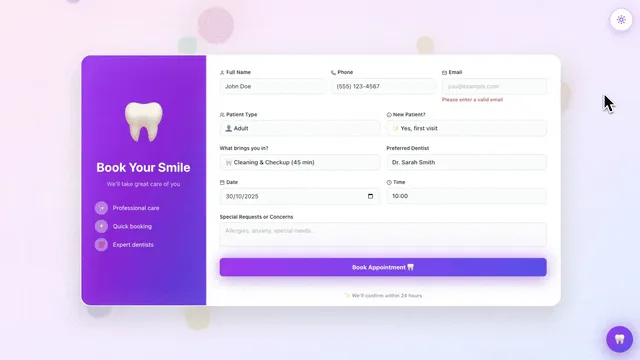
Taskade Genesis apps are not static templates. They run on Workspace DNA: Memory, Intelligence, and Execution reinforcing each other.
| Pillar | Component | Role on an enrollment board |
|---|---|---|
| Memory | Projects | Student records, cohorts, applications, documents, attendance |
| Intelligence | AI Agents | Flag incomplete applications, draft acceptance notes, spot at-risk students |
| Execution | Automations | Acknowledge intake, chase documents, offer waitlist seats, digest for staff |
The loop is why the board sharpens over time. An application writes Memory, an agent proposes a review priority, an automation acknowledges the family, acceptance writes Memory again, and next term's capacity planning reads real history instead of anecdote. That is the same living portals pattern behind client portals in other verticals.
Here is the data model worth generating on day one. Keep it this small until real applications arrive.
Six nouns carry most of the value: family, student, application, cohort, enrollment, document. Everything else is a field or a view. Model the six in Projects as databases, then build views on top with table view for admissions and a board for the review pipeline.
The Application Lifecycle, as States
Most enrollment pain is a missing state. Families assume silence means rejection, staff cannot tell "waiting on us" from "waiting on them," and nobody knows how many seats are truly free. Name the states explicitly and the portal answers those questions without a phone call.
Two rules make this work in practice. Waitlisted is a visible state, not a silence. Families should see their position, not guess. And DocsPending belongs to the family, not to staff, so your "waiting on us" queue stays honest and small.
From Application to Roster, Step by Step
Wire the execution half with the automations that already exist as starting shapes: create an enrollment record from a form, enrollment welcome, course waitlist manager, tutor waitlist seat offer, notify a parent of progress, and late submission reminder. Forms feed the whole chain through the form trigger.
Add agents only after the board holds real data. An agent on sample rows is theater. Once history exists, student performance tracker and parent engagement coordinator are the two that pay for themselves first, and at-risk student alert turns their output into action.
What Taskade Genesis Owns vs What You Pair
Honest boundaries matter more than a feature checklist.
Strong fit:
- Application intake with custom fields and conditional logic via forms with logic
- Staff review pipelines with internal notes
- Cohort capacity, waitlists, and seat offers
- Parent and student portal views through App Users and GenesisAuth on any plan
- Document collection on the student record
- Attendance, progress, and announcement surfaces for the whole term
- Agents grounded on your own Projects, with built-in tools and 100+ bidirectional integrations behind them
Honest gaps, what this does not do today:
- No native course player or video CDN. Keep Kajabi, Teachable, Thinkific, Vimeo, or unlisted YouTube for lesson delivery and put the links beside student records.
- No native shopping cart. Track payment status as a field and take money in Stripe or your existing checkout.
- Not a student information system. Official transcripts, state reporting, and institutional gradebooks belong in an SIS.
- Not a compliance certification. If your district or insurer requires a specific certified platform for student records, that requirement wins.
If anyone tells you a generated portal replaces a video platform, a payment processor, and an SIS all at once, that is overselling. Walk away from the pitch no matter who makes it, including us.
| Layer | Own it in Taskade Genesis | Pair it |
|---|---|---|
| Application and review | Yes | Nothing to pair |
| Roster and capacity | Yes | Nothing to pair |
| Parent portal | Yes, on any plan | Nothing to pair |
| Lesson video | Links only | Kajabi, Vimeo, Loom, YouTube |
| Payments | Status field | Stripe or existing checkout |
| Transcripts and state reporting | No | Student information system |
| Email marketing at scale | Announcements only | Your email platform |
Enrollment Portal Visibility Matrix
Scope App Users carefully so internal admissions notes never appear in parent views. Signing in tells the app who a family is, and the records they open are the ones you match to that sign-in, so test a real family account before you publish. Your admissions staff work in the workspace with role-based access from Owner to Viewer.
| Surface | Staff sees | Parent sees | Student sees |
|---|---|---|---|
| Application | Full intake answers | Confirmation status | Nothing |
| Interview notes | Internal only | Nothing | Nothing |
| Documents | Upload completeness | Upload prompts | Nothing |
| Payment | Status and scholarship notes | Balance and due date | Nothing |
| Cohort | Capacity and full roster | Their child's schedule | Their schedule |
| Attendance | Full history | Their child's record | Their record |
| Messages | Internal notes and threads | Announcements only | Announcements only |
Decide this matrix before the first real application arrives. Retrofitting visibility after medical or financial fields already exist is how programs overshare.
Staff Roles in Enrollment
| Role | Needs | Must not see |
|---|---|---|
| Admissions | Review queue, notes, accept and decline | Full access |
| Finance | Payment status, scholarships | Interview scoring |
| Program lead | Roster by cohort, capacity | Family financial detail |
| Instructor | Final roster, allergies, contacts | Financial and interview notes |
| Front desk | Contact info, schedule | Medical and financial fields |
Views filter the same student records per role without duplicating databases. Read project permissions before you invite the first non-admissions person.
Waitlist and Capacity Logic
Popular programs need visible waitlist status so families do not read silence as rejection. Staff views should show seats remaining per cohort. Automations can offer the next waitlisted family when a seat opens, with a response deadline, so the offer moves down the list instead of stalling on one unread email. Course carts rarely model waitlist ethics well because a cart's only two states are "buy" and "sold out."
Parent Communication Without Email Overload
Parents want one place for schedule changes, not scattered threads. Portal announcements plus optional SMS for urgent closures beat weekly newsletter blasts. Scope messages per cohort so parents only see relevant updates, and let a weekly progress digest carry routine news so your urgent channel stays urgent.
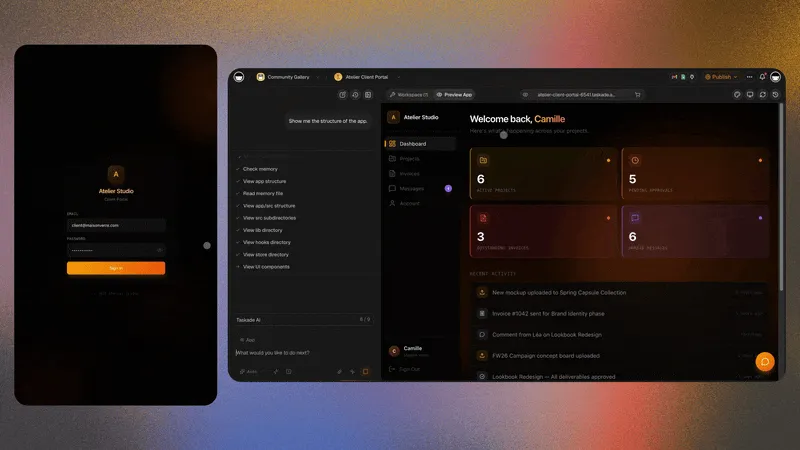
Migration Checklist: Kajabi or Spreadsheets to an Owned Portal
Run a two-week parallel period. Do not cut over the week applications open.
Week 0: Decide the nouns
- Name the six you cannot lose: family, student, application, cohort, enrollment, document
- List the custom fields your program actually reviews on
- Write down what stays put: video host, payment processor, accounting, SIS
- Decide the visibility matrix above, in writing
Week 1: Generate and load truth
- Generate the student and parent portal
- Load 10 to 20 real applications, not sample "Student A" rows
- Mirror the status language your staff already say out loud
- Add the application form and one liability release form
- Test a parent login with your own email address before anyone else sees it
- Invite admissions first, instructors later
Week 2: Automations, then agents
- Turn on one automation: intake acknowledgment
- Add the waitlist seat offer only after capacity numbers are trusted
- Add a cohort attendance board if the term is close
- Add a review agent only once statuses are stable
- Freeze the old sheet for new applications; keep it read-only for history
Cutover rules
- New applications enter the portal only. Nothing else counts as submitted.
- Payments stay where they are; the portal holds status, not the card.
- Video stays where it is; the portal holds the link beside the student record.
- One system is the authority per noun. The portal owns enrollment status. The processor owns money.
| Day | Focus | Done looks like |
|---|---|---|
| 1 | Generate portal | Columns match how staff talk |
| 2 | Load real applications | Every open application has an owner |
| 3 | Visibility matrix | Internal notes invisible in a test parent login |
| 4 | Forms live | A phone submission creates a clean record |
| 5 | One automation | Acknowledgment fires inside a minute |
| 6-7 | Staff feedback | Rename one confusing field |
| 8-10 | Waitlist and capacity | Seats remaining is correct without a manual count |
| 11-14 | Parallel quiet | Old sheet gains zero new rows |
Side-by-Side: Choosing an Enrollment Portal Path
| Question | Kajabi | Teachable / Thinkific | Google Classroom | Taskade Genesis |
|---|---|---|---|---|
| Product shape | All-in-one creator platform | Course host | Free classroom tool | Living app platform |
| Application review pipeline | No | No | No | Yes |
| Cohort capacity and waitlist | Cart states only | Cart states only | No | Yes |
| Parent-scoped login | Student login only | Student login only | Guardian summaries | Yes, on any plan |
| Custom intake fields | Limited | Limited | Limited | You define them |
| Native video player | Excellent | Excellent | Links and Drive | Links only |
| Native checkout | Excellent | Excellent | None | Status field, pair Stripe |
| Own the schema | No | No | No | Yes, reshape by chat |
| Best for | Evergreen video businesses | Simple paid courses | In-district classrooms | Cohort admissions and rosters |
Depth vs ownership, qualitatively
| Capability | Course platform | Owned enrollment portal |
|---|---|---|
| Selling async video | Excellent | Not a strength |
| Application triage | Not modeled | Excellent |
| Roster and attendance | Basic | Strong |
| Parent visibility | Thin | Strong with scoped views |
| Custom workflow changes | Vendor roadmap | Change the app yourself |
| Multi-program reuse | New product per program | Clone the portal per term |
Tutor vs Academy vs Course Creator
Tutors need family logins, session schedules, and payment tracking per student. Pair the portal with a tutor scheduling app and, if you run test prep, an exam prep student portal.
Academies add cohort caps, waitlists, staff review queues, and instructor handoff. A childcare enrollment booking shape fits after-school and camp programs.
Course creators selling async video still fit Kajabi, Teachable, or Thinkific better than an owned enrollment board. If you sell both a library and a cohort, keep the library where it is and own the cohort layer.
This guide targets tutors and academies, not evergreen video funnels.
A Day in the Life on an Enrollment Board
07:40 Two applications landed overnight. The board shows both, one flagged for a missing immunization form.
08:15 A parent replies with a phone photo of the form. It lands on the student record, and the flag clears without an email thread.
09:30 Admissions works the review column. Internal interview notes stay internal; the family sees only "under review."
11:00 A spring cohort hits capacity. The next waitlisted family gets a seat offer with a 48-hour deadline, automatically.
14:00 An instructor opens the term roster. Allergies and emergency contacts are there. Financial and interview notes are not.
16:30 The director opens one board: applications this week, seats remaining per cohort, documents outstanding. No export, no spreadsheet reconciliation.
That day needs no video CDN and no payment gateway inside the portal. It needs a roster people trust and a visibility model nobody has to think about.
Seasonal Enrollment Cycles
Run spring and fall intakes as separate cohorts or filtered views on the same schema. Clone last season's portal, update dates and capacity, archive graduated students into an alumni state. Because the schema is yours, next term is a copy, not a rebuild. Pair a cohort progress dashboard or a student study dashboard when you want the term-in-flight view.
After Enrollment: Ongoing Portal Value
Enrollment is day one, not the only job. Parents return for schedules, forms, and messages. Portals that go dark after acceptance feel abandoned, and the next enrollment cycle starts from zero trust. Keep attendance, progress, and announcements live through the program year with a student progress and grade tracker, and the portal becomes the reason families re-enroll without a sales push.
Document Uploads During Intake
Medical forms, waivers, and emergency contacts arrive as PDFs and phone photos. Accept uploads on the student record with a staff review flag, and families get one upload surface instead of attachments lost in threads. Collect what review actually requires and nothing more, and keep sensitive fields out of any view a non-admissions role can open.
Accessibility and Mobile-First Parents
Parents enroll from phones in the pickup line. Forms must be thumb-friendly, and the portal login must work without a desktop. Test Android and iOS before launch. Published Taskade Genesis apps inherit responsive layouts, but verify your own custom fields do not break mobile grids, especially wide tables and long select lists.
Handoff to Instructors
When enrollment closes, instructors need the roster without admissions notes. Keep medical and financial intake in a separate project shared with a smaller group; a filtered view changes what is displayed, not what a person can reach. Design that boundary before the first real application arrives, and the handoff is a permission change rather than a manual export.
Common Enrollment Portal Mistakes
- Parent portal before the staff queue works. Build the internal pipeline first. A family-facing surface on top of an untrusted queue amplifies confusion.
- Over-collecting personal information on public forms. Gather what review requires, then ask for the rest after acceptance.
- No waitlist state. Popular cohorts need a visible waitlist. Silence reads as rejection and costs you re-applications next term.
- Agents on empty rows. Wait until real applications exist before you add review agents.
- Two systems claiming the same noun. If both a sheet and the portal hold enrollment status, neither is true.
- Skipping the parent login test. Log in as a parent with your own email before opening enrollment. It is the fastest way to find an oversharing view.
FAQ
What is the best student enrollment portal without Kajabi?
Taskade Genesis for owned intake, cohort rosters, and parent logins. Google Classroom for free in-district assignment flow. Teachable or Thinkific for simple paid course enrollment where checkout is the enrollment. Start from the student and parent portal generator and validate with real applications before you cancel anything.
Do I need Kajabi for student enrollment?
Not if your program is cohort-based with applications, interviews, capacity limits, and parent visibility. Kajabi optimizes async course funnels. Keep it if the video library is the product.
Can parents log in to a Taskade Genesis student portal?
Yes. App Users with GenesisAuth email sign-in give each family a scoped view of schedules, forms, and messages. Published-app logins are in beta and work on any plan, including Free. A custom domain for the portal is on the Pro plan and up ($10/mo billed annually, $20 monthly).
Can I accept payments in the portal?
Track payment status as a field and take money in Stripe or your existing checkout. Native cart flows still favor Kajabi or Teachable for pure async courses. Keeping money in a processor and status in the portal is the cleaner boundary anyway.
Can I run video courses inside Taskade Genesis?
You can link hosted video and embed resources, but this is not a video CDN or a course player. The honest pattern is enrollment and ops in the portal, video on Vimeo, unlisted YouTube, or a dedicated course host.
How does this compare to Google Classroom?
Google Classroom wins free assignment flow inside schools already on Google Workspace for Education, and it needs no training. An owned portal wins branded enrollment for private programs, tutors, and academies that need custom fields, staff review, and family logins outside a district domain.
What about Airtable plus a portal front-end?
It works, especially if your data already lives in tables. You are running two subscriptions and two mental models, and the automation layer is a third. Generating the database, the portal, and the automations together is faster to launch and cheaper to change. See client portal builders for that comparison in depth.
What automations help enrollment teams most?
Three, in this order: acknowledge every application immediately, chase missing documents on a schedule, and offer waitlist seats with a deadline when a cohort opens up. Add at-risk student alerts and a weekly staff digest once the term is running.
Can one workspace run multiple programs?
Yes. Use separate cohort projects or filtered views per program. Agencies and multi-site operators running many client programs should see the multi-client agency ops hub.
How long does migration actually take?
Two weeks of parallel running for a program with a few dozen students. Week zero names the nouns and the visibility matrix, week one loads real applications and tests a parent login, week two adds one automation and freezes the old sheet. Cutting over in a single weekend during an open enrollment window is how programs lose applications.
What is the fastest way to start?
Open the student and parent portal generator, clone the template mirror, replace sample cohorts with your program names, and test a parent login with your own email before opening enrollment.
Related Reading
- Kajabi alternative when you only need the ops portal
- Coaching CRM without Kajabi fees
- Exam prep score tracker you own
- Study planner dashboard you own
- AI education portals and study dashboards
- Best AI LMS and course platforms
- AI membership software compared
- Ops dashboard builders
- Learn Taskade: build a customer portal
- Learn Taskade: education apps
- Wiki: living portals
- Community Gallery
Own the Roster, Pair the Video
Kajabi earned its place by making course businesses approachable, and it still wins when a pre-recorded library is the product. Cohort programs deserve a second question in 2026: are we buying a course platform, or renting a cart for a roster we could own?
If your revenue is an evergreen video library, stay on Kajabi, Teachable, or Thinkific and enjoy the player. If your revenue is cohort tuition and your daily job is applications, capacity, documents, and parents, own the enrollment layer and keep video and payments in their lanes. Memory holds the roster ▲, Intelligence reads it ■, Execution answers the family ●.
Generate a student and parent portal or browse education templates.