






Follow Up Boss built its reputation on speed-to-lead for real estate teams. For one agent working a sphere, an open house, and a couple of portal leads a week, the same product can feel like leasing a team inbox to hold twelve contacts. This guide is the honest 2026 path for solo agents comparing Follow Up Boss, LionDesk, kvCORE, HubSpot, and a lead pipeline you own in Taskade Genesis.
TL;DR: Follow Up Boss wins realtor teams with ISA pods, routing rules, and integration budgets. Taskade Genesis wins the solo agent who wants a pipeline, speed-to-lead text-back, and transaction milestones in one app they reshape. Start from the realtor lead pipeline CRM, add the speed-to-lead appointment setter, and keep MLS, IDX, and e-sign in the tools that already have them.
Competitor pricing below reflects publicly listed or widely reported ranges as of July 2026. Confirm live vendor quotes before you buy — real estate CRM vendors change tiers and bundle discounts often.
Related: speed-to-lead CRM, transaction coordinator dashboard without IDX, missed call text-back.

🏠 What Solo Agents Actually Need From a CRM
A full realtor CRM promises lead routing, team inboxes, drip campaigns, dialers, IDX websites, market reports, and attribution dashboards. A solo agent lives in a much narrower week:
- A lead arrives from a portal, an open house sheet, or a referral text.
- Someone answers within minutes, or the lead is gone.
- A showing or call gets booked on a calendar the agent actually watches.
- The deal moves through a handful of stages that reflect one market.
- When it goes under contract, milestones and deadlines take over.
That spine is a pipeline plus a clock. It is not a team routing tree. Confusing the two is how solo agents end up paying for lead distribution logic that has exactly one destination: themselves.
| Daily need | Team realtor CRM default | Owned pipeline in Taskade Genesis |
|---|---|---|
| New lead intake | Portal + team inbox routing | Lead capture form CRM writes to your board |
| First-touch speed | Vendor SMS templates | Speed-to-lead SMS automation |
| Stage tracking | Fixed vendor pipeline | Deal stage pipeline you rename |
| Showing booking | Calendar sync add-on | Property showing scheduler |
| Under-contract milestones | Separate TC product or tier | Transaction coordinator CRM |
| IDX / MLS listing search | Native or bundled | Not available. Keep your MLS and IDX tools |
| Who configures fields | Vendor templates | You, by chatting with Taskade EVE |
If your week is the five steps above, you are shopping for ownership of the pipeline. If your week is distributing 400 portal leads across six agents with accountability reporting, stay in a team CRM.
📜 Origin of the Realtor Seat-Stack Problem
Real estate CRM pricing grew up around teams and brokerages. Per-user licensing made sense when the vendor funded a dialer, a lead marketplace integration, an IDX site, and an accountability dashboard for a team lead who needed to see who was slacking.
Then three things shifted under solo agents:
- Lead sources fragmented. Zillow, referrals, open houses, social DMs, and a personal site all produce leads now. Solo agents need one intake board more than they need routing rules, because every route ends at the same phone.
- Speed-to-lead became a clock problem, not a staffing problem. Teams solve first-touch with an inside sales pod. A solo agent solves it with automation, because they are standing in someone's kitchen when the lead comes in.
- App builders collapsed the cost of a custom pipeline. In 2026 you can generate a CRM from a prompt and rename stages to match your market that afternoon. That moves the buy question from "which realtor CRM brand?" to "do we rent a schema or own one?"
The seat stack is not a moral failure by Follow Up Boss. It is a business model matched to packaged team depth. Solo agents feel it when the per-user price is fine for a team of eight and irritating for a team of one, or when the feature they need lives one tier up next to nine they will never open.
The red branch is the entire product category. Everything Follow Up Boss, LionDesk, and an owned Taskade Genesis pipeline compete on is preventing that one arrow.
💵 2026 Pricing Reality: Follow Up Boss, LionDesk, kvCORE, HubSpot
Use this as a budget sketch, not a contract. Figures are approximate publicly reported ranges as of July 2026 — confirm live vendor pricing, because real estate CRM tiers move with brokerage bundle deals.
| Product | Entry point | Practical solo start | Tier often needed next | Notes for one agent |
|---|---|---|---|---|
| Follow Up Boss | Trial, then paid | Per-user plan with minimum seats | Higher tier for dialer, teams, advanced automation | Team inbox and routing depth is the value; a solo agent pays for logic with one destination |
| LionDesk | Low-cost realtor tiers | Budget solo plan | Higher tier for video texting, transaction depth | Cheapest realtor-shaped CRM path; still a rented schema |
| kvCORE / Inside Real Estate | Usually brokerage-bundled | Often included via brokerage | Add-ons for lead gen and marketing | Great if your brokerage already pays; you lose it when you move. See kvCORE alternative for solo realtors |
| HubSpot | Free CRM tier is real | Free, then Starter-class paid | Marketing tiers escalate quickly | Strong forms and email; not realtor-shaped, no transaction milestones |
| Taskade Genesis | Free plan, free AI credits that you earn as you go | Pro $10/mo billed annually | Pro already covers a custom domain | Workspace pricing, not per-agent realtor seats |
The number that actually matters
Solo agents overweight monthly price and underweight two costs that are larger:
| Cost | How it shows up | Who pays it |
|---|---|---|
| Seat minimums | A "per user" plan with a 2- or 3-seat floor for a one-person business | Solo agents on team CRMs |
| Brokerage lock-in | Your CRM was bundled, so a brokerage move resets your pipeline | kvCORE-style bundles |
| Tier-jump features | Transaction milestones or automation live one tier up | Most realtor CRMs |
| Data extraction | Exporting five years of notes into a usable shape | Everyone, once |
| Rebuild time | Recreating stages after a vendor sunsets a product | LionDesk-era migrations |
How Taskade Genesis changes the equation: you are not buying realtor seats. The Free plan is $0. You earn free AI credits with referrals and invites, and you can upgrade any time. Paid plans include a monthly credit allowance and are Pro at $10/mo billed annually ($20 monthly) and Business at $25/mo billed annually ($50 monthly), priced per workspace rather than per agent seat. Published app end users and AI credit usage follow Taskade plan rules, so confirm current pricing for your usage.
🧭 Who Should Switch to an Owned Pipeline
Switch (or dual-run) when several of these are true:
- You are one agent, or an agent plus one assistant — not a team with routing needs.
- Your CRM today is portal inbox plus phone notes, and leads slip on showing days.
- You want stages named for your market ("waiting on lender," "cash offer," "off-market") without filing a vendor request.
- You already run MLS, IDX, and e-sign elsewhere and do not want a CRM that duplicates them badly.
- You wear the transaction coordinator hat yourself after going under contract.
- You want AI triage that reads your board, not a chatbot bolted onto a schema it cannot see.
- Your CRM was bundled by a brokerage and you want a pipeline that survives a move.
Good fits: newly independent agents, part-time agents with W-2 hours, referral-heavy agents with small pipelines and long relationships, agents who also self-coordinate transactions.
Start points:
- Realtor lead pipeline CRM — the default first build
- Solo agent CRM — leanest version, stages plus next actions
- Speed-to-lead CRM — when the clock is the whole problem
- Inbound lead SLA tracker — when you want minutes-to-first-touch measured
- LionDesk CRM migration — if you are coming off LionDesk
- kvCORE lead engine — if you are leaving a brokerage bundle
- Transaction coordinator CRM — the second board, after contract
Template mirrors if you prefer starting from structure: buyer and seller lead pipeline, real estate sales pipeline, real estate CRM.
🛟 Who Should Stay on Follow Up Boss
Stay when the packaged team product is genuinely the product you operate. Follow Up Boss has three real strengths worth naming honestly:
- Team inbox and lead routing are mature. Round-robin, ISA pods, market-based queues, and reassignment rules are solved problems there. If you have people to route to, that logic is worth paying for and tedious to rebuild.
- Speed-to-lead is cultural, not just a feature. The product is opinionated about calling fast, and the reporting reinforces it. Teams that adopted it changed behavior, not just software.
- The realtor integration surface is deep and already paid for. Portal connections, dialers, and lead-source plumbing that agents already subscribe to plug in without a project.
Stay when:
- You have three or more people who need write access and accountability views.
- You depend on lead routing rules and reassignment across a roster.
- Your dialer and lead-source integrations are load-bearing daily.
- You are mid-rollout with training sunk and adoption is finally sticking.
- A team lead needs agent-level accountability reporting as a management tool.
Follow Up Boss, LionDesk, kvCORE, and HubSpot are not "wrong." They are purpose-built products with different centers of gravity. Honest buyers pick the constraint they refuse to compromise.
| Constraint you refuse to drop | Lean this way |
|---|---|
| Team inbox, routing, ISA accountability | Follow Up Boss |
| Lowest realtor-shaped CRM seat price | LionDesk (validate features first) |
| Bundled CRM plus IDX site from a brokerage | kvCORE-style bundle |
| Marketing forms and email campaign depth | HubSpot |
| IDX or MLS consumer listing search | Your MLS provider and IDX vendor, always |
| Own the schema, agents, and automations | Taskade Genesis |
🧬 Workspace DNA: Projects, Agents, Automations
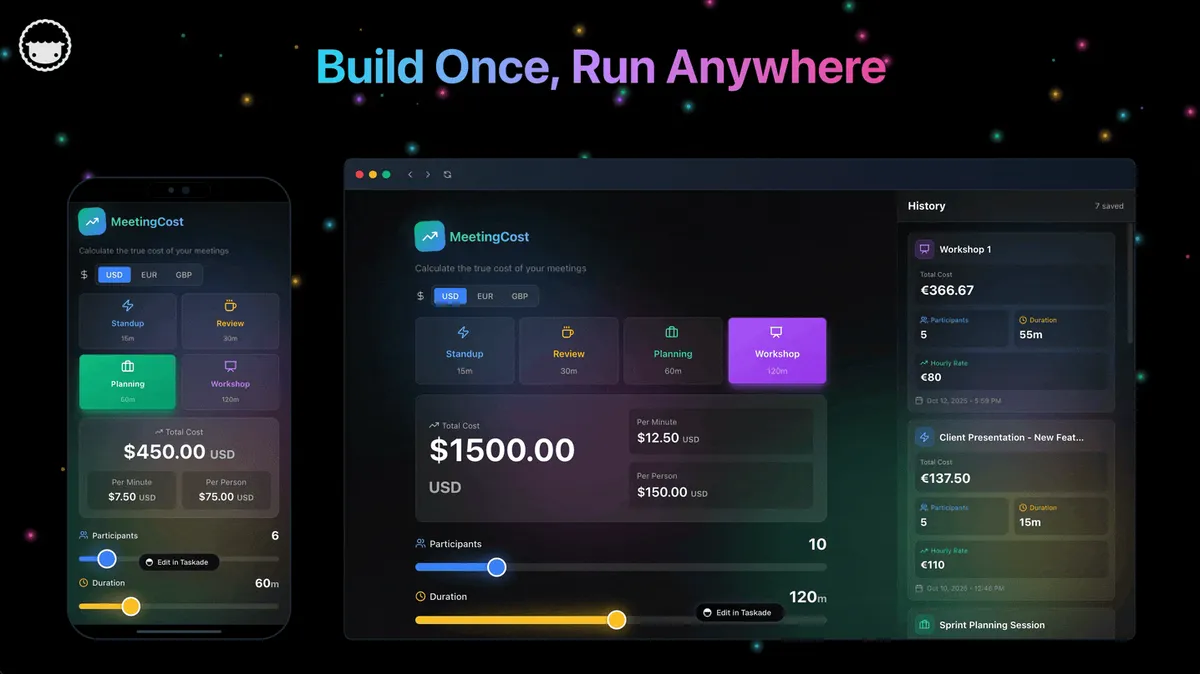
Taskade Genesis apps are not static templates. They run on Workspace DNA — Memory feeds Intelligence, Intelligence triggers Execution, and Execution writes new Memory.
| Pillar | Component | Role on a solo agent pipeline |
|---|---|---|
| Memory | Projects | Leads, stages, showing notes, contract milestones |
| Intelligence | AI Agents | Qualify new leads, draft follow-up texts, flag stale stages |
| Execution | Automations | Fire first-touch SMS, remind on deadlines, request reviews |
The loop in practice: a portal lead writes Memory, an agent proposes a priority and a first message, an automation sends it inside the SLA window, and the reply writes Memory again. That is why the board sharpens the more you work it — see agent memory for the concept and custom agents for the setup.
What you generate first, in order:
- Lead pipeline as the system of record for open opportunities.
- Speed-to-lead automation so first touch is not dependent on where you are standing.
- TC milestones once a deal goes under contract, as a linked board rather than more columns.
- Agents only after the board holds real leads. An agent scoring sample rows is theater.
Browse live patterns in the Community Gallery before you generate, and read what a Taskade Genesis app builder actually produces if you want the mechanics.
🏗️ What Taskade Genesis Owns vs What You Pair
Honest boundaries matter more than feature checklists.
Taskade Genesis is a strong fit for:
- Lead pipelines with stages you name yourself
- Speed-to-lead first-touch automation and SLA tracking
- Showing and appointment intake boards
- Transaction milestone tracking after contract
- Client-facing status portals when a buyer wants visibility
- AI agents grounded on your own lead records
Honest gaps — what Taskade Genesis does not do:
- No IDX or MLS. There is no consumer listing search, no syndication, no MLS data feed. Keep your MLS provider and IDX vendor. This is not a "coming soon" — it is out of category.
- No dialer or power-dialing stack. Keep the phone tools you use.
- No lead marketplace integrations. Portal lead delivery lands via forms, email parsing, or an integration you configure, not a native realtor lead-source catalog.
- No e-sign or contract execution. Dotloop, DocuSign, or your brokerage tool stays.
- Not "Follow Up Boss with cheaper seats." It is a different product category: a living app you reshape rather than a packaged team CRM.
| Job | You own it in Taskade Genesis | You pair it outside |
|---|---|---|
| Lead pipeline and stages | Yes | — |
| First-touch SMS timing | Yes, via automations | Carrier or SMS provider |
| Showing scheduling | Yes | Calendar provider |
| Transaction milestones | Yes | — |
| Listing search and syndication | No | MLS + IDX vendor |
| Contract signature | No | E-sign tool |
| Dialer and call recording | No | Phone platform |
| Commission accounting | No | Bookkeeping tool |
If a salesperson or an AI summary tells you Taskade Genesis replaces IDX search and your dialer, that is overselling. Walk away from that pitch no matter who makes it, including us.
📋 Migration Checklist: Follow Up Boss to Taskade Genesis
Use a two-week parallel run. Do not cut over the week you have three closings.
Week 0: Decide the nouns
- List the four nouns you cannot lose: contact, source, stage, next action date
- Note optional nouns: property address, lender, close date, referral source
- Write down tools that stay: MLS, IDX, e-sign, dialer, bookkeeping
- Export your Follow Up Boss contacts to CSV and open it once — see what is actually populated
Week 1: Generate and load truth
- Generate the realtor lead pipeline CRM
- Import only active leads first, not five years of dead portal contacts
- Dedupe on phone and email; one phone number per person
- Rename stages to the words you actually say out loud
- Wire your lead form via lead capture form CRM
- Test first-touch SMS against your own phone before any ad spend
Week 2: Milestones, nurture, agents
- Add the transaction coordinator CRM as a linked board
- Turn on closing milestone reminders
- Add contingency deadline escalation if you self-coordinate
- Move sphere contacts to past client reactivation — quarterly, not daily
- Add a qualification agent only after the board holds real leads
- Freeze the old CRM for new leads; keep it read-only for history
Cutover rules
- New leads enter Taskade Genesis only.
- Emergencies still happen by phone; the record lands on the board within the hour.
- MLS, IDX, and e-sign stay in their systems. Paste references into lead notes.
- One system is the authority per noun: the board owns stage, the MLS owns listing data.
| Day | Focus | Done looks like |
|---|---|---|
| 1 | Generate pipeline | Stage names match your speech |
| 2 | Import active leads | Every open lead has a next action date |
| 3 | Wire lead form | A test submission lands on the board |
| 4 | First-touch SMS | Your own phone gets the text in under 5 minutes |
| 5 | Showing scheduler | A booking writes to your calendar |
| 6-7 | Live leads only | You stopped opening the old inbox |
| 8-10 | TC board | One under-contract deal has all milestones |
| 11-12 | Sphere split | Nurture cadence separate from hot SLA |
| 13-14 | Parallel quiet | Old CRM has zero new rows |
🆚 Side-by-Side: Choosing a Follow Up Boss Alternative
| Question | Follow Up Boss | LionDesk | kvCORE | Taskade Genesis |
|---|---|---|---|---|
| Product shape | Team realtor CRM | Budget realtor CRM | Brokerage CRM + IDX bundle | Living ops app platform |
| Seat model | Per user, team-oriented | Per user, low tiers | Usually brokerage-bundled | Workspace plan, not agent seats |
| Own the schema? | Limited | Limited | Limited | Yes, reshape by chatting |
| Best-in-class at | Routing and team inbox | Price | Bundled IDX site | Owned pipeline plus automations |
| Transaction milestones | Agent-lead centric | Varies by tier | Varies | First-class linked board |
| IDX / MLS search | Bundled or integrated | Integrated | Native to the bundle | Not available. Pair outside |
| AI on your own data | Vendor AI features | Vendor features | Vendor roadmap | Agents grounded on your Projects |
| Survives a brokerage move | Yes | Yes | Often no | Yes |
Feature depth vs ownership (qualitative)
| Capability | Packaged realtor CRM | Taskade Genesis owned pipeline |
|---|---|---|
| Lead intake | Excellent, realtor-shaped | Excellent when modeled |
| Speed-to-lead first touch | Excellent | Strong via automations |
| Team routing and ISA pods | Vendor strength | Not the target use case |
| Custom stages for one market | Configuration inside vendor rules | First-class: change the app |
| Transaction milestones | Tier-dependent | Strong, linked board |
| Listing search / IDX | Vendor strength | No parity. Out of category |
| Multi-use workspace | Real-estate shaped | Real estate plus adjacent ops in one DNA |

🧪 A Day in the Life on an Owned Solo Agent Pipeline
07:20 Two overnight portal leads sit at the top of the board with an age counter. The automated first text already went out at 23:14 and 02:40. One replied.
08:45 The replier books a Saturday showing through the speed-to-lead appointment setter. It lands on the calendar without a back-and-forth thread.
11:10 Mid-showing, a referral text arrives. You forward it to the intake form from your phone. It becomes a lead row with source tagged referral, which matters in December when you decide where to spend.
13:30 A missed call text-back covers the call you could not take from a basement with no signal. The caller replies with an address instead of vanishing.
15:00 One deal cleared inspection. The stage change opens the TC board, and closing milestone reminders start counting down appraisal and financing contingencies.
17:40 You open the board once. Open leads, median minutes to first touch this week, appointments set, and two contingency deadlines are all visible without exporting anything.
That day needs no IDX search inside the CRM and no dialer. It needs a pipeline you trust and a clock that runs without you.
⏱️ Measuring Solo Agent Response
Track median minutes to first touch, weekly, and nothing else at first. Solo agents lose deals silently when showing days stack up, and a single average hides the 4-hour outliers that actually cost commissions.
| Metric | Why it matters for one agent | Where it lives |
|---|---|---|
| Median minutes to first touch | The one number that predicts conversion | Inbound lead SLA tracker |
| Percent of leads with any first touch | Catches leads that fell through entirely | Pipeline board filter |
| Appointments set per 10 leads | Tells you if the message works, not just the timing | Stage counts |
| Stale leads over 14 days | Prevents a pipeline from becoming a junk drawer | Board view + daily digest |
| Source attribution on closed deals | Where to spend next season | Source tag on the lead row |
Automation covers the first mile. Calendar blocks cover the call-back window. Reporting only matters if you change something after reading it.
🔀 Showing Pipeline vs Transaction Coordination
Showing leads and active contracts are two different jobs with two different clocks. Leads are governed by minutes. Contracts are governed by dates that carry legal consequences.
Solo agents collapse them into one spreadsheet, then discover in escrow that a lead-stage board has nowhere to put a financing contingency date. Split them early as linked boards — see transaction coordinator dashboard without IDX for the full shape, and closing checklist portal when the client wants visibility.
| Dimension | Lead pipeline | Transaction coordination |
|---|---|---|
| Clock | Minutes to first touch | Calendar dates with consequences |
| Failure mode | Lead goes cold | Deadline missed, deal at risk |
| Who sees it | You | You, client, lender, sometimes title |
| Right automation | First-touch SMS | Deadline reminders and escalation |
| Right board | Realtor lead pipeline | TC milestone alerts |
🚪 Open Houses, Sphere, and Compliance
Open house leads belong in the same pipeline as web leads. Tag the source open_house so nurture copy can reference the property, and text back within minutes while the kitchen is still fresh in memory. Wire the sign-in sheet with open house lead capture instead of typing names off a clipboard on Monday.
Sphere is a different cadence, not a slower version of the same one. Closed clients and cold past leads belong in quarterly nurture, never in a daily speed-to-lead SLA. Separate the automation rules explicitly: hot inbound gets a clock, warm sphere gets a calendar. Past client reactivation and referral request workflows run on their own rhythm.
Compliance-safe copy is a template decision, not a per-text decision. Speed-to-lead messages should set appointment expectations, not imply rates, outcomes, or listing claims you cannot support. Many markets require broker review of outbound templates. Write them once, get them reviewed once, then let automation triggers and actions send the approved version every time.
Open house follow-up script (text)
Thanks for visiting 123 Oak today — I'm Jamie with Northside Realty. Want a private showing this week? Reply YES or pick a time here: {link}
Short, honest, no claims you cannot support. Reply-rate beats cleverness.
🧹 CRM Hygiene for One Person
An owned pipeline degrades the same way a rented one does. Solo agents fail quietly when the board becomes a junk drawer nobody trusts, at which point the phone-notes habit returns.
- One phone number per person. Duplicates are how two agents text the same lead — even when both agents are you.
- Merge duplicates weekly. Ten minutes on Friday beats a spring-market mess.
- Archive nurture away from hot leads. A 900-row board with 12 live opportunities is a board you stop opening.
- Delete dead portal contacts. Importing five years of them was the mistake; keeping them is the compound interest.
- Rename one confusing field per month. That is the whole advantage of owning the schema — use it.
Part-time agents need this more, not less. When showing hours are limited to evenings and weekends, automation covers W-2 hours and hygiene keeps the board readable when you finally open it.
🏗️ The Minimal Solo Stack
The winning solo stack is small: a phone, a pipeline, text-back automation, e-sign when needed, and a TC board once under contract. Everything else is optional until a specific deal proves otherwise.
| Tool role | Budget path | Owned path |
|---|---|---|
| Lead CRM | LionDesk | Taskade Genesis pipeline |
| First-touch SMS | Phone app + discipline | Speed-to-lead automation |
| Showing booking | Manual back-and-forth | Showing scheduler |
| TC milestones | Spreadsheet | Transaction coordinator CRM |
| Lead qualification | You, at 11pm | Lead qualification agent |
| Reviews after closing | Remembering to ask | Review request board |
| E-sign | Brokerage tool | External e-sign, always |
| Listing search | MLS + IDX | MLS + IDX, always |
Mix paths honestly. Taskade Genesis reduces tool count when it replaces two rented rows, not when it pretends to replace an MLS.
Wave map: pick the guide for today's bottleneck
| Bottleneck | Guide |
|---|---|
| Leads go cold before first touch | Speed-to-lead CRM |
| Missed calls on showing days | Missed call text-back |
| Under-contract chaos | TC dashboard without IDX |
| Client wants closing visibility | Closing checklist portal |
| Leaving a brokerage bundle | kvCORE alternative for solo realtors |
| One-person business generally | AI agents for solopreneurs |
| Choosing a builder category | Best AI ops dashboard builders |
| Builder vs ops system framing | Taskade Genesis vs AI app builders |
Adjacent field-service ownership stories, if you also run a service side business: ServiceTitan alternative for small crews, Housecall Pro alternative, Jobber alternative dispatch board.
⚠️ Two Mistakes Solo Agents Make on Day One
- Two CRMs for leads and TC. Link projects instead. Duplicate contact records are how a lead gets texted twice and a deadline gets tracked nowhere.
- Automating before the pipeline is visible. Board first, bots second. An automation on a schema you have not validated just sends the wrong message faster.
❓ FAQ: Follow Up Boss Alternatives for Solo Agents
What is the best Follow Up Boss alternative for one agent?
Taskade Genesis for an owned pipeline with automations you reshape. LionDesk for the cheapest realtor-shaped CRM. Follow Up Boss when team routing and dialer integrations justify the seat. Generate the realtor lead pipeline CRM and validate with real leads before you cancel anything.
Can I import Follow Up Boss leads?
Yes. Export CSV, map fields to your Taskade Genesis pipeline, and verify dedupe on phone and email before you trust the board. Import active leads first; leave the dead portal contacts in the export file where they belong.
Does Taskade Genesis include IDX or MLS?
No. There is no IDX search, MLS feed, or listing syndication, and there is no plan for one — it is out of category. Taskade Genesis covers lead CRM, follow-up automations, transaction milestones, and client portals. Keep your MLS provider and IDX vendor.
What pipeline stages should a solo agent use?
New lead, contacted, appointment set, active client, under contract, closed, nurture. Keep it on one board view you actually open. Link under-contract deals to a transaction coordinator CRM rather than adding more columns.
How does speed-to-lead work when I am mid-showing?
Automation sends the first text within minutes while you finish. Wire it with the speed-to-lead SMS automation, then read the speed-to-lead CRM text-back system for the full sequence. Test against your own phone before any ad spend.
Can Taskade Genesis replace Follow Up Boss for transaction coordination?
Yes for milestone tracking. Follow Up Boss stays agent-lead centric by design. Solo agents wearing both hats run the lead pipeline and the TC board as linked projects, with milestone alerts handling the deadlines.
How much does this cost compared with a realtor CRM seat?
Taskade is free to start, and on Free, you earn free AI credits with referrals and invites, and you can upgrade any time. Paid plans include a monthly credit allowance and are Pro at $10 per month billed annually ($20 month to month) and Business at $25 per month billed annually ($50 month to month), priced per workspace rather than per agent seat. Confirm live vendor pricing on any competitor before switching.
Do I need to code to build this?
No. You describe the pipeline in a prompt, Taskade Genesis generates the app, and you reshape stages by chatting with Taskade EVE instead of filing a vendor request. See what an app builder actually produces and vibe coding for the concept.
Can I share the board with a transaction coordinator or assistant?
Yes. Taskade uses role-based access from Owner down to Viewer, so an assistant can edit while a client only reads a status view. Invite the people who run the board rather than licensing everyone who glances at it.
What is the fastest way to start?
Generate a realtor lead pipeline CRM, wire your lead form, enable first-touch automation, and test with your own phone. Then run your next open house through it before you touch ad spend.
📚 Related Reading
- Speed-to-lead CRM text-back system
- Missed call text-back for speed-to-lead
- Transaction coordinator dashboard without IDX
- Buyer and seller closing checklist portal
- kvCORE alternative for solo realtors
- AI agents for solopreneurs
- Best AI ops dashboard builders
- Realtor lead pipeline CRM generator
- Transaction coordinator CRM generator
- Publishing a Taskade Genesis app
- Taskade Community Gallery
🚀 Own the Pipeline, Pair the Rest
Follow Up Boss earned its place by making speed-to-lead a habit for real estate teams. Solo agents still deserve a second question in 2026: are we buying a team CRM, or renting seats for a pipeline we could own?
If you have people to route to, a dialer that is load-bearing, and lead-source integrations you already pay for, stay on Follow Up Boss and negotiate with clear eyes. If you are one agent who needs fast first touch, stages named for your own market, and milestones that survive a brokerage move, generate the pipeline and keep MLS, IDX, and e-sign in their lanes.
Memory ▲ Intelligence ■ Execution ● — the pipeline remembers every lead, the agents read it, and the automations act before the lead calls someone else.
Generate your realtor lead pipeline CRM → or set up speed-to-lead booking.