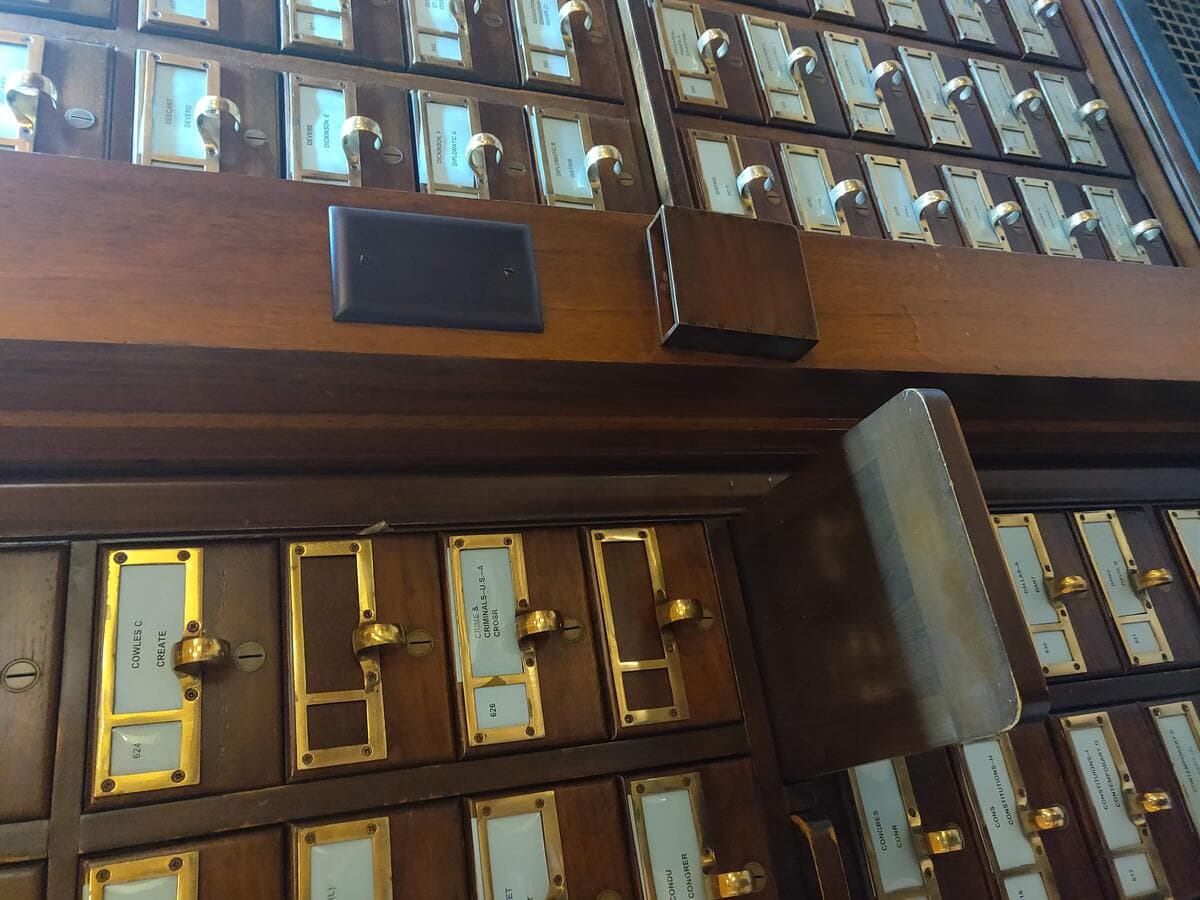
Before Google Scholar, before even the photocopier, a researcher's literature review started at a wooden cabinet full of index cards. A library card catalog held one card per book, filed alphabetically, cross-referenced by hand. Finding what had already been written on a topic meant flipping through hundreds of drawers, one card at a time.
In the Philippines and several other countries, the chapter that survives from that era still carries its own name: the RRL, or Review of Related Literature. Search interest in "RRL maker" and "RRL generator" now runs into the thousands of monthly impressions, mostly from students who want the modern equivalent of the card catalog: something that finds, organizes, and helps write that chapter faster.
The catch is that "AI literature review generator" now covers five very different jobs, and most searches blur them together. Some tools find papers. Some synthesize an answer across papers. Some verify whether a citation still holds up. Some just manage your references. And the newest, biggest risk in the whole category is that several of them will confidently hand you a citation that does not exist.
TL;DR: We sorted 12 AI literature review and RRL generators by job: discovery (Semantic Scholar, Research Rabbit), synthesis (Elicit, Consensus), citation checks (Scite, Litmaps), references (Zotero), and all-in-one (SciSpace). Free tiers, prices, and fabricated-citation studies were re-checked on September 24, 2026. Start your RRL free with Taskade's RRL Generator.
Quick Answer: The Best AI Literature Review Tool by What You Need
The right tool depends on which part of the job you're stuck on: finding papers, getting an answer across papers, verifying a citation, managing references, or writing the actual RRL. No single product does all five well.
| If you want to... | Start with | Why |
|---|---|---|
| Find papers on a topic, free | Semantic Scholar | Free API and search across 200 million-plus papers, no account needed |
| Map how papers cite each other | Research Rabbit or Connected Papers | Free citation-network visualization from a single seed paper |
| Get a sourced answer to a specific question | Consensus | Synthesizes findings across papers with a visible agreement meter |
| Extract and compare claims across many studies | Elicit | Builds a structured extraction table, one row per paper |
| Check whether a citation still holds up | Scite | Classifies each citing sentence as supporting, contrasting, or mentioning |
| Manage references and export citations | Zotero | Free, open source, exports to BibTeX and RIS from any format |
| Write and track your actual RRL | Taskade | Free RRL generator, plus a workspace that keeps your sources organized |
What Is an AI Literature Review Generator (and What Is an RRL Maker)?
An AI literature review generator is any tool that uses AI to help with part of reviewing existing research: finding papers, summarizing them, checking citations, or drafting the narrative. "RRL maker" is the same category under its Philippine-English name. Neither term describes one product. It describes five different jobs that only look similar from the outside.
WHAT YOU GET BACK                    EXAMPLE TOOLS                      REPLACES
──────────────────────────────────   ────────────────────────────────  ─────────────────
A list of real papers on a topic     Semantic Scholar, Research Rabbit  the card catalog
A visual map of how papers connect   Connected Papers, Litmaps          following footnotes
An answer synthesized across papers  Elicit, Consensus, Undermind       reading 40 abstracts
A check on one citation's validity   Scite                              reading the citing paper
Organized notes and a drafted RRL    Taskade, SciSpace                  a shoebox of note cards
Mixing these up is the most common way an RRL goes wrong. A discovery tool cannot verify a citation. A synthesis tool cannot manage your references. A drafting tool cannot search a paper database it was never connected to.
The Literature Review Pipeline, Mapped to Tools
Every literature review, RRL or systematic, moves through the same seven stages, and no single tool covers all of them well. Naming the stage you're stuck on makes the tool choice obvious.
Here is a dedicated tool and a free Taskade generator or agent for each stage:
| Stage | What you're doing | Dedicated tool | Free Taskade generator |
|---|---|---|---|
| Research question | Turn a topic into a question you can search | Consensus | Research Hypothesis Generator · Thesis Statement Generator |
| Search | Cast a wide net across databases | Semantic Scholar, Undermind | Literature Review Generator · Academic Source Finder prompt |
| Screen | Decide what's in scope and what's out | Elicit | Systematic Review Planner |
| Extract | Pull the method, sample, and finding from each source | Elicit | Research Source Tracker · Literature Review Template |
| Synthesize | Group sources by theme, not by author | Consensus | RRL Generator · Secondary Research Synthesis |
| Cite | Format references consistently | Zotero | Bibliography Generator · Citation Generator |
| Verify | Confirm every citation is real | Scite | Academic Citation Tracker agent |
| Map the field | See how the papers relate to each other | Research Rabbit, Litmaps | Citation Network Generator |
| Outline the chapter | Order the themes before you write | none needed | Research Paper Outline Generator |

Does AI Invent Citations? The Accuracy Problem This Category Can't Skip
Yes, fabricated citations are the single biggest risk in AI-assisted literature reviews, and the problem is measurably getting worse, not better. A study led by Columbia University researcher Maxim Topaz and published in The Lancet on May 7, 2026 checked more than 2 million papers and 97 million citations. The fabricated-reference rate climbed from roughly 1 in 2,828 papers in 2023 to about 1 in 458 in 2025, and to nearly 1 in 277 in the first seven weeks of 2026: a sixfold rise in two years, and roughly tenfold by early 2026.
Calculated from the rates reported by STAT News on the Lancet study: 1 in 2,828, 1 in 458, and 1 in 277 papers. "2026 YTD" covers the first seven weeks of 2026.
The problem is not evenly spread across tools, and live web access does not fix it on its own. Three independent tests measured it directly:
| Study | What was tested | Result | Source |
|---|---|---|---|
| Cabezas-Clavijo and Sidorenko-Bautista, 2025 | 8 free chatbots, 50 requested references each, 400 in total | 39.8% wrong or fabricated overall. Grok and DeepSeek fabricated none. Copilot (100%), Perplexity (72%), and Claude (64%) scored worst on wrong-or-fabricated references | arXiv 2505.18059 |
| Neurocritical care study, Critical Care Explorations, 2026 | GPT-5.3, DeepSeek-V3, Grok-4 with retrieval and browsing turned off, 300 references | 55.0% had at least one error, 28.3% were completely fabricated (DeepSeek-V3 8%, GPT-5.3 27%, Grok-4 50%) | PMC13506236 |
| BMJ, JAMA, and NEJM reference retrieval, 2026 | 5 AI platforms asked to retrieve 2,000 references from 40 published articles | The platforms failed to return correct reference data 47.8% of the time | arXiv 2603.22344 |
Two patterns in the 8-chatbot study matter most for an RRL. Journal articles failed far more often than books: 78% of journal references were wrong or fabricated, versus 12.9% of book references. Recent references were the riskiest: Perplexity returned the newest sources, mostly dated 2025, and 72% of them were fabricated. Recent journal articles are exactly the sources a Review of Related Literature needs most.
The mechanism is simple: when a model is asked to "cite" or "find sources," it pattern-matches against citation styles it learned during training. For a well-known paper, that pattern-match usually lands on something real. For a niche, recent, or obscure claim, the model can generate a citation that looks exactly right, correct author names, a plausible journal, a believable year, and does not exist. These fake references are sometimes called hallucitations, a sub-type of AI hallucination. The fix the dedicated tools use is retrieval-augmented generation: search a real index first, then write only from what came back.
Citation Verification Table: Fabrication Risk by Tool
The table below rates each tool's fabricated-citation risk by where its citations come from, because the source of a citation predicts its reliability better than the brand name does. "Low" means the tool returns records from a real index. "High" means text generated from model memory. Checked September 24, 2026.
| Tool | Where its citations come from | Fabricated-citation risk | How you verify it | Evidence |
|---|---|---|---|---|
| Semantic Scholar | Its own index of 200M+ papers (238M in the search box on Sept 24, 2026) | Low: returns indexed records only | Open the paper via its DOI or PDF link | S2 About |
| Research Rabbit | Citation graph over 310M+ articles | Low: nodes are real records | Click any node to open the source paper | RR pricing |
| Connected Papers | Co-citation graph built from a seed paper | Low: graph is built from citation data, not generated text | Click any node to open the source | CP pricing |
| Elicit | 138M+ papers and 545,000 clinical trials | Low for the paper list, medium for AI-written summaries | Click the source link next to any extracted claim | Elicit |
| Consensus | 220M+ peer-reviewed papers | Low for sources, medium for the synthesized answer | Click a claim to see the underlying paper | Consensus |
| Undermind | Deep search over the literature, in-line citations | Low per the vendor's own benchmark | Click any citation to open the source | Undermind pricing |
| Scite | 1.6B+ citation statements across 300M+ sources | Low: classifies real citing sentences | Read the citing sentence in context | Scite pricing |
| Litmaps | Citation maps from seed articles | Low: maps are built from citation data | Click any map node | Litmaps pricing |
| Zotero | Metadata you save from a real page, DOI, or PDF | Low: it stores what you add, it does not generate | Keep the attached PDF with each record | Zotero |
| SciSpace | Grounded literature search plus open-ended chat | Medium: search is grounded, chat can still produce unverified text. An earlier comparison ranked it among the lowest fabricators | Check each citation against its linked source | Aljamaan et al. 2024, summarized in arXiv 2505.18059 |
| Perplexity | Live web and academic sources, numbered citations | Medium to high: 72% of free-plan references were wrong or fabricated in the 8-chatbot test | Check each numbered citation's source quality | arXiv 2505.18059 |
| ChatGPT or Gemini, no search | Model memory only | High: 27% of GPT-5.3 references were fully fabricated with retrieval off | None built in, verify every citation externally | PMC13506236 |
| ChatGPT or Gemini Deep Research | Browses the live web and cites pages | Medium: cites real pages but can misstate what they say | Open every linked source and confirm the claim | Vendor docs; no independent test found |
| Taskade | The files, links, and projects you add as agent knowledge | Low for citing your sources, because it does not search academic databases | The agent names which of your files it used | Agent knowledge guide |
This is not a reason to avoid AI in a literature review. It is a reason to pick tools that show their work, and to treat every citation as unverified until you have personally opened the source.
We Tested It: How to Check an AI Citation in Under a Minute
A title search in Semantic Scholar plus a DOI lookup catches a fabricated citation in under a minute, and our own test on September 24, 2026 shows which free check to trust. We ran 7 citations through two free public APIs: 4 real papers, including the three studies cited above, and 3 invented titles written to look like typical AI output.
| Citation tested | Real or invented | Semantic Scholar title match | Crossref top search result |
|---|---|---|---|
| Assessing the performance of 8 AI chatbots in bibliographic reference retrieval | Real | Found (2025) | Found, DOI 10.1515/jdis-2025-0326 |
| Hallucination Rate of Peer-Reviewed Citations Generated by Large Language Models in Neurocritical Care | Real | Found (2026) | Found, DOI 10.1097/cce.0000000000001474 |
| Errors in AI-Assisted Retrieval of Medical Literature: A Comparative Study | Real (arXiv preprint) | Found (2026) | Unrelated paper returned |
| Attention Is All You Need | Real (conference paper) | Found (2017) | Unrelated book chapter returned |
| Generative AI tutoring and long-term retention in Philippine senior high school chemistry: a randomized trial | Invented | No match | Unrelated paper returned |
| Large language models as systematic reviewers: a multi-site validation across 40 Cochrane reviews | Invented | No match | Unrelated preprint returned |
| The effect of AI-assisted note-taking on undergraduate recall: evidence from 12 universities | Invented | No match | Unrelated book chapter returned |
Method: Semantic Scholar paper/search/match endpoint and Crossref works?query.bibliographic, one request each, no API key, September 24, 2026. A real DOI (10.1097/CCE.0000000000001474) resolved at doi.org. The same DOI with changed digits returned a 404.
The result that matters: Semantic Scholar's exact-title match got all 7 right. Crossref's search box always returns its closest result, so for every invented title it still showed a real, unrelated paper. A student who sees "a result came back" and stops there can accept a fake citation. Compare the title word for word, then open the DOI.
CITATION CHECK CARD (60 seconds per reference)
─────────────────────────────────────────────────────────────
1. TITLE     Paste the exact title into Semantic Scholar.
             No match?            → discard the citation.
2. DOI       Open https://doi.org/<the DOI>.
             404 or wrong paper?  → discard the citation.
3. AUTHORS   Do the authors and year match the record?
             Mismatch?            → fix it from the record.
4. CLAIM     Read the abstract. Does it say what you cite?
             No?                  → cut the claim, keep looking.
5. STATUS    Paste the DOI into Scite for supporting or
             contrasting citations before you rely on it.
─────────────────────────────────────────────────────────────
Only a citation that passes all 5 goes into your reference list.
Every reference in an RRL moves through the same states, and only one path ends in your reference list:
Is the Free Tier Actually Free?
Most tools in this category offer a genuine free tier, but what "free" gets you ranges from a full paper-search engine to a handful of AI-assisted messages a month. Verified against each vendor's own pricing page on September 23 and 24, 2026, except where the row says otherwise.
| Tool | Free tier (vendor's own unit) | Entry paid tier |
|---|---|---|
| Semantic Scholar | Free forever: full search and API across 200M+ papers, no account needed | No paid consumer tier; it's a free nonprofit project |
| Research Rabbit | Free forever: unlimited searches across 310M+ articles, up to 50 seed articles | RR+ $10/mo billed annually ($12.50 monthly), up to 300 seed articles |
| Connected Papers | 5 graphs a month, all features included | Academic $6/mo, billed $72 annually |
| Elicit | Unlimited search across 138M+ papers, unlimited summaries and chat | Pro $49/mo, billed $588 annually |
| Consensus | Basic paper search, 10 Pro messages/mo, up to 3 Deep Reviews/mo | Pro $12/mo ($144/yr) |
| Undermind | Full chat, deep search, and reports at standard rate limits | Pro $16/mo, billed annually |
| Scite | "Connect" tier: 300M+ source database access, 25 MCP credits/mo, no Assistant or Search | Basic $20/mo, billed annually |
| Litmaps | Up to 20 search inputs, 2 maps of 100 articles each | Pro $10/mo ($120/yr) |
| Zotero | The reference manager itself is entirely free; 300MB of free cloud storage | Storage add-on from $20/yr (2GB) |
| SciSpace | A free tier exists at signup; SciSpace's pricing page blocked our automated check, so confirm your current limit before relying on it | Premium reported at $12/mo, billed annually |
| ChatGPT | Deep Research listed as "Limited" on the Free plan (exact query count not published) | Plus $20/mo |
| Gemini | Deep Research access on the free app has been reported with a monthly cap; Google's own AI-plans page lists it only under paid tiers, so confirm current availability | AI Pro $19.99/mo |
| Taskade | 3 Genesis apps, 1 AI agent with 1 knowledge source, 10 automation runs a month, 6,000 one-time credits, no credit card | Pro $10/mo, billed annually |
The honest pattern: free paper search is generous (Semantic Scholar, Research Rabbit), and free AI synthesis is metered. Nobody gives away unlimited AI-generated answers for free forever.
What Changed in AI Literature Review Tools in 2026
The biggest 2026 changes were new paid tiers on tools that used to be fully free, research tools that plug into AI assistants, and hard evidence that fabricated citations are rising. A roundup written in 2025 misses most of these.
| Change | What it means for your RRL | Source |
|---|---|---|
| Research Rabbit added an RR+ paid tier ($10/mo billed annually) | The free plan stays, but large reviews with more than 50 seed articles now need RR+ | RR pricing |
| Elicit's pricing page lists Basic, Pro, Scale, and Enterprise, with no low-cost Plus tier | The cheapest Elicit upgrade is now Pro at $49/mo billed annually | Elicit pricing |
| Google's NotebookLM help center now uses the name Gemini Notebook, with new usage limits from September 2, 2026 | The free Standard tier allows 100 notebooks, 50 sources each, and 50 chats a day | Google help |
| Scite and Consensus sell MCP access, and Undermind connects to Claude, ChatGPT, and other assistants | You can query a grounded research index from inside a chat assistant instead of trusting its memory | Scite, Consensus, Undermind |
| The Lancet published a study of fabricated references across 2 million papers (May 2026) | The share of papers citing a fabricated reference rose about tenfold from 2023 to early 2026 | STAT News |
| Critical Care Explorations measured fabrication with retrieval turned off (August 2026) | A chatbot answering from memory fabricated 8% to 50% of references, depending on the model | PMC13506236 |
How We Compared These Tools
We are a vendor too, so here is exactly how this comparison was built:
- Every price and free-tier limit was checked against the vendor's own pricing page on September 23, 2026, and re-checked on September 24, 2026. Where a page would not load for us, we say so instead of repeating a third-party number as fact.
- Every study figure was read from the paper or its primary write-up, not from a roundup. We ran the citation-existence test ourselves.
- Tools are grouped by job, not ranked on one scale. A paper-discovery engine and a citation-verification tool are not competitors.
- The citation verification table is the honest core of this comparison, because fabricated citations are the category's real failure mode.
- Taskade appears last in the numbered list, in its own category, because that is honestly where it fits. It is not a paper search engine.
- Every entry names at least one real strength, including the tools that compete most directly with Taskade's own RRL generator.
Within each job, we compared tools on the same five questions, weighted by what goes wrong most often in a student RRL:
| Criterion | What we asked | Weight | Why it matters |
|---|---|---|---|
| Citation grounding | Does every citation come from a real, retrievable record? | 35% | A fabricated reference is the one error a reviewer cannot forgive |
| Free tier | Can a student finish a chapter without paying? | 20% | Most RRL writers are undergraduates or master's students |
| Coverage | How large and current is the index? | 20% | A small index misses the recent papers an RRL needs |
| Export | Does it send references to Zotero, BibTeX, or RIS? | 15% | Retyping references is where formatting errors creep in |
| Transparency | Does the vendor publish limits and prices? | 10% | Hidden limits break a thesis timeline mid-semester |
Find and Map the Literature
These tools search real academic databases and show you how papers connect. None of them write your RRL for you.
1. Semantic Scholar: Best Free Academic Search Engine
Semantic Scholar, built by the nonprofit Allen Institute for AI, indexes over 200 million academic papers and is free with no account required. Its API needs no key for basic use, making it the easiest tool on this list to build on top of.
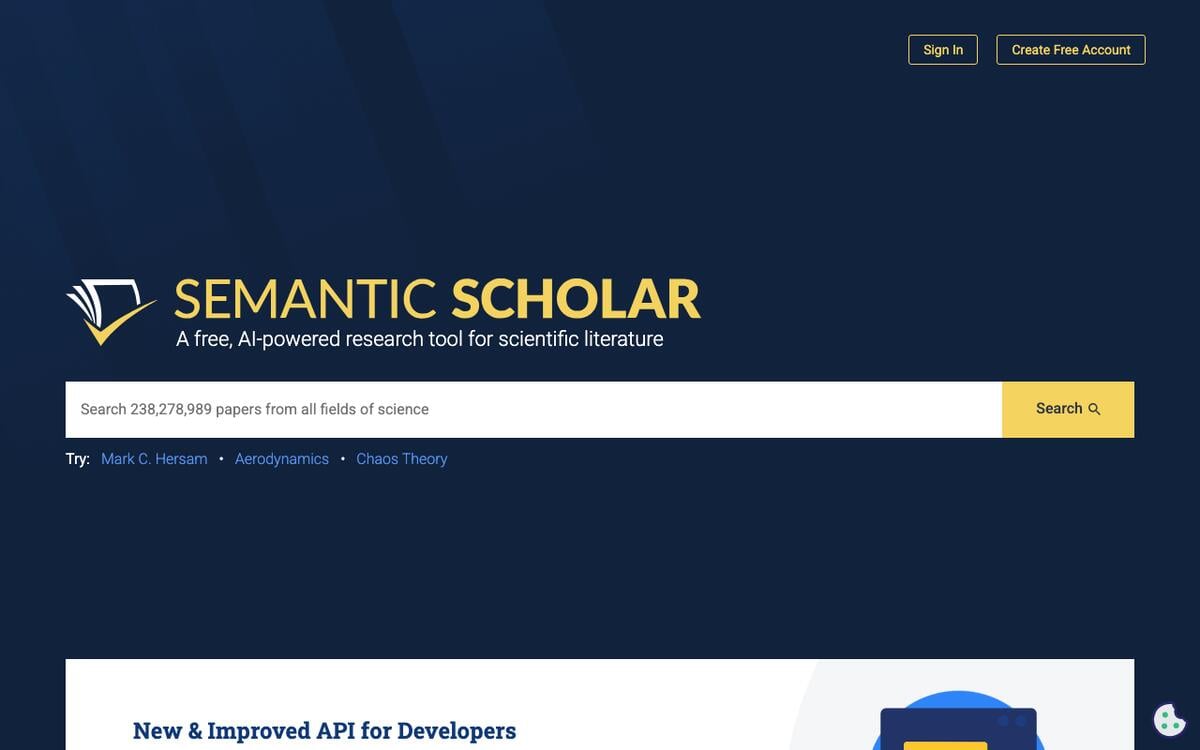
Key features: full-text and abstract search across 200M+ papers; a free public API; AI-generated one-line TLDR summaries on many papers; citation graphs and author profiles.
Free plan (verified Sep 24, 2026): completely free, forever, for search and API access. Unauthenticated API calls share a pool of 1,000 requests per second across all users and can be throttled at busy times. A free API key starts at 1 request per second of your own.
Pros:
- The largest free, no-login paper database in this list
- A real API, not just a search box, so it plugs into other tools
- Backed by a research nonprofit, not a venture-funded product with a shifting free tier
Cons:
- No AI synthesis across papers, it finds and summarizes one paper at a time
- No built-in citation-network visualization the way Research Rabbit or Connected Papers offer
Pricing: free, with no paid consumer tier.
Bottom line: the correct starting point for the search stage of any RRL, free and unlikely to disappear.
2. Research Rabbit: Best Free Citation-Network Mapping
Research Rabbit turns one seed paper into an interactive map of related work, citations, and author networks across more than 310 million articles, and says it is trusted by more than 1,000,000 researchers. It stayed fully free for years, and in 2026 it keeps a free-forever plan alongside a new paid RR+ tier.
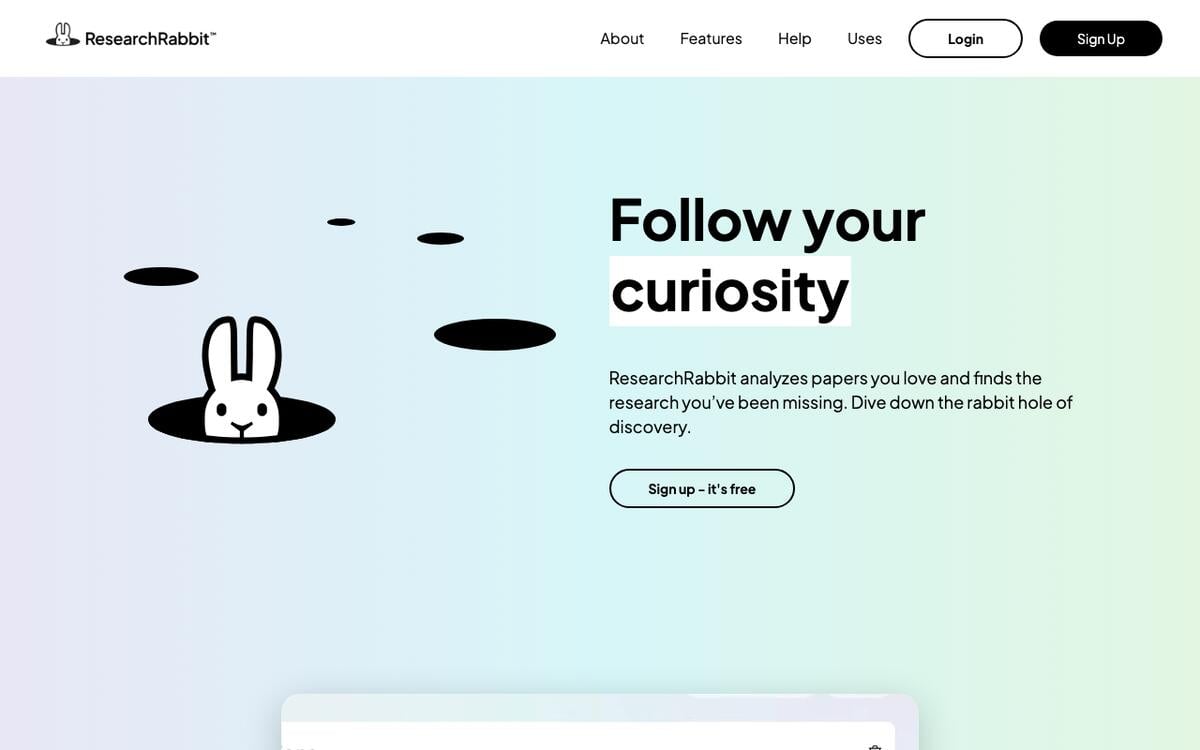
Key features: citation-network graphs from a seed paper; author-network view; cross-database pulls from PubMed, Semantic Scholar, and arXiv; direct Zotero integration.
Free plan (verified Sep 24, 2026): "$0, Forever": unlimited searches, unlimited library and collections, collection sharing, and up to 50 seed articles per search.
Pros:
- The free plan keeps unlimited search and collections, not a trial
- Genuinely useful for finding papers a keyword search misses
- Zotero integration means found papers flow straight into your reference manager
Cons:
- No synthesis or writing help, it is a discovery and mapping tool only
- Large reviews hit the 50-seed-article cap, and RR+ is needed for up to 300 seeds, multiple projects, and alerts
Pricing: free; RR+ $10/month billed annually, or $12.50 billed monthly.
Bottom line: the best free way to see the shape of a field before you start reading.
3. Connected Papers: Best for Visualizing One Paper's Context
Connected Papers builds a force-directed graph from a single query paper, analyzing tens of thousands of related papers to show which ones are most similar by co-citation, so you can see a paper's academic neighborhood at a glance.
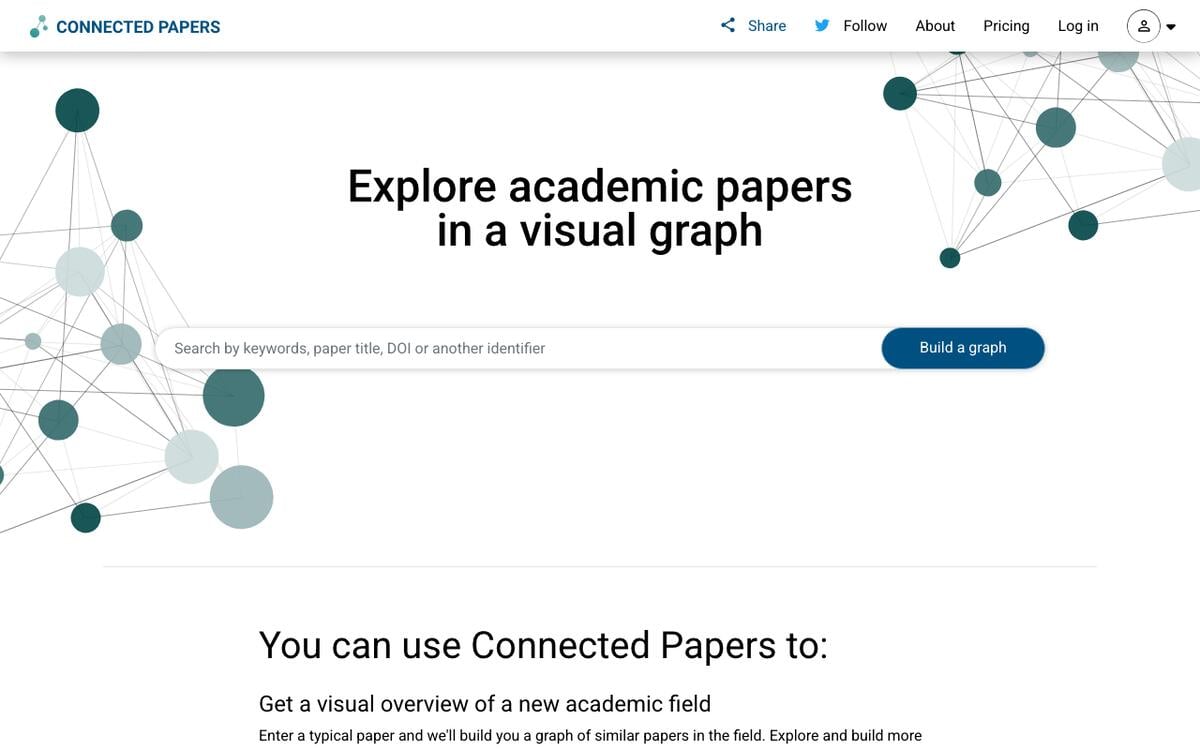
Key features: similarity graphs from one seed paper; prior and derivative works view; multi-origin graphs; saved papers and graph history.
Free plan (verified Sep 24, 2026): 5 Connected Papers graphs free every month, with the same core features as paid plans.
Pros:
- A single graph answers "what else should I read" faster than a keyword search
- Clean, visual, easy to explain to a thesis adviser
- Free tier is a real monthly allowance, not a one-time trial
Cons:
- 5 graphs a month is tight if you're mapping several sub-topics
- The Business plan costs more than three times the Academic plan if you use it for work outside academia
Pricing: free for 5 graphs/month; Academic $6/month billed $72 annually, Business $20/month billed $240 annually, both with unlimited graphs.
Bottom line: the fastest way to understand where one specific paper sits in its field.
4. Perplexity (Academic Focus): Best Free General Search With Citations
Perplexity's Academic focus mode restricts its answers to scholarly sources and returns numbered, clickable citations for every claim, and the free plan includes unlimited basic search.
Key features: an Academic-only focus mode; numbered inline citations; Reddit, YouTube, and Wolfram Alpha focus modes for other research angles; a Pro Search mode for deeper multi-step queries.
Free plan (checked Sep 24, 2026): unlimited basic searches, with a small daily allowance of the more advanced Pro Search, reported by third-party trackers at roughly 3-5 a day. Perplexity's pricing page returned a 404 for us, so we could not confirm these limits at the source.
Pros:
- Fastest way to get a sourced, citable first answer to a narrow question
- Free tier is genuinely usable for daily research, not a crippled demo
- Works across many source types beyond academic papers when you need broader context
Cons:
- Academic focus mixes peer-reviewed and non-peer-reviewed sources, so check what a citation actually is
- In a 2025 test of free chatbots, 72% of the references Perplexity returned on request were wrong or fabricated
- Not built for systematic, exhaustive coverage of a topic the way a dedicated database is
Pricing: free; Pro reported at $20/month for expanded Pro Search and model access.
Bottom line: the quickest sourced answer when you need one fact checked, not a full review built.
Synthesize Answers From Papers
These tools read many papers and give you a structured answer, not just a list of results.
5. Elicit: Best for Structured Evidence Extraction
Elicit searches across 138 million-plus papers and builds extraction tables, one row per paper, with columns you define (sample size, method, outcome), so you can compare studies side by side instead of reading each one cover to cover.
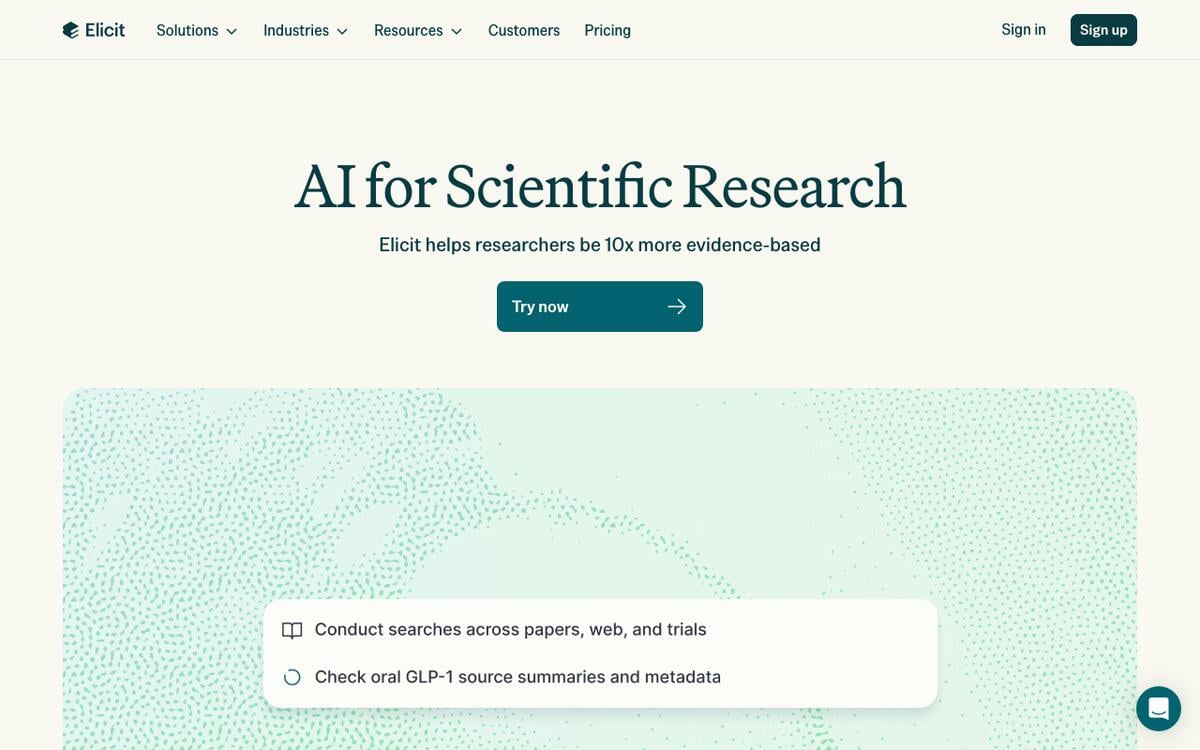
Key features: unlimited search and summarization on the free plan; a customizable extraction table across many papers at once; Research Reports for a scoped literature summary; Zotero integration; an API and MCP server for connecting Elicit to other tools.
Free plan (verified Sep 24, 2026): unlimited search across 138M+ papers, unlimited summaries, and unlimited chat with papers that have full-text access, with limited usage of Research Agent and Research Reports.
Pros:
- The extraction-table format matches how a real evidence synthesis is actually written
- Genuinely generous free search and summarization, not just a teaser
- Systematic-review-oriented paid tiers if your RRL grows into a formal review
Cons:
- Free-tier report and column limits are not published in exact numbers
- The dedicated systematic-review workflow, which screens up to 5,000 papers, starts at the $49/mo Pro plan
Pricing: Pro $49/month billed $588 annually; Scale $169/month billed $2,028 annually; Enterprise custom. The pricing page lists no Plus tier as of September 24, 2026.
Bottom line: the best tool for turning 20 papers into one comparison table instead of 20 sets of notes.
6. Consensus: Best for Yes/No Research Questions
Consensus searches over 220 million peer-reviewed papers and answers a specific question with a synthesized summary and a visual "Consensus Meter" showing how much agreement exists among the studies it found.
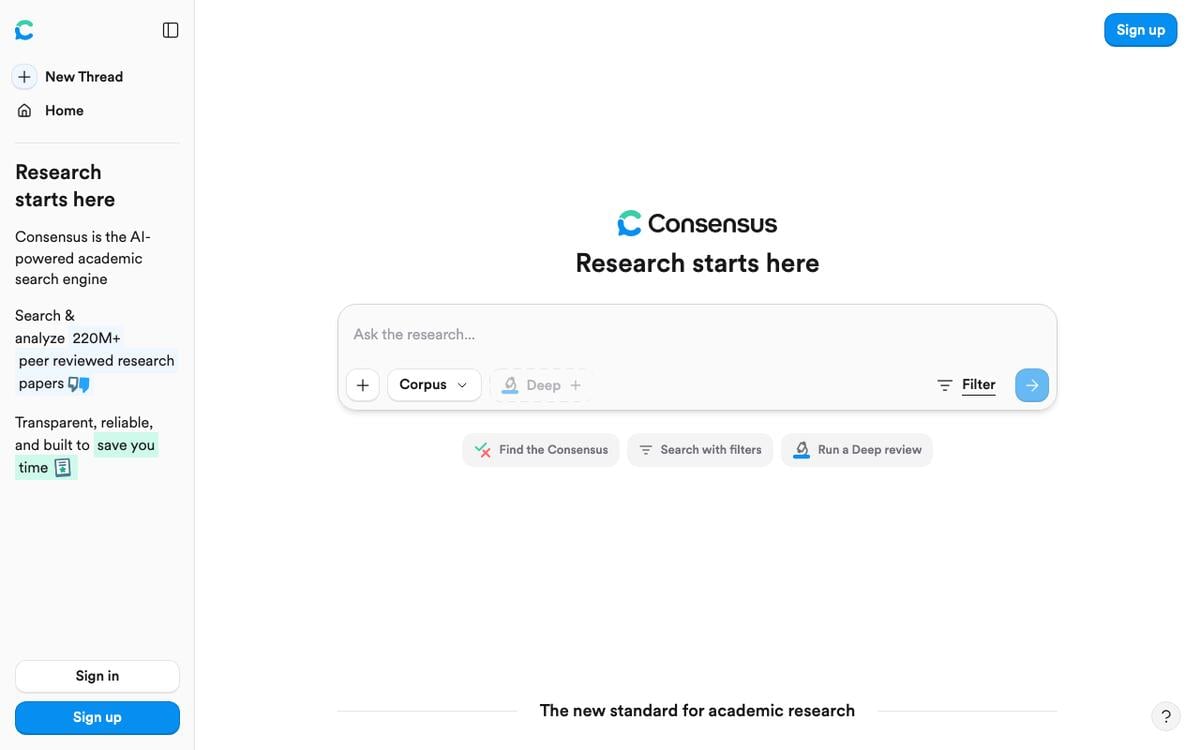
Key features: natural-language question search across peer-reviewed papers; a Consensus Meter for agreement level; Pro Analysis and Deep Review modes for longer synthesis; source-linked answers.
Free plan (verified Sep 24, 2026, from Consensus's own pricing page): basic paper search, 10 Pro messages a month, and up to 3 Deep Reviews a month.
Pros:
- The Consensus Meter is a fast, visual way to gauge how settled a question is
- Answers link directly back to the papers behind them
- Good fit for the narrow "does X affect Y" questions inside a larger RRL
Cons:
- Free-tier Pro messages and Deep Reviews are metered, not unlimited
- Less useful for open-ended topic exploration than for a specific question
Pricing: Pro $12/month billed $144 annually (15 Deep reviews a month); Deep $45/month billed $540 annually (200 Deep reviews a month). Students, faculty, and US clinicians can get up to 40% off.
Bottom line: the fastest way to get a sourced, visual answer to one specific research question.
7. Undermind: Best for Niche and Hard-to-Find Literature
Undermind is built for the searches a keyword box misses: describe your research question in a sentence or two, and it runs a deep, iterative search across the literature, explaining its reasoning and citing every claim back to a source paper you can trace.
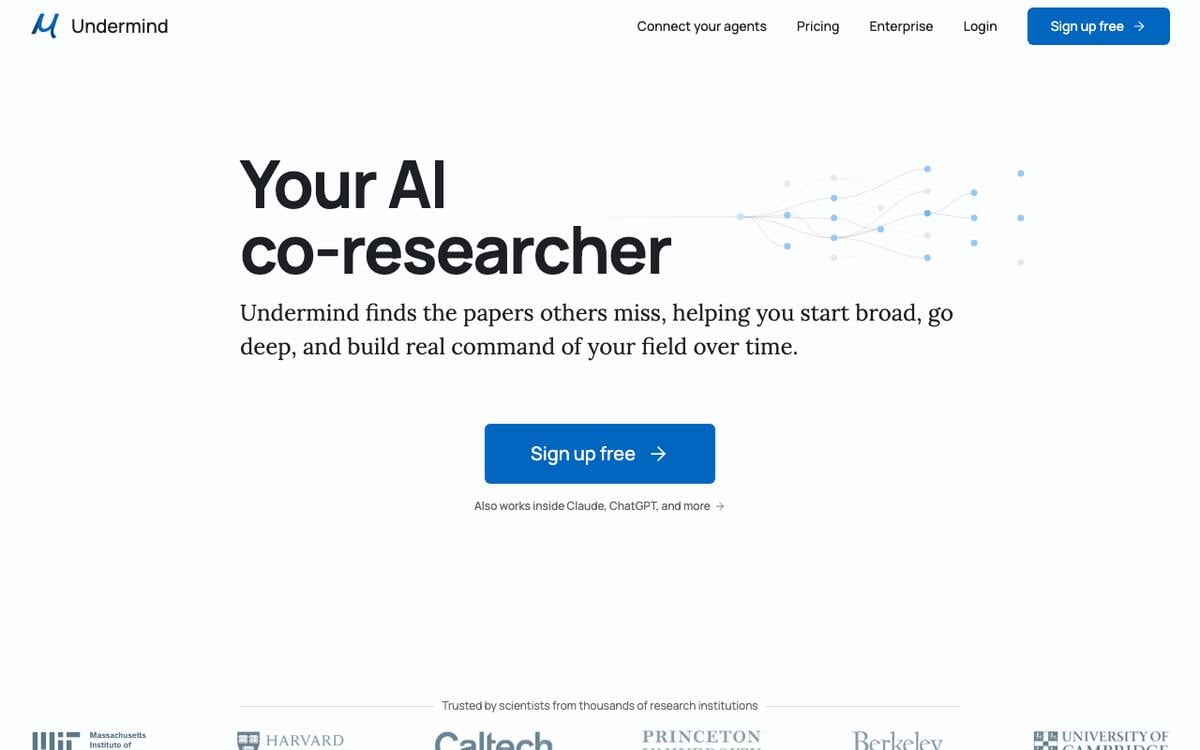
Key features: conversational, iterative deep search; in-line citations traceable to source papers; alerts for new relevant publications; a vendor-published benchmark across 23 research queries that reports 85% recall of the 20 most relevant papers, against 43% to 50% for general frontier chat models given the same 10 minutes.
Free plan (verified Sep 24, 2026): a genuine free plan with strong models for chat, deep searches, and reports, at standard (lower) rate limits.
Pros:
- Built specifically to find papers a normal keyword search misses
- Citation tracing is a first-class feature, not an afterthought
- The free tier includes deep searches and reports, not only a keyword search box
Cons:
- Newer and less well-known than Elicit or Consensus, smaller community track record
- Best suited to niche or emerging topics, overkill for a well-covered subject
Pricing: Pro $16/month, billed annually; Team $15/person/month, billed annually.
Bottom line: reach for this when a normal search keeps missing the paper you know must exist.
Verify and Manage Citations
These tools don't find or synthesize papers. They confirm a citation is real, track it over time, or format it correctly.
8. Scite: Best for Checking Whether a Citation Still Holds Up
Scite indexes over 1.6 billion Smart Citations across 300 million-plus scholarly sources and classifies each one as supporting, contrasting, or merely mentioning the paper it cites, so you can see whether later research actually backs up a claim.
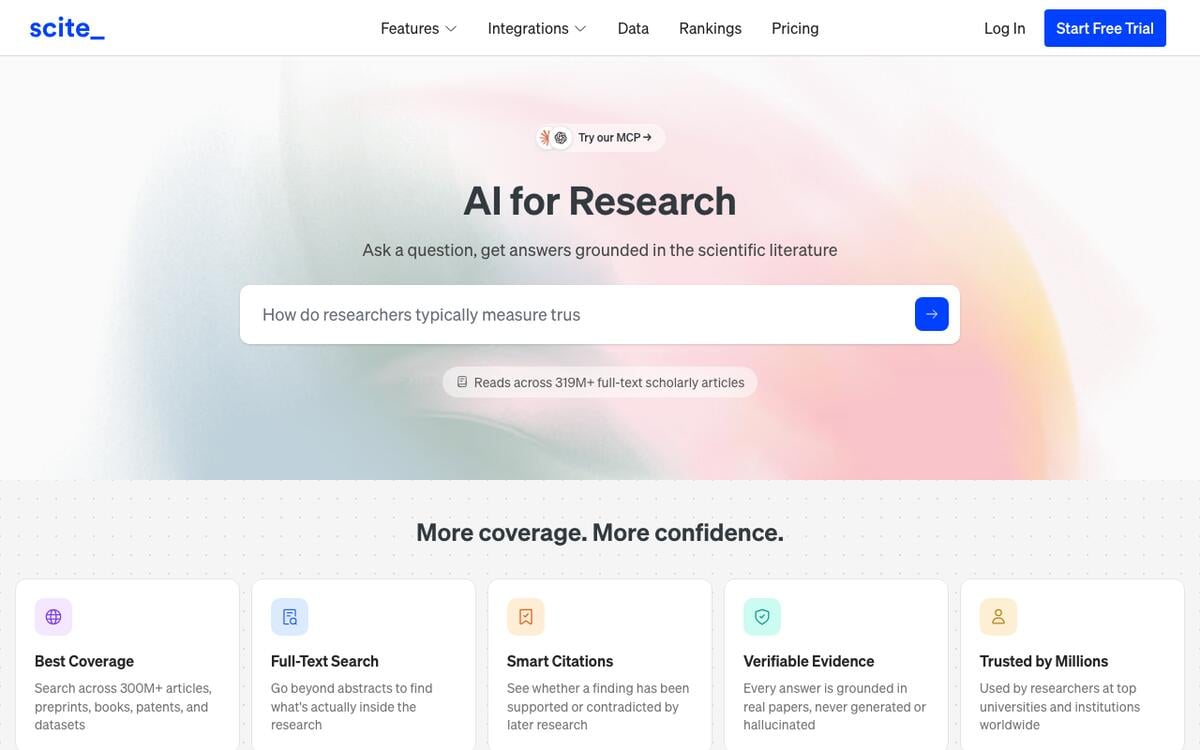
Key features: Smart Citations classified as supporting, contrasting, or mentioning; an AI Assistant grounded in full-text literature; a browser extension for checking any paper on the spot.
Free plan (verified Sep 24, 2026): a "Connect" tier gives access to the 300M+ source database and 25 MCP credits a month, but the AI Assistant and Search features require a paid plan.
Pros:
- The supporting/contrasting/mentioning classification is genuinely unique in this category
- 1.6B+ indexed citation statements is a serious dataset
- A real signal for whether a widely cited claim has since been disputed
Cons:
- The core Assistant and Search features are not on the free tier
- More expensive than most tools here once you need full access
Pricing: Basic $20/month, billed annually; Pro $50/month, billed annually, with API access.
Bottom line: the tool to reach for when you need to know if a citation is still considered true, not just whether it exists.
9. Litmaps: Best for Tracking a Citation Network Over Time
Litmaps builds citation maps like Connected Papers and Research Rabbit, but its distinguishing feature is literature alerts: it watches your saved map and notifies you when a new paper cites into it, so your RRL doesn't go stale between drafts.
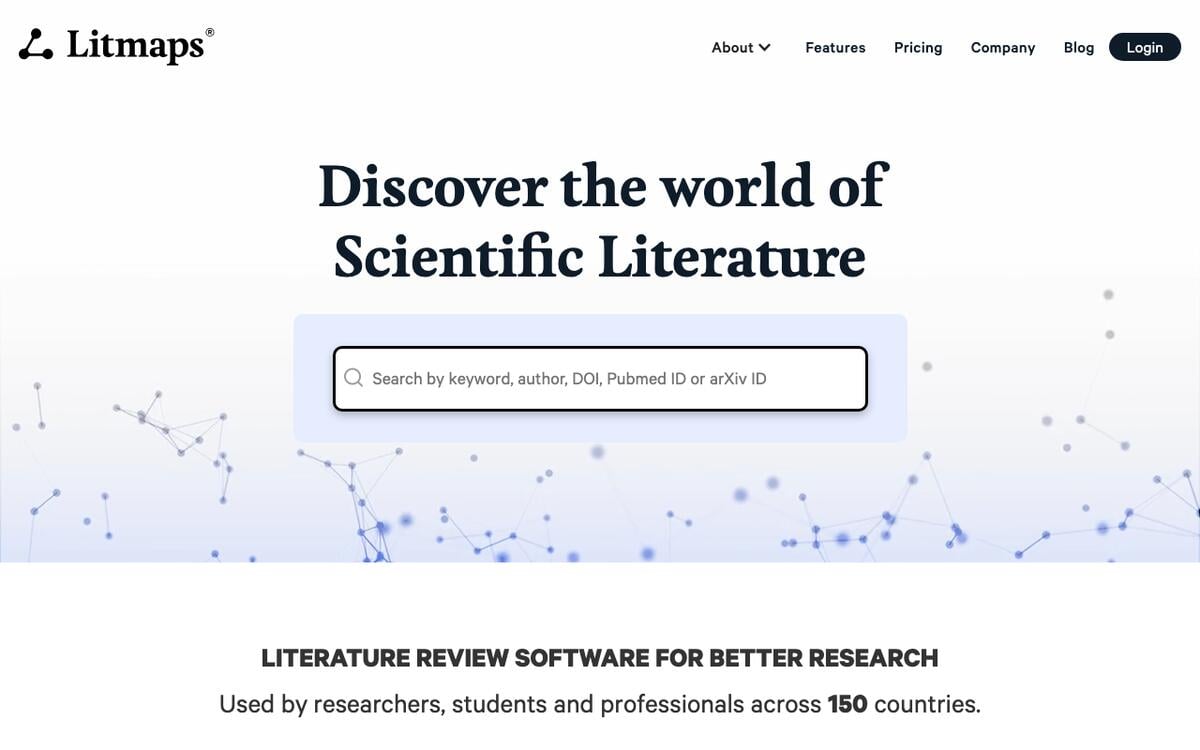
Key features: citation-network maps with unlimited inputs on paid plans; configurable literature alerts; collaboration on Team plans.
Free plan (verified Sep 24, 2026): basic search up to 20 inputs, and 2 Litmaps of up to 100 articles each, with no literature alerts.
Pros:
- Literature alerts are the feature the other mapping tools don't have
- Clean, readable maps for showing an adviser how sources connect
- Reasonably priced entry paid tier
Cons:
- Free tier's 20-input cap is restrictive for anything but a narrow sub-topic
- Alerts, the tool's best feature, require a paid plan
Pricing: Pro $10/month ($120/yr) with unlimited inputs, maps, and articles; a Team plan with team-wide collaboration is priced on request.
Bottom line: the right pick if your RRL needs to stay current over a multi-month thesis timeline.
10. Zotero: Best Free Reference Manager
Zotero is free, open-source software that collects, organizes, cites, and shares your research sources, and it is the reference manager most of the tools on this list plug into.
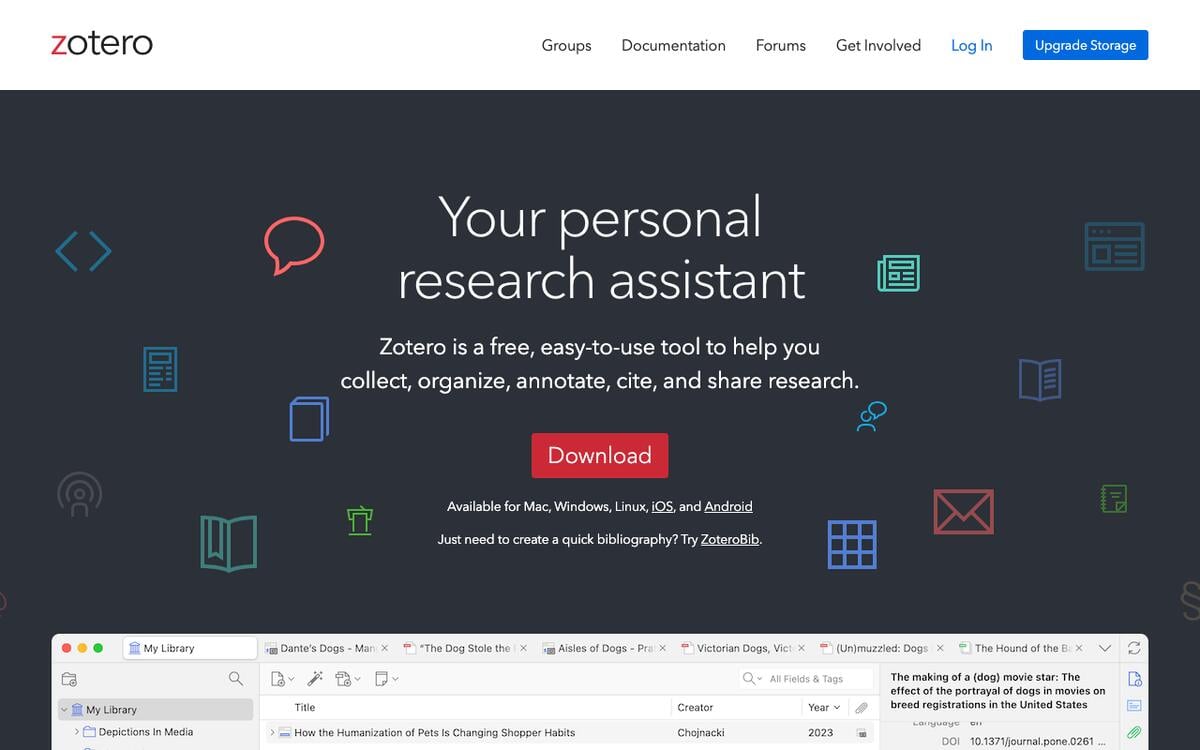
Key features: one-click saving from a browser; automatic BibTeX, RIS, and hundreds of other citation-style exports; group libraries for team projects; a word-processor plugin for in-text citations.
Free plan (verified Sep 24, 2026): the software itself is entirely free with no feature gate; 300MB of free cloud storage for synced attachments.
Pros:
- Genuinely free forever, maintained by a nonprofit, not a venture-backed company
- The export format every other tool in this list targets
- Works offline once your library is synced locally
Cons:
- Does not find papers or write anything, it only manages what you already have
- 300MB of free cloud storage fills up fast if you sync full-text PDFs
Pricing: free; storage add-ons at $20/year for 2GB, $60/year for 6GB, or $120/year for unlimited storage.
Bottom line: pair it with any discovery tool above; nearly everything exports straight into it.
All-in-One Paper Workspace
11. SciSpace: Best for Chatting With a Single PDF
SciSpace bundles a literature-review search, a chat-with-PDF feature, a paraphraser, an AI detector, and a citation generator into one subscription, aimed at researchers who want fewer tabs open.
Key features: literature review search; chat with an uploaded PDF; a standalone citation generator; paraphrasing and AI-writing tools.
Free plan (verified Sep 23, 2026): a free tier exists at signup with limited literature-review searches and PDF chats; we could not load exact free-tier numbers from SciSpace's own pricing page during this check, so confirm your current allowance before relying on it.
Pros:
- Fewer tools to juggle if you want search, chat, and citation formatting in one place
- The standalone Literature Review and Citation Generator features are reported to sit outside the credit system
- Useful for iterating on one paper's PDF in detail
Cons:
- We could not directly confirm free-tier limits from the vendor's own pricing page
- Open-ended chat features can still produce ungrounded text like any general assistant, so verify citations the same way you would elsewhere
Pricing: Premium $12/month, billed annually ($20/month billed monthly).
Bottom line: convenient if you want one subscription instead of five, less transparent about its free tier than the more focused tools above.
General AI Assistants: Useful for a First Pass, Never a Final Answer
General-purpose assistants can now run a "Deep Research" mode that browses the live web and returns a cited report. Treat the output as a starting point, never a finished citation list.
| Assistant | Deep Research on the free plan? | Grounded in live sources? | Paid tier for full access |
|---|---|---|---|
| ChatGPT | Listed as "Limited" on the Free plan; exact query count not published | Yes, when Deep Research runs, it browses and cites | Plus $20/month |
| Gemini | Reported with a monthly report cap in the past; Google's own AI-plans page lists Deep Research only under paid tiers, so confirm current access | Yes, when Deep Research runs | AI Pro $19.99/month |
| Gemini Notebook (formerly NotebookLM) | Not a web researcher: it answers from the sources you upload. Free Standard tier: 100 notebooks, 50 sources each, 50 chats a day | Yes, grounded in your own uploaded sources | Higher limits with Google AI plans |
Both chat assistants still make mistakes even with live browsing turned on. Gemini Notebook answers from your uploads, which limits invented references, but it cannot find a paper you have not added yet. The discipline does not change: open every linked source and confirm it says what the summary claims before it goes in your RRL.
Organize Your RRL as a Living Workspace
12. Taskade: Best for Organizing Your Sources Into a Finished RRL
Taskade is not a paper search engine, and it does not compete with Semantic Scholar, Elicit, or Scite on finding or verifying citations. It fits one stage later: once you've gathered sources, the free RRL Generator drafts the narrative, and a Taskade agent reads the files you give it and cites which ones it used.
Key features: an RRL Generator and Literature Review Generator; a Systematic Review Planner for PICO and screening logs; a Citation Network Generator; an Academic Citation Tracker agent; agents that summarize uploaded PDFs with sources shown.
Free plan (verified Sep 23, 2026): 3 Genesis apps, 1 AI agent with 1 knowledge source, 10 automation runs a month, and 6,000 one-time credits, no credit card.
Pros:
- Turns scattered PDFs and notes into one organized, searchable workspace
- The agent shows exactly which source it used for any claim
- A Taskade Genesis app tracks your literature matrix as a live database
Cons:
- No academic database search; pair it with Semantic Scholar or Research Rabbit
- Free plan holds one knowledge source at a time; paid plans raise that to 50
Pricing: Pro $10/month, billed annually, for unlimited apps and agents with 50 knowledge sources each.
Bottom line: the tool for after you've found your sources, to turn them into an organized, cited RRL instead of open tabs.
A Literature Matrix, Worked Example
A literature matrix is the working table behind every good RRL: one row per source, the same columns every time, filled in as you read, not after. Group by theme when you write the narrative, not by author.
LITERATURE MATRIX (one row per source, same columns every time)
─────────────────────────────────────────────────────────────────────
AUTHOR (YEAR)      METHOD           SAMPLE         KEY FINDING              GAP / NOTE
─────────────────────────────────────────────────────────────────────
Santos (2023)      Survey           412 students   AI use raised recall    No control group
                                                    scores by 12%
Lee & Cruz (2024)   Case study       3 schools      Teachers reported       Small N, one region
                                                    time savings
Patel (2025)       Systematic       38 studies     Mixed results on        Excludes non-English
                    review                          retention                studies
─────────────────────────────────────────────────────────────────────
→ Write the narrative by grouping rows that share a theme (method, outcome,
  or gap), not in the order you happened to read them.
A connected project in Taskade can hold this matrix as a live database instead of a static block of text, with each row's source file attached, so a reviewer can click straight through to the PDF you extracted it from.
Before You Submit: Verification and Academic Integrity
Use AI to find, organize, and summarize sources, never to replace your own analysis or your citation list's accuracy. None of the tools above remove your responsibility to confirm a citation is real before it appears in your reference list, and most universities now have a specific policy on disclosing AI-assisted writing.
- Check your institution's AI-use policy before you start. Some schools require disclosure of any AI tool used in research or drafting. Others restrict AI to stages like search or grammar checking.
- Verify every citation with the check card above. Even the best-performing models in recent tests still fabricate citations at a measurable rate.
- Rewrite the synthesis in your own words. An AI-drafted first pass is a starting point for your analysis, not a finished chapter you submit unchanged.
- Keep your own copy of every source. A tool's free tier, or the tool itself, can change. Zotero or a Taskade project you own is the safety net.
Which Tool Fits Your Job?
| You are... | Start with | Then add |
|---|---|---|
| Writing your first RRL chapter | Taskade RRL Generator (free) | Semantic Scholar for the papers themselves |
| Doing a full systematic review | Systematic Review Planner | Elicit for extraction tables, Scite to verify contested claims |
| Mapping an unfamiliar field before picking a topic | Research Rabbit or Connected Papers | Consensus for quick answers on sub-questions |
| Checking if a finding has since been contested | Scite | Litmaps to track the network as new citing papers appear |
| Managing 100-plus references across a thesis | Zotero | Taskade's Research Source Tracker for a live matrix |
| Writing a grant's literature background section | Elicit or Consensus | Taskade Genesis for the grant tracker, see our grant writing software guide |
| Writing an annotated bibliography | Zotero | Annotated Bibliography Template |
| Coding themes across interview or survey studies | Elicit | Thematic Analysis Template |
| Turning your RRL into a thesis proposal | Consensus for the gap statement | Research Proposal Generator · Thesis Proposal Outline |
WHICH TOOL? (read left to right, stop at the first match)
─────────────────────────────────────────────────────────────────
I have no papers yet ............... Semantic Scholar (free)
I have 1 good paper ................ Research Rabbit or Connected Papers
I have a yes/no question ........... Consensus
I have 20+ papers to compare ....... Elicit extraction table
I doubt one specific finding ....... Scite
I know a paper exists, can't find it Undermind
I have PDFs and need a draft ....... Taskade RRL Generator + agent
I need the reference list .......... Zotero
─────────────────────────────────────────────────────────────────
Every path ends at the same step: open each source and check it.
What AI Research Tools Cost
Entry paid tiers for dedicated citation and synthesis tools mostly sit between $6 and $20 a month, with Elicit the outlier at $49, while the strongest paper-discovery tools stay free indefinitely.
Vendor pricing pages, September 24, 2026. Connected Papers is the Academic plan, Research Rabbit is RR+, and ChatGPT is Plus. SciSpace is a reported price because its page blocked our check.
Semantic Scholar, Research Rabbit's free plan, Zotero's core app, and Taskade's RRL Generator all sit outside this chart because they carry no price for the features most RRL writers need.
| What you pay | Tool and plan | What the money buys that free does not |
|---|---|---|
| $0 | Semantic Scholar, Zotero (300MB sync), Research Rabbit free, Taskade Free | Search, reference management, citation maps, a free RRL draft |
| $6 to $10 a month | Connected Papers Academic, Research Rabbit RR+, Litmaps Pro, Taskade Pro (billed annually) | Unlimited graphs, 300 seed articles, literature alerts, unlimited agents with 50 knowledge sources each |
| $12 to $20 a month | Consensus Pro, Undermind Pro, Scite Basic | Metered AI synthesis becomes unlimited or much larger |
| $45 to $50 a month | Consensus Deep, Elicit Pro, Scite Pro | Systematic-review screening, 200 Deep reviews, API access |
Why We Built the Research Side Differently
Every dedicated tool in this list starts at the paper. Search for one, synthesize across many, verify a citation. That's real, necessary work, and none of it is Taskade's job.
What happens after you've done that work is where most RRL chapters actually stall: dozens of open tabs, a half-updated spreadsheet, and no single place where the sources, your notes, and your draft live together. Taskade put that stage in a workspace instead. Upload your PDFs or connect a project, and an AI agent reads them and cites which one it used on every reply, the same discipline the verification tools above use, applied to your own sources instead of a public database.
The same workspace can hold your literature matrix as a live database, your RRL draft, and your citation list, all connected instead of scattered across a search engine, a reference manager, and a word processor. Memory feeds Intelligence: the sources you've already organized make every later question you ask your agent more accurate, not less. When a study group shares one workspace, an automation can assign each new row in the matrix to a member for review, and live apps other people built show what a finished research tracker looks like. To go further, browse the AI app ideas or the research agents that suggest papers to add.
Literature Review Tool FAQ
What is an RRL generator or RRL maker?
RRL stands for Review of Related Literature, the term used most often in the Philippines and some other countries for what US and UK schools usually call a literature review chapter. An RRL generator or RRL maker is any tool that helps find, organize, or draft that chapter.
What is the best free literature review generator?
For free literature search, Semantic Scholar and Research Rabbit lead. For a free online RRL scaffold to draft from, Taskade's RRL Generator and Literature Review Generator are free to try.
Does AI invent fake citations in a literature review?
Yes. A Columbia-led study in The Lancet found fabricated citations in roughly 1 in 277 papers by early 2026, up from 1 in 2,828 in 2023. In an 8-chatbot test, 39.8% of requested references were wrong or fabricated. Always verify a citation before you use it.
Is there an RRL generator with references?
Yes. Elicit, Consensus, Undermind, and Scite attach each claim to a paper from a real index. A chatbot answering from memory does not: with retrieval turned off, 28.3% of its references were completely fabricated in a 2026 study. For a reusable prompt, start from the literature review prompt and paste in sources you already found.
What is the difference between an RRL and a systematic review?
An RRL is a narrative chapter that summarizes research relevant to your study. A systematic review follows a formal protocol: a PICO question, fixed search strings, inclusion and exclusion criteria, and PRISMA-style reporting. Most RRL chapters do not need the full protocol, but borrowing its screening discipline makes any review stronger.
How do I check if an AI-generated citation is real?
Search the exact title in Semantic Scholar. If the paper, authors, and year all match, open the DOI and read the abstract. If nothing matches, discard it. Do not trust a search box that always returns its closest result, as Crossref did for all 3 invented titles in our test.
Can ChatGPT write a literature review?
ChatGPT can find, summarize, and draft a first pass, especially with Deep Research on, but check every reference and your institution's AI-use policy, and rewrite the synthesis in your own words before you submit.
What is the best AI tool for a systematic review?
Taskade's Systematic Review Planner scaffolds the PICO framework and screening log. Pair it with Elicit for extraction tables and Scite for citation verification, or use the systematic literature review prompt to structure the protocol.
Can I export citations to Zotero or BibTeX?
Yes. Zotero exports to hundreds of citation styles, and Elicit, Scite, SciSpace, Semantic Scholar, and Research Rabbit all connect to it directly.
Can I generate a literature review from a PDF or a link?
Yes. SciSpace and Gemini Notebook answer from files you upload, and a Taskade AI agent reads the PDFs and links you add as knowledge and names which source it used. See how to build a knowledge chatbot for the setup.
Can Taskade find and cite research papers for me?
Not directly. Taskade is not a paper search engine. It organizes and summarizes the sources you already found, and cites which of your own files it used.
What is the best AI literature review generator in 2026?
No single tool wins every stage. Semantic Scholar and Research Rabbit lead free discovery, Elicit and Consensus lead synthesis, Scite leads verification, and Zotero leads reference management. Taskade fits the drafting stage, after the sources are in hand.
Explore more research generators at /generate/research, or see how AI agents ground answers in your own knowledge.
The Verdict
For free paper discovery, Semantic Scholar and Research Rabbit are the strongest starting points in 2026. For evidence synthesis, Elicit and Consensus turn many papers into one sourced answer. For citation verification, Scite is the only tool built specifically to check whether a finding still holds up. For managing what you collect, Zotero stays free and exports everywhere.
And for the stage after you've gathered your sources, when the real work of turning them into an organized, cited RRL begins, that's where Taskade fits. Start your RRL free →
Further Reading
- Best AI Grant Writing Software 2026 — Taskade Genesis for the literature background section of a grant
- Best PDF to Notes AI Tools — turning a single PDF into structured notes
- AI Proposal Generators — drafting the proposal a literature review supports
- Best AI Meeting Summarizers — for advisor and committee meeting notes
- AI Exam Generators — turning research into study material
- What Is Perplexity? History and Citations — how AI answer engines with citations came to be
- What Are AI Agents? — the underlying technology behind every tool on this list
- PDF Study Tools — reading and annotating the papers you found
- RAG and Retrieval History — why search-first tools cite more reliably than chat
- AI Note-Taking Apps — where your reading notes live before they become an RRL
- AI Study Planners — scheduling a thesis chapter by chapter
- AI Assignment Makers — the classroom side of AI-assisted research
Sources
- Fraudulent citations blamed on AI hallucinations are becoming more common — STAT News, on the Columbia-led Lancet study
- Assessing the performance of 8 AI chatbots in bibliographic reference retrieval — Cabezas-Clavijo and Sidorenko-Bautista, arXiv, 2025 (published version DOI 10.1515/jdis-2025-0326)
- Hallucination Rate of Peer-Reviewed Citations Generated by Large Language Models in Neurocritical Care — Critical Care Explorations, August 25, 2026
- Errors in AI-Assisted Retrieval of Medical Literature: A Comparative Study — arXiv, March 2026
- Elicit pricing — vendor page, checked September 24, 2026
- Consensus pricing — vendor page, checked September 24, 2026
- Scite pricing, Litmaps pricing, Undermind pricing and benchmark — vendor pages, checked September 24, 2026
- Semantic Scholar About and Semantic Scholar API — Allen Institute for AI
- Research Rabbit pricing, Connected Papers pricing — vendor pages, checked September 24, 2026
- Gemini Notebook usage limits — Google help center, checked September 24, 2026
- Zotero storage — vendor page, checked September 24, 2026
- Crossref REST API — used for our citation-existence test, September 24, 2026
▲ ■ ● The card catalog took a researcher an afternoon to search one library. AI tools search 200 million papers in seconds, but a fabricated citation is still a fabricated citation. Verify before you cite. Memory feeds Intelligence, Intelligence triggers Execution. Start your RRL free →