






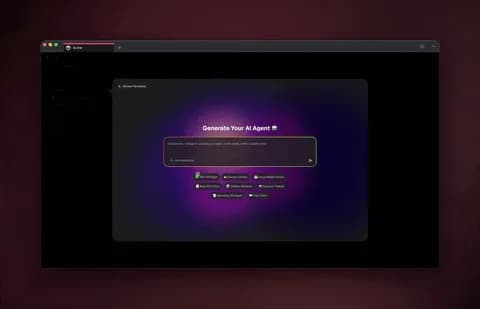
You can build a custom AI agent without writing a single line of code in under 30 minutes. You describe the agent's role in plain language, attach the documents and projects it should learn from, switch on the tools it needs from built-in options, pick a model, and publish. The result is not a brittle chatbot script. It is a living app with persistent memory that you can embed on your site, share by link, and let anyone clone into their own workspace. This guide walks through the exact build, step by step, for people who ship real apps with no engineers.
TL;DR: Building a custom AI agent in Taskade Genesis takes four steps: define the role, train it on your docs, give it tools (built-in), then deploy and embed it. Agents gain persistent memory and collaborate in multi-agent teams. No code required. Clone the live agent below and start building free.
This post is the concrete build. If you want the conceptual ground first, read what are AI agents. If you want to wire several agents into a coordinated crew, read build an AI agent team. If you want agents that run your operations on a schedule, read how AI agents automate work. Here, we build one custom agent from a blank prompt and ship it.
What "custom AI agent" actually means in 2026
A custom AI agent is a configured AI worker that has a defined role, its own knowledge, a set of tools it is allowed to use, and a memory that persists across conversations. In Taskade, each agent can use up to built-in tools and runs on any of the frontier models from top AI labs. That combination is what separates an agent from a prompt: a prompt answers once and forgets, while an agent remembers, acts, and improves.
The word "custom" carries the weight. A generic assistant knows the public internet. A custom agent knows your onboarding checklist, your vendor list, your product spec, and your tone of voice, because you trained it on those exact documents. For an IT program manager shipping internal tools, that difference is the entire value: the agent answers like a colleague who has read every doc, not like a search engine.
Here is the anatomy of a custom agent before we build one.
┌──────────────────────────────────────────────────────────────┐
│                     CUSTOM AI AGENT                            │
├──────────────────────────────────────────────────────────────┤
│                                                                │
│   ROLE          "You are an IT onboarding specialist..."       │
│   ───────────   plain-language instructions, no code           │
│                                                                │
│   KNOWLEDGE     ┌─ onboarding-checklist.pdf                    │
│   ───────────   ├─ vendor-access-matrix (Table project)        │
│                 └─ security-policy.md                          │
│                                                                │
│   TOOLS         [✓] web search   [✓] file analysis             │
│   ───────────   [✓] code exec    [✓] image gen                 │
│                 [✓] /slash cmds  [✓] persistent memory         │
│                                                                │
│   MODEL         Frontier models from top AI labs, per agent    │
│   ───────────                                                  │
│                                                                │
│   OUTPUT        Live app  →  /share/apps link  →  embed  →     │
│   ───────────   clone into any workspace (one click)           │
│                                                                │
└──────────────────────────────────────────────────────────────┘
Every box above is a no-code setting. You never touch a terminal. Let's fill each one in.
No-code vs low-code vs code-first: where to build in 2026
Most "no-code" agent platforms in 2026 are actually low-code, and the difference decides who on your team can build. A true no-code builder lets a non-engineer describe an agent in plain language and ship it. A low-code builder still expects you to wire a visual canvas of nodes, branches, and variables. A code-first platform hands you a software development kit and a runtime to manage yourself. The further left you sit on that spectrum, the faster a non-technical builder gets to a working agent.
This matters because the leading tools cluster at different points. Visual node-canvas builders like Relevance AI and the deterministic flow-builders (n8n, Make, Zapier) give you fine control but ask you to assemble the logic by hand. Google's Vertex AI Agent Builder bundles a code-first kit and a managed runtime aimed at cloud engineers. Stack AI and Dust lean enterprise, with environments and connectors that reward a platform team. Lindy and Taskade Genesis sit furthest toward plain-language building, where you describe the job and the agent is configured for you.
   CODE-FIRST ◄──────────────────────────────────────► PURE NO-CODE
   (write + host)        (visual node canvas)        (describe in words)   Vertex AI ADK   │   Relevance AI · n8n      │   Lindy
custom runtime  │   Make · Zapier flows     │   Taskade Genesis
│   Stack AI · Dust         │
───────────────────────────────────────────────────────────────
engineers       │   ops + power users       │   anyone on the team
needed          │   build the graph         │   describes the agent
The build time changes with position on that line. Industry guidance for no-code agents is to "give yourself two hours max" for a first prototype and "start with one repetitive task." On a code-first or node-canvas platform that two-hour window often disappears into setup: provisioning a model endpoint, wiring memory, bolting on auth. In Taskade Genesis the two hours is spent on the agent itself, because the model, memory, storage, and embed layer already exist around it. The four steps below are the entire build.
The chart is directional, not a benchmark, but the shape is the point: the closer a platform is to plain-language building, the less of your two hours goes to plumbing and the more goes to making the agent good at its job. For the conceptual ground beneath all of this, see what are AI agents.
Step 1 — Define the agent's role in plain language
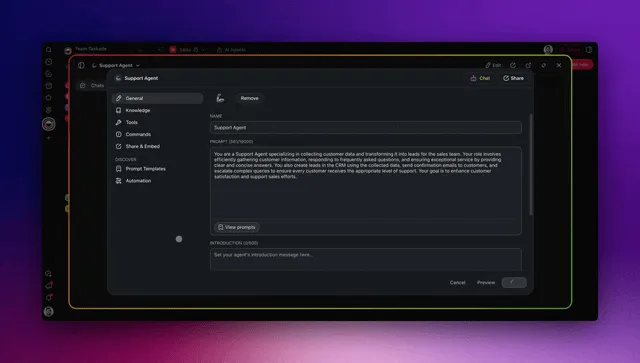
The first step takes about two minutes and determines 80% of the agent's quality. You write a role description in plain English, the same way you would brief a new hire. In Taskade Genesis you can either type a one-line prompt and let Taskade EVE draft the full role for you, or write the instructions yourself.
A strong role definition has four parts: who the agent is, what it does, what it must never do, and how it should respond. Vague roles produce vague agents, so be specific. Compare these two briefs for the same internal onboarding agent.
| Brief quality | Role text | Result |
|---|---|---|
| Weak | "Help with onboarding." | Generic answers, no boundaries, off-topic drift |
| Strong | "You are an IT onboarding specialist for a 200-person company. Walk new hires through laptop setup, SSO enrollment, and tool access. Never share security credentials. Answer in numbered steps, friendly tone." | Focused, safe, consistent, on-brand |
Notice the strong brief sets scope (onboarding), a guardrail (never share credentials), and a format (numbered steps). Those three constraints alone eliminate most of the unpredictability people fear from AI.
To draft the role fast, head to /create, describe the agent in one sentence, and let EVE expand it. Then edit. You can refine the role at any time without rebuilding anything, which is the no-code advantage: every change is a text edit, not a deploy.
If you are building several agents that hand off to each other, define each role narrowly. A narrow "researcher" and a narrow "writer" beat one bloated "do-everything" agent every time. We cover that crew pattern in build an AI agent team, but even a single custom agent benefits from a tight, well-scoped role.
Step 2 — Train the agent on your documents and project data
The second step is what makes the agent yours, and it takes about five minutes. You attach the documents, links, and projects the agent should learn from. Taskade indexes them with full-text and semantic search, so the agent answers from your real content rather than guessing from generic web data. An agent trained on 20 of your internal docs will outperform a generic assistant on your questions roughly every time.
You can feed an agent four kinds of knowledge.
| Knowledge source | Example | How the agent uses it |
|---|---|---|
| Uploaded files | PDFs, Word docs, spreadsheets | Quotes and cites exact internal content |
| Existing projects | A Table of vendors, a Board of tickets | Reads structured data live as it changes |
| Links | Help center URLs, public docs | Pulls current reference material |
| Persistent memory | Past conversations | Remembers decisions and preferences |
The structured-project angle is the part most tools cannot match. Because Taskade stores your data as projects across multiple views (List, Board, Calendar, Table, Mind Map, Gantt, and Org Chart, where Timeline is part of the Gantt view), an agent reading a Table project sees your live vendor matrix update automatically. You do not re-upload a spreadsheet; the agent reads the source. This is the Memory pillar of Workspace DNA in action, and it is why a Taskade agent stays current while a one-time file upload goes stale.
Here is how knowledge flows into an agent's answer.
Notice the loop back to memory: every answer can feed the agent's persistent memory, so it gets smarter about your context over time. To go deeper on grounding agents in your own knowledge, see /learn/agents and the agent playbook walkthrough.
Step 3 — Give the agent tools (built-in, no setup)
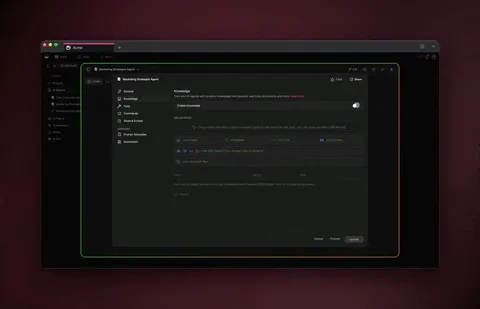
The third step turns a knowledgeable agent into a capable one, and it is a matter of flipping switches. Each Taskade agent can use up to built-in tools without any installation, API keys, or glue code. You decide what the agent is allowed to do by toggling tools on, the same way you grant permissions to a teammate.
Tools fall into a few families. You rarely need all 33; you pick the handful your agent's job requires.
| Tool family | Example tools | When to switch it on |
|---|---|---|
| Research | Web search, file analysis | Agent must look things up or read uploads |
| Creation | Code execution, image generation | Agent produces artifacts, charts, visuals |
| Memory | Persistent memory, project read/write | Agent should remember and update data |
| Interface | Custom slash commands, public embedding | Agent ships to teammates or the public |
| Connectivity | 100+ bidirectional integrations | Agent must touch external apps |
That last row is the multiplier. Tools are not limited to what lives inside Taskade. Through 100+ bidirectional integrations, an agent can pull events in (a new form submission, a calendar event, a database row) and push data out (post to a channel, create a ticket, update a sheet). Triggers pull, actions push, and your custom agent sits in the middle making decisions. Explore the full catalog at /automate.
The decision of which tools to enable comes down to one question: what does this agent need to do, not just say? Use this tree.
                 What should the agent DO?
                          │
        ┌─────────────────┼──────────────────┐
        │                 │                  │
   Look things up?   Make artifacts?    Touch other apps?
        │                 │                  │
   ┌────┴────┐       ┌─────┴─────┐      ┌─────┴─────┐
   │ web      │      │ code exec  │     │ enable     │
   │ search + │      │ + image    │     │ relevant   │
   │ file     │      │ generation │     │ integration│
   │ analysis │      └────────────┘     └────────────┘
   └──────────┘
        │
   Always on for any
   serious agent:
   [✓] persistent memory
Persistent memory deserves its own callout: leave it on for almost every agent. It is the difference between an agent that re-asks "what's your name?" every session and one that remembers your team, your projects, and your preferences. To understand how agents decide which tool to use when, read how AI agents automate work, which goes deep on tool selection and orchestration.
Step 4 — Pick a model, then deploy and embed
The final step ships the agent, and it takes under five minutes. First, choose a model. Custom agents run on frontier models from top AI labs, plus open-weight providers, and you set the model per agent. A research agent that reasons through long documents can use a deep-reasoning model, while a high-volume support agent uses a faster one. You can switch models anytime without touching the rest of the build.
Then publish. Publishing turns your configured agent into a live app with three outputs at once.
| Output | What you get | Best for |
|---|---|---|
| Share link | A public /share/apps/... URL |
Sending to a teammate or customer |
| Embed snippet | An iframe to paste anywhere | Putting the agent on your website |
| Clone button | One-click copy into any workspace | Letting others fork and customize |
The embed is a single line of HTML. You paste it into any site, intranet, or doc, and the agent runs live for visitors. The iframe at the top of this very post is exactly that mechanism: a published Taskade agent app, embedded.
Here is the publish-to-clone flow end to end.
That clone loop is a distribution engine. Build a strong custom agent once, publish it to the Community Gallery, and every clone is a new user starting from your work instead of a blank page. Sign-in gating for published apps works on every plan, including Free. Custom domains are available on Pro ($10/mo billed annually) and above.
How Taskade does it differently
Most agent tools make you wire nodes. Taskade ships a living app from one prompt. That is the wedge, and it is worth being precise about it, because the alternatives are genuinely good at what they do.
Tools like n8n, Make, and Zapier are excellent at deterministic, visual automation. If you need "when a row is added to this sheet, send this Slack message," a flow-builder is a fine, reliable choice, and Zapier's integration catalog in particular is enormous and battle-tested. Lindy brings real polish to standalone AI assistants. None of that is in dispute. The honest acknowledgment: if your need is a single rigid pipeline between two SaaS apps, a node-wiring tool will serve you well.
The difference shows up the moment your need is an application, not a pipeline. A node graph is steps; it has no memory of your business, no place to store your data, and no way to reason about ambiguous input. To build the onboarding agent from this guide on a flow-builder, you would assemble a vector database, an LLM node, a prompt template, a memory store, an auth layer, and an embed wrapper, and maintain all of it. In Taskade, those are settings on one agent.
| Capability | Node-wiring tools | Taskade Genesis |
|---|---|---|
| Build method | Drag and connect nodes | Describe in plain language |
| Memory of your data | Bolt on a vector DB | Built in (Projects = Memory) |
| Reasoning on input | Limited per-node | Full agent reasoning, frontier models |
| Multi-agent teams | Manual orchestration | Native hand-offs |
| Ship as an app | Build a wrapper | One-click publish + embed |
| Cloneable by others | No | Yes, via /share/apps |
Taskade Genesis vs the alternatives
For building a custom AI agent without code in 2026, Taskade Genesis is the only option where one prompt becomes a living, embeddable, cloneable app with its data, memory, and team all in the same workspace. The strongest alternatives are each excellent at a narrower job. The honest read on the five most-compared builders, and where each one genuinely wins, is below.
| Builder | Build style | Best at | Where it's strong | The Taskade Genesis edge |
|---|---|---|---|---|
| Taskade Genesis | Plain language → living app | One prompt to a working, cloneable app | Workspace DNA, multi-agent, embed + clone, multiple project views | One workspace holds the agent, its data, and its team |
| Lindy | Plain language + templates | Standalone task assistants | Big template library, agent memory, large integration catalog | Lindy ships an assistant; Genesis ships an app you can publish and clone |
| Relevance AI | Visual logic blocks | An "AI workforce" of agents | Strong multi-agent orchestration, modular tools | Genesis gives multi-agent teams without wiring a node canvas |
| Stack AI | Visual builder | Prototype-to-production rollout | Dev/test/prod splits, audit logs, regulated industries | Genesis gives roles + publishing without separate environments |
| Dust | Connected assistants | Company-data assistants | Deep connectors to internal knowledge | Genesis turns that knowledge into a cloneable app, not just chat |
| Vertex AI Agent Builder | Code-first kit + low-code studio | Enterprise, Google Cloud-native | Managed runtime, broad model access, governance | Genesis needs no cloud setup, no SDK, no engineer to ship |
The pattern across the table is consistent. Relevance AI gives you an AI workforce, but you assemble it on a visual canvas. Stack AI gives you production discipline, but through separate development, testing, and production environments you maintain. Vertex AI gives you a managed runtime and a development kit, but it expects a cloud engineer. Each is a credible choice for the team it targets. Genesis targets the builder who wants an application, not a pipeline or a runtime, and wants a non-engineer to ship it. That is the wedge.
The deeper reason is Workspace DNA: Memory, Intelligence, and Execution as one self-reinforcing loop. Your projects are the Memory. Your custom agents are the Intelligence. Your automations are the Execution. Because they live in the same workspace, an agent reads a live project, decides what to do, and triggers an automation, then writes the result back into the project for the next loop.
That loop is why a single Taskade agent grows more useful over time while a static automation stays exactly as smart as the day you built it.
What Taskade Genesis can do for your custom agent
The custom agent you built in four steps is one capability of a full platform, and every other capability compounds it. Taskade Genesis is a workspace where Memory, Intelligence, and Execution live together, so your agent does not sit in isolation. It reads your projects, runs your automations, reaches your other apps, and ships as software. Here is the full surface, each piece tied to the no-code agent you just built.
| Capability | What it gives your custom agent | Tie to this build |
|---|---|---|
| Workspace DNA loop | Memory (Projects) feeds Intelligence (Agents) which triggers Execution (Automations), and results write back to Memory | Your agent reads a live project, acts, and updates it for next time |
| built-in agent tools | Web search, code execution, file analysis, image generation, slash commands, persistent memory, public embedding, and more | Step 3 is toggling these on, no installs |
| Multiple project views | List, Board, Calendar, Table, Mind Map, Gantt, Org Chart (Timeline lives inside Gantt) | The agent reads structured data from any view as live knowledge |
| Multi-agent teams | Specialized agents hand work to each other in one workspace | Split a bloated agent into a researcher, writer, reviewer crew |
| 100+ bidirectional integrations | Triggers pull events in, actions push data out | Your agent touches the apps your team already uses |
| Frontier models | Choose per agent from top AI labs | A research agent reasons deeply, a support agent replies fast |
| Custom domains | Ship the agent as a live app on your own domain (Pro and above); sign-in gating is on every plan | Turn the embed into a branded, gated product |
| Role-based access | Owner through Viewer control who edits, runs, or views each agent | Roll the agent out to 200 people without losing control |
The point is integration, not a feature list. On a single-purpose builder, each of those rows is a separate product you would stitch together. In Taskade they are one workspace, which is why the onboarding agent from this guide can read your live vendor Table, answer in your tone, post a ticket through an integration, and remember the conversation, all without a single connector built by hand.
To see these capabilities in finished apps rather than feature rows, browse the Community Gallery, wire several agents together at build an AI agent team, and connect your agent to outside apps from the catalog at /automate.
Multi-agent teams: when one agent becomes a crew
A custom agent is powerful alone, but the leap happens when several specialized agents collaborate. Taskade supports multi-agent teams where agents hand work to each other inside one workspace, and a three-agent crew typically beats one generalist on multi-step tasks. Instead of asking one agent to research, write, and review, you build three narrow agents and let them coordinate.
Consider a content pipeline for David's internal newsletter. One agent researches the week's IT updates, a second drafts the summary in the company tone, and a third reviews for accuracy and policy. Each is a custom agent you built with the four steps above; together they are a team.
The loop-back arrow matters: the reviewer can send work back to the researcher when sources are thin, which is how real teams operate. Building this crew is its own walkthrough in build an AI agent team, and the broader pattern of agents-running-operations lives in how AI agents automate work. For governance across a team workspace, Taskade uses role-based access control (Owner through Viewer) so you control who can edit, run, or only view each agent.
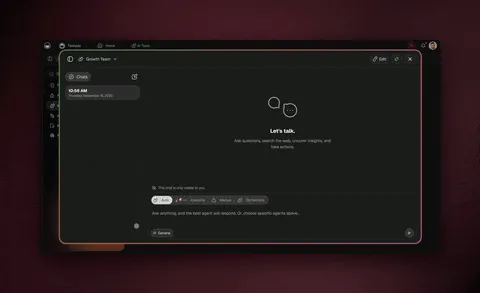
This is where the no-code path pulls ahead of the alternatives. Relevance AI also sells an "AI workforce," but you assemble it on a visual canvas of logic blocks; Taskade lets you spin up three narrow agents in plain language and let them coordinate natively, with no node graph to draw. Startups in particular use this to run lean: a two-person team can stand up a research-write-review crew in an afternoon. We walk through that exact setup in AI agents for startups.
Where this is heading
Taskade's vision is that every team eventually runs on a self-reinforcing loop of Memory, Intelligence, and Execution rather than on a stack of disconnected tools. In that future, you do not build an agent, then a database, then an automation, then a deployment, then a permissions layer. You describe what you need once, and a living app appears, complete with the agents that reason over your data and the automations that act on it. The app improves itself as your projects grow, because every result it produces becomes memory for the next run. The custom agent in this guide is the first cell of that organism: one prompt, one living app, getting smarter every time your team uses it. That is the direction every step in this post is pointed.
Governance, models, and pricing for custom agents
For an IT program manager, the build is only half the question; the other half is control and cost. Custom agents inherit Taskade's RBAC, so you decide exactly who can change an agent's role, who can run it, and who can only watch its output. That is the difference between a shadow-IT toy and a tool you can roll out to 200 people.
Pricing is annual and scales with usage, not complexity. The build is free; you pay for volume and team controls.
| Plan | Annual price | Best for |
|---|---|---|
| Free | $0 | Building and publishing your first custom agent |
| Pro | $10/mo (Popular) | Power users, more agents and runs, up to 10 custom domains |
| Business | $25/mo | Teams, unlimited seats |
| Max | $100/mo | High-volume agent operations |
| Enterprise | $250/mo | Org-wide rollout, advanced governance |
On models, the freedom to choose per agent is a real cost lever. You route expensive deep-reasoning models only to the agents that need them and keep fast, lighter models on high-volume agents. Across the workspace, that keeps quality high where it counts and cost low everywhere else. For the full feature-by-plan breakdown, see /apps and the agent docs at /learn/agents.
Five custom agents you can build this week
The fastest way to a working agent is to start with one repetitive task, not a grand vision. The no-code playbooks all agree: high-volume, repetitive work delivers measurable returns within weeks, because the agent does the same job hundreds of times instead of once. Below are five custom agents that map cleanly onto the four-step build, with the tools each one needs and the live project it should read.
| Custom agent | Repetitive task it removes | Tools to switch on | Reads from |
|---|---|---|---|
| Internal onboarding specialist | Answering the same new-hire setup questions | File analysis, persistent memory | Onboarding checklist + vendor Table |
| Support triage agent | First-line ticket questions and routing | Web search, integrations, memory | Help docs + ticket Board |
| Lead qualification agent | Scoring and sorting inbound leads | Integrations, project read/write | CRM-synced Table |
| Meeting prep agent | Compiling context before each call | Web search, file analysis | Calendar + account notes |
| Content research agent | Gathering sources for the weekly draft | Web search, persistent memory | Topic Board + past drafts |
Each of these is a 30-minute build, and each gets better the more it runs because persistent memory accumulates your context. Start with whichever task your team complains about most. Once one agent earns its keep, the second is faster to build, and by the third you are reaching for a multi-agent crew. The pattern of agents quietly running operations is covered in depth in how AI agents automate work and, for early teams, AI agents for startups.
A complete 30-minute build checklist
Putting the four steps together, here is the full path from blank prompt to embedded, cloneable agent. Each step is no-code, and the whole thing fits in half an hour.
| Time | Step | What you do |
|---|---|---|
| 0–2 min | Define role | Write or generate the role at /create |
| 2–7 min | Train | Attach files, projects, links to the knowledge base |
| 7–12 min | Add tools | Toggle the tools the agent's job needs (of 33) |
| 12–15 min | Pick model | Choose from frontier models per agent |
| 15–20 min | Test | Chat with the agent, refine the role, fix gaps |
| 20–25 min | Publish | Generate share link, embed snippet, clone button |
| 25–30 min | Distribute | Embed on your site or post to /apps |
The testing step is where most of the quality comes from, so do not skip it. Chat with the agent the way a real user will, find the questions it fumbles, and tighten the role or add a document. Two or three rounds of that turn a decent agent into a great one. When it answers your hardest internal questions correctly, publish.
Common mistakes when building your first custom agent
A few predictable pitfalls trip up first-time no-code builders, and all of them are quick fixes. Avoiding these four raises your agent's quality more than any model upgrade.
| Mistake | Why it hurts | The fix |
|---|---|---|
| Vague role | Agent drifts off-topic | Add scope, a guardrail, a response format |
| No knowledge | Generic, ungrounded answers | Attach 10–20 real internal docs |
| Memory off | Agent forgets every session | Leave persistent memory on |
| One mega-agent | Tries to do everything, does nothing well | Split into a narrow multi-agent team |
The mega-agent trap is the most common. The instinct is to cram every responsibility into one agent, but agents, like people, do their best work with a clear, narrow job. When you feel an agent getting overloaded, that is the signal to split it into a crew. The pattern is covered in build an AI agent team, and the conceptual foundation, if you want to revisit it, is in what are AI agents.
How to make your custom agent genuinely good
A custom agent that ships in 30 minutes is not the same as a custom agent that earns trust, and the gap between the two is tuning. The good news is that every tuning lever is no-code: you edit text, attach a document, or flip a tool. Three levers move quality the most, in this order.
Tighten the role until answers are predictable. Most quality problems trace back to a loose role. Add scope so the agent stays on-topic, add a guardrail so it refuses what it should not do, and add a format so every answer looks the same. A role that names its audience ("for a 200-person company"), its job ("laptop setup, SSO enrollment, tool access"), and its limits ("never share credentials") removes most of the unpredictability people fear from AI before you change anything else.
Feed it more of your real content, not more instructions. A generic agent improves a little when you rewrite its prompt and a lot when you attach the document that actually answers the question. The data point worth internalizing: an agent trained on 10 to 20 of your internal docs beats a generic assistant on your questions nearly every time. When the agent fumbles a question, the fix is usually a missing document, not a missing sentence in the role.
Test like a real user, then watch the memory accumulate. Two or three rounds of chatting with the agent the way a real user will, finding the questions it stumbles on, and patching the role or knowledge, turns a decent agent into a great one. After that, persistent memory does the slow work: every conversation adds context, so the agent that launched today is sharper next month without you touching it.
Here is how the pieces of a tuned agent relate, which is also the data model you are configuring without ever seeing a schema.
That diagram is not something you build; it is what Taskade assembles for you the moment you describe the agent. The vector index, the memory store, the model routing, and the embed wrapper are all behind those relationships. You configure them as plain settings. To go deeper on grounding and memory, see /learn/agents and the full /agents overview.
Start building your custom AI agent
You now have the full path: define the role, train on your documents, give it tools, then deploy and embed. Every step is no-code, the build is free to start, and the result is a living app with persistent memory that you can share by link, embed on your site, and let anyone clone. That is a custom AI agent in 2026, and it is closer to half an hour of work than half a sprint.
Clone the live agent at the top of this post to see the finished shape, then build your own at /create. Browse published agents for inspiration in the Community Gallery, explore the tool and integration catalog at /automate, and deepen your craft with /learn/agents and the full /agents overview. When one agent is not enough, graduate to a multi-agent team and let your agents automate the work end to end.
Build once. Embed everywhere. Let others clone it. That is the Taskade way.
Workspace DNA ▲ ■ ● — Memory, Intelligence, Execution. Projects remember, agents reason, automations execute, all in one self-reinforcing loop. Start free at /create.
Frequently Asked Questions
Can I build a custom AI agent without writing any code?
Yes. With Taskade Genesis you describe the agent's role in plain language, attach the documents and projects it should learn from, switch on the tools it needs from built-in options, and publish. No code, no API keys, and no infrastructure to manage. A working custom agent can be live in under 30 minutes on the Free plan.
How do I train a custom AI agent on my own documents and data?
Drop your files, links, and existing projects into the agent's knowledge base. Taskade indexes them with full-text and semantic search so the agent answers from your real content instead of generic web data. You can update the knowledge base anytime and the agent's persistent memory keeps the context across every conversation.
What tools can a custom AI agent use in Taskade?
Each agent can use up to built-in tools including web search, code execution, file analysis, image generation, custom slash commands, persistent memory, and public embedding. Agents also reach 100+ bidirectional integrations so they can pull events in and push data out to the apps your team already uses.
How much does it cost to build a custom AI agent?
You can build and publish a custom agent for free. Paid plans start at Pro $10 per month (annual), with Business $25, Max $100, and Enterprise $250 unlocking more agents, higher run volumes, and team controls. All prices are annual billing.
Which AI models power custom agents?
Custom agents run on frontier models from top AI labs. You pick the model per agent, so a research agent can use a deep-reasoning model while a quick-reply support agent uses a faster one. You can switch models anytime without rebuilding the agent.
Can multiple custom agents work together as a team?
Yes. Taskade supports multi-agent teams where specialized agents hand work to each other inside the same workspace. A researcher gathers sources, a writer drafts, and a reviewer checks quality, all coordinated automatically. This is the difference between a single chatbot and a working AI team.
How do I deploy and share a custom AI agent?
Publish the agent as a live app and you get a shareable /share/apps link plus an embed snippet you can paste into any website. Visitors can use the agent directly or clone the whole app into their own workspace in one click. Sign-in gating works on every plan, including Free; custom domains are available on Pro and above.
What is the difference between a custom AI agent and an automation?
An automation runs a fixed sequence when a trigger fires. A custom AI agent reasons, uses tools, and decides what to do next based on context. In Taskade they combine: agents handle judgment and conversation while automations handle the deterministic steps, all inside one Workspace DNA loop of Memory, Intelligence, and Execution.
What is the best no-code AI agent builder in 2026?
Taskade Genesis is the best fit when you want one prompt to become a living, embeddable, cloneable app with its data, memory, and team in the same workspace. Lindy is strong for standalone task assistants, Relevance AI for visual multi-agent workflows, Stack AI for regulated-industry production rollouts, and Vertex AI Agent Builder for Google Cloud-native enterprises. Genesis wins when you want an application rather than a pipeline, built by a non-engineer.
How long does it take to build a custom AI agent with no code?
A first working custom agent takes about 30 minutes in Taskade Genesis: roughly 2 minutes to define the role, 5 to attach knowledge, 5 to toggle tools, and the rest to test, publish, and embed. Because the model, memory, storage, and embed layer already exist around the agent, your time goes into the agent itself rather than setup. Start with one repetitive task for the fastest result.