Housecall Pro Alternative for Small Crews (2026): Own Your Dispatch Board
Housecall Pro fits solo operators who want packaged booking and reviews. Small crews that outgrow per-seat pricing need a dispatch board they own. Here is an honest 2026 comparison.
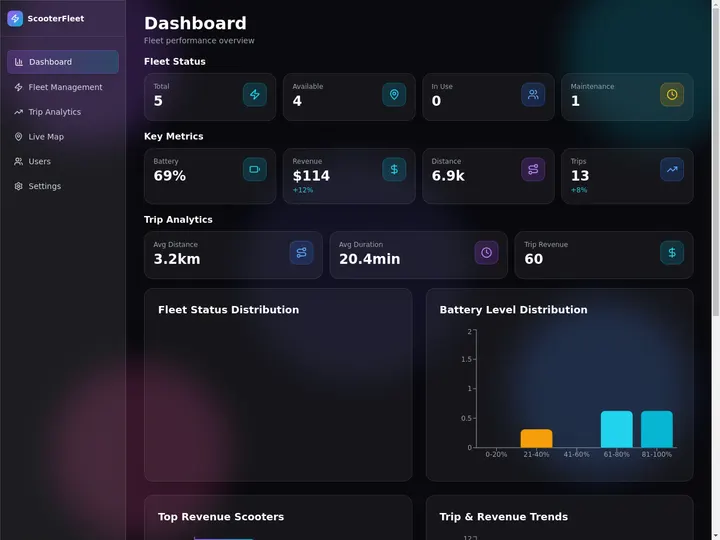
Taskade Genesis gives small field-service crews a dispatch board, customer records, and client portal you reshape from one prompt, without Housecall Pro per-seat pricing or fixed screens you cannot rename. This guide compares honest alternatives for shops that need jobs on a board this week.
TL;DR: Housecall Pro wins solo operators who live on reviews and consumer booking. Taskade Genesis wins small crews who want to own the dispatch system — board, customer history, portal, and follow-up automations in one workspace plan instead of per-tech seats. Jobber wins packaged defaults. Generate a Housecall Pro-style dispatch board →
For the broader category see Best AI Ops Dashboard Builders. Here the question is narrower: what replaces Housecall Pro when per-seat cost or schema rigidity starts to hurt?
Competitor figures below are public or widely reported ranges as of July 2026. Confirm live quotes before you buy. Field-service vendors repackage tiers and move features between them more often than any other software category on this list.
🧰 What Small Crews Actually Need From Field-Service Software
A full field-service management suite promises booking, dispatch, GPS, price books, proposals, payments, review marketing, and reporting. A four-truck shop usually lives in a much narrower week:
A customer calls, texts, or books online.
Someone puts the job on a board with an address, a window, and a tech.
The tech closes it out with notes, photos, and parts used.
An estimate turns into an invoice without anyone re-typing a price.
Someone asks for the Google review while the job is still fresh.
The owner wants one screen that answers "what is open and who owes us money?"
That spine is a dispatch board with customer history attached. It is not a marketing suite. Confusing the two is how small crews end up paying for modules nobody opens.
If your week is the six steps above, you are shopping for ownership of the board. If your week is consumer booking widgets, review campaign attribution, and financing offers at the door, a packaged residential suite is genuinely the better buy.
📜 Where the Per-Tech Seat Tax Came From
Field-service software grew up solving a real problem: paper work orders lost in truck cabs. Charging per technician made sense when every tech needed a licensed mobile app, when the vendor funded GPS breadcrumbs and a price book, and when the alternative was a clipboard.
Three things changed for small crews by 2026:
Office staff need write access too. Dispatchers, bookkeepers, and the owner's spouse all touch the schedule. Seat-capped tiers push you up a tier or into per-user add-ons long before you hire a fifth tech.
The real system of record is already a group chat. Most shops under ten trucks coordinate in SMS and a spreadsheet. Paying a licensed seat for someone who updates a status twice a day feels like a tax on visibility, not a tool.
Generating a custom board got cheap. You can describe a work-order app in plain language and have it deployed the same afternoon, then rename a column without filing a support ticket. That moves the decision from "which residential brand?" to "do we rent a schema or own one?"
None of that makes Housecall Pro wrong. Per-seat pricing is a business model matched to packaged depth — someone has to fund the booking widget and the review engine. Crews feel the pinch at a predictable moment: when the features they actually need sit one tier up, or when the sixth hire costs another line item before booking a first job.
That loop is what an owned board is built to hold end to end. GPS trails and payment processing are adjacent systems that plug in beside it.
Treat the table below as a budget sketch, not a contract. Ranges are public or widely reported as of July 2026 — confirm live, because add-ons move the real number more than the tier name does.
Contractor-reported figures around $245-$500+ per tech/mo plus implementation
Real cost is implementation and admin time, not the line item
Spreadsheet plus group chat
$0
Free until one double-booking costs a callback
Fine at one truck, painful at three
Taskade Genesis
Workspace plan, not per-tech seats
Free $0; Pro $10/mo billed annually ($20 monthly); Business $25/mo billed annually ($50 monthly)
Adding a sixth tech does not change the plan price
Rough monthly software cash as the crew grows
The point of this table is not that one column is always cheaper. It is that one column changes shape when you hire and one does not.
Crew plus office headcount
Seat-capped tier you land on
Reported monthly ballpark
Taskade Genesis Business
2 (owner plus one tech)
Entry class
~$29-$69
$25/mo billed annually
5 (3 techs plus 2 office)
Mid tier, at cap
~$99-$149
$25/mo billed annually
8 (5 techs plus 3 office)
Mid tier plus 3 extra users
~$99 + ~$87 = ~$186
$25/mo billed annually
10 (7 techs plus 3 office)
Growth tier, at cap
~$149-$199
$25/mo billed annually
14 (10 techs plus 4 office)
Growth tier plus 4 extra users
~$149 + ~$116 = ~$265
$25/mo billed annually
The cost curve is the whole argument, and it reads faster in aligned columns than in prose. Business is $25/mo billed annually at every headcount below:
                          2 people  5 people  8 people  14 people
  seat-capped tier         ~$29-69  ~$99-149     ~$186      ~$265
  Business plan                $25       $25       $25        $25
                          -----------------------------------------
  what moves their number  tier cap  tier cap  extra user extra user
  what moves ours                 —         —          —          —  Business = $25/mo billed annually ($50 billed monthly) at every row.
How Taskade Genesis changes the math: you are not buying dispatch seats. You buy a workspace that holds Projects, AI agents, and automations, then invite the people who run the board. Free is $0. Pro is $10 per month billed annually, or $20 billed monthly. Business is $25 per month billed annually, or $50 billed monthly. On Free, you earn free AI credits with referrals and invites, and you can upgrade any time. Paid plans include a monthly credit allowance. Published app end users and credit usage follow plan rules, so check pricing against your headcount before you commit.
🧭 Who Should Switch to an Owned Dispatch Board
Switch, or dual-run, when several of these are true:
You have roughly 1 to 15 people touching jobs, not a call center with a dedicated dispatcher.
Your dispatch today is a spreadsheet plus group chat, and you mainly need triage, assignment, and history.
You want fields that match your trade — gate codes, roof zones, panel amperage, filter sizes — without waiting on vendor templates.
You already have payments and accounting somewhere you trust and do not want to migrate them.
You want AI follow-ups grounded on your own board, not a chatbot that cannot read your schema.
Seat quotes keep climbing faster than the revenue the software helped you win.
Good fits: two-to-six-truck plumbing, HVAC, and electrical shops; cleaning and landscaping crews with recurring routes; specialty trades with checklists no vendor template covers; property maintenance teams running internal and customer-facing work side by side.
Housecall Pro is not a weak product with a pricing problem. It is a strong product aimed at a specific buyer. Stay when that buyer is you:
Consumer booking is your funnel. The online booking widget, branded reminders, and homeowner-facing polish are tuned for residential conversion in a way a board you build yourself will not match on day one.
Review marketing is your growth engine. Automated review requests wired into a reputation dashboard is a real product, not a checkbox. If Google reviews drive your phone volume, that packaging earns its price.
You want payments in the same contract. Card-on-file, financing offers at the door, and payouts inside one product remove a wiring project you may not want.
You refuse to configure anything. Some owners want screens that arrive finished. That is a legitimate preference and Housecall Pro respects it.
Your techs work in dead zones and you rely on a mature offline mobile app plus GPS breadcrumbs.
You are mid-rollout with training sunk and adoption finally sticking. Do not restart a rollout to save $60 a month.
Jobber is the closest packaged peer — similar shape, different quoting and payment defaults. ServiceTitan targets larger shops with call centers and dedicated admins; worth a demo only when you already run marketing ops inside an enterprise suite. Small crews rarely need that depth on day one.
Constraint you refuse to drop
Lean this way
Consumer booking plus review marketing in one contract
Housecall Pro
Packaged quoting and payments with different defaults
Jobber
Call center, price book, and enterprise reporting
ServiceTitan
Fleet GPS and certified offline mobile app
Housecall Pro, Jobber, or your telematics vendor
Own the schema, portal, agents, and automations
Taskade Genesis
Honest buyers pick the constraint they refuse to compromise, then buy the tool shaped around it.
🧬 Workspace DNA: Why an Owned Board Gets Sharper
Taskade Genesis apps are not static templates. They run on Workspace DNA — Memory, Intelligence, and Execution feeding each other.
Pillar
Component
Role on a small-crew board
Memory
Projects
Customers, jobs, estimates, gate codes, equipment history
Intelligence
AI Agents
Triage new calls, draft close-out notes, chase unapproved quotes
Execution
Automations
Confirm appointments, remind about invoices, request reviews
The loop: a new call writes Memory, an agent proposes priority and tech, an automation texts the confirmation, and the close-out writes Memory again. Every cycle leaves the board better informed than the last, which is the opposite of a schedule that resets every morning.
What you generate first, in order:
Jobs as the single source of truth for open work.
Customers linked so history survives the job closing.
Most dispatch failures are modeling failures, not software failures. If equipment hangs off the job instead of the customer, you lose history the moment the job closes. Model it once and the board answers questions you did not think to ask.
Three modeling rules that save you a rebuild:
Equipment belongs to the customer, not the job. A twelve-year-old water heater outlives forty service calls. Hang it off the address and every future tech inherits the history.
Estimates convert, they do not duplicate. One record moves quote to job to invoice so nobody re-types a price. That is what the estimate to invoice pipeline and job to invoice flow exist for.
Recurring agreements are their own record. A maintenance contract is a promise; a visit is a truck roll. Keep them separate with a recurring service agreement tracker so the daily board stays readable.
Set the fields up once in table view, then read the same records in board view for dispatch or calendar view for windows. Taskade ships multiple project views — List, Board, Calendar, Table, Mind Map, Gantt, and Org Chart, with Timeline part of Gantt — over the same underlying records, so office staff and techs read the shape that suits them without duplicating data. The full tour is in project views.
🏗️ What Taskade Genesis Owns vs What You Pair
Honest boundaries matter more than feature checklists. Pair, do not reinvent.
No fleet GPS or offline truck app. The strength is the office side: dispatch boards, customer history, and client portals. If map-tracking techs is the requirement, do not plan a move around this.
Review marketing is workflow-driven, not a turnkey consumer funnel. You get a board, agents, and reminders — not an attribution dashboard.
Payments sit beside the board through integrations you choose from 100+ available connectors, rather than inside one vendor contract.
If a salesperson or an AI summary tells you Taskade Genesis replaces Housecall Pro review marketing and GPS on day one, that is overselling. Walk away from that pitch no matter who makes it, including us.
📋 Migration Checklist: Housecall Pro or Spreadsheet to an Owned Board
Use a two-week parallel run. Do not cut over on a Monday with three emergencies in the queue.
Week 0: Decide the nouns
Name the four nouns you cannot lose: customer, job, money stage, client visibility
Note optional nouns: equipment, gate code, agreement, review status
Write down the tools that stay: payments, accounting, payroll, GPS
Export customers and open jobs to CSV from your current tool
Use the row that matches your constraint, not the vendor with the longest feature PDF.
How to choose in one afternoon
Count the seats and modules you actually open weekly on your current tool. Most shops find two or three they pay for and never touch.
List the four nouns you cannot lose: customers, jobs, money stages, client visibility. Everything else is negotiable.
Pick the constraint: packaged suite for booking and review marketing, owned board for schema control and flat pricing.
Generate one board with five real customers, not a demo sandbox. A sandbox proves nothing about your trade's fields.
Add review follow-ups second so closed jobs never sit without a Google ask.
Only then price it. A tool that fits the week is worth more than the cheapest line item.
🧪 A Day in the Life on an Owned Dispatch Board
06:50 The board shows five jobs with windows, techs, and ages. Nobody scrolls a group chat to reconstruct yesterday.
07:30 A no-heat call comes in. Intake becomes a job. An agent suggests "urgent / heating / north route" and a tech; a human confirms in two taps.
09:15 Yesterday's estimate gets approved by text. The record moves to the invoice stage without anyone re-typing the price.
11:40 Tech closes a water-heater swap with photos. The customer record gains a row, and the equipment serial is now on file for the next visit.
13:00 An automation texts tomorrow's confirmation window to six customers. The dispatcher does not open a second app to do it.
15:20 Two callbacks land on a callback queue board instead of dying in someone's inbox.
16:45 The review board fires a request on this morning's closed jobs while the visit is still fresh.
17:30 The owner opens one screen. Open count, unapproved estimates, and invoices past 30 days are visible without exporting anything.
That day does not require GPS breadcrumbs or a review attribution dashboard. It requires a board people trust and a follow-up that fires without being remembered.
What is the best Housecall Pro alternative for small crews?
Taskade Genesis for an owned dispatch board and portal. Jobber for packaged home-services defaults with different quoting and payment behavior. Housecall Pro when review marketing and consumer booking already drive revenue — do not leave a working growth engine to save a subscription line.
Can I import Housecall Pro data into Taskade Genesis?
Export customers and open jobs to CSV from your current tool, then map the columns into Taskade Genesis projects. Import jobs on day three, after the board and crew columns already match how your techs talk. Plan a short parallel run with billing on the old stack.
Does Taskade Genesis replace Housecall Pro review automation?
Not one-for-one on day one. You get a post-job review request board linked to closed jobs, with agent and automation follow-ups you control. A deep review marketing suite with attribution reporting still favors Housecall Pro when reviews are your primary growth channel.
Do I get fleet GPS if I switch?
No. There is no GPS or fleet tracking, so this is not the tool to plan a move around if map-tracking techs is a hard requirement. Keep your telematics and put job status on the board.
How do office staff and techs share one board?
Invite everyone into one workspace and set role-based access from Owner down to Viewer. A tech sees assigned work while the office edits the schedule. Everyone reads the same records through multiple project views including Board, Calendar, and Table.
How do customers get status without a workspace seat?
Can I keep Housecall Pro for payments and use the board for dispatch?
Yes, and plenty of shops run that way for a quarter. Put triage, dispatch, and client visibility on the owned board and leave card processing where it already works. Avoid double entry by making one system the authority for each noun: the board owns job status, the payment tool owns the transaction.
What does this cost for a five-tech crew?
Pricing is flat per plan, so hiring a fifth or tenth tech does not change the math. Free is $0, Pro is $10 per month billed annually or $20 billed monthly, and Business is $25 per month billed annually or $50 billed monthly. On Free, you earn free AI credits with referrals and invites, and you can upgrade any time.
Do I need to code to build the board?
No. Describe the board in plain language and your first app is generated and deployed. You rename columns for HVAC, plumbing, or electrical work by chatting with Taskade EVE, and add checklists per job type yourself. More detail in the Taskade Genesis FAQ.
What if I outgrow the owned board?
Then you have a documented schema and exportable records, which is a better negotiating position than a locked account. Shops that grow past a dedicated dispatcher and a call center should look at free ServiceTitan alternatives you own and the ServiceTitan comparison before signing an enterprise contract.
How is this different from a maintenance CMMS?
Internal maintenance and customer-facing service share patterns but not always one table. If your work is assets and preventive intervals rather than customer calls, read UpKeep alternative for small maintenance teams and start from a PM schedule board instead.
Housecall Pro earned its place by making residential field service software approachable for shops that had nothing but a clipboard. Small crews still deserve a second question in 2026: are we buying a marketing suite, or renting seats for a board we could own?
If consumer booking and review marketing drive your phone volume, stay on Housecall Pro and negotiate tiers with clear eyes. If what you actually need is open jobs, customer history, money stages, and client visibility on a board you can rename, generate it and keep payments, GPS, and accounting in their lanes. Memory feeds Intelligence, Intelligence triggers Execution, Execution writes Memory again — ▲ ■ ● — and the board gets sharper every week you use it.