






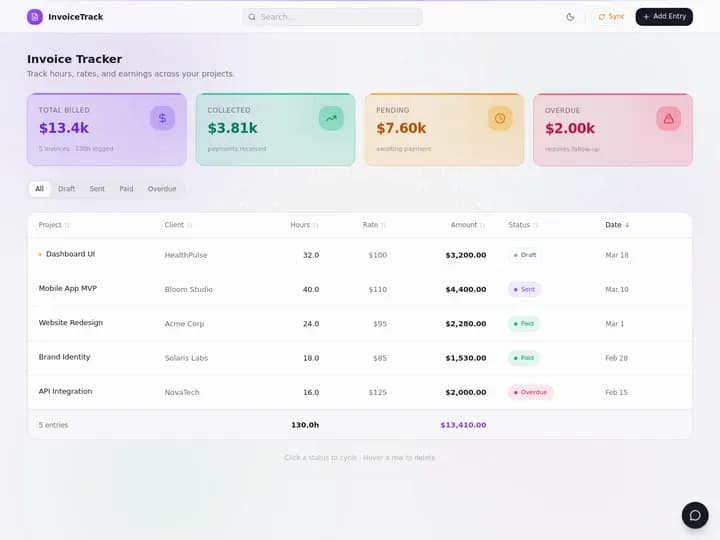
Taskade Genesis gives trades contractors an estimate-to-job-to-invoice pipeline linked to customer records and dispatch boards, so approved quotes become scheduled work and closed jobs become invoices without copy-paste between tools. This guide covers an honest 2026 workflow for shops tired of margin leaks.
TL;DR: Spreadsheets plus QuickBooks works until it does not. Packaged SaaS works until fields do not fit. Taskade Genesis wins when you want one owned pipeline from quote to cash. Generate an estimate to invoice pipeline →
Related: HVAC dispatch board you own, ServiceTitan alternative, AR aging for trades.
Competitor pricing below is publicly listed as of July 2026. Vendors change tiers without notice. Confirm live quotes on each vendor's own pricing page before you sign anything.
Where the Money Path Breaks
Margin leaks in trades are almost never a pricing problem. They are a handoff problem. Every time a record is retyped from one tool into another, a small amount of money falls through the gap: an unbilled change order, a quote that expired unread, a closed job that nobody invoiced for eleven days.
Common failure modes:
- Estimate in email, job on a board, invoice in accounting. Nobody sees approval status when the tech arrives.
- Approved quotes never scheduled. Office assumes dispatch handled it. Dispatch never got the green light.
- Jobs close without invoices. Cash flow looks fine until AR aging explodes.
- Change orders lost. Customer approved extra work verbally. Invoice matches the original quote only.
- Re-quoting work already quoted. The tech has no history on the property, so a repeat visit gets priced from scratch.
- Terms drift. One invoice says net 15, another says due on receipt, and nobody can say which is standard.
The fix is not always a bigger ERP. Often it is linked records with clear statuses. Here is the full lifecycle when every handoff stays inside one pipeline:
Every arrow in that diagram is a place a three-tool stack drops the record.
| Leak | Where it hides | What it costs | What closes it |
|---|---|---|---|
| Unbilled change order | Verbal approval on site | Full add-on value | Change order logged to the job record |
| Quote sat unread | Sent folder in email | The whole job | Reminder at 48 hours in "sent" |
| Approved, never scheduled | Gap between office and dispatch | Delay, then cancellation | Daily list of approved-not-scheduled |
| Closed, never invoiced | Tech's phone, office's memory | Days of AR aging | Invoice triggered by job completion |
| Repriced repeat work | Missing property history | Margin on the second visit | One customer record across visits |
| Overdue invisible | Accounting software nobody opens | Payroll pressure | Overdue flag on the ops board |

The Pipeline as One Data Model
Answer first: an estimate-to-invoice pipeline works when the estimate, the job, and the invoice are three views of one customer record, not three documents that happen to share a name. That single decision is what removes retyping.
Notice what is not in that model: parts bin quantities, payroll runs, and the general ledger. Those live in tools you already trust. The pipeline's job is to own the operational truth of open work and unpaid money.
Why Trades Ended Up With Three Tools
The three-tool stack is not carelessness. It is the accumulated result of three rational decisions made years apart.
- Accounting came first. Every shop needs to file taxes, so QuickBooks or an equivalent arrived before any field software. It became the system of record for money — correctly, because that is what it is for.
- Quoting was a document problem. Estimates started as Word files or PDFs because that is what a customer signs. Nobody built the quote inside the accounting tool, because accounting tools model invoices, not proposals.
- Scheduling was a whiteboard. Dispatch was physical long after the other two went digital. When it finally moved, it moved to whatever the office already had open: a spreadsheet, a shared calendar, or a group chat.
Each step was correct in isolation. Together they produce a stack where the customer exists three times, the job exists twice, and the change order exists nowhere. Packaged field-service SaaS solved this by owning all three — and priced it per seat, which is fine at four techs and painful at fourteen.
The 2026 change is that generating a custom pipeline no longer requires a developer. You describe the pipeline, Taskade Genesis builds it, and you rename fields yourself. That moves the decision from "which vendor's schema do we rent?" to "do we want to own the schema at all?" The same shift is playing out across field ops — see from AI app builder to ops system for the broader pattern, and Taskade Genesis vs AI app builders for how ops systems differ from code generators.
2026 Pricing Reality for Quote-to-Cash Tools
Use this as a budget sketch, not a contract. Publicly listed as of July 2026 — confirm live.
| Product | Shape | Published entry point | What pushes you up a tier | Notes for small shops |
|---|---|---|---|---|
| Jobber | Packaged quote-to-pay | Plans commonly start near $69–$99/mo | Extra users, add-on modules | Fastest day one for payments and SMS |
| Housecall Pro | Packaged home-service suite | Tiered, entry plan is single-user shaped | Adding techs, marketing modules | Strong consumer booking and reviews |
| ServiceTitan | Enterprise field service | Quote-based, enterprise territory | Onboarding, seat count, modules | Depth real; overkill under ~15 techs |
| QuickBooks + spreadsheet | Accounting plus DIY ops | Accounting subscription only | Nothing — it just stops scaling | Cheapest; no audit trail on disputes |
| Taskade Genesis | Workspace you own | Free plan, then Pro $10/mo billed annually | Higher plans for more AI and app users | Flat plan, not per-tech seats |
Taskade's own pricing is the part I can state without a "confirm live" hedge, because it is ours:
| Plan | Billed annually | Billed monthly | What it is for |
|---|---|---|---|
| Free | $0 | $0 | Build the pipeline and prove it with real jobs |
| Pro | $10/mo billed annually | $20/mo | Small shop running one owned pipeline, up to 10 custom domains |
| Business | $25/mo billed annually | $50/mo | Multiple boards |
New Free accounts start with no AI credits. You earn free AI credits with referrals and invites, and you can upgrade any time. Paid plans include a monthly credit allowance.
The structural difference: packaged field-service tools bill per technician, so your software cost grows with your headcount whether or not the new tech touches the office workflow. A workspace plan bills the workspace. Hiring a fifth or a tenth tech does not change the plan math. Published app end users and AI credit usage follow Taskade plan rules, so confirm current pricing for your headcount and AI usage.
Taskade Genesis: Linked Pipeline You Own
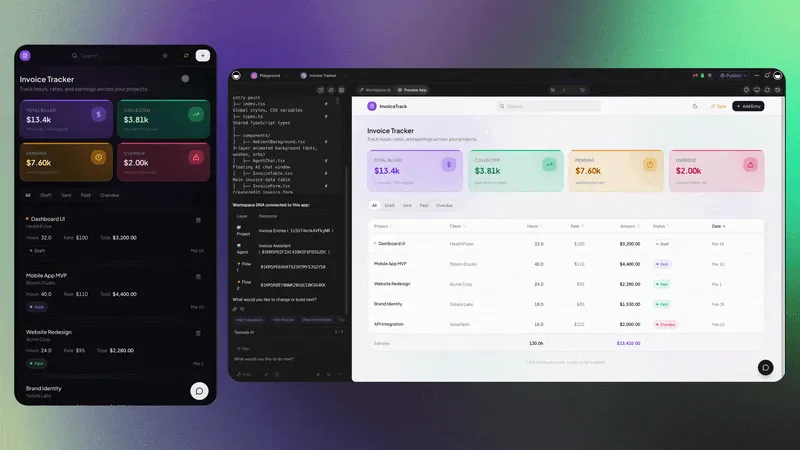
Taskade Genesis generates an estimate to job to invoice pipeline where each stage points at the same customer and job record. You describe the pipeline in a prompt; the app builder produces the linked boards; you rename stages and fields by chatting with Taskade EVE rather than filing a vendor ticket. Start with your first prompt and the prompt guide if you have not built one before.
Pipeline stages you can customize:
- Draft estimate with line items and photos
- Sent to customer with approval link
- Approved and ready to schedule
- Job on the dispatch board
- Complete with checklist sign-off
- Invoice generated and sent
- Paid or overdue with automation chase
Connected surfaces:
- HVAC daily dispatch board or Housecall Pro alternative board
- Crew work order board when multiple crews run in parallel
- Contractor estimate approval portal for signature-shaped approvals
- Home services customer portal for estimate approval visibility
- Post-job review request board after payment
- Job to invoice board if you want the invoice half first
- AR aging board once unpaid invoices need their own view
Honest boundary: Taskade Genesis is not a full accounting general ledger. Pair it with QuickBooks or your bookkeeper's stack for tax reporting and bank reconciliation.
Jobber and Housecall Pro: Packaged Quote-to-Pay
Jobber and Housecall Pro ship quoting, scheduling, and payments in one contract. Faster day one, less freedom to rename approval steps for commercial vs residential work.
That trade is real in both directions. A packaged suite gives you a card reader that works on the first afternoon, a customer-facing booking page somebody else maintains, and a support line that knows your industry. What it does not give you is the ability to add a "permit filed" stage between approved and scheduled because your municipality requires it, or to model a two-signature approval for commercial jobs while residential stays one-click.
If the packaged shape fits your trade, take it. Deep comparisons: Jobber alternative dispatch board, Housecall Pro alternative for small crews, and the free ServiceTitan alternative if enterprise quotes came back higher than expected.
Spreadsheet Plus QuickBooks: The Hidden Stack
Many trades still quote in Word, dispatch in Sheets, and invoice in QuickBooks. It works until a dispute needs an audit trail. Upgrade path: one connected pipeline, not necessarily enterprise field service.
The spreadsheet stack has one genuine advantage worth naming: nobody has to learn anything. That is not a small thing when your crew's median software patience is about four minutes. The cost shows up in three specific places — no approval timestamp when a customer disputes scope, no link between a repeat visit and the last one, and no way to see open work and unpaid money on the same screen.
If that describes you, the migration is smaller than you think. See Google Sheets to ops app and Excel job log to dispatch app for the mechanics, or generate the Excel dispatch board directly.
Which Path Fits Your Shop
| Constraint you refuse to drop | Lean this way |
|---|---|
| Card payments and SMS working this week | Jobber or Housecall Pro |
| Consumer booking page plus review marketing | Housecall Pro |
| Enterprise reporting across 15+ techs | ServiceTitan class tooling |
| Bookkeeper stays in QuickBooks, no argument | Own the pipeline, pair the books |
| Own the stages, fields, and approval steps | Taskade Genesis |
| Absolute lowest software line item | Spreadsheet plus accounting, eyes open |
Who Should Stay on a Packaged Field-Service Suite
This is the section that earns the rest of the article. Packaged suites are good products, and three of their strengths are genuinely hard to replicate:
- Native payments that just work. Jobber and Housecall Pro have a card reader, a payment processor relationship, and a reconciliation flow already built. If "take a card in the driveway" is a hard requirement for next Tuesday, buy the packaged tool. Taskade Genesis tracks invoice status; it does not process cards.
- Consumer-facing booking and review engines. Housecall Pro in particular has invested years in the residential marketing loop: online booking, automated review requests, and local search presence. If your growth engine is homeowners finding you and booking themselves, that machinery is the product you are buying.
- A support line that knows your trade. When your dispatcher calls about a scheduling edge case, a vendor rep who has heard it before is worth real money. That is an advantage of packaged software that owning your schema does not give you.
Two more honest reasons to stay:
- Adoption is finally sticking. If your crew stopped fighting the app six months ago, the switching cost is not the subscription. It is the retraining.
- Compliance or a franchise agreement names the tool. Some franchises and some insurers specify software. That decision is not yours to relitigate.
Taskade Genesis is not "Jobber with cheaper seats." It is a different product category: a living ops pipeline you reshape, rather than a packaged quote-to-pay suite. Honest buyers pick the constraint they refuse to compromise.
Status Design That Matches the Truck Roll
| Stage | Owner | Trigger |
|---|---|---|
| Estimate draft | Sales or lead tech | Site visit complete |
| Sent | Office | Customer email on file |
| Approved | Customer | Portal or signed PDF |
| Scheduled | Dispatch | Slot on daily board |
| In progress | Tech | Arrival or checklist start |
| Complete | Tech | Photos and sign-off |
| Invoice sent | Office | Job marked complete |
| Paid | Accounting | Stripe or QuickBooks sync |
Rename stages to match language your crew already uses. Consistency beats clever naming.
Give every stage an owner and match it to role-based access, which runs from Owner through Viewer. Leads edit, techs update their own jobs, and customers see estimate status through the portal only. Two rules keep the board honest:
- One owner per stage. A stage owned by "the team" is owned by nobody, and it becomes the stage where records go to die.
- One trigger per stage. If a record can enter "scheduled" two different ways, one of those ways will skip a step.
The table view is where most shops live day to day, with board view for the dispatch read and custom fields carrying trade-specific data — permit number, unit serial, roof pitch, panel amperage.
Change Orders: Where the Pipeline Pays for Itself
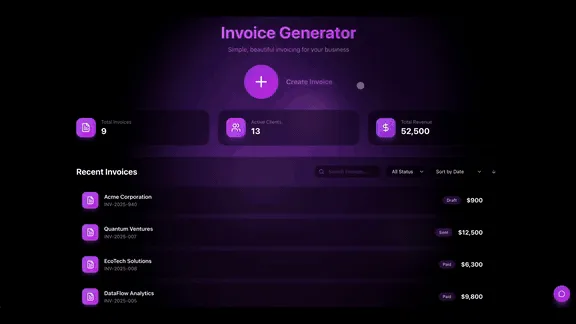
Answer first: the change order is the single highest-value record in a trades pipeline, because it is the one most often approved verbally and billed never. A pipeline that captures it on site — with a timestamp and the customer's approval — pays for itself faster than any scheduling improvement.
Three details make that flow hold up under a dispute:
- The change order is a child of the job, not a note in a text thread. It carries its own price, its own approval timestamp, and its own line on the invoice.
- The tech creates it, the customer approves it, the office never retypes it. Every retype is a chance for the number to change.
- The invoice is generated from the job, so the base and the add-on arrive together. A customer who approved both is not surprised by either.
Workspace DNA: Why the Pipeline Gets Sharper
Taskade Genesis apps are not static templates. They run on Workspace DNA — Memory, Intelligence, and Execution reinforcing each other.
| Pillar | Component | Role in the quote-to-cash pipeline |
|---|---|---|
| Memory | Projects | Customers, estimates, jobs, change orders, invoices, service history |
| Intelligence | AI Agents | Draft estimate line items, summarize site notes, write the overdue follow-up |
| Execution | Automations | Nudge stale quotes, list unscheduled approvals, chase invoices past terms |
The loop: a site visit writes Memory, an agent drafts the estimate from the notes, an automation reminds the office when it sits unread, approval writes Memory again, and the next repeat visit at that property starts with history instead of a blank page. That is why the third month on the pipeline is better than the first.
Agents worth adding after the board holds real jobs: an estimate follow-up agent, a job-to-invoice agent, and a dispatch triage agent once volume justifies it. Agents ship with built-in tools; see agent tools and custom agents for how to scope them. An agent on empty sample rows is theater — wait for real data.

Automations Worth Turning On First
Answer first: turn on exactly one automation per week for the first month. Shops that switch on eight at once cannot tell which one is wrong when the crew starts ignoring notifications.
| Week | Automation | Trigger | Why it is first |
|---|---|---|---|
| 1 | Stale quote reminder | Estimate in "sent" past 48 hours | Recovers whole jobs, zero risk |
| 2 | Unscheduled approvals list | Approved, no dispatch slot | Closes the office-dispatch gap |
| 3 | Invoice chase | 3 days after job complete, unpaid | Shortens AR aging immediately |
| 4 | Overdue escalation | Past terms | Surfaces the problem before payroll does |
Later, once those four are trusted:
- Agent draft for a polite overdue follow-up
- Review request after payment clears via the post-job review board
- Renewal reminder for maintenance contracts via the recurring service agreement tracker
- Timesheet hours flowing to an invoice draft with the timesheet to invoice bridge
Wiring reference: automation triggers and automation actions. Taskade ships 100+ bidirectional integrations — triggers pull events in, actions push data out — plus a hosted MCP server on every paid plan if you want an assistant reading the board. Browse ready-made flows under automations and AR aging reminders.
Week One Rollout
Day 1: Generate the estimate to invoice pipeline.
Day 2: Import five customers with one open estimate each.
Day 3: Connect the dispatch board for approved jobs.
Day 4: Turn on one invoice reminder automation.
Day 5: Parallel-run with QuickBooks. Taskade Genesis holds operations truth. Accounting holds the books.
Migration checklist
Run a two-week parallel period. Do not cut over during a busy week.
Week 0 — decide the nouns
- Name the five records you cannot lose: customer, estimate, job, change order, invoice
- Note the optional ones: property, permit, warranty, terms
- Write down the tools that stay: accounting, payroll, parts supplier, payment processor
- Decide which system is authoritative for each noun (pipeline owns job status; accounting owns the ledger)
Week 1 — generate and load real work
- Generate the estimate to invoice pipeline
- Load five to ten real open estimates, not demo rows
- Rename stages to the words your crew already says out loud
- Add the trade-specific custom fields you actually reference on site
- Publish the customer portal and send one real approval link
- Invite office and leads first, techs second
Week 2 — connect, automate, verify
- Link the dispatch board so approvals become scheduled jobs
- Turn on one automation (stale quote reminder)
- Run one full job end to end, including a deliberate change order
- Reconcile that job's invoice against accounting by hand, once
- Freeze the old quote folder for new work; keep it readable for history
| Day | Focus | Done looks like |
|---|---|---|
| 1 | Generate the pipeline | Stages match how you talk |
| 2 | Load real estimates | Every open quote has an owner and a date |
| 3 | Customer portal live | One customer approved from the portal |
| 4 | Dispatch linked | An approved job appeared on the board unprompted |
| 5 | One automation | A stale quote pinged the office |
| 6–7 | Crew feedback | Renamed at least one confusing field |
| 8–10 | Full job cycle | Change order billed on the same invoice |
| 11–14 | Parallel quiet | No new quotes in the old folder |
Cutover rules
- New estimates enter the pipeline only.
- Emergencies may still start with a phone call; the record lands on the board within the hour.
- Accounting stays authoritative for the ledger. The pipeline stays authoritative for job status and unpaid balance.
Side-by-Side: Choosing Your Quote-to-Cash Stack
| Question | Jobber / Housecall Pro | Spreadsheet + QuickBooks | Taskade Genesis |
|---|---|---|---|
| Time to first quote sent | Hours | Minutes | Hours |
| Native card payments | Yes | Via accounting tool | Pair Stripe or accounting |
| Rename approval stages | Limited | Free-for-all, no enforcement | Yes, describe the change |
| Customer approval trail | Built in | None | Portal with timestamp |
| Change order on the invoice | Built in | Manual, often missed | Child record, billed automatically |
| Cost as you hire | Grows per seat | Flat | Flat workspace plan |
| Who owns the schema | Vendor | Nobody | You |
Capability depth, honestly
| Capability | Packaged suite | Taskade Genesis pipeline |
|---|---|---|
| Quoting and approvals | Excellent | Excellent once modeled |
| Dispatch and scheduling | Excellent | Strong via linked boards |
| Payment processing | Native strength | Pair Stripe or accounting |
| General ledger and tax filing | Integrates out to accounting | Not a ledger. Pair accounting |
| Consumer booking and reviews | Vendor strength | Portal plus review board |
| Custom stages and fields | Configuration inside vendor rules | First-class: change the app |
| AI on your own records | Vendor AI features | Agents grounded on your Projects |
| Multi-use workspace | Field-service shaped | Field ops plus adjacent work |
A Day in the Life on an Owned Pipeline
06:50 The office opens one board. Three quotes sit in "sent" past 48 hours; the overnight automation already flagged them. Two approved jobs have no dispatch slot yet.
07:30 Dispatch drops both approved jobs onto today's board. Each carries its estimate, so the tech sees the scoped line items, not a job title.
09:15 A tech opens a panel and finds corroded wiring nobody quoted. He creates a change order on the job, prices it from the shared rate list, and sends it for approval from the driveway.
09:22 The homeowner approves in the portal. Timestamp recorded. The add-on is now a line on the eventual invoice, not a memory.
13:40 Job closed with four photos and a signature. The pipeline generates the invoice from the job — base scope plus the approved change order — and sends it.
16:05 The owner opens the board once. Open estimates, scheduled jobs, invoices sent, and anything past terms are on one screen. No export, no reconciliation, no asking three people.
16:20 Two invoices crossed net-15 today. The chase automation drafted a polite follow-up for each. The office reads them, edits one sentence, and sends.
None of that requires a payment terminal inside the pipeline or a general ledger inside the workspace. It requires one linked record and statuses people trust. Related patterns: prompt to ops dashboard for the reporting read, and AR aging tracker once unpaid money needs its own board.
FAQ
Can customers approve estimates in a portal?
Yes. Publish the home services customer portal or the contractor estimate approval portal so customers see estimate status without email threads. Approval moves the record to ready-to-schedule, which puts it on the dispatch board. Portals are living portals rather than static pages — the status the customer sees is the status on your board.
How does this connect to dispatch?
Approved estimates become jobs on your HVAC daily dispatch board, crew work order board, or Housecall Pro alternative board. One customer record links all three.
Does Taskade Genesis handle payment processing?
Payments typically wire through Stripe or your accounting tool beside the pipeline. Taskade Genesis tracks invoice status and automates the overdue chase. It does not replace your bookkeeper's general ledger.
How do change orders get billed?
A change order is a child record on the job with its own price and approval timestamp. When the job closes, the invoice is generated from the job, so the base scope and every approved add-on land on the same document. That is the single leak most spreadsheet stacks never close.
What about recurring maintenance billing?
Pair the pipeline with the recurring service agreement tracker when contracts renew on a schedule separate from one-off installs. Deeper treatment: recurring service agreements for field ops.
Do I need to code to build this pipeline?
No. Describe the pipeline in a prompt and Taskade Genesis generates the linked estimate, job, and invoice flow. Reshape stages and fields by chatting with Taskade EVE. Start with your first prompt.
Can I keep QuickBooks and still own the pipeline?
Yes, and most shops should. Make one system authoritative per noun: the pipeline owns job status and unpaid balance, accounting owns the ledger and tax filing. Connect them through automations rather than double entry.
Where does preventive maintenance fit?
On its own board beside the pipeline, not inside it. Use the PM schedule board and read preventive maintenance for small crews. Interval work has a different rhythm than reactive quoting, and forcing one board to do both makes both worse.
What does it cost to run an owned estimate-to-invoice pipeline?
You can start free. The Free plan is $0. You earn free AI credits with referrals and invites, and you can upgrade any time. Paid plans are Pro at $10 per month billed annually ($20 billed monthly) and Business at $25 per month billed annually ($50 billed monthly), so cost does not climb per seat with every hire.
How long before the pipeline is actually trusted?
Two weeks of parallel running, then one full billing cycle. The trust milestone is not the build — it is the first time a dispute gets settled by opening the record instead of searching a text thread.
Related Reading
- HVAC dispatch board you own
- ServiceTitan alternative for small crews
- Jobber alternative dispatch board
- Housecall Pro alternative for small crews
- Field service dispatch software you own
- Accounts receivable aging tracker
- Google Sheets to ops app
- UpKeep alternative for small maintenance teams
- Estimate to invoice pipeline generator
- AR aging board generator
- Taskade Community Gallery
Ready to close the quote-to-cash gap? Generate an estimate to invoice pipeline or start free at /create.
Memory ▲ Intelligence ■ Execution ● — one customer record, one pipeline, one place the money shows up.