The idea of a "second brain" always felt slightly backwards to me.
We spent years building software to remember more. Notes. Documents. Tasks. Wikis. Knowledge bases. Everything captured, organized, linked, and searchable.
But memory was never the destination.
For most of Taskade's history, our job was simple: help people turn ideas into action. You captured a thought. Turned it into a task. Broke it into a project. Shared it with a team. Then people did the work. The workspace helped organize execution — but the execution was still human.
Agents changed the loop. For the first time, what's stored inside a workspace doesn't have to sit there waiting for someone to retrieve it. Memory can become context for reasoning. Reasoning can trigger action. Action can produce results. And those results can return to memory for the next run.
Memory should exist to produce action, not become a destination.
That sentence is the spine of this essay. What follows is the long version: where "ideas to action" came from, why the storage era stalled one step short, what changes when a workspace can remember, reason, act, and serve on the same state — and why the app is only the surface. The workspace is the runtime. 🧭
TL;DR: For decades, software got better at remembering work — files, wikis, second brains — while people still did the executing. AI agents can now reason over what a workspace remembers, and automations act on it: Remember → Reason → Act → Serve. In Taskade: projects remember, agents reason, flows run, apps serve. Turn an idea into a running system →
Last updated: September 2026. Historical dates link to primary or strong secondary sources. Taskade product behavior is verified against the released Taskade app source (v6.257.0).
🧭 From Ideas to Action, in One Loop
Here's the whole essay as one picture. Everything below is an argument for each arrow.
| Layer | What it does | In Taskade | Old-world equivalent |
|---|---|---|---|
| ▲ Remember | Holds the current state of the work | Projects — the workspace's data and memory | Files, notes, wikis, second brains |
| ■ Reason | Reads the state and decides what should happen | AI agents with knowledge and tools | A person reading the notes |
| ● Act | Performs the action in the world | Automations across 100+ integrations | A person sending the email |
| ▷ Serve | Puts the system in front of people | Taskade Genesis apps | A dashboard someone checks |
The first column is old. Every era of computing had some version of each row. What's new is that all four can now operate on the same shared state, in one loop, without a person carrying context by hand from one step to the next.
💡 Where "Ideas to Action" Came From
Taskade didn't start with agents. It started with lists.
In February 2017, our homepage said Taskade was "the easiest way to share your notes, ideas, and daily tasks" (Wayback Machine). By 2018 it was "Lists made easy." In August 2020, ahead of our Taskade 3.0 launch that October, we put a line on the homepage that stuck with me for years: "Map out your workflow, from ideas to action." (Wayback Machine, Sept 2020)
That line was the whole product. An idea became a task. A task became a project. A project became something a team could work on together, in real time. The software organized the path. People walked it.
Here's the key argument: Taskade's job never changed. What changed is how much of the path between idea and action software can travel.
| Era | The path from idea to action | Who carries it |
|---|---|---|
| 2017 | Idea → task → team → human execution | People, with a shared list |
| 2020 | Idea → workspace → real-time collaboration → human execution | People, with a shared workspace |
| 2023 | Idea → AI → answer → human execution | People, with a smart assistant |
| 2025–26 | Idea → workspace → memory → reasoning → execution → results → memory | People and agents, on shared state |
The mission didn't change. The distance collapsed. (For the full company arc, see the complete history of Taskade and the origin of Taskade Genesis.)
2017-ish mental model              2026 mental modelIDEA                               IDEA
↓                                  ↓
organize it                        describe the outcome
↓                                  ↓
coordinate people                  the system builds itself
↓                                  ↓
ACTION                             it remembers context
↓
agents reason
↓
automations execute
↓
people work through the app
↓
ACTION
↓
new memory → next action
📚 The Storage Era: Eighty Years of Remembering
To see why the loop matters, zoom out from Taskade. Computing has spent most of its history becoming humanity's external memory — and it's worth remembering how long that dream is.
| Year | Milestone | What it added |
|---|---|---|
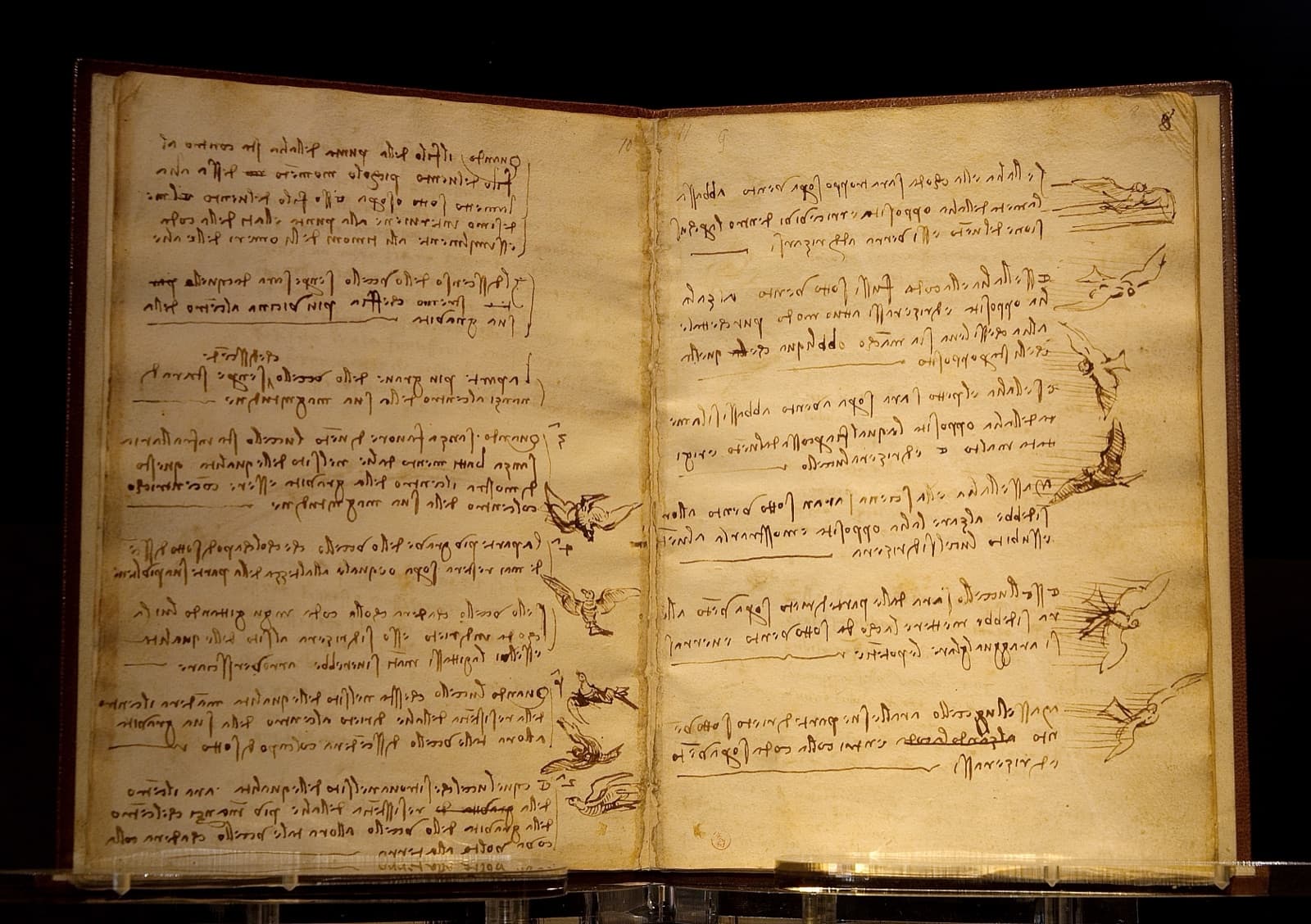
| ~370 BC | Plato's Phaedrus: King Thamus warns that writing is "an elixir not of memory, but of reminding" (Perseus) | The first critique of external memory |
| 1945 | Vannevar Bush's Memex, in The Atlantic: "an enlarged intimate supplement to his memory" (Wikipedia) | Associative trails between documents |
| 1962–68 | Douglas Engelbart's Augmenting Human Intellect, then the Mother of All Demos (Dec 9, 1968) (DARPA) | Hypertext, the mouse, real-time collaboration |
| 1981 | Niklas Luhmann, "Communicating with Slip Boxes" — his ~90,000-card Zettelkasten as a "communication partner" (zettelkasten.de) | Memory that talks back |
| 1995 | Ward Cunningham's WikiWikiWeb | Shared, editable team memory |
| 2004 | Confluence | The corporate wiki |
| 2008 | Evernote and Dropbox | Capture everything, sync everywhere |
| 2012 | Google Drive | Cloud documents as default memory |
| 2016 | Notion 1.0 | Docs + databases in one place |
| 2017 | Tiago Forte's Building a Second Brain course (book: June 2022) | The "second brain" as a method |
| 2019–20 | Roam Research, Obsidian | Linked, networked notes |
| 2025 | ChatGPT Tasks (Jan), GitHub Copilot coding agent (May), background coding agents | Software that keeps working on its own |
Every generation improved some mix of the same five verbs: capture, organize, store, search, retrieve. And every generation stopped at the same place. Retrieval was the end of the software's job.
There was an assumption hiding underneath all of it: eventually, a human comes back. A human searches the notes. Reads the document. Understands the context. Makes the decision. Sends the email. Updates the CRM. Moves the task. Runs the process.
The software remembers. The human executes.
That was a perfectly reasonable division of labor when software couldn't reason about what it remembered. It isn't anymore.
We built increasingly sophisticated systems for remembering work. The work still waited for us.
🧠 The Second-Brain Trap
The second brain is a genuinely good idea. Building a Second Brain popularized a practical method — capture, organize, distill, express — and millions of people got more organized because of it. I don't want to join the "second brains are a lie" pile-on. The critique is real, but it's not new, and it's not the interesting part.
The critique is old. In 2014, Christian Tietze named it the collector's fallacy: collecting feels like learning, but "to know about something" isn't the same as "knowing something" (zettelkasten.de). Plato made a version of the same point 2,400 years earlier: writing gives "the appearance of wisdom," not wisdom itself. And in business, Stanford's Jeffrey Pfeffer and Robert Sutton wrote a whole book about it — The Knowing-Doing Gap (2000) — arguing that companies rarely fail for lack of knowledge. They fail because knowledge doesn't turn into action (Stanford GSB).
The failure mode has a shape:
A loop with no exit. Compare that with memory that has a purpose:
The classic knowledge hierarchy — data, information, knowledge, wisdom, given its pyramid form by Russell Ackoff in 1989 — has the same blind spot. It ends at wisdom, as if wisdom were a place you arrive and sit.
INFORMATION        More captured information   ≠   more useful knowledge
    │
KNOWLEDGE          More stored knowledge       ≠   better decisions
    │
UNDERSTANDING      Better decisions            ≠   action
    │
ACTION             ◄── the step every hierarchy leaves out
    │
EXPERIENCE
    │
WISDOM             ◄── which is only earned by acting and remembering
The value of memory is not how much it contains. It's what becomes possible because it persists.
The useful question was never "how much can this system remember?" It's "what can this system do because it remembers?" That question becomes much more important when the reader of your memory is no longer only you.
🧩 Memory Becomes Computation
This is where the story turns. For decades, a database had a simple lifecycle: data is stored, then queried. An agentic workspace adds steps after the query.
| Classic database | Agentic workspace | |
|---|---|---|
| Data is… | Stored | Stored |
| Then… | Queried by a person or app | Understood in context |
| Then… | — | Traversed by agents |
| Then… | — | Used to make decisions |
| Then… | — | Changes what happens next |
Once the tree persists, it becomes memory. Once memory can be traversed, the past becomes useful computation.
A project is no longer only where humans put information. It becomes state that software can operate against. Luhmann described his slip box as a "communication partner" that could surprise him. For him, the surprise came when he read old cards. In a workspace, the partner can read the cards itself.
This is literally how Taskade EVE, the agent that builds Taskade Genesis apps, is told to think. Its system instructions describe every workspace as Workspace DNA — projects as memory, agents as intelligence, flows as reflexes, the interface as the body — and tell it that the project root "is the app's database: the rows its pages render, its flows move, its agents ground on." Every user request, the instructions say, needs complete Workspace DNA: "Users express the visible tip; you must build the foundation underneath." We go deeper on the mechanics in how Workspace DNA works, types of memory in AI agents, and knowledge-graph agents.
🔍 From Retrieval to Reasoning
Search and agents both start from memory. They end in completely different places.
But agents alone aren't the whole story either — and the AI market mostly sells them as if they were. An agent without a workspace has a familiar shape: prompt, reason, answer, end. It can be extraordinarily intelligent. The interaction still has an ending.
| Agent alone | Agent in a workspace | |
|---|---|---|
| Starts from | A prompt | A prompt, a schedule, or an event |
| Knows | This conversation | What happened yesterday, last month, last run |
| Ends with | An answer | An action, a result, and new memory |
| Next time | Starts over | Picks up where the work left off |
An intelligent answer is useful. An intelligent system that knows what happened yesterday and can change what happens tomorrow is something else.
⚙️ From Reasoning to Execution
This is the most important section, because it's where the AI market over-focuses on the middle. Most AI products are drawn like this:
INPUT → [ MODEL ] → OUTPUT
Useful operational software needs the rest of the picture:
Agents decide what should happen. Flows make it happen. In Taskade, an automation can start from a schedule (hourly, daily, weekly, or a cron expression), a form submission, a webhook, or a change in the workspace — a task added, completed, assigned, moved, or updated. One of its steps can ask an AI agent, which answers with access to its knowledge, web search, and tools. A later step can write the result back into a project: create a task, update a field. That's the loop, closed in software. (Webhook triggers are on Pro and above.)
This is the transition I find more interesting than simply making models smarter. Operational work doesn't end. Customers reply tomorrow. A payment fails next Tuesday. Someone submits a form at 2 AM. Inventory changes. A project goes overdue. A contract gets signed. Businesses are streams of changing state. So useful AI needs somewhere for that state to persist, the ability to reason over it, tools to act, a way for people to see and steer it — and after something happens, the result needs to become part of the state the next decision sees.
The intelligence is important. The loop is what makes it operational.
For the pattern language behind this, see agentic workflows explained and the agent harness explained.
▶️ Software That Keeps Working Between Clicks
Most software has historically waited for us. Open the app. Click the button. Update the record. Close the app. Come back tomorrow. The software sat exactly where we left it.
Agentic systems introduce another possibility. Here's one night in a client-operations workspace:
You return in the morning and the system isn't exactly where you left it, because work continued. That may turn out to be one of the most important changes AI brings to software. Not software that's easier to create — software that keeps working.
Software used to wait for clicks. Now it can keep working between them.
The industry is converging on this from every direction. In 2025 alone, ChatGPT added scheduled Tasks, GitHub launched a coding agent that works inside repositories in the background, and coding agents moved to the cloud so they could run after you closed the laptop. Every one of them is the same move: give the intelligence a place to persist and a reason to run again.
🏗️ The Workspace Becomes a Runtime
"Runtime" sounds technical, so here's the plain-English version:
| What it does | Example | |
|---|---|---|
| A document | Stores something | A client list in a doc |
| An app | Lets you interact with something | A client portal |
| A runtime | Keeps something running | The portal, its data, its agent, and its follow-ups — still working at 2 AM |
A workspace used to be where work was organized. Projects lived there. Tasks lived there. Documents lived there. Teams communicated there. But the workspace itself was passive — people entered, changed its state, and left. Now the workspace can participate.
Projects remember. Agents reason. Flows run. Apps serve. These aren't four disconnected AI features. They're four layers of one system operating against shared state:
- A project isn't only a document. It can be memory.
- An agent isn't only a chatbot. It can reason over that memory.
- An automation isn't only a trigger. It can execute what the system decides needs to happen.
- An app isn't only generated UI. It can be the surface through which customers, employees, and agents interact with the system.
Underneath all of them is the workspace. (For the full architectural case — state, events, permissions, and why agents need a place to live — see our deep dive on workspace-as-runtime.)
🪞 The App Is the Surface. The Workspace Is the Runtime.
AI app generation is advancing incredibly quickly. Describe a CRM and software can generate one. Describe a client portal, an inventory tracker, an onboarding flow, a dashboard — increasingly capable models construct the interface and the logic. That's remarkable. (We compare the field in the best free AI app builders.)
But generating the interface is only the beginning of operational software. Ask the questions nobody asks at demo time:
- What happens tomorrow?
- Where does the customer's next submission go?
- What remembers that the invoice is overdue?
- What notices that nobody replied?
- What runs every Monday morning?
- What does the agent know when it wakes up next week?
- What happens after the prompt ends?
Apps need somewhere to live. Agents need somewhere to work. Automations need somewhere to keep running. Memory needs somewhere to persist. That place is the workspace.
Generating software is becoming cheap. Keeping software connected to memory, people, agents, and ongoing work is the harder problem.
In a Taskade Genesis app, this isn't a metaphor. The app reads and writes the same workspace projects — there's no separate app database — so every form a customer submits, every field an agent updates, and every task an automation creates is immediately part of the memory the next step sees. We made the longer argument in our manifesto, They Generate Code. We Generate Runtime, and in the living software era.
🗂️ A Repository for Work: Repo vs. Workspace
Software engineering already gives us the clearest analogy. Coding agents became dramatically more useful when they stopped operating on isolated snippets and started working inside repositories. The repository gives them context: files, structure, history, dependencies, state. An agent can inspect the system, make a change, run the tests, see what happened, and continue.
Non-technical work needs its own persistent environment. A business doesn't live in a Git repository. It lives across customers, projects, tasks, documents, forms, messages, approvals, schedules, and decisions.
| Engineering | Operations |
|---|---|
| Repository | Workspace |
| Source code | Business state — customers, tasks, records |
| Commit history | Project history and memory |
| Coding agent | Operational agent |
| Tests and CI | Rules, approvals, and automations |
| Deploy | Publish the app |
| Running software | A running business |
A repository is persistent context for building software. A workspace can become persistent context for running work. Coding agents have a repo. Operational agents need somewhere to live too.
🧬 The Complete Model: Memory + Intelligence + Execution + Interface
Put the layers together and you get the architecture we build every Taskade Genesis app on:
Memory + Intelligence + Execution + Interface
                      =
               Living Workspace
We call the first three Workspace DNA — Memory feeds Intelligence, Intelligence triggers Execution, Execution creates Memory. The interface is how people step into the loop. And the layer that coordinates it all is TSK-1, Taskade's intelligence layer: it coordinates models, memory, agents, and workflows into a running AI workspace, using frontier models from top AI labs underneath. TSK-1 isn't a model. It's what helps Taskade apps remember, reason, and run.
🏪 What This Changes: Three Real Shapes
Abstract AI demos don't convince anyone. Here are the three shapes we see builders run most often.
Example A — The CRM that follows up
| Step | Old CRM | Living CRM |
|---|---|---|
| 1 | Lead enters | Lead enters |
| 2 | Record stored | Memory updates |
| 3 | Dashboard changes | Agent qualifies the lead |
| 4 | A person notices | Pipeline stage changes |
| 5 | A person decides | Follow-up runs |
| 6 | A person follows up | Reply arrives and memory updates |
| 7 | — | Next action changes on its own |
Counted from the table: the old CRM needs a person to notice, decide, and follow up. The living CRM needs a person only when the agent flags a decision. See our guide to AI CRM builders.

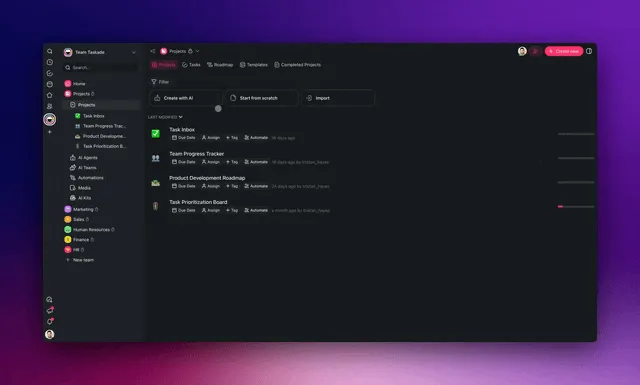
A sales pipeline workflow built from a prompt. Clone it, connect your lead source, and add a follow-up automation.
Example B — The client portal that notices what's missing
A traditional portal displays information. A living portal accepts the document, updates the project, lets an agent check what's missing, triggers the next request, and reflects the new state back to the client. The team only steps in when it matters. (How to build one: build a client portal without code.)
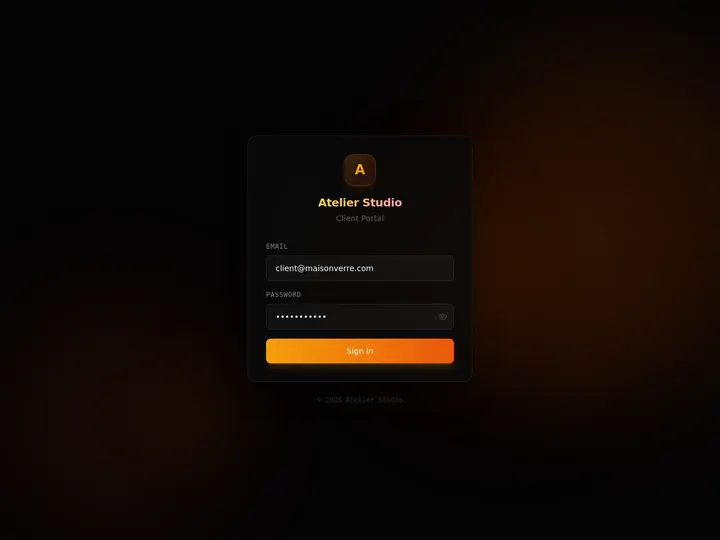
A client portal running on a Taskade workspace — the portal is the surface, the projects underneath are the memory.
Example C — The command center
The interface looks familiar. What changed is underneath. The software no longer only represents the state of work — it can participate in changing it.

🎛️ Build Something You Run, Not Something You Store
Here's a small language change that turns out to matter a lot. Most app builders ask "What do you want to build?" The better question is "What do you want to run?"
| Build an app | Run something |
|---|---|
| CRM | Run my sales pipeline |
| Dashboard | Run my business |
| Client portal | Run my clients |
| Onboarding app | Onboard new customers |
| Inventory tracker | Run my inventory |
| Project manager | Run this project |
| Knowledge base | Run support |
When you prompt for an outcome instead of an artifact, you get a different front page. Not "configure your workspace" — but the three questions every operator actually asks:
┌────────────────────────────────────────────────────────┐
│ CLIENT OPERATIONS                                      │
│                                                        │
│ WHAT'S HAPPENING                                       │
│ 12 active clients · 3 need attention                   │
│                                                        │
│ WHAT THE AGENT FOUND                                   │
│ Acme is 4 days overdue                                 │
│ Globex onboarding is blocked on a contract             │
│                                                        │
│ WHAT HAPPENS NEXT                                      │
│ ● Send Acme follow-up                                  │
│ ● Ask Globex for the contract                          │
│ ● Prepare Friday client report                         │
│                                                        │
│                               [ Run all 3 → ]          │
└────────────────────────────────────────────────────────┘
That's a screen you can describe to Taskade Genesis in plain language: an app that reads your client projects, an agent that writes what it found back into them, and a button that runs the follow-up automation. Taskade already keeps a run history for every automation, so "what happened" has a record you can check.
The real aha moment isn't "wow, it generated an app." It's the sequence after:
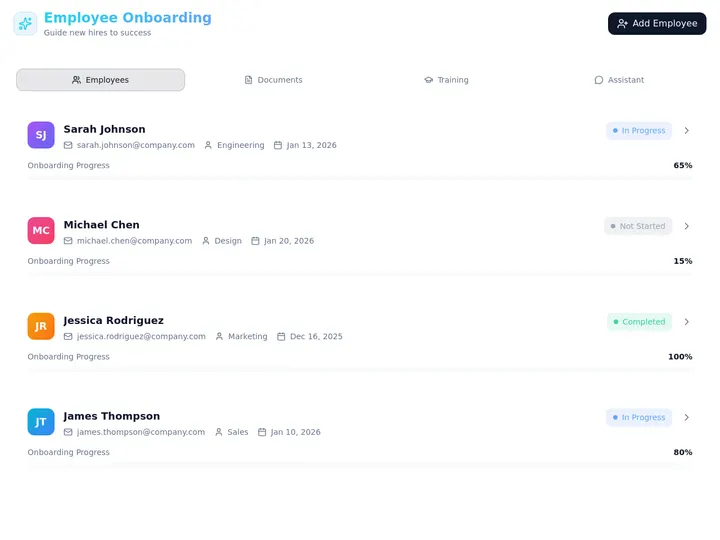
An onboarding portal — "onboard new customers," not "build an onboarding app."
✂️ The Subtraction Test
If memory should lead to action, you get a simple test for every tool, template, and feature you add to your workspace — including the ones we add to Taskade.
| You're tempted to add… | Remember? | Reason? | Act? | Serve? | Verdict |
|---|---|---|---|---|---|
| Another tagging scheme | Maybe | — | — | — | Skip unless an agent or flow uses it |
| A knowledge project your agent grounds on | ✅ | ✅ | — | — | Keep |
| A weekly automation that asks an agent to review overdue work | ✅ | ✅ | ✅ | — | Keep |
| A client-facing portal on the same projects | ✅ | — | — | ✅ | Keep |
| A dashboard nobody opens | — | — | — | — | Delete it |
The point isn't minimalism for its own sake. The optimization target changes. Not more things stored, but more outcomes produced:
| Weak north star | Stronger north star |
|---|---|
| App created | App created → real data enters |
| Agent created | Agent reasons over that data |
| Notes stored | Flow executes something real |
| Automation configured | The result persists as memory |
| — | You come back because the system kept working |
🔄 The Loop Keeps People Inside It
"Remember → reason → act → serve" can sound like a pitch for removing humans. It isn't.
Sometimes a person makes the decision. Sometimes an agent does. Sometimes an automation follows a deterministic rule. Sometimes the system stops and asks. The point isn't to remove humans from work — it's to stop requiring humans to manually carry every piece of context from one step to the next. The shared workspace carries the state. People and agents operate from the same memory.
| Decision type | Who should make it | How it runs in the loop |
|---|---|---|
| Deterministic ("if paid, mark complete") | An automation rule | A flow, no human needed |
| Judgment with low stakes ("draft the reminder") | An agent | Agent step inside a flow |
| Judgment with high stakes ("refund this customer?") | A person | The app shows it, the person decides |
| Anything new or ambiguous | A person, then write it down | The decision becomes memory for next time |
This is why judgment gets more valuable as the loop gets more capable, not less. We made that case in skills AI can't replace: when the system can do the work, the human job moves upstream — deciding what matters and grading what the system did.
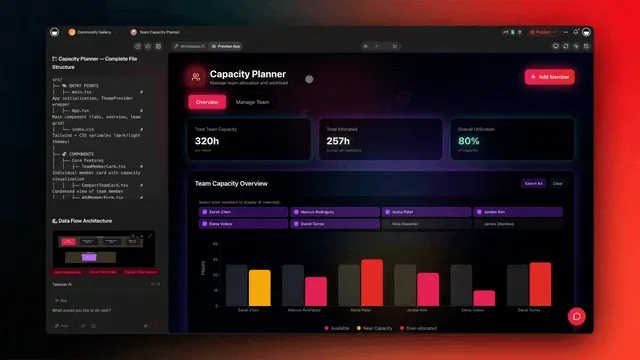
🔮 The Next Second Brain Won't Look Like a Second Brain
Watch how the question we ask our tools has changed:
| Second brain | AI assistant | AI app builder | Living workspace | |
|---|---|---|---|---|
| Job | Remembers for you | Answers for you | Builds for you | Remembers, reasons, acts, runs |
| Layer | Memory | Reasoning | Interface | All four on one state |
| After you leave | Waits | Forgets | Sits there | Keeps working |
That's a very different relationship with software. The best memory system may eventually be the one you think about least. You shouldn't spend your day maintaining it. It should quietly preserve context, recognize what matters, help make decisions, carry work forward, and remember what happened.
- It remembers, because remembering helps the system reason.
- It reasons, because reasoning helps decide what should happen.
- It acts, because the purpose of all that context was to move something forward.
- And it remembers the result, because tomorrow's decision should know what happened today.
A second brain shouldn't just store your past. It should help you move the future forward. If you want the tool-by-tool view, we compared the options in the best AI second brain tools and agentic workspaces.
🧱 The Narrative in One Stack
Mission, thesis, system, category, infrastructure, product. It's one idea at six altitudes:
"Ideas to action" and "workspace as runtime" aren't two narratives. One is the mission. The other explains how the mission becomes possible in the agent era: ideas to action requires memory to execution, which requires persistent shared state, which becomes a workspace runtime, which powers living software.
🚀 Ideas to Action, Again
Taskade started with a simple mission: turn ideas into action. That hasn't changed.
The path used to be:            Now it can be:Idea                            Idea
↓                               ↓
Task                            Workspace
↓                               ├── remembers
Person                           ├── reasons
↓                               ├── acts
Action                           └── serves
↓
Action
↓
Learning
↓
Next action
What's changing is everything that can now happen in between. An idea can become a working system. That system can have memory. Memory can become reasoning. Reasoning can become action. Action can become new memory. And the loop can keep running after the original prompt ends.
That's what we're building with Taskade Genesis. One prompt creates the app, the memory, the agents, and the automations around a piece of work. The workspace persists after the prompt ends, so the system keeps running as the work changes. Not a place to store everything you know — a place where what you know helps move the work forward.
Memory was never the destination. The app is the surface. The workspace is the runtime. From ideas to action.
▲ ■ ● ▷ Projects remember. Agents reason. Flows run. Apps serve. Memory feeds Intelligence, Intelligence triggers Execution, and Execution creates Memory. Describe what you want to run → or explore living apps others have built →.
🔗 Related Reading
The living-software thesis:
- The living software era: why apps now remember, reason, and run
- They generate code. We generate runtime — the Taskade Genesis manifesto
- The origin of Taskade Genesis
- How Workspace DNA works
Memory and knowledge:
- Building a Second Brain: review and guide
- The best AI second brain tools
- The Zettelkasten method for distributed teams
- Types of memory in AI agents
- What is metacognition?
Agents and execution:
- Tasks That Cascade: the second half of the line
- What are AI agents?
- Agentic workspaces
- Agentic workflows explained
- Context engineering field guide
- One-person companies and AI agents
- Human in the loop (wiki) · Agent loop (wiki)
🐑 Before you go — describe what you want to run, not just what you want to build. Inside Taskade Genesis you get:
- Projects that hold your data and memory — the app's database, with no separate backend
- AI agents that reason over that memory with built-in tools
- Automations on schedules, forms, webhooks, and workspace changes, across 100+ integrations
- Apps your team and clients use, on the same shared state
💬 Frequently Asked Questions
What does "from ideas to action" mean?
Shortening the distance between a thought and the work it should produce. Software used to organize that path while people walked it. Now a workspace can remember the context, reason about the next step, run the action, and record the result.
What is the difference between a second brain and an AI agent?
A second brain stores and retrieves what you know. An agent reasons over information and takes steps toward a goal. One answers "where did I put that?", the other "what should happen next?" They work best together on shared memory.
Why do second brains fail?
When capture becomes the goal. Christian Tietze called it the collector's fallacy (2014): collecting feels like learning, but knowing about something isn't knowing it. Memory becomes useful when it's attached to a goal and leads to action.
What is the knowing-doing gap?
The gap between what an organization knows and what it does. Jeffrey Pfeffer and Robert Sutton's 2000 book argued that companies rarely fail for lack of knowledge — they fail because knowledge doesn't become action.
What does "memory to execution" mean?
Software that uses stored information to act: memory holds the state, reasoning decides, execution acts, and the result returns to memory so the next decision sees what happened.
What does "the workspace is the runtime" mean?
The workspace isn't only where work is organized — it's where data persists, agents reason, automations execute, and apps serve people, all on the same state. The app is what people see; the workspace keeps it running.
Can AI agents replace a second brain?
Not alone. An agent without persistent memory starts from zero each time, and a second brain without agents waits for you. The combination — memory, agents, and automations on one state — is what turns knowledge into action.
Do agents keep working after I close the app?
When they run inside automations, yes. In Taskade, an automation can start on a schedule, form, webhook, or workspace change, call an agent as a step, and write the result back into a project.
How does Taskade Genesis turn ideas into action?
One prompt builds projects (memory), AI agents (reasoning), automations (execution), and an app (interface) on the same workspace. The app reads and writes those projects, so every result becomes memory for the next run.
What is Workspace DNA?
Taskade's three core layers: Memory (projects), Intelligence (agents), and Execution (automations). Memory feeds Intelligence, Intelligence triggers Execution, Execution creates Memory.
What is TSK-1?
Taskade's intelligence layer. It coordinates models, memory, agents, and workflows into a running AI workspace. It isn't a single model; it helps Taskade apps remember, reason, and run.
Is personal knowledge management dead?
No — agents need good context to act well. What's changing is the purpose. Knowledge systems will be judged less by how much they store and more by what they make possible.