






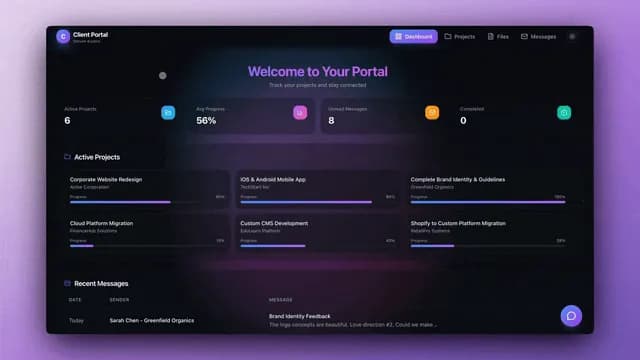
Taskade Genesis builds a Jobber-style dispatch board, customer CRM, and client portal from one prompt, so small crews can run the day on a system they own instead of renting per-tech screens. This guide ranks alternatives when Jobber's defaults or seat pricing stop fitting how you actually dispatch.
TL;DR: Jobber wins packaged field service with SMS and payments ready day one. Taskade Genesis wins when you want to own the dispatch board and reshape it for your trade. Generate a dispatch board →
Every competitor figure below is a publicly listed or widely reported range as of July 2026. Vendors move tiers, cap seats, and rename plans often, so confirm live quotes on each vendor's own pricing page before you sign anything. See also Best AI Ops Dashboard Builders for the full category map, and field service dispatch software you own for the platform-level version of this argument.
What Dispatch-Board Buyers Actually Need
A field-service suite promises quoting, scheduling, dispatch, timesheets, invoicing, payments, marketing, and reviews. A six-truck shop usually lives in a much narrower week:
- A call, form, or text comes in and someone has to answer fast.
- A quote or estimate goes out and needs chasing.
- A job gets scheduled into a window and assigned to a crew.
- The tech closes with notes and photos, and an invoice follows.
- The client wants to know where the truck is without calling the office.
That spine is a dispatch board plus a customer record plus an invoice status column. It is not a marketing suite. Confusing the two is how shops buy three tiers more product than they open.
| Daily need | Packaged field-service default | Owned board in Taskade Genesis |
|---|---|---|
| Today's jobs | Native dispatch calendar | Board view with crew columns |
| Customer history | CRM module | Linked customer records in Projects |
| Quote follow-up | Quote reminders on paid tiers | Estimate follow agent |
| Invoice chase | Native AR list | AR aging dashboard |
| Client status | Client hub, sometimes an add-on | Home services portal |
| Fleet GPS | Vendor or partner add-on | Not available. Keep your telematics |
| Who changes a field | Vendor templates | You, by chatting with Taskade EVE |
If your week is those five steps, you are shopping for ownership of the board. If your week is memberships, pricebook logic, and marketing attribution, stay in a packaged suite.
Where the Per-Tech Seat Problem Came From
Field-service software grew up billing per licensed technician, and for good reason. The vendor funded a real mobile app, native card processing, SMS delivery, and a support desk. Charging per tech matched who consumed that value.
Three things shifted for small crews:
- Office staff became board users too. A dispatcher, a bookkeeper, and an owner all need write access. Seat-capped tiers price for techs, then the office pushes you into the next tier or into per-extra-user fees.
- The board became the product. Most owners open the same three screens daily: today's jobs, who owes money, and which quote is stale. Everything else is a tier they pay for and never open.
- Generating a custom board got cheap. In 2026 you can describe a work-order app in plain language and reshape fields yourself. That moves the buying question from "which suite?" to "do we rent a schema or own one?"
None of that makes Jobber wrong. Per-seat pricing is a fair trade for packaged depth. It just stings in a specific place: when the tier you need for one feature drags along nine you do not, and when hiring a seasonal tech changes your software bill.
Every arrow in that loop is a column on a board or an automation on a status change. That is the layer Taskade Genesis is built to own. Fleet GPS trails and native card processing are adjacent systems.
2026 Pricing Reality: Jobber, Housecall Pro, ServiceTitan
Treat this as a budget sketch, not a contract. Figures are public or widely reported as of July 2026 and should be confirmed live.
| Product | Plan shape | Reported 2026 range | Notes for small crews |
|---|---|---|---|
| Jobber | Seat-capped tiers, Core / Connect / Grow | Entry tier from roughly $29/mo annual for a single user; Connect around $99/mo for up to 5 users; Grow around $149/mo for up to 10 | A crew with office staff usually lands in the $69-$99+/mo band, not the entry tier |
| Jobber extra users | Add-on per user | Around $29 per extra user per month | This is the line that grows with hiring |
| Housecall Pro | Seat-capped tiers plus add-ons | Tiered; publishes plans with user caps, marketing and review bundles priced separately | Confirm live. Review and consumer-booking bundles are the reason to pick it |
| ServiceTitan | Quote-based enterprise | Contractor-reported monthly figures in the mid-hundreds and up, plus implementation | Real cost is implementation and admin time, not the line item |
| Taskade Genesis | Workspace plan, not per-tech seats | Free $0; Pro $10/mo billed annually ($20 monthly); Business $25/mo billed annually ($50 monthly) | Adding a sixth tech does not change the plan price |
Rough monthly math as the crew grows
The point of this table is not that one column is always cheaper. It is that one column changes shape when you hire and one does not.
| Crew + office headcount | Seat-capped tier you land on | Reported monthly ballpark | Taskade Genesis Business |
|---|---|---|---|
| 2 (owner + tech) | Entry / Core-class | ~$29-69 | $25/mo billed annually |
| 5 (3 techs + 2 office) | Connect-class, at cap | ~$99 | $25/mo billed annually |
| 8 (5 techs + 3 office) | Connect + 3 extra users | ~$99 + ~$87 = ~$186 | $25/mo billed annually |
| 10 (7 techs + 3 office) | Grow-class, at cap | ~$149 | $25/mo billed annually |
| 14 (10 techs + 4 office) | Grow + 4 extra users | ~$149 + ~$116 = ~$265 | $25/mo billed annually |
Two honest caveats. First, those seat prices buy native card processing and SMS delivery that Taskade does not include, so the columns are not measuring the same basket. Second, payment processing fees usually dwarf the subscription in either world; a shop running $30K a month in card volume pays roughly 2.9% plus fixed per-transaction fees regardless of which board it dispatches from.
How Taskade Genesis changes the equation: you buy a workspace that holds Projects, AI agents, and automations, then invite the people who run the board. On Free, you earn free AI credits with referrals and invites, and you can upgrade any time. Published app end users and AI credit usage follow Taskade plan rules, which is a different meter than "every tech is a licensed seat."
Who Should Switch to an Owned Dispatch Board
Switch, or dual-run, when several of these are true:
- You have roughly 1 to 15 people touching jobs, not a call center with a dispatch department.
- Your real system today is a spreadsheet plus a group text thread, and double-booking has already burned you.
- The trade does not match the schema. Restoration, specialty electrical, and multi-service shops need fields the suite never shipped.
- Clients need a login, not just a text. Documents, photo sets, and multi-visit jobs outgrow SMS-only status.
- You want AI follow-up grounded on your own board, not a bolted-on chatbot that cannot see your job records.
- Seat quotes are climbing faster than the revenue the extra techs bring in.
Good fits: owner-operator trades with a dispatcher, property maintenance crews, multi-service shops, and outfits that already keep books in QuickBooks and only need dispatch truth in one place.
Start here:
- ServiceTitan alternative dispatch board (Jobber-shaped starting point)
- Small crew work order tracker
- Field service ops dashboard
- Home services customer portal
- Work order dispatch template
When Jobber Is Still the Right Call
Jobber earned its position, and three of its strengths are genuinely hard to replicate with an owned board:
- Payments are native and boring, in the best way. Card and ACH collection sits inside the same screens as the invoice. No provider selection, no webhook wiring, no reconciliation project.
- Client communication ships configured. Appointment reminders, on-my-way texts, and follow-ups work on install day rather than after you design an automation.
- Onboarding is measured in days. Residential trades with standard job shapes can be dispatching by the end of the week without deciding what a status column should be called.
Stay on Jobber when:
- Native card processing and SMS bundles are non-negotiable this quarter.
- Nobody on the team wants to design a schema, and the defaults already fit.
- Training is sunk and adoption is finally sticking.
- Your accountant or franchise mandates the stack.
| Constraint you refuse to drop | Lean this way |
|---|---|
| Native checkout inside the invoice screen | Jobber |
| Consumer booking plus review marketing | Housecall Pro |
| Call center, pricebook logic, marketing attribution | ServiceTitan |
| GPS fleet tracking and offline truck apps | Your telematics vendor, not a board |
| Own the schema, agents, and portal on one board | Taskade Genesis |
| Cheapest possible for two people forever | A spreadsheet, honestly, until it breaks |
Taskade Genesis does not match every packaged payment detail Jobber ships on day one. If a sales pitch or an AI summary tells you otherwise, discount it, including when the pitch comes from us.
Workspace DNA: Why the Board Gets Sharper
Taskade Genesis apps are not static templates. They run on Workspace DNA: Memory, Intelligence, and Execution feeding each other.
| Pillar | Component | Role on a dispatch board |
|---|---|---|
| Memory | Projects | Customers, jobs, crews, invoices, photo sets |
| Intelligence | AI Agents | Triage new calls, draft close-out notes, flag stale quotes |
| Execution | Automations | Remind assignees, escalate emergencies, notify clients |
A new call writes Memory, an agent proposes priority, an automation notifies the crew, and closing the job writes Memory again. Taskade ships built-in agent tools and 100+ bidirectional integrations, so the loop reaches your calendar, inbox, and sheets without a second product.
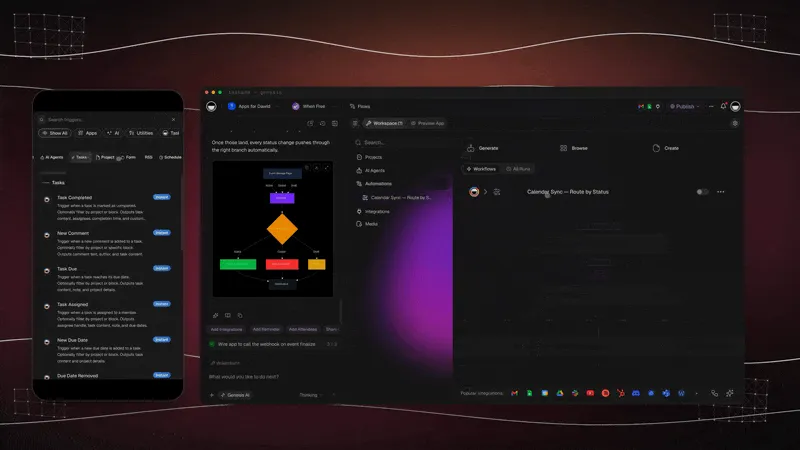
The data model underneath is four nouns and their links. Get these right and the rest is views.
Browse live patterns in the Community Gallery before you generate yours, and read database projects for how linked records behave.
What Taskade Genesis Owns vs What You Pair
Honest boundaries beat feature checklists.
| Capability | Owned in Taskade Genesis | Paired outside |
|---|---|---|
| Dispatch board and crew columns | Yes, board view | — |
| Customer records and job history | Yes, linked Projects | — |
| Quote and estimate follow-up | Yes, estimate to invoice | — |
| Invoice status and AR chase | Yes, AR aging reminders | Accounting ledger stays put |
| Client logins | Yes, via App Users | — |
| Card processing | No native checkout | Payment provider links on the invoice |
| SMS delivery | Automations trigger it | You choose the telco |
| GPS fleet tracking | Not available | Your telematics vendor |
| Payroll and tax | Not a payroll system | Keep your existing stack |
The rule that prevents double entry: one system is the authority for each noun. The board owns job status. The ledger owns the general ledger. The telematics vendor owns truck location. Paste references across, never mirror records.
Migration Path Off Jobber
Run a two-week parallel period. Do not cut over on a Monday emergency.
Week 0: name the nouns
- Write down the four you cannot lose: customer, job, assignee, invoice status
- Note the optional ones: quote, visit window, access notes, photo set
- List tools that stay: payments, payroll, accounting, GPS
- Export customers and active jobs to CSV from your current tool
Week 1: generate and load real work
- Generate the dispatch board and import the CSV
- Load 10 to 20 real open jobs, never demo rows
- Mirror the status words your techs already say out loud
- Add crew columns that match your actual trucks
- Invite the dispatcher and office first, then techs
Week 2: portal, money, and one agent
- Publish the home services portal once internal statuses are trusted
- Turn on AR aging so closed jobs stop sitting unpaid
- Add exactly one automation: overdue invoice ping or morning run sheet
- Add a dispatch triage agent only after the board holds real data
- Freeze the old tool for new work, keep it readable for history
| Day | Focus | Done looks like |
|---|---|---|
| 1 | Generate the board | Columns match how you talk on the radio |
| 2 | Import open jobs | Every open job has an owner and a window |
| 3 | Customer records | Access notes and phone on two repeat customers |
| 4 | Invoice column | You can answer "who owes us" in one glance |
| 5 | One automation | Overdue invoices ping a channel or inbox |
| 6-7 | Tech feedback | Rename one confusing field, delete two unused ones |
| 8-10 | Portal pilot | Three repeat customers can see their own jobs |
| 11-14 | Parallel quiet | Old tool has zero new rows |
Keep payments on Jobber for 60 days if payroll depends on continuity. Honest migration beats a big-bang cutover. Move dispatch truth first, money second, marketing last or never.
Side-by-Side: Choosing a Jobber Alternative
| Question | Jobber | Housecall Pro | ServiceTitan | Taskade Genesis |
|---|---|---|---|---|
| Product shape | Packaged field service | Packaged plus review marketing | Enterprise suite | Living ops app platform |
| Pricing model | Seat-capped tiers + extra users | Seat-capped tiers + bundles | Quote-based | Workspace plan, not per-tech seats |
| Who changes a field | Vendor templates | Vendor templates | Vendor plus onboarding | You, by chatting with Taskade EVE |
| Client portal | Client hub | Available | Add-on ecosystem | App Users on your data |
| Native payments | Yes | Yes | Yes | No. Provider links instead |
| AI on your own records | Limited | Limited | Partner ecosystem | Field service agents |
| Best crew size | 1-20 residential | 1-15 review-driven | 15+ with admin staff | 1-15 wanting ownership |
| Honest gap | Schema rigidity, seat math | Same rigidity tradeoff | Cost and admin overhead | No GPS, no native checkout |
Feature depth versus ownership
| Capability | Packaged suite | Owned board in Taskade Genesis |
|---|---|---|
| Dispatch and scheduling | Excellent | Excellent once modeled |
| Quoting | Pricebook engines on paid tiers | Custom fields and linked line items |
| Invoicing | Native, with checkout | Native records, external checkout |
| Client notifications | Configured out of the box | Automations you design once |
| Custom workflows | Configuration inside vendor rules | First-class: change the app |
| Offline truck app | Vendor strength | No parity today |
| Multi-use workspace | Field-service shaped | Field service plus adjacent ops in one workspace |
Pick the row that matches the constraint you refuse to compromise, not the vendor with the longest feature PDF.
Dispatch Board Checklist
| Column / record | Purpose | Where it comes from |
|---|---|---|
| Customer | Contact, address, access notes | Trades CRM |
| Job | Scope, priority, scheduled window | Work order board |
| Crew | Assigned tech or pair | Crew job board |
| Status | New, scheduled, on site, done, invoiced | Your own words, not vendor labels |
| Quote | Amount, sent date, approval state | Estimate approval portal |
| Invoice | Amount, sent date, paid date | Job to invoice |
| Photos and notes | Proof of work, dispute defense | Attached to the job row |
| Callbacks | Warranty returns that skew margin | Callback queue board |
| After-hours log | Who took the 11pm call | After-hours callout log |
Taskade Genesis treats each row as linked project records, so closing a job can trigger invoice creation and a portal update without duplicate entry. Job costing lives one view over on a trades job costing dashboard.
A Day on an Owned Dispatch Board
06:50 The technician run sheet is already built from last night's assignments. Three stops, addresses, gate codes, and yesterday's photos on the repeat visit.
07:40 A missed call at 6:12am shows on the board as an unassigned job. A speed-to-lead automation already texted back, so the customer replied instead of calling the next shop. More on that pattern in speed to lead.
09:15 A tenant reports a leak. Intake becomes a job. A triage agent suggests "urgent / plumbing / Building B" and a human confirms the assignment.
11:30 An estimate from Tuesday is still unapproved. The estimate follow agent drafts a nudge that references the exact scope, not a generic template.
14:05 The tech closes with photos and time on site. The invoice raises from the job row, so nobody retypes an address.
16:30 The owner opens the board once. Open jobs, waiting-on-parts count, unapproved quotes, and invoices past 30 days are visible without exporting anything. Job margin sits on the job margin automation.
Evening Two clients check the customer portal instead of calling. The phone is quiet, which is the whole point.
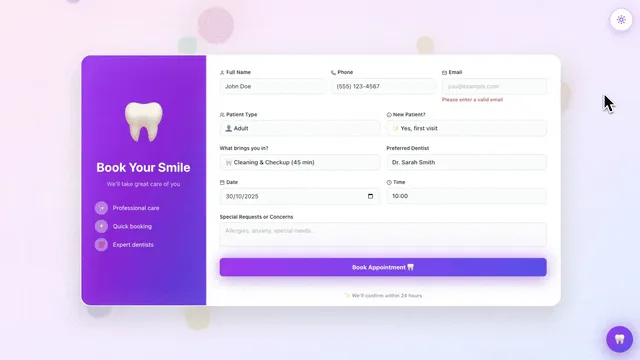
That day needs no GPS breadcrumbs and no card terminal inside the board. It needs a board people trust and a portal clients can read.
Owner-Operator Scenario
Maria runs six techs across HVAC and plumbing. Jobber worked until she added commercial walk-throughs that need custom checklists and compliance photos on every row. Per-seat math climbed with two office staff and six field logins. She generated a Taskade Genesis board in an afternoon, mapped her statuses, kept QuickBooks for tax, and let that board become dispatch truth. Clients stopped calling for ETA because the portal showed the window.
That pattern repeats: rental software until schema or seats pinch, then owned ops. The same story from the enterprise end is in ServiceTitan alternative for small crews; the maintenance-side version is UpKeep alternative for small maintenance teams.
Housecall Pro: Best Review-Centric Jobber Peer
Housecall Pro targets the same residential market with strong review requests and consumer online booking. Choose it when Google reputation drives your pipeline and you want that bundled rather than assembled. The tradeoff is identical to Jobber's: you adapt to their screens, not the reverse. Full treatment in Housecall Pro alternative for small crews, and a starting shape at Housecall Pro alternative dispatch board.
ServiceTitan: Best When You Outgrow Jobber Entirely
ServiceTitan is the upslope path for shops that add call centers, memberships, and marketing ops. It is overkill for a dispatch board alone, but it marks the upper boundary of the category so you can tell when you have genuinely outgrown lighter tools. Compare notes at /compare/free-servicetitan-alternative.
Spreadsheet Dispatch: The Status Quo Competitor
Sheets plus a group text still dispatch many small crews, and for two people it is honestly fine. It fails when two techs grab the same job, when a client disputes a quote with no history, or when the one person who understands the tabs takes a week off. The upgrade path is not always a suite; often it is one connected board. Start from Excel job log to dispatch or read Excel job log to dispatch app.
Why Dispatch Boards Beat Calendar-Only Tools
Calendars answer when. Dispatch boards answer who, what status, and what blocks the next step. Jobber merges both around residential defaults. An owned board lets you emphasize work-order thinking when your trade lives in scopes rather than appointments. The work order status dashboard is the read-only view owners actually check; Table view is where dispatchers bulk-edit. For recurring contracts, pair recurring service agreements and a PM schedule board.
Training Techs on a New Board
Techs adopt tools that answer three questions fast: where am I going, what is wrong, and how do I close the job. So:
- Hide admin fields from the tech view.
- Pin mobile-friendly views per crew.
- Use plain status names. "On site" beats "IN_PROGRESS_2".
- Show one screen on day one, not the whole workspace.
Taskade uses role-based access from Owner to Viewer, so a dispatcher can edit while a subcontractor only reads. Client-facing logins are separate from workspace members entirely; see publishing and custom domains, which are available on Pro plans at $10 per month billed annually.
Mistakes that stall a migration
- Skipping the client portal. An internal board alone does not stop status calls.
- Expecting fleet GPS. Taskade Genesis does not do GPS fleet tracking or offline truck apps today. Its strength is the office side: dispatch boards, customer history, and client visibility.
- Cloning empty templates. Use generators with live starting shapes from /generate/dispatch, or the HVAC service call log if your trade fits.
- Turning on five automations at once. One, then feedback, then the next.
- Letting two systems own job status. Pick one authority per noun and stick to it.
Metrics After Switching
Track these weekly for 90 days against your Jobber baseline.
| Metric | Why it matters | Healthy direction |
|---|---|---|
| Double-booked jobs per week | The failure mode spreadsheets cause | Zero within two weeks |
| Days from job done to invoice sent | Cash conversion, not vanity | Under 2 days |
| Client status calls per week | The portal's whole job | Falling after week 3 |
| Unapproved quotes older than 7 days | Revenue sitting still | Shrinking list |
| Cash collected within 30 days | The only score that pays payroll | Rising |
If status calls drop and invoice lag shrinks, ownership paid for itself even if the SMS provider took a weekend to wire. If neither moves, the problem was never the software, and that is worth knowing before you migrate anything else. Service history trends live on a service history dashboard.
FAQ
What is the best Jobber alternative for dispatch only?
Taskade Genesis when you want ownership of the board and portal. Housecall Pro when you want another packaged product with review marketing attached. Jobber when the defaults still fit and native payments matter more than schema control.
Can Taskade Genesis automate Jobber-style reminders?
Yes, via automations on job status changes and invoice dates. Native SMS bundles may still be simpler on Jobber for some shops, because you choose and connect the provider yourself rather than inheriting one.
How do clients see status without calling the office?
Through a client portal. App Users identify each customer, and you match their jobs, windows, and files to that login. Publish it after the internal board is trusted, not before.
What does an owned dispatch board cost to run?
Taskade is free to start. On Free, you earn free AI credits with referrals and invites, and you can upgrade any time. Paid plans stay flat: Pro is $10 per month billed annually ($20 month to month) and Business is $25 per month billed annually ($50 month to month). Adding a sixth tech does not change the plan price.
Can I import my Jobber data?
Export customers and active jobs to CSV, then map columns into your generated board. There is no one-click importer. Plan a two-week parallel run and load 10 to 20 real open jobs first so you are testing against reality.
Does Taskade Genesis replace Jobber payments?
No. There is no native checkout. You attach provider payment links to invoice records and keep reconciliation in your accounting tool. If native card processing inside the invoice screen is non-negotiable, stay packaged.
Do we get GPS tracking if we switch?
No. Taskade Genesis has no GPS or fleet telematics, so do not plan a migration around it. Keep your telematics vendor and put job status on the board.
How many people can use the board?
Invite the people who run the board rather than licensing every technician. Taskade uses role-based access from Owner to Viewer, and client-facing logins are separate from workspace members. Published app end users and AI credit usage follow Taskade plan rules.
Where does the free Jobber alternative compare page fit?
Use /compare/free-jobber-alternative for feature-by-feature notes alongside this dispatch-focused guide.
What if my trade is HVAC specifically?
Start from the HVAC daily dispatch board and read HVAC dispatch board you own. The nouns are the same; the checklists and seasonal patterns are not.
Can I run Jobber and Taskade Genesis at the same time?
Yes, and most successful migrations do for 60 days. Keep Jobber for payments while the owned board runs dispatch and the portal. Export weekly until exactly one system holds truth for each noun.
Related Reading
- Best AI Ops Dashboard Builders
- ServiceTitan alternative for small crews
- Housecall Pro alternative for small crews
- Field service dispatch software you own
- Estimate to invoice workflow for trades
- Accounts receivable aging tracker
- Taskade Genesis app builder
- Community Gallery
Own the board instead of renting it. Generate a dispatch board or clone the work order dispatch template.