Introducing TSK-1Introducing TSK-1—Taskade's intelligence layer.
taskade
PricingHelpDashboard →Dashboard →
PricingLoginSign up for free →Sign up for free →
Dashboard →Dashboard →
Sign up →Sign up →
Loved by 1M+ users·Hosting 100K+ apps·Deploying 500K+ AI agents·Running 1M+ automations·Backed by Y Combinator·Powered by TSK-1
TaskadePricingFeaturesContact usIntegrationsMCP ServerDeveloper APIChangelogPressLearnAbout
ConnectProductivityKitsVideosReviewsFAQ
VibeVibe AppsVibe AgentsVibe CodingVibe WorkflowsVibe Marketing
Vibe DashboardsVibe CRMVibe AutomationVibe PaymentsVibe DesignVibe SEOVibe Tracking
Community
FeaturedQuick AppsToolsDashboardsWebsites
WorkflowsProjectsFormsCreators
DownloadsAndroidiOSMacWindows
ChromeFirefoxEdge
Compare
vs Cursorvs Boltvs Lovablevs V0vs Windsurf
vs Replitvs Emergentvs Devinvs Claude Codevs ChatGPTvs Claudevs Perplexityvs GitHub Copilotvs Figma AIvs Notionvs ClickUpvs Asanavs Mondayvs Trellovs Jiravs Linearvs Todoistvs Evernotevs Obsidianvs Airtablevs Basecampvs Mirovs Slackvs Bubblevs Retoolvs Webflowvs Framervs Softrvs Glidevs FlutterFlowvs Base44vs Adalovs Durablevs Gammavs Squarespacevs WordPressvs UI Bakeryvs Zapiervs Makevs n8nvs Jaspervs Copy.aivs Writervs Rytrvs Manusvs Crewvs Lindyvs Relevance AIvs Wrikevs Smartsheetvs Monday Magicvs Codavs TickTickvs Any.dovs Thingsvs OmniFocusvs MeisterTaskvs Teamworkvs Workfrontvs Bitrix24vs Process Streetvs Toggl Planvs Motionvs Momentumvs Habiticavs Zenkitvs Google Docsvs Google Keepvs Google Tasksvs Microsoft Teamsvs Dropbox Papervs Quipvs Roam Researchvs Logseqvs Memvs WorkFlowyvs Dynalistvs XMindvs Whimsicalvs Zoomvs Remember The Milkvs Wunderlist
Taskade GenesisVideo GuideApp BuilderVibe CodingAgent BuilderDashboard Builder
CRM BuilderWebsite BuilderForm BuilderWorkflow AutomationWorkflow BuilderBusiness-in-a-BoxAI for MarketingAI for Developers
AI Agents
FeaturedProject ManagementOperations Intelligence AgentsProductivityMarketing
TranslatorContentWorkflowResearchPersonalSalesSocial MediaTo-Do ListCRMTask AutomationCoachingCreativityTask ManagementBrandingFinanceLearning and DevelopmentBusinessCommunity ManagementMeetingsAnalyticsDigital AdvertisingContent CurationKnowledge ManagementProduct DevelopmentPublic RelationsProgrammingHuman ResourcesE-CommerceEducationLegalEmailSEODeveloperVideo ProductionDesignFlowchartDataPromptNonprofitAssistantsTeamsCustomer ServiceTrainingTravel PlanningUML DiagramER DiagramMath TutorLanguage LearningCode ReviewerLogo DesignerUI WireframeFitness CoachLead EnrichmentFounder OSSales DevelopmentBookkeepingRecruitingWebsite MonitoringField ServiceAll Categories
Automations
FeaturedBusiness-in-a-BoxOperations Intelligence AutomationsInvestor OperationsEducation & Learning
Healthcare & ClinicsReal EstateStripeSalesE-commerceContentMarketingEmailCustomer SupportHubSpotProject ManagementAgentic WorkflowsBooking & SchedulingCalendarReportsSlackWebsiteFormTaskWeb ScrapingWeb SearchChatGPTText to ActionYoutubeLinkedInTwitterGitHubDiscordMicrosoft TeamsWebflowRSS & Content FeedsGoogle WorkspaceManufacturing & OperationsAI Agent TeamsMulti-Agent AutomationNotion AutomationsAgentic AutomationProposalBookkeeping & ExpensesClient OnboardingAll Categories
Wiki
Taskade GenesisAI AgentsAutomation
ProjectsLiving DNAAutonomous Workspaces, Agents & AppsQuantum AI & Taskade Genesis QuantumPlatformIntegrationsProductivityMethodsProject ManagementAgileScrumAI ConceptsCommunityTerminologyFeatures
Templates
FeaturedChatGPTOperations Intelligence TemplatesTablePersonal
Project ManagementSalesFlowchartTask ManagementEngineeringEducationDesignTo-Do ListMarketingMind MapGantt ChartOrganizationalPlanningMeetingsTeam ManagementStrategyGamingProductionProduct ManagementStartupRemote WorkY CombinatorRoadmapCustomer ServiceLegalEmailBudgetsContentConsultingE-CommerceStandard Operating Procedure (SOP)Human ResourcesProgrammingMaintenanceCoachingSocial MediaHow-TosResearchMusicTrip PlanningCRMClient OnboardingEmployee OnboardingSOPBug TrackerRecruitment TrackerFormSales PipelineContent CalendarMarketing PlanProduct RoadmapBusiness PlanSWOT Analysis30-60-90 Day PlanInterviewNotion AlternativeKPIStrategic PlanMeeting AgendaInvoiceRisk RegisterIT Asset ManagementKanban BoardChange ManagementCommunication PlanRFPScope of WorkStatement of WorkHelpdeskKnowledge BaseCreative BriefGoal SettingExecutive SummaryGap AnalysisBooking SystemEvent ManagementPortfolio TrackerCustomer Onboarding PortalsClient PortalAgency OperationsFinance TrackingAll Categories
Generators
AI SoftwareNo-Code AI AppAI AppAI WebsiteAI Dashboard
AI Operations Intelligence GeneratorsAI FormAI AgentAI Client Portal BuilderAI WorkspaceAI ProductivityAI To-Do ListAI WorkflowsAI EducationAI Mind MapsAI FlowchartAI Scrum Project ManagementAI Agile Project ManagementAI MarketingAI Project ManagementAI Social Media ManagementAI BloggingAI Agency WorkflowsAI ContentAI Software DevelopmentAI MeetingAI PersonasAI OutlineAI SalesAI ProgrammingAI DesignAI FreelancingAI ResumeAI Human ResourceAI SOPAI E-CommerceAI EmailAI Public RelationsAI InfluencersAI Content CreatorsAI Customer ServiceAI BusinessAI PromptsAI Tool BuilderAI SEOAI Gantt ChartAI CalendarsAI BoardAI TableAI ResearchAI LegalAI ProposalAI Video ProductionAI Health and WellnessAI WritingAI PublishingAI NonprofitAI DataAI Event PlanningAI Game DevelopmentAI Project Management AgentAI Productivity AgentAI Marketing AgentAI Personal AgentAI Business and Work AgentAI Education and Learning AgentAI Task Management AgentAI Customer Relations AgentAI Programming AgentAI SchemaAI Business PlanAI Pitch DeckAI InvoiceAI Lesson PlanAI Social Media CalendarAI API DocumentationAI Database SchemaAI Marketing PlanAI Sales Pipeline GeneratorAI Course BuilderInternal ToolsBooking SystemReal Estate CRMInventory ManagementAI CRM BuilderAI TimesheetAI DispatchAI NewsletterAI Clinic OperationsAI Directory BuilderAll Categories
Converters
AI Featured ConvertersAI PDF ConvertersAI CSV ConvertersAI Markdown ConvertersAI Prompt to App Converters
AI Data to Dashboard ConvertersAI Workflow to App ConvertersAI Idea to App ConvertersAI Flowcharts ConvertersAI Mind Map ConvertersAI Text ConvertersAI Youtube ConvertersAI Knowledge ConvertersAI Spreadsheet ConvertersAI Email ConvertersAI Web Page ConvertersAI Video ConvertersAI Coding ConvertersAI Task ConvertersAI Kanban Board ConvertersAI Notes ConvertersAI Education ConvertersAI Language TranslatorsAI Business → Backend App ConvertersAI File → App ConvertersAI SOP → Workflow App ConvertersAI Portal → App ConvertersAI Form → App ConvertersAI Schedule → Booking App ConvertersAI Metrics → Dashboard ConvertersAI Game → Playable App ConvertersAI Catalog → Directory App ConvertersAI Creative → Studio App ConvertersAI Agent → Agent App ConvertersAI Audio ConvertersAI DOCX ConvertersAI EPUB ConvertersAI Image ConvertersAI Resume & Career ConvertersAI Presentation ConvertersAI PDF to Spreadsheet ConvertersAI PDF to Database ConvertersAI PDF to Quiz ConvertersAI Image to Notes ConvertersAI Audio to Notes ConvertersAI Email to Tasks ConvertersAI CSV to Dashboard ConvertersAI YouTube to Flashcards ConvertersURL to NotesVideo → SummaryAI Receipts to Expense Tracker ConvertersAI Docs to Knowledge Base ConvertersAI Form to Client Portal ConvertersSpreadsheet to CRMAll Categories
Prompts
Client PortalsDocument IntakeField Service
Operations Intelligence PromptsCRMAdvertisingDesignInvoicing and PaymentsSocial MediaCodingBooking and SchedulingConsultingCustomer SupportNonprofitPatient IntakeBlog WritingBrandingPersonal FinanceHuman ResourcesPublic RelationsTeam CollaborationProduct ManagementSupportAgencyReal EstateMarketingResearchSalesCopywritingContentProject ManagementWebsite CreationStrategyE-commerceEngineeringSEOEducationEmail MarketingUX/UIProductivityInfluencer MarketingAnalyticsEntrepreneurshipLegalVibe CodingRecruitingAll Categories
Blog
Introducing Taskade TSK-1: The System Kernel Behind Every App (2026)Estimate to Invoice Workflow for Trades (2026): One Pipeline You OwnHousecall Pro Alternative for Small Crews (2026): Own Your Dispatch Board
How LLMs Got Hands: The History of Tool Use and Function Calling (2026)HVAC Dispatch Board You Own (2026): Daily Jobs Without Enterprise PricingTaskade Genesis vs AI App Builders for Ops Systems (2026)From 4K to 1M: The History of the Context Window (2026)Missed Call Text-Back for Speed-to-Lead (2026 Playbook)Accounts Receivable Aging Tracker for Agencies (2026 Honest Ranked)Field Service Dispatch Software You Own (2026 Ranked Guide)Follow Up Boss Alternative for Solo Agents (2026 Honest Ranked)The History of the Model Context Protocol: How AI Got a Universal Plug (2026)How to Automate 99% of Nonprofit Operations with AI in 2026Speed-to-Lead CRM: Text-Back System That Closes in Minutes (2026)Student Enrollment Portal Without Kajabi (2026 Ranked)Transaction Coordinator Dashboard Without IDX (2026 Honest Guide)How to Automate 99% of Real Estate Work with AI Agents (2026)Jobber Alternative: Dispatch Board You Own (2026 Ranked)ServiceTitan Alternative for Small Crews (2026): Own Your Dispatch BoardRun Your Whole Business in One App with Taskade Genesis (June 2026)
AIAutomationProductivityProject ManagementRemote WorkStartupsKnowledge ManagementCollaborative WorkUpdates
Changelog
File Uploads for Your Apps & Saved Originals (Jul 26, 2026)Scans and Photos Become Text in Automations (Jul 25, 2026)Named Cards at a Glance & Complete Reports (Jul 25, 2026)
AI Steps Run on the Prompt Alone (Jul 24, 2026)Single Sign-On Setup Tells You What to Fix (Jul 23, 2026)Project Outlines for Taskade EVE & Reliable Runs (Jul 22, 2026)MCP Connections Do More & Signed Webhooks (Jul 21, 2026)
Wiki
Taskade GenesisAI AgentsAutomation
ProjectsLiving DNAAutonomous Workspaces, Agents & AppsQuantum AI & Taskade Genesis QuantumPlatformIntegrationsProductivityMethodsProject ManagementAgileScrumAI ConceptsCommunityTerminologyFeatures
Prompts
Client PortalsDocument IntakeField Service
Operations Intelligence PromptsCRMAdvertisingDesignInvoicing and PaymentsSocial MediaCodingBooking and SchedulingConsultingCustomer SupportNonprofitPatient IntakeBlog WritingBrandingPersonal FinanceHuman ResourcesPublic RelationsTeam CollaborationProduct ManagementSupportAgencyReal EstateMarketingResearchSalesCopywritingContentProject ManagementWebsite CreationStrategyE-commerceEngineeringSEOEducationEmail MarketingUX/UIProductivityInfluencer MarketingAnalyticsEntrepreneurshipLegalVibe CodingRecruitingAll Categories
© 2026 Taskade
PrivacyTermsSecurity
Made withTaskade AIforBuilders
BlogAIAccounts Receivable Aging…

Accounts Receivable Aging Tracker for Agencies (2026 Honest Ranked)

Agencies bleed cash when invoices sit in inboxes. An AR aging tracker you own beats another BI chart. Here is a 2026 ranked guide for multi-client shops.

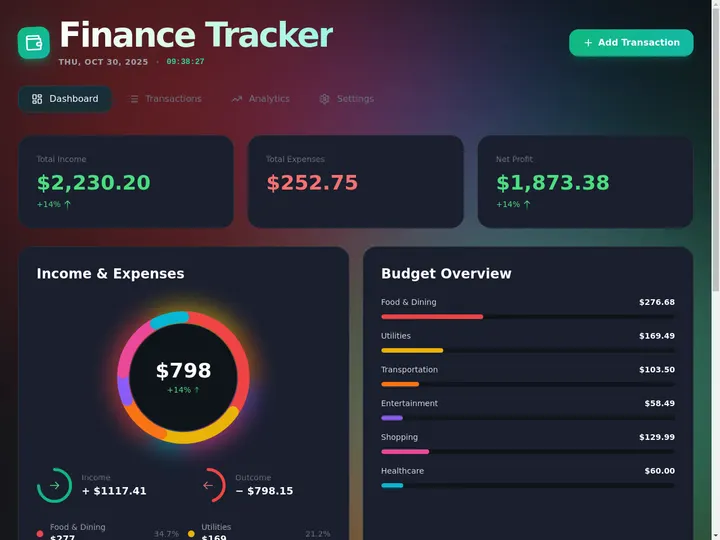
Accounts receivable aging dashboard with client balances in Taskade Genesis
August 1, 202624 min readTaskade TeamAI·#accounts-receivable#agency-ops#invoicing
On this page (26)
💸 What Agencies Actually Need From an AR Aging Tracker📜 Origin of the Problem: Why AR Aging Escaped Accounting💵 2026 Pricing Reality: What Each Category Actually Charges For🧭 Who Should Move AR Onto an Owned Board🛟 Who Should Stay on QuickBooks, Harvest, or FreshBooks🧬 Workspace DNA on an AR Board🗂 The Data Model Worth Getting Right🪣 The Bucket Playbook Agencies Actually Run⚙️ The Automation Ladder That Pays for Itself🏗️ What the Board Owns vs What You Pair📋 Migration Checklist: Spreadsheet or Aging Report to an Owned BoardWeek 0: Decide the nounsWeek 1: Generate and load truthWeek 2: Automations, portal, reviewCutover rules🆚 Side-by-Side: Choosing an AR Aging TrackerCapability depth vs ownership🕗 A Day in the Life on an Owned AR Board📈 Forecasting Cash From Buckets, Honestly🗣 Dunning Tone Guide🚫 Five Mistakes That Break AR Boards👥 Finance and Account Manager Handoffs🔐 Client-Visible Status Without Leaking Anything❓ FAQ: AR Aging Trackers for Agencies📚 Related Reading🚀 Own the Board, Keep the Ledger

Taskade Genesis gives agencies an accounts receivable aging tracker tied to client records and chase automations in one workspace, so overdue invoices surface in buckets you act on instead of hiding inside accounting exports. This guide ranks AR tools honestly for multi-client shops in 2026.

TL;DR: QuickBooks wins accountant-ready books. Taskade Genesis wins operational AR aging you own with client context and automations. Generate an AR aging dashboard →

Related: ops dashboard builders, multi-client agency ops hub, AI invoice automation.

Pricing shapes below describe how each category charges, not quoted figures. Accounting and time-tracking vendors re-tier often. Confirm live pricing for your seat count before you sign anything.


Building a living accounts receivable board from one prompt in Taskade Genesis

💸 What Agencies Actually Need From an AR Aging Tracker

An agency AR tracker has one job: make the next collection decision obvious before payroll runs. Accounting software is built for a different job — closing a period so a return can be filed. Both are legitimate. They are not the same artifact.

A five-to-forty person agency lives in a narrow weekly loop:

  1. An invoice goes out against a retainer month or a delivered milestone.
  2. Payment terms lapse quietly, because nobody owns "day 31."
  3. An account manager finds out at 45 days, usually from a cash question.
  4. Someone decides whether to nag, call, pause delivery, or eat it.
  5. A principal wants one number Monday morning: total open over 60 days.

That loop is an ops board. It is not a general ledger. Confusing the two is how agencies end up exporting a CSV every Monday and treating a stale snapshot as a collections process.

Weekly need Accounting-suite default Owned AR board in Taskade Genesis
Open invoices by age Aging report you re-run Live bucket views, always current
Who owns the chase Not modeled Assignee field on the invoice row
Client delivery context Absent Linked project, milestone, retainer month
Chase history Outside the ledger Touch log on the invoice record
Reminder sequence Manual or bolt-on Automation at 7 / 14 / 30 days
Client-visible status Rarely, or full portal login Scoped app view per client
Who changes the fields Your accountant or a vendor template You, by chatting with Taskade EVE

If your week is the five steps above, you are shopping for ownership of the board. If your week is bank reconciliation, sales tax, and 1099 prep, stay inside your accounting suite and read on for how to pair the two.


📜 Origin of the Problem: Why AR Aging Escaped Accounting

Aging reports were designed for a bookkeeper, and the bookkeeper was the only person who ever needed one. For decades that assumption held — one person owned the ledger, ran the report monthly, and handed a printout to an owner.

Three changes broke it for agencies:

  1. Collections became a delivery decision, not a finance decision. Deciding whether to pause a sprint for a 60-day-late client requires knowing what shipped last week. That context lives in project records, not in the ledger.
  2. Retainers made "late" ambiguous. A retainer invoice issued on the 1st for work performed all month is late in a different way than a milestone invoice for a delivered site. One aging column cannot express both.
  3. The people who chase are not the people with ledger logins. Account managers do the calling. Giving every AM an accounting seat is expensive and risky, so they get spreadsheet exports instead — and the export is stale by Tuesday.

The result is the pattern almost every agency recognizes: authoritative books nobody works in, plus a shadow spreadsheet everyone works in that nobody trusts. Neither is wrong. The missing layer is an operational board that reads like the ledger and behaves like a task list.

No Yes Invoice issuedretainer or milestone Past terms? Current bucketmonitor only Age it into a bucket 1-30: automatedreminder + pay link 31-60: AM call taskreference delivered work 61-90: principal reviewpause option on table 90+: plan, collectionsor write-off Log the touchon the invoice row Weighted cash forecast

💵 2026 Pricing Reality: What Each Category Actually Charges For

The categories charge for different things, and that difference matters more than any month-to-month sticker price.

Category Example tools What you pay for Where AR aging sits Watch for
Accounting suite QuickBooks, Xero Per-company subscription, tiered by feature depth Built-in aging report Extra seats for non-finance staff
Time-to-invoice Harvest, FreshBooks Per-seat, scaled by who tracks hours Invoice status list Chase logic stays manual
Spreadsheet Sheets, Excel Nothing extra A formula column you maintain Silent sort and formula breakage
Dedicated AR / dunning Collections add-ons Per-invoice or per-volume fees The whole product Another silo with no delivery context
Owned ops board Taskade Genesis Workspace plan, not per-collector seat The board you generated Not a ledger; pair for tax and payroll

The number that actually decides the purchase is not the subscription. It is the cash your agency has already earned and cannot spend. Run this arithmetic on your own billings before you compare any two tools.

Cash parked in AR at $80,000/month in billings:

Average DSO Open AR at any moment Extra cash locked vs 30-day terms
30 days $80,000 —
45 days $120,000 $40,000
60 days $160,000 $80,000
75 days $200,000 $120,000
90 days $240,000 $160,000

Every 15 days of average DSO on $80,000 of monthly billings is roughly $40,000 you have earned and cannot deploy. Any tooling conversation that costs less than one bucket's worth of drift is a rounding error by comparison.

How Taskade pricing works for this:

Plan Price When it fits an AR board
Free $0, with a one-time grant of 6,000 AI credits (1,000 at signup plus 5,000 with your first build) Prove the board with 20 real open invoices
Pro $10/mo billed annually ($20 monthly) A finance lead plus a few account managers working buckets
Business $25/mo billed annually ($50 monthly) Custom domain on a client-facing status view, larger crew

You are not buying a per-collector license. You buy a workspace that holds Projects, Agents, and Automations, then invite the people who actually work the buckets. Published app end users and AI credit usage follow Taskade plan rules, so confirm current pricing for your headcount and AI usage.


🧭 Who Should Move AR Onto an Owned Board

Move (or dual-run) when several of these are true:

  • You bill 5 to 60 active clients and mix retainers with fixed-fee projects.
  • Your real AR process today is a Monday CSV export plus a group chat.
  • Collections decisions depend on what shipped, and that context is nowhere near the ledger.
  • You want custom fields for your model — retainer month, SOW number, milestone, pause status — without waiting on a template.
  • Account managers need write access, and buying them accounting seats is not happening.
  • You want an AI assistant that reads your actual board, not a chatbot with no access to your invoices.

Good starting points, each a real generator:

  • Accounts receivable aging dashboard — the core bucket board
  • AR aging board — leaner variant if you only need buckets and owners
  • Collections workflow — the chase sequence itself
  • Invoice payment reminder workflow — dunning cadence
  • Retainer billing invoice — if most revenue is monthly retainer
  • Agency multi-client ops dashboard — leadership roll-up
  • Multi-client agency ops hub — delivery plus billing spine

Adjacent ownership stories worth reading first: agency retainer tracker, best agency management software, and AI for agencies.


🛟 Who Should Stay on QuickBooks, Harvest, or FreshBooks

These are strong products. Naming their real strengths is how you avoid an expensive mistake.

QuickBooks stays primary when:

  • Your accountant or CPA requires books inside Intuit for filing, and the handoff is already clean.
  • Payroll, sales tax, and bank reconciliation are wired in and working.
  • Audit or lender diligence expects an accounting-system aging report, not an ops board export.

Harvest keeps winning when:

  • AR starts from tracked hours, and the hours-to-invoice path is the whole workflow.
  • Your team already logs time there daily, and adoption is the hardest thing you have solved.
  • Simple, dependable invoicing off timesheets is genuinely all you need.

FreshBooks fits when:

  • You are a small shop that wants invoicing, expenses, and light books in one approachable product.
  • Nobody on the team wants to think about a schema, ever.

Spreadsheets are still correct when:

  • You have fewer than about ten open invoices at a time and one person owns all of them.
Constraint you refuse to drop Lean this way
Accountant-ready books and tax filing QuickBooks or Xero stays authoritative
Hours-to-invoice as the primary flow Harvest, with the board reading its output
One approachable product for a tiny shop FreshBooks
Zero new tools, under ten open invoices Keep the spreadsheet, add a due-date reminder
Chase workflow, delivery context, client-visible status Owned AR board in Taskade Genesis
Per-invoice dunning at high volume A dedicated collections service beside the board
Yes No Yes, happily No, they use exports No Yes Accountant requiresbooks in one suite? Keep the ledgerauthoritative Q2 Stay put.Add due-date reminders Do chase calls needdelivery context? A shared sheetis honestly fine Generate an ownedAR board Bucket views + owners Reminder automations Scoped clientstatus view Pair ledger, payroll,tax where they work

Workspace DNA loop: projects, agents, and automations reinforcing each other

🧬 Workspace DNA on an AR Board

An AR board built in Taskade Genesis is not a static template. It runs on Workspace DNA — Memory, Intelligence, Execution.

Pillar Component Role on the AR board
Memory Projects Client records, invoices, retainer months, delivered milestones, touch log
Intelligence AI Agents Draft the 30-day call script, summarize a client's payment history, flag pattern late payers
Execution Automations Send the 7-day courtesy note, create the AM task at 30 days, escalate at 60

The loop closes on itself. A new invoice writes Memory. An agent proposes the next action based on that client's history. An automation sends it and creates the task. The logged outcome writes Memory again, so next quarter's script is better than this quarter's.

Agents draw on 34 built-in tools and can search the web, read your project data, and produce structured output. Automations connect through 100+ bidirectional integrations — triggers pull events in, actions push data out — so a payment recorded elsewhere can close the loop on the board. Step-by-step: automation triggers, schedule, and custom agents.

Terms lapse at day 1 Reminder with pay link Log touch, set next check Day 30, still open Draft call script from history Create call task with context Log outcome and promise date Promise date missed Escalate to 61-90 review Decide pause, plan, or write-off Outcome feeds next cycle Invoice Record Automation Client AR Agent Account Manager Principal

🗂 The Data Model Worth Getting Right

Most failed AR boards fail at the schema, not the tooling. Five nouns carry the whole system.

CLIENT string name string terms string ap_contact INVOICE string number number amount number balance date due string bucket string owner PROJECT (no attributes) PAYMENT (no attributes) TOUCH date at string channel string outcome billed owns bills receives logs

Three schema decisions decide whether the board survives contact with reality:

  • Track balance, not amount. Partial payments are the single most common reason a bucket lies. An invoice with 60% paid is not a full-value 60-day problem.
  • Link the invoice to the project. Without it, a pause decision requires three Slack messages. With it, the delivered milestone is one click away.
  • Make bucket derived, never typed. If a human sets the bucket, a human will forget. Let days outstanding drive it and let a table view group by it.

Taskade gives you 7 project views — List, Board, Calendar, Table, Mind Map, Gantt, and Org Chart — so the same invoice records power a bucket board, a due-date calendar, and a table your finance lead sorts. Access uses 7 permission levels from Owner down to Viewer, so a finance lead edits while an account manager comments and a client sees only status. Never hand a client a workspace seat; use app users scoped per client instead.


🪣 The Bucket Playbook Agencies Actually Run

Bucket Days past due Owner Action Automated?
Current Not yet due Finance Monitor; send courtesy note 7 days before due Yes
1-30 1 to 30 Finance Reminder email with pay link, then a second at 14 Yes
31-60 31 to 60 Account manager Phone call referencing a specific delivered milestone Task auto-created
61-90 61 to 90 Principal Leadership call; pause option formally on the table Escalation only
90+ Over 90 Principal Payment plan, collections referral, or write-off decision Flag only

An aligned-column ledger reads faster than prose for a Monday review:

BUCKET     BALANCE     COUNT   OWNER      NEXT ACTION
current    $46,000        11   finance    courtesy notes queued
1-30       $22,000         6   finance    reminder 2 sent
31-60       $9,500         3   AM         calls booked Tue
61-90       $4,200         2   principal  pause decision
90+         $3,300         1   principal  plan or write-off
---------------------------------------------------------
open AR    $85,000        23              over-60: $7,500

Bucket views filter without re-exporting anything, which is the entire point. The invoice tracking dashboard and finance dashboard generators both start from this shape.


⚙️ The Automation Ladder That Pays for Itself

Trigger Timing Action Owner after Logged as
Due date approaching 7 days before Courtesy email with invoice and pay link Finance Touch: courtesy
Terms lapsed Day 1 past due Reminder with balance and pay link Finance Touch: reminder 1
Still open Day 14 Second reminder, slightly firmer Finance Touch: reminder 2
Still open Day 30 Create AM call task with client history attached Account manager Task + touch
Promise date missed Same day Notify AM and reopen the call task Account manager Touch: broken promise
Crosses 60 days On bucket change Add to principal review list Principal Escalation
Payment recorded On field update Recalculate balance, close reminders, notify AM — Touch: paid

Two rules keep automations from becoming noise. First, every automated touch must write to the invoice record, or two people will nag the same client on the same afternoon. Second, turn on exactly one automation at a time and let it run a full week before adding the next. Reference guides: automation triggers for what starts a run, automation actions for what it does, and schedule for the time-based checks aging depends on.

Adjacent generators once the ladder works: monthly billing statement generator, estimate to invoice converter, and cash flow management workflow.


🏗️ What the Board Owns vs What You Pair

Honest boundaries beat feature checklists.

Job Owned AR board handles it Pair with
Bucket views, owners, chase history Yes, this is the core —
Reminder and escalation sequences Yes —
Delivery context on the invoice row Yes, linked projects —
Client-visible invoice status Yes, scoped app views —
Payment processing No Your existing processor
Tax filing, payroll, reconciliation No QuickBooks, Xero, your CPA
Full double-entry general ledger No Accounting suite
Complex interest and late-fee accrual Partially, via fields you define Accounting suite for anything the ledger must reflect
High-volume per-invoice dunning at scale No Dedicated collections service

If anyone — including us — tells you an owned board replaces your general ledger, that is overselling. It replaces the Monday export and the shadow spreadsheet, which is a much better trade than it sounds.


Your dashboards think: AR board views that stay live as payments land

📋 Migration Checklist: Spreadsheet or Aging Report to an Owned Board

Run two weeks in parallel. Do not cut over during a payroll crunch.

Week 0: Decide the nouns

  • Name the four you cannot lose: client, invoice, balance, due date
  • Name the optional ones: retainer month, SOW number, milestone, AP contact, promise date
  • Write down what stays where it is: accounting suite, payroll, payment processor
  • Write the collections policy before you chase anything (pause rules, plan authority, write-off threshold)

Week 1: Generate and load truth

  • Generate the accounts receivable aging dashboard
  • Export open invoices from your accounting suite and import real rows, not demo data
  • Reconcile the imported total against the ledger aging report to the dollar
  • Link each invoice to its active project or retainer month
  • Assign an owner to every open row — no orphans
  • Invite the finance lead first, then account managers

Week 2: Automations, portal, review

  • Turn on one automation: the day-1 reminder
  • Add the collections workflow for the 30 and 60-day steps
  • Add a scoped client status view only for clients who ask about invoices
  • Add an AR agent after the board holds real history, not before
  • Freeze the old spreadsheet for new rows; keep it read-only

Cutover rules

  • New invoices land on the board the day they are issued.
  • The accounting suite stays authoritative for the ledger; the board is authoritative for status and next action.
  • One system owns each noun. The board owns bucket and owner. The ledger owns recognized revenue.
Day Focus Done looks like
1 Generate the board Columns match how your team talks
2 Import open invoices Board total ties to the ledger aging report
3 Link projects and retainer months Two clients show delivered work on the row
4 Assign owners Zero open invoices without a name
5 One automation live Day-1 reminders send and log a touch
6-7 AM feedback Rename one confusing field
8-10 30 and 60-day steps A real call task fires with context attached
11-12 Client status view One client checks status without emailing finance
13-14 Parallel quiet Old spreadsheet has zero new rows

🆚 Side-by-Side: Choosing an AR Aging Tracker

Question QuickBooks Harvest / FreshBooks Spreadsheet Taskade Genesis
Product shape Accounting suite Time-to-invoice tool A file you maintain Living ops app platform
Aging view Report you re-run Invoice status list Formula column Live bucket views
Chase workflow Not modeled Light reminders Manual Owners, tasks, escalation
Delivery context Absent Hours only Whatever you paste Linked projects and milestones
Client-visible status Rarely Invoice links No Scoped app view per client
Who reshapes fields Accountant or vendor Vendor Anyone, dangerously You, with Taskade EVE
Best for Books and filing Hours-driven billing Under ten invoices Owning the chase

Capability depth vs ownership

Capability Accounting suite Owned AR board
Aging arithmetic Excellent Excellent when modeled
General ledger and tax Excellent Not a strength; pair it
Chase task assignment Weak First-class
Automated dunning cadence Add-on or manual Built from triggers
Partial-payment balance tracking Excellent Strong when you model balance
Custom fields for your billing model Constrained Change the app yourself
Roll-up across many clients Report-driven Views across the workspace
AI grounded on your invoices Vendor features Agents on your Projects

AI teams in automations closing the loop on reminders and escalations

🕗 A Day in the Life on an Owned AR Board

08:10 Finance opens the board. Three invoices crossed into 31-60 overnight. Each already has an owner and an auto-created call task. Nobody hunted through an export.

09:30 An account manager opens one of those tasks. The client's payment history, last delivered milestone, and previous promise date are on the row. The call takes four minutes instead of twenty.

11:00 A client pays two of three open invoices. The balance field updates, the invoice drops to a partial row rather than vanishing, and queued reminders for the paid rows close themselves.

13:45 A retainer client hits 62 days. The board adds them to the principal's review list automatically. No Slack thread required.

15:20 The principal opens the review list. Five rows, one decision each: call, pause, plan, or write off. Every decision gets logged on the invoice, so next month's conversation starts from record rather than memory.

16:40 An AR agent drafts next week's escalation notes from the touch log. A human edits two of them and sends. The board is the same one the whole team used all day.

That day requires no general ledger inside Taskade, and no exports. It requires a board people trust and a policy written before the pressure arrived.


📈 Forecasting Cash From Buckets, Honestly

A raw open-AR total overstates next month's cash. Weight each bucket by how much of it historically lands.

Bucket Open balance Collection weight Forecast contribution
Current $46,000 0.95 $43,700
1-30 $22,000 0.90 $19,800
31-60 $9,500 0.70 $6,650
61-90 $4,200 0.45 $1,890
90+ $3,300 0.20 $660
Total $85,000 — $72,700

That $12,300 gap between headline AR and weighted forecast is the number that should drive a hiring or spending decision — not the $85,000. Derive your own weights from twelve months of actual collection outcomes, then revisit them quarterly. Pair the board with a financial reporting workflow or the revenue ops board when leadership wants trend lines rather than a snapshot.

Two leading indicators earn a place on the leadership view: the 60-plus total, and its two-week direction. A rising 60-plus total for two consecutive weeks is a hiring-freeze signal well before the bank balance says so.


🗣 Dunning Tone Guide

Consistent tone protects relationships while cash comes in. Automations handle timing; humans choose words on escalation rows.

Age Tone Channel Who sends
7 days before due Helpful, transactional Automated email Automation
1-14 days late Friendly, assumes oversight Automated email Automation
30 days late Direct, references delivered work Phone call Account manager
60 days late Firm, presents pause options Scheduled call Principal
90+ days late Formal, states next step plainly Written, then call Principal

Sample 60-plus escalation note: Acme Co, $12,400 open across two invoices. AM spoke on the 12th, client promised payment by the 20th, nothing received. Recommendation: pause March deliverables until 50% clears, offer a two-part plan, notify the principal. Logged on invoice rows 1042 and 1047.

Notes like that turn AR from vague anxiety into a decision with a paper trail. Staff should never have to invent collections policy under stress — document pause rules, payment-plan authority, and write-off thresholds once, then link the policy inside your agency back office portal so new finance hires inherit it.


🚫 Five Mistakes That Break AR Boards

Mistake Why it hurts Fix
Charts instead of actions Dashboards do not call clients Every row carries an owner and a next action
Tracking original amount only Partial payments make buckets lie Track remaining balance as the primary field
One portal for every client Leaks other clients' data Scope visibility per app user
Untracked touches Two people nag the same client the same day Automations write to the invoice record
Two systems claiming the same noun Reconciliation becomes a weekly chore Board owns status; ledger owns recognized revenue

👥 Finance and Account Manager Handoffs

Finance owns buckets and escalation. Account managers own relationship context. The board should encode that split rather than rely on goodwill: assign the account manager at 30 days, the principal at 60, and keep finance as the standing owner of everything younger.

Meeting notes on the client record prevent the "I already talked to them" surprise that makes an agency look disorganized to the one person holding a check. Pair the AR board with an agency client CRM when the relationship history matters as much as the balance, and with a retainer hours burn tracker when over-servicing is the actual reason invoices get disputed.

Retainers and fixed-fee projects both belong on one board, but the row must say which it is. Pausing a retainer skips a monthly cycle. Pausing project work may breach an SOW. Collectors need to see the difference before they threaten anything — link project invoices to milestones and retainer invoices to month labels via the agency retainer scope tracker.


🔐 Client-Visible Status Without Leaking Anything

Some agencies expose invoice status to clients so finance questions stop landing in delivery channels. Scoped app users make that safe — each client sees their own rows and nothing else. Custom domains are available on Business and above if you want the status view to live on your own URL.

Start from the agency client portal or the accounting client portal, and read self-updating client portals for the maintenance pattern. Browse the Community Gallery to see how other teams shaped finance-facing views before you build yours.


❓ FAQ: AR Aging Trackers for Agencies

What is the best AR aging tracker for agencies in 2026?

Taskade Genesis for an owned ops board where collectors actually work — buckets, owners, chase history, and automations tied to delivery context. QuickBooks for authoritative books and filing. Harvest for shops where AR starts from tracked hours. Generate the AR aging dashboard and validate it against your ledger before you change anything else.

Can Taskade Genesis replace QuickBooks?

No, and it should not try. The board owns operational aging, chase workflow, client-visible status, and escalation. QuickBooks keeps tax filing, payroll integration, reconciliation, and accountant handoff. Most agencies run both and make one system authoritative per noun.

Can I import open invoices from QuickBooks?

Yes. Export the open-invoice list as CSV, map columns into the board, and reconcile the total against the aging report to the dollar before you enable any automation. A board that disagrees with the ledger on day one will never be trusted.

How do I handle partial payments?

Model balance as the field the bucket derives from, and keep amount as history. A 60-day invoice that is 70% paid is a different collections problem than a full-value one, and treating them the same is how agencies chase the wrong client.

Does Taskade Genesis calculate interest on late invoices?

You can define fields and derived values for your own late-fee policy. Anything the general ledger must reflect for tax or audit purposes should still be computed in your accounting suite so the two never disagree.

How many automations should I start with?

One. Turn on the day-1 reminder, let it run a full week, confirm every send wrote a touch to the invoice record, then add the 30-day account manager task. Shipping seven automations on day one guarantees a client gets nagged three times before lunch.

Can clients see their invoice status without a workspace seat?

Yes. Scoped app users show each client their own rows only. Never give a client a workspace seat to check an invoice — pair the AR board with a client portal and read app users for the setup.

How is this different from a BI dashboard?

BI charts summarize exported data. An AR ops board is where collectors work: sort buckets, log calls, snooze reminders, escalate. If nobody can take an action from a screen, it is a report, not a board. See ops dashboard builders for the broader category.

Do we need an AI agent for this?

Not on day one. An agent on empty sample rows is theater. Once the board holds real payment history, an agent can draft call scripts, summarize a client's pattern, and flag chronic late payers. Add it in week three, not week one.

What is the fastest way to start?

Open the accounts receivable aging dashboard generator, import your open invoices from CSV, assign an owner to every row, then enable the day-1 reminder before Monday's leadership review.


📚 Related Reading

  • Ops dashboard builders — the wider agency ops board category
  • AI invoice automation — the billing side of the same loop
  • AI invoice generators — where invoices come from before they age
  • Agency retainer tracker — scope and burn beside the balance
  • Best agency management software — full-stack agency tooling
  • AI for agencies — broader agency automation patterns
  • Automate accounting and bookkeeping — what belongs in the ledger
  • AI finance workspaces for founders — leadership-level views
  • Build a finance dashboard — hands-on walkthrough
  • Multi-client agency ops hub — delivery plus billing spine
  • Client billing workflow — upstream of aging
  • Agency capacity board — why invoices slip in the first place
  • Taskade Community Gallery — live apps you can clone

Clone a living finance system into your workspace

🚀 Own the Board, Keep the Ledger

AR aging is operations, not accounting cosplay. The board exists so someone calls the client before payroll panic — and so the person who calls already knows what shipped, what was promised, and who promised it.

Keep your accounting suite authoritative for books, tax, and payroll. Move the chase onto a board your team owns, where buckets update themselves, owners are named, and every touch is written down. That is the whole trade: ▲ Memory holds the invoices and the history, ■ Intelligence proposes the next move, ● Execution sends it and logs the outcome.


Generate your AR aging dashboard in Taskade Genesis → or browse invoice generators.

0%

On this page

💸 What Agencies Actually Need From an AR Aging Tracker📜 Origin of the Problem: Why AR Aging Escaped Accounting💵 2026 Pricing Reality: What Each Category Actually Charges For🧭 Who Should Move AR Onto an Owned Board🛟 Who Should Stay on QuickBooks, Harvest, or FreshBooks🧬 Workspace DNA on an AR Board🗂 The Data Model Worth Getting Right🪣 The Bucket Playbook Agencies Actually Run⚙️ The Automation Ladder That Pays for Itself🏗️ What the Board Owns vs What You Pair📋 Migration Checklist: Spreadsheet or Aging Report to an Owned BoardWeek 0: Decide the nounsWeek 1: Generate and load truthWeek 2: Automations, portal, reviewCutover rules🆚 Side-by-Side: Choosing an AR Aging TrackerCapability depth vs ownership🕗 A Day in the Life on an Owned AR Board📈 Forecasting Cash From Buckets, Honestly🗣 Dunning Tone Guide🚫 Five Mistakes That Break AR Boards👥 Finance and Account Manager Handoffs🔐 Client-Visible Status Without Leaking Anything❓ FAQ: AR Aging Trackers for Agencies📚 Related Reading🚀 Own the Board, Keep the Ledger

Related Articles

Estimate to job to invoice pipeline with linked customer records in Taskade Genesis
August 3, 2026AI

Estimate to Invoice Workflow for Trades (2026): One Pipeline You Own

Trades lose margin when quotes, jobs, and invoices live in three tools. Here is how to run an estimate-to-invoice workfl...

Small crew dispatch board with jobs, customers, and review status in Taskade Genesis
August 3, 2026AI

Housecall Pro Alternative for Small Crews (2026): Own Your Dispatch Board

Housecall Pro fits solo operators who want packaged booking and reviews. Small crews that outgrow per-seat pricing need ...

HVAC daily dispatch board with tech assignments, job status, and customer records in Taskade Genesis
August 3, 2026AI

HVAC Dispatch Board You Own (2026): Daily Jobs Without Enterprise Pricing

HVAC shops need a daily dispatch board that matches how techs actually work. Enterprise suites oversell. Here is how to ...

Taskade Genesis ops system with projects, agents, and automations vs code-only app builders
August 2, 2026AI

Taskade Genesis vs AI App Builders for Ops Systems (2026)

Lovable and Bolt ship React fast. Taskade Genesis ships a running ops system with database, agents, and automations. Her...

Missed call text-back automation connected to lead CRM in Taskade Genesis
August 2, 2026AI

Missed Call Text-Back for Speed-to-Lead (2026 Playbook)

Missed calls are warm leads. A text-back in 60 seconds beats voicemail. Here is how to wire missed-call speed-to-lead on...

Owned field service dispatch software with crew board and customer portal
August 1, 2026AI

Field Service Dispatch Software You Own (2026 Ranked Guide)

Rental dispatch SaaS scales seats. Owned dispatch software scales with your trade. Here is an honest 2026 ranking for op...

View All Articles