
Overview
Closing your Taskade account permanently deletes all your data, including workspaces, projects, and agent configurations. This action cannot be undone. Before you close your account, export any data you want to keep.
TL;DR: You stay in control of your data. Before closing, export every project, transfer workspace ownership to a teammate, and cancel any active plan. When you are ready, open Settings, confirm your email, and click Close Account. This action is permanent and deletes all your data.
Before You Close Your Account
- Export your projects: Open each project and use ⋯ Menu → Export to download as Markdown, PDF, or other formats.
- Cancel active subscriptions: Visit Settings → Plans to downgrade or cancel before closing.
- Transfer workspace ownership: If you own a shared workspace, transfer ownership to another member first. Closing your account removes you as owner.
- Disconnect integrations: Revoke access for any connected apps (Slack, Google, GitHub, and more) in Settings → Integrations.
⚠️ Warning: Export everything you want to keep before you close your account. Taskade erases all your workspaces, projects, agents, automations, and files. This cannot be reversed.
How to Close Your Account
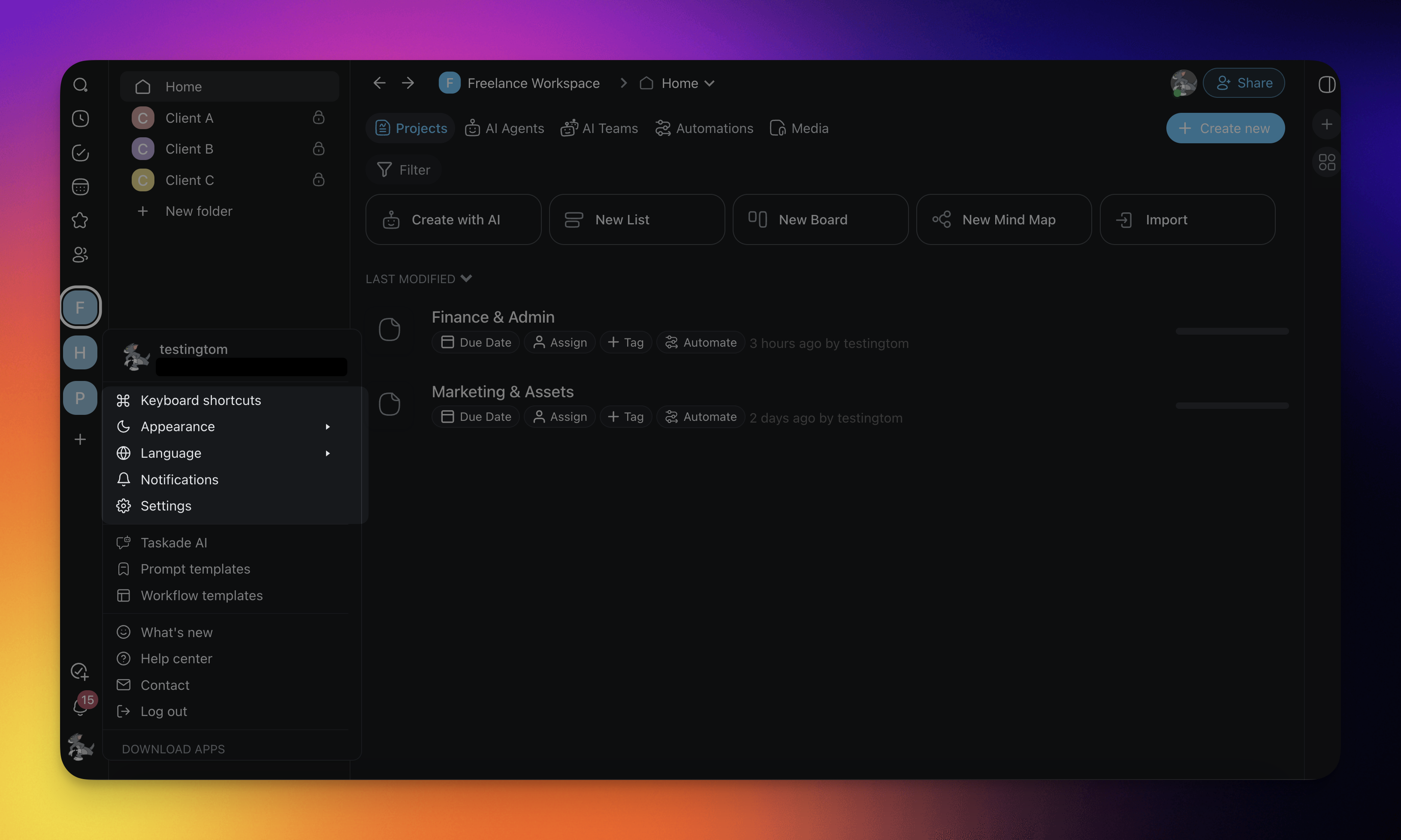
- Click your profile picture in the bottom-left corner.
- Choose Settings from the dropdown menu.
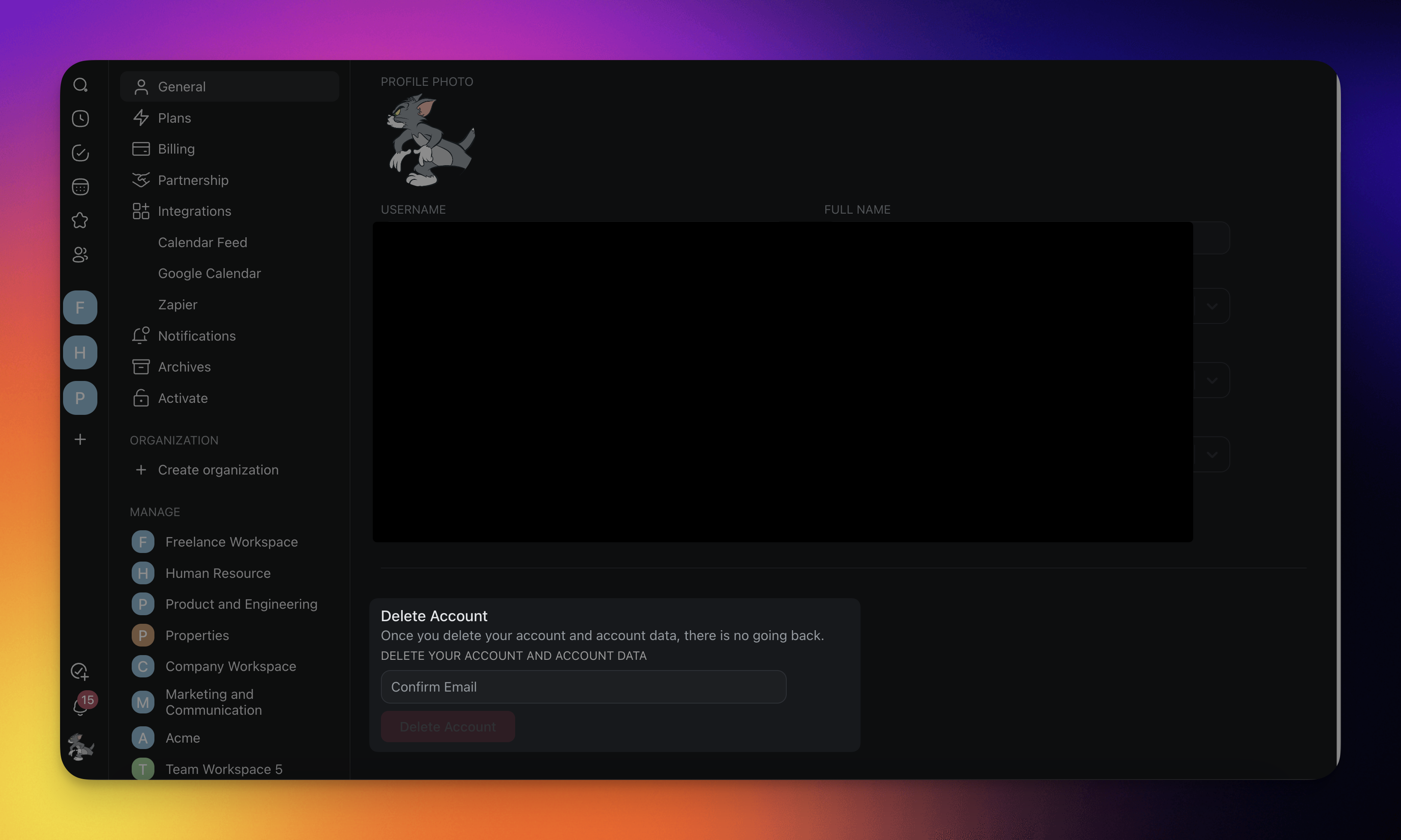
- Scroll to the Close Account section.
- Enter your email address in the confirmation field.
- Click Close Account to confirm.
The confirmation dialog asks you to retype your email before the irreversible step, so you know exactly what is about to happen:
┌──────────────────────────────────────────────┐
│  ⚠  Close Account                              │
├──────────────────────────────────────────────┤
│  Permanently deletes your workspaces,          │
│  projects, agents, automations, and files.     │
│                                                │
│  Type your email to confirm:                   │
│   ┌──────────────────────────────────────┐     │
│   │ you@example.com                      │     │
│   └──────────────────────────────────────┘     │
│                                                │
│          [ Cancel ]   [ Close Account ]        │
└──────────────────────────────────────────────┘
What Happens After Closing
- Your account and all associated data are queued for deletion.
- Other workspace members will lose access to projects you owned.
- You will be logged out immediately and cannot log back in.
- If you change your mind, contact support@taskade.com within 24 hours. Recovery is not guaranteed after that window.
- If you did not transfer ownership first, collaborators lose access to the shared projects you created.
- Taskade also removes your published Taskade Genesis Apps from the Community Gallery.