
Overview
Need access to more advanced Taskade features? You can upgrade your account at any time in a few steps. An upgrade raises your AI credit limits and lifts the cap on how many Taskade Genesis apps you keep live. Depending on the plan you choose, it also adds advanced agents, automations, and integrations. The Taskade Genesis app builder itself is included on every plan, including Free.
TL;DR: Upgrade anytime from the Billing tab in Settings for higher AI credit limits, unlimited Taskade Genesis apps, advanced agents, and automations. Paid plans start at $10/month billed annually. Activate the plan on each workspace you want covered. See the pricing page for a full comparison.
How to Upgrade Your Plan
- Open Taskade and click your avatar in the bottom-left corner.
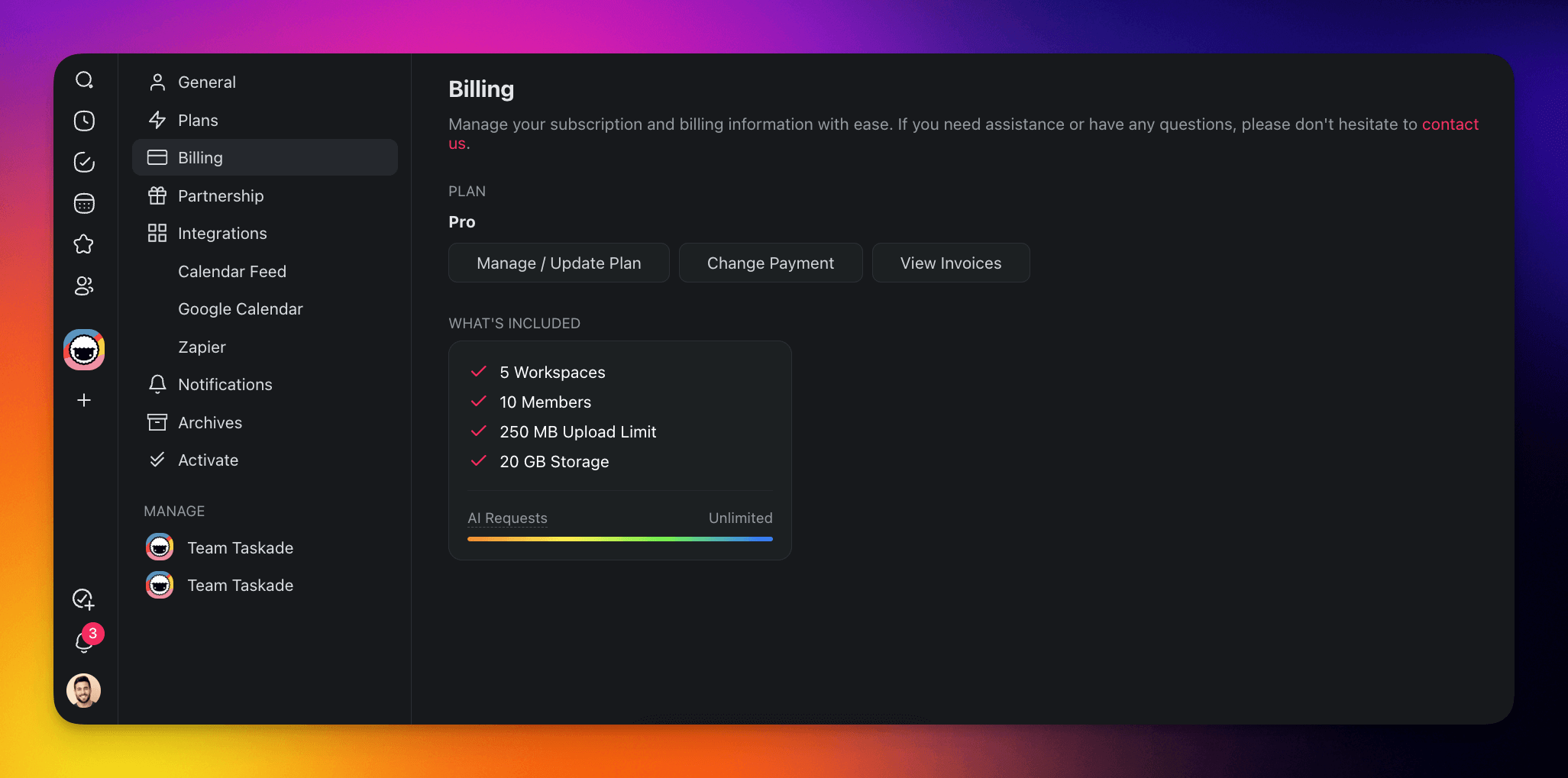
- Choose Settings and select the 💳 Billing tab from the list on the left.
- You can also visit https://www.taskade.com/settings/billing.
- Click Manage / Update Plan to open the billing portal.
- Select your desired plan (Pro, Business, Max, or Enterprise) and confirm.
- Follow the payment steps and click Update Plan to finalize.
Activate Your Workspaces
After you upgrade, activate your paid plan on each workspace you want to cover. A workspace that you do not activate stays on the Free plan.
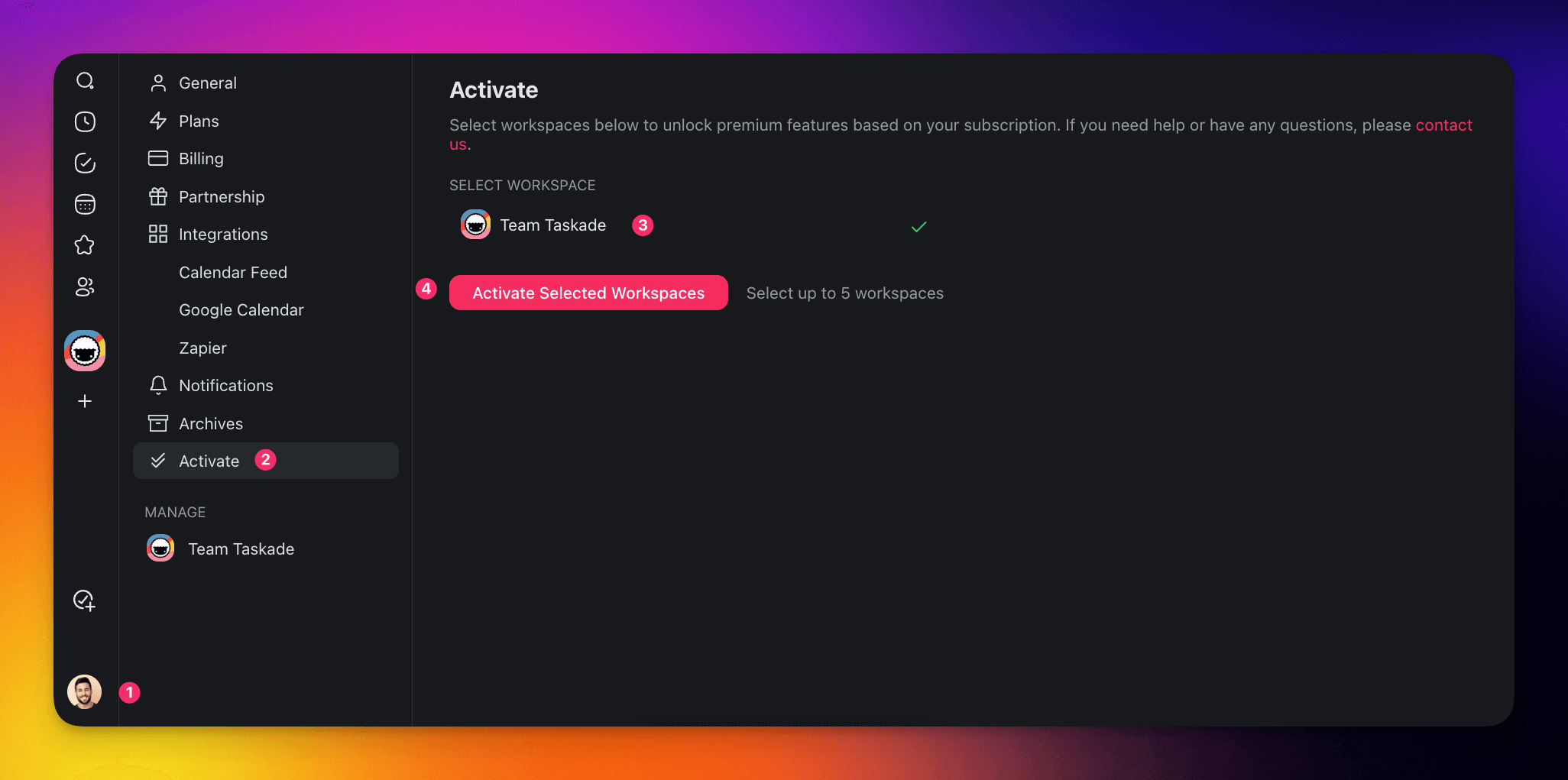
- Open Taskade and click your avatar in the bottom-left corner.
- Choose Settings and select the ✔️✔️ Activate tab from the list on the left.
- You can also visit https://www.taskade.com/settings/plans.
- Select the workspace you want to upgrade.
- Click Activate Selected Workspace.
Available Plans
| Plan | Price (Annual) | Highlights |
|---|---|---|
| Free | $0 | Taskade Genesis app builder, a one-time AI credit grant, unlimited projects |
| Pro | $10/mo | Unlimited Taskade Genesis apps, advanced agents, 10 users included |
| Business | $25/mo | Custom domains, SAML single sign-on, priority support |
| Max | $100/mo | Maximum AI credit capacity, unlimited users |
| Enterprise | $250/mo | Dedicated infrastructure, SCIM user provisioning, SLA |
Visit the pricing page for a full feature comparison.
Tips
- Annual billing saves money. Switching from monthly to annual billing saves 50% on every paid plan. You can change your billing cycle in the billing portal.
- One subscription, multiple workspaces. A single paid plan can be activated on the workspaces you choose. You do not need a separate subscription for each workspace.
- Downgrade anytime. If you decide a lower plan suits your needs, you can switch plans from the same billing page. The change takes effect at the next billing cycle.
Frequently Asked Questions
What do I get when I upgrade my plan?
Upgrading raises your AI credit limits and app capacity, and adds advanced AI agents with a large built-in toolkit, automations, and integrations. Pro and up add more users and unlimited Taskade Genesis apps, while Business and up add custom domains. Two things need no upgrade at all: the Taskade Genesis app builder and GenesisAuth sign-in for visitors to your published apps are both on every plan, including Free.
Can I switch plans anytime?
Yes. You can upgrade or downgrade at any time from the Billing tab in your settings. Upgrades apply right away, and downgrades take effect at the next billing cycle.
How does one subscription cover multiple workspaces?
A single paid plan can be activated on the workspaces you choose, so you do not need a separate subscription for each one. Visit the Activate tab to turn on your plan for each workspace, since workspaces that are not activated stay on the Free plan.
How much do the paid plans cost?
Paid plans start at $10/month billed annually for Pro, which includes up to 10 users, with Business, Max, and Enterprise tiers above it. The Free plan stays $0. See the pricing page for a full feature comparison across every tier.
How do I save money on my plan?
Switch from monthly to annual billing. The annual rate is half the monthly rate on every paid plan, a 50% saving. You can change your billing cycle anytime in the billing portal from the Billing tab.
Which plan includes custom domains and single sign-on?
Custom Domains and SAML single sign-on (SSO) for your own team members are available on Business and up. GenesisAuth, the email sign-in for visitors to your published apps, is included on every plan, so no upgrade is needed for client logins. SCIM user provisioning is included with Enterprise. The hosted MCP server, which connects Taskade to any MCP client so it can read your agents, projects, and automations, is available on every paid plan.
What AI models and agents come with a paid plan?
Paid plans give you access to 15+ frontier models from OpenAI, Anthropic, and open-weight providers, plus advanced AI agents with persistent memory, custom tools, and slash commands. Learn more about custom agents.
Related guides
- Is Taskade Free?. Details on the Free plan.
- Premium Plans. Compare every paid tier at a glance.
- Plan Matrix. See the full feature-by-feature comparison.
- Billing FAQ. Pricing, AI credits, and refunds.
- What is a Workspace?. Understand workspace structure.