
Overview
Workspace ownership decides who has full administrative control over a Taskade workspace. That covers billing, member management, and workspace-level settings. You can manage permissions and user roles for your members and decide who can change what. You can also transfer workspace ownership to someone else at any time.
TL;DR: You stay in control of your workspace. Open the 👥 Members tab, assign the Owner role to any existing member, and ownership transfers in a few clicks. A workspace can have more than one owner, so you keep full access until you choose to step back. See User Roles and Permissions for what each role can do.
How to Transfer Ownership
Click the ˅ arrow next to the name of your workspace and choose 👥 Members.


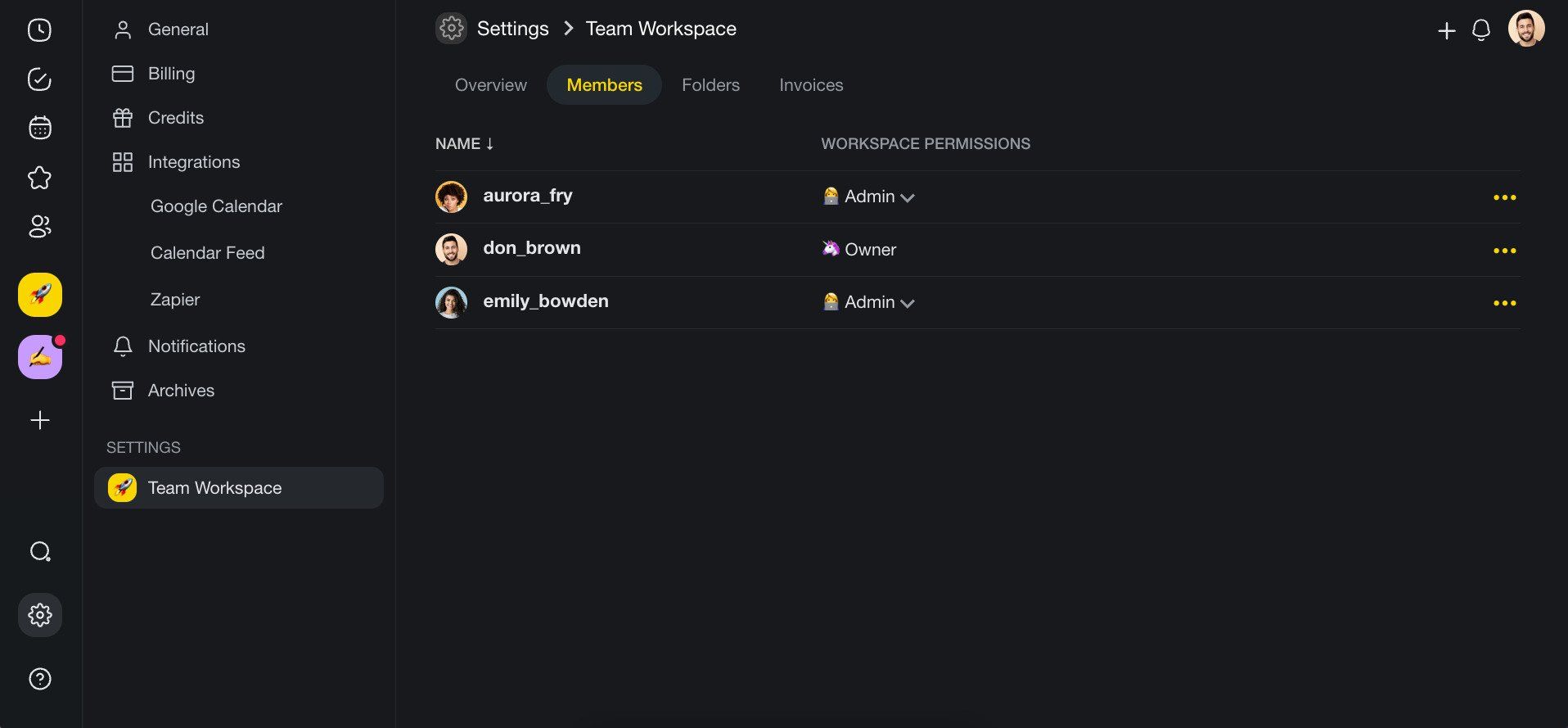
Go to the Members tab and find the team member you want to promote.
Assign the 🦄 Owner role to that team member using the role dropdown.
(optional) Click ··· next to your name ➡ Remove to leave the workspace after the transfer.
💡 Note: A Workspace can have more than one owner. Adding a new owner does not automatically remove your own ownership.
Owner vs Maintainer
| Capability | Owner | Maintainer |
|---|---|---|
| Manage billing & plans | ✅ | ✅ |
| Invite / remove members | ✅ | ✅ |
| Transfer ownership | ✅ | ❌ |
| Delete workspace | ✅ | ❌ |
| Edit projects, agents, automations | ✅ | ✅ |
When to Transfer Ownership
- Leaving the organization. Transfer ownership before you leave, so someone still manages the workspace.
- Changing team leads. Promote a new project lead to owner so they can manage members and billing.
- Consolidating workspaces. If your team restructures, transfer ownership to the person who manages the combined workspace.
Tips
- The new owner has to be a member of the workspace before you can assign the Owner role. Use Invite Members to add them first.
- If you are the only owner, you cannot remove yourself until you assign at least one other owner. Every workspace keeps at least one active owner.
- Transferring ownership does not affect the workspace's billing plan. The subscription remains attached to the workspace, not to the individual owner.
- Review the User Roles and Permissions article for a full breakdown of what each role can do.
Related guides
- What is a Workspace?. Learn how workspaces organize folders and projects.
- User Roles and Permissions. Understand what each role can do.
- Invite Members. Add people to your workspace.
- Keep Your Workspaces Private. Privacy and sharing settings.