
Overview
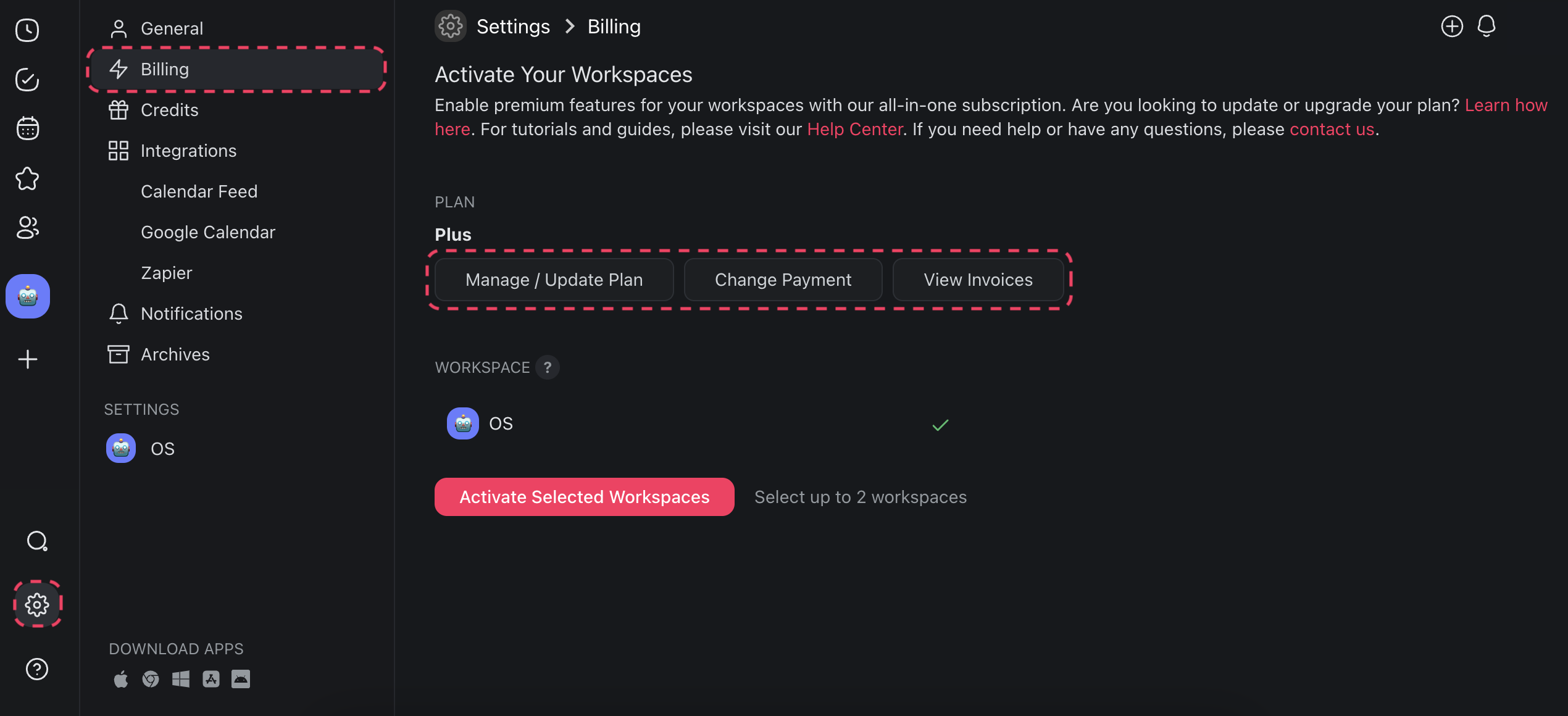
Check your plan, update your card, and download invoices from one screen. Billing is your home for everything about a paid plan: the current plan, the payment method, and the invoice history. Open it at taskade.com/settings/billing, or click your profile picture, then Settings → Billing.
TL;DR: Open Settings → Billing to read your current plan, your card, and your invoices. Click Manage billing and invoices to open the secure Stripe portal, where you change plans, update the card, or add seats. Manage an App Store or Google Play subscription inside that store instead.
Manage Subscription (Desktop)
- Go to ⚙️ Settings ➡ 💳 Billing.
- Read the Current plan card. It shows your plan, your billing period, your seat count, and any scheduled cancellation.
- Click Manage billing and invoices to open the secure Stripe portal. Change your plan, add seats, or replace the card there.
- To swap the card without leaving Taskade, click Update in the Payment method section.
- Scroll to Invoices to open or download any past invoice.
- To stop the subscription, click Cancel subscription under the plan card. See Manage, Pause, or Cancel Your Plan.
If your subscription is billed per workspace, open Workspace subscriptions from the same page and manage it there.
💡Note: Visit Upgrade to Premium Plans and Taskade Pricing to learn more.
Manage Subscription (iOS)
- Subscribe to a paid plan:
- Tap

to unfold the navigation pane.
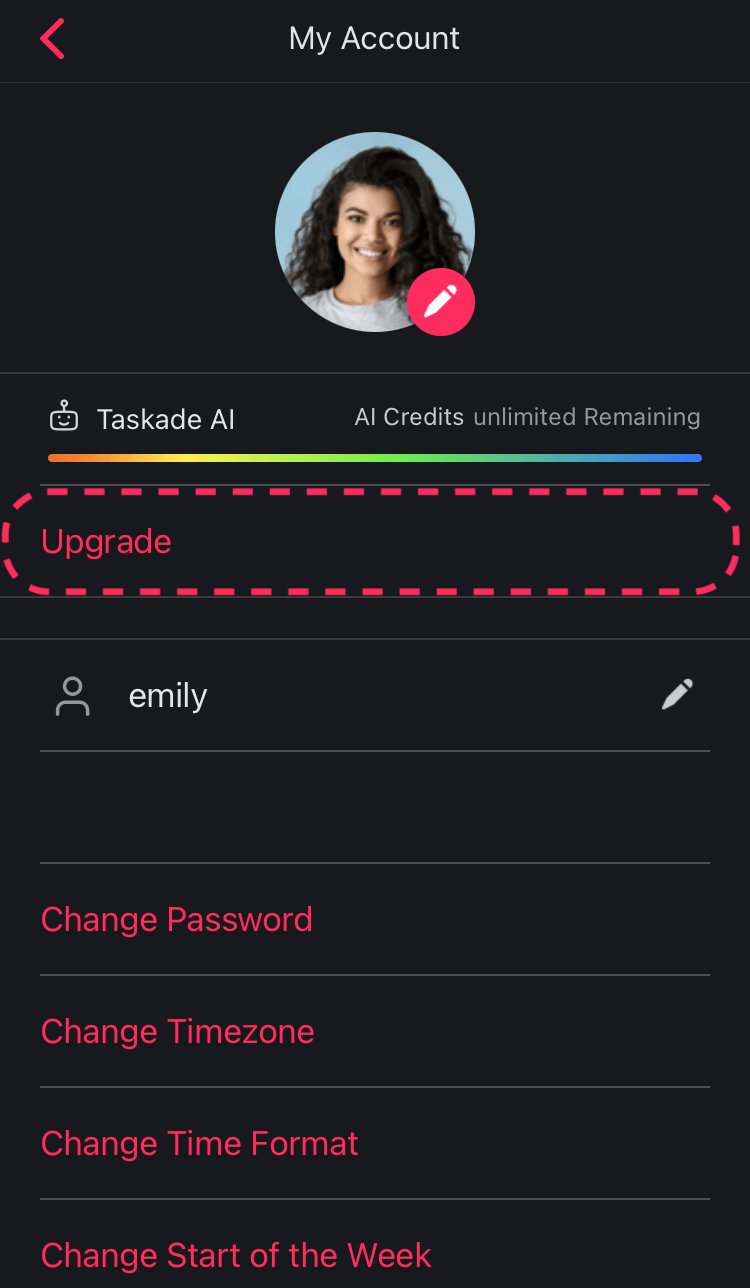
Tap ⚙️ to open settings.
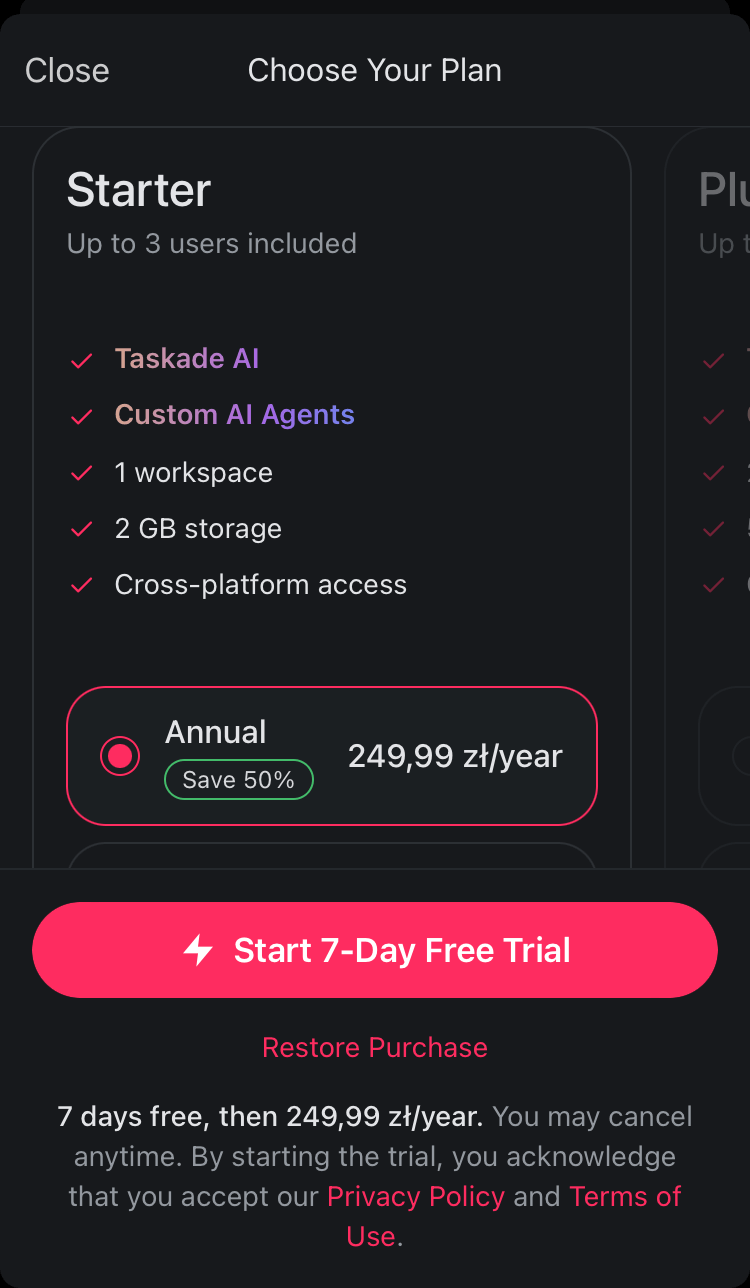
Tap Upgrade and choose your plan.
Tap ⚡️ Start 7-Day Free Trial to subscribe.
(optional) Activate your workspaces.
Activate workspaces manually:
After you subscribe to a paid plan:
Tap
to unfold the navigation pane.Tap ⚙️ to open settings.
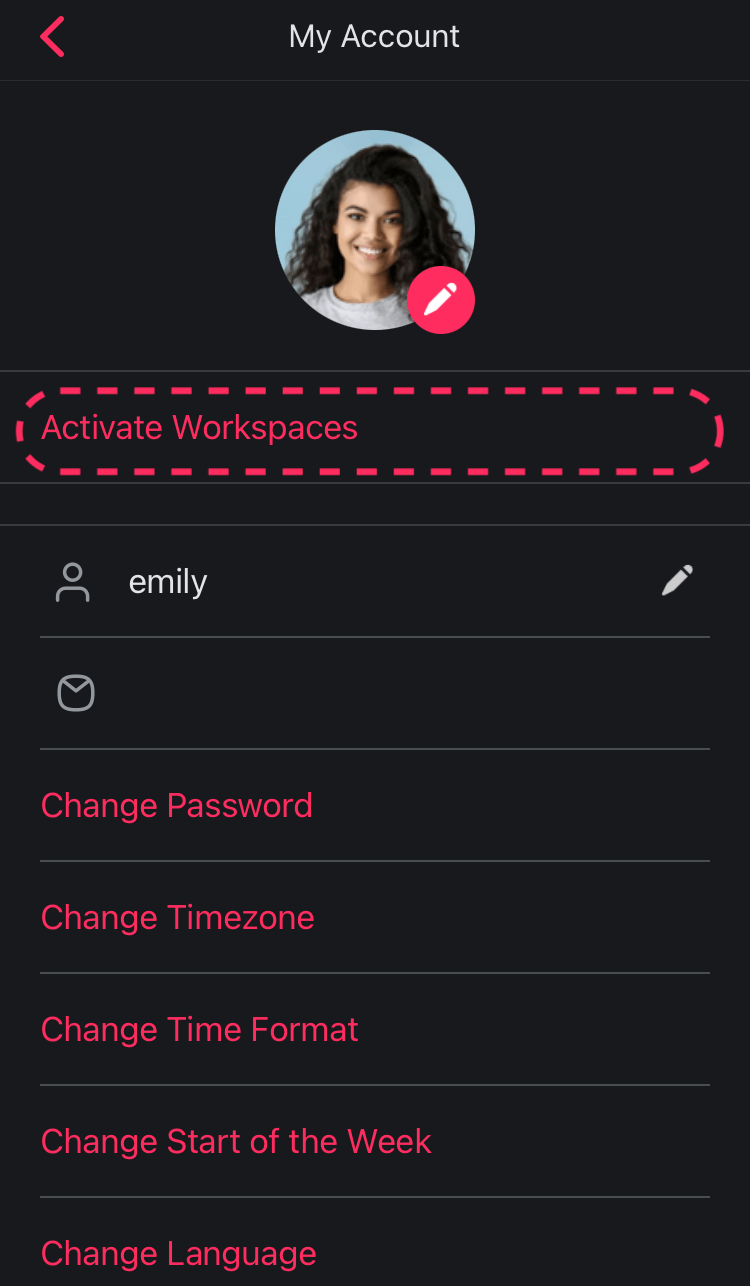
Tap Activate Workspaces.
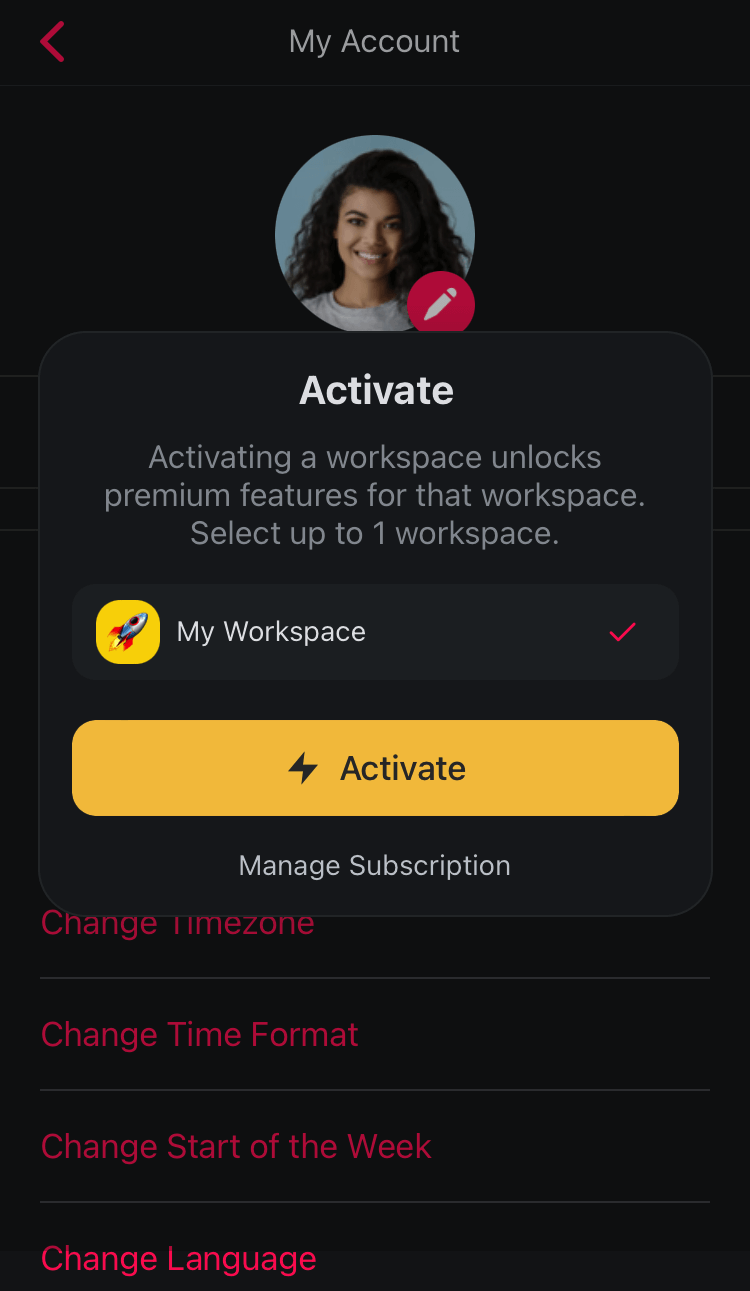
- Choose a workspace and tap ⚡️ Activate.
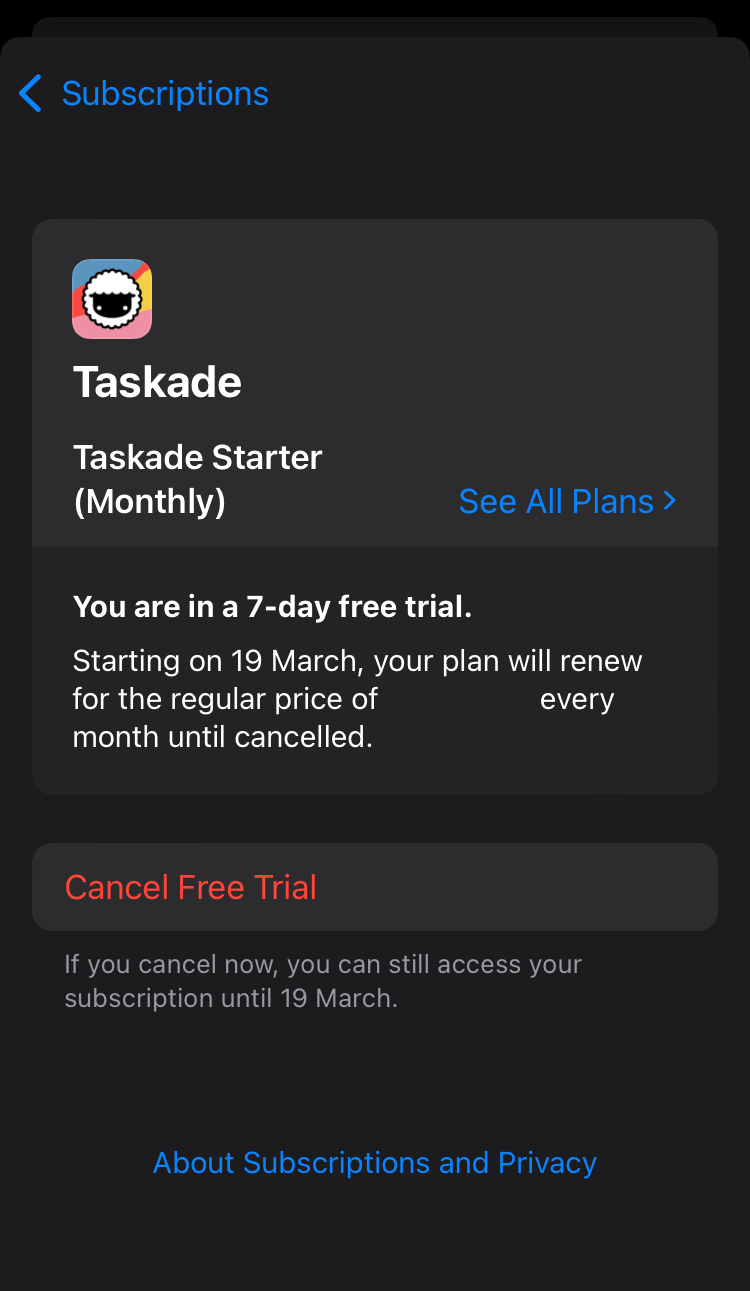
- Go to the ⚙️ Settings app on your device.
- Tap your name at the top ➡ Subscriptions.
- Select Taskade from the list.
- Tap See All Plans to change your plan.
- Tap Cancel Subscription or Cancel Free Trial to unsubscribe.

Manage Subscription (Android)
- Subscribe to a paid plan:
- Tap
to unfold the navigation pane.
- Tap
- Tap ⚙️ to open settings.
- Tap Upgrade and choose your plan.
- Tap ⚡️ Start 7-Day Free Trial to subscribe.
- Tap Subscribe on the next screen.
- (optional) Activate your workspaces.
Activate workspaces manually:
After you subscribe to a paid plan:
Tap
to unfold the navigation pane.Tap ⚙️ to open settings.
Tap Activate Workspaces.
Choose a workspace and tap ⚡️ Activate.
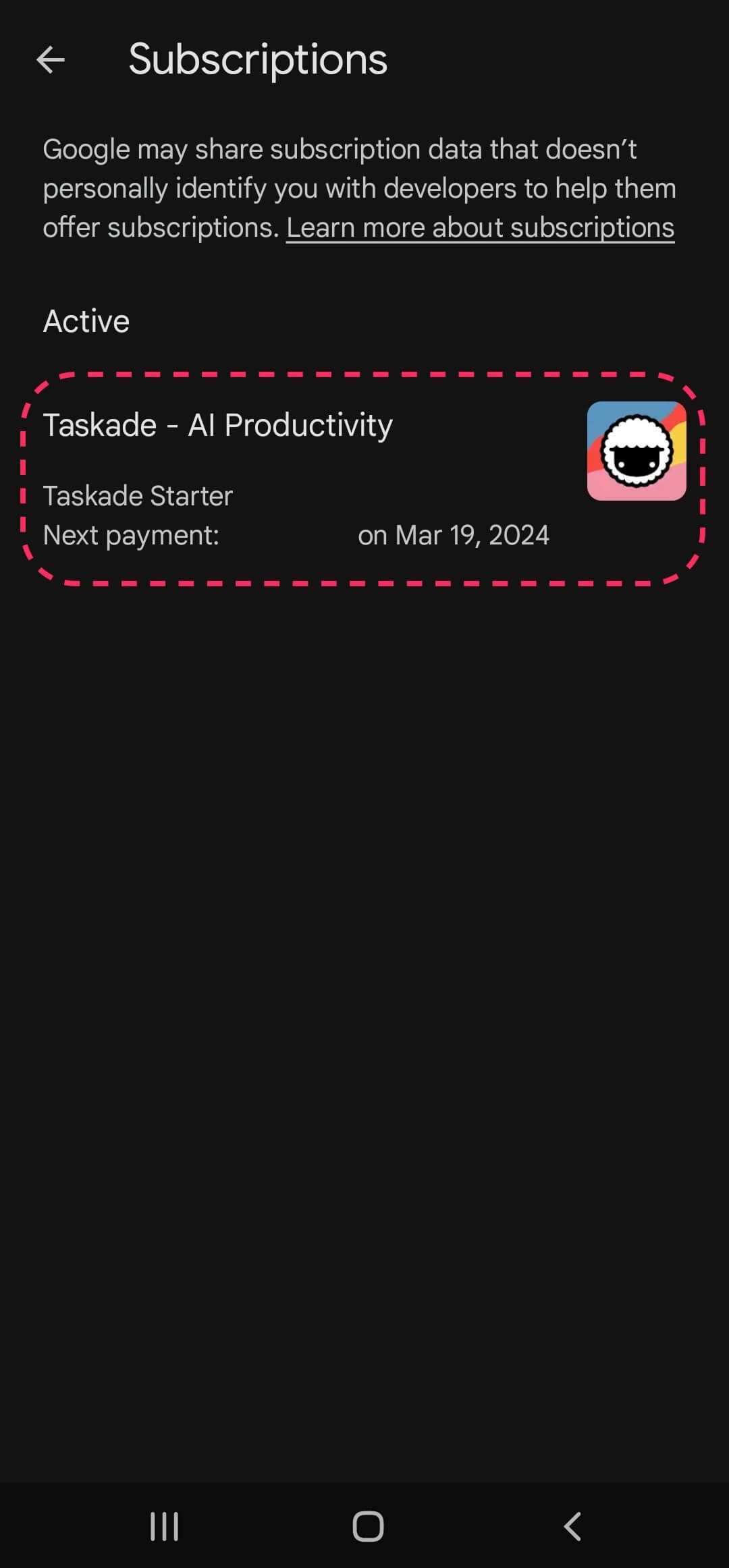
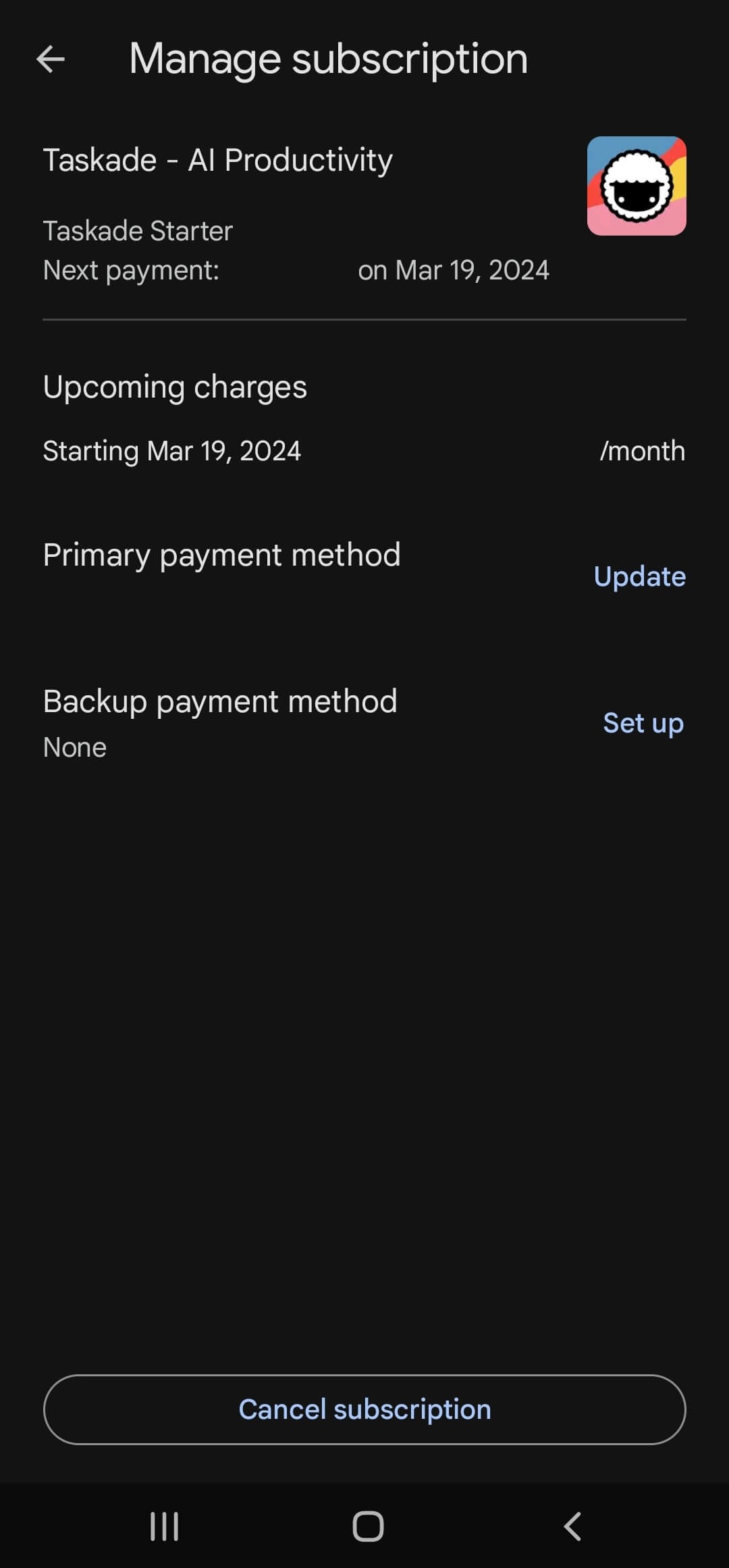
Manage subscription in the Google Play store:
On your Android device, open the Play Store app.
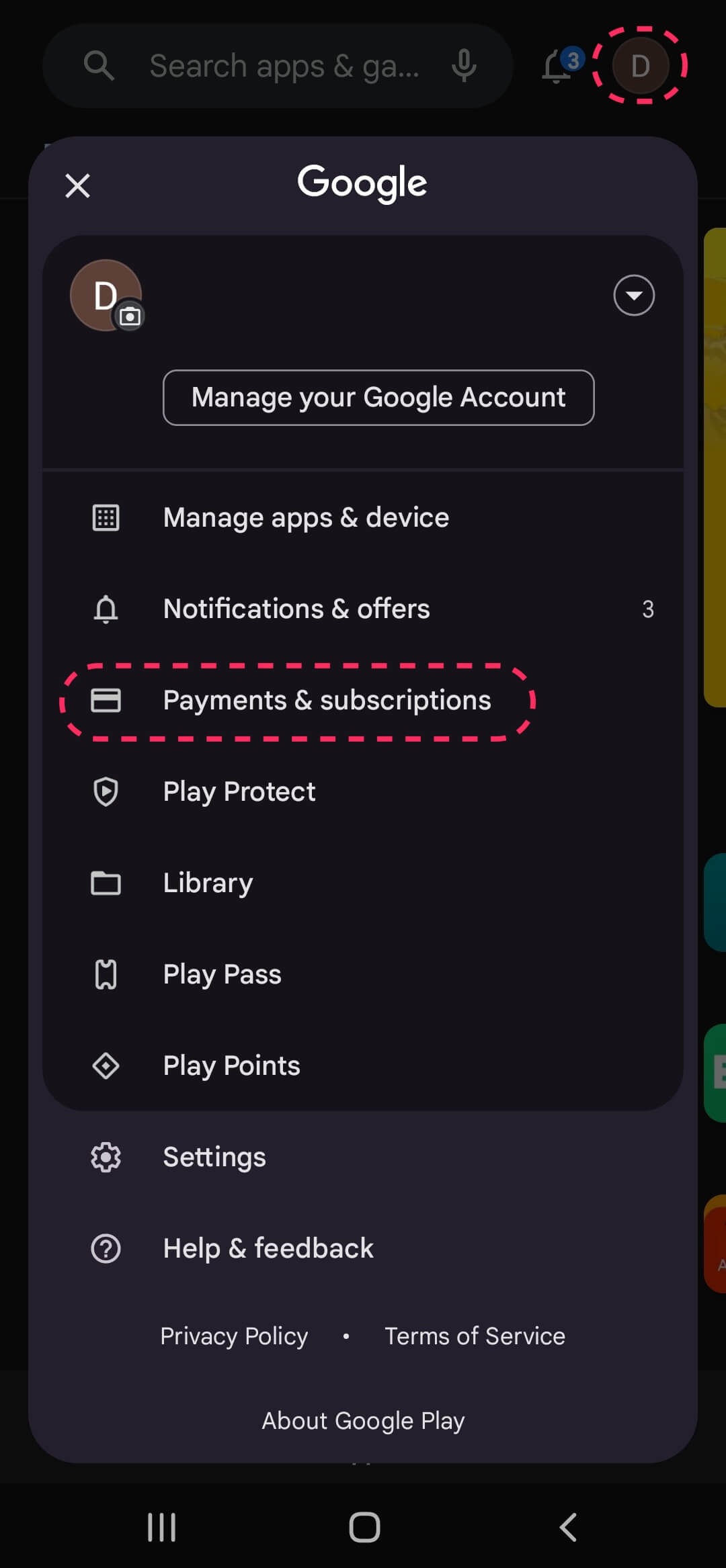
Tap your profile icon (top-right).
Tap 💳 Payments & subscriptions ➡ 🔄 Subscriptions.
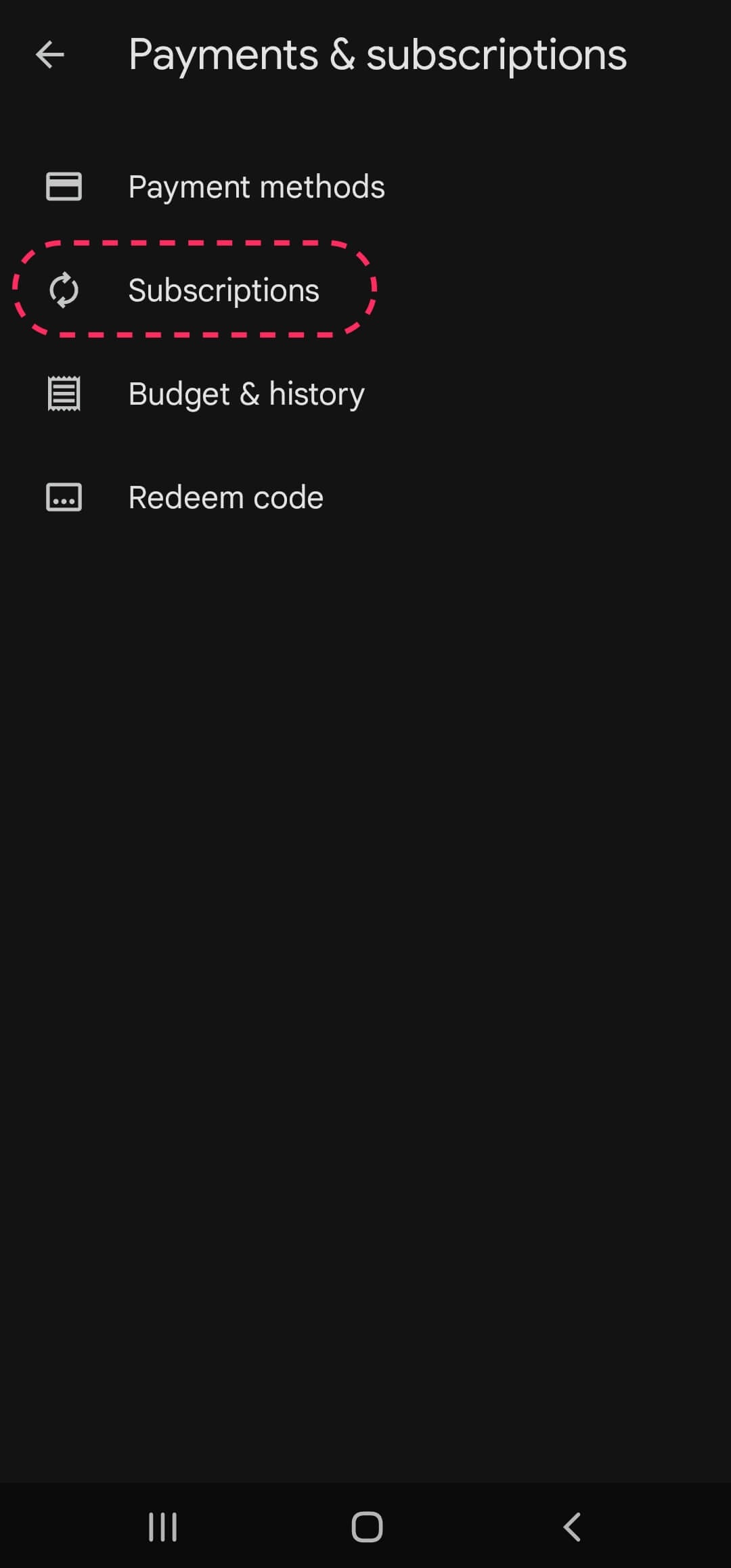
Choose Taskade from the list.
Tap Update to update your payment method.
Tap Set up to add a backup payment method.
Tap Cancel Subscription to unsubscribe.
Frequently Asked Questions
Where do I manage everything about my paid plan?
Billing is your one place for it all. Open Settings → Billing to read your plan, update your card, and download invoices. Click Manage billing and invoices to change plans or seats in the secure Stripe portal. See Upgrade Plan for the steps.
What do the paid plans include?
Paid plans unlock more workspaces, larger teams, and advanced features. Pro is the popular choice and covers a team of up to 10. Compare every tier on Premium Plans or the pricing page.
Can I add more team members to my plan?
Yes. Click Manage billing and invoices on the Billing page and set the seat count in the Stripe portal. Seat-by-seat billing applies on Business, Max, and Enterprise, so your workspace grows with your team.
Can I switch plans anytime?
Yes. Click Manage billing and invoices on the Billing page to move between tiers whenever your needs change. An upgrade applies at once. A downgrade applies at your next renewal.
Which plans include AI agents and integrations?
Every paid plan gives you AI agents with built-in tools, persistent memory, and 15+ frontier models from OpenAI, Anthropic, and open-weight providers. You also get 100+ bidirectional integrations across 10 categories, where triggers pull events in and actions push data out.
How do I manage a mobile subscription?
Subscriptions purchased through the App Store or Google Play are managed inside those stores, not in Taskade. On iOS, open the Settings app, tap your name, then Subscriptions. On Android, open the Play Store, then Payments & subscriptions → Subscriptions.
How do I view and download my invoices?
Open Settings → Billing and scroll to Invoices. Each row links to the hosted invoice and to a PDF. Your full payment history also stays in the Stripe portal behind Manage billing and invoices.
What happens if a payment fails?
Your plan stays active and Taskade shows a past-due recovery banner at the top of your workspace with a link to fix it. Open Settings → Billing, click Change Payment, and add a working card. The banner clears once the charge goes through, so your features keep running.
Related guides
- Upgrade Plan. Step-by-step upgrade instructions.
- Premium Plans. Compare every paid tier.
- Cancel Subscription. Pause or end your plan.
- Billing FAQ. Pricing, AI credits, and billing questions.
- Upgrade Premium. Activate paid features per workspace.