
Overview
Missing Taskade notifications are almost always a system-level or browser-level permission, not a Taskade bug. Grant the OS or browser permission, and your alerts start arriving right away. That covers mentions, comments, task updates, and project changes. Follow the steps for your platform in the sections that follow.
TL;DR: Enable Taskade in your OS notification settings (Windows → System → Notifications, macOS → System Settings → Notifications, iOS/Android → app permissions). For browsers, set
taskade.comto Allow under Site Settings → Notifications. Then double-check Settings → Notifications inside Taskade, alongside desktop settings, to pick which events trigger alerts.
Enable Taskade at the OS or browser level first, then fine-tune which events alert you inside Taskade. Here is where each platform keeps the setting.
| Platform | Where to look | Turn it on |
|---|---|---|
| Windows | Settings → System → Notifications and Actions | Set Taskade to On |
| Mac | System Settings → Notifications → Taskade | Allow Notifications |
| iOS | Settings → Notifications → Taskade | Allow Notifications |
| Android | Settings → Notifications (or Apps → Taskade) | Allow, then check Do Not Disturb |
| Chrome / Brave | Settings → Site Settings → Notifications | Add taskade.com to Allow |
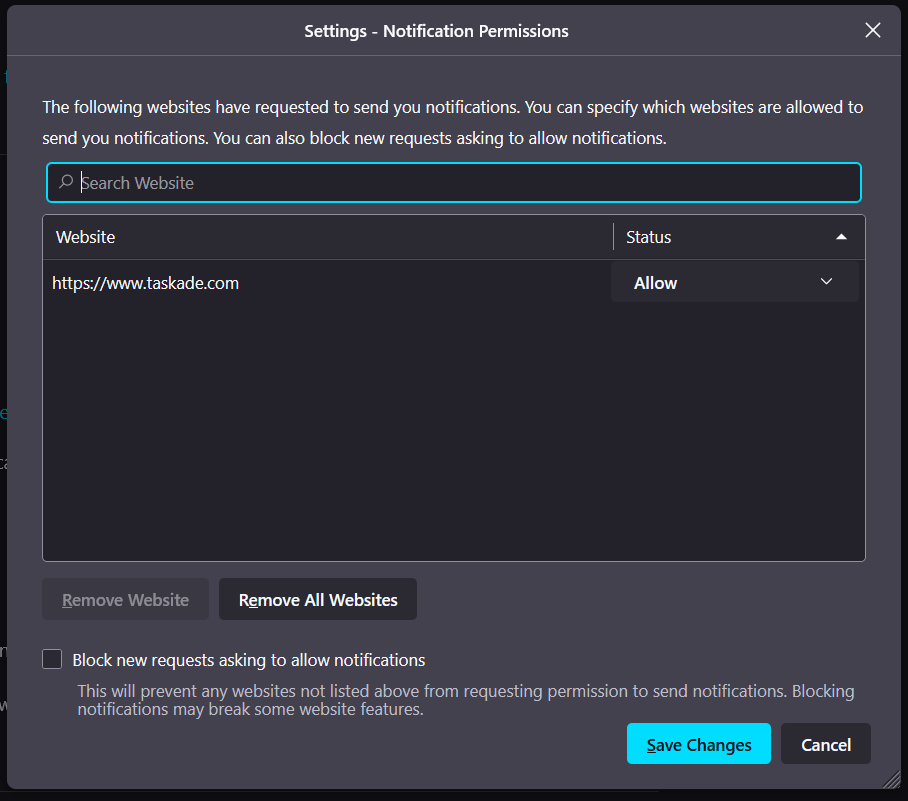
| Firefox | Settings → Privacy and Security → Notifications | Set taskade.com to Allow |
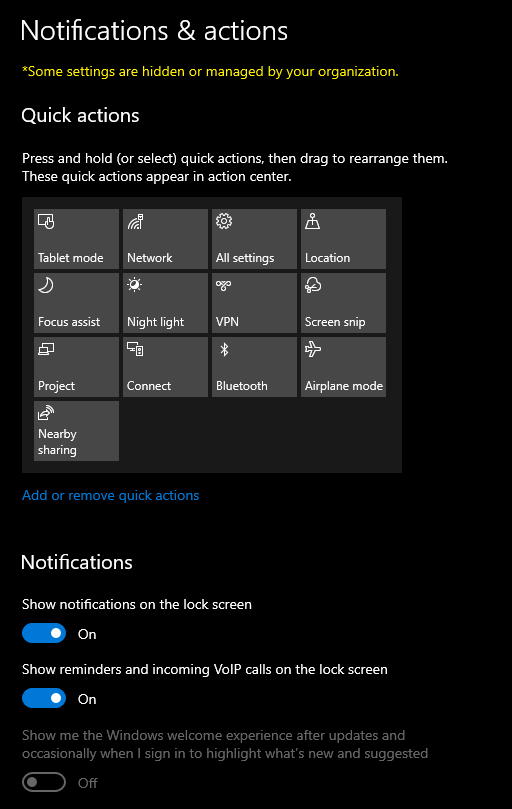
Windows 10
- Open the Start Menu and go to Settings ➡ System.
- Select Notifications and Actions from the left sidebar.
- Under Get Notifications from these senders, find Taskade.
- Turn notifications on for Taskade.
Mac
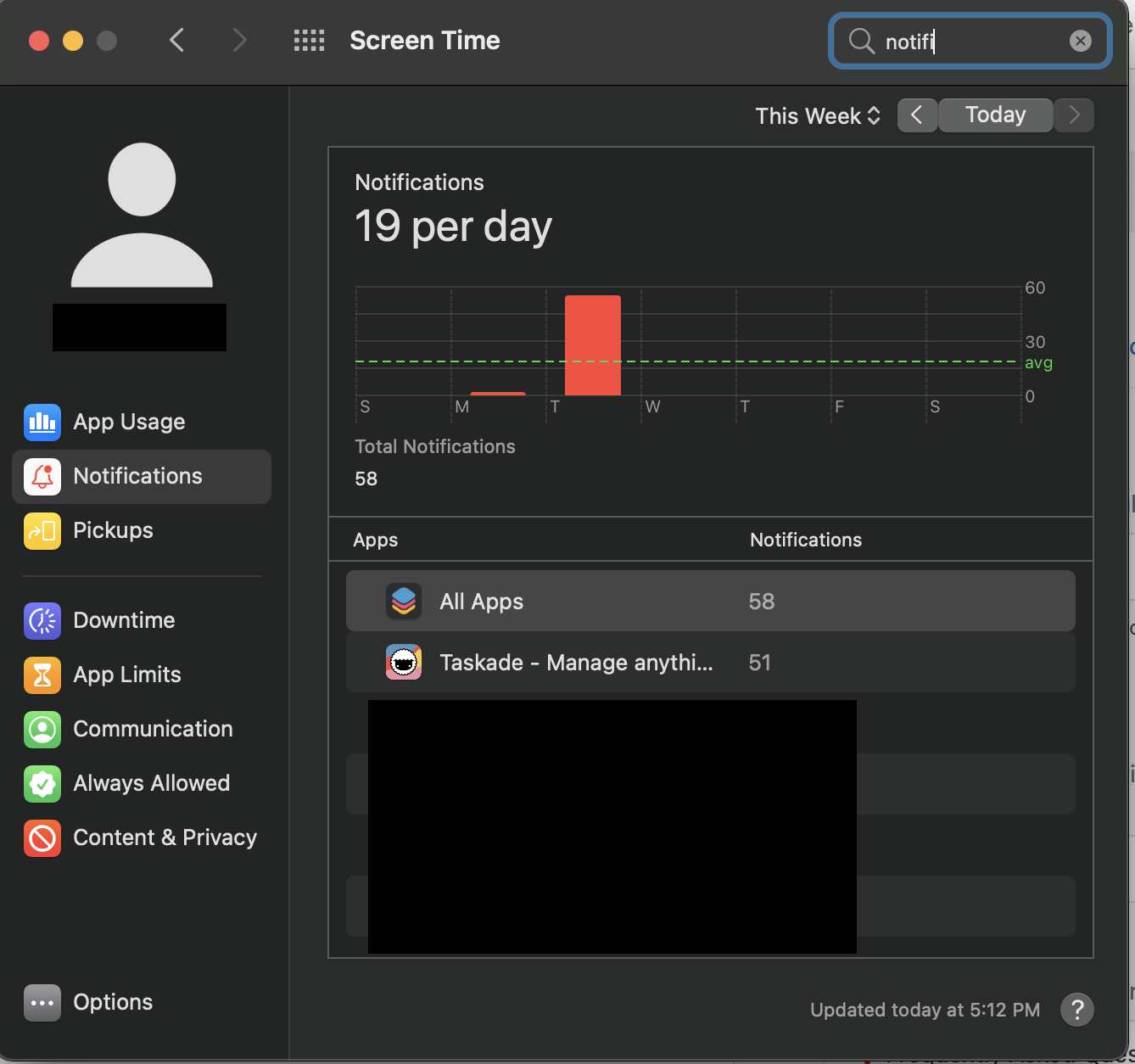
- Go to System Preferences ➡ Notifications.
- Find Taskade and turn on Allow Notifications.
- Choose your preferred alert style (Banners or Alerts).
iOS
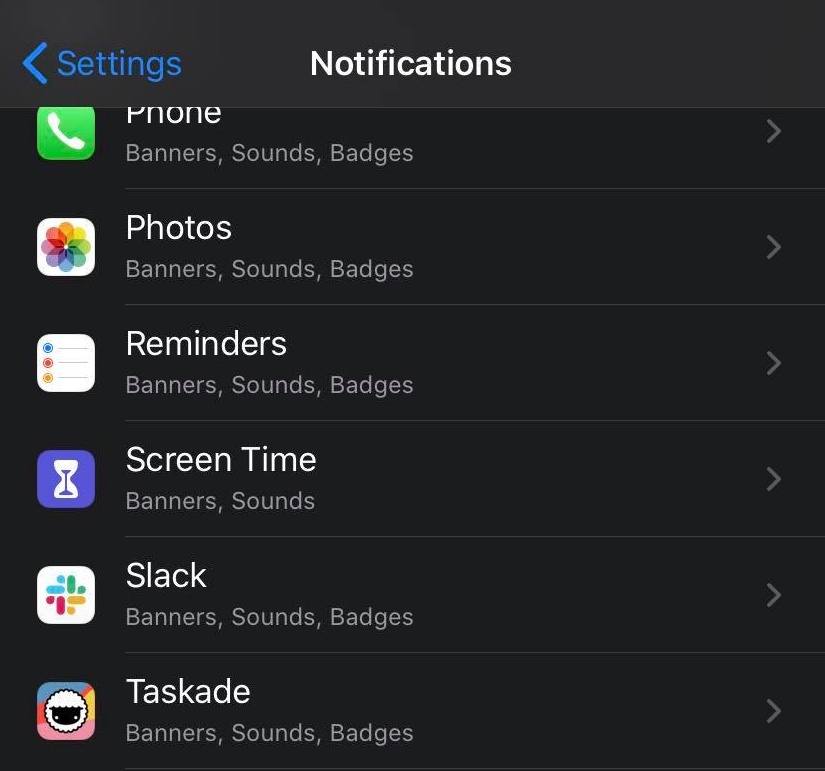
- Go to Settings ➡ Notifications.
- Find Taskade in the list of applications.
- Toggle on Allow Notifications. Then set the sound, badges, and banner style you want.
Android
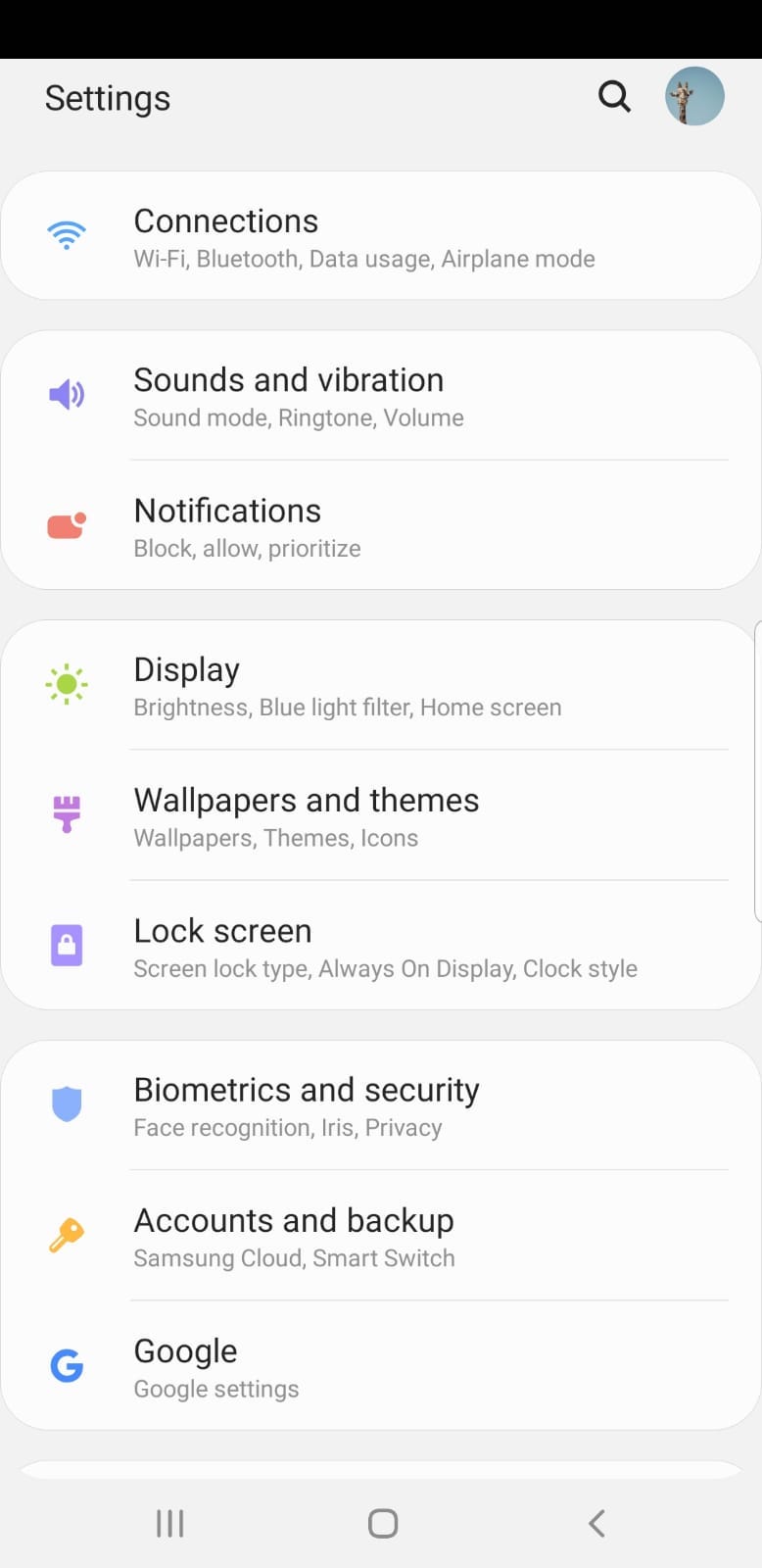
- Go to Settings ➡ Notifications (or Settings ➡ Apps ➡ Taskade ➡ Notifications on some devices).
- Find Taskade and make sure notifications are turned on.
- Make sure that Do Not Disturb mode does not silence Taskade alerts.
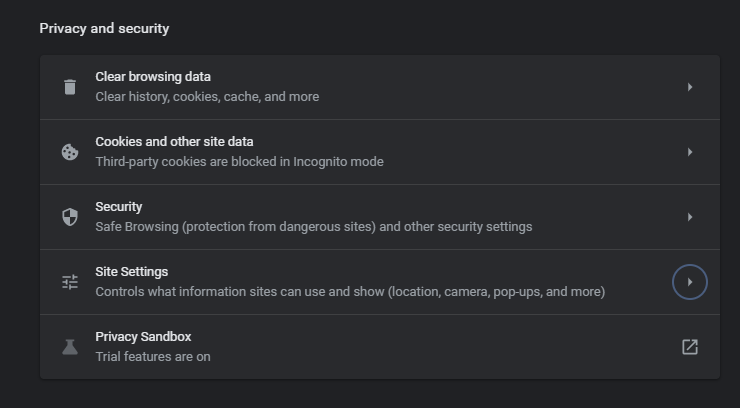
Chrome
- Go to Settings ➡ Site Settings.
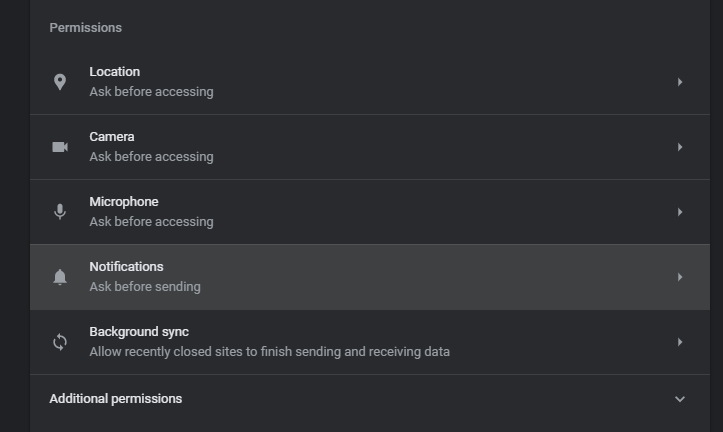
- Open Permissions and select Notifications.
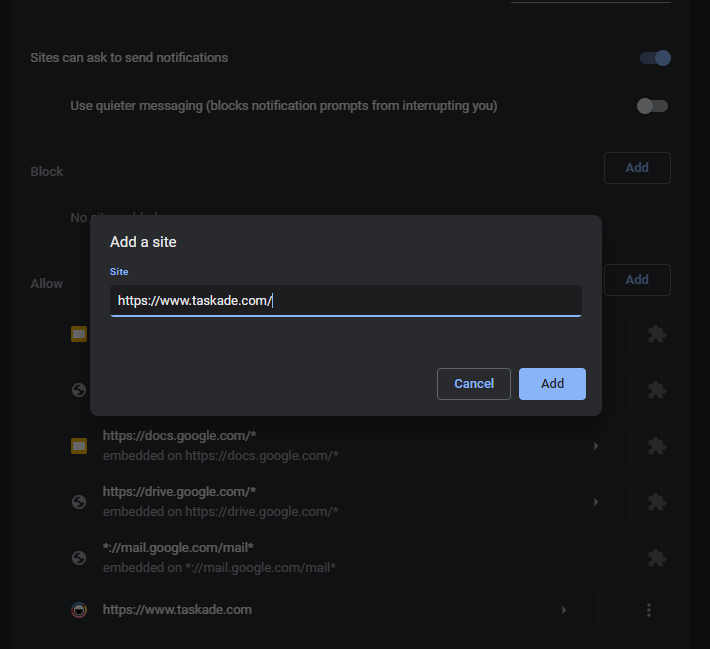
- Make sure taskade.com is added to the Allow section.
- If Taskade appears under Block, click it and change the setting to Allow.
Firefox
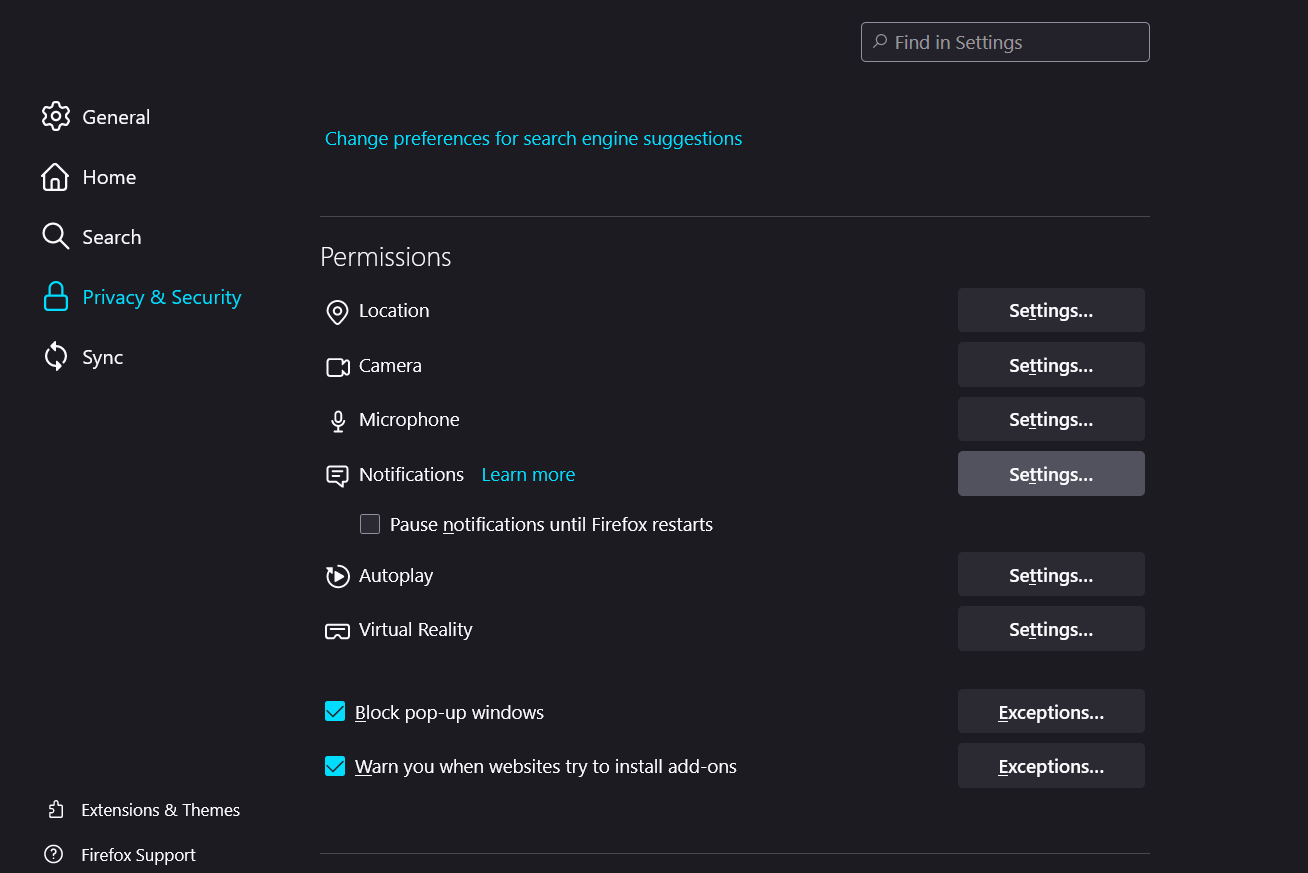
- Go to Settings ➡ Privacy and Security ➡ Notifications ➡ Settings.
- Make sure that taskade.com is set to Allow.
- Click Save Changes.
Tips
- Check in-app notification settings too. Inside Taskade, go to Settings ➡ Notifications and pick which events trigger an alert: task assignments, comments, mentions, due dates, and more.
- Email notifications: If you prefer email alerts, make sure the notification emails from Taskade are not landing in your spam folder. Add
notifications@taskade.comto your contacts. - Multiple devices: Notification settings are per-device. If you use Taskade on both desktop and mobile, enable notifications on each device separately.
- Still not receiving notifications? Log out of Taskade and back in. If the alerts stay quiet, reinstall the app to refresh the notification token.
Related guides
- Change / Reset Taskade Password. Manage your account credentials
- How do I change my email?. Update the email tied to your account
- What is a Workspace?. Learn how workspaces organize your projects