






Last reviewed 29 September 2026. The definitions, types and safety controls on this page hold across model generations. The sections that name specific products carry their own dates and are refreshed as vendors ship.
An AI agent is software that pursues a goal on its own: it reads its situation, plans steps, uses tools to act, checks the result, and remembers what happened. You state the outcome instead of every step. A chatbot answers; an agent finishes a job, and in 2026 the best agents keep working after you close the tab.
This guide gives the definition first, then the types of AI agents (the five textbook types and the seven species people actually use in 2026), how an agent works, agent vs chatbot vs assistant, the safety controls agents now ship, and how to build one with Taskade. The 2023 story and the history of the idea sit lower on the page and are labeled.
TL;DR: An AI agent plans, uses tools, and finishes tasks toward a goal you set, then checks the result and remembers it. The 2026 species are chat, coding, computer-use, always-on, claw, agent-team, and workspace agents. Gartner predicts 40% of enterprise apps will include task-specific agents by the end of 2026. Build your own agent in Taskade →
🧭 Types of AI Agents at a Glance
AI agents are sorted two ways: five textbook types describe how an agent decides, and seven species describe how people build and buy agents in 2026. The textbook types come from AI research of the 1990s. The species are what you meet in products today, and the table maps one to the other.
| Species (2026) | What it does | Closest textbook type (our mapping) | Examples |
|---|---|---|---|
| Chat agent | Answers in a conversation and calls tools such as search | Goal-based | ChatGPT, Claude, Taskade AI Chat |
| Coding agent | Reads a repo, edits files, runs tests, returns a change | Goal-based + learning | OpenAI Codex, Claude Code |
| Computer-use agent | Looks at a screen, then clicks, types, and navigates | Model-based reflex | OpenAI Agents API computer use, Anthropic computer use |
| Always-on agent | Keeps running, watches connected apps, works in the background | Utility-based + learning | OpenAI dots, Meta Muse, Grok Bot |
| Claw | A persistent agent you host yourself | Learning | OpenClaw, Hermes Agent |
| Agent team | A lead agent hands work to specialist subagents | Multi-agent | Responses API multi-agent beta, Grok Bot teams, Taskade multi-agent teams |
| Workspace agent | Lives in shared projects, with memory and triggers from connected apps | Learning | Taskade AI Agents |
The species differ in where they run and who approves their actions, not in the model underneath. The 2026 agent species section below compares them on trigger, memory, approval, and cost. For a deeper taxonomy of chatbots, copilots and agents, see AI agents vs copilots vs chatbots.
🤔 What Are AI Agents? Definition and Core Traits
AI agents are autonomous software programs that perceive their environment, reason about a goal, act using tools, and learn from feedback to achieve outcomes with minimal human oversight. Unlike basic chatbots that simply respond to questions, these intelligent digital workers process documents, manage workflows, call APIs, and make decisions based on the knowledge you provide them.
These smart systems use artificial intelligence techniques, including natural language processing and machine learning, to interpret input data and perform tasks with minimal oversight. They excel at handling complex work scenarios like analyzing project files, summarizing lengthy documents, converting documents between formats, tracking task progress, and helping with planning and decision-making.
Watch AI agents built and running in a real workspace:
Key characteristics of AI agents include:
- Autonomy in decision-making and task execution
- Ability to process and learn from environmental data
- Goal-oriented behavior with predefined or adaptive objectives
- Capacity to improve performance over time through learning
- Ability to store and retrieve data from a knowledge base
- Interaction with external tools, APIs, or knowledge bases
- Versatility in application across multiple domains and industries
AI agents can range from simple task-specific programs to complex systems that mimic human-like reasoning and problem-solving. As they evolve, these customized agents are increasingly employed in various sectors, enhancing efficiency, automating processes, and tackling complex challenges in fields such as customer service, healthcare, finance, and software development.

Some custom AI agents have the ability to selectively tap into several language models and choose the one that’s most appropriate for a given task. They can also “chain” with external tools and apps to give LLMs long-term memory, enable web searches, or perform complex computations.
How an AI Agent Works: Perceive, Plan, Act, Observe, Remember
Every AI agent runs the same five steps: it perceives its situation, plans the next move, acts through a tool, observes the result, and remembers what it learned. The agent repeats plan, act, and observe until the goal is met or a limit stops it. Memory outlives the run, so the next run starts with what this one learned. That repetition is what separates an agent from a one-shot chatbot, and it is a feedback loop in the textbook sense: systems thinking explained traces the same diagram back to its 1970s origins.
Read the diagram from top to bottom: the goal or trigger enters, the agent works through five steps, and the memory store and the tools sit beside the pipeline as separate nodes. The table shows what can go wrong at each step and which control limits it.
| Step | What the agent does | Typical failure | What limits it |
|---|---|---|---|
| Perceive | Reads the prompt, project data, incoming events, connected apps | Misreads a stale or missing input | Read-only access, narrow scopes |
| Plan | Breaks the goal into steps and picks tools | Chooses an over-long path or repeats itself | Step limits, human approval of the plan |
| Act | Calls a tool, API, or app that changes something | Sends to the wrong recipient or edits the wrong record | Permissions, action review |
| Observe | Checks the tool result against the goal | Declares success too early | A separate checker, tests |
| Remember | Stores facts, preferences, and outcomes | Saves a wrong fact and repeats it | Editable memory, reset |
The step that most often decides quality is Remember. A stateless agent starts from zero each run; a persistent one compounds. For the memory layer in depth, see types of memory in AI agents and the persistent memory wiki entry.
The same five steps map onto a small set of parts. This plain-text sketch shows what sits inside an agent and what sits around it.
  TRIGGER                 AGENT                                    RESULT
  message, schedule,      +------------------------------------+   task done,
  new email, form   ----> | Instructions  goal, persona, rules |   record saved,
  response, webhook       | Model         reasons and plans    | ----> message sent,
                          | Memory        facts kept per run   |   ask a person
                          | Tools         search, read, create |
                          | Approval      allow / ask / block  |
                          +------------------------------------+
                               ^                        |
                               | reads                  | writes
                       KNOWLEDGE (projects,      MEMORY + ACTIVITY LOG
                       files, links)
Read the sketch from left to right: a trigger starts the agent, the agent uses its five parts, and the result is either finished work or a question for a person. The knowledge below the box is what the agent reads, and the memory it writes is what the next run reads.
In Taskade, those five steps run inside your workspace: the agent reads your live projects (perceive), plans against Workspace DNA (plan), invokes any of the built-in tools or your own automations (act), checks the outcome (observe), and updates its persistent memory (remember), so the next task starts smarter than the last.
What Are the Five Classic Types of AI Agents?
The five classic types of AI agents are simple reflex, model-based reflex, goal-based, utility-based, and learning agents, and multi-agent systems combine several of them. Computer scientists order them by increasing intelligence, and the same taxonomy appears in textbooks and in cloud provider guides such as AWS and IBM. It maps cleanly onto modern agentic AI.
| Agent Type | How It Decides | Real-World Example |
|---|---|---|
| Simple reflex | Fixed if-this-then-that rules, no memory | A thermostat or basic auto-reply bot |
| Model-based reflex | Keeps an internal model of the world | A robot vacuum mapping a room |
| Goal-based | Plans actions to reach a defined goal | A route planner choosing the fastest path |
| Utility-based | Weighs trade-offs to maximize an outcome | A pricing agent balancing margin vs. volume |
| Learning | Improves from feedback over time | A Taskade AI Agent trained on your docs |
| Multi-agent | Specialists collaborate on one objective | A research → analyze → write swarm |
Most "AI agents" you read about in 2026 are learning agents wrapped around a large language model, increasingly assembled into multi-agent systems where each specialist handles one slice of the work. Some sources add a hierarchical type, a supervisor agent over sub-agents. The agent-team species below covers that pattern.
🆚 AI Agents vs AI Assistants vs AI Chatbots: Understanding the Differences
These terms are used interchangeably, but they represent fundamentally different capabilities. Knowing the difference helps you choose the right tool for your needs.
The Capability Spectrum
As you move left to right, each tier keeps everything the previous one could do and adds a new superpower: chatbots respond, assistants suggest, agents execute, and swarms collaborate. The single biggest leap is from suggest to execute - that's the moment AI stops asking permission and starts finishing the job.
AI Chatbots: Conversational Responders
What they do:
- Answer questions based on training data
- Maintain conversation context (within a single session)
- Provide information, not actions
Examples: Customer service bots, ChatGPT (free version), Claude (chat mode)
Limitations:
- ❌ No memory across sessions
- ❌ Can't take actions in external systems
- ❌ Can't execute multi-step workflows
- ❌ No access to your personal data/workspace
Use case: "What's the capital of France?" → "Paris."
AI Assistants: Suggestion Engines
What they do (everything chatbots do, PLUS):
- ✅ Access to some external data (calendar, email)
- ✅ Draft content or suggest actions
- ✅ Limited tool use (set reminders, send messages)
Examples: Siri, Alexa, Google Assistant, Notion AI, ChatGPT Plus (with limited plugins), Microsoft Copilot
Limitations:
- ❌ Require human approval for most actions
- ❌ Can't chain multiple tools together autonomously
- ❌ Limited memory (some context retention)
Use case: "Schedule a meeting with Sarah" → Shows draft calendar invite → You must click "Send"
AI Agents: Autonomous Executors
What they do (everything assistants do, PLUS):
- ✅ Execute tasks end-to-end without human intervention
- ✅ Access and modify data across your entire workspace
- ✅ Chain multiple tools together (APIs, databases, automations)
- ✅ Persistent memory (remember all past interactions)
- ✅ Learn from feedback and improve over time
Examples: Taskade AI Agents, Devin (AI software engineer; see Taskade vs Devin), AutoGPT
Capability: "Create a project plan for Q2 product launch"
Agent execution (an illustrative flow, not a measurement):
→ Creates project
→ Adds tasks based on past launches (workspace memory)
→ Assigns team members by expertise
→ Sets realistic deadlines
→ Creates Slack channel
→ Sends kickoff email
→ ✅ Done, with a human approval only where you set a rule
Side-by-Side Comparison
| Capability | Chatbot | Assistant | Agent |
|---|---|---|---|
| Answer questions | ✅ | ✅ | ✅ |
| Draft content | ✅ | ✅ | ✅ |
| Access external tools | ❌ | Limited | ✅ Full |
| Execute actions | ❌ | With approval | ✅ Autonomous |
| Multi-step workflows | ❌ | ❌ | ✅ |
| Persistent memory | ❌ | Partial | ✅ Full |
| Workspace integration | ❌ | ❌ | ✅ |
| Learn from feedback | ❌ | ❌ | ✅ |
Real Example: Client Onboarding
Chatbot approach:
User: "I need to onboard a new client"
Chatbot: "Here's a checklist: 1) Create folder, 2) Send welcome email..."
User: [Manually does all 12 steps over 2 hours]
Assistant approach:
User: "Onboard new client: Acme Corp"
Assistant: "I've drafted a welcome email and folder structure. Review and approve?"
User: [Reviews] → [Clicks approve] → [Manually creates folders] → [Sends email]
[Still requires 30-45 minutes]
Agent approach (Taskade):
User: "Onboard new client: Acme Corp"
Agent:
  → Creates workspace folder
  → Adds 12 onboarding tasks (from template)
  → Assigns team members based on expertise
  → Sends personalized welcome email
  → Schedules kickoff call
  → Creates shared Google Drive
  → Adds client to Slack channel
  → ✅ "Done. Here's the workspace link: [link]"
(Illustrative flow. The steps an agent can run depend on the tools and integrations you connect.)
Why This Matters
Then and now: Many "AI" tools marketed as agents are actually assistants that suggest and do not execute. Gartner calls the relabeling "agentwashing" (Gartner, 26 August 2025).
2026: True agents like Taskade are becoming mainstream, transforming AI from a tool you use into a digital employee on your team.
Next: Multi-agent systems where specialized agents collaborate and hand work to each other, with people approving the steps that matter.
→ Try Taskade Agents (free) | Learn: Build a Custom Agent
When a Chatbot Is the Better Choice
A chatbot is the better choice when the questions are repetitive, the answers are fixed, and a wrong action would be costly. Store hours, password-reset steps, and routing a visitor to the right department need speed and predictable cost, not judgment. An agent adds tool calls, retries, and approval steps, and each one costs tokens and attention. A chatbot can also grow into an agent: add tools that change things, memory that lasts between runs, and a trigger that starts the work, and it passes the test below.
Is It Really an Agent? A Six-Question Test
Six yes-or-no questions separate a real agent from a chatbot with a new label. Count the yeses. Marketing pages rarely say which ones apply, so ask the vendor.
| # | Question | If the answer is yes |
|---|---|---|
| 1 | Does it choose its own steps toward a goal? | It plans, so it is more than a fixed script |
| 2 | Does it use tools that change something outside the chat? | It acts, so it is more than an assistant |
| 3 | Does it check its own result and retry? | It observes, so it can recover from a bad step |
| 4 | Does it keep memory between runs? | It is persistent, so it improves with use |
| 5 | Can it start without you typing anything? | It is always-on, driven by a trigger, schedule, or event |
| 6 | Does it stop at defined approval points? | It is safe to leave alone; see the safety controls below |
Questions 1 to 3 make a task agent. Adding question 4 makes a persistent agent, and adding question 5 makes an always-on agent. Question 6 does not add autonomy. It tells you whether that autonomy is safe to use. Gartner warns about "agentwashing", where vendors relabel assistants and chatbots as agents, and the test is a quick way to look past the label.
🧬 The 2026 Agent Species
Facts in this section were checked on 29 September 2026 against OpenAI's DevDay 2026 announcements and API changelog, Meta's Muse launch post, and SpaceXAI's Grok Bot launch post. Vendors describe their own products, and several launched within the last eight weeks, so treat capability claims as vendor-reported until independent tests exist.
In 2026 an AI agent is best classified by four things: what starts it, where it runs, what it remembers, and who approves its actions. The model underneath matters less than those four choices, and they explain almost every difference in cost and risk. The two tables below compare seven species on all four, plus cost and main risk.
Table 1: what starts the agent, where it runs, what it remembers
| Species | Trigger | Where it runs | Memory |
|---|---|---|---|
| Chat agent | You send a message | Vendor cloud | The conversation, plus saved preferences in some apps |
| Coding agent | You assign a task or an issue | Your terminal, or a cloud environment | Repo files and instruction files such as AGENTS.md or CLAUDE.md |
| Computer-use agent | A task sent through an app or API | A hosted or local browser | Session state; durable sessions in the OpenAI Agents API |
| Always-on agent | Your message, plus proactive checks of connected apps | A cloud computer per agent (dots, Muse Secure VM, Grok Bot) | Persistent, per agent |
| Claw | A schedule, a heartbeat, or a message | Your machine or a server you rent | Files you own |
| Agent team | A lead agent's plan | The lead's environment, with subagents in parallel | Handed-off summaries or a shared workspace |
| Workspace agent (Taskade) | A chat, a command, or an automation trigger from a connected app | Taskade's cloud workspace | Persistent memory plus live project data |
Table 2: who approves, what drives the cost, what goes wrong
| Species | Who approves actions | Typical cost driver | Main risk |
|---|---|---|---|
| Chat agent | You read each answer | Tokens per conversation | A confident wrong answer |
| Coding agent | You approve commands or review the change | Tokens per attempt times retries (cost per task) | Unreviewed edits |
| Computer-use agent | The application handles website approvals and sign-in (Agents API) | Steps times tokens per step | Acting on the wrong page or account |
| Always-on agent | Rules you set (allow, ask, block), often plus a separate reviewer | A bundled allowance or a separate usage bucket, plus tokens spent waking up | Approval fatigue and idle token burn |
| Claw | You, through configuration you write | Model spend plus hosting | Security setup is yours |
| Agent team | The lead agent, then you at the boundary | The sum of every subagent's tokens | Cost multiplies and handoffs drop context |
| Workspace agent (Taskade) | You, through the access you grant; role-based access from Owner to Viewer | Plan credits | Reaches only what you connect |
Read the two tables together. A coding agent and an always-on agent can run the same model, yet the always-on agent needs a stronger approval design because it acts when you are not watching. A claw gives you the most control and the most setup work. A workspace agent trades the open-ended computer for a shared workspace that already holds your projects, memory and permissions.
Chat Agents: Answer, Then Wait
A chat agent answers inside a conversation and can call tools such as web search when it needs them. ChatGPT, Claude, and Taskade AI Chat work this way. Nothing starts until you type, so a human stays in the loop for every step. That keeps cost and risk low and autonomy low as well. Most people meet agents here first, and the agents vs copilots vs chatbots taxonomy covers the boundary in detail.
Coding Agents: Codex and Claude Code
A coding agent reads a codebase, edits files, runs commands and tests, and returns a change for review. OpenAI reported that Codex passed 5 million weekly active users in June 2026 (OpenAI). On 29 September 2026 OpenAI added Codex Cloud, which runs tasks in reusable cloud environments while your laptop sleeps. Claude Code runs in a developer's terminal and editor and can spawn subagents for parallel work. Both keep their long-term memory in plain files inside the repo. The histories are in what is OpenAI Codex and what is Claude Code, and AI coding agents explained covers the category. For plans and credits, see OpenAI Codex pricing explained, and for the wider OpenAI story, see the history of OpenAI and ChatGPT. Comparing tools? Read Taskade vs Codex.
Computer-Use and Browser Agents
A computer-use agent looks at a screen and operates it the way a person would, so it can work with software that has no API. Anthropic released computer use in October 2024. On 29 September 2026 OpenAI added computer use to its Agents API, where agents work in an OpenAI-hosted browser and your application handles website access approvals and sign-in (OpenAI API changelog). The Agents API entered public beta on 10 September 2026 and adds no fee beyond tokens and tools. The trade-off is speed and cost: an agent that looks, clicks and looks again takes many steps. For depth, see browser agents explained and the computer use agents wiki entry.
Taskade agents take a different route. They search and read the web, then work with what they find, and they do not drive a browser.
Always-On Agents: Dots, Muse, and Grok Bot
An always-on agent keeps running after you close the chat, watches your connected apps, and comes back when it needs a decision. Three launched within eight weeks, each with its own computer in the cloud.
| Product | Launched | What it is | Approval design |
|---|---|---|---|
| OpenAI dots | 29 Sep 2026 | Always-on agents powered by GPT-6 Astra, each with its own cloud computer and browser, reachable in ChatGPT, Slack, and Teams, with 4,000+ apps through plugins | Custom Rules, a separate Auto-review check, Activity View |
| Meta Muse | 8 Sep 2026 | A personal agent on a dedicated virtual machine that keeps working after you close the app | A separate Sentinel agent approves or blocks outbound actions; Muse asks before it sends an email or makes a purchase |
| Grok Bot | 11 Aug 2026 (beta) | Bots with a shared cloud computer that sign in to your tools and take work by message | Bots return when something needs your approval |
Sources: OpenAI, Introducing dots, Meta, Introducing Muse, SpaceXAI, Introducing Grok Bot. Dots rolled out to Pro and Business Premium first, and Pro excludes the EEA, Switzerland and the UK at launch.
As of 29 September 2026 we found no independent evaluation of dots, so quality claims remain the vendor's. One early Grok Bot user on Hacker News reported that a task often takes an hour end to end where a local prompt takes ten minutes, and that inference spend rose 2 to 3 times (jjcm). That is one user's report, not a benchmark. The full comparison, with cost model and failure modes, is in always-on AI agents. For a general-purpose cloud-computer agent, see Taskade vs Manus.
Claws: Self-Hosted Persistent Agents
A claw is a persistent agent you host yourself, on your own machine or a rented server, so you own its files, schedule, and security setup. Open-source harnesses such as OpenClaw and Hermes Agent popularized the pattern with scheduled runs and heartbeats that keep the agent moving without a prompt. The gain is control and portability: the memory is files you can move. The cost is that credentials, sandboxing and updates are your job. OpenAI named OpenClaw among the launch partners for Sign in with ChatGPT on 29 September 2026. Start with what are AI claws, the OpenClaw history, and best OpenClaw alternatives.
Agent Teams and Subagents
An agent team splits one goal across specialists: a lead agent plans, hands slices to subagents, and merges the results. In the OpenAI Responses API, a multi-agent beta lets the model delegate to subagents inside one request, and the Agents API lists subagents among its features. SpaceXAI describes Grok Bot users running several bots with one managing the others, and OpenAI says it envisions teams of dots. The catch is cost: each subagent spends its own tokens, so a team costs roughly the sum of its members and adds handoff risk. See multi-agent systems, subagents vs agent teams, and agent handoff explained.
Workspace Agents: The Taskade Species
A workspace agent lives inside the shared projects where your team already works, so its memory, permissions and tools come from the workspace instead of a separate computer. Taskade AI Agents keep persistent memory, use built-in tools, connect to 100+ bidirectional integrations, collaborate as multi-agent teams, and can be embedded publicly. Automations run on triggers from connected apps, such as a new email or a form response, and can call an agent. That is a different design from a cloud computer: less open-ended, and easier to govern. For how agents plan and prioritize inside a workspace, read autonomous task management.
How Agent Species Evolved
Read the chart from top to bottom: each stage added a new place for the agent to live or a new way to coordinate, and the September 2026 cluster of launches came from three vendors in eight weeks. For the longer arc, see the history of AI agents.
Which Species Fits the Job?
| Job | Best-fit species | Why |
|---|---|---|
| Answer a question or draft a page | Chat agent | You review one output, and the cost stays low |
| Change code in a repo | Coding agent | The repo holds the memory, and a pull request is the approval |
| Operate software that has no API | Computer-use agent | It reaches screens an API cannot |
| Watch an inbox and act while you are away | Always-on agent | It keeps running and returns for approval |
| Run an agent you fully control on your hardware | Claw | You own the files, the schedule and the risk |
| Split a large job across specialists | Agent team | Parallel work, if you accept the cost multiplier |
| Run recurring team work on shared project data | Workspace agent | Memory, access and triggers already live in the workspace |
🧪 AI Agent Examples by Job
The clearest AI agent examples in 2026 are jobs where an agent finishes a multi-step task and a person approves the consequential step. The table lists published examples with the point where a human stays involved.
| Job | Species | Example | Where the human stays |
|---|---|---|---|
| Ship a code change | Coding agent | A Codex Cloud task runs in a reusable cloud environment while the laptop sleeps (OpenAI, 29 Sep 2026) | You review the change |
| Invoice a client | Always-on agent | An early tester's dot noticed a forgotten invoice, prepared it, and sent it after his approval (OpenAI) | You approve the send |
| Update the CRM | Always-on agent | A sales Bot updated the CRM with call transcript notes and drafted follow-ups (SpaceXAI, internal use) | You read the drafts |
| Process invoices from email | Always-on agent | An ops Bot processed invoices received in Gmail (SpaceXAI, internal use) | You handle exceptions |
| Fix a bug across roles | Agent team | An engineering Bot reproduced a bug, filed the ticket, and handed the fix to a debugging Bot (SpaceXAI, internal use) | You merge the fix |
| Run personal errands | Always-on agent | Muse can book travel and send email, and it asks before it sends or buys (Meta) | You approve purchases |
| Score and route a lead | Workspace agent | A new lead arrives from a connected app, and a Taskade agent scores it, drafts a follow-up, and routes it to sales | You own the reply |
| Triage support | Workspace agent | A Taskade agent that knows your product docs and triages tickets, as in the cloneable Support Agent app | You take escalations |
Every row pairs the agent's work with a named human step. That pairing, not the model, decides whether an agent is safe to leave alone. To build one yourself, jump to how to build your custom AI agent, or clone a live agent app.
🛡️ Four Safety Controls Agents Now Ship
Agents that act on their own now ship four controls: permissions that limit what they can touch, action review that checks consequential steps, hand-back that returns risky tasks to a human, and monitoring that can pause the agent. OpenAI's dots safety design, published on 29 September 2026, is the most detailed public example, so the table uses it as the reference and shows how others handle the same control.
| Control | What it does | Public example: OpenAI dots | Other examples |
|---|---|---|---|
| Permissions | Limits what the agent can touch and do | Custom Rules let you allow an action, require approval, or block it; app connections are shared with ChatGPT Work and Codex | Taskade: role-based access from Owner to Viewer, plus the projects and integrations you connect |
| Action review | Checks each consequential step before it runs | Auto-review, a separate system, checks each planned step against your instructions and rules, outside the environment the dot can change | Muse: a separate Sentinel agent approves or blocks outbound actions |
| Hand-back | Returns risky tasks to a person | Changing a password or moving money between accounts is handed back; the dot helps only with the surrounding task | Grok Bot: bots return when something needs approval |
| Monitoring | Watches the agent and can pause it | Monitoring watches planning and actions and can pause the dot; Activity View shows background work and lets you redirect it | Logs and run history in most agent products |
Sources: OpenAI, "Introducing dots" and "How we build safety, security, and privacy into dots" (29 September 2026); Meta, "Introducing Muse" (8 September 2026); SpaceXAI, "Introducing Grok Bot" (11 August 2026).
The four controls compose into a decision path. This diagram is our simplified illustration of the pattern, not a diagram OpenAI published.
Where the controls still fall short. OpenAI says dots "can still make mistakes, so always review consequential work," and that its secure sign-in protects only its own flow. Approval also has a human limit. One Hacker News user wrote that "my throughput is limited by my approval" (jwpapi), and another reported that a Claude Tag agent in an incident channel burned $400 in tokens on one incident and did nothing useful (bilalq). Those are single reports, but they point at the two costs that matter: attention and tokens. For the governance side, read AI agent governance, AI guardrails, and AI agent reliability.
🧬 Build AI Agents in Taskade Genesis: From One Prompt to a Working Team
In Taskade Genesis, one prompt builds a live app with its own data, AI agents, and automations, and Taskade EVE builds and edits the agents for you. Projects hold the memory, agents do the reasoning, and automations act on triggers from your connected apps. Taskade calls that loop Workspace DNA: Memory + Intelligence + Execution. You can start on the Free plan.
New records and results flow back into your projects, so the loop starts again with fresh data. The table maps each part of an agent from the sections above to what Taskade gives you, with the plan that unlocks it.
| Part of an agent | What you get in Taskade | Plan |
|---|---|---|
| Instructions and persona | Custom agents with a role, instructions, slash commands, or one built from a sentence by Taskade EVE | Free includes 1 agent, Pro and above unlimited |
| Memory and knowledge | Persistent memory, plus knowledge from files, links, videos, and live projects with scheduled refresh | Every plan |
| Tools | Built-in tools for web search, page reading, and project edits, plus custom tools built from your own automations | Every plan |
| Trigger | Schedules, form responses, inbound email, new tasks, and events from 100+ bidirectional integrations | Every plan, with incoming webhooks on Pro and above |
| Approval rules | Agents plan, act, and check, and sensitive tool actions can wait for your approval | Every plan |
| Agent team | AI Teams with Auto, Everyone, Manual, and Orchestrate modes and one shared memory | Pro and above |
| Reach | A public agent that answers visitors, or an embeddable website widget | Every plan, within your agent limit |
| Model | Frontier models from top AI labs, with Auto as the default and a per-agent choice | Model access varies by plan |
| Access | Role-based access from Owner to Viewer | Every plan |
Each row is something you can try today. These example prompts show how the parts combine. Adapt any of them, and Taskade Genesis builds the projects, the agent, and the automation together.
| Example app | The prompt you type | Agent (Intelligence) | Automation (Execution) |
|---|---|---|---|
| Lead tracker | Build a lead tracker for a wedding photographer. A public form collects name, email, date, venue and budget. Add an agent that scores each lead Hot, Warm or Cold. |
Lead scorer with a one-line reason | A form submission creates a lead record |
| Support agent | Create a support agent trained on my help documents. Publish it as a website widget. |
Public support agent | Chat threads route to Slack or email |
| Invoicing app | Build an invoicing app for a freelance designer. Log each job, create a Stripe invoice and email the payment link to the client. |
Answers "who owes me money?" | A Stripe step creates the invoice and payment link |
| Live dashboard | Build a sales dashboard from my Deals project. Refresh it every morning and show a weekly summary. |
Weekly summary writer | A schedule trigger refreshes the data |
| Self-updating knowledge base | Build a knowledge hub that pulls new articles from an RSS feed and answers questions about them. |
Research agent | An RSS automation adds new items |
Clone a live agent app to see the parts working together, then change it to fit your job.
A research agent that searches the web and answers with sources. Clone it free, then point it at your own topic.

A sales agent workspace you can clone free and adapt to your own pipeline.
For the newsletter versions of these ideas, read agents think, automations execute, set it once, multi-agent workspace memory, agent memory, tools, and automations, and embedding an agent on a website. Comparing app builders? See Taskade vs Base44 and Taskade vs Emergent. To start, create your first app or see pricing.
📖 Background: The 2023 Story and the History of Agents
Everything from here through "Technical Differentiation" is the original 2023 story and the history of the idea, kept and updated. The definitions, types, examples and safety controls are above. Read this part for context on how agents got here.
AI agents are the future of project management and team collaboration. And they might just be the productivity boost you need. But what are they exactly? And how do they work?
Picture this: Your team is working on a big project launch. Just when you think you are about to hit a home run and get to the grand reveal, life throws a curveball. Or a couple of those.
Dave, the project coordinator, is stuck in a lengthy meeting. Meanwhile, Lisa, the data analyst, needs some input from Dave to finalize the pricing strategy. Over in marketing, Mike is ready to craft a promotional strategy but he's waiting for the data from Lisa to proceed.
It’s a stalemate if we ever saw one. 🤷♂️
Now imagine a workforce of the future where autonomous AI agents work alongside humans, collaborating, exchanging data, organizing documents, and tackling tasks behind the scenes. 🤖
All Dave needs to do is let his AI agent transcribe and send the meeting notes to Lisa. Lisa's agent will scan the notes and push a bite-size summary to her inbox. And Mike? With his agent pulling the data from other agents, he can finalize his share and call it a day. Magic! 🪄
But we'll get to the technical nitty-gritty in a moment.
The question of the day is, why on earth would you need a bunch of AIs running your tasks without supervision? Well, if you're a business owner, a team manager, or just want to work smarter and not harder, then AI agents could be your ticket to cruising above the daily grind.
📚 The Evolution of AI Agents: From Theory to Autonomous Workers (1956-2026)
Understanding where AI agents came from helps explain why 2026 is such a pivotal moment in their development.
The Early Years (1956-1990): Theoretical Foundations
1956 - The Birth of AI
The term "artificial intelligence" was coined by John McCarthy at the Dartmouth Conference. The original goal: create machines that could reason and solve problems on behalf of humans—the first concept of "agents."
1965 - ELIZA: The First Conversational Agent
Joseph Weizenbaum at MIT created ELIZA, simulating a psychotherapist through pattern matching. While groundbreaking, ELIZA had no memory, couldn't learn, and had no real understanding of conversations.
1986 - Expert Systems Era
Rule-based systems encoded human expertise for specific domains. MYCIN diagnosed blood infections with 69% accuracy (vs 65% for doctors at the time). Limitation: Couldn't learn or adapt beyond pre-programmed rules.
The Machine Learning Revolution (1990-2015)
1997 - Reactive Agents
IBM's Deep Blue defeated chess champion Garry Kasparov by evaluating millions of moves. First demonstration of true "agent behavior" making autonomous decisions, though it had no memory of past games.
2011 - The Assistant Era Begins
Apple launched Siri, the first mainstream AI assistant. Google Assistant and Alexa followed (2012-2014). Key limitation: They suggested actions but couldn't execute complex multi-step tasks autonomously.
2015 - Deep Learning Breakthrough
AlphaGo defeated Go world champion Lee Sedol, demonstrating reinforcement learning—agents learning through trial and error without explicit programming.
The Modern Agent Era (2016-2026)
2018 - GPT Models Enable Natural Language Actions
OpenAI's GPT-2 showed that language models could follow complex instructions. Agents could now understand human requests in natural language.
2020 - Tool Use Capabilities
GPT-3 demonstrated calling external APIs. Critical shift: Agents could now interact with external systems—databases, APIs, software tools.
2022 - ChatGPT Proves Conversational Interface
100 million users in 2 months proved humans prefer natural language over buttons and menus. But ChatGPT was still limited: no persistent memory, no execution, session-based only.
2023 - The Agent Revolution
AutoGPT and BabyAGI demonstrated autonomous multi-step agents that could:
- Break complex goals into subtasks
- Use tools (browsers, APIs, databases)
- Remember context across sessions
- Learn from feedback and iterate
2024 - Workspace DNA Emerges
Taskade introduced Workspace DNA: Memory (Projects) + Intelligence (AI Agents) + Execution (Automations). Game changer: Agents now operate inside your workspace with full business context, not in isolation.
2024-2025 - Agents Get a Browser
Anthropic released computer use in October 2024, letting a model see a screen and operate a mouse and keyboard. OpenAI's Operator (January 2025, folded into ChatGPT agent that July, and both retired by mid-2026) and Perplexity Comet brought browser agents to consumers, while cloud-browser companies such as Browserbase gave developers fleets of browsers to run agents at scale (see the history of Browserbase). By August 2025, Cloudflare's signed-agents program let agents prove who they are instead of disguising themselves as people.
2025-2026 - Living Software Era (Update)
Gartner predicted in August 2025 that 40% of enterprise applications will include task-specific AI agents by the end of 2026, up from less than 5% in 2025 (Gartner). That is a forecast, not a measurement. Agents have moved from tools you use toward digital teammates that work on their own, inside limits you set.
January 2026: Anthropic launched Cowork, an autonomous agent built in 1.5 weeks using Claude Code, intelligently organizing downloads, extracting receipt data into Excel, and synthesizing research from multiple PDFs.
The transition is already visible at scale. Monday.com CEO Eran Zinman revealed in a 2026 interview with Harry Stebbings that Monday.com replaced its entire 100-person SDR team with AI agents, cutting response times from 24 hours to 3 minutes while improving conversion rates across the board. As Zinman put it: "Nobody will want to buy software that's not doing the majority of the work for them."
Key Milestones Timeline
| Year | Milestone | Impact |
|---|---|---|
| 1956 | AI term coined | Theoretical foundation for agents |
| 1965 | ELIZA chatbot | First conversational interface |
| 1997 | Deep Blue wins | Proof of autonomous decision-making |
| 2011 | Siri launches | Mainstream AI assistants |
| 2022 | ChatGPT viral | Conversational AI goes mainstream |
| 2023 | AutoGPT released | Autonomous multi-step agents |
| 2024 | Workspace DNA | Agents with persistent memory + execution |
| 2024 | Anthropic computer use | Models operate screens, not just APIs |
| 2025 | Operator, then ChatGPT agent | Browser agents reach consumers |
| 2025 | Cloudflare signed agents | Agents carry a verifiable identity |
| 2026 | Enterprise integration | Gartner forecasts task-specific agents in 40% of enterprise apps by year end |
The 2023 → 2026 Agent Evolution at a Glance
In just three years, AI agents passed through four distinct stages — each one unlocking a fundamentally different relationship with software. This diagram tracks that arc from single chat sessions to collaborative swarms.
The current state (2026): We've moved from agents that respond (chatbots) → agents that suggest (assistants) → agents that execute (autonomous workers).
Taskade's AI Agents represent this cutting edge: They remember your entire workspace, execute complex tasks autonomously, and improve through continuous learning.
→ Explore Taskade AI Agents | Read: Workspace DNA Deep Dive
How AI Agents Use the Web: Search, Read, Act
Most agent work touches the web in one of three ways, and each needs a different tool. An agent searches to find sources, reads a page to extract what matters, and sometimes acts: clicking, filling a form, or logging in. The first two are cheap and fast. The third needs a real browser.
| Mode | What the agent does | Typical tool | In Taskade |
|---|---|---|---|
| Search | Finds pages that answer a question | Web search tools and APIs | Built-in web search for agents, plus a Search Web automation action |
| Read | Pulls text or fields from a page | Page extraction, scraping APIs | Built-in page reading, plus Scrape Webpage and Summarize Website actions |
| Act | Clicks, types, and logs in on a website | Browser agents, cloud browsers | Not built in: run a browser-agent service as an automation step |
| Identify | Proves which agent platform sent a request | Signed agents (Web Bot Auth) | Not applicable |
Taskade agents search and read the web and then work with what they find: they file results in projects, reason over them with persistent memory, and trigger automations across 100+ bidirectional integrations. For the act step, teams pair a browser-agent service, and the MCP Client or HTTP Request automation action can call it.
⚡️ How AI Agents Will Change Team Collaboration
These days, voice assistants can do much of what agents are starting to learn. Google Assistant can find a free slot in your calendar and set up a meeting. Alexa can read out your emails while you're getting ready in the morning. You can even ask Siri to summarize your day.
But all those tools work in a vacuum. They can’t “talk” to each other and collaborate to make your life easier. They exist and operate within the walled gardens of glorified tech ecosystems.
So, what are the alternatives?
Earlier this year, researchers at Stanford and Google attempted to answer a similar question. They placed 25 AI agents in a virtual sandbox environment and gave each a unique personality, long-term memory, and a set of goals. And then they left that digital petri dish to simmer.
The results?
The agents performed their daily chores, engaged in conversations, formed relationships, and even planned a party in the village, all without any human intervention.
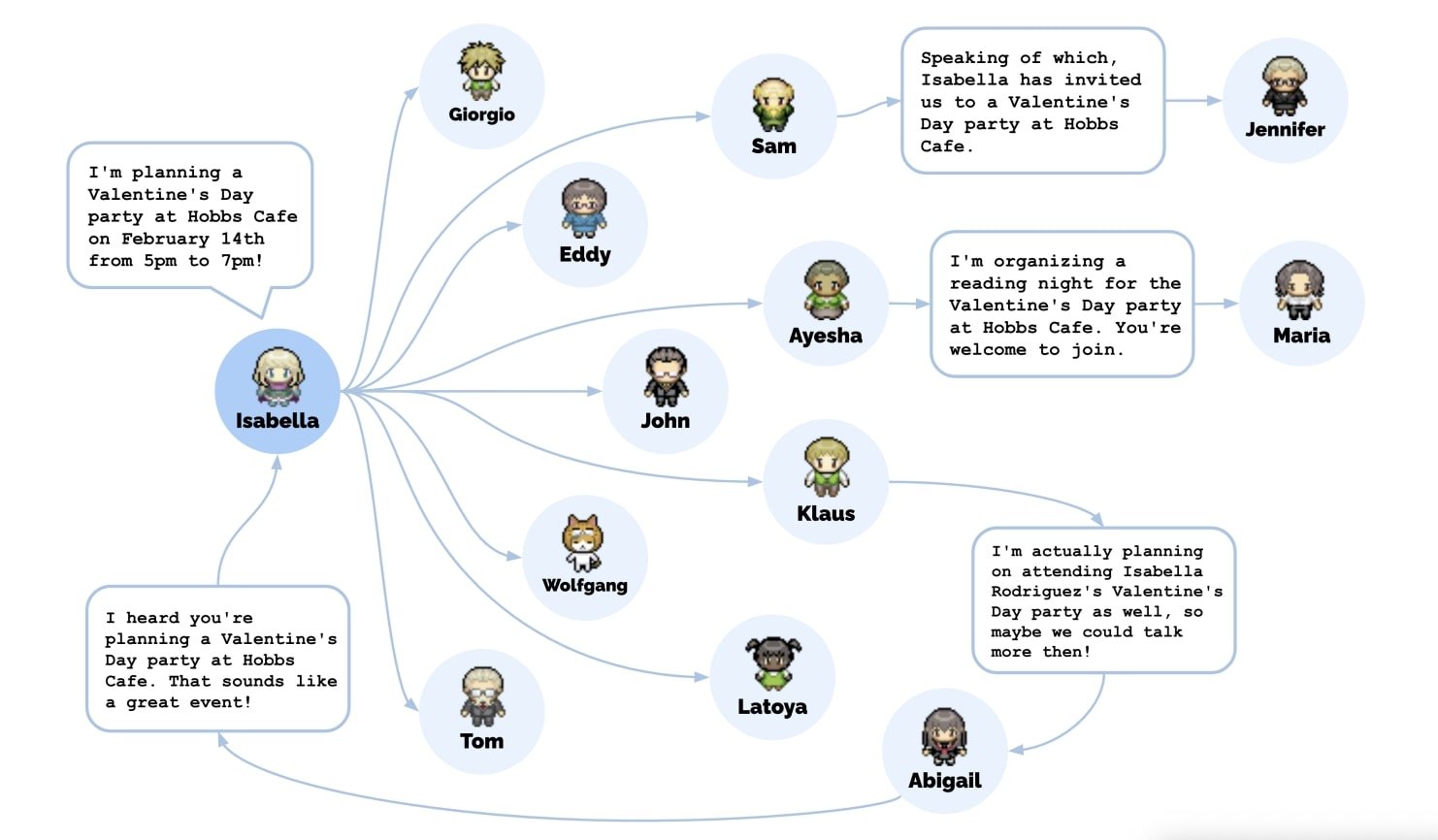
The individual and collective behaviors of the agents used in the experiment are promising. They may soon pave the way to seamless human-agent and agent-agent interactions
Of course, all those interactions unfolded in a confined virtual space. But what if those agents lived inside your task or project management apps? What if they could help you prioritize complex tasks, assign them to team members, and give you a nudge when deadlines are creeping up?
An AI agent with knowledge of your brand’s voice and ethos could revolutionize campaign design and execution. It could not only help your team create stellar content in line with your brand's identity but also predict trends and suggest best platforms for maximum reach.
The potential here isn't just about automation. AI Agents can completely redefine the way we get stuff done and think about work in general. They have the ability to manage mundane tasks but also offer strategic insights, streamline processes, and foster collaboration.
This is already happening at the companies building AI. OpenAI's head of platform engineering Sherwin Wu shared that engineers now manage 10 to 20 parallel AI agent threads simultaneously — directing, reviewing, and steering agents rather than writing code themselves. At Anthropic, the Claude Code team reported that 70-80% of technical employees use AI agents daily, with power users running sub-agent swarms for code migrations, reviews, and automated issue resolution. The biggest finding: when agents fail, it is almost always a context problem — underspecified instructions or missing organizational knowledge — not a model capability problem.
💪🦾 Introducing An AI Team At Your Fingertips
A world where artificial intelligence isn't just a tool, but a partner, a teammate? 🤔
Welcome to Taskade's vision of tomorrow, where customizable AI agents seamlessly collaborate with humans, reshaping the dynamics of the workplace. The future where AI agents work alongside humans, running in the background and enhancing productivity.
Need help with a particular aspect of your project or task? All you need to do is create a custom agent (or use one of dozens of templates) to help you out.
Here are a few examples of agent templates you can use in Taskade:
🌳 Personal Agent: Create personalized task lists and daily schedules, tailoring them to individual preferences and routines.
👩 Legal Agent: Get advice on legal compliance and contracts. Generate tasks related to legal research, document drafting, and more.
📧 Email Agent: Automate email communications by generating email content in a variety of styles and tones tailored to your specific use case.
📚 Education Agent: Plan your learning path, take a deep dive into any topic, generate lists of learning resources, and master learning techniques.
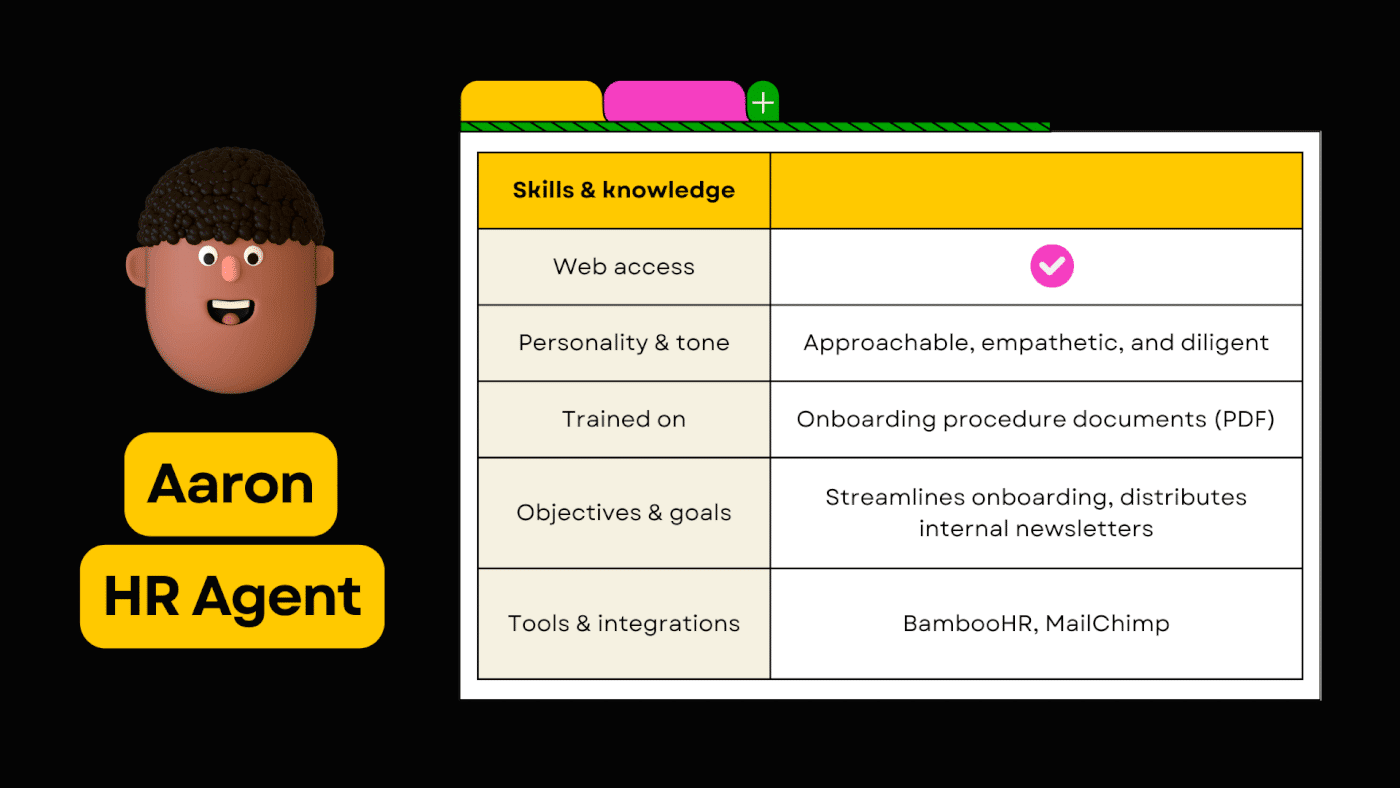
🧑 Human Resources Agent: Stay on top of HR-related tasks such as employee onboarding, training schedules, and performance review preparations.
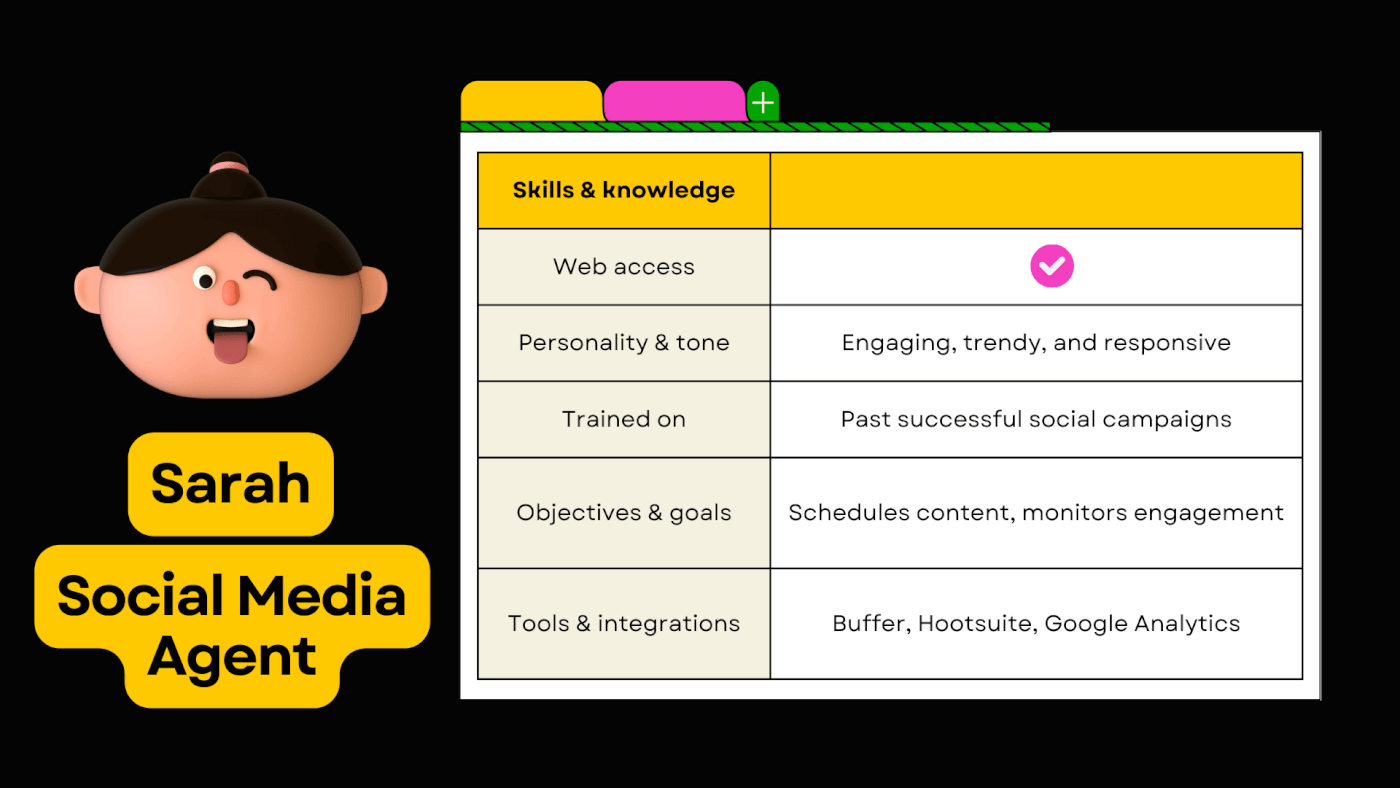
📱 Social Media Agent: Generates content for your social media channels, optimize posting schedules, and increase audience engagement.
🧠 Research Agent: Research any topic in seconds — discover valuable insights for scientific research, data analysis, reports, and more.
📐 Workflow Agent: Design complete workflows and streamline business processes by generating tasks and process documentation.
Whether you're a CEO navigating complex leadership challenges or a solopreneur who just wants to get work done, Taskade's 🤖 Custom AI Agents will give you the support you can rely on.
But this is just the first step in this revolution. Before we go any further, let’s see how agents actually work, where they are today, and most importantly, where they are going. 👇
But before that, check out our article on how to easily create an AI Agent in seconds!
🚀 Technical Differentiation: AI Agents Today vs. The Future
The design of most modern AI agents is rooted in a paper titled “Task-driven Autonomous Agent” published in 2022 by Yohei Nakajima, a general partner at Untapped Capital.
The idea is simple — to create a “wrapper” that, in combination with a large language model, can create a task list, prioritize, and guide itself, or rather the LLM, through self-directed loops. All this to achieve an objective set by the user without the need for manual reprompting.
There are a few key components that make agents tick:
🧠 Large Language Model (LLM): The brains of an agent, LLMs act just like your computer's OS, but for processing language. Thanks to the power of machine learning and natural language processing, language models offer a vast knowledge of diverse subjects and excellent context comprehension, just the things you need to get work done.
✅ Execution / Task Creation Agent: Similar to a CPU, the primary agent function is to figure out what needs to be done and in what order. It’s also responsible for “guiding” the LLM and “chaining it” with long-term memory and any external tools as needed.
💾 Memory: An agent’s memory or knowledge base blend functions similar to those of Random Access Memory (RAM) and a hard drive. This is where the agent stores data for retrieval and processing. Modern agents use vector databases like Pinecone or Chroma to remember context.
⚡ Additional Tools: Pairing an agent with a single LLM would be like using a PC without peripherals. Tools extend the functionality of agents by enabling web access, unlocking specialized knowledge, or combining them with multiple specialized AI models.
Some open-source agents like BabyAGI can already perform simple tasks including conducting basic market research or prototyping web pages. But just like voice assistants, most agents work in a vacuum, and combining them with existing workflows requires technical know-how.
The solution?
Fully customizable, long-running, autonomous task management seamlessly integrated with whatever tools you’re already using. AI Agents that can operate without supervision over extended periods, running in the background and “talking” to your projects and tasks.
There is a lot to unpack here, so let’s see how those agents can make an impact on your work.
🤹 Applications of AI Agents: Transforming Work One Use Case at a Time
Automating Workflows
Every project starts with diligent research, gathering information, pooling resources, analyzing risks, asking the right questions… That’s tedious work. But what if the repetitive parts of the project initiation, like gathering preliminary data, could be handed off to an AI agent? 🤔
A long-running agent working from behind the scenes could proactively set the stage for all your projects. Tasks, dependencies, deadlines, obstacles, and solutions, ready the moment you type a project title. The manual slog? History. The endless back and forths? Reduced.
AI agents will seamlessly integrate with your existing workflows and streamline them for your team’s convenience. Whether it’s improving the flow of information between departments or updating project milestones based on real-time data, the possibilities here are endless.
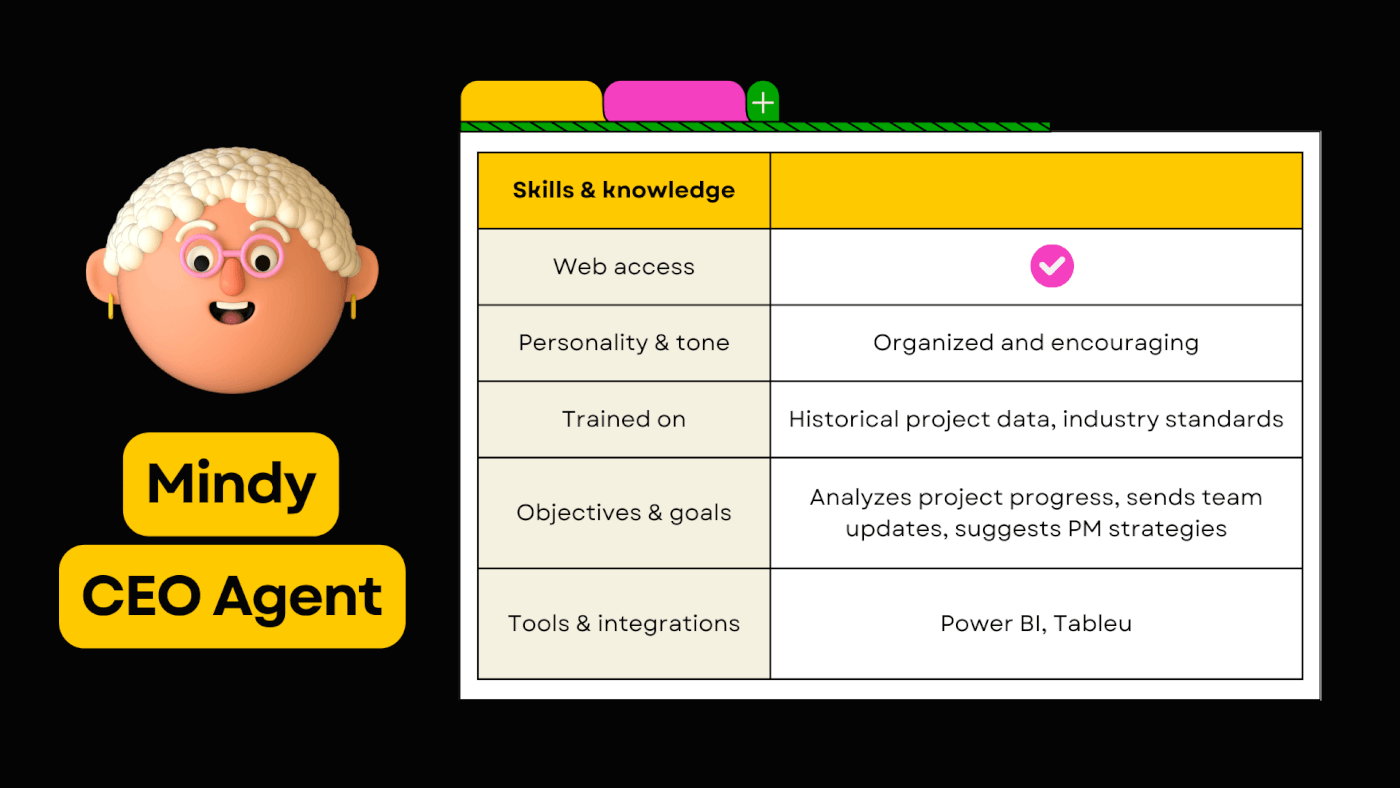
Autonomous Task Management
There are a lot of tasks we would rather not do. Hours spent on data entry, sifting through endless emails, organizing files... Put up with it, or… build a team of custom, intelligent agents, each specialized in tackling a set of routine tasks, day in day out.
Burning through a load of projects every month?
Chances are there is a lot of stuff to clean up. Let an agent run in the background and do the housekeeping for you, archiving documents, chats, and tasks. It’s like inbox zero but for projects.
Onboarding new hires? Train an agent using internal onboarding materials so it can drip-feed the knowledge to new team members, answer their questions, and show the way.
A team of friendly AIs tackling routine tasks and helping people solve problems?
Sign us up. 👍
Generating Content
How many times have you stared at a blank page, the dreaded cursor blinking back mockingly?
What if that was a thing of the past? What if AI could do the research, gather resources, create an outline, and flesh out your initial ideas before you even warm up your typing fingers? With all the pieces in place, you’d just need to embrace the muse and start typing,
Let’s take this a step further.
Why not give your custom AI agent a unique personality and a set of skills to match? Then let it lose inside your workspace, “living” in your documents, ready to provide guidance and advice.
A snarky editor powered by natural language processing with a penchant for one-liners? Done.
A verbose novelist with a knowledge base full of ideas for epic sagas? Check.
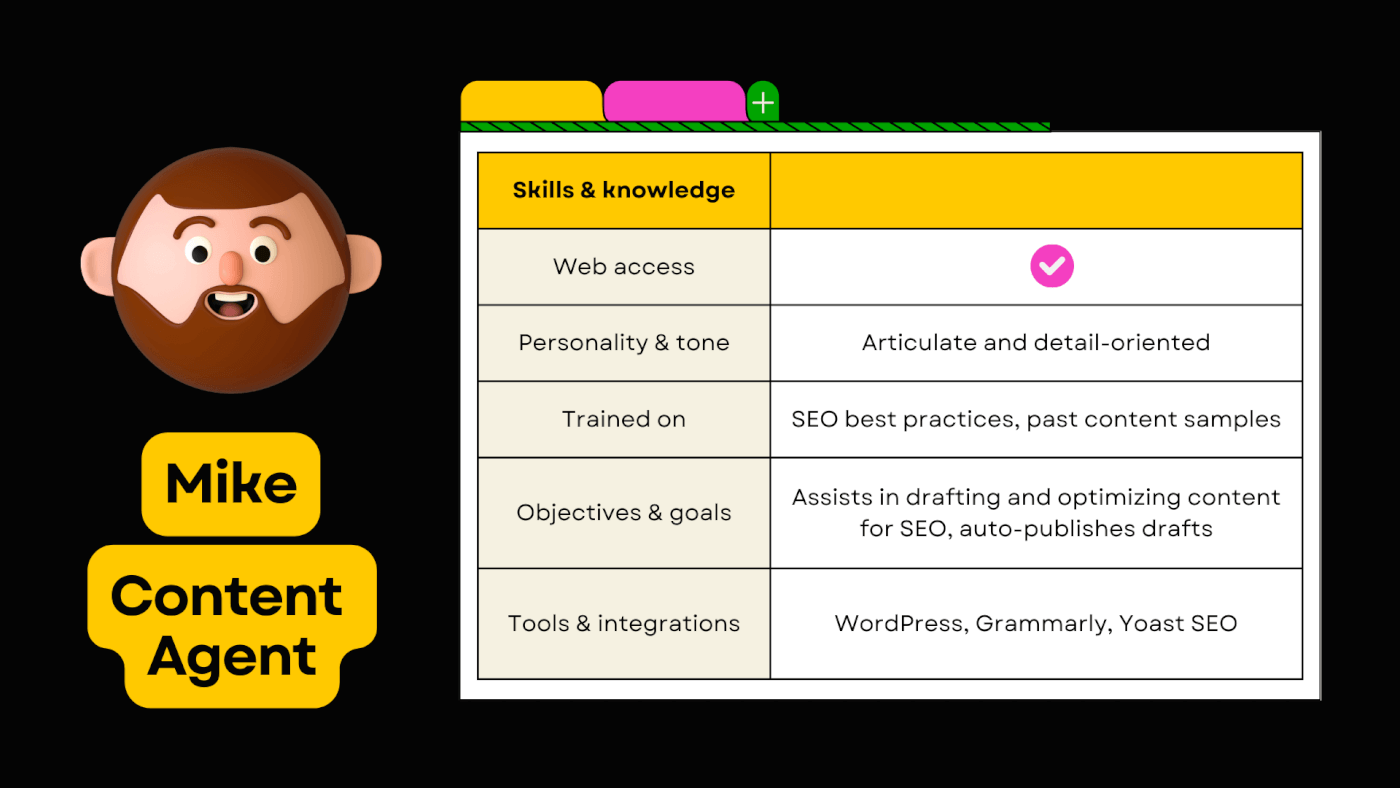
Just tweak the settings. Train your agent on documents of your choosing: be it your past masterpieces, or the works of literary giants you admire. Over time, the agent will evolve and adapt to your style and your voice. A perfect writing companion for the modern age.
Managing Social Media
Managing your online presence is challenging even with an army of PR experts watching your back. But if you’re a solopreneur or an SMB owner, things can get hectic really quickly.
Answering questions, keeping track of analytics, replying to comments and questions, handling the occasional PR hiccup, you get the idea. An agent could help you cultivate your digital plots (think social media accounts and business websites) so you can focus on what you do best.
You can create an agent to proactively auto-draft product changelogs, outline press releases based on product changes, or auto-populate a social media content calendar with post ideas. Let AI stir the pot and humans handle the seasoning with stellar content.
Fetching Data and Analyzing Documents
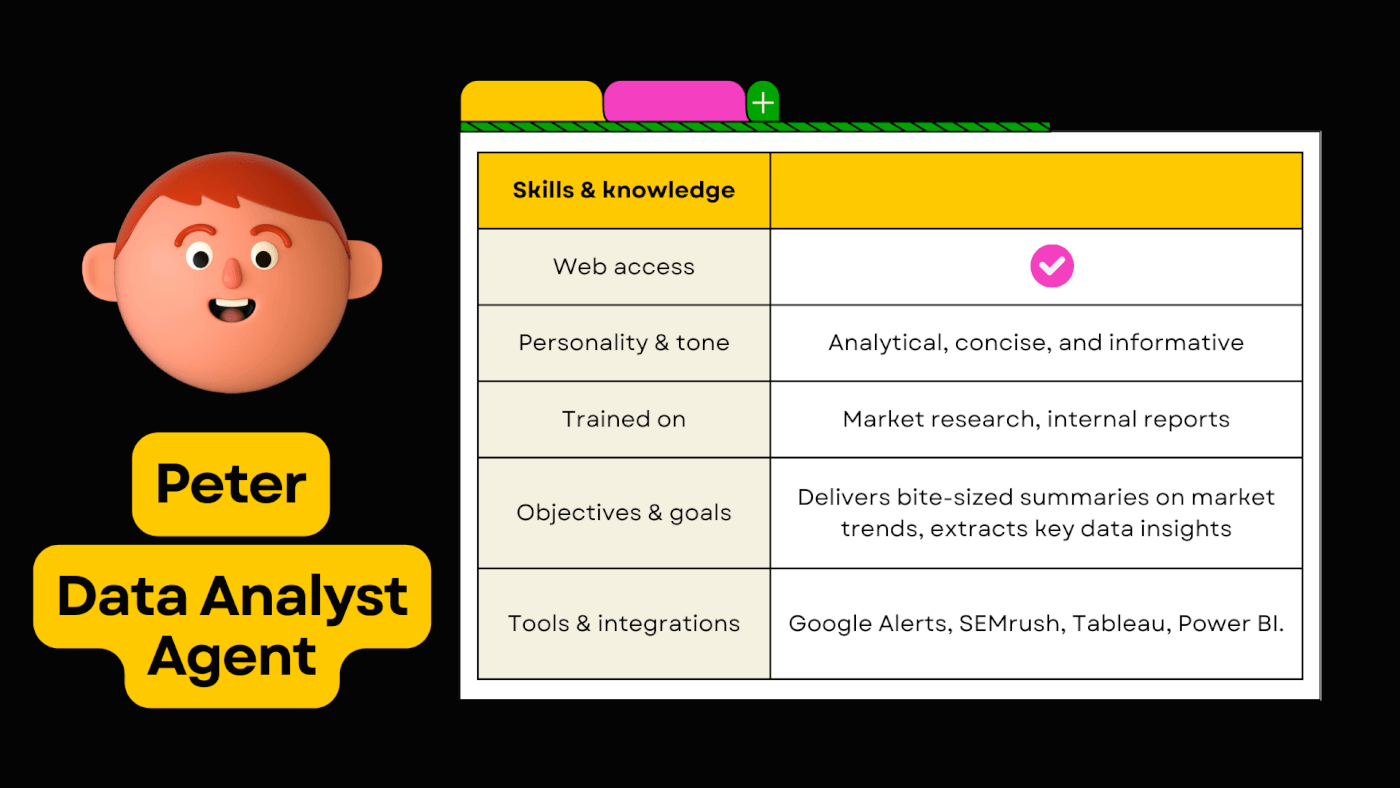
How many hours do you spend poring over data, reading countless articles, or cross-referencing sources? Imagine if, instead of sifting through mountains of data, you could find the most relevant, curated, bite-sized insights the moment you open your computer.
Want to know what your competitors are up to?
Need to read company reports every morning?
Why not set up an agent that will distill key details and deliver bite-sized summaries to your inbox or Taskade project? Just so you have something to read to your morning coffee. ☕
🐑 AI Agents in Taskade Today and the Road Ahead
So where are we going from here?
How to bridge the gap between what agents are today and what they can become?
Our vision is agents that carry routine work to completion while a person approves the steps that matter. Taskade agents are customizable, connected to your existing workflows, and they work side by side with your team. Here is how that looks in Taskade today.
Custom AI Agents
Most AI agents require technical know-how to run. And even then, the chances of getting them to work with your existing workflow are slim. Our agent design is much simpler and fully customizable so you can control every aspect of your agents with a visual, intuitive interface.
Define your agent's:
👤 Name and avatar
🎯 Objectives and goals
🌟 Personality and tone
🧠 Knowledge and skills
⏰ Running schedule
✏️ Level of access
and much more…
A single workspace will include multiple agents, each with a different set of complex tasks and rules to follow, from a diligent data analyzer to a proactive project manager. This will give you the ability to create your perfect team of digital assistants tailored to your needs.
Integrations
Agents are only as good as the tools they have at their disposal. The Taskade API and the hosted Taskade MCP server let external apps and AI tools work with your workspace and your agents, and automations connect agents to 100+ bidirectional integrations. Protocols like MCP are standardizing how agents discover and call tools — but tool quality matters as much as tool quantity. Jeremiah Lowin (creator of FastMCP) warns that agent performance degrades above approximately 50 tools and recommends designing tools for outcomes (e.g., resolve_ticket) rather than raw CRUD operations.
Here are a few examples of jobs teams give agents when the app has an integration or an API to call:
👥 HR Teams: Streamline your recruitment process in a few clicks. Assign a custom agent to post job listings on platforms like LinkedIn, Indeed, or Glassdoor.
🎧 Customer Success Teams: Customer queries never stop coming. Use an agent to pull support tickets from Zendesk and turn them into tasks inside your Taskade project.
✍️ Marketing Teams: Got a story to tell? Let an agent handle any manual action, from drafting a complete content calendar to uploading articles to WordPress or Ghost.
💰 Finance Teams: Automate invoicing in a flash. As soon as a project/task is marked complete in Taskade, set an agent to trigger an action creating of an invoice in QuickBooks.
🖥️ DevOps & IT Teams: Use an agent to automatically create a task inside a Taskade. project when a high-priority incident is reported in ServiceNow.
Have other integrations in mind? Let us know!
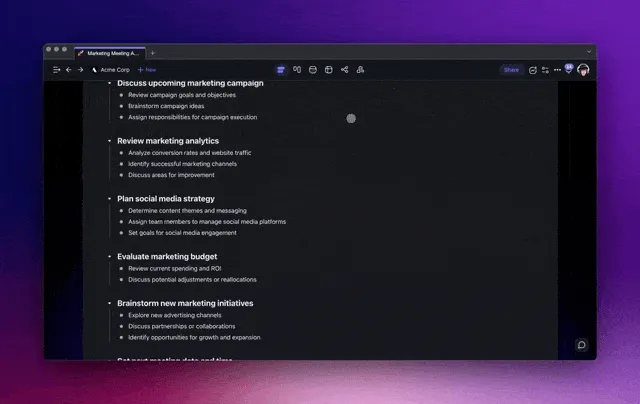
The Research Agent can search the web and gather information on any topic, complete with links to original sources
Teaching Your AI Agents
Taskade agents can be trained to understand the context of your projects. They learn from online resources, links, videos, live projects, and any documents you upload, including DOCX, PDF, and CSV files. 🧠
Internal team knowledge combined with web search and access to connected tools forms your agent’s unique skill set. You control what the agent can do, whether it can search the web, and which integrations it can use.
Agent Ubiquity
Taskade AI is always available where you need it. It generates new projects inside your workspaces and folders, it offers guidance and advice in the AI Chat, and it acts as a personal assistant performing contextual actions and generating content on the project level.
Taskade agents work alongside you and take action while you handle strategic work:
🔀 Prioritizing and assigning tasks
📅 Adding due dates and tracking deadlines
✅ Creating/completing tasks
⏰ Scheduling projects and meetings
As you grow and develop your workflow, agents and their environment of tools will adjust and adapt, just like regular members of your team. They work in the background so you can focus on what truly matters - creating great products and services! ⭐
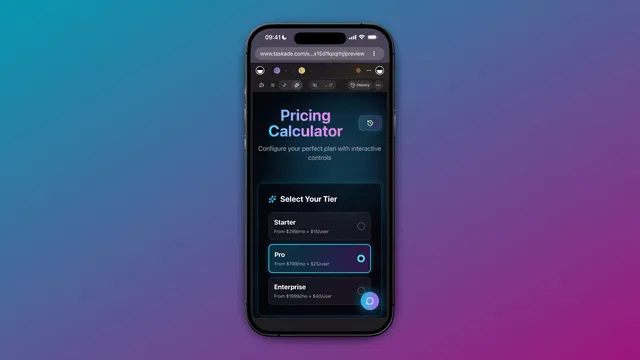
🛠️ How to Build Your Custom AI Agent With Taskade

Creating a custom AI agent in Taskade only takes a few steps. Here’s a simple breakdown to get you started:
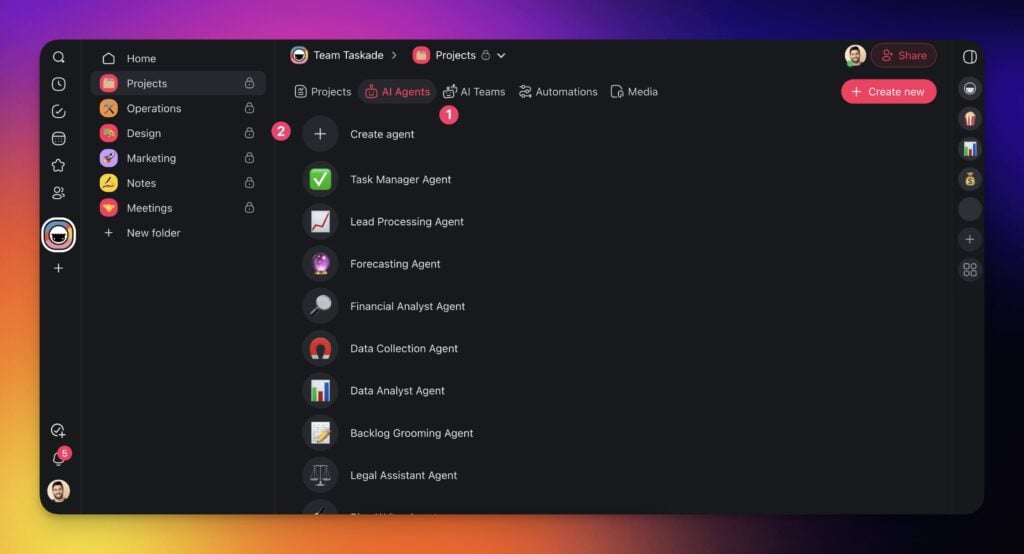
Go to the Agents tab: Head over to your workspace or folder and open the Agents tab. Click Create Agent to begin building your own assistant.
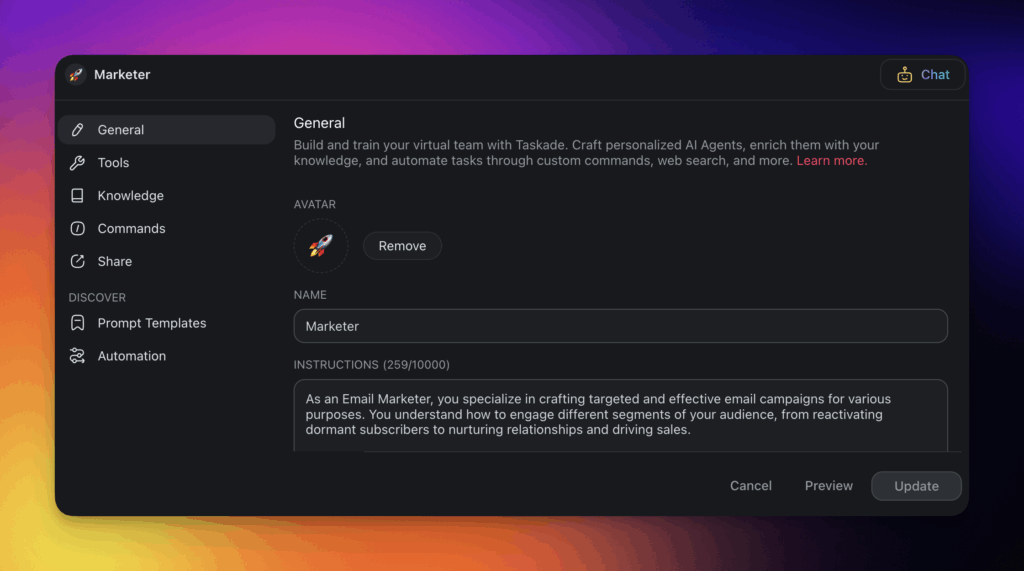
Set up your agent’s identity: Give your agent a name, write a short description, and choose its persona and tone. This helps define how it communicates and behaves when interacting with you or your team.
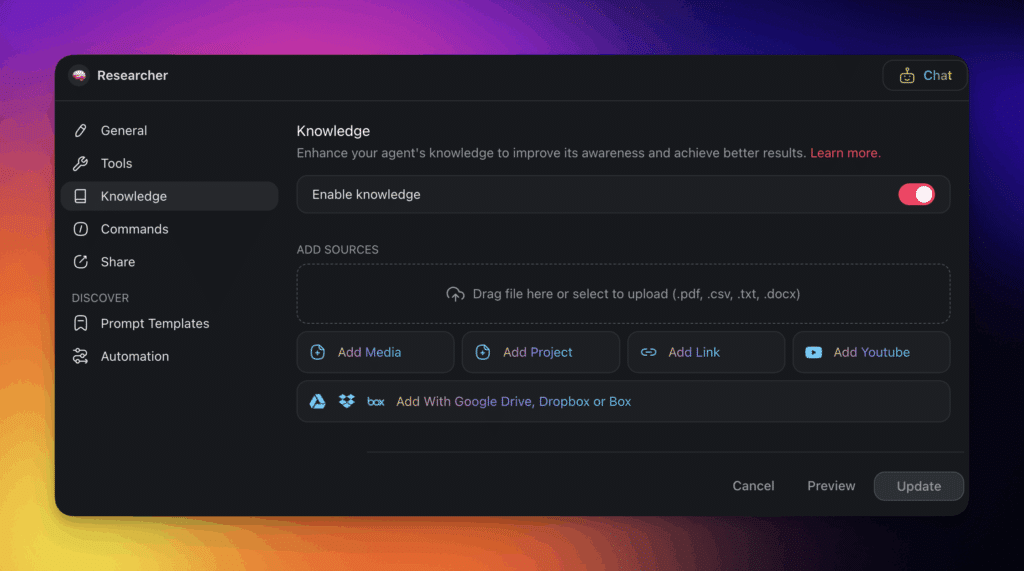
Train your agent with knowledge: Upload helpful resources like PDFs, documents, or even link web pages and cloud storage. This gives your agent the context it needs to provide relevant responses and take smarter actions.
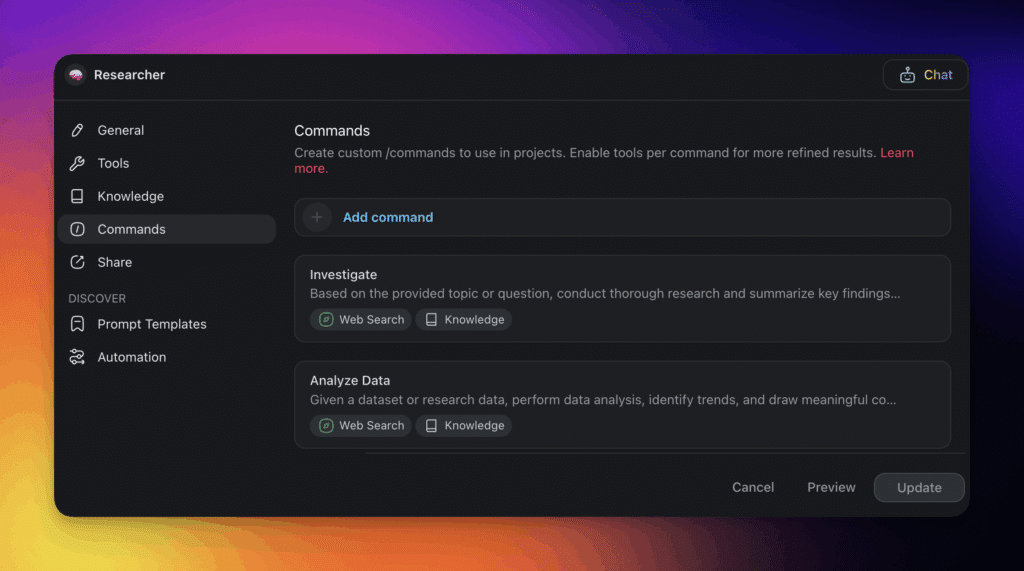
Add custom commands: Teach your agent how to respond to specific prompts or carry out multi-step workflows. You can keep it simple or enable planning and execution mode for more complex tasks.
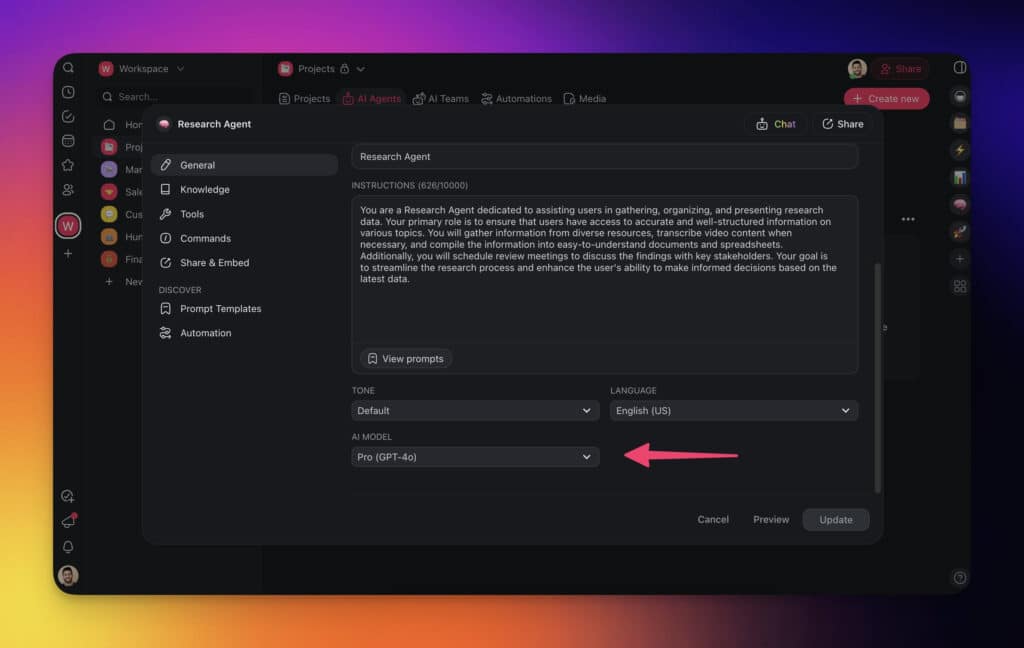
Select the right AI model: Choose an AI model that suits your needs. The Pro model handles more advanced tasks, while lighter models offer faster responses for simpler actions.
Once you’re done, your agent is ready to help. You can chat with it directly, use commands inside projects, or plug it into your custom automations.
👉 Learn more in the full guide from our Help Center.
What Your Taskade AI Agents Can Actually Do (2026)
Here is the full picture of what shipped in the last 12 months. Most "AI agent" platforms still don’t offer these:
Create agents without building them yourself. Taskade EVE, the workspace’s AI companion, can create and configure agents on your behalf. Describe the agent you need ("I want a support agent that knows our product docs and can triage tickets"), and Taskade EVE builds it with instructions, knowledge sources, and commands. No manual setup required.
Agents that work from triggers and schedules. Automations start when something happens in an app you already use, such as a form response or a new email, or on a schedule, and they run whether you are online or not. An agent added to a step brings judgment to the job, and you can require approval before a sensitive action. Schedules shorter than an hour need a paid plan, and incoming webhooks need Pro or above.
Agents that invoke your automations. Any automation workflow can become a custom agent tool. Your agent says "check this customer’s recent Stripe payments" and invokes the workflow as a tool. Automations can also trigger agents: when a new lead arrives, an agent scores it, drafts a follow-up, and routes it to sales.
Conversations that persist. Your agent conversations are saved automatically. Close the tab, come back tomorrow, and pick up where you left off. The agent remembers what you discussed and what’s still pending.
Dynamic knowledge that stays current. Train agents on live Taskade projects, files, links, and videos. Set a refresh schedule from a web page, a sheet, forwarded email, form replies, Slack, or Discord, and the agent's answers stay current with no manual re-upload. Refresh intervals under one hour need a paid plan.
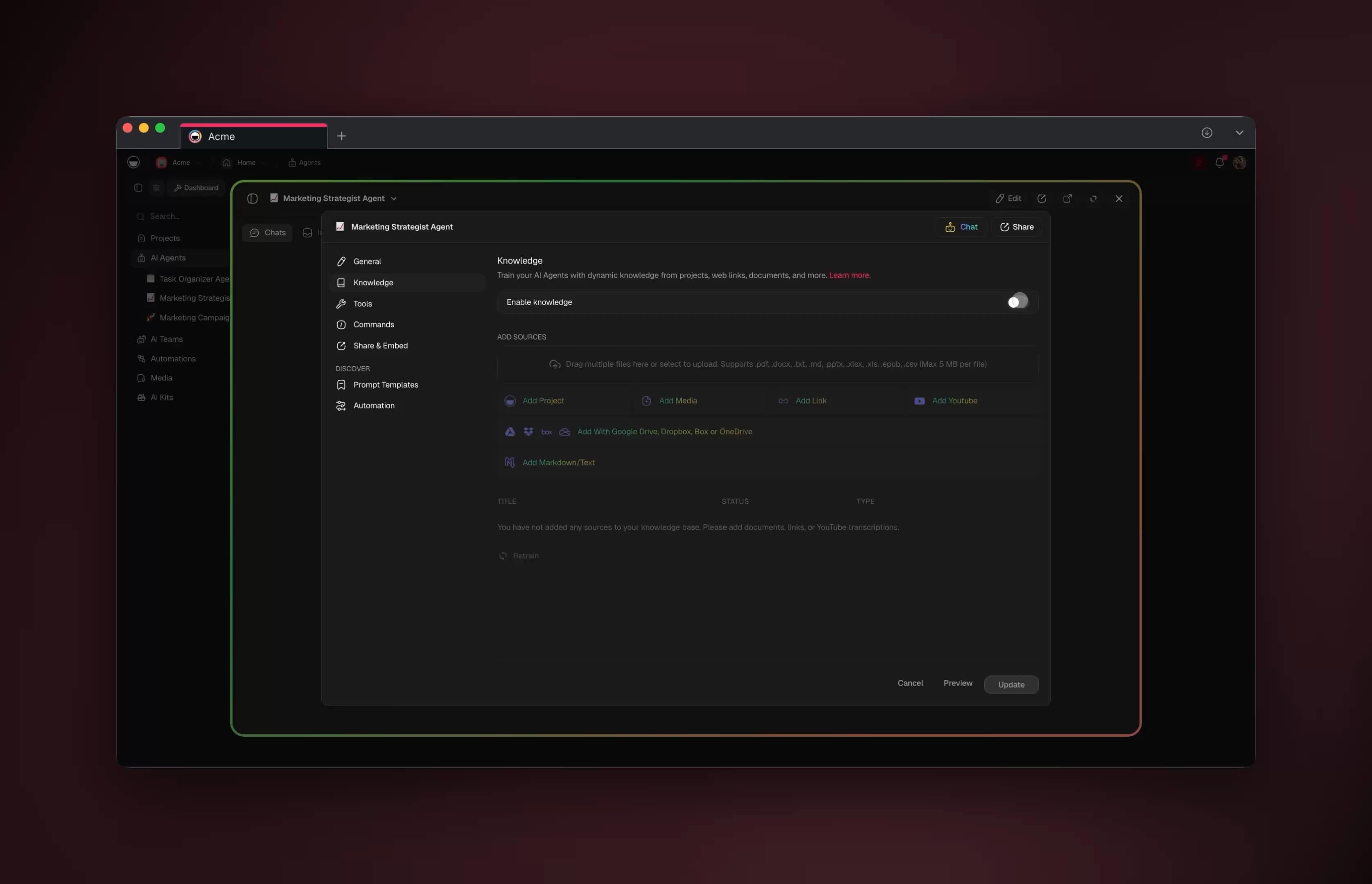
Image generation. Agents generate images directly during conversations. Create mockups, visualize data, or produce marketing assets without leaving the chat.
Conversation starters. When you publish an agent publicly, add intro messages and suggested questions so visitors know what to ask.
Chat modes. Switch between concise answers for quick lookups or detailed explanations for complex analysis, controlling how your agent responds without rewriting its instructions.
Clone these agent apps and try for yourself:
| Use Case | App | Clone |
|---|---|---|
| Customer support | Support Agent | Clone → |
| Content creation | Content Agent Chatbot | Clone → |
| Sales outreach | Sales Agent Studio | Clone → |
| Research | Research Chat Bot | Clone → |
Browse 150,000+ community apps →
The Agent Evolution: From Sessions to Claws to Swarms (2026)
AI agents have passed through four distinct stages in three years, and the taxonomy matters because each stage unlocks fundamentally different capabilities. Stage one (2023-2024) was single chat sessions — you prompt, the model responds, the context resets. Stage two (early 2025) introduced parallel agent sessions, where developers like those at OpenAI and Anthropic began running 10-20 agent threads simultaneously, each tackling a different subtask.
Stage three arrived in late 2025 with what Andrej Karpathy calls "claws" — persistent agent entities that maintain long-running context in their own sandboxes. As Karpathy described it: "it's not something that you are interactively in the middle of. It kind of like has its own little sandbox." A claw "keeps looping...does stuff on your behalf even if you're not looking." This is a fundamentally different relationship with AI: not a chat partner but an autonomous worker. Stage four (2026) is swarms — multiple claws collaborating on shared objectives, coordinating through shared workspaces rather than human-mediated handoffs.
Taskade's architecture maps onto this evolution: single AI Agents for focused tasks, parallel agent sessions in shared projects, agents that work from schedules and triggers so they keep going when you are away, and multi-agent teams coordinating through Automations. Taskade agents do not run on a computer of their own, so a self-hosted claw remains a separate species. The platform supports frontier models from top AI labs, letting you assign different models to different agents based on the task. Explore agent apps in the Community Gallery.
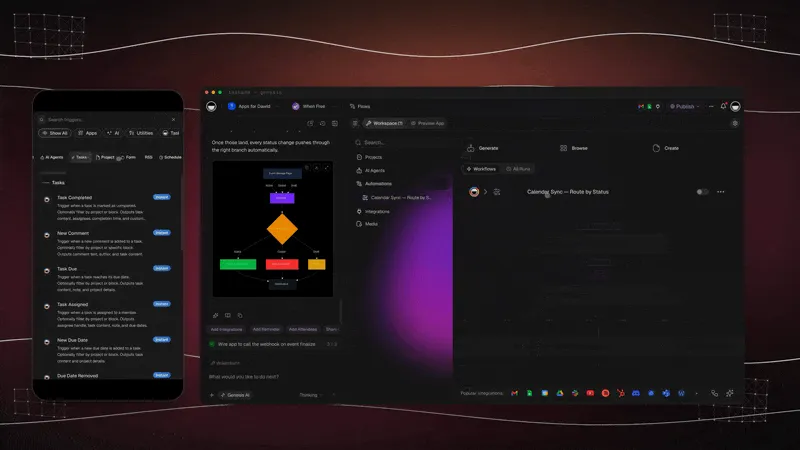
A Taskade automation flow: a trigger or schedule starts the work and connected steps carry it out, with no one watching. That start condition is what lets an agent work without a prompt.
The Workspace DNA Loop: Why Taskade Agents Get Smarter Over Time
What makes an agent useful long-term is not raw model power — it's context that compounds. Taskade encodes this as Workspace DNA: a self-reinforcing loop where Memory (your projects) feeds Intelligence (your agents), Intelligence triggers Execution (your automations), and Execution writes new results back into Memory. Each cycle makes the next one smarter. Most "AI agent" tools start from a blank slate every session — Workspace DNA is why a Taskade agent on day 30 knows your business better than it did on day 1.
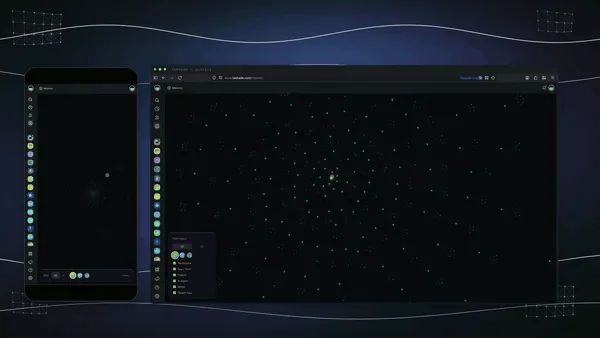
The Workspace DNA map in motion: projects, agents, and automations appear as connected nodes, so you can see how the workspace fits together. Learn more in How Workspace DNA Works.
AI Agent Taxonomy: From Chatbots to Swarms
The four stages of agent evolution are not just a timeline — they represent fundamentally different architectures with different capabilities, costs, and failure modes. This taxonomy helps you choose the right level of agent autonomy for each task.
AI Agent Types: A Practical Comparison
Each agent type serves a different use case. The right choice depends on the autonomy you need, the persistence your workflow requires, and the complexity of the tasks involved.
| Type | Autonomy | Memory | Tools | Example | Best For |
|---|---|---|---|---|---|
| Chatbot | None | Session only | None | ChatGPT (basic) | Q&A, simple tasks |
| Assistant | Low | Multi-turn | Limited | Google Assistant | Scheduled tasks, reminders |
| Agent | Medium | Task-scoped | Tool use | Cursor Composer | Code generation, analysis |
| Claw | High | Persistent | Full tool suite | OpenClaw, Hermes Agent | Self-hosted autonomous workflows |
| Swarm | Full | Shared workspace | Cross-agent | Taskade AI Teams | Team-scale automation |
The jump from "Assistant" to "Agent" is the most significant leap in this table. Assistants wait for human approval at every step. Agents execute entire workflows — from research to output — without stopping for permission. The jump from "Agent" to "Claw" adds persistence: the agent keeps working even when you close the tab. And "Swarm" adds collaboration: multiple claws sharing context and coordinating through Workspace DNA.
Taskade covers most levels of this taxonomy - from single-response AI Chat to custom agents with persistent memory and triggers to multi-agent teams coordinating through automations. The self-hosted claw level stays with tools you run yourself.
How a Multi-Agent Swarm Hands Off Work
Remember Dave, Lisa, and Mike from the 2023 story above? Here's what that stalemate looks like when each person has an agent. Instead of waiting on each other, the agents pass context directly - no human bottleneck. This sequence diagram shows specialists collaborating on a single goal, the way a multi-agent system coordinates through a shared workspace.
Each agent only does what it's best at, and the handoff carries shared memory so nothing gets lost in translation. This is the swarm tier in action — and it runs inside one Taskade workspace, not across five disconnected tools.
Built-In Agent Tools in Taskade
Every Taskade AI agent ships with built-in tools, with no API keys and no infrastructure to set up. Here is what your agents can do out of the box.
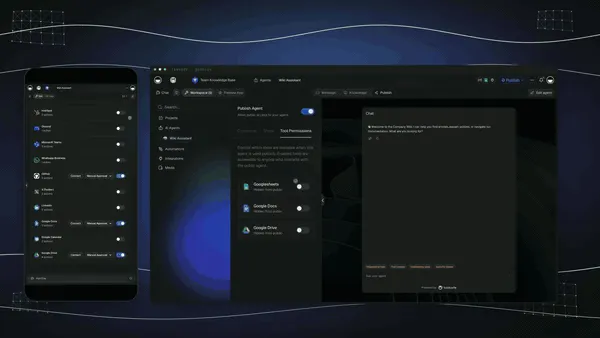
You choose which tools and connected apps a Taskade agent may use, then publish the agent as an embeddable chat widget. Permissions are the control that limits what an agent can touch.
| Tool Category | Tools | What They Do |
|---|---|---|
| Project Management | Create, edit, search, archive projects | Manage workspaces programmatically across multiple project views |
| Knowledge | Upload, process, search documents | Build persistent agent memory from PDFs, DOCX, CSV, web pages |
| Web & Research | Search, read pages, extract data | Find current information on public web pages |
| Communication | Email, Slack, Discord integrations | Send messages and notifications on behalf of users |
| Files & Media | Read documents and CSV files, transcribe YouTube, generate images | Turn files and videos into project content and images |
| Automation | Trigger workflows, schedule tasks, set conditions | Chain actions across 100+ integrations |
These tools are what separate Taskade agents from chat-only AI products. A ChatGPT conversation can tell you about project management. A Taskade agent can create the project, assign tasks, set deadlines, notify team members, and trigger follow-up automations — all from a single instruction. Customize your agent with additional tools by connecting any automation workflow as a custom agent tool.
The Jaggedness Problem: Why AI Agents Are Simultaneously Brilliant and Incompetent
Karpathy identified what may be the most important unsolved problem in AI agents: jaggedness. In his words: "I simultaneously feel like I'm talking to an extremely brilliant PhD student who's been a systems programmer for their entire life and a 10-year-old." The same agent that writes flawless production code one minute will make an elementary logical error the next.
The root cause is distribution coverage: "you're either on Rails of what it was trained for and everything is speed of light or you're not." When a task falls within the model's training distribution, performance is superhuman. When it falls outside, the failure mode is not graceful degradation — it is unpredictable incompetence. This is why relying on a single model for all agent tasks is a structural weakness. Different models have different training distributions, different strengths, and different failure modes.
This is also why multi-model support is not a luxury feature but an architectural necessity. Taskade AI supports 15+ frontier models from OpenAI, Anthropic, and open-weight providers, and you can assign different models to different agents within the same workspace. Your research agent can use a model optimized for factual retrieval while your creative agent uses one tuned for generation. The jaggedness does not disappear, but it becomes manageable when you match models to tasks and let agents cross-check each other's outputs through multi-agent collaboration.
🔮 The Vision for the Future of AI Agents
The promise of generative AI goes beyond routine task completion -- it aims to redefine our relationship with technology. As Harry Stebbings observed on the 20VC podcast in 2026: "The prize for winning is to reinvent the company from scratch and the product from scratch every 6 to 9 months." Companies that treat AI agents as a one-time integration rather than a continuous evolution will fall behind.
The bigger shift is this: software you describe instead of software you build. The future of work isn't a person clicking through forty SaaS tools — it's an operator describing what they need and having a living, cloneable app appear, staffed by agents and wired to automations. That future is already shipping. Taskade's first Enterprise customer, an IT program manager with no engineering team, built a production field-service dashboard on Taskade Genesis and put it plainly: "What I did in weeks would've taken 40 people 18 months." No engineering team. No procurement cycle. Just a description, a set of agents, and a workspace that executes.
That's the destination AI agents are pulling us toward: every operator running their business as a set of living, cloneable apps — each one a bundle of Memory (your projects), Intelligence (your agents), and Execution (your automations) that anyone on your team can clone and adapt in a click.
With autonomous AI systems, we're paving the way for the workforce of the future where AI works in a synergy with human intuition.
The potential is clear: greater efficiency, less manual work, and amplified productivity. And we’re working hard to bring that future closer and help you achieve more with less effort.
Here's a bite-sized recap of what we learned today and what’s on the horizon.
🤖 Limitations of LLMs: Today's frontier Large Language Models are powerful, but on their own they still need human guidance. The future is autonomous AI agents that plan, act, and learn around them.
🌐 Overcoming Limitations: Existing voice assistants, although useful, operate in a siloed environment. The vision is to enable AIs to talk to each other and give them agency to get work done.
🚀 AI Agents Are the Future: Modern AI agents define, prioritize, and refine tasks for large language models. They're like an external decision-making engine for AI.
🤝 Revolutionizing Collaboration: In the near future, AI agents will collaborate with regular teams and with each other to complete tasks and manage workflows.
🧪 AI Research: Studies, like the one by Stanford and Google, show that AI agents can work together. This is just a glimpse into what's possible.
🧬 The Future Is Here: Living Software
That future is now. Taskade Genesis transforms how anyone builds AI-powered applications. With one prompt, Taskade creates complete systems: AI agents, workflows, databases, and automations — all interconnected and ready to execute as living software. It's called vibe coding, and it's the next evolution of workflow automation. Explore ready-made AI apps.
The Full Taskade Genesis Platform (2026)
AI agents are one layer of a single, connected platform. Here's everything that ships in the box — and why it's the only place where "what are AI agents" has a live, cloneable answer:
| Layer | What You Get | Try It |
|---|---|---|
| AI Apps | Describe an app → get a running app. Publish it, point a custom domain at it, let anyone clone it. | Create an app → |
| AI Agents v2 | built-in tools, persistent memory, multi-agent teams, public embedding, multi-model, plus Taskade EVE, the meta-agent that builds other agents for you. | Explore agents → |
| Automation | Reliable automation workflows with branching, looping over each item in a list, and filtering, wired to 100+ bidirectional integrations - triggers pull events in, actions push data out. | Automate → |
| Multiple Project Views | List, Board, Calendar, Table, Mind Map, Gantt, and Org Chart — your data, your way (Timeline lives inside Gantt). | See views → |
| Workspace DNA | ▲ Memory + ■ Intelligence + ● Execution — the self-reinforcing loop that makes agents smarter every cycle. | How it works → |
| Community + App Kits | Browse 150,000+ apps, clone any of them, or sell your own with buy-once, clone-many App Kits. | Browse community → |

A real, cloneable Taskade Genesis app: agents managing a sales pipeline end-to-end. Clone the Dealflow CRM → or explore the Growth Dashboard →.
Pricing is simple and transparent (annual billing): Free, Pro $10 (Popular ★), Business $25, Max $100, and Enterprise $250 — every paid tier includes AI agents. See full pricing →.
Build your own team of AI agents with Taskade AI! 🤖
🤖 Custom AI Agents: You don't have to learn how to code to deploy a team of AI agents. Take action, build, train, and manage your agents the easy way, with the power of generative AI.
🪄 AI Generator: Generate tailored solutions and automate complex tasks, transforming the way personal and business projects are managed.
✏️ AI Assistant: Enhance your productivity with an AI Assistant capable of handling a variety of tasks including content creation and task management.
🗂️ AI Prompt Templates Library: Access a library of AI prompts designed to leverage the capabilities of AI agents in business and personal use cases. Tap into prompts for content creation, code generation, and much more!
💬 AI Chat: Got stuck? Not sure where to start? Ask the AI Chat for advice on any topic, available in your digital environment. Combine AI with human intelligence and get stuff done.
🔄 Taskade Automation: Connect agents to an environment of external apps and services to unleash the full potential of AI-powered project management in your business and personal life.
And much more...

💬 Frequently Asked Questions About AI Agents
What are AI agents and how do they work?
An AI agent is software that pursues a goal on its own. It perceives its situation, plans steps, uses tools to act, checks the result, and remembers what happened. You state the outcome instead of every step.
What is the difference between an AI agent and a chatbot?
A chatbot answers inside a conversation and waits for your next message. An AI agent takes a goal, chooses its own steps, uses tools that change things outside the chat, checks the result, and can keep memory between runs. Use the six-question test to tell them apart.
What is the difference between an AI agent, an AI assistant, and a chatbot?
A chatbot answers, an assistant suggests and waits for approval, and an agent plans and acts. An assistant might draft an email and ask you to click Send. An agent can draft it, send it, and create the follow-up task, within the approval rules you set. See the comparison tables above.
What are the main types of AI agents?
Textbooks list simple reflex, model-based reflex, goal-based, utility-based, and learning agents, plus multi-agent systems. In 2026 people also sort agents by species: chat, coding, computer-use, always-on, claw, agent team, and workspace agents. See the types at a glance.
What are examples of AI agents in 2026?
Coding agents such as OpenAI Codex and Claude Code, always-on agents such as OpenAI dots, Meta Muse, and Grok Bot, self-hosted claws such as OpenClaw, computer-use agents on the OpenAI Agents API, agent teams, and workspace agents such as Taskade AI Agents. The examples table above lists jobs and human steps.
Is ChatGPT an AI agent?
In a plain conversation ChatGPT works as a chat assistant: it answers and waits. It acts as an agent only when it uses tools to finish a multi-step job for you. See the history of OpenAI and ChatGPT for how the products evolved.
What is an always-on AI agent?
An always-on AI agent keeps running after you close the chat. It has its own memory, connected apps, and often its own cloud computer, so it can watch for changes and act for you. Approval rules set what it can do alone. See always-on AI agents.
What is the difference between agentic AI and AI agents?
An AI agent is one system that pursues a goal with tools. Agentic AI is the wider approach: software that plans and acts with some autonomy, including teams of agents and agent-driven workflows. Read what is agentic AI.
Are AI agents safe? Can they act without permission?
An agent acts alone only when you allow it. Safe designs limit permissions, review consequential actions, hand risky tasks back to a person, and monitor the agent. Agents still make mistakes, so review consequential work. See AI agent governance.
Do I need to code to build an AI agent?
No. In Taskade you describe the agent's role, add knowledge and tools, and pick a model, or ask Taskade EVE to build it from one sentence. Free includes 1 agent, and Pro and above include unlimited agents. See the full guide.
What are multi-agent systems?
Multi-agent systems are teams of specialist AI agents that collaborate on one goal. Each agent has a role, such as researcher, writer, or analyst, and they hand work to each other. Taskade AI Teams are available on Pro and above.
Are GPTs a version of AI agents?
GPTs are a limited form of agent. They follow custom instructions and use attached knowledge, but they are built around a chat session. Taskade's AI Agents add built-in tools, slash commands, workspace memory, and multi-agent collaboration.
How much do AI agent platforms cost?
Developer frameworks such as LangChain and CrewAI are free but need engineering skill. Taskade starts free, then Pro is $10 per month, Business $25, Max $100, and Enterprise $250, all billed annually. See Taskade pricing.
Can AI agents replace human workers?
AI agents augment people more than they replace them. They handle repetitive, data-heavy steps, while people supply judgment, context, and accountability.
Anthropic CEO Dario Amodei frames this through the lens of Amdahl's Law: as AI speeds up certain components of work, the tasks that remain human-driven become the new bottleneck -- and therefore more valuable. In a 2026 conversation with Nikhil Kamath, Amodei explained: "Even if you're only doing 5% of the task, that 5% gets super-amplified -- you become 20x more productive."
🧬 See AI Agents in Action with Taskade Genesis Apps
Multi-AI Agents Are Here — Watch autonomous agents collaborate in real-time inside Taskade.
Experience the power of AI agents through these ready-to-clone applications built with Taskade Genesis:
| App | What It Does | Clone |
|---|---|---|
| Neon CRM Dashboard | AI agents managing customer relationships | Clone → |
| Growth Dashboard | A live growth-metrics dashboard | Clone → |
| DealFlow CRM | A sales pipeline with agents | Clone → |
🔍 Explore All Community Apps →
Your living workspace includes:
- 🤖 Custom AI Agents — The intelligence layer
- 🧠 Projects & Memory — The database layer
- ⚡️ 100+ Integrations — The automation layer
Get started:
- Create Your First App → — Step-by-step tutorial
- Learn Workspace DNA → — Understand the architecture
AI Agent Deep Dives:
- How to Build Your First AI Agent in 60 Seconds
- What Are Multi-Agent Systems?
- Types of Memory in AI Agents
- How to Train AI Agents
- How to Host Your First AI Agent
Taskade Genesis Deep Dives:
🔗 Related Reading
- AI Agents vs Copilots vs Chatbots: The Complete Taxonomy
- Always-On AI Agents: OpenAI Dots, Muse, and Grok Bot
- AI Subagents vs Agent Teams
- What Are AI Claws? Persistent Autonomous Agents
- What Is Agentic AI?
- The History of AI Agents: From SHRDLU to the Agent Loop
- AI Cost per Task
- Autonomous Task Management
- What Are Multi-Agent Systems?
- OpenAI Codex Pricing Explained
- What Is OpenAI? The Complete History
- Best OpenClaw Alternatives
- Taskade vs Devin
- AI Guardrails Explained
- What Is GPT? GPT vs LLM vs ChatGPT
- AI Collaboration Tools for Remote Teams
- AI Second Brain
- Best AI Note-Taking Apps for Students
- Mind Map: The Ultimate Guide to Mind Mapping
- How to Reduce Context Switching and Reach Flow State
An agent is a goal, a set of tools, a memory, and a rule for when to ask a human. Choose the species that fits the job, keep the approval step visible, and let the workspace hold the memory. ▲ ■ ●