






The AI workflow automation market in 2026 is not one category. It is four. Classic connectors move data between apps. Developer platforms give you code and self-hosting. AI-native tools put a reasoning agent inside the workflow. Enterprise platforms add governance for hundreds of connected systems.
That is why "what is the best automation tool" has no single answer. The right tool depends on whether you are moving data, writing code, automating judgment, or governing a large integration estate. This guide compares 12 of the strongest options by feature, pricing, and, most importantly, the billing model that decides what you actually pay.
TL;DR: The best AI workflow automation tools in 2026 split into four groups: connectors (Zapier, Make), developer platforms (n8n, Pipedream), AI-native tools (Gumloop, Lindy, Taskade Genesis), and enterprise iPaaS (Workato, Tray.ai). The Taskade Free plan includes 10 automation runs a month. Pro is $10 a month billed yearly ($20 monthly). See plans and prices. Compare automations free →
What Are AI Workflow Automation Tools?
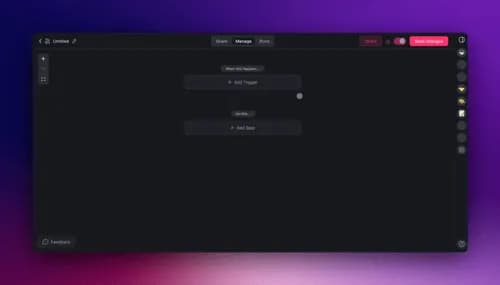
AI workflow automation tools connect your apps and run multi-step workflows automatically, with at least one step powered by an AI model. A workflow starts with a trigger (an event, like a new form submission), runs through logic (filters, branches, and increasingly an AI decision), and ends in actions (creating a record, sending a message, updating a database).
The "AI" part is what changed after 2023. Older tools followed fixed rules. Modern tools can insert a reasoning step, so a workflow can read an email, classify it, and choose the next action instead of following a rigid path. That capability comes from the same tool-use and agent advances that reshaped the whole software category.
To draft a flow from one sentence, try the AI workflow generator.
Every tool below fits this shape. What separates them is app breadth, whether the AI step is a bolt-on or built in, how they bill you, and whether you can run them on your own server. For the underlying concepts, see the wiki on triggers and actions and agentic workflows.
How Do You Choose an AI Workflow Automation Tool?
Choose based on four questions, in order: how many apps you need to connect, whether a step needs AI judgment, whether you must self-host, and how much volume you run. Getting these four right narrows 12 tools to two or three candidates faster than any feature checklist.
The single most overlooked factor is the billing unit. A "task," an "operation," and an "execution" are not the same thing, and the difference can multiply your bill by five on long workflows. We cover that in its own section below. First, the feature grid.
The Feature Grid: 12 Tools at a Glance
| Tool | Category | Billing model | AI-native | Starting paid price |
|---|---|---|---|---|
| Taskade | AI-native | Flat per seat | Yes, agents in workspace | $10/mo billed annually |
| Zapier | Connector | Per task | Add-on AI steps | ~$20/mo billed annually |
| Make | Connector | Per operation/credit | Add-on AI modules | $9/mo billed annually |
| Power Automate | Connector + RPA | Per user or bot | Copilot | $15/user/mo |
| n8n | Developer | Per execution | AI/agent nodes | Free self-host or $24/mo |
| Pipedream | Developer | Per credit | AI steps | $29/mo |
| Activepieces | Developer | Per active flow | Agents + MCP | Free self-host or $5/flow |
| Gumloop | AI-native | Per credit | Yes, node-based | $37/mo |
| Lindy | AI-native | Per usage | Yes, AI employees | $49.99/mo |
| Relay.app | AI-native | Per step + AI credit | Yes, human-in-loop | $19/mo |
| Workato | Enterprise | Per task/recipe | Agentic add-on | Custom (~$10K/yr) |
| Tray.ai | Enterprise | Per task | Merlin agents | Custom (~$595/mo) |
Prices are as of mid-2026 and change often; always confirm on the vendor's own pricing page.
Best Tool by Scenario
If you already know your situation, this table jumps straight to a shortlist.
| Your situation | Best fit | Why |
|---|---|---|
| Connect the most SaaS apps | Zapier | Widest app catalog in the category |
| Complex branching logic | Make | Clearest visual scenario builder |
| Self-host for free at scale | n8n or Activepieces | Unlimited runs, only your server cost |
| A step needs AI judgment | Gumloop, Lindy, Taskade | Agent reasons inside the workflow |
| Agents plus data in one place | Taskade | Workspace is the shared backend |
| Enterprise governance | Workato or Tray.ai | Audit, premium connectors, controls |
| Already on Microsoft 365 | Power Automate | Bundled flows plus desktop RPA |
Now the tools, grouped by category so you can compare like with like.
Connectors: Zapier, Make, and Power Automate
Connectors are the widest-reach tools. They optimize for the number of apps you can wire together and for reliability at high volume, with AI usually available as an added step rather than the core.
Zapier
Zapier is the category's breadth leader, connecting more apps than any competitor (9,000+ by Zapier's own count). Its strength is coverage and reliability: if two SaaS apps exist, there is almost certainly a Zapier connection, and its automations run dependably at scale. It added AI steps (Copilot, agents, and a chatbot builder) on top of the classic Zap.
Zapier bills per task, where every completed action step counts, so a five-step workflow burns five tasks per run. Free covers 100 tasks per month. The Professional plan starts around $19.99 per month billed annually, and the Team plan is roughly $69 per month billed annually for 2,000 tasks per Zapier's pricing. Its two genuine strengths: unmatched app coverage, and the gentlest learning curve in the category. The tradeoff is that per-task billing gets expensive on long or high-frequency workflows.
Make
Make, formerly Integromat, is the visual-complexity leader. Its canvas shows every module, branch, and data path as a flowchart, which makes intricate multi-branch scenarios easier to design and debug than a linear step list. It connects 2,000+ apps and includes an HTTP module for any custom API.
Make bills per operation, rebranded to credits in August 2025, where each module call counts. Free includes 1,000 credits per month. Core is $9 per month, Pro is $16 per month, and Teams is $29 per month, all billed annually per Make's pricing. Its strengths: the clearest visual builder for branching logic, and strong value per operation versus per-task tools. The tradeoff is that the visual canvas has a steeper initial learning curve than Zapier.
Microsoft Power Automate
Microsoft Power Automate is the natural choice for organizations already on Microsoft 365, where basic cloud flows are bundled at no extra per-flow cost. Its standout is desktop RPA: it can automate legacy applications that have no API by controlling the user interface directly, something most connectors cannot do.
Premium is $15 per user per month billed annually, the unattended Process plan is $150 per bot per month, and the Hosted Process plan is $215 per bot per month per Microsoft's pricing. Its strengths: deep integration with Teams, SharePoint, Excel, and the rest of Microsoft 365, plus mature RPA and Copilot. The tradeoff is that licensing is complex, and the value drops sharply outside the Microsoft ecosystem.
Developer Platforms: n8n, Pipedream, and Activepieces
Developer platforms optimize for control. They let you self-host, drop into code, and pay per full workflow run rather than per step, which usually makes long workflows cheaper.
n8n
n8n is the self-hosting leader. Its Community Edition is free to run under a fair-code license, with unlimited workflows and executions, so at scale it can cost a fraction of a managed cloud tool. It bills per execution, meaning one full workflow run counts as a single unit no matter how many nodes it contains, and it only counts successful runs.
Self-hosting is free plus your server bill, often 5 to 30 dollars per month. Cloud Starter is $24 per month for 2,500 executions, Pro is $60 per month, and a Business tier runs $800 per month per n8n's pricing. It added first-class AI and agent nodes, so you can build agentic workflows directly. Its strengths: unbeatable cost at scale and full data ownership. The tradeoff is that you maintain the infrastructure yourself.
Pipedream
Pipedream is the developer-first, event-driven platform, with more than 3,000 pre-built connectors and the ability to write production code in any step. It bills per credit, where one credit covers up to 30 seconds of execution and most runs use a single credit regardless of step count.
Free includes a small monthly credit allotment and 3 active workflows. Basic is $29 per month for 2,000 credits, and Advanced is $49 per month for 5,000 credits with unlimited workflows per Pipedream's pricing. In November 2025, Workday signed an agreement to acquire Pipedream to power its AI-agent integrations. Its strengths: massive connector library and true code flexibility. The tradeoff is that it assumes developer comfort.
Activepieces
Activepieces is the MIT-licensed open-source option, fully free to self-host with unlimited flows and executions. It leaned hard into AI in 2026, shipping AI agents, built-in tables, and hundreds of MCP servers so agents can call tools through the Model Context Protocol.
Its cloud Standard plan gives 10 free active flows, then charges $5 per active flow per month, with an Ultimate tier at custom enterprise pricing per Activepieces pricing. Its strengths: a permissive MIT license (more flexible than n8n's fair-code terms) and a genuinely AI-first, MCP-native design. The tradeoff is a smaller connector catalog and community than the incumbents.
AI-Native Tools: Gumloop, Lindy, Relay.app, and Taskade
AI-native tools put the reasoning step at the center. Instead of AI as an optional module, the workflow is built around an agent that reads unstructured input and decides what to do, using context engineering to stay grounded.
Gumloop
Gumloop is an AI-native platform with a node-based visual editor built for document processing, unstructured-data extraction, and content generation. It is designed so non-technical employees can build agents that act across Slack, Teams, and email. In March 2026, Gumloop raised a $50M Series B led by Benchmark, with customers including Shopify, Ramp, and Instacart.
It bills per credit, where standard AI calls cost fewer credits and advanced-model calls cost more. Free includes 5,000 credits per month with one seat, the Pro plan is $37 per month for 20,000-plus credits with unlimited seats, and an Enterprise tier adds governance features per Gumloop's pricing. Its strengths: a visual builder tuned for AI data work, and strong traction with named enterprise customers. The tradeoff is that credit costs climb fast on heavy frontier-model use.
Lindy
Lindy frames its product as "AI employees" that handle email, meetings, outreach, and CRM updates end to end. Its Pro tier adds computer use, letting an agent operate web apps that have no API by driving the browser directly, which extends automation to tools with no integration.
Lindy has no free tier as of mid-2026, offering a 7-day trial. Plus is $49.99 per month, Pro is $99.99 per month, and Max is $199.99 per month per Lindy's pricing. Its strengths: strong out-of-the-box agent templates for sales and support, and browser automation on higher tiers. The tradeoff is the highest entry price in this group and no permanent free plan.
Relay.app
Relay.app is the human-in-the-loop leader. It is built so any workflow can pause for a person to review and approve an action before it runs, which is the right pattern for sensitive steps like sending money or emailing a customer. It pairs that with clean AI actions and 100+ integrations.
Free includes 200 automated steps and 500 AI credits per month. Professional is $19 per month for 750 steps, and Team is $69 per month for 2,000 steps and up to 10 users per Relay.app's pricing. Its strengths: best-in-class approval workflows, and a genuinely usable free tier. The tradeoff is a smaller connector catalog than the connector incumbents.
Taskade
Taskade combines AI agents, automations, and project data in one workspace, so the agent acts on the same data it can see. Its automations are bidirectional: triggers pull events in, actions push data out, across 100+ integrations. An AI agent can sit inside the flow with persistent memory and a choice of frontier models from top AI labs, so a single step can classify, summarize, or draft.
Taskade has a free tier that includes AI agents and automations. Paid plans are Pro at $10 per month and Business at $25 per month, both billed annually, on the pricing page. Its strengths: agents and data live together (no wiring an external AI service into every step), and you can also build a live app from one prompt with Taskade Genesis. The honest tradeoff: if you only need to move data between many SaaS apps at high volume, a pure connector like Zapier has a wider catalog.
Enterprise iPaaS: Workato and Tray.ai
Enterprise platforms optimize for governance. They connect hundreds of systems with audit trails, premium connectors, and security controls, and they price by sales conversation rather than a public plan.
Workato
Workato is a leading enterprise integration platform built around "recipes," with deep governance, premium connectors for systems like SAP and Oracle, and an agentic layer for AI-driven automation. It is the tool large IT teams reach for when reliability and control across the whole company matter more than list price.
Workato does not publish pricing; every plan is a custom quote. Reported entry points start around $10,000 per year for a base workspace, with mid-market and enterprise deployments running well into six figures per year, according to third-party estimates like Integrate.io's analysis. Its strengths: enterprise-grade governance and premium connector depth. The tradeoff is cost and a sales-led buying cycle unsuited to small teams.
Tray.ai
Tray.ai, formerly Tray.io, is an AI-ready enterprise iPaaS with a visual builder and a separate Merlin agent product for teams building AI agents on top of their integrations. It targets departments and enterprises that need multiple workspaces, advanced security, and embedded integrations for their own customers.
Pricing is custom and sales-led, with third-party estimates putting the Pro tier around $595 per month for 25,000 tasks per Integrate.io's breakdown. Its strengths: powerful visual orchestration and an embed-friendly platform for building customer-facing integrations. The tradeoff, like Workato, is opaque pricing and enterprise-scale commitment.
Task vs Operation vs Execution: The Billing Model That Decides Your Bill
The billing unit matters more than the sticker price. A five-step workflow that runs 1,000 times per month costs 5,000 tasks on Zapier but only 1,000 executions on n8n, a 5x difference for the same work. Understanding the unit is the fastest way to avoid a surprise bill.
  Workflow: 5 steps, runs 1,000 times/month
  ------------------------------------------------------------
  Zapier (per task)        5 steps x 1,000 =  5,000 tasks
  Make (per operation)     5 modules x 1,000 = 5,000 operations
  n8n (per execution)      1 run x 1,000     = 1,000 executions
  Pipedream (per credit)   ~1 credit x 1,000 = 1,000 credits
  Taskade (per seat)       flat, unit-free    = your plan seat
  ------------------------------------------------------------
  Same work. The unit, not the price, drives the total.
The pattern is clear. Per-step units (task, operation) scale with workflow length, so long workflows get expensive. Per-run units (execution, credit) stay flat as workflows grow, so they favor complex multi-step flows. Seat-based pricing removes the unit entirely, which is predictable but can be less efficient for very high single-workflow volume.
Pricing at a Glance
| Tool | Free tier | Entry paid | Billing unit |
|---|---|---|---|
| Taskade | Yes, with agents | $10/mo (annual) | Per seat |
| Zapier | 100 tasks/mo | ~$20/mo (annual) | Per task |
| Make | 1,000 credits/mo | $9/mo (annual) | Per operation |
| n8n | Free self-host | $24/mo cloud | Per execution |
| Pipedream | Small credit grant | $29/mo | Per credit |
| Gumloop | 5,000 credits | $37/mo | Per credit |
| Relay.app | 200 steps/mo | $19/mo | Per step + AI credit |
| Lindy | Trial only | $49.99/mo | Per usage |
| Activepieces | 10 flows / self-host | $5/flow | Per active flow |
| Power Automate | With M365 | $15/user/mo | Per user or bot |
For a deeper look at how reliable automation stays consistent across retries and failures, see the wiki on durable execution and branch, loop, and filter logic.
Why We Built Taskade Automations Differently
Most tools treat automation as plumbing between separate apps. Taskade treats it as the Execution layer of a single workspace, where the same data your team works in is the data your automations and agents act on. That removes the step of exporting data to an external AI service and importing the result back.
The design rests on bidirectional integrations: triggers pull events in from your connected apps, and actions push data back out. One event can fan out to several actions in parallel, and an AI agent can make the decision in between.
Because the agent, the automation, and the project data share one home, the loop reinforces itself: Memory (your projects) feeds Intelligence (your agents), Intelligence triggers Execution (your automations), and Execution writes back to Memory. You can browse real automations and agents others have built in the Community, or generate a workflow from a plain-language description with the AI workflow generator.
Build your first automation free →
Related Reading
- Agentic Workflows Explained: how AI agents plan, act, and recover across multi-step work
- How to build an approval workflow without code: a request form, an approver map by amount, a decision log and a daily overdue check
- Best Lindy Alternatives: AI-agent automation options compared in depth
- Free Zapier Alternative: Taskade vs Zapier, side by side
- Free Make Alternative: Taskade vs Make, side by side
- Free n8n Alternative: Taskade vs n8n, side by side
Frequently Asked Questions
What is the best AI workflow automation tool in 2026?
There is no single best tool. The category splits into four groups. Zapier and Make lead for app breadth. n8n, Pipedream, and Activepieces lead for developers and self-hosting. Gumloop, Lindy, Relay.app, and Taskade lead for AI-native automation where an agent makes decisions inside the workflow. Workato and Tray.ai lead for enterprise governance. Taskade is strongest when you want AI agents, automations, and project data in one workspace, with a free tier and paid plans from $10 per month billed annually.
What is the difference between a task, an operation, and an execution?
They are three different billing units. Zapier bills per task, where every completed action step counts, so a five-step workflow burns five tasks per run. Make bills per operation or credit, where each module call counts. n8n and Pipedream bill per execution or credit, where one full workflow run counts as a single unit no matter how many steps it contains. Execution-based billing is usually cheaper for long, multi-step workflows.
What is the best free AI automation tool?
n8n Community Edition is the strongest free option for developers, with unlimited self-hosted workflows and executions under its fair-code license. For a free cloud tool with AI agents built in, Taskade offers a free tier that includes AI agents and automations. Make offers 1,000 free credits per month, and Activepieces offers 10 free active flows on its cloud plan. Relay.app offers 200 free automated steps per month.
Are AI-native automation tools better than Zapier?
It depends on the job. Zapier is better for moving data between many apps reliably, since it connects more apps than any AI-native tool. AI-native tools like Gumloop, Lindy, Relay.app, and Taskade are better when a step requires judgment, such as reading an email, classifying a support ticket, or drafting a reply. Many teams use both: a connector for high-volume data movement and an AI tool for the steps that need reasoning.
What is the cheapest way to automate workflows at scale?
Self-hosting n8n Community Edition or Activepieces Community Edition is the cheapest path at scale, since both are free to run and only cost your server bill, often 5 to 30 dollars per month. Among managed cloud tools, execution-based and credit-based pricing from n8n, Pipedream, and Make usually costs less than Zapier's per-task pricing for long multi-step workflows.
Can I self-host an automation platform?
Yes. n8n Community Edition (fair-code license) and Activepieces Community Edition (MIT license) are both free to self-host with Docker or a cloud provider, with unlimited workflows and executions. This gives you full data control and no per-task fees. The tradeoff is that you maintain the server, updates, and security yourself.
Do I need coding skills to build automations?
No. Zapier, Make, Gumloop, Relay.app, and Taskade are all no-code and use visual builders or plain-language prompts. Developer-focused tools like Pipedream and n8n let you drop into code when you need it but still offer visual editors. Power Automate adds desktop RPA for automating apps that have no API. See getting started with automations for a walkthrough.
What is human-in-the-loop automation?
Human-in-the-loop automation pauses a workflow so a person can review or approve an action before it runs. Relay.app is built around this pattern, and most AI-native tools including Taskade support approval steps. It matters for sensitive actions such as sending money, publishing content, or emailing a customer, where you want a human to confirm the AI decision first.
How do AI agents change workflow automation?
Classic automation follows fixed if-this-then-that rules. AI agents add a reasoning step: the workflow can read unstructured input, decide what to do, and pick the next action instead of following a rigid path. In Taskade, an agent sits inside the automation with persistent memory and access to frontier models from top AI labs, so it can classify, summarize, or draft as one step in a larger flow. See agent handoff for how agents pass work between each other.
Which automation tool is best for enterprises?
Workato and Tray.ai lead for large enterprises that need governance, premium connectors like SAP and Oracle, and audit controls, though both are sales-led with custom pricing that often starts in the tens of thousands per year. Microsoft Power Automate is the natural fit for organizations already standardized on Microsoft 365. Taskade suits teams that want AI-native automation without an enterprise procurement cycle.
Can I clone a working automation workflow instead of building from scratch?
Yes. In Taskade Genesis you can clone a live app in one click, with its projects, agents and automations attached. Open the app, click Clone, and the copy becomes yours to edit. Cloning a workflow that already exists is often faster than wiring a blank canvas. Browse live apps in the Community Gallery.
What is the difference between Zapier and Make?
Zapier puts simplicity first. You build linear workflows, called Zaps, from a long list of app connectors. Make puts flexibility first. You build on a visual canvas with branches, routers and data transformation. Zapier is easier to learn, and Make handles complex multi-step scenarios better.
The automation category matured in 2026. The connectors got AI steps, the AI-native tools got serious funding and enterprise customers, and the open-source options became genuinely competitive. No tool wins every job. Pick by connecting your four answers: app breadth, AI judgment, self-hosting, and volume.
If you want the reasoning agent, the automations, and the project data to live in one place, with the option to turn a prompt into a live app, that is the workspace Taskade Genesis is built for. Your workspace becomes the memory. Your agents become the intelligence. Your automations become the execution.
▲ ■ ●