






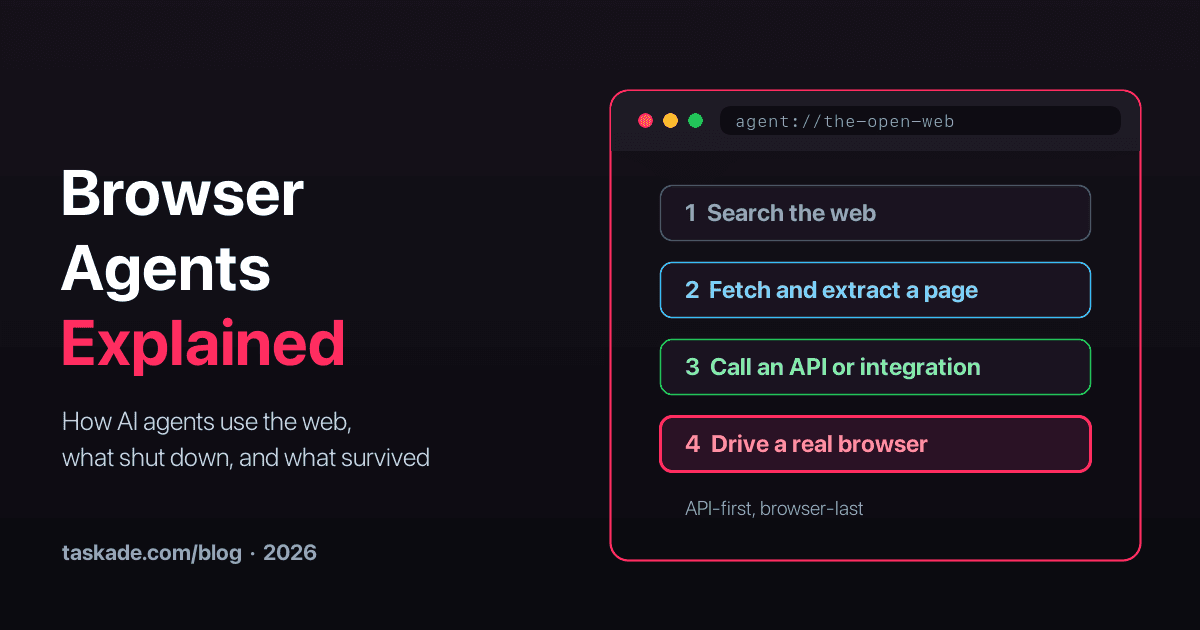
In 2025, every major AI lab shipped an agent that could use a web browser. By August 2026, OpenAI had retired two of them, Google had shut down a third, and Microsoft had announced the end of a fourth.
Browser agents did not die. They moved. The standalone "AI that browses for you" products were folded into bigger products, and the capability itself became infrastructure: cloud browsers, open-source frameworks, and signed identities that let a website know which agent is knocking. At the same time, builders learned an expensive lesson. Most of the web work an agent does should never touch a browser at all.
This guide explains what a browser agent is, how one works step by step, what happened to the famous ones, when to use one, and when an API, a search, or a simple page fetch will do the job better. 🧭
TL;DR: A browser agent is an AI that drives a real web browser: it reads the page, decides, and clicks. In 2026 the rule is API-first, browser-last: search, then fetch, then an API, and only then a browser. OpenAI retired Operator, ChatGPT agent, and Atlas by August 2026. See what AI agents can do without a browser →
What Is a Browser Agent?
A browser agent is an AI system that operates a real web browser to complete a task. A language model reads the page, picks the next action, and a runtime clicks, types, scrolls, or navigates. The loop repeats until the goal is met. Browser agents reach the parts of the web that have no API: portals, dashboards, forms, and checkouts.
The idea is simple, and the words around it are easy to mix up. This table separates the five terms people use interchangeably.
| Term | What it is | Who decides the next step | Example |
|---|---|---|---|
| Headless browser | A real browser engine running without a visible window | Code you wrote | Chrome in headless mode |
| Browser automation script | Fixed steps that drive a browser | The script | A Playwright test |
| Web scraper | Code or a service that reads pages and extracts data | The script or an extraction model | A crawl API |
| Browser agent | A model that chooses actions inside a browser | A language model, step by step | Claude in Chrome, a Stagehand agent |
| Computer-use agent | A model that operates a whole desktop or phone | A language model reading screenshots | Anthropic computer use on a virtual machine |
A browser agent is to a scraper what a driver is to a map. The scraper knows where the data sits. The agent can find its way when the road changes. That flexibility is the whole point, and also the whole cost: every decision is a model call.
For a shorter definition, see the browser agents glossary entry, and for the wider category, computer-use agents.
How Does a Browser Agent Work?
A browser agent runs a loop with four steps: observe the page, decide the next action with a language model, act in the browser, and check the result. It repeats until the task is done, a step budget runs out, or a guardrail stops it. Every step is a model call, which is why step count drives both speed and cost.
How an agent "sees" a page
The observe step is where browser agents differ most. There are three ways to show a page to a model, and each trades accuracy against cost.
| Perception | What the model receives | Strength | Weakness |
|---|---|---|---|
| Raw HTML or text | The page's markup or visible text | Cheap and fast | Noisy, huge on modern sites, misses what is visible |
| Accessibility tree | The structured list of buttons, links, and fields that screen readers use | Compact, labels actions clearly | Weak on canvas-heavy or unlabeled pages |
| Screenshot | An image of the rendered page | Sees exactly what a person sees | Every step sends an image, so it is the slowest and costliest |
Most production frameworks now blend the first two and fall back to screenshots. Browserbase credits the switch to the accessibility tree for a jump in Stagehand's reliability in early 2025. Pure screenshot agents, which click by coordinates, are the most general and the least precise. Browserbase founder Paul Klein IV put it plainly on the Latent Space podcast: coordinate clicking "proved to be less reliable than I would like," while anchoring each action to the actual page element means "it's more accurate."
A browser agent run, step by step
That flight search is not a toy. It is one of the harder public demos because date pickers, pop-ups, and dynamic results break scripted automation. In a sponsored 2026 tutorial, the YouTube creator Tech With Tim ran almost exactly this task with Browserbase's Stagehand framework in about 90 lines of code. The run took about four minutes, and the replay shows the agent drifting to the wrong page and then recovering.
The Four Kinds of Browser Agents in 2026
Browser agents come in four forms: assistants that live inside your own browser, agents that run a browser in the cloud for you, developer frameworks for building your own, and the cloud-browser infrastructure underneath. Most of the 2025 headlines were about the first two. Most of the 2026 growth is in the last two.
| Kind | Examples (September 2026) | Runs where | Built for |
|---|---|---|---|
| In-browser assistant | Claude in Chrome, Perplexity Comet, Chrome auto browse | Your own browser, logged in as you | Individuals |
| Hosted cloud agent | The cloud browser in ChatGPT Work, Browserbase Agents | A browser in the provider's cloud | Individuals and teams |
| Developer framework | Stagehand, Browser Use, Playwright MCP | Your code, local or cloud | Developers building their own agents |
| Cloud-browser infrastructure | Browserbase, Kernel, Anchor Browser, Steel, Hyperbrowser, Cloudflare Browser Run | The provider's fleet of browsers | Developers running many sessions |
The split matters for risk. An assistant inside your browser acts with your cookies and your logins, so it can do anything you can do. A cloud browser starts clean, with only the credentials you hand it. That difference decides which tasks you can safely delegate.
The infrastructure layer has a history of its own. The history of Browserbase traces how one company went from a founder's memo in November 2023 to a $300 million valuation by building browsers for agents.
What Happened to Browser Agents in 2025 and 2026?
Between late 2024 and August 2026, most first-generation consumer browser agents were launched, then folded into larger products or shut down. OpenAI retired Operator, ChatGPT agent, and the Atlas browser. Google shut down Project Mariner. Microsoft announced the end of Copilot Mode in Edge. The capability survived inside bigger products and as developer infrastructure.
| Product | Company | Launched | What happened |
|---|---|---|---|
| Computer use | Anthropic | Oct 22, 2024 | Became a standard model capability that many agents build on |
| Project Mariner | Dec 11, 2024 | Shut down May 4, 2026. Its technology moved into Gemini. | |
| Operator | OpenAI | Jan 23, 2025 | Folded into ChatGPT agent (Jul 17, 2025). The standalone site closed Aug 31, 2025. |
| ChatGPT agent | OpenAI | Jul 17, 2025 | No longer available by July 2026. OpenAI points users to ChatGPT Work and its cloud browser. |
| Comet | Perplexity | Jul 9, 2025 | Free worldwide from Oct 2, 2025. Android followed in November 2025 and iOS in March 2026. |
| Claude in Chrome | Anthropic | Aug 26, 2025 (pilot, as Claude for Chrome) | Generally available on every paid Claude plan from Aug 26, 2026 |
| ChatGPT Atlas | OpenAI | Oct 21, 2025 | Deprecated. Stopped working Aug 9, 2026, with agentic browsing moved into ChatGPT and Codex. |
| Copilot Mode in Edge | Microsoft | 2025 | Retired May 13, 2026. Its features moved into regular Edge, and agentic browsing became Browse with Copilot. |
| Chrome auto browse | Jan 28, 2026 (U.S. AI Pro and Ultra, desktop) | Reached U.S. Android subscribers on Aug 18, 2026 | |
| ChatGPT Work cloud browser | OpenAI | Jul 9, 2026 (paid plans except Free and Go) | Website sign-in added for Plus and Pro on Aug 25, 2026 |
Why the first wave folded
Three forces explain the retreat, and none of them is "browser agents do not work."
- A standalone agent is a hard product to love. People do not want an AI that browses. They want the ticket booked, the form filed, the report finished. OpenAI's own explanation for retiring Atlas was that it was "moving browser-based agentic capabilities into ChatGPT and Codex", where the work already happens.
- Browsing is the slowest path to most answers. A model that can search, read, and call APIs gets most jobs done faster than one that clicks. As tool use improved, fewer tasks needed a browser at all.
- Trust and safety costs are real. An agent that acts with your logged-in session is exposed to prompt injection on every page it reads. Every lab that shipped one also shipped warnings.
What survived tells you where the value is: assistants embedded in the browsers people already use, cloud browsers inside larger work products, and developer infrastructure for companies that build the agent into their own software.
When Should You Use a Browser Agent? The API-First, Browser-Last Ladder
Use a browser agent only when nothing cheaper works. Try the rungs in order: search the web, fetch and extract a page, call an API or integration, and only then drive a real browser. Each rung is slower, more expensive, and less reliable than the one below it. Most agent web work never needs the top rung.
Paul Klein IV, whose company sells cloud browsers, described the same order for data collection on Latent Space: first a plain curl request, then a scraping API, and "if those two don't work, bring out the heavy hitter." When the company that sells the heavy hitter tells you to try something lighter first, it is worth listening.
| Rung | Method | Typical speed | Relative cost | Main failure |
|---|---|---|---|---|
| 1 | Web search | Seconds | Lowest | Stale or thin results |
| 2 | Fetch and extract a public page | Seconds | Low | JavaScript-only content, bot walls |
| 3 | API or integration | Milliseconds to seconds | Low | No API exists, or it misses fields |
| 4 | Browser agent | Tens of seconds to minutes | High: browser time plus a model call per step | Wrong clicks, layout changes, CAPTCHAs, logins |
| 5 | Computer-use agent on a full desktop | Minutes | Highest | Everything in rung 4, plus the operating system |
  The cost of each rung, roughly  rung 1  search            ▏▌                      one query
rung 2  fetch + extract   ▏▌▌                     one page, one model pass
rung 3  API call          ▏▌                      one request
rung 4  browser agent     ▏▌▌▌▌▌▌▌▌▌▌▌▌▌▌▌▌▌      browser time + a model call per step
rung 5  computer use      ▏▌▌▌▌▌▌▌▌▌▌▌▌▌▌▌▌▌▌▌▌▌  a whole machine + a screenshot per step
Rungs 2 and 3 can swap places. When a service offers an official API for the same data, use it before scraping its pages: it is more stable, it survives redesigns, and it is the route the service wants you to use.
The ladder also explains a pattern in the market. Klein argues that most "computer use" is really browser use, and that you rarely need a whole operating system to click a button: "Do we really need to run an entire operating system just to control a browser? I don't think so." His estimate is that a browser-only fleet delivers "90% of the functionality… at 10% of the cost of running a full OS." Treat the numbers as a founder's claim. The direction matches what builders report.
How Much Does a Browser Agent Cost?
A browser agent costs browser time plus a model call on every step, plus retries. A 20-step task means about 20 model calls, often with page content or screenshots attached, and a browser session that stays open the whole time. Reading a page once is far cheaper. That is why step count, not model price alone, decides the bill.
| Cost driver | What moves it | How to reduce it |
|---|---|---|
| Model calls | Steps per task, and whether each step sends a screenshot | Use the accessibility tree, keep steps atomic, cache actions that worked |
| Browser time | How long each session stays open | Close sessions promptly, avoid long waits |
| Retries | Flaky pages, pop-ups, rate limits | Handle known pop-ups in code, back off politely |
| Proxies and identity | Sites that block data-center traffic | Prefer signed identity and official APIs where they exist |
Public price points give a sense of scale. Browserbase's Developer plan includes 100 browser hours for $20 a month, and its Fetch API costs about $1 per 1,000 pages, so reading a page is orders of magnitude cheaper than driving one. Caching helps too: Browserbase says server-side caching of Stagehand actions makes repeat workflows "up to 2x faster" with "~30% cost reduction."
Are Browser Agents Safe? Prompt Injection and Permissions
Browser agents are safe enough for many tasks with the right guardrails, but they carry one risk that ordinary automation does not: prompt injection. Any text on a page the agent reads can contain instructions, and a model can mistake them for yours. An agent logged in as you can then act on them.
The evidence comes from the vendors themselves. When Anthropic piloted Claude for Chrome in August 2025, its red-team tests (123 test cases across 29 attack scenarios, in autonomous mode) found that safety measures cut the prompt-injection attack success rate "from 23.6% to 11.2%", and to 0% on a set of browser-specific attacks. The same month, Brave showed that Perplexity's Comet "feeds a part of the webpage directly to its LLM without distinguishing between the user's instructions and untrusted content from the webpage." And the day after Atlas launched in October 2025, OpenAI's chief information security officer, Dane Stuckey, wrote that "prompt injection remains a frontier, unsolved security problem." By December, OpenAI's own guidance said prompt injection "is unlikely to ever be fully 'solved'."
The honest reading: mitigations work, and no vendor claims the risk is gone.
| Guardrail | What it prevents | Example |
|---|---|---|
| Scoped accounts | An agent with more access than the task needs | A service login instead of your admin account |
| Domain allow-lists | Wandering onto a malicious page | Only the supplier portal and the shipping site |
| Confirmation gates | Irreversible mistakes | Ask before paying, deleting, or sending |
| Credential vaults | Passwords reaching the model | 1Password's agentic autofill fills logins without exposing them to the agent |
| Live view and recordings | Silent wrong turns | A person watches the first runs, and every session is replayable |
| A clean cloud browser | Access to your personal logins | Start each run without your cookies |
Treat a browser agent like a capable new contractor: give it the smallest badge that does the job, watch its first shifts, and widen access as it earns trust.
How Do Websites Know an Agent Is an Agent?
Websites increasingly identify agents by cryptographic signature rather than by guessing. Web Bot Auth lets an agent platform sign each HTTP request, and a site or its CDN verifies the signature against a published key. Cloudflare launched signed agents on this basis in August 2025, and bot-detection vendors and payment networks adopted it.
For most of the web's history, automation hid. Scrapers rotated proxies, faked browser fingerprints, and paid CAPTCHA-solving services, and websites fought back with ever stronger bot detection. The arms race broke in 2025.
| Date | Event |
|---|---|
| Jul 1, 2025 | Cloudflare blocks AI crawlers by default on new domains and launches pay per crawl |
| Aug 28, 2025 | Cloudflare launches signed agents on Web Bot Auth. Its first cohort: ChatGPT agent, Goose from Block, Browserbase, and Anchor Browser. |
| Sep 2025 | Cloudflare publishes the Content Signals Policy for robots.txt. Stytch adds Web Bot Auth support. |
| Oct 2025 | Visa's Trusted Agent Protocol builds on the same signatures. The IETF forms a webbotauth working group. |
| Apr 2026 | Browserbase: "What we previously framed as stealth is more accurately described as identity." |
| Jul 1, 2026 | Cloudflare begins evolving pay per crawl into "Pay Per Use" and tests a use= field for Content Signals |
| Sep 15, 2026 | New Cloudflare domains that show ads get separate defaults: search allowed, AI training disallowed, and agents blocked on pages with ads |
Cloudflare's own taxonomy shows how seriously publishers now treat agents. Its Agent category covers "chat fetch bots (e.g., ChatGPT-User) and browser-use agents (e.g., Gemini or Claude driving Chrome)", separate from Search and Training, so a site can welcome search crawlers, refuse training, and decide about agents on its own terms.
Identity solves only half the problem. A signature proves which platform sent a request, not which person the agent works for or what it is allowed to do. That second layer, delegated and scoped agent access, is where identity companies such as Okta, Stytch, and 1Password are now building. Until it matures, the safest pattern for anything behind a login is still an official API or integration.
Publishers have their own side of this. A site can state in robots.txt which crawlers may read it and, with Content Signals, what AI systems may do with what they read. Our guide to AI robots.txt generators covers the publisher view.
How Reliable Are Browser Agents? What the Benchmarks Say
Browser agents are reliable for narrow, repeated tasks and still unreliable for long, open-ended ones. Public benchmarks show strong scores on curated tasks and noticeably lower scores on live websites, and the gap is the lesson: the real web is messier than any test set.
| Benchmark | What it measures | What it showed |
|---|---|---|
| OSWorld (2024) | Real computer tasks across desktop apps and the web | At launch, humans completed 72.36% of tasks and the best model only 12.24% |
| OSWorld-Verified (2026) | The maintained version of the same benchmark | By August 2026 the best general model on the official results scored about 86%, and an agent framework about 90% |
| WebVoyager | Tasks on live websites | Browser Use reported 89.1% in December 2024, on 586 tasks after removing 55 |
| Online-Mind2Web (2025) | Live web tasks graded by humans | Frontier agents showed "a drastic drop in success rate" compared with WebVoyager. Under human grading, Browser Use scored 30.0%, Claude computer use 56.3%, and OpenAI's Operator 61.3%. |
The gap between WebVoyager and Online-Mind2Web is the useful number. Scores collected on a curated set, or graded by another model, run far higher than scores on fresh live tasks graded by people. When a vendor quotes a success rate, ask which benchmark, which grader, and how many tasks were removed.
Benchmarks also hide the failure that matters most in production: the confident wrong turn. An agent that clicks the wrong "Submit" and reports success is worse than one that stops and asks. That is why builders who run agents at scale converge on the same habits.
- Keep steps atomic. "Click the checkout button" is easier to get right, and to check, than "complete the purchase."
- Pick the model per task. Browserbase publishes browser-task evals for exactly this reason: a model that tops a coding benchmark can still fail at a date picker, which Klein calls "the bane of the existence of LLMs."
- Cache what worked. Replaying a successful action skips the model and removes a chance to go wrong.
- Record everything. A session replay turns a mystery failure into a five-minute fix.
- Put a person on the first runs. Promote a workflow to a schedule only after it passes repeatedly.
How to Build or Choose a Browser Agent
Choose by who you are. People who want tasks done use an in-browser assistant or a hosted cloud agent. Developers building agents into a product use a framework such as Stagehand or Browser Use on cloud browsers. Teams that mainly need web data should start with search and extraction, not a browser.
| If you are... | Start with | Why |
|---|---|---|
| An individual with web chores | Claude in Chrome, Perplexity Comet, or the cloud browser in ChatGPT Work | No setup, works with your logins |
| A developer adding web actions to a product | Stagehand or Browser Use on a cloud browser | Code for the known steps, AI for the flexible ones |
| A developer whose AI tool needs a browser | Playwright MCP locally, or a hosted browser MCP server | One config line gives an assistant a browser |
| A team that needs web data on a schedule | Search and page extraction, then an automation | Cheaper and more reliable than clicking |
| A team whose workflow spans many tools | APIs and integrations first, a browser step only where none exists | Fewer moving parts, fewer failures |
What building with Stagehand looks like
Stagehand, the open-source framework from Browserbase, is a good example of the hybrid style most teams settle on. Developers write known steps as code and use three natural-language methods where pages vary: act takes one action, extract pulls data into a schema, and observe lists what can be done on a page. Version 3 dropped the Playwright dependency in October 2025, and version 4 moved the core logic into a browser extension in August 2026.
  Hybrid browser automation, the Stagehand way  known steps  → code         open the page, set the region, wait for load
flexible steps → natural language
act("click the comments link for the top story")
extract("title, points, and author of the top story", schema)
observe("actions related to checkout")
output       → typed data   { title, points, author }
The design principle is worth borrowing even if you never use the library. Teams told Browserbase they did not trust AI to choose their steps, but they did trust it to repair a step that broke. So the steps stay in code, and AI handles the parts that change.
Where Taskade Fits: The Workspace Around the Agent
Taskade is not a browser agent. Taskade AI agents search the web and read pages, and Taskade automations add Search Web, Scrape Webpage, and HTTP Request actions plus 100+ bidirectional integrations. That covers the first three rungs of the ladder. For the fourth, teams call a browser-agent service, and Taskade is where the results land.
That split follows the ladder. Most of what teams ask an agent to do on the web is research, monitoring, and moving data between tools, and none of that needs a browser to click anything.
| Rung | What Taskade does |
|---|---|
| 1. Search | AI agents search the web as a built-in tool, and automations use the Search Web action |
| 2. Fetch and extract | Agents read pages, and automations use Scrape Webpage and Summarize Website |
| 3. APIs and integrations | 100+ bidirectional integrations, plus the HTTP Request action for any API |
| 4. A real browser | Not built in. An automation can call a browser-agent service through HTTP Request or the MCP Client action. |
What Taskade adds is the part every browser-agent demo skips: a place for the work to live. Results land in a project your team can see in multiple project views. An agent with persistent memory reads them, compares them with last week, and flags what changed. An automation routes them to Slack, a CRM, or an inbox. That loop is Workspace DNA: Memory feeds Intelligence, Intelligence triggers Execution, and Execution creates Memory.
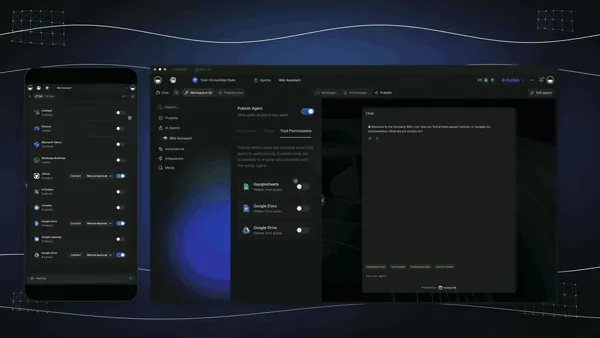
A Taskade agent works through a multi-step task inside the workspace, where every result stays visible to the team.
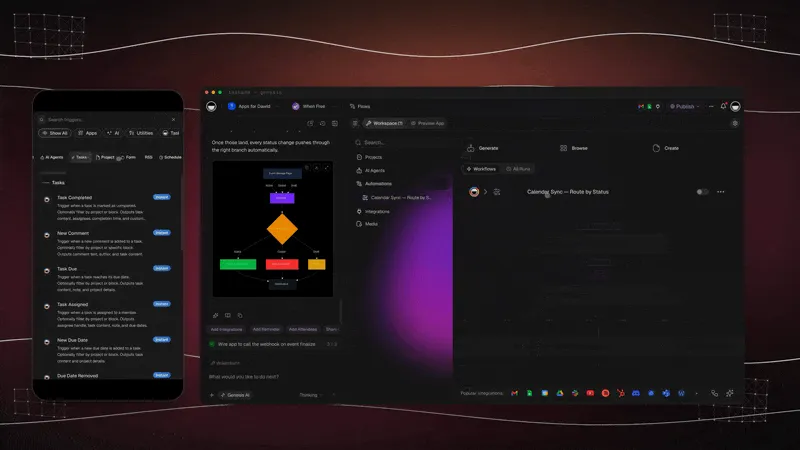
Schedule a flow that searches, reads, and files what it finds, no browser required.
For a hands-on version, our guide to AI web scraping without code builds a scheduled agent that reads public pages into a table. Taskade runs on 15+ frontier models from OpenAI, Anthropic, and open-weight providers, with role-based access from Owner to Viewer, and paid plans start at $10 a month billed annually. Start with a free AI agent →
Key Takeaways
- A browser agent is a model driving a real browser: observe, decide, act, check, repeat.
- The first consumer wave, Operator, ChatGPT agent, Atlas, and Project Mariner, was folded into bigger products or shut down by August 2026. The capability moved into browsers people already use and into developer infrastructure.
- Follow API-first, browser-last: search, then fetch, then an API, and only then a browser.
- Cost scales with steps, not just model price. Keep steps small and cache what works.
- The big risk is prompt injection. Use scoped accounts, allow-lists, confirmation gates, and credential vaults.
- The web is moving from stealth to identity: signed agents, Web Bot Auth, and publisher policies.
- Results need a system of record. The click is the easy part. The workspace around it is what makes it useful.
🔗 Related Reading
- History of Browserbase: how the leading cloud-browser company for agents was built
- What Are AI Agents?: the perceive, reason, act, learn loop behind every agent
- AI Web Scraping Without Code: rungs 1 and 2 of the ladder, on a schedule
- LLM vs RAG vs AI Agent vs Agentic AI: where browser agents sit on the capability ladder
- How LLMs Got Hands: The History of Tool Use: from function calling to computer use
- History of AI Agents: from SHRDLU to the agent loop
- Best AI Agents in 2026: the agents people actually use
- Manus AI Review: a general agent built on a virtual computer
- Best MCP Servers: including browser servers for AI assistants
- AI Robots.txt Generators: the publisher side of AI crawlers and agents
- Wiki: Browser agents, Computer-use agents, Agent sandbox, Agent permissions, MCP client
📚 Sources
- OpenAI Help Center: ChatGPT agent and Evolving Atlas into ChatGPT
- Google: Project Mariner and the Gemini 2.5 Computer Use announcement
- Anthropic: Developing computer use
- Cloudflare: Web Bot Auth, signed agents, pay per crawl, and Browser Run
- IETF: Web Bot Auth working group
- Browserbase: Stagehand v3, Stagehand v4, identity, and pricing
- Latent Space: Open Operator, Serverless Browsers and the Future of Computer-Using Agents (February 2025)
- 1Password and Browserbase: Secure Agentic Autofill (October 2025)
- Cover image: Taskade illustration
💬 Frequently Asked Questions About Browser Agents
What is a browser agent?
A browser agent is an AI system that operates a real web browser to finish a task. It reads the page, decides the next step with a language model, and clicks, types, scrolls, or navigates until the goal is met. It reaches websites that have no API, such as portals, forms, and legacy dashboards.
How is a browser agent different from a headless browser?
A headless browser is the engine, a real browser running without a window that follows exact instructions from code. A browser agent is the driver, a language model that decides what to do on each page. Most browser agents run on top of a headless browser, locally or in the cloud.
How is a browser agent different from web scraping?
A scraper reads pages and extracts data, usually without clicking anything. A browser agent acts: it logs in, fills forms, and moves through multi-step flows. Scraping is faster and cheaper for public pages, and a browser agent is for tasks that need interaction.
What is the difference between a browser agent and a computer-use agent?
A browser agent works only inside a web browser. A computer-use agent controls a whole desktop or phone, including native apps and system dialogs, usually from screenshots. Browser agents are cheaper and more reliable for web tasks, and computer-use agents reach software with no web interface.
What happened to OpenAI Operator and ChatGPT agent?
OpenAI folded Operator into ChatGPT agent in July 2025 and closed the standalone Operator site on August 31, 2025. ChatGPT agent was no longer available by July 2026, when OpenAI pointed users to ChatGPT Work and its cloud browser. The Atlas browser stopped working on August 9, 2026.
Which browser agents are still available in 2026?
Claude in Chrome, Perplexity Comet, Chrome's auto browse, and the cloud browser in ChatGPT Work cover most consumer use. Developers build with Stagehand or Browser Use on cloud browsers from Browserbase, Kernel, Anchor Browser, Steel, Hyperbrowser, or Cloudflare Browser Run.
When should I use an API instead of a browser agent?
Whenever one exists. An API call is faster, cheaper, and more reliable, and it does not break when a page changes. Use a browser agent only for steps with no API, integration, or export.
Are browser agents safe?
With guardrails, for many tasks. The main risk is prompt injection, where text on a page tricks the agent. Use scoped accounts, domain allow-lists, confirmation before payments or deletions, credential vaults, and a person watching the first runs.
How much does a browser agent cost to run?
Browser time plus a model call per step, plus retries. A 20-step task means about 20 model calls. Cloud browsers are billed by the hour, for example 100 browser hours in Browserbase's $20 Developer plan, and reading a page is far cheaper than driving one.
How do websites know a visitor is an AI agent?
Agents increasingly sign their requests. Web Bot Auth lets a platform sign each request so a site or CDN can verify it, and Cloudflare launched signed agents on this basis in August 2025. Unsigned automated traffic is more likely to be blocked.
Are browser agents reliable enough for production?
For narrow, repeatable tasks with guardrails, yes. Keep steps small, cache actions that worked, retry failed steps, record sessions, and route failures to a person.
Can Taskade agents browse the web?
Taskade agents search the web and read pages, and automations add Search Web, Scrape Webpage, and HTTP Request actions plus 100+ bidirectional integrations. Taskade does not click or log in on other websites. Teams call a browser-agent service for those steps, and Taskade holds the results.
What is Stagehand?
Stagehand is Browserbase's open-source framework for controlling a browser with code plus natural language, through the methods act, extract, and observe. Version 3 dropped its Playwright dependency, and version 4 moved into a browser extension.
What is the API-first, browser-last rule?
Reach for the web in order: search, then fetch and extract, then an API or integration, and only then a real browser. Each rung costs more and fails more often than the one before it.
The first web browser was built so a person could read and write the web. The new ones are built so software can. The winning pattern in 2026 is not the agent that clicks the most. It is the one that clicks only when it must, and hands everything else to a workspace that remembers. ▲ ■ ●