







How many hours do you lose each week on repetitive, garden-variety tasks? Replying to emails, scheduling meetings, reviewing documents, answering the same questions over and over again. Frustrating, right? Custom AI agents can handle all that. You just need to teach them how.
TL;DR: You can train AI agents on your own knowledge in four steps: collect quality documents, preprocess them, upload them to a knowledge base, then test and iterate. Agents use Retrieval-Augmented Generation (RAG) to ground answers in your data instead of generic training. Try Taskade free →
So, what are custom AI agents? 🤔 Here's a tl;dr:
AI agents are smart tools designed to perform tasks in self-directed loops (read: without human intervention). Think of them as highly-skilled digital assistants. They can handle a wide range of activities, interact with their environment, and use provided context for personalized support.
Regardless of your area of expertise, agents can save you dozens of hours each month by:
📤 Replying to emails and generating content in your unique voice.
📚 Providing team support based on internal documents.
💰 Generating financial reports and tracking spending based on your own records.
✏️ Grading assignments and offering tutoring based on students’ work.
🔎 Managing onboarding according to HR policies.
💻 Conducting code reviews and generating snippets of code.
And that’s barely scratching the surface.
But before we dig deeper, let’s explain a few more basic concepts. 👇
🧠 Understanding AI Training
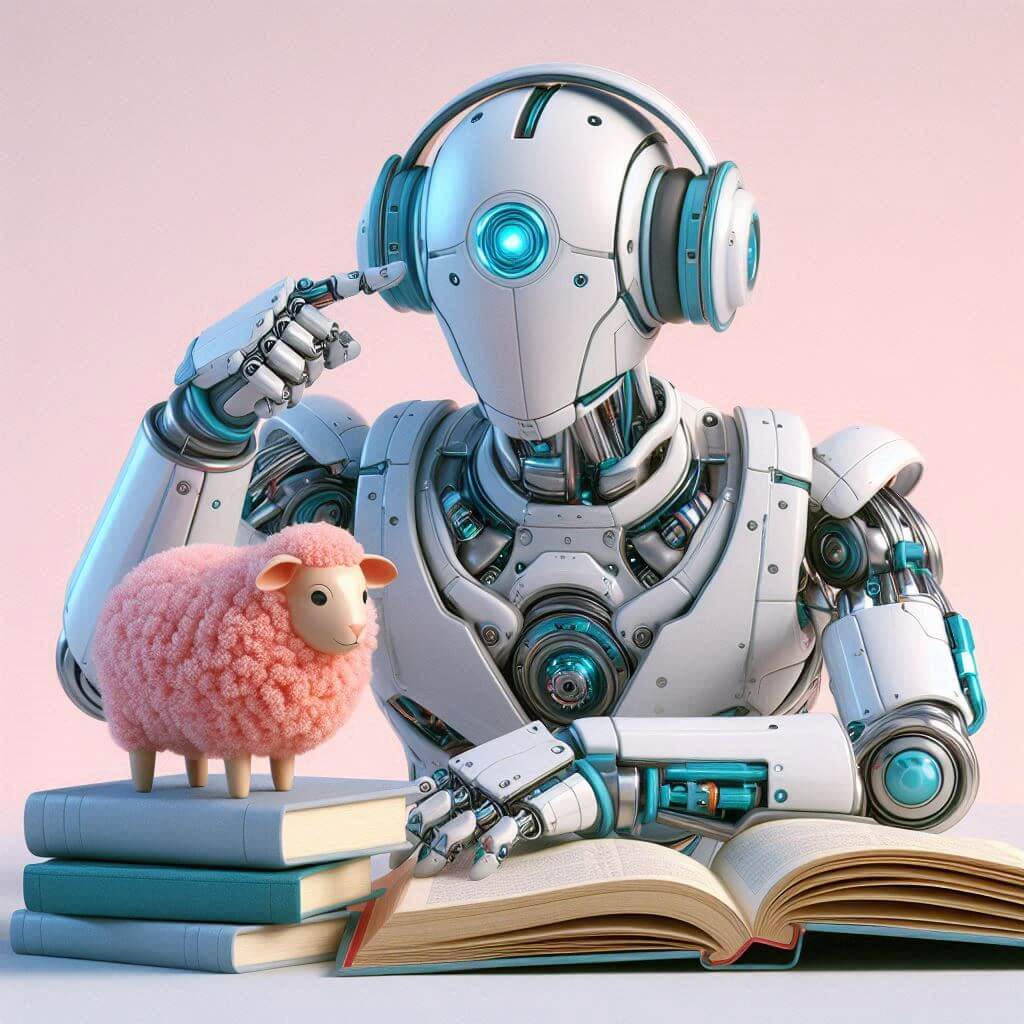
Regular AI tools come with general knowledge about the world “inherited” from the Large Language Models (LLMs) they are powered by. That means they might understand basic principles of customer service, basic financial accounting, or standard educational practices, but that’s about it.
For instance, an AI chatbot may help you solve day-to-day problems with generalized advice. But it won’t be able to provide specific steps or troubleshooting advice for a specific product. 🤷
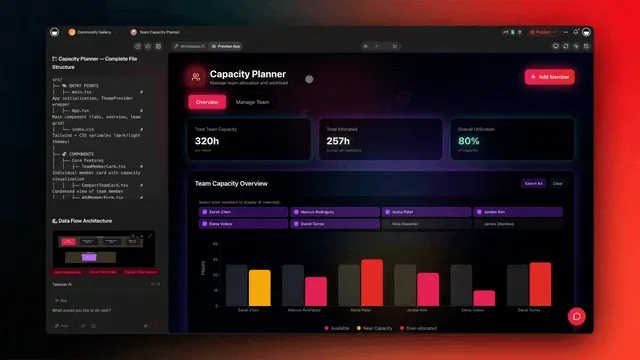
This pipeline turns raw documents into searchable vector embeddings the agent can retrieve from at query time. This is where agent training comes into play.
Well, technically, it's not training in the traditional sense. You’re not teaching artificial intelligence new things; you’re adding to its context by providing additional information at query time.
Agents can pick up knowledge thanks to the magic of Retrieval Augmented Generation or RAG.
In a nutshell, RAG fetches relevant information from external resources, and then it combines the new data with the LLM's knowledge to generate contextually relevant responses.
Using RAG lets you transform a run-of-the-mill artificial intelligence into a specialized tool tailored to your needs. It’s fast. It's cost-effective. And it ensures the AI behaves as expected. What’s not to like?
How AI Training Works Under the Hood
When we say "training," what's actually happening inside the model?
Every AI model - including the ones powering Taskade agents - learned through an algorithm called backpropagation. Think of it as a machine with billions of adjustable knobs. You feed in training text, the model predicts the next word, and then the algorithm measures how wrong the prediction was (the loss). Working backwards through the computation, it calculates exactly how much to adjust each knob to reduce the error. Repeat this trillions of times, and the model converges on settings that produce human-like language.
The learning rule at the heart of this process echoes what neuroscience discovered decades earlier. In 1949, psychologist Donald Hebb proposed that neurons that fire together wire together - connections strengthen through repeated co-activation. Backpropagation is the computational cousin of Hebbian learning: both strengthen the connections that produce correct responses and weaken the ones that produce errors.
RAG (Retrieval-Augmented Generation) complements this by separating what the model knows from what it can access. Instead of retraining billions of parameters, you give the model access to your documents at query time. It is the difference between memorizing an encyclopedia and having one on your desk - both give you the answer, but the desk copy stays current. For a side-by-side breakdown of when each approach makes sense, see fine-tuning vs RAG vs prompting.
📚 Can You Train AI With Your Own Knowledge?
Creating a new AI model is obscenely resource-intensive. It involves significant computational power, vast datasets, and lengthy training periods. Oh, and of course, a ton of money.
Just for context, it cost OpenAI hundreds of millions of dollars to develop and train GPT-3.
Fine-tuning with RAG lets you customize AI’s responses in a cost-effective way.
The training process can happen in many different dimensions, but all of them boil down to the data you provide, from manuals, guidelines, and reports to blog content, emails, and even YouTube videos.
This data can be either added locally or fetched from web resources using URLs. For example, you can upload your company's internal training documents directly to the AI, or you can link to your company’s SOPs stored in the cloud. You decide what the agent learns and what it doesn’t.
Here are a few other cool benefits of training AI agents.
⚡ Benefits of Training AI Agents with Custom Knowledge
More Personalized Responses
“Hey ChatGPT, can you draft a reply to this email?”
“Sure, here’s a generic response.”
“Hmm, not quite what I meant…”
What follows is usually a stream of follow-up prompts, each taking you closer to the right tone, wording, and context you need. You eventually get there, but it's frustrating and time-consuming.
When you fine-tune an agent with your own knowledge, it already has all the intel it needs to get started on a task. Instead of generic answers, you get responses that sound like you, reflect your unique voice, and adhere to your standards. This means fewer corrections and less back-and-forth.
Compounding Productivity
Let’s say you’re going to market with a new product.
You need the copy, the graphics, the emails, and the social media posts all aligned perfectly with your brand's voice and strategy. Oh, and you also need a comprehensive plan that includes influencer outreach, customer engagement strategies, and perhaps even some targeted ads.
You can spend hours, days, or weeks trying to figure it all out by yourself. Or you can simply delegate each of those tasks to a team of specialized AI-powered agents to give you general direction.
You read that right. Agents can collaborate, just like humans, minus the occasional office politics snafu.
For example, you can have a Brand Storytelling agent that will draw on your brand’s unique history and voice to craft a compelling narrative. Meanwhile, a Social Media Strategy agent can schedule and post content at optimal times based on insights from your past engagement data and analytics.
Pretty cool, huh?
Enhanced Accuracy and Relevance
LLMs and, by extension, AI agents know a lot. They can generate a detailed breakdown of historical events, scientific phenomena, or even the intricacies of quantum mechanics.
But they don’t have the faintest idea about your work. At least not out of the box.
Ask AI “how to sync legacy customer data from the old CRM to the new system using the API developed last quarter," and it will give you an answer that’s about as useful as a screen door on a submarine.
Now, if you upload your API documentation and ask the same question, the agent will remind you to verify the data mapping schema and use the 'DataSyncV2' function to transfer records.
Training your AI with specific, relevant knowledge ensures precise, accurate responses. It minimizes errors and reduces the need for constant clarification. Without context, it's like asking a monkey to do your taxes. But with the right data, the AI becomes an indispensable assistant.
⚙️ Step-by-Step Guide to Training AI Agents
Step 1: Collect and Organize Your Knowledge
To take full advantage of RAG, you need quality data. The type and quantity of the data you use will largely depend on the specific domain and complexity of the task you need the agent to help with.
The rule of thumb? Be selective.
First, identify the types of information that are most valuable. Will your agent work on customer support? Focus on FAQs, troubleshooting guides, and internal policy documents. Are you using it for content creation? Gather past marketing materials, brand guidelines, and successful campaign analytics.
Quality trumps quantity. A lean, relevant dataset will always outperform a vast, unstructured one. It will also keep your agent from spiraling down the rabbit hall of AI hallucinations.
Step 2: Preprocess Your Data
Choosing the right set of docs is just the beginning.
You want to structure the input data so that the agent - well, technically it’s the underlying LLM that does the heavy lifting - can learn from the embedded patterns, just like a human would.
Clean up your text. Remove any redundant information, fix typos, and make sure everything is clear and concise. Think of it like preparing ingredients before cooking. You need to chop, measure, and organize everything to ensure a smooth process. Everything else will only get in the way.
Break down large documents into smaller, manageable chunks. If possible, make sure each chunk covers a single topic or section. This will help AI understand and retrieve information more efficiently.
Step 3: Use Taskade to Facilitate Agent Training
Does all that sound like an alchemy recipe?
The four-step training loop: collect, preprocess, upload, and test — then iterate on gaps while dynamic sources keep the agent current.
Don’t worry. Taskade lets you build and train AI agents in under 60 seconds. Here’s how it works.
Imagine you run a small business. You get countless customer support emails daily. You need an AI agent to structure and standardize the answers into more accurate and helpful responses.
First, we need an agent (duh).
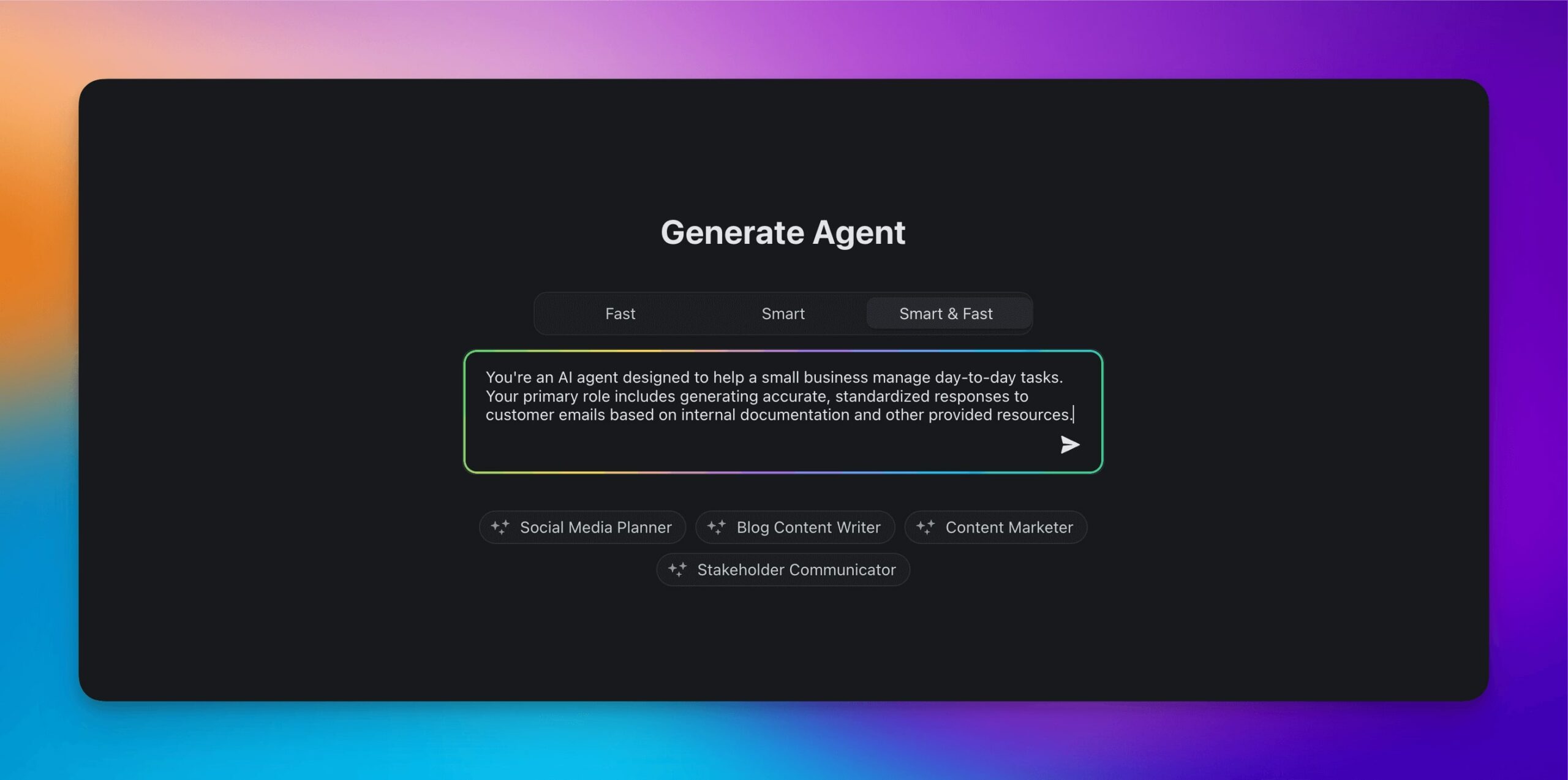
All you have to do is navigate to the Agents tab in your Taskade workspace, select the integrated AI Agent Generator, describe what you need help with, and let Taskade AI do the rest.
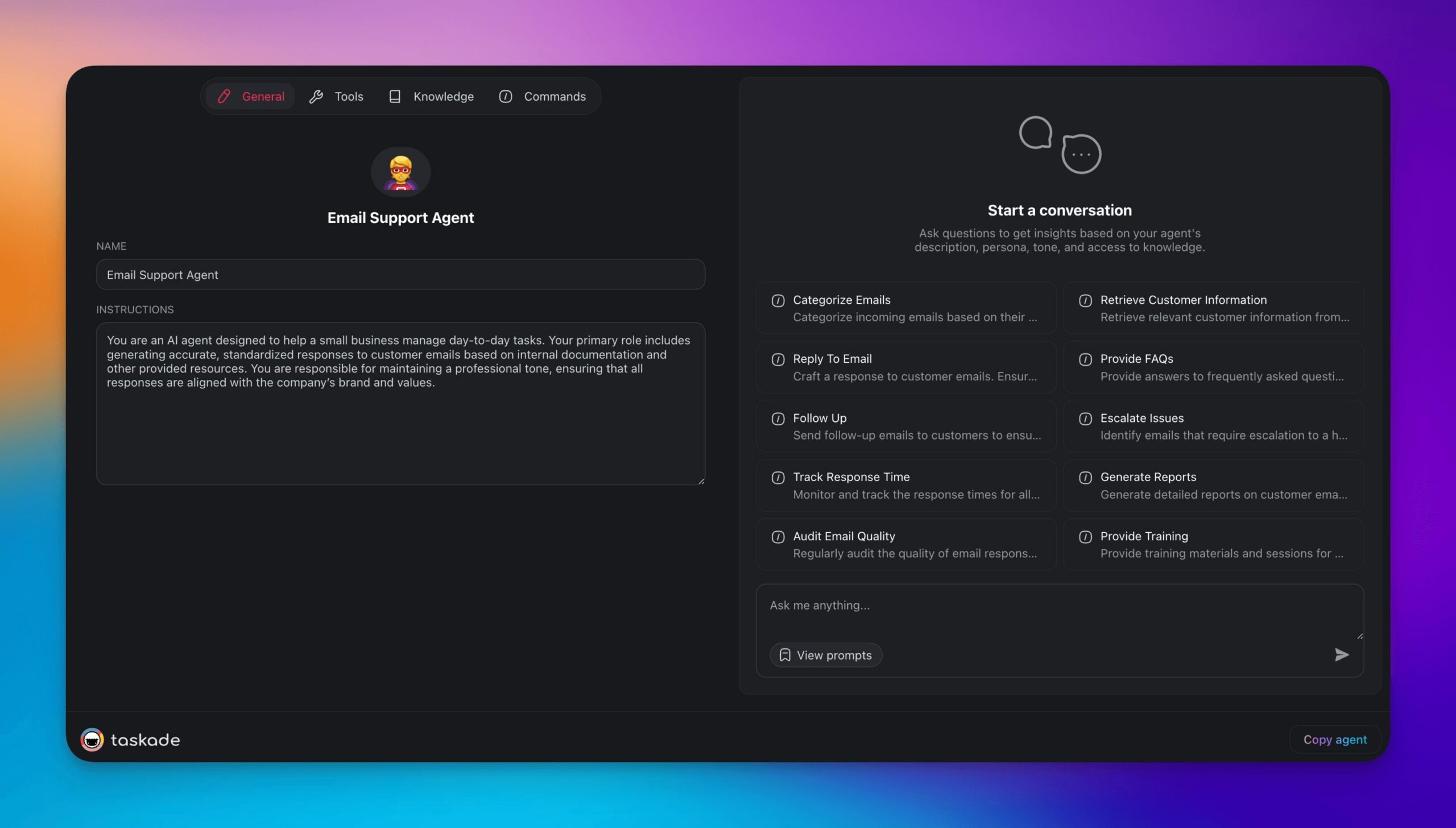
And here's the final result. 🤖
Next, we need to teach the agent some useful things - your customers’ preferences, purchase history, and common issues. We’ll also add product details, specifications, features, and warranty information.
Let’s head to the Knowledge tab to upload the relevant documents.
(yes, you can drag & drop. It’s that simple. 🪄)
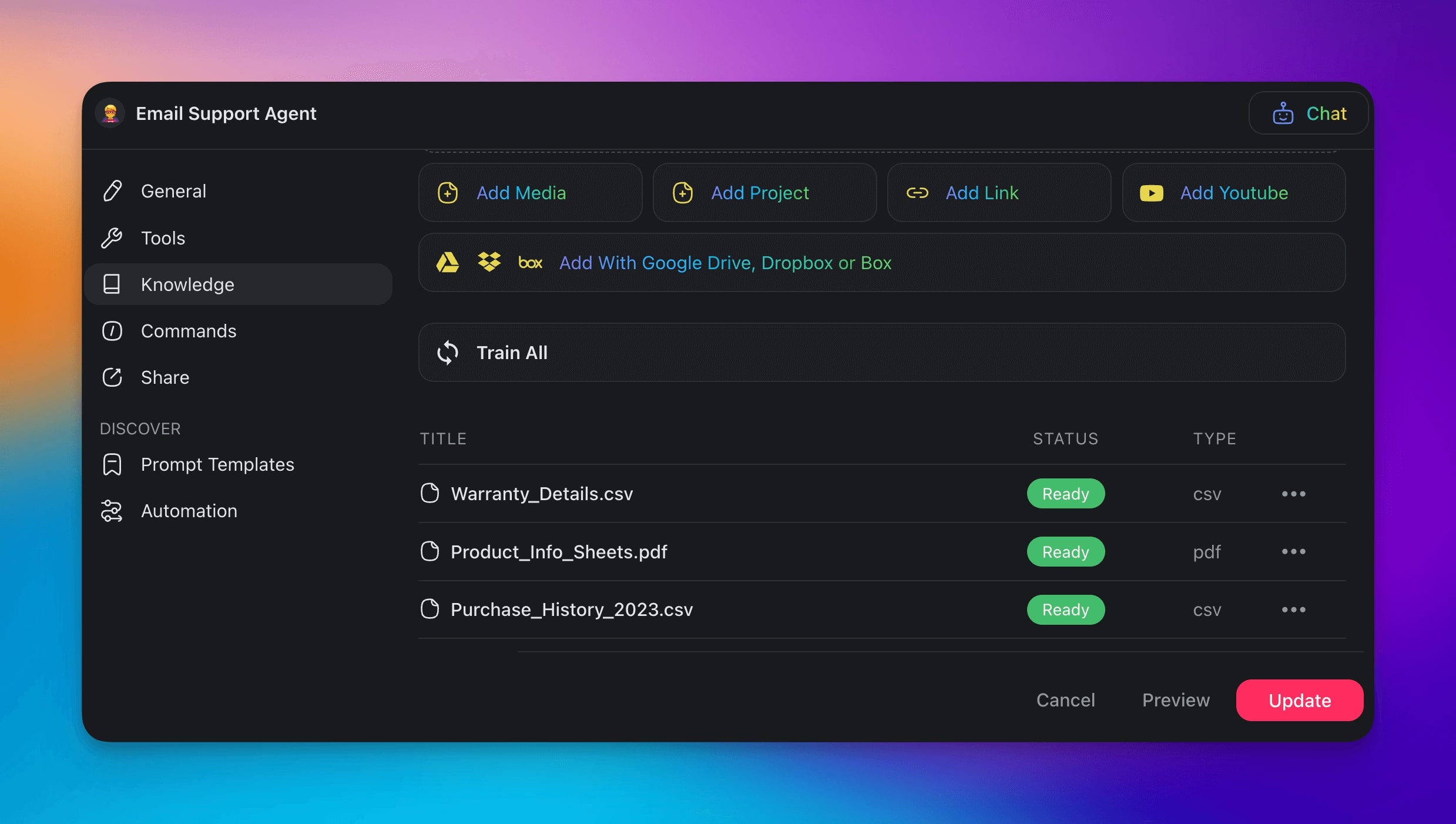
AI Agents in Taskade can learn from static sources (your own documents) as well as dynamic ones that include web resources and existing projects in your Taskade workspace. While static sources involve one-off retrieval, dynamic sources update automatically as your workspace changes. The agent always has the latest context.
Supported file types: PDF, CSV, TXT, DOCX, MD, PPTX, XLSX, EPUB. Plus web sources like YouTube transcripts, blog posts, tweets, and Reddit threads. Connect cloud storage from Google Drive, Dropbox, Box, or OneDrive.
How often does knowledge sync? It depends on your plan:
| Plan | Sync Frequency | What It Means |
|---|---|---|
| Free | Manual | Upload files, agent reads on demand |
| Pro ($10/mo, billed annually) | Daily | Agent knowledge refreshes every 24 hours, background agents use latest data |
| Business ($25/mo) | Hourly | Near-real-time workspace awareness |
| Enterprise | Real-time | Agent always has the latest context |
Knowledge backlinks let you see which agents depend on a specific project. You'll know the impact before editing or deleting shared knowledge sources.
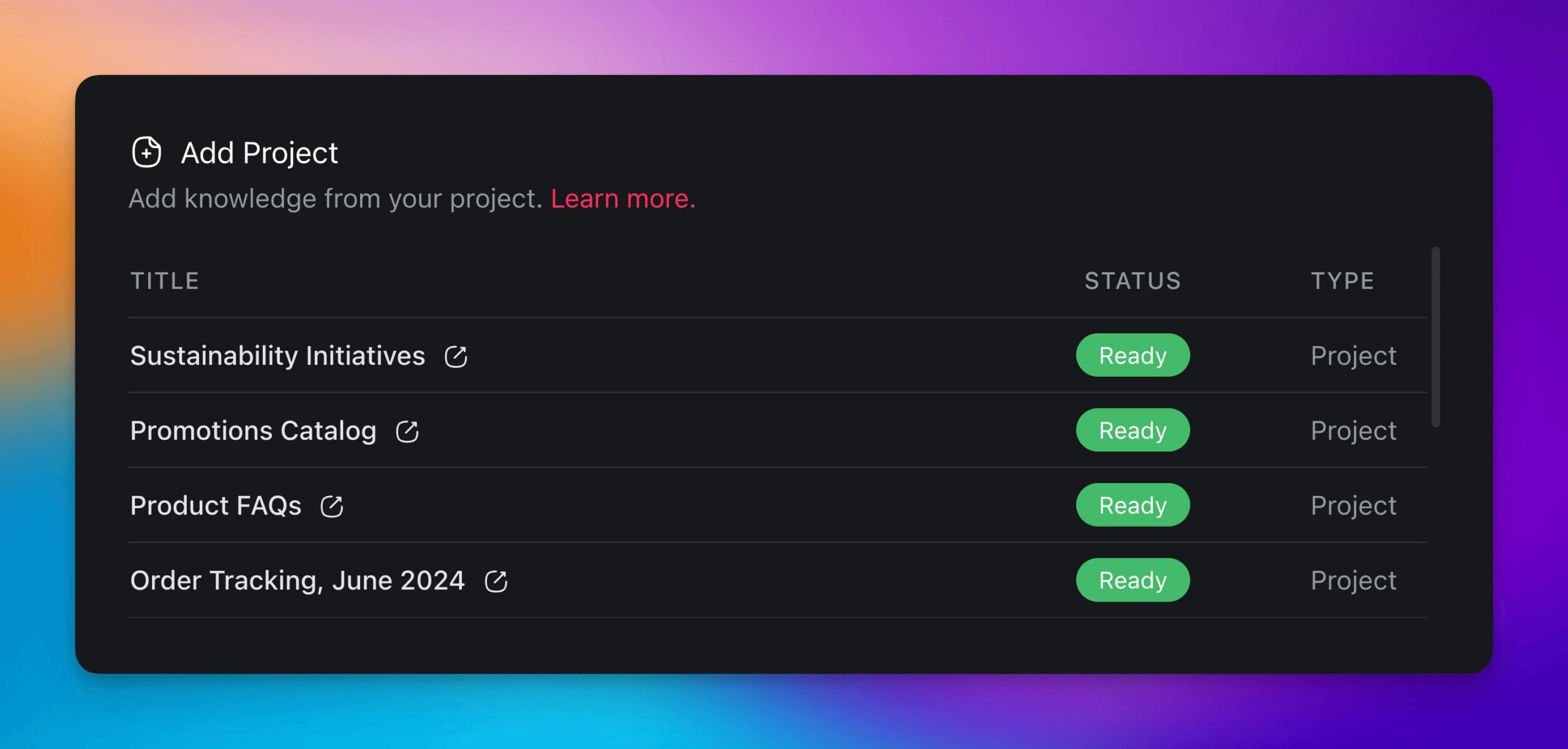
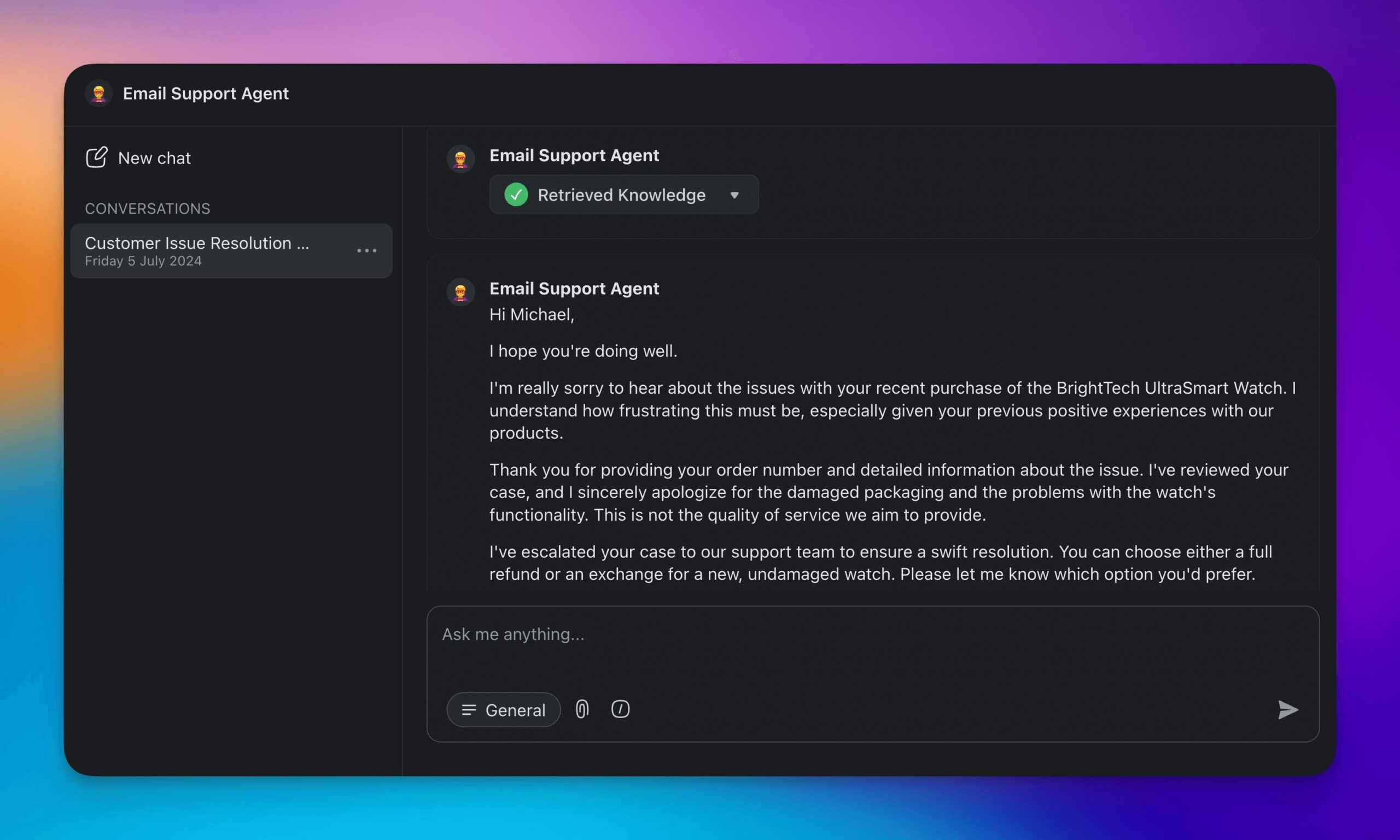
Once you’re done with the training, it’s time to put your agent to use.
You can use your agent in several different ways.
You can chat with the agent directly in your workspace and within the project chat, or use custom AI commands that act as levers and allow the agent to interact with tasks inside projects.
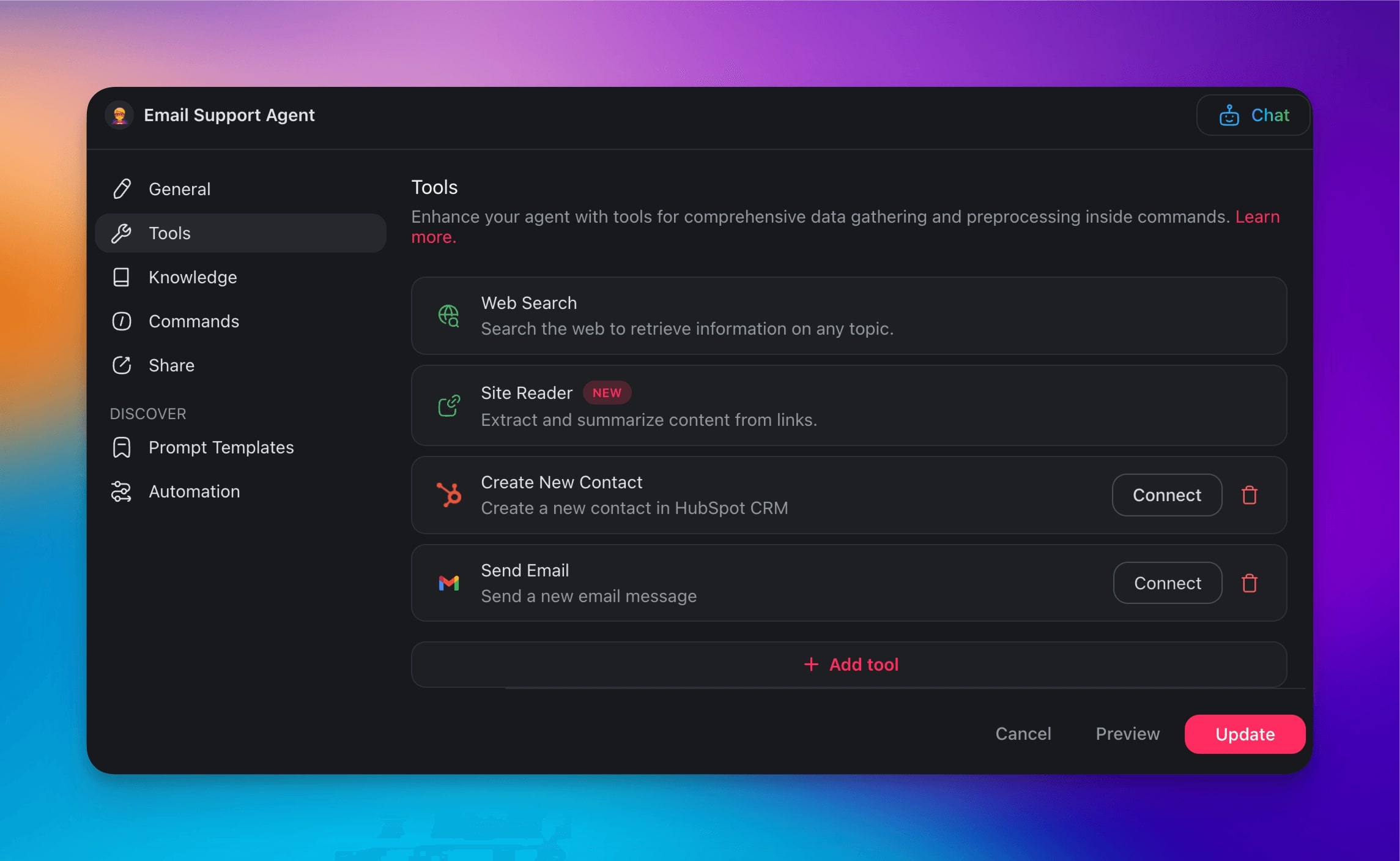
Finally, you can connect the agent to a range of powerful tools to automate your entire workflow, e.g.:
HubSpot: Sync customer data and track interaction histories.
Gmail: Automate email replies and follow-ups.
Mailchimp: Manage email campaigns and subscriber lists.
Slack: Facilitate team communication and manage workflows.
WordPress: Automate content updates and site management.
Google Sheets: Analyze data and update spreadsheets in real-time.
And many more…
Creating and deploying AI-powered agents with Taskade is super simple.
So, what are you waiting for?
Build your first AI agent with Taskade AI! 🤖
✨ Best Practices for Effectively Training Your AI Agents
Test The Agent in Real-World Scenarios
Before putting your agent to actual use, verify its output.
Run a series of test scenarios to make sure the agent provides relevant answers. It may be difficult to test all scenarios yourself so get help from the people already involved in the process:
Have your marketing team test the agent by asking for product details.
Let your customer support team simulate common customer queries.
Involve your technical team to test troubleshooting steps and technical support queries.
Are the responses helpful or does the agent hallucinate? Can the agent handle edge cases?
Be thorough, don’t cut corners. Test every scenario you can think of. The overarching purpose of AI agents is to streamline work and save time, so invest the effort to get it right.
Regularly Update the Knowledge Base
This should go without saying, but… let’s talk about keeping your data current.
If you’re using static data, stay on top of it. Schedule regular updates and don’t assume it will take care of itself. Set a calendar reminder to review and update the knowledge base weekly or monthly. Designate someone responsible for maintaining the knowledge base - clear ownership ensures accountability.
If you’re fine-tuning the agent with dynamic data, make sure the sources remain relevant and up-to-date. Review the URLs and web resources you're using and ensure that projects get regular updates.
Enhance Productivity with Personalized AI Agents
Alright, it's time to wrap it up.
Agents are the most revolutionary development in the tech space since the smartphone. And while their potential is still largely untapped, the ability to fine-tune them makes them real game-changers.
Personalizing your AI agent can massively boost productivity. The better your agent understands your unique requirements, the more precise and relevant its responses will be. This will help you free up your time for strategic activities and focus on driving innovation and growing your business.
Here’s a quick recap of what we learned today:
🤖 AI Agents can handle various tasks - from customer support to data analysis.
💡 You can tailor artificial intelligence using projects, documents, and web resources.
🕒 Agents help you free hours weekly for more strategic activities.
📚 Regularly update and fine-tune your agents to keep responses sharp and relevant.
🔄 Connecting your agents with other tools and platforms to enhance their functionality.
Discover other use cases for AI Agents and transform your productivity.
Create your AI workforce with Taskade AI! 🤖
Frequently Asked Questions About Training Your Own AI Agents
How do I make my own AI agent?
To make your own AI agent, you can use an agent builder like Taskade. Use the built-in AI Agent Generator to describe what you need help with. Upload relevant documents and fine-tune the agent to fit your specific requirements. It’s quick, easy, and doesn’t require extensive technical expertise.
Can I create an AI of myself?
Yes, you can create an AI that mimics your style and responses. By training the AI with your emails, documents, and other personal data, you can fine-tune it to generate responses that reflect your voice. Check this guide on how to clone yourself with AI to learn more.
Can I create my own AI like Jarvis?
While creating an AI exactly like Jarvis from Iron Man may be a stretch, you can build highly specialized AI agents that perform specific tasks. Using an agent builder, you can create and customize AI agents to handle various functions, from managing emails to providing customer support.
Can you create your own AI bot?
Absolutely. AI builders like Taskade allow you to create AI bots by simply describing what you need help with. You can upload specific data to fine-tune the agent and integrate it with your workflow.
Can I create my own AI avatar?
Yes, you can create an AI avatar that will represent you by training an LLM-based agent with your own data. The avatar will learn the patterns from the provided data to emulate your style, preferences, and responses. This will allow it to handle tasks such as scheduling and content creation as if it were you.
Is ChatGPT an AI agent?
No, ChatGPT is a chat-based AI tool that uses a Large Language Model (LLM) developed by OpenAI to generate human-like text based on input prompts. AI agents are typically more specialized and perform specific tasks by leveraging underlying models like GPT-4 and Llama 2.
How do AI agents work?
AI agents work by independently observing their environment, understanding the data they collect, and taking action to reach specific goals. They gather information from various sources, such as sensors or user inputs, to get a clear picture of their surroundings. Using algorithms and machine learning, they analyze this information to make decisions and perform set objectives.
What is multi-agent AI?
Multi-agent AI involves multiple AI agents working together to achieve shared goals. Each agent acts independently but can communicate and collaborate with others. This setup allows them to handle complex tasks more efficiently. Think of it as a team of specialized workers.
🧬 Ready for the Next Level?
Once you've mastered training individual agents, explore Taskade Genesis - build complete AI-powered applications with trained agent teams, all from a single prompt. Your knowledge becomes the foundation for living software that thinks, learns, and evolves. Learn more about vibe coding and how it's transforming app creation.
Related reading: What is Retrieval-Augmented Generation (RAG)? · Vector databases & embeddings explained · Fine-tuning vs RAG vs prompting · The AI agent stack
