







Remote teams that consolidate their tool stack around AI-powered platforms see measurable gains in productivity, communication, and employee satisfaction. In 2026, the average enterprise uses 88 SaaS apps per department — and the cost of context-switching between them is staggering.
TL;DR: Taskade is the only AI collaboration platform combining custom AI agents (34 tools, 15+ models), real-time editing, video conferencing, and 7 project views in one workspace. Teams using AI collaboration tools see up to 40% productivity gains. 150,000+ apps built with Taskade Genesis. Try it free →
This guide compares the 14 best AI collaboration tools for remote teams in 2026, with feature matrices, pricing, and AI capabilities reviewed side by side.
💡 Before you start... Want to optimize your remote work productivity with AI? Check these articles:
👥 Multi-Agent Systems: Building Your Own Autonomous Team in Taskade
🔮 AI Predictive Project Management for Enhanced Productivity
🧠 Unlock Your Creativity: Top AI Mind Map Generators in 2023
🤖 + 🌐 Impact of AI Tools on Remote Team Dynamics
Teams using AI collaboration tools perform up to 40% better on complex tasks, according to Harvard Business School research. The productivity gains come from three sources: automated operational work (status reports, meeting summaries, task routing), intelligent search across team knowledge, and autonomous agents that handle multi-step workflows without human intervention.
According to a collaborative study by experts from top business schools, using generative AI like GPT-4 can boost the performance of skilled workers by as much as 40%.(1)
This AI revolution isn't about replacing, but augmenting human capabilities, leading to smarter decision-making, more productive meetings, and streamlined communication.
🗣️ Enhanced Communication: AI collaboration tools break down language barriers, enabling clearer, more effective team interactions. They translate and transcribe in real time, making global collaboration easier, complete with tone and sentiment analysis.
📈 Efficient Project Management: Predictive analytics and task automation streamline project timelines. AI anticipates roadblocks, adjusting schedules proactively. It can also allocate resources optimally, maximizing team efficiency and reducing waste on all levels.
💡 Data-Driven Decisions: AI turns data into actionable intelligence and real-time analytics provide insights for informed decision-making. Artificial intelligence can spots trends and guide strategic moves and innovation, reducing the risk of human error in analysis.
⏳ Focus and Productivity: AI collaboration tools automate repetitive tasks, freeing teams to focus on strategic goals. By offloading the mundane parts of work, they boost overall productivity. AI can also prioritize tasks faster and smarter, helping teams tackle what matters most.
🧠 Creative Problem-Solving: AI suggests innovative solutions, sparking creativity in team brainstorming and problem-solving. It offers fresh perspectives, fueling out-of-the-box thinking. AI also simulates scenarios, allowing teams to prepare contingency plans.
🔗 Seamless Integration: Many AI collaboration tools seamlessly integrate with existing systems, ensuring a cohesive workflow. They sync with various platforms, creating a unified workspace. AI also adapts to user preferences, persona utilizing the work experience.
📊 AI Collaboration Tools: Feature Comparison Matrix
How do the top AI collaboration tools stack up against each other? Here's a side-by-side comparison of the key features that matter most for remote teams:
| Feature | Taskade | Slack | ClickUp | Asana | Trello | Zoom | Teams |
|---|---|---|---|---|---|---|---|
| AI Agents | ✅ Custom (34 tools) | ❌ | ✅ Basic | ✅ Basic | ❌ | ❌ | ✅ Copilot |
| Real-Time Editing | ✅ | ❌ | ✅ | ❌ | ❌ | ❌ | ✅ |
| Video Conferencing | ✅ Built-in | ✅ Huddles | ❌ | ❌ | ❌ | ✅ Native | ✅ Native |
| Mind Map View | ✅ | ❌ | ✅ | ❌ | ❌ | ❌ | ❌ |
| Multi-Model AI | ✅ 15+ models | ❌ | ❌ | ❌ | ❌ | ❌ | ❌ |
| Workflow Automation | ✅ 100+ integrations | ✅ Workflows | ✅ | ✅ Rules | ✅ Butler | ❌ | ✅ Power Automate |
| Project Views | ✅ 7 views | ❌ | ✅ 6 views | ✅ 4 views | ✅ 3 views | ❌ | ❌ |
| File Q&A / Media AI | ✅ | ❌ | ❌ | ❌ | ❌ | ❌ | ✅ |
| Free Plan | ✅ | ✅ Limited | ✅ | ✅ | ✅ | ✅ Limited | ✅ Limited |
Taskade is the only platform on the list that combines custom AI agents, real-time collaboration, video conferencing, and 7 project views (List, Board, Calendar, Table, Mind Map, Gantt, Org Chart) — all in a single workspace with 15+ AI models from OpenAI, Anthropic, and Google.
⚒️ AI Collaboration Tools for Project Management
Taskade
Taskade is an all-in-one AI collaboration and project management tool designed for today's fast-paced digital workspace. It combines rich collaboration features, reliable, real-time sync, and a gentle learning curve in one, elegant package. Paired with a native AI integration, Taskade makes it easy for teams to stay connected and productive, regardless of location.
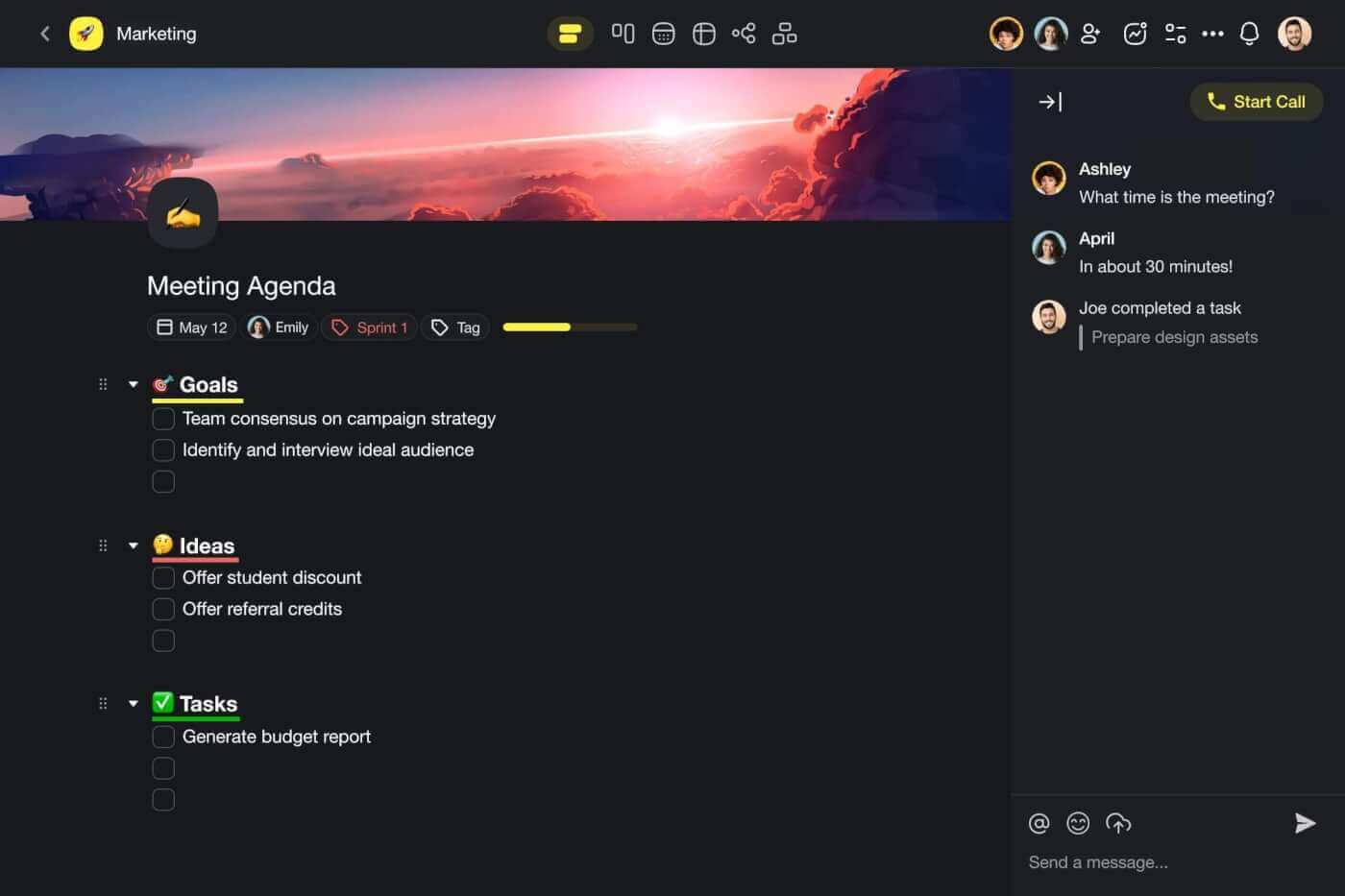
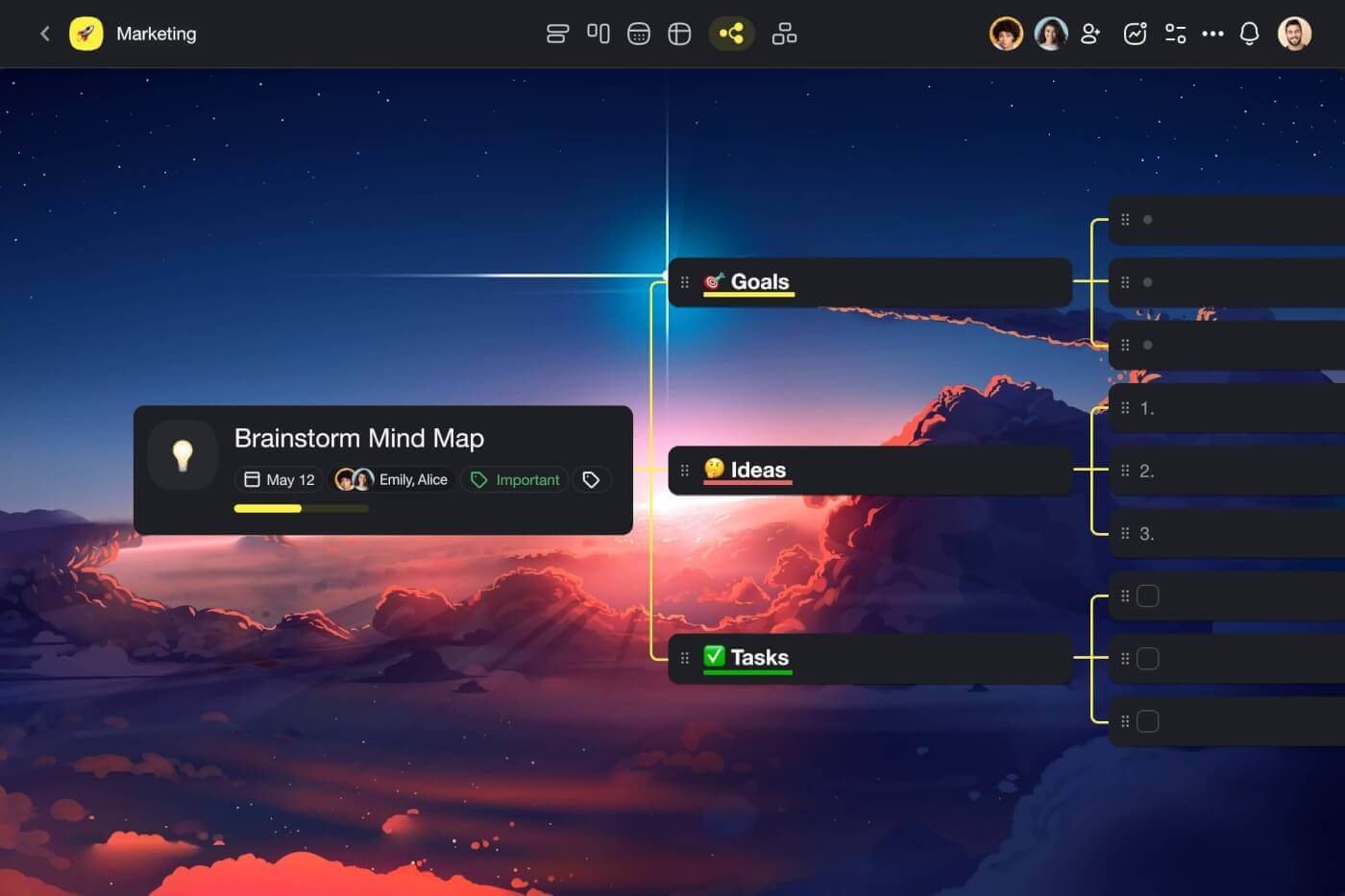
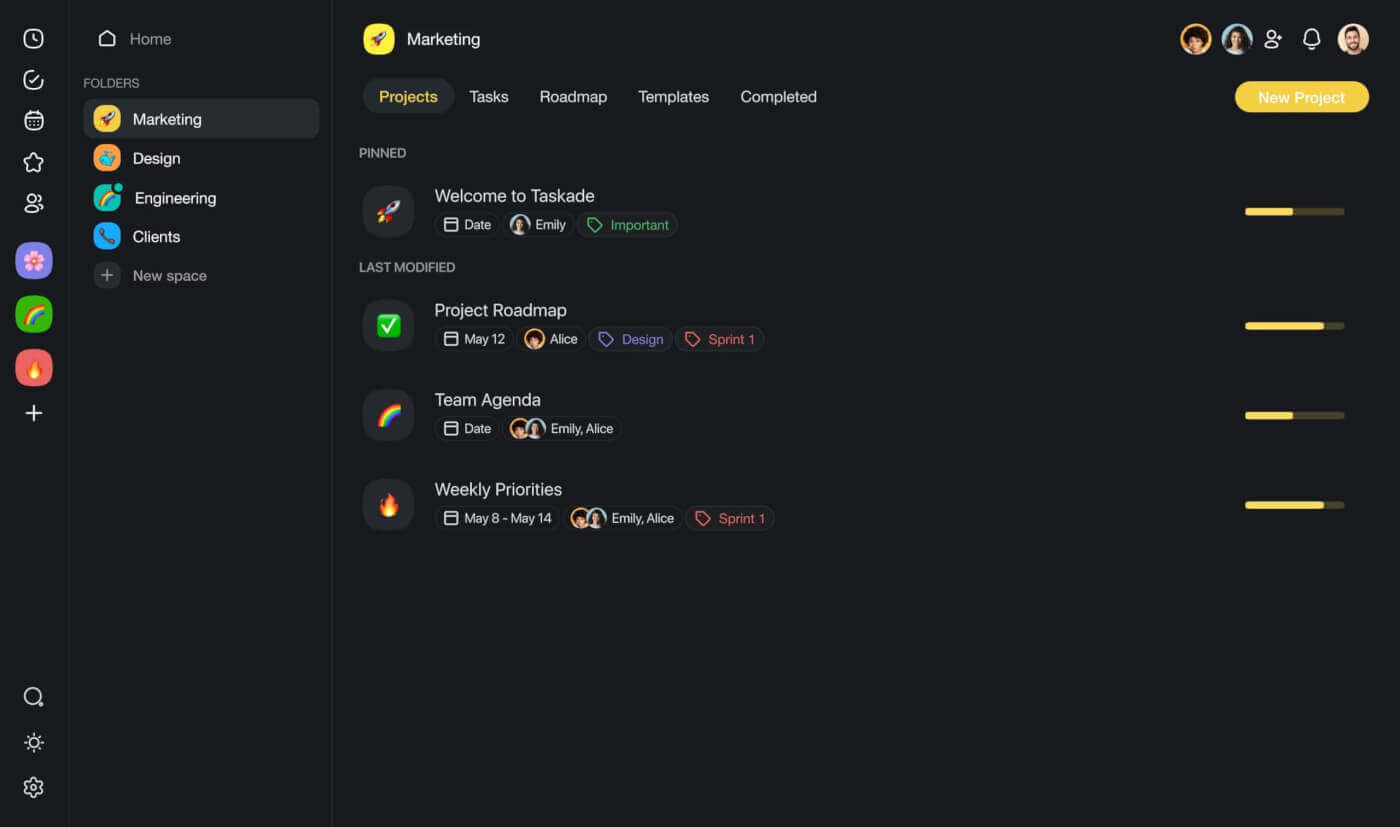
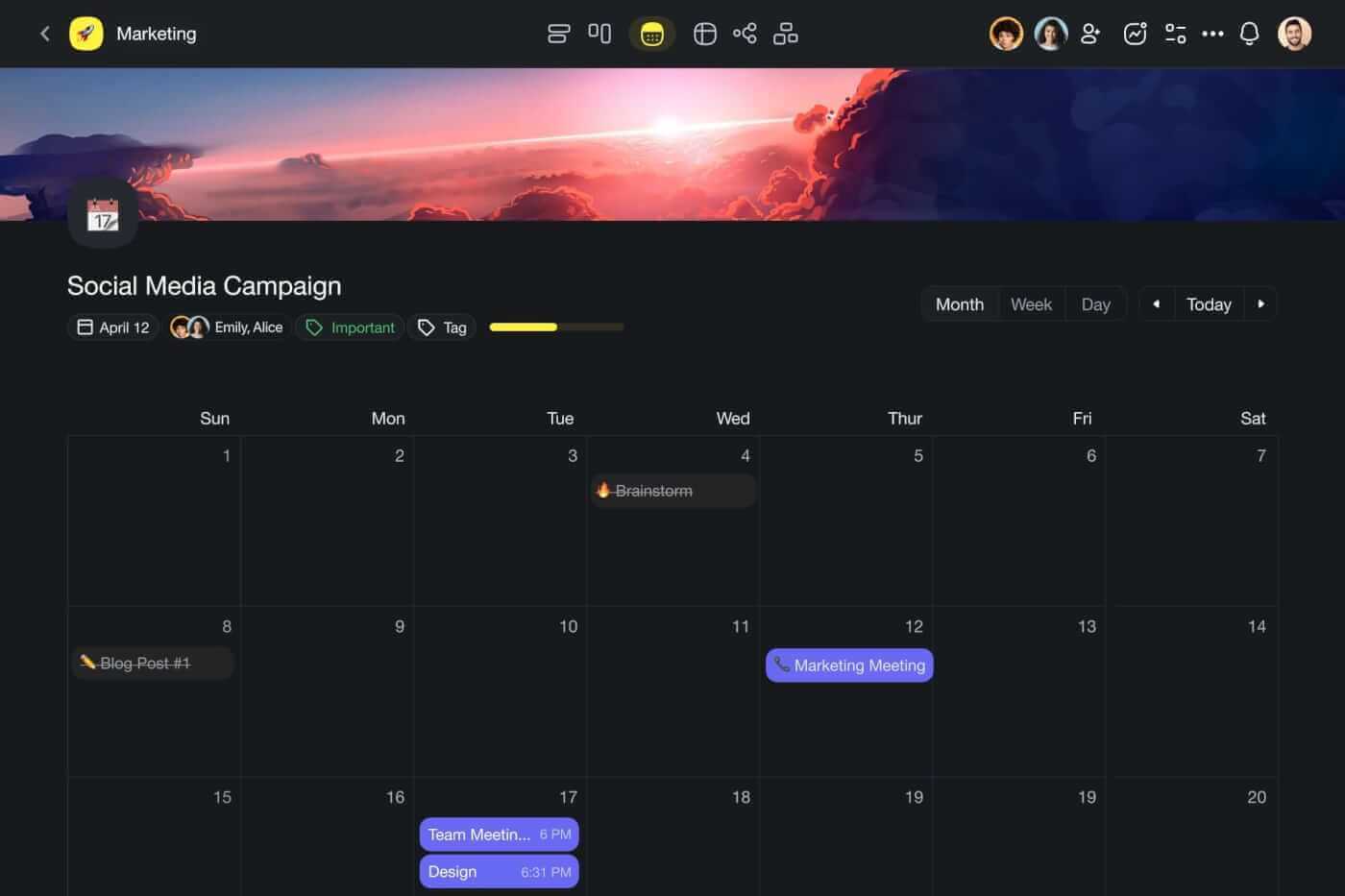
Work in Taskade unfolds in projects organized into folders and workspaces. Every project can function as a single document or a fully-fledged collaboration hub for notes, tasks, calendars, and mind maps. This flexible structure lets you and your team manage everything from simple to-do lists to complex projects, all within one, perfectly organized shared space.
What makes Taskade stand out is that it’s one of very few truly holistic collaboration tools in the wild. The platform seamlessly blends project management functions with real-time chat and video conferencing capabilities. All that makes Taskade a comprehensive solution for team coordination and project management in the modern, digital workspace.
👀 Taskade at a Glance
A holistic, AI collaboration tool that blends in chat and video conferencing features
Designed by and for remote teams and professionals
Advanced AI tools for task automation and project management
True real-time collaboration with instant synchronization across devices
Available on all major operating systems and in a web browser
Amplify team intelligence with Taskade AI 🤖
🤖 Key AI Features of Taskade
🤖 Custom AI Agents: Think of agents as your own team of smart, digital assistants. They run in the background, helping you and your team conduct research, brainstorm ideas, organize workflows, and generate content. And the best part? Agents can learn from your files and browse the web for answers. It’s the AI-powered team of the future.
🪄 Workflow Generator: The magic of Taskade AI starts with the Workflow Generator. Whether you need to set up a project structure, generate an outline for a business plan, or come up with a list of action items for your team, the Workflow Generator will do the heavy lifting. All you need to do is describe your project, sit back, and relax.
✏️ AI Assistant: The Assistant features dozens of pre-defined commands you can call from the project editor to brainstorm ideas, generate content, proofread and improve your writing, summarize lengthy documents, and much more. It’s always available where and when you need it, even when collaborating in real time with your team.
💬 AI Chat: AI chat offers the same conversational interface you may know from other similar AI tools like ChatGPT. The only difference? Taskade’s AI Chat can understand the context of your projects and documents. It’s the perfect tool for research, exploring topics in detail, fleshing out ideas, and coming up with unique solution to problems.
🗂️ AI Prompt Templates Library: Explore hundreds of AI prompts that will help you and your team make the most of Taskade's AI features. This extensive collection not only sparks individual creativity but also fosters a collaborative environment, making it easier to brainstorm and develop ideas together.
📑 Project and Files Q&A: Enhance team intelligence with a dynamic and conversational approach to collaboration. The Q&A feature allows you and your team to interact with documents and files in a completely different way. All you need to do is upload a file and start a discussion where you can ask AI questions about its contents.
🔀 Summarize Documents: Turn long documents into brief summaries in seconds with the power of natural language processing and machine learning. Keep your team on track with key points, streamlines meetings, and boosts focused brainstorming.
🚧 Taskade Limitations
- Offline mode is limited to mobile devices (desktop version coming soon).
Trello
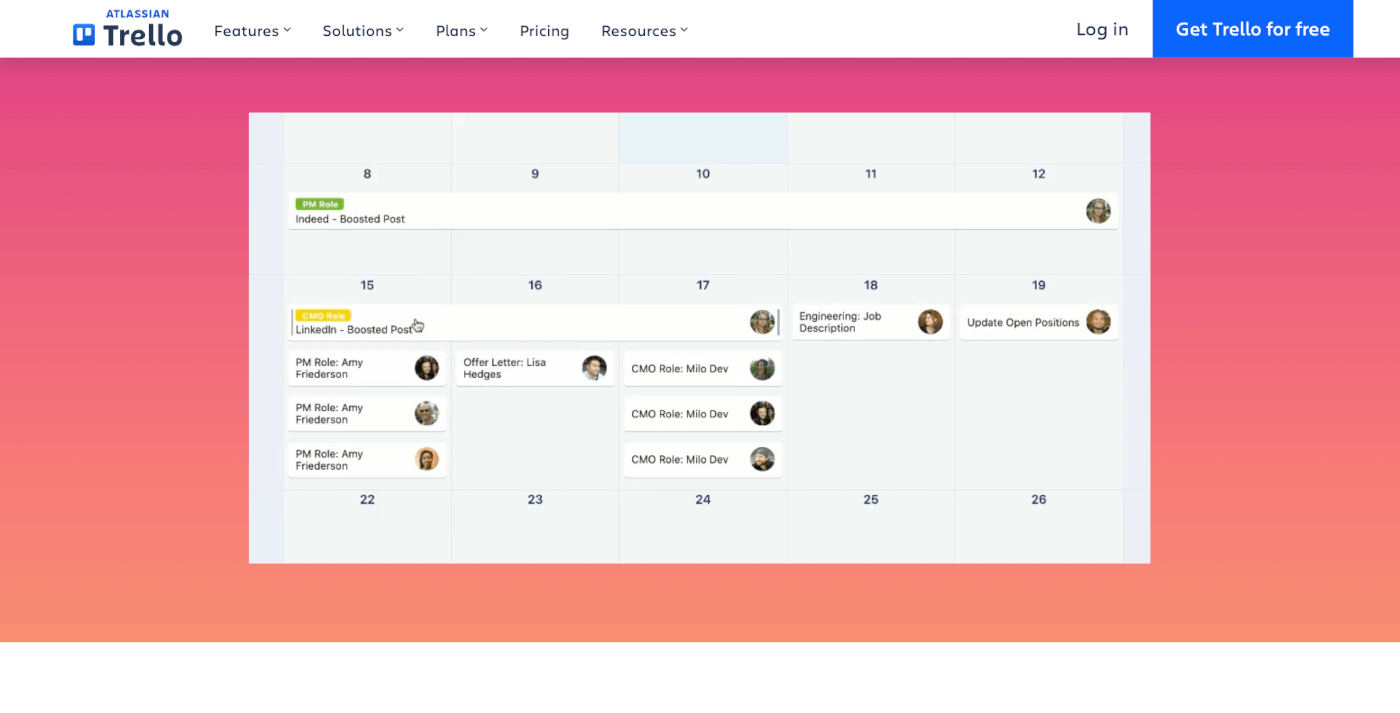
Trello is an AI-powered collaboration tool that uses a board-based system to manage tasks and projects, where each board represents a project and is divided into lists to represent different stages or categories of tasks. You can create cards for individual tasks, which can be moved across lists as they progress. The platform integrates with Atlassian Intelligence to provide a range of smart features including content generation and note summarization.
Trello supports remote teams by providing a central location for all project information. Real-time updates ensure that changes made by one team member are immediately visible to others, facilitating seamless collaboration. This is particularly valuable for teams spread across different time zones, as it helps synchronize work and reduce bottlenecks.
👀 Trello at a Glance
Kanban-based interface revolving around boards and cards
Highly customizable for diverse project requirements
Facilitates real-time collaboration among team members
Extensive integration with various apps and services
🤖 Key AI Features of Trello
Integration with Atlassian Intelligence AI
Prompt-based content generation
AI summarization feature for notes and ideas
🚧 Trello Limitations
Limited views on basic plans
Advanced reporting requires extra power-ups
Todoist
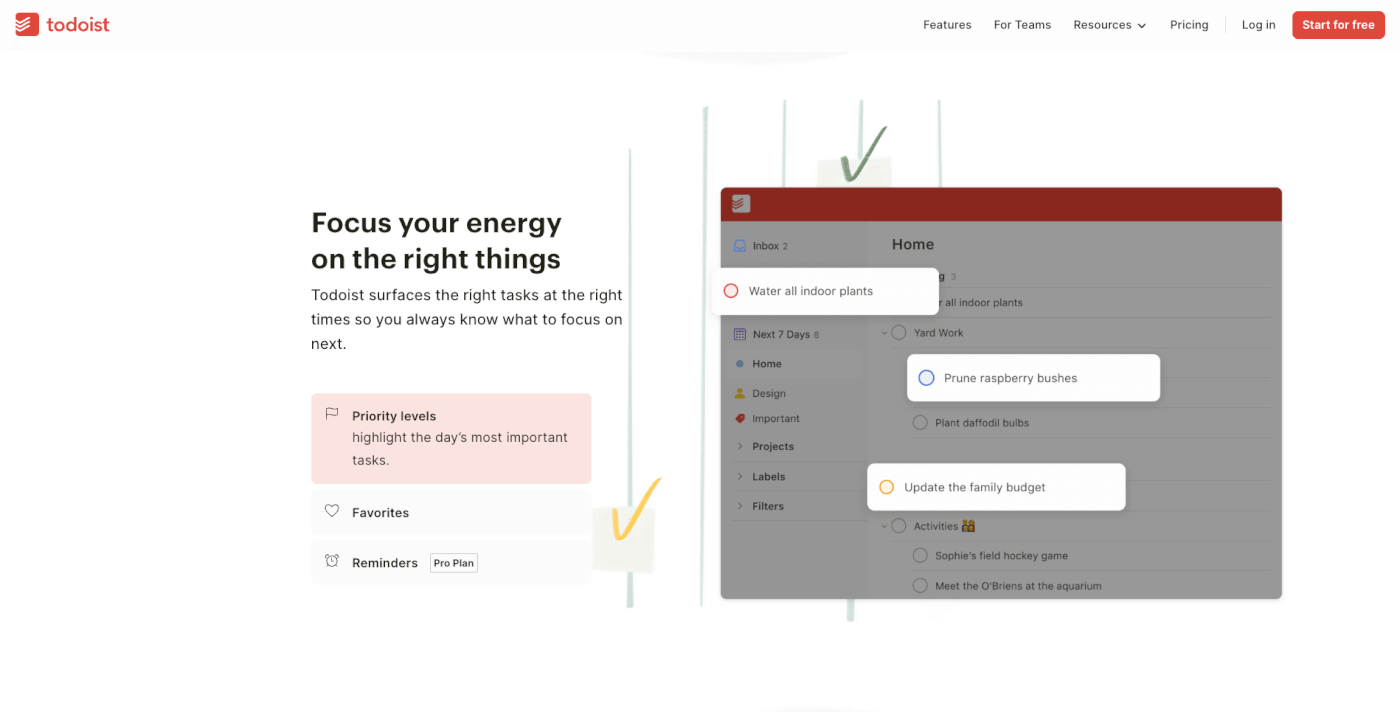
Todoist is a popular AI-powered task management tool that simplifies the process of organizing tasks and projects for individuals and teams. It is available as both a web-based platform and a mobile app, covering all the bases of task management, including due dates and prioritization. Like Trello, Todoist also comes with a wide range of integrations.
Todoist’s AI integration may not be as impressive as for other tools on the list, but it does an excellent job when it comes to scheduling and task prioritization. The Smart Scheduling and Filter Assist features suggest due dates for items and apply smart filters to organize lists of tasks. The former can even learn from how you've handled similar tasks in the past.
👀 Todoist at a Glance
Straightforward and minimalist task management
Categorizes tasks with labels, priorities, and due dates
Enables easy sharing of tasks and projects for collaboration
Accessible across multiple devices for consistent use
Karma system for tracking productivity and performance
🤖 Key AI Features of Todoist
Smart Scheduling that simplifies task date selection
Filter Assist for categorizing and organizing list items
AI learns from user behavior for more accurate predictions
🚧 Todoist Limitations
Limited collaboration features
No native communication features
Asana
Founded by Dustin Moskovitz and Justin Rosenstein in 2008, Asana has gained notariety as a comprehensive project management platform that helps teams organize, plan, and execute projects. Its user-friendly interface allows for easy task assignment, deadline tracking, and progress monitoring. All that makes it a popular choice among various businesses and teams.
The comapny has recently introduced an early version of its AI toolkit via what it calls Asana Intelligence. Asana’s AI features automate goal setting and provides smart, comprehensive updates by analyzing current project data. Team members can also query the AI about project progress, blockers, and what to do next, all using natural-language prompts.
👀 Asana at a Glance:
Streamlines complex project management and task tracking
Offers customizable workflows with boards, lists, and timelines
Supports team collaboration with shared workspaces and updates
🤖 Key AI Features of Asana
AI-driven goal setting based on historical data
Smart workflow optimization for project goals
AI-enhanced communication and response drafting
Summarization of key discussion points and tasks
🚧 Asana Limitations
Advanced features, including AI, require premium plans
A steeper learning curve compared to many other similar tools.
ClickUp
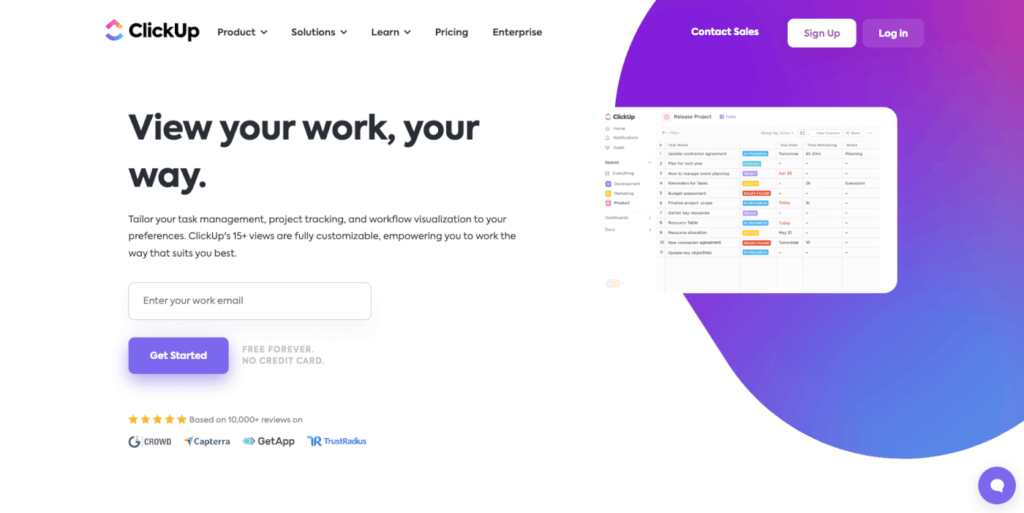
ClickUp is a project management tool with comprehensive task management and team collaboration features. The app caters to various organizational needs, letting users customize their workflow, manage tasks, and collaborate in one unified space. ClickUp's flexibility makes it suitable for diverse teams, ranging from software development to marketing and more.
In terms of remote collaboration, ClickUp's AI features significantly enhance its functionality. The AI integration offers the ability to create quick summaries for various types of project communications and activities. It also acts as a writing assistant, helping users improve written communication and automatically format content. On top of that, ClickUp AI is a valuable tool for brainstorming, problem solving, and planning across on team and individual level.
👀 ClickUp at a Glance
Unified platform for team collaboration and project tracking
Customizable workflow and task management
Suitable for a wide range of team types and projects
🤖 Key AI Features of ClickUp
Content creation and summarization
Smart writing suggestions
AI-generated replies to emails from tasks
Document creation and AI translation
🚧 ClickUp Limitations:
The number of features and customization options can be overwhelming
Some use cases may require additional integrations
Airtable
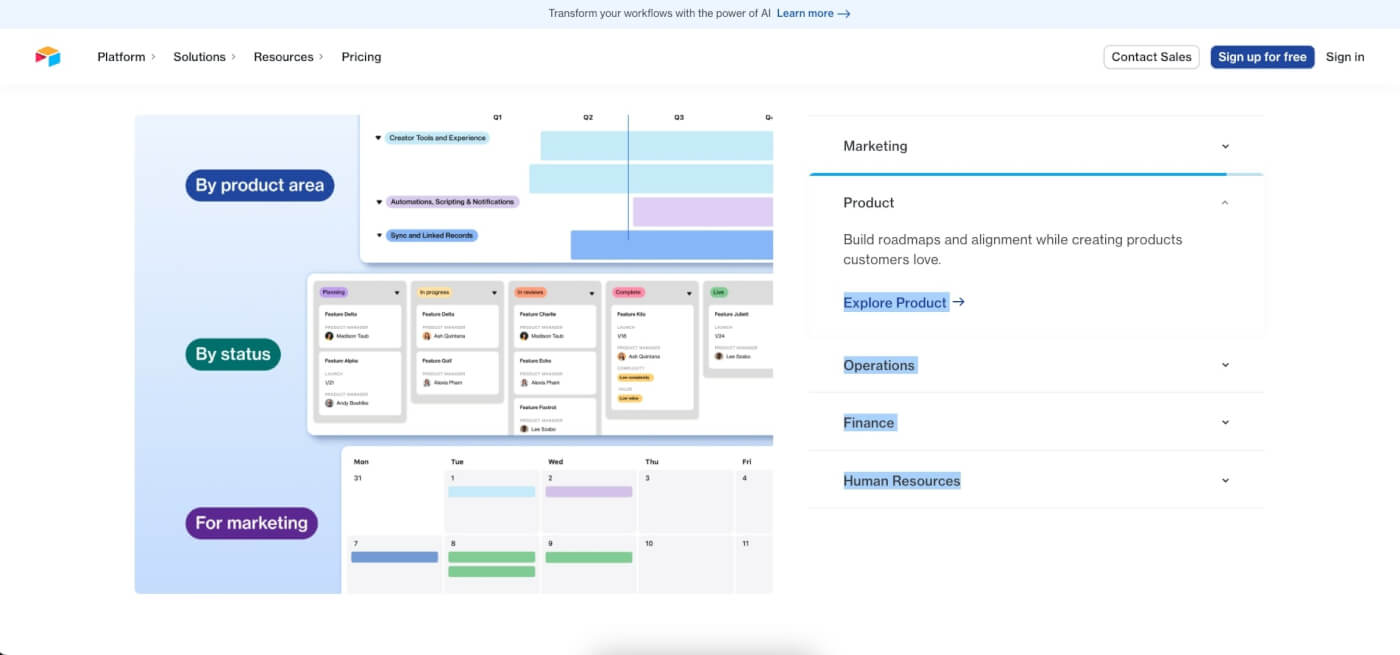
Airtable is a cloud-based collaboration platform that combines the simplicity of a spreadsheet with the robust capabilities of a relational database. It offers individuals and teams a flexible workspace to organize, track, and manage diverse sets of data, making it an ideal solution for an array of applications. The app can handle multiple user cases, from project management and content planning to inventory tracking and customer relationship management.
Airtable's recent introduction of AI capabilities significantly augments its utility for remote teams. The AI integration allows businesses to embed AI directly within apps, streamlining data visualization and context. The AI suite covers everything from analyzing and summarizing data to generating all kinds of content. It works seamlessly with new and existing workflows.
👀 Airtable at a Glance
Combines the versatility of spreadsheets with the power of databases
Customizable for diverse business needs and project types
Easy data import, manipulation, and integration with external tools
🤖 Key AI Features of Airtable
AI-powered database insights
Analayzing and summarizing data
Text generation for diverse use cases
🚧 Airtable Limitations:
Database-style workflows may not be suitable for all projects/teams
Real-time collaboration is limited within the same database
Nuclino
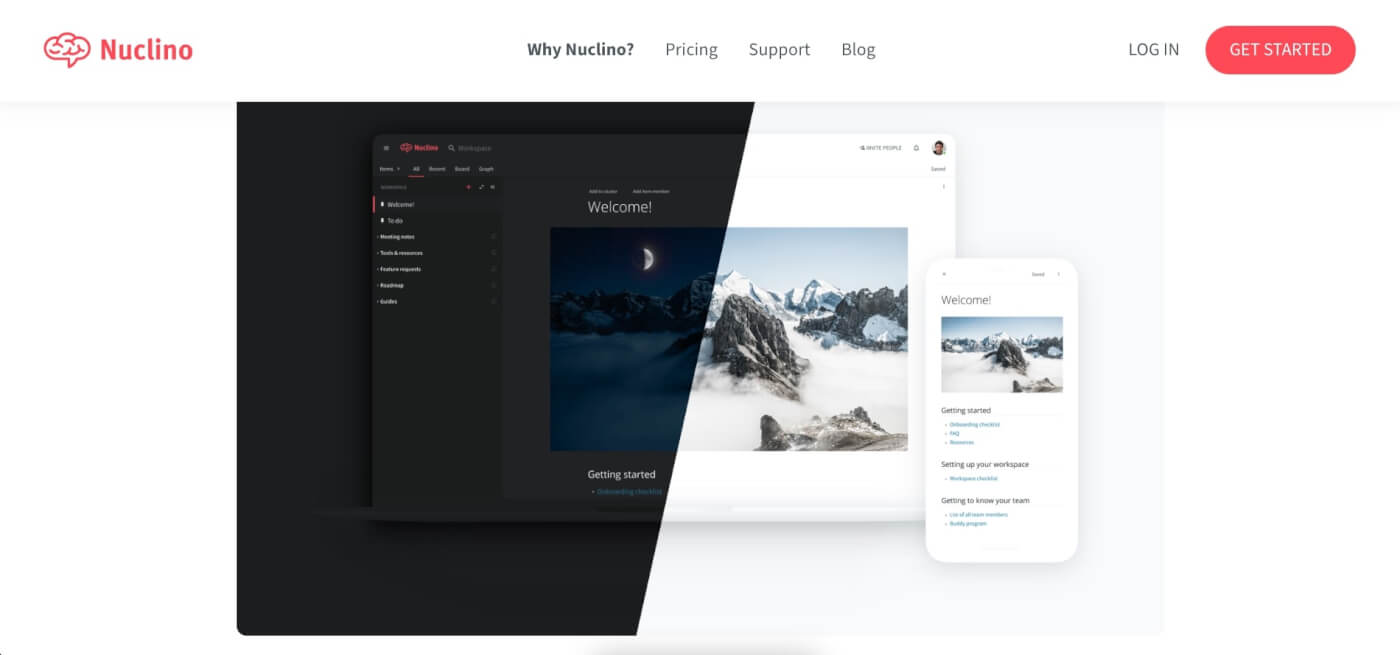
Nuclino is a collaborative workspace that simplifies team knowledge sharing and management. It combines elements of a wiki, note-taking app, and project management tool in an easy-to-use interface. Teams appreciate Nuclino for its speed and simplicity, enabling quick creation and organization of content. It suits both small teams and larger organizations.
Sidekick, Nuclino's AI assistant, brings additional extra help for creative tasks and productivity, such as content creation and summarization. For teams working remotely, Sidekick provides essential support in communication, documentation, and project planning. Nuclino with Sidekick helps ensure smooth and efficient workflows for distributed teams.
👀 Nuclino at a Glance
Merges wiki, note-taking, and project management features
Simple and fast interface for organizing content
Ideal for internal knowledge management in various team sizes
🤖 Key AI Features of Nuclino
Smart brainstorming and content creation
Note summarization and translation
AI-assisted proofreading
🚧 Nuclino Limitations
No offline functionality
Limited formatting options
Confluence
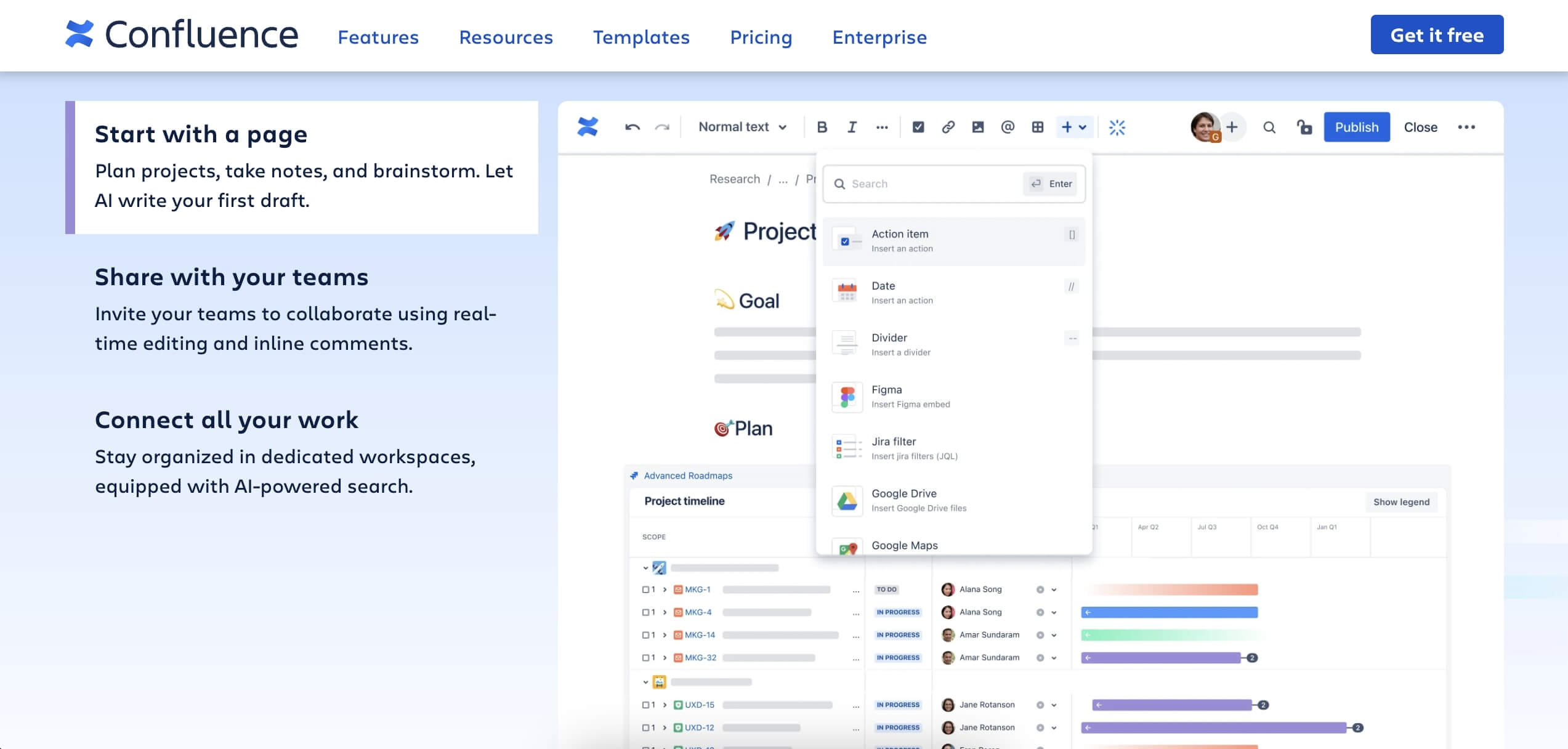
Confluence is a collaboration tool designed for document management and team coordination. It serves as a central hub for creating, sharing, and organizing workplace documents, such as project plans, product roadmaps, and meeting notes. Confluence is known for its ability to enhance team collaboration through its intuitive document creation and sharing features.
Confluence's AI features come as part of Atlassian Intelligence and are designed to enhance content creation and information management. The AI can generate, transform, and summarize content, making the writing process more efficient. When you ask a question in the search bar, the AI provides contextual answers, helping you find information quickly. On top of that, the AI can convert natural language queries into SQL for Atlassian Analytics to improve writing.
👀 Confluence at a Glance:
Central hub for document management and team coordination
Designed for knowledge sharing and document organization
Ideal for creating and managing workplace documents
🤖 Key AI Features of Confluence
Content generation and summarization
Contextual search and answers
Natural language to SQL conversion
🚧 Confluence Limitations:
Steep learning curve for non-technical users
The user interface could use an update
💬 AI Collaboration Tools for Communication
Slack
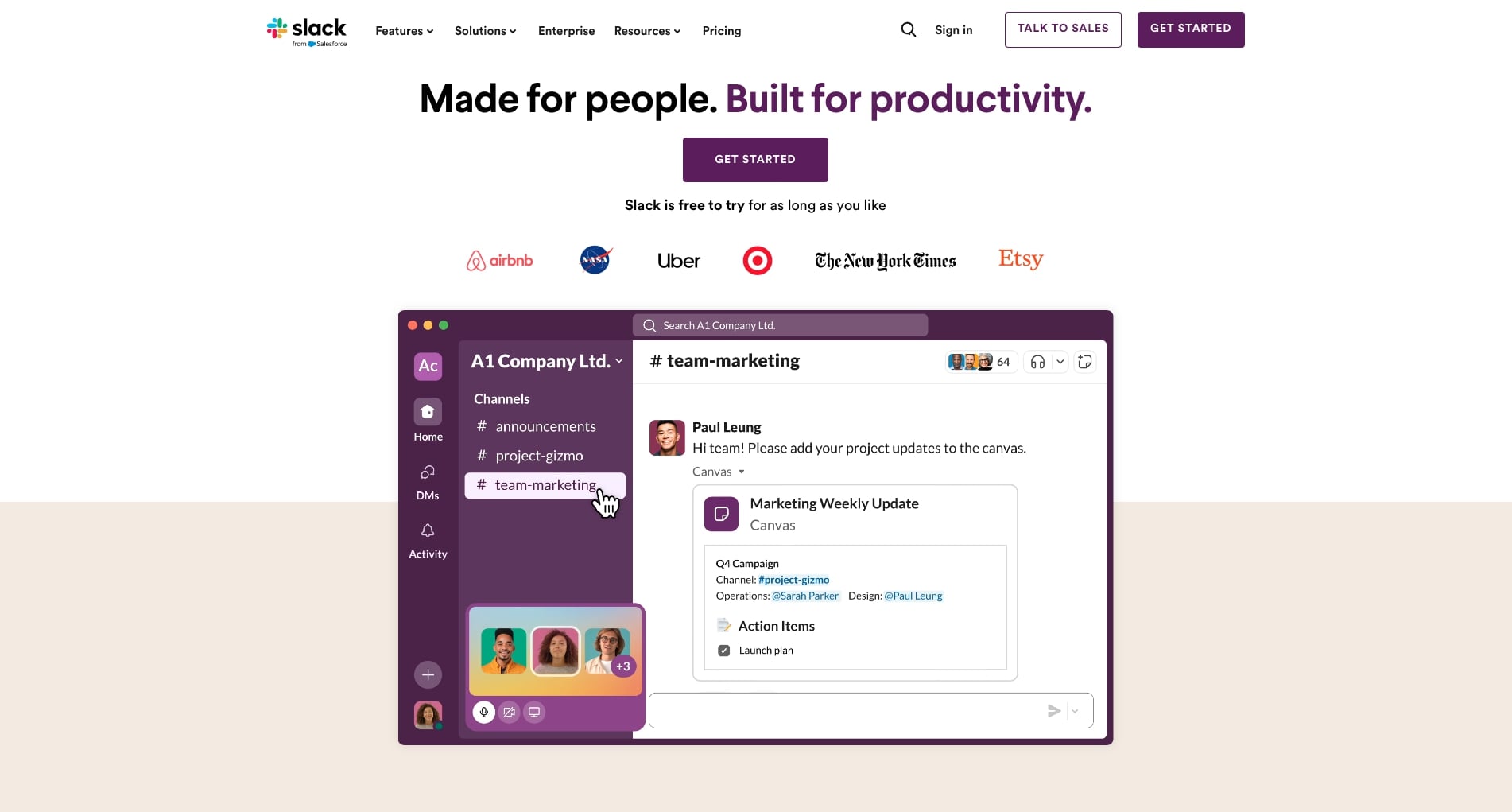
Slack is a communication platform designed to streamline team collaboration. It offers everything you can expect from a team-driven communication platform including organized channels for different topics or projects, direct messaging for private conversations, and the ability to integrate with various productivity tools, just to name a few.
While Slack’s AI integration is still in beta, it offers a glimpse of what the company is aiming for. With AI features like channel recaps for summarizing key highlights, thread summaries for quick onboarding in conversations, and intelligent search results, Slack’s shows that it’s serious about joining the AI race. A smart addition for one of the most popular chat tools out there.
👀 Slack at a Glance
Centralized communication and collaboration platform
Integrates with enterprise applications for streamlined workflows
Known for ease of use and adaptability in various work environments
🤖 Key AI Features of Slack
Summarizing key highlights
Thread summaries for quick onboarding in conversations
Intelligent search results
🚧 Slack Limitations
Can be costly, especially for larger teams
Relies on external integrations for advanced features
Zoom
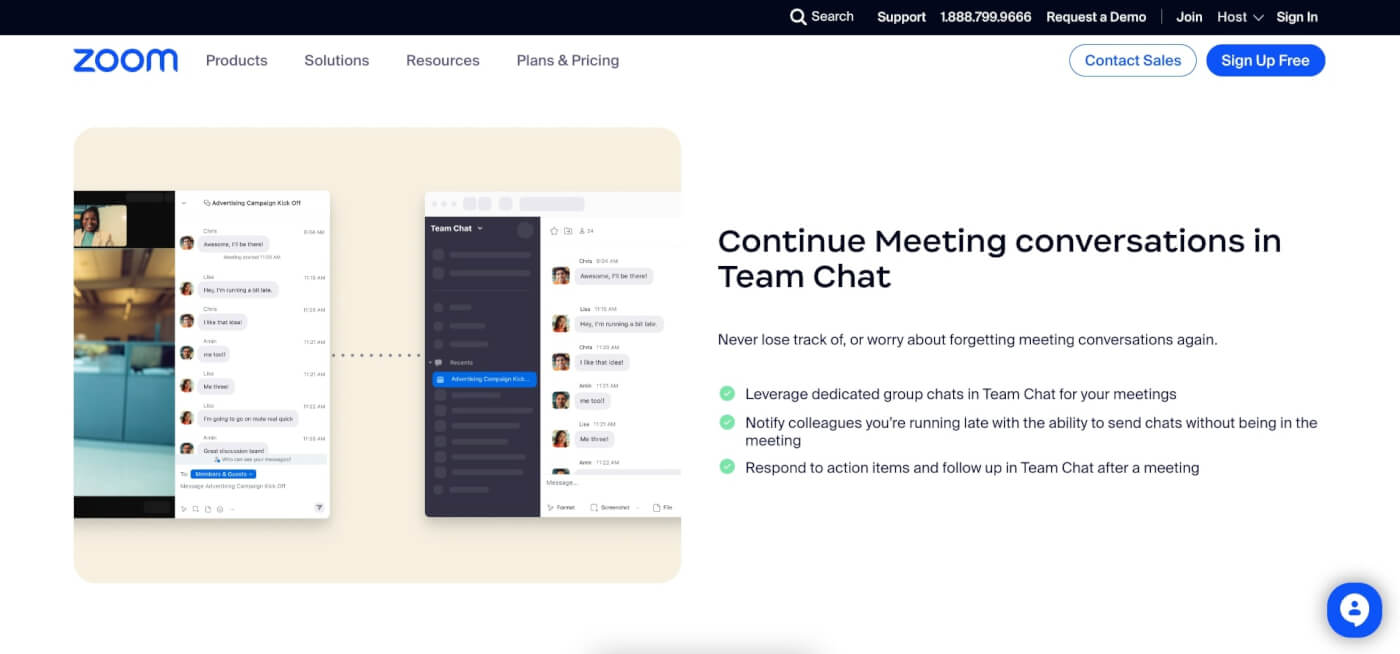
Zoom is a video conferencing and collaboration platform used for conducting virtual meetings, webinars, and web conferences. It provides features like video and audio conferencing, screen sharing, and chat functionality. Zoom is accessible on all popular platforms, which makes it a competent solution for remote collaboration and communication across time zones.
Zoom's AI Companion enhances user experience by offering high-quality assistance in tasks such as email drafting, meeting summarization, and creative brainstorming. It simplifies the consumption of meeting recordings through features like highlights, smart chapters, and summaries, all backed by conversation analytics. The Companin also provides insights on user engagement during meetings which can help improve your team’s communication skills.
👀 Zoom at a Glance
Solid videoconferencing platform with integrated enterprise capabilities
Continuously evolving with new features and improvements
🤖 Key AI Features of Zoom
Text generation for emails and meeting notes
Offers coaching on conversational and presentation skills
Chat, email, and note summarization features
🚧 Zoom Limitations
Advanced features available as paid subscriptions and add-ons
Limited collaboration features
Microsoft Teams
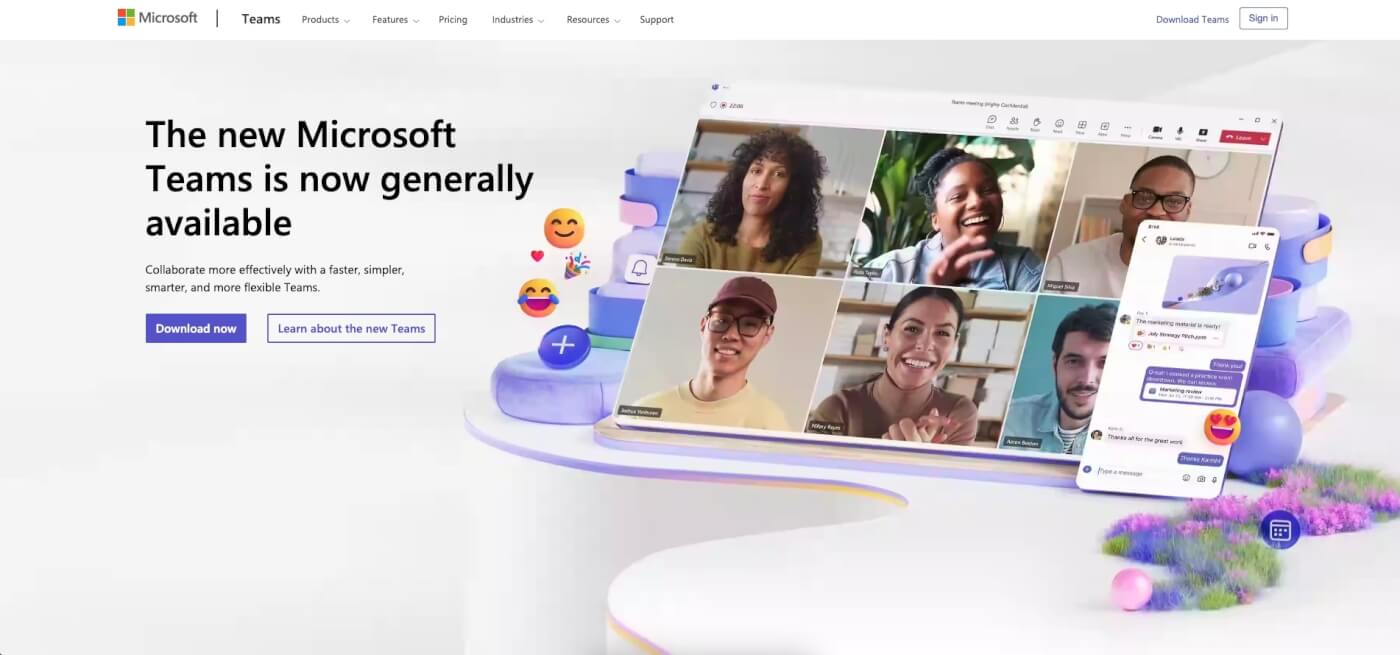
Microsoft Teams is one of the most popular communication and collaboration platforms. It offers a wide range of features to facilitate real-time communication, document sharing, and project management. Teams' versatility makes it a popular choice for businesses who look for efficient ways to connect and collaborate in today's digital work environment.
Since Microsoft’s heavy investments in the AI landscape, Teams has gotten much smarter over the last year. The app can now tap into Microsoft’s 365 Copilot (previously rolled out for other parts of Microsoft’s ecosystem) to transcribe meeting notes, summarize action items, generate meeting summaries, and provide insights on call content and participation.
👀 Microsoft Teams at a Glance
Comprehensive communication and collaboration platform
Integrates with Microsoft’s 365 ecosystem for a full project management experience
Adaptable to businesses of various sizes and industries
🤖 Key AI Features of Microsoft
AI-powered meeting transcription
Generating action items and summaries
Insights into meeting and call data
🚧 Microsoft Teams Limitations
- Mandatory integration with Microsoft 365 for more advanced features
🎨 AI Collaboration Tools for Creative Work
Figma
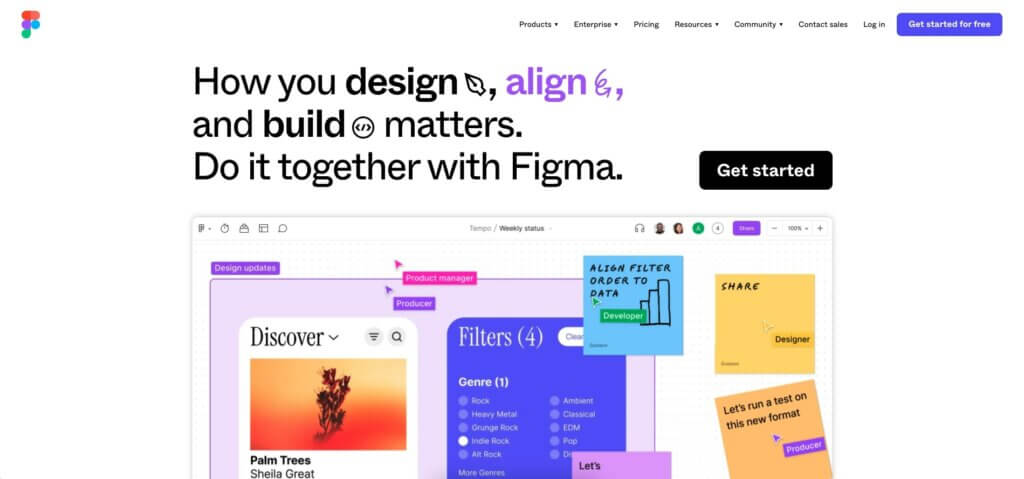
Figma is a collaborative design and prototyping tool that has gained popularity in the world of digital design and remote collaboration. It enables design teams to work together in real-time on user interfaces, web and mobile app designs, and interactive prototypes. Figma's cloud-based approach allows for seamless collaboration among remote team members.
While Figma's primary focus is on design and prototyping, it incorporates AI-driven features to enhance remote team collaboration. The platform uses AI for various design-related tasks like automated design suggestions, content generation, and brainstorming via an AI chat called Jambot. A complete package for AI design work acrosa time zones.
👀 Figma at a Glance
Collaborative design and prototyping tool for digital design projects
Facilitates real-time collaboration among design teams
Ideal for creating user interfaces, web, and mobile app designs
🤖 Key AI Features of Figma
Generating boards and diagrams with FigJam AI
Sorting and summarizing sticky notes
Built-in AI chat (Jambot) for brainstorming and summarization
🚧 Figma Limitations
Limited functionality in offline mode
Not designed for classic task and project management
Miro
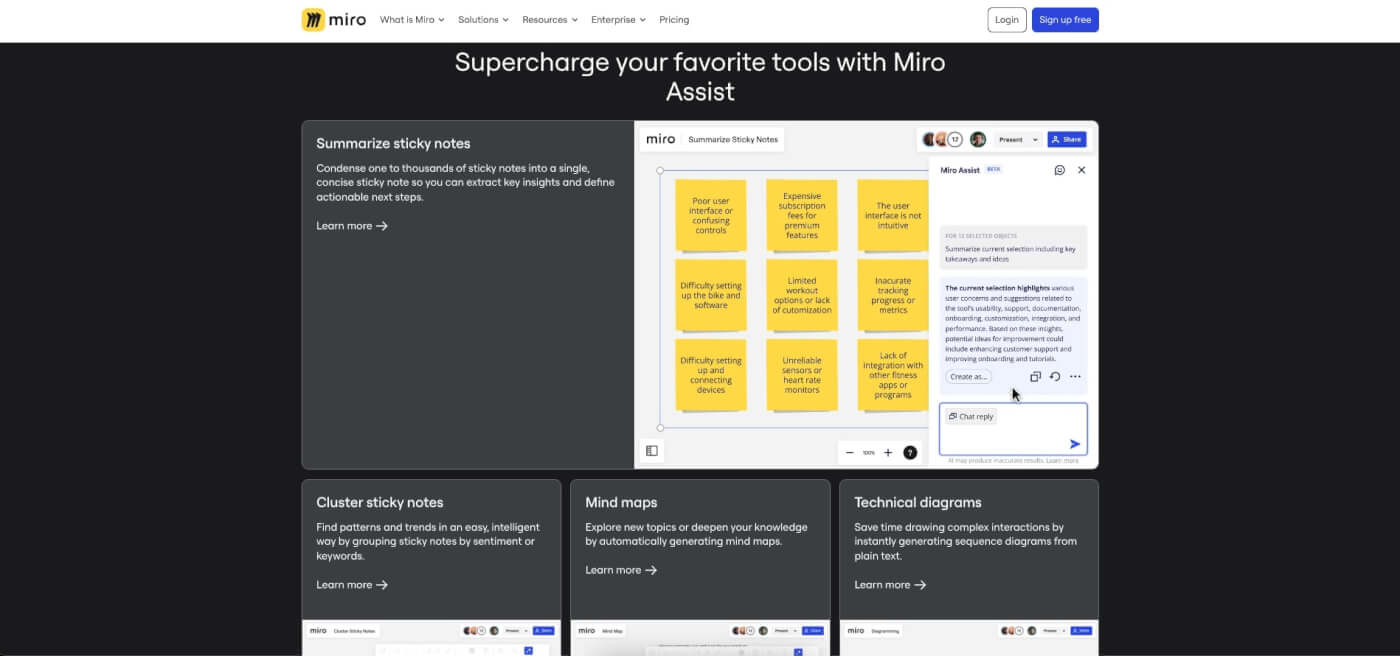
Miro is a digital whiteboarding and collaboration platform that has become a cornerstone for remote teams in various industries. It allows users to collaborate on virtual whiteboards, making it an ideal tool for brainstorming, ideation, project planning, and visual collaboration. Miro's user-friendly interface and versatile features make it a valuable asset for remote teams.
Miro Assist adds a layer of AI to Miro's digital whiteboarding and collaboration platform, enhancing its utility for remote teams. This AI integration, currently in beta, uses machine learning models to interact with various board objects like sticky notes, images, and mind maps. It allows users to generate content directly on their Miro board, including creating images, removing backgrounds from images, and summarizing content on sticky notes.
👀 Miro at a Glance
Digital whiteboarding and collaboration platform for visual collaboration
Ideal for brainstorming, project planning, and remote team collaboration
User-friendly interface and versatile features for various industries
🤖 Key AI Features of Miro
Miro Assist for prompt-based for content generation
AI-powered mind mapping, summarization, and Q&A sessions
Generating mind maps, presentations, and technical diagrams
🚧 Miro Limitations
Limited access to advanced features in the free tier
Like Figma, it’s not designed for classic task and project management
Loom
loom
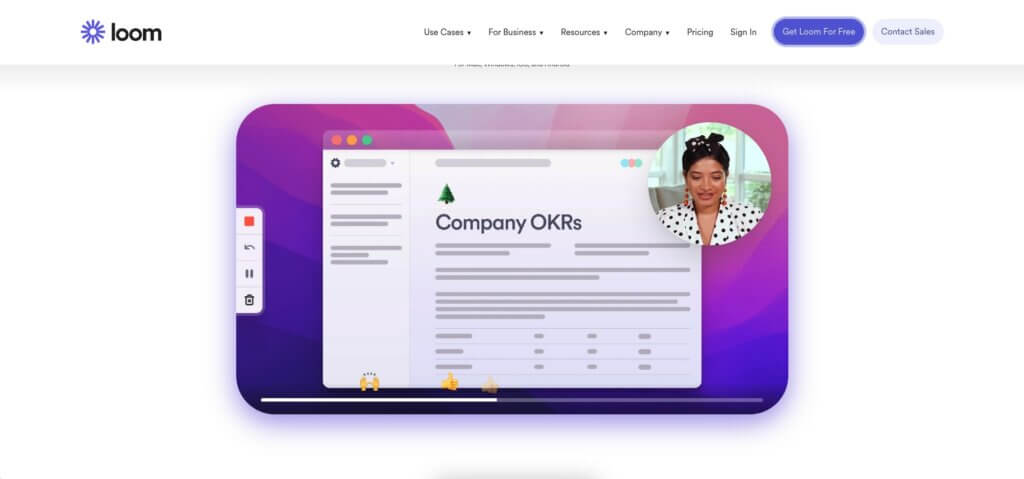
Loom is a video messaging and recording platform designed to streamline communication through video. What makes it unique is the fact that it bridges the gap between communication and content. Teams rely on Loom to simplify the sharing of video messages, tutorials, and presentations, making remote collaboration a breeze.
While Loom is not a traditional collaboration tool, it does come with a set of features that help remote teams get things done. You can add comments or reactions directly to videos and aggregate recorded videos in a shared knowledge base. Of course, Loom includes an AI integration can auto-generates titles and breaks videos into chapters.
👀 Loom at a Glance
Video messaging and recording platform for seamless communication
Facilitates video message sharing, tutorials, and presentations
Enhances remote, asynchronous collaboration through video content
🤖 Key AI Features of Loom
AI-powered transcriptions
Generating summaries and video titles
Breaking videos into chapters
Automatic task generation and assignments
🚧 Loom Limitations
Limited to basic editing features
Not designed for heavy-duty collaboration
📈 The Research Behind AI-Powered Collaboration
The business case for AI collaboration tools is backed by solid research. Here's what the data shows:
| Metric | Finding | Source |
|---|---|---|
| Productivity boost | Skilled workers using AI perform 40% better | Harvard Business School (2023)(1) |
| Remote work adoption | 58% of Americans can work remotely at least one day per week | McKinsey Global Institute (2023)(2) |
| Collaboration time | Workers spend 85% of their week in meetings, emails, and chat | Harvard Business Review (2022)(3) |
| AI agent adoption | 40% of enterprise apps will feature AI agents by end of 2026 | Gartner (2025)(4) |
| Meeting cost | Unnecessary meetings cost U.S. companies $37 billion annually | Atlassian Workplace Report(5) |
| Tool overload | Average enterprise uses 88 SaaS apps per department | Okta Businesses at Work (2023)(6) |
The trend is clear: teams that consolidate their tool stack and layer in AI collaboration features see measurable gains in productivity, communication quality, and employee satisfaction.
💰 The Hidden ROI of Tool Consolidation
The average remote team juggles 5-8 collaboration tools — a messaging app, a project tracker, a video platform, a document editor, a knowledge base, and various automation connectors. The direct cost adds up, but the indirect cost is worse: context-switching between tools costs an estimated 23 minutes of refocusing time per switch.
| Fragmented Stack (per 10 users/mo) | Consolidated with Taskade |
|---|---|
| Slack Pro: $87.50 ($8.75/user) | Taskade Pro: $10/mo billed annually (10 users) |
| Asana Advanced: $249.90 ($24.99/user) | Built-in project management |
| Zoom Pro: $132 ($13.20/user) | Built-in video conferencing |
| Notion Business: $200 ($20/user) | Built-in docs and knowledge base |
| Zapier Starter: $19.99 | Built-in automation with 100+ integrations |
| Total: $689+/mo | Total: $10/mo billed annually |
That is a 98% cost reduction before factoring in productivity gains from eliminating context-switching. Taskade combines AI agents, real-time collaboration, 7 project views, video conferencing, and durable automation workflows in a single workspace — powered by 15+ frontier models from OpenAI, Anthropic, and Google.
According to Okta's Businesses at Work report, the average enterprise uses 88 SaaS apps per department. Taskade Genesis addresses this fragmentation with workspace-native AI that combines project management, communication, and automation in one platform — eliminating the integration tax that costs distributed teams an estimated $689+/month in tool sprawl.
Build your own AI collaboration hub with Taskade Genesis →
👋 Parting Words
AI collaboration tools have moved beyond the fringes of the productivity landscape and now take center stage, revolutionizing team interactions, communication, and flow of information. AI-powered platforms reshape workflows and ensure seamless and effective collaboration like never before.
🧬 Build Your Own Collaboration Hub
Why juggle multiple tools? With Taskade Genesis, build complete AI-powered collaboration systems — dashboards, workflows, and AI agents trained on your knowledge — with a single prompt. It's vibe coding. Explore ready-made AI apps.
Ready to jump on the AI bandwagon?
Create a free Taskade account and get stuff done smarter and faster! 🐑
Frequently Asked Questions About AI Collaboration Tools for Remote Teams
How do you collaborate effectively with remote teams?
Collaborating effectively with remote teams requires clear communication, reliable tools, and structured workflows. Using AI collaboration tools, like Taskade, can streamline communication and project management by offering features such as real-time updates, automated task tracking, and intelligent recommendations. Setting regular check-ins, using video conferencing for face-to-face interaction, and fostering a culture of transparency and accountability also contribute to effective collaboration.
What are remote collaboration tools?
Remote collaboration tools are software applications designed to facilitate communication, project management, and teamwork among geographically dispersed team members. Such tools include messaging platforms like Slack, project management systems like Taskade and Trello, video conferencing apps like Zoom, and document-sharing services like Google Drive. AI-enhanced collaboration tools add an extra layer of efficiency by automating routine tasks, providing smart insights, and helping teams stay organized and focused.
How will AI affect remote work?
AI is set to revolutionize remote work by automating repetitive tasks, offering intelligent insights, and improving communication and collaboration. AI-driven tools can analyze work patterns, predict project outcomes, and provide personalized recommendations to boost productivity. They can also enhance team dynamics by facilitating more effective communication and ensuring that everyone stays aligned with project goals. As AI continues to evolve, it will play a crucial role in making remote work more efficient, enjoyable, and productive.
What is the difference between AI collaboration tools and traditional project management software?
Traditional project management tools focus on task tracking, timelines, and manual workflow management. AI collaboration tools go further by automating repetitive tasks, generating content, summarizing meetings, and providing predictive analytics. For example, Taskade's AI agents can autonomously research topics, draft documents, and manage tasks — capabilities that traditional tools like Trello or Asana (without AI add-ons) simply don't offer.
How do AI collaboration tools improve asynchronous communication?
AI tools bridge time-zone gaps by auto-summarizing conversation threads, generating meeting notes for absent team members, and translating content across languages. They also automate status updates and provide intelligent search so team members can find information without waiting for colleagues to respond. Platforms like Taskade combine async collaboration with AI Chat and Media Q&A for instant answers from your project documents.
Can AI collaboration tools replace human team leads?
No — AI augments leadership, it doesn't replace it. AI tools handle the administrative overhead (scheduling, task assignment, progress tracking, report generation) so team leads can focus on strategic decisions, mentoring, and relationship building. According to research, teams using AI tools see up to 40% productivity gains(1), but the human elements of empathy, creativity, and judgment remain irreplaceable.
What security features should I look for in AI collaboration tools?
Look for end-to-end encryption, granular access controls (Taskade offers 7-tier RBAC: Owner, Maintainer, Editor, Commenter, Collaborator, Participant, Viewer), SOC 2 compliance, SSO/SAML authentication, and data residency options. AI-specific concerns include understanding where your data is processed and whether it's used to train external models. Enterprise-grade tools like Taskade provide dedicated infrastructure with no external data sharing.
🧬 AI Collaboration Apps Built with Genesis
Clone these ready-to-use AI-powered collaboration tools for your remote team:
| App | What It Does | Clone |
|---|---|---|
| Team Capacity Planner | Balance workload across remote teams | Clone → |
| Client Portal Dashboard | Collaborative hub for client communication | Clone → |
| Room Booking Dashboard | Schedule virtual and in-person meetings | Clone → |
| Neon Task Dashboard | Visual task management for distributed teams | Clone → |
| Smart Feedback Form | AI-powered team feedback collection | Clone → |
🔍 Explore All Community Apps →
Build your own AI collaboration tools with Taskade Genesis — describe what you need, and watch it come to life.
Your living workspace includes:
- 🤖 Custom AI Agents — The intelligence layer
- 🧠 Projects & Memory — The database layer
- ⚡️ 100+ Integrations — The automation layer
Get started:
- Create Your First App → — Step-by-step tutorial
- Learn Workspace DNA → — Understand the architecture
Read more:
- What Are AI Agents? The Future of Workflow Automation
- How AI Can Help You Build a Second Brain
- Best AI Note-Taking Apps for Students
- Mind Map: The Ultimate Guide to Mind Mapping
- How to Reduce Context Switching and Reach Flow State
- 10 AI Dashboards You Can Clone
🔗 Resources
Dell'Acqua, F., et al. (2023). Navigating the Jagged Technological Frontier: Field Experimental Evidence of the Effects of AI on Knowledge Worker Productivity and Quality. Harvard Business School. https://papers.ssrn.com/sol3/papers.cfm?abstract_id=4573321
McKinsey Global Institute. (2023). What's next for remote work: An analysis of 2,000 tasks, 800 jobs, and nine countries. https://www.mckinsey.com/featured-insights/future-of-work
Mankins, M. (2022). What is the real cost of context switching? Harvard Business Review.
Gartner. (2025). Predicts 2025: Agentic AI Transforms Technology Use Cases. https://www.gartner.com/en/articles/intelligent-agent-in-ai
Atlassian. (2022). You waste a lot of time at work. https://www.atlassian.com/time-wasting-at-work-infographic
Okta. (2023). Businesses at Work Report. https://www.okta.com/businesses-at-work/
Buffer. (2023). State of Remote Work Report. https://buffer.com/state-of-remote-work
