In 1958, a physicist at Brookhaven National Laboratory wired an analog computer to an oscilloscope so visitors could hit a glowing dot over a net. Tennis for Two took a few weeks to build. Four years later, three MIT students spent roughly two hundred hours writing Spacewar! on a PDP-1.
In 2026, you can type "a two-player space duel with gravity" and get a playable browser game back in a minute.
The catch is that "AI game generator" now means five different kinds of tools, and most comparisons blend them together. Some make a game you can play. Some make sprites and 3D models. Some help you script inside Unity or Roblox. One makes explorable worlds with no rules at all. Pick from the wrong group and you get beautiful assets with no game, or a playable toy with no way to export it.
TL;DR: We sorted 21 AI game generators by what they actually produce: playable games (Rosebud AI, Astrocade, Star, Summer Engine), game assets (Scenario, Meshy, Ludo.ai), engine assistants (Unity, Roblox), world models (Google Project Genie), and design docs. Free tiers, export, and commercial rights verified September 22, 2026. Plan the game first with free game-design generators.
Quick Answer: The Best AI Game Generator by What You Want
The best AI game generator depends on what you want at the end: a playable game, game assets, help inside an engine, or a design document. For a playable browser game from one prompt, Rosebud AI is the most complete. For a real engine project you own, Summer Engine (Godot 4) and open-source GDevelop lead. For art, Scenario and Meshy lead. For free, fast prototypes, Claude artifacts and Gemini Canvas are hard to beat.
| If you want... | Start with | Why |
|---|---|---|
| A playable browser game from one prompt | Rosebud AI | Code, art, and sound, with one-click publishing to a link anyone can play |
| A game you own and can ship to Steam | Summer Engine or GDevelop | A real Godot 4 project, or an open-source engine with one-click export |
| A free prototype today | Claude artifacts or Gemini Canvas | Both work on free plans and produce playable HTML you can share |
| A multiplayer game you can also export | Star | Hosting, multiplayer, and leaderboards included, with export to itch.io or Windows |
| Sprites, textures, and 3D models | Scenario, Meshy | Style-trained 2D assets and 3D models with published license terms |
| Help inside Unity or Roblox | Unity's AI tools, Roblox Assistant | AI inside the editor you already use |
| Games for a classroom | A free AI assistant plus the educational game generator | Students can read and change the code of a one-file game |
| The design before the build | Taskade game generators | Free generators for worlds, mechanics, levels, UI, and lore |
What Is an AI Game Generator?
An AI game generator is a tool that turns a written description into part or all of a video game. In 2026 the term covers five different products: generators that output a playable game, asset generators that output sprites and models, AI assistants inside game engines, world models that output explorable environments, and design generators that output the documents a game is built from. Only the first group produces something you can play.
The distinction matters because each group hands you something different at the end of an afternoon:
WHAT YOU GET BACK                  EXAMPLE TOOLS                   CAN YOU PLAY IT?
────────────────────────────────   ─────────────────────────────   ────────────────
A playable game (code + art)       Rosebud AI, Astrocade, Star     Yes, in a browser
An engine project you own          Summer Engine, GDevelop         Yes, after export
Game assets (sprites, 3D, audio)   Scenario, Meshy, Ludo.ai        No, you assemble it
Help inside an existing engine     Unity AI tools, Roblox          Only what you build
An explorable world, no rules      Google Project Genie            Explore, not play
A design document                  Taskade game generators         No, it is the plan
What a Game Actually Is, and Why a Prompt Can Now Produce One
A small video game is a loop of states: a title screen, a play state that reads input and updates the world, and an end state that returns to the start. That loop is short enough to fit in a few hundred lines of JavaScript, which is why a language model can now write one in a single response. The hard part of game design was never the loop. It is what happens inside the play state.
Tennis for Two and Spacewar! both fit this shape, and so does nearly every browser game an AI tool generates today. The difference in 2026 is who writes it. In 1962 it took a team of students months of evenings. Today a generator writes the loop, draws placeholder art, adds sound, and hosts the result.

What a generator cannot yet do reliably is the part that made Spacewar! worth playing for sixty years: the tuning. How fast the ships turn, how strong the gravity is, how long a round lasts. That is where your time still goes, and it is why the best results come from people who write down what they want before they prompt.

Is the Free Tier Actually Free?
Most AI game generators advertise a free option, but only a few let you build and share a playable game at zero cost. Several offer a time-limited trial or a one-time credit grant, and some reserve the AI features themselves for paid plans. Here is what each free tier produces, verified against vendor pages on September 22, 2026. We re-checked Rosebud AI, Star, Summer Engine, GDevelop, OpenGame, Ludo.ai, and Scenario on September 24, 2026.
| Tool | Free tier (in the vendor's own unit) | Playable link on free? | Entry paid tier |
|---|---|---|---|
| Rosebud AI | "Free to start"; the pricing page names a Free plan but lists no limits | Yes (one-click publish) | Indie Dev $15/mo, 100,000 credits |
| Astrocade | Free to create and play | Yes (public game feed) | No paid consumer tier found |
| Star | Free builds on the default model, no card | Yes, every game gets a URL | Creator $20/mo, 3,000 credits, or packs from $3 |
| Summer Engine | Free app; AI-led building is paid | Manual editor path only | Pro $20/mo |
| GDevelop | 40 AI credits/mo, 3 cloud projects | Unlimited web publishing; 1 desktop and 1 Android build a day | Silver $7.99/mo |
| OpenGame | No free generation | — | Starter $15/mo, 80 credits |
| Websim | Free to create games and apps | Yes, public project link | Not published |
| Claude | Artifacts on the free plan | Yes, share by link | Paid Claude plans |
| Gemini | Canvas on the free plan | Yes | Paid tiers upgrade the model |
| Ludo.ai | 30 free credits, no card | Assets and 2D prototypes | Indie $15/mo billed annually |
| Scenario | 50 credits per day, no card | Assets | Starter $15/mo, 1,500 credits |
| Meshy | 100 credits per month | 3D assets | Pro plans |
| Layer.ai | No free tier | — | $10/mo, 300 Creative Units |
| Unity AI tools | 1,000 credits, 14-day trial | In-editor | $10/mo on Unity Personal |
| Roblox Assistant | Free inside Roblox Studio | Through Roblox | Free |
| Inworld | Up to 70 minutes of voice | Voices, not games | Creator $25/mo |
| Google Project Genie | No free access | No | Google AI Ultra only |
The honest pattern: the general assistants are currently the most generous free way to make a small playable game. Dedicated game generators earn their price when you need longer projects, better art, hosting, or commercial rights.
Who Owns What You Make?
Commercial rights to AI-generated games and assets vary by tool and by plan, and free tiers are where the restrictions usually sit. Before you put a price on a game, check the plan you built it on.
| Tool | Free-tier rights | Paid-tier rights |
|---|---|---|
| Rosebud AI | No commercial right stated on free | Commercial rights and "100% of profits" from the 10x Dev plan ($30/mo) |
| Star | "Users retain ownership of the games and content they create" (terms of service) | Same, plus branding-free exports on Pro |
| Scenario | Personal and evaluation use only | Full commercial license, resale allowed |
| Meshy | Creative Commons Attribution 4.0: selling allowed with credit | Full private ownership |
| Layer.ai | No free tier | "Commercial license for all users" |
| Inworld | Free on-demand usage | Commercial license on paid tiers |
Where a vendor publishes no terms for a tier, we left it out rather than guess. Asset licensing across the whole category remains uneven, so the safest habit is simple: save the terms page on the day you generate the asset you intend to sell.
Which AI Game Generators Make 3D Games and Let You Export Them?
Five of the nine game builders below produce 3D output, and seven of the nine offer a way to take the game elsewhere. We found no export for Astrocade or Websim. The export route is what separates them: a code tab, a project download, a single HTML file, or a real engine project. This matrix was checked against vendor pages on September 22 and 24, 2026.
| Tool | 2D / 3D | Take the game with you | Hosted play link | Store or desktop build |
|---|---|---|---|---|
| Rosebud AI | 2D, 3D, voxel | Code tab from Indie Dev; project download on Pro ($50) | Yes | Windows export |
| Astrocade | Mostly 2D | None found | Yes, public feed | None found |
| Star | 2D and 3D | itch.io, Windows, or your own files | Yes | Windows .exe on Pro ($50) |
| Summer Engine | 2D and 3D | A standard Godot 4 project | Web export | Steam, desktop, mobile |
| GDevelop | 2D and 3D | Open-source (MIT) engine project | Yes, gd.games | Desktop and Android on free; iOS from Gold |
| OpenGame | 2D and 3D | HTML file (2D) or ZIP project (3D) | Preview and share | None found |
| Websim | Web games | None found | Yes | None found |
| Claude artifacts | Browser games | Copy the HTML and JavaScript | Yes, share link | None |
| Replit | Web games | The full codebase | Yes, deployments | Not game-specific |
The pattern is useful when you choose. If players matter more than files, Astrocade and Websim are fine. If you might sell the game later, pick a tool with a real export on day one, because moving a hosted game off a platform after launch is the expensive path.
How We Compared These Tools
We are a vendor too, so here is exactly how this comparison was built:
- Every price and free-tier limit was checked against the vendor's own pricing page or documentation on September 22, 2026, and the main game builders were re-checked on September 24, 2026. The tool screenshots are headless captures of each public homepage from the same week. Where a page would not load or did not publish a number, we say so instead of quoting a third-party figure.
- Tools are grouped by what they produce, not ranked on one scale. A sprite generator and a playable-game generator are not competitors, and scoring them together misleads.
- We did not run one identical prompt through every tool. Several products gate generation behind trials or paid plans, which makes a fair single-prompt test impossible without mixing free and paid output. We describe what each tool produces instead of scoring a bake-off.
- Taskade appears last in the list, in the design-document category, because that is honestly where it fits. It is not a game engine.
- Every entry names at least one real strength, including the tools that compete most directly with each other.
Each tool was checked against the same five questions, in the vendor's own words:
| Question | What counts as a yes | Where we looked |
|---|---|---|
| What do you get back? | A playable game, an engine project, an asset, or a document | Product page and docs |
| Can you make something on $0? | A generation you can keep, not only a demo | Pricing page |
| Can you take it with you? | Code, project, or file export | Pricing page and docs |
| Can you sell it? | A written commercial right on that plan | Terms or pricing page |
| What does a build cost? | A published credit cost per game or per build | Pricing page and FAQ |
Playable Game Generators
These tools turn a prompt into something you can play in a browser.
1. Rosebud AI: Best Overall for a Playable Game From One Prompt
Rosebud AI turns a text description into a complete browser game with code, art, and sound, in 2D or 3D (Three.js and voxel styles). It is the tool most people mean when they search for an AI game maker, and it ranks for nearly every variation of that query.
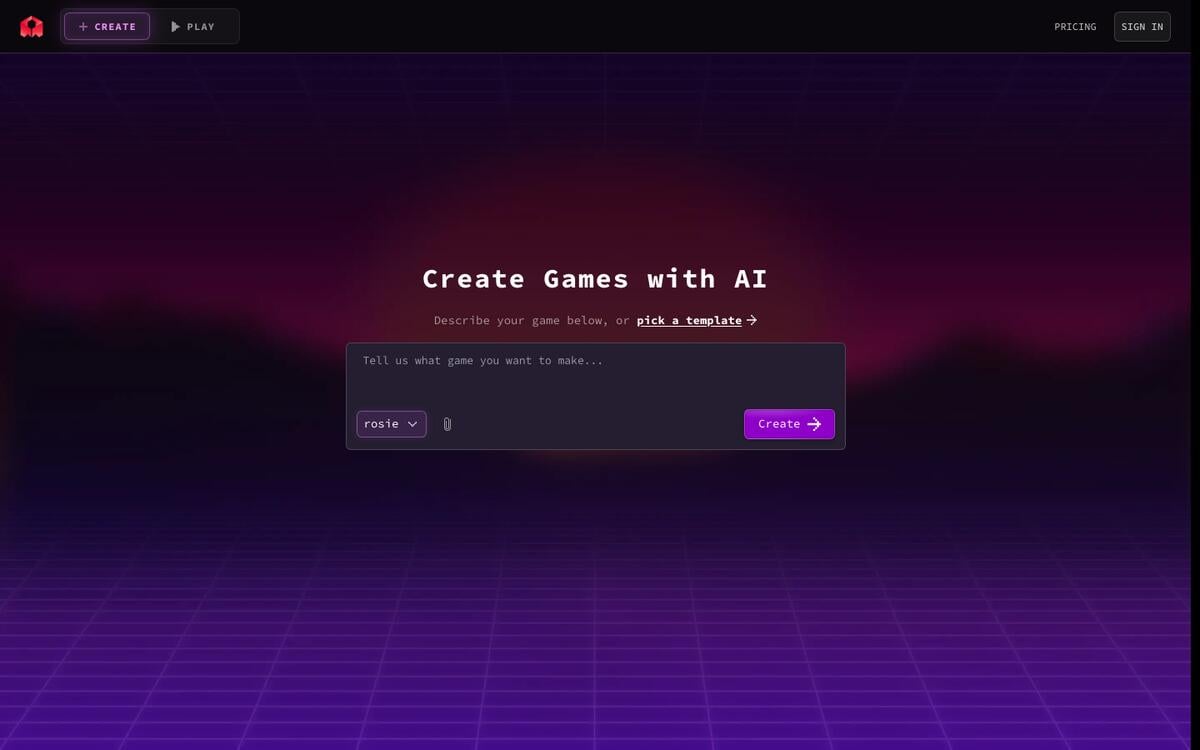
Key features: prompt-to-game generation; generated JavaScript you can edit by chat, or by hand in a browser Code tab from the Indie Dev plan; one-click publishing that gives you a link anyone can play; 2D and 3D asset generation; a Windows desktop export; a remix community of other creators' games.
Free plan (re-checked Sep 24, 2026): the product page says it is free to start, and the pricing page lists its paid plans as "everything in Free, plus" without publishing the Free limits. Third-party reports of the free credit amount conflict. Treat free use as a trial and check your balance before a long session.
Pros:
- The most complete prompt-to-playable pipeline in this list
- Code stays editable, so you are not stuck with the first draft
- Publishing to a shareable link takes one click
Cons:
- Free-tier limits are not clearly published
- Commercial rights start on the $30 plan, and downloadable project code on the $50 plan
Pricing: Indie Dev $15/month with 100,000 credits. Commercial rights and removal of Rosebud branding start at 10x Dev, $30/month. Downloadable project code starts at Pro, $50/month.
Bottom line: the best first stop if you want a playable game you can share today.
2. Astrocade: Best for Sharing Games With a Built-In Audience
Astrocade is a social platform where people create small games from prompts and publish them to a public feed that others play and remix. It raised a combined $56 million Series A and Series B, led by Sea and Sequoia, announced on May 5, 2026, and at the time reported about 5 million monthly active users, roughly 140 million plays a month, and more than 75,000 games.
Key features: prompt-to-game creation; a public feed with play counts; remixing other people's games; mobile-first play.
Free plan (verified Sep 22, 2026): creating and playing are free. We found no paid consumer tier; the pricing URL returned a 404.
Pros:
- A real audience on day one, which almost no other tool offers
- Free to create
- Strong momentum and funding in 2026
Cons:
- We found no option to export your game's code
- Output leans 2D in practice
Pricing: free.
Bottom line: the right choice when you want players more than you want the source code.
3. Star: Best for Hosted Multiplayer Games You Can Export and Own
Star turns a description into a hosted browser game and gives every game its own URL. Its gallery holds both 2D games and 3D games, including first-person shooters. Its terms of service state that users retain ownership of the games and content they create, and you can export to itch.io, Windows, or your own files. You also choose the model behind each build, including Claude models.
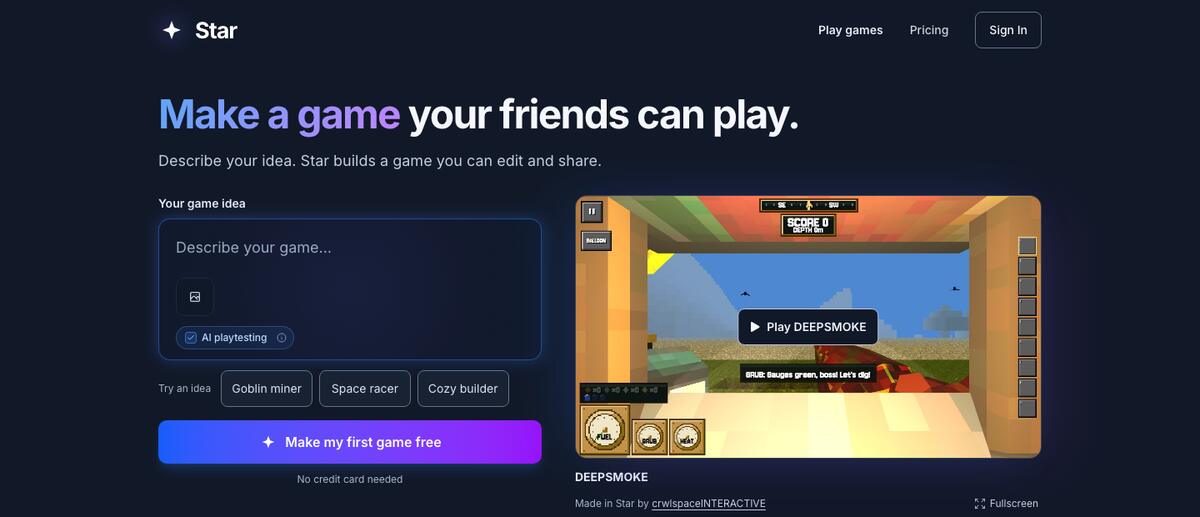
Key features: prompt-to-game with an AI playtesting option; a unique URL per game; multiplayer rooms, leaderboards, and mobile and gamepad controls; export to itch.io, Windows, or your own files; in-game item sales where the creator keeps 70%; a per-build model picker.
Free plan (re-checked Sep 24, 2026): playing and sharing are free for everyone, and new accounts build free on the default model with no credit card.
Pros:
- Clear ownership terms in plain language
- Export paths to the places indie games actually ship
- Model choice lets you trade speed for quality
Cons:
- Branding-free exports and the Windows build need the $50 Pro plan
- Stronger models cost more per build
Pricing: Creator $20/month for 3,000 credits, Pro $50/month, or one-time packs from $3 for 300 credits, which Star estimates at about 20 builds on its default model.
Bottom line: the best pick when you want a hosted game with multiplayer today and the option to take it elsewhere later.
4. Summer Engine: Best for a Real Engine Project You Can Ship to Steam
Summer Engine builds games on Godot 4, so what you get back is a real engine project, not a hosted page. It exports to Steam, mobile, and the web, and it positions itself explicitly as the own-your-code option.
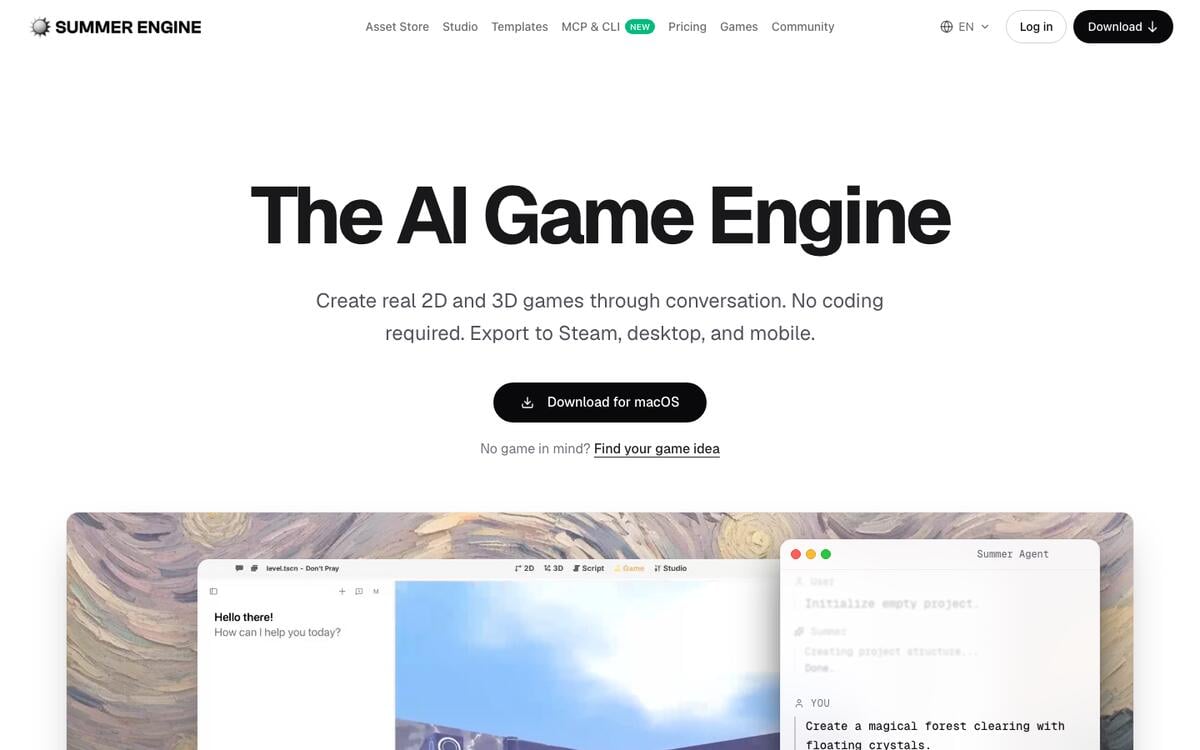
Key features: AI-led building on top of Godot 4; a manual editor; exports to Steam, mobile, and web; MCP connection so outside AI tools can work on the project.
Free plan (verified Sep 22, re-checked Sep 24, 2026): a free app with a hosted AI trial, the manual editor, export, and MCP access. AI-powered building itself is on paid plans.
Pros:
- A standard Godot project you can open without Summer Engine
- The clearest path from prototype to a store listing
- The manual editor keeps you in control
Cons:
- The AI building you came for is paid
- More setup than a browser-only tool
Pricing: Pro $20/month; Pro+ $60/month is recommended for AI-led building; Ultra $200/month.
Bottom line: the best choice when the goal is a shipped game, not a shared link.
5. GDevelop: Best Free and Open-Source Game Engine With AI Help
GDevelop is an open-source, no-code engine for 2D and 3D games with an AI assistant that helps you build mechanics. It is the most generous permanent free plan among dedicated game tools in this list.
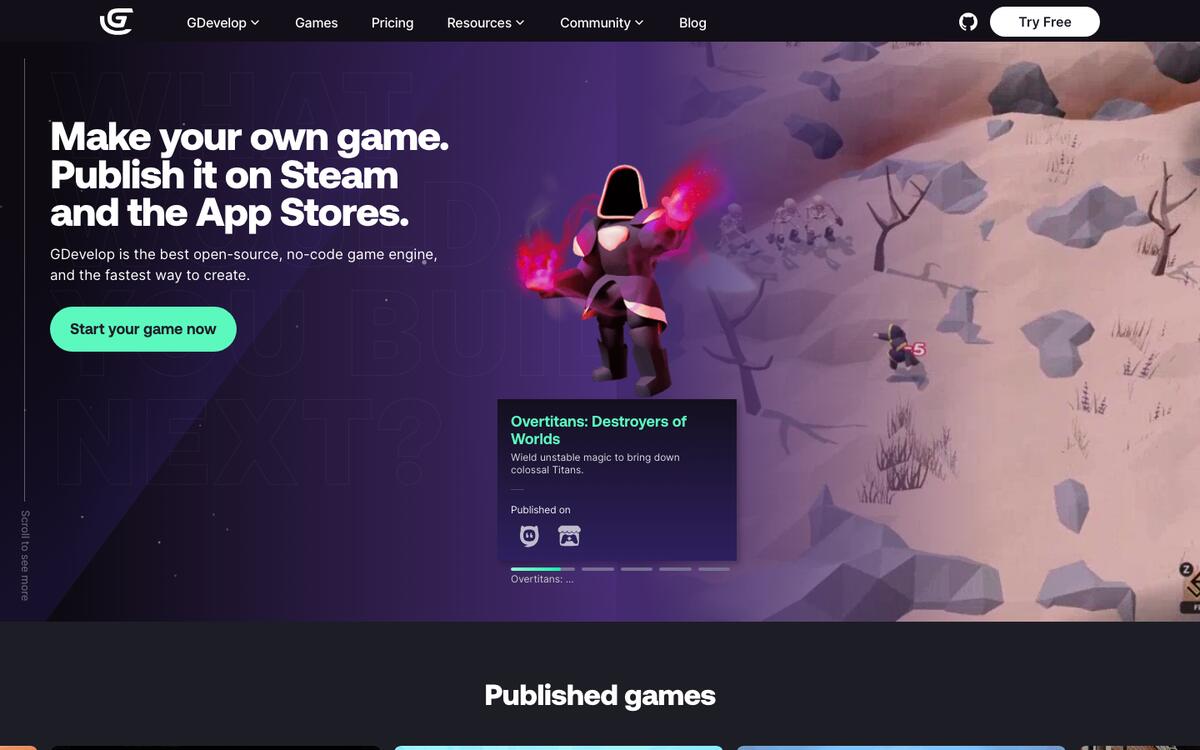
Key features: event-based no-code logic; 2D and 3D; an AI helper for building mechanics; one-click export to desktop, web, and mobile.
Free plan (re-checked Sep 24, 2026): $0 with 40 AI credits a month, 3 cloud projects, unlimited publishing to its gd.games web portal, and one desktop and one Android publish per day.
Pros:
- Open source, so the engine outlives any subscription
- A permanent free plan, not a trial
- A large library of tutorials and templates
Cons:
- The AI assists building; it does not generate a whole game from one prompt
- App Store publishing starts on the Gold plan, and companies with more than $50,000 in yearly revenue must use Pro
Pricing: Silver $7.99/month (200 AI credits a week), Gold $13.99/month, and Pro $39.99/month on monthly billing, with up to 40% off on yearly billing.
Bottom line: the best free foundation for anyone who wants to learn how games are built.
6. OpenGame: Best for Downloading a Finished Game File
OpenGame, formerly ai-game-generator.com (the old domain now permanently redirects), generates 2D games as a single HTML file and 3D games as a downloadable project bundle.
Key features: 2D and 3D generation; a single-file HTML output for 2D; a ZIP project for 3D; an examples gallery.
Free plan (verified Sep 22, re-checked Sep 24, 2026): no free generation. Examples are free to view; custom builds use paid Studio Credits.
Pros:
- The output is a file you keep, with no platform dependency
- Clear, published credit costs per game
Cons:
- Nothing to generate for free
- Built for downloads rather than hosted sharing
Pricing: Starter $15/month for 80 credits, enough for about 16 2D games or 8 3D games.
Bottom line: a clean pick when you want the game as a file and nothing else.
7. Websim: Best for Quick, Playful Experiments
Websim generates games and small web apps from prompts and publishes them at a public project link. It rewards experimentation: try an idea, share it, and move on.
Key features: prompt-to-web-app and game; public project pages; remixing.
Free plan (verified Sep 22, 2026): the site says you can create games and apps for free. It publishes no cap.
Pros:
- Free and fast
- Public links for every project
Cons:
- We found no code export
- No published limits, so heavy use is unpredictable
Pricing: not published.
Bottom line: a playground for trying ideas, not a production pipeline.
Three newer tools that appear in other 2026 roundups. We checked them on September 24, 2026, but they did not make the ranked list, because each is either narrow or publishes too little about rights and export:
| Tool | What it makes | Free tier | Entry paid tier |
|---|---|---|---|
| Text to Game | 2D, low-poly, and voxel browser games from a prompt | "Free to start," no sign-up | Not published (pricing URL returned a 404) |
| Nilo | 3D worlds and models, with Roblox-focused features and multiplayer co-creation | 1,500 Bits a month | Builder $14.99/mo on a 50% promotion ($29.99 list) |
| Gameer | Story-driven games with AI characters | Free forever, limited templates | Pro $1.99/mo |
Free General AI Builders That Can Make a Game
General-purpose AI assistants and app builders are now surprisingly good at small games, and several do it on a free plan.
8. Claude Artifacts: Best Free Way to Prototype a Game Today
Claude can build interactive artifacts: HTML and JavaScript that run live in the chat. Ask for "a Breakout clone with three levels and a high score" and you get a playable game in the side panel. Artifacts are supported on the free plan, and sharing by link is free on any plan. The code-execution setting must be turned on.
Key features: playable HTML games in chat; iterative edits by conversation; share by link; copy the full source.
Free plan (verified Sep 22, 2026): artifacts and public sharing work on the free plan.
Pros:
- The most capable free prototype tool in this list
- You can read and keep every line of the code
- Great for learning how a game loop works
Cons:
- Long or complex games outgrow a single artifact
- No hosting, assets library, or publishing pipeline beyond a shared link
Pricing: free, with paid Claude plans for higher limits.
Bottom line: the fastest free way to go from idea to something you can play.
9. Gemini Canvas: Best Free Option on Google's Stack
Gemini Canvas generates and previews HTML and React prototypes, including small games, and the Canvas feature is available on the free plan. Paid tiers upgrade the underlying model rather than unlocking Canvas itself.
Key features: live preview of generated code; edits by conversation; sharing.
Free plan (verified Sep 22, 2026): Canvas is included on the free plan.
Pros:
- Free, with a live preview
- A long context window on paid tiers for bigger projects
Cons:
- Same single-file limits as other chat-based builders
- No asset pipeline
Pricing: free; paid Google AI plans upgrade the model.
Bottom line: an equal alternative to Claude for quick free prototypes.
10. Replit: Best for Growing a Prototype Into a Real Project
Replit markets an AI game-building use case for 2D platformers, endless runners, and strategy games, and it gives you a full development environment behind the prompt. When a prototype needs files, packages, and version control, Replit is the natural next step.
Key features: an AI agent that builds in a real project; hosting; a full code editor.
Free plan (verified Sep 22, 2026): the Starter plan includes one published project; pricing page details did not load for us, so confirm current limits.
Pros:
- A real codebase you can keep growing
- Hosting built in
Cons:
- Less game-specific than the dedicated tools
- Free usage is tight
Pricing: paid Replit plans for more agent usage and deployments.
Bottom line: the right home once a quick prototype becomes a project.
Other general builders can produce browser games as well, since they generate standard web apps:
| Builder | Can it make a playable browser game? | Free tier (verified Sep 22, 2026) |
|---|---|---|
| Bolt | Yes, as a web app | 300,000 tokens/day, 1 million/month, hosting included |
| Lovable | Yes, as a React app | 5 credits/day, up to 30/month |
| v0 | Yes, as a front-end app | $5 of monthly credits, 7 messages/day |
| ChatGPT | Yes, in chat code previews | Free plan; the Canvas panel is changing, so check current behavior |
Game Asset Generators
These tools make the parts of a game: art, models, and sound. You still assemble the game in an engine.
11. Ludo.ai: Best All-in-One Asset and Ideation Suite
Ludo.ai generates sprites, UI elements, textures, music, 3D assets, and video, and in 2026 it added a Playable Generator that prototypes 2D web games on PixiJS. It started as a game-ideation and market-research tool, which still shows in its strengths.
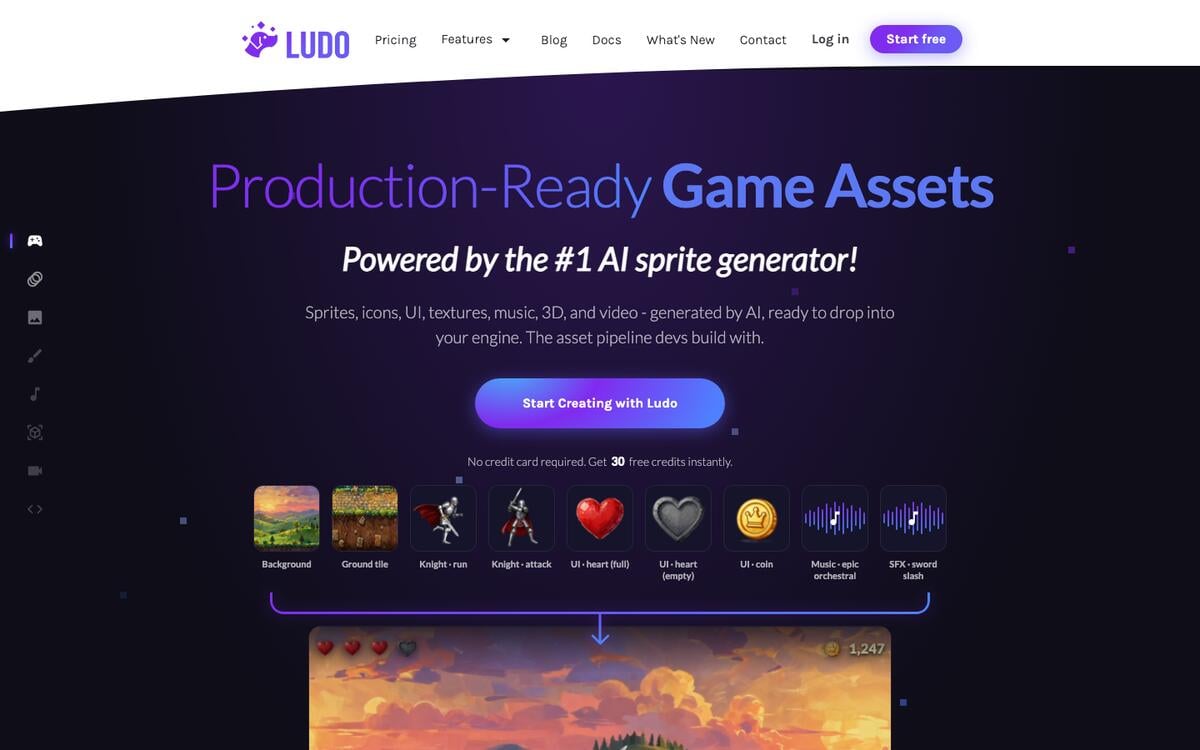
Key features: image, sprite, and UI generation; music and sound; 3D; the 2026 Playable Generator for quick 2D prototypes; API and MCP access.
Free plan (re-checked Sep 24, 2026): 30 free credits on signup with no card required; the pricing page shows paid tiers only.
Pros:
- The broadest asset range in one subscription
- Ideation tools that help before any art exists
- The new Playable Generator bridges assets and prototypes
Cons:
- Free usage is a one-time taste
- Playable prototypes are 2D only
Pricing: Indie $15/month billed annually ($180 a year for 3,000 credits up front); Pro $35/month billed annually adds API and MCP access.
Bottom line: the best single subscription for a solo developer who needs many kinds of assets.
12. Scenario: Best for Consistent, Style-Trained 2D Art
Scenario trains models on your own art style so every new asset matches the last. It generates 2D images, video, audio, and 3D meshes, with exports for Unity and Unreal.
Key features: custom style training; 2D, video, audio, and 3D output; GLB, OBJ, FBX, STL, and VOX export with PBR materials.
Free plan (verified Sep 22, re-checked Sep 24, 2026): 50 credits a day, no card required. Free output is for personal and evaluation use only.
Pros:
- The strongest style consistency in this list
- A full commercial license on paid plans, including resale
- Engine-ready 3D formats
Cons:
- Free output cannot be used commercially
- Style training takes setup time
Pricing: Starter $15/month for 1,500 credits.
Bottom line: the best pick when your game's art must look like one artist made it.
13. Meshy: Best for 3D Models With Clear Free-Tier Rights
Meshy generates 3D models from text or images. Its licensing is unusually clear: free-tier models are published under Creative Commons Attribution 4.0, which allows selling with credit.
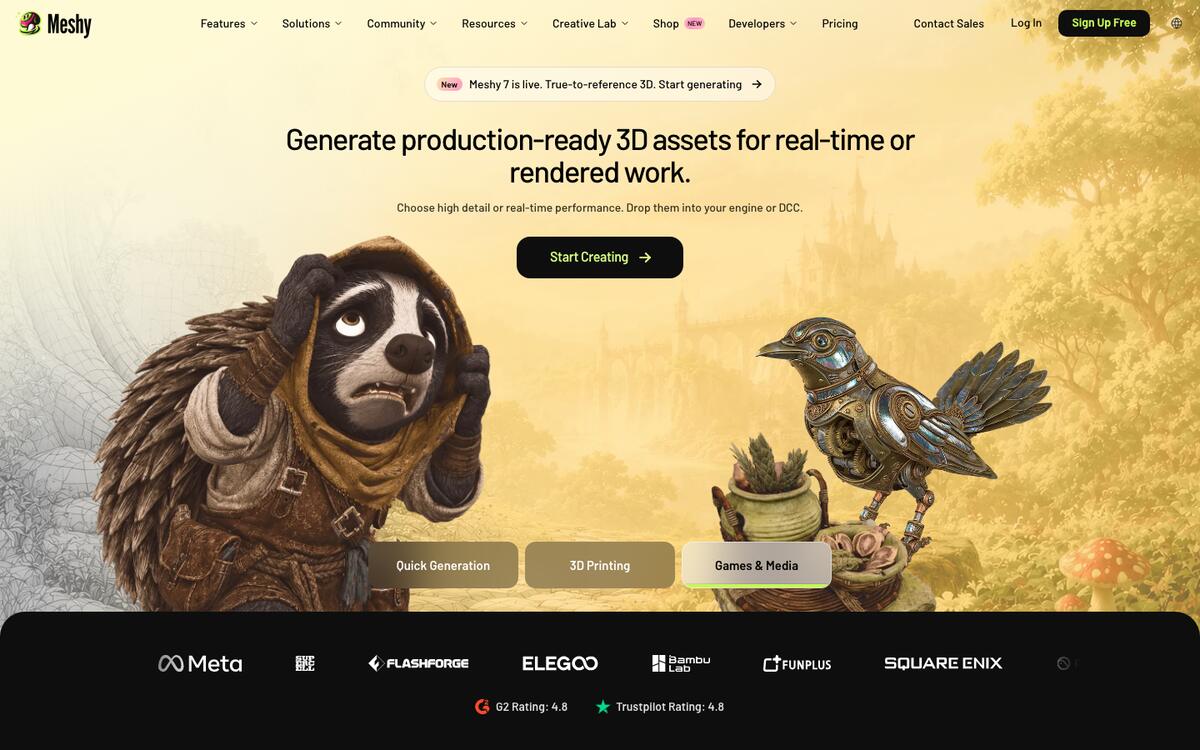
Key features: text-to-3D and image-to-3D; texturing; multiple export formats.
Free plan (verified Sep 22, 2026): 100 credits a month that reset automatically; free models under CC BY 4.0.
Pros:
- Commercial use is allowed even on free, with attribution
- Monthly credits reset, rather than a one-time grant
Cons:
- Generated meshes usually need cleanup for animation
- Private ownership requires a paid plan
Pricing: paid Pro plans for more credits and private ownership.
Bottom line: the easiest 3D starting point for an indie game.
14. Tripo: Best Alternative for 3D Asset Generation
Tripo is a 3D model generator widely compared with Meshy. Reported free-tier credit amounts vary, and its pricing page blocked our direct check, so confirm current limits before relying on it.
Key features: text-to-3D and image-to-3D; multiple formats.
Free plan (verified Sep 22, 2026): a monthly credit allowance; reports indicate free output is non-commercial. We could not load the pricing page directly.
Pros:
- A strong second option for 3D
- Commercial rights on paid plans
Cons:
- Free output reportedly cannot be sold
- Limits were not verifiable from the vendor page
Pricing: reported Pro plan near $20/month.
Bottom line: worth a comparison test against Meshy on your own asset.
15. Layer.ai: Best for Studios Producing Assets at Volume
Layer.ai generates 2D images, video, 3D models, and audio, with 3D export to Blender and Maya. It is priced for ongoing production rather than casual use.
Key features: multi-format generation; 3D export to Blender and Maya; team workflows.
Free plan (verified Sep 22, 2026): no free tier.
Pros:
- The lowest entry price among paid asset tools here
- A commercial license stated for all users
Cons:
- No free way to try it
- Unit-based pricing takes planning
Pricing: $10/month for 300 Creative Units.
Bottom line: a practical production tool for small studios that know what they need.
16. Leonardo: Best for Concept Art and Promotional Images
Leonardo is a general image generator popular with game creators for concept art, key art, and store-page images. Reports indicate free-tier creations are public and carry no ownership rights, so use paid plans for anything you ship.
Key features: image generation with many style models; image-to-image editing.
Free plan (verified Sep 22, 2026): a daily token allowance; our direct check of the pricing page was blocked, so confirm the current figure.
Pros:
- Excellent for concept art and marketing images
- A wide range of style models
Cons:
- Not game-specific
- Free creations are reportedly public and not yours to sell
Pricing: reported Essential plan near $12/month.
Bottom line: the right tool for the art around your game rather than inside it.
AI Inside Game Engines
17. Unity's AI Tools: Best for Developers Already Building in Unity
Unity replaced Muse with AI tools that launched in Unity 6.2 and opened to all Unity 6 users in 2026. As of September 2026, Unity's product page is retiring the umbrella "Unity AI" name in favor of functional names: the in-editor Assistant, the AI Gateway, and an MCP Server. The tools are not discontinued, only the brand.
Key features: an in-editor assistant for code and scene work; asset generation; MCP access for outside AI tools.
Free plan (verified Sep 22, 2026): a 14-day trial with 1,000 one-time credits on Unity Personal.
Pros:
- AI where Unity developers already work
- Included at no extra charge on Pro, Enterprise, and Industry seats
Cons:
- Only useful if you build in Unity
- Personal users pay after the trial
Pricing: $10/month for 1,000 AI credits a month on Unity Personal.
Bottom line: the obvious add-on for existing Unity projects, not a way to start from zero.
18. Roblox Assistant and Cube: Best for Roblox Creators
Roblox Studio includes Roblox Assistant for free, which writes and edits Luau scripts across multiple objects. Roblox also open-sourced Cube, its model for generating 3D meshes from text, on March 17, 2025, publishing it on GitHub and Hugging Face.
Key features: script generation and editing in Studio; text-to-mesh with Cube; Roblox's built-in publishing and audience.
Free plan (verified Sep 22, 2026): both are free for Roblox developers.
Pros:
- Free, inside the editor, with Roblox's audience behind it
- An open-source 3D model you can inspect
Cons:
- Everything lives inside the Roblox ecosystem
- AI speeds up scripting; it does not design the game
Pricing: free.
Bottom line: if your game belongs on Roblox, start here.
NPCs and World Models
19. Inworld: Best for Voiced, Conversational Characters
Inworld provides AI character voices and speech through a real-time API you connect to any engine. It does not make games; it makes characters inside them talk.
Key features: text-to-speech and speech-to-text for characters; custom voices; a real-time API.
Free plan (verified Sep 22, 2026): on-demand usage up to 70 minutes of text-to-speech and 100 custom voices.
Pros:
- Makes NPC dialogue feel alive
- Works with any engine through the API
Cons:
- Requires engineering work to integrate
- Voice quality needs direction to fit your game's tone
Pricing: Creator $25/month, with a commercial license on paid tiers.
Bottom line: the add-on that turns scripted characters into conversational ones.
20. Google Project Genie: Best Glimpse of What Comes Next
Genie 3, announced by Google DeepMind in August 2025, generates explorable 3D worlds you move through in real time. Consumer access arrived as Project Genie on January 29, 2026, limited to Google AI Ultra subscribers in the United States aged 18 and over, with sessions capped at 60 seconds.
Key features: real-time explorable worlds from a prompt; first- and third-person movement; video downloads of your exploration.
Free plan (verified Sep 22, 2026): none. Google AI Ultra only.
Pros:
- The most striking demonstration of generated worlds anywhere
- Shows where interactive media is heading
Cons:
- Not a game: no objectives, scoring, or rules you design
- No code or asset export, and very limited access
Pricing: included with Google AI Ultra.
Bottom line: worth watching, not yet a tool for making games.
Game Design Documents
21. Taskade: Best for Designing the Game Before You Build It
Taskade is not a game engine, and it does not compete with Rosebud AI, GDevelop, or Unity on physics, sprites, or 3D. It fits one stage earlier. Taskade offers a library of free game-development generators that each draft one part of a game design, and every draft lands in a workspace you can organize, share, and hand to any game generator.
Key features: generators for worlds, lore, mechanics, levels, characters, NPC behavior, UI, and trailers; AI agents that keep the design consistent; Taskade Genesis for building simple browser games and the apps around a game, such as playtest trackers and community hubs.
Free plan (verified Sep 22, 2026): a free account includes 3 apps, 1 AI agent, 10 automation runs a month, and 6,000 one-time credits to start, with no credit card.
Pros:
- Covers the design stage that every other tool on this list skips
- One workspace for the design, the team, and the launch plan
- Simple browser games are within reach with Taskade Genesis
Cons:
- Not built for physics-heavy, sprite-heavy, or 3D games
- You still need a game tool to build anything ambitious
Pricing: Pro $10/month billed annually for unlimited apps and agents.
Bottom line: the best place to write the game before a generator builds it.
The Game-Making Pipeline, Mapped to Tools
Every game, generated or hand-made, passes through the same stages, and no single AI tool covers all of them. Mapping the stages makes the tool choice obvious: design tools feed the build, the build needs assets, and publishing needs a place for players.
Green stages are design work, blue is assets, pink is building and publishing, orange is the loop that makes a game good, and purple is everything after launch. Here is a free Taskade generator for each design stage:
| Stage | What you need to decide | Free generator |
|---|---|---|
| Concept | The one-sentence pitch and the player | AI Game Generator |
| World | Setting, geography, factions | Game World Generator · Faction Generator |
| Lore and story | History, plot, quests | Game Story Generator · Game Lore Generator · Quest Design Generator |
| Mechanics | The verb the player repeats | Game Mechanic Generator · Game Economy System Generator |
| Characters | Heroes, enemies, NPCs | Game Character Design Generator · NPC Behavior Generator · Enemy Type Generator |
| Levels | Layout, pacing, difficulty | Level Design Concept Generator · Puzzle Design Generator |
| UI and controls | Menus, HUD, input | Game UI/UX Design Idea Generator · Control Scheme Generator |
| Launch | Name, trailer, mods, community | Game Title Generator · Trailer Concept Generator · AI Mod Maker |
For classroom use there is also an educational game generator, and for players, a gamertag generator. Browse them all in game development generators.
How to Make a Game With AI in Five Steps
The fastest route to a good AI-made game is a written design, one playable build, and several small rounds of tuning with real players. The steps below work with any playable-game builder in this list. The design stage is where most first-time makers skip ahead, and it is the stage that decides whether the result feels generic.
- Write a one-sentence pitch and a win condition. If you have no idea yet, use the AI Game Mode Idea Generator or the AI Game Event Idea Generator.
- Fill in the prompt card below. Keep the scope to one level.
- Paste the card into a playable-game builder, such as Rosebud AI, Star, or Claude.
- Share the link with three players. Watch them play, and do not explain the controls.
- Change one tuning value at a time. Publish when a new player finishes a run without help.
GAME PROMPT CARD (paste into any generator)
──────────────────────────────────────────────────────────────
PITCH    "A [genre] where you [verb] to [goal]."
PLAYER   What the player controls, and with which keys or taps
LOSE     What ends a run
SCORE    What earns points, and what the high score shows
FEEL     Three tuning values: speed, gravity, spawn rate
ART      The style in five words, plus a color palette
SCOPE    One level. Only a start screen and a game-over screen.
──────────────────────────────────────────────────────────────
For a party or co-op game, start with the AI Game Co-Op Mode Generator. For progression, the AI Game Skill Tree Generator drafts the unlocks. After launch, the AI Game Patch Note Generator and the AI Game Marketing Strategy Generator cover updates and promotion.
What Changed in AI Game Generation in 2026
AI game generation moved from demos to funded platforms in 2026, and the biggest companies reorganized their tools around it.
| Date | What happened | Why it matters |
|---|---|---|
| Mar 17, 2025 | Roblox open-sources its Cube 3D model | Text-to-mesh became inspectable, not only a service |
| Aug 2025 | Google DeepMind announces Genie 3 | Generated, explorable worlds reach real time |
| Jan 29, 2026 | Project Genie launches for Google AI Ultra (US, 18+) | First consumer access to a world model, capped at 60-second sessions |
| 2026 | Unity AI tools open to all Unity 6 users; the "Unity AI" brand is now being retired for functional names | AI becomes a standard part of the engine, not a separate product |
| May 5, 2026 | Astrocade raises a combined $56M Series A and B | Prompt-made games became a platform with an audience |
| 2026 | Ludo.ai ships a Playable Generator on PixiJS | Asset tools moved into making playable prototypes |
| 2026 | ai-game-generator.com becomes OpenGame | A category domain rebranded to a product name |
What AI Game Generators Cost
Entry paid tiers for dedicated AI game tools cluster between $8 and $25 a month, while the general AI assistants remain the most capable free option. This chart shows only prices we verified on vendor pages on September 22 and 24, 2026.
The sticker price hides the real variable, which is what a credit buys. Only two game builders publish a conversion from credits to games, so we did the arithmetic for them. The table is our own calculation from vendor pages checked on September 24, 2026:
| Plan | Price | What the vendor says it buys | Our cost per unit |
|---|---|---|---|
| OpenGame Starter | $15/mo | 80 credits: 5 per 2D game, 10 per 3D game | About $0.94 per 2D game, $1.88 per 3D game |
| Star credit pack | $3 once | 300 credits, "about 20 builds" on the default model | About $0.15 per build |
| Star Creator | $20/mo | 3,000 credits a month | About $0.10 per build at the same rate |
| Rosebud AI Indie Dev | $15/mo | 100,000 credits a month | Not calculable: no cost per game is published |
| Scenario Starter | $15/mo | 1,500 credits a month | Not calculable: cost varies by model |
The units differ. An OpenGame credit buys a whole new game, while a Star build is one generation or one edit, such as "add a boss." Iteration is where games improve, so a cheap edit can be worth more than a cheap first draft.
Here is the same market sorted by monthly budget:
MONTHLY BUDGET   WHAT IT BUYS (vendor prices, checked Sep 22-24, 2026)
──────────────   ──────────────────────────────────────────────────────────
$0               Claude artifacts, Gemini Canvas, GDevelop free, Star on its
                 default model, Websim, Astrocade, Scenario (50 credits/day)
About $10        GDevelop Silver $7.99, Layer.ai $10, Unity AI $10 on Personal
About $15        Rosebud Indie Dev, OpenGame Starter (16 2D games),
                 Scenario Starter, Ludo.ai Indie (billed annually)
$20 to $30       Star Creator, Summer Engine Pro, Inworld Creator $25,
                 Rosebud 10x Dev $30 (first plan with commercial rights)
$50 and up       Rosebud Pro (code download), Star Pro (clean exports, .exe),
                 Summer Engine Pro+ $60 (recommended for AI-led building)
Why We Built the Design Side Differently
Every tool in this list starts at the build. You type a prompt and get a game. That is exciting, and it skips the stage where good games are actually decided.
A one-line prompt produces the average of every game the model has seen, which is why so many generated games feel familiar. A written design gives the generator something it cannot average away: your world, your rules, your characters, and the one mechanic you care about. The same lesson shows up in interface design, where attaching a design brief beats writing a better prompt.
So Taskade put the design stage in a workspace. Each generator drafts one part of the game into a shared project, your team edits it together, and AI agents keep the details consistent as the design grows. When you are ready to build, you hand the whole document to Rosebud AI, Summer Engine, or Claude, and the first generation starts from your game instead of from nothing.
For simple games, you can also build directly. Taskade Genesis is an AI app builder that turns a prompt into a live web app, and quiz, trivia, and arcade-style games fit that shape well. The same workspace can hold the apps around a game: a playtest feedback tracker, a community hub, a launch plan with automations. Browse what people have built in the community gallery, or start your game design free.
AI Game Generator FAQ
What is the best AI game generator in 2026?
It depends on what you want at the end. For a playable browser game from one prompt, Rosebud AI is the most complete option. For an engine project you own and can ship to Steam, use Summer Engine or open-source GDevelop. For game art, Scenario and Meshy lead. For the design before the build, Taskade offers a library of free game-development generators.
What is the best free AI game generator?
The most capable free options in September 2026 are Claude artifacts and Gemini Canvas, which both produce a playable HTML game on a free plan. Among dedicated tools, GDevelop has a permanent free plan with 40 AI credits a month and unlimited web publishing, and Star lets new accounts build free on its default model with no card.
Can AI make a whole game from a text prompt?
Yes, for small games. Rosebud AI, Star, and Astrocade turn a prompt into a playable browser game with code, art, and sound. A one-button game such as a Flappy Bird clone takes minutes. A polished small game still takes days to weeks, because balanced difficulty and game feel come from playtesting, not from the first prompt.
What is the difference between an AI game generator and an AI game asset generator?
A game generator produces something you can play, usually a browser game with code, rules, and art. An asset generator produces parts of a game, such as sprites, 3D models, or music, that you place into an engine yourself. Rosebud AI and Star are game generators. Scenario, Meshy, and Ludo.ai are asset generators.
Can I sell a game I made with an AI game generator?
Often yes, but the rights depend on the plan. Rosebud AI grants commercial rights from its $30 a month plan. Scenario limits free output to personal and evaluation use. Meshy's free models allow selling with attribution. Star's terms state that users retain ownership of their games. Save the terms page on the day you generate anything you plan to sell.
Which AI game generators let you export the code?
Star exports to itch.io, Windows, or your own files. Rosebud AI shows editable JavaScript from its Indie Dev plan and adds project download on its $50 Pro plan. OpenGame delivers an HTML file or a 3D project bundle. Summer Engine produces a Godot 4 project, GDevelop is open source, and Claude artifacts are plain HTML you can copy.
Can you make a Roblox game with AI?
Yes. Roblox Studio includes Roblox Assistant for free, which writes and edits Luau scripts across multiple objects, and Roblox open-sourced its Cube 3D model for text-to-mesh generation in March 2025. You still build and publish inside Roblox Studio, so AI speeds up scripting and assets rather than replacing the editor.
Which AI game generator is best for 3D games?
For a playable 3D browser game, Rosebud AI builds Three.js and voxel games, and Star hosts 3D games too. For a 3D engine project you own, use Summer Engine or GDevelop. For 3D assets, Meshy and Tripo generate models. Google Project Genie generates explorable 3D worlds, but they have no rules or scoring, and access requires Google AI Ultra.
How do I use AI to come up with a game idea?
Ask for constraints, not a finished game. Give the AI a genre, a player verb, a session length, and one twist, then ask for five pitches and pick one. Expand the winner into a world, a mechanic, and a user interface. Taskade offers free tools for each stage, including a game idea generator, a game world generator, a game mechanic generator, and a game UI design generator.
Can Taskade make games?
Taskade is not a game engine, and it does not compete with Rosebud AI, GDevelop, or Unity on physics, sprites, or 3D. Taskade Genesis builds live web apps from a prompt, so quiz, trivia, and simple arcade games are within reach. Taskade is strongest before and around the game: free game-design generators, plus apps for playtest feedback and launch planning.
Is there a good AI game maker for students and teachers?
A general AI assistant that produces one playable HTML file is the lowest-friction path, because students can read and change the code. GDevelop is free and open source. Taskade has a free educational game generator and quiz tools. Check each tool's age requirement first, because some products, including Google Project Genie, are limited to users aged 18 and over.
Can AI make a mobile game?
Yes. Most AI-generated browser games run on phones, and Star adds mobile and gamepad controls to games it hosts. For an installable app, GDevelop publishes to Google Play once a day on its free plan and to the App Store from its Gold plan, and Summer Engine exports to mobile. Test touch controls on an older phone before you share widely.
The Verdict
For a playable game from one prompt, Rosebud AI is the most complete tool in 2026. For a game you own and can ship, Summer Engine and GDevelop are the strongest foundations. For a free prototype today, Claude artifacts and Gemini Canvas are hard to beat. For art, Scenario and Meshy lead.
And before any of them, write the game down. The generators are fast enough now that the design is the bottleneck, which is exactly where free game-design generators and a shared Taskade workspace help. Design your game free →
Further Reading
- AI Worldbuilding Generators — deeper tools for settings, maps, and lore
- AI Username Generators — gamertags and player names
- AI Design Tools 2026 — why a design brief beats a better prompt
- Best Free AI App Builders — free builders for the apps around your game
- Best Vibe Coding Tools — the builders behind many prompt-made games
- AI HTML Generators — single-file web output, the format most browser games use
- AI Exam Generators — quiz and test tools for educational games
- Best AI Image Generators — concept art and key art
- Anthropic and Claude History — where Claude artifacts came from
- What Is Vibe Coding? — building software by describing it
- AI Prompt Generators — tools that write better prompts, including for game builders
- AI Mobile App Builders — when your game needs an app-store listing
- What Are AI Agents? — the agents that keep a large game design consistent
Sources
- Tennis for Two and Spacewar! — Wikipedia
- Genie 3: A new frontier for world models — Google DeepMind
- Project Genie — Google
- Astrocade raises $56M — Astrocade
- Unity AI tools — Unity
- Rosebud AI pricing, Scenario pricing, GDevelop pricing, Summer Engine pricing (re-checked September 24), Layer.ai pricing, Inworld pricing — vendor pages, checked September 22, 2026
- Star pricing, Star terms of service, OpenGame pricing, Ludo.ai pricing, Nilo pricing, Gameer pricing, Text to Game — vendor pages, checked September 24, 2026
- What are artifacts — Anthropic
▲ ■ ● Spacewar! took a team of students months of evenings. Today the loop takes a minute, and the design is what's left to do well. Write the game, then let the machines build it. Memory feeds Intelligence, Intelligence triggers Execution. Start your game design free →