







Every week a new startup announces an "AI agent." Microsoft calls everything a "copilot." OpenAI still markets ChatGPT as a chatbot even though it now browses the web, writes code, and generates images. The labels have become meaningless — and that confusion is costing teams real money.
Companies deploy chatbots when they need agents. They build agents when a copilot would suffice. They hire engineers to glue together what a single AI workspace could handle out of the box. The root cause is always the same: no shared vocabulary for what these tools actually do and where each one fits.
This article fixes that. We present a four-level autonomy taxonomy for AI systems in 2026, define each category with precision, map 20+ real-world products to their correct level, and give you a decision matrix so you can pick the right tool for every workflow on your team.
TL;DR: AI systems fall on a four-level autonomy ladder — chatbots (talk only), copilots (suggest, human approves), agents (execute autonomously), and autonomous systems (self-plan and self-correct). Taskade spans all four levels with chat, AI agents with built-in tools, automations across 100+ integrations, and Genesis for prompt-to-deploy app building. Start free →
The Four-Level AI Autonomy Ladder
The clearest way to classify AI tools is by how much they can do without a human in the loop. We use a four-level model that maps directly to how teams actually deploy these systems in production.
Each level adds a capability layer. A chatbot can only talk. A copilot can suggest actions. An agent can execute those actions. An autonomous system can plan, execute, evaluate results, and course-correct — all without waiting for human approval.
Most AI products in 2026 sit at Level 2 or Level 3. The industry is rapidly moving upward, and the products that win are those that let teams operate at the right level for each specific task — not the ones that force everything into a single mode.
Definitions: What Each Type Actually Means
What Is a Chatbot?
A chatbot is a conversational AI that responds to user messages within a text interface. It has no ability to take actions outside the chat window. It cannot open files, call APIs, query databases, trigger workflows, or modify external systems. When you type a question, it generates an answer. That is the full extent of its capability.
Classic examples include the free tier of ChatGPT (before plugins), basic customer support widgets on e-commerce sites, early Siri and Alexa for simple Q&A, and rule-based bots that match keywords to scripted responses.
Chatbots are not useless — they solve a specific problem well. They answer FAQs at scale, they deflect support tickets for common questions, and they provide 24/7 availability for simple informational queries. The mistake is expecting them to do more. A chatbot cannot schedule a meeting, update a CRM record, or move a task from "In Progress" to "Done." It can only tell you how those things could be done, in words.
Key trait: Reactive. It waits for your question and gives an answer. It never initiates action.
What Is an AI Copilot?
An AI copilot works alongside a human operator, generating suggestions that the human reviews, accepts, modifies, or rejects. The copilot augments human capability without replacing human judgment. It sees what you are working on, predicts what you might want to do next, and offers that prediction as a suggestion.
GitHub Copilot watches you write code and suggests the next line or function. Cursor suggests edits across your entire codebase. Microsoft 365 Copilot drafts emails, summarizes documents, and generates slide decks — but a human clicks "Accept" or "Reject" on each one. Google's Gemini in Workspace suggests edits to your documents that you approve before they take effect.
The copilot model is powerful because it keeps the human in control while dramatically accelerating routine work. A developer using GitHub Copilot completes tasks an estimated 55% faster, according to GitHub's own research. But the human is still making every decision. The AI never pushes code to production, never sends the email, never publishes the document.
Key trait: Suggestive. It proposes, you dispose. The human is always the final decision-maker.
What Is an AI Agent?
An AI agent is software that can perceive its environment, make decisions, use tools, and execute multi-step tasks autonomously. Unlike a copilot, an agent does not wait for human approval at each step. You give it a goal — "research these 50 leads and add the qualified ones to our CRM" — and it plans a sequence of actions, executes them, handles errors, and delivers a result.
The defining characteristics of an AI agent are:
- Tool use — it can call APIs, query databases, browse the web, read files, write code, and interact with external systems
- Memory — it retains context across interactions and can reference past conversations or data
- Planning — it breaks complex goals into subtasks and determines the execution order
- Autonomy — it executes without requiring human approval at every step, though it may request clarification on ambiguous instructions
Taskade AI agents operate at this level with built-in tools, persistent memory across sessions, multi-agent collaboration, and connections to 100+ integrations. Teams deploy agents for lead qualification, content scheduling, meeting summarization, project management, research, and dozens of other workflows. Other Level 3 products include Devin (autonomous software engineering), Claude Code (autonomous coding agent), and various AI SDR platforms that qualify leads and draft outreach without human intervention.
Key trait: Autonomous within guardrails. It executes tasks independently but operates within boundaries you define.
What Is an Autonomous AI System?
An autonomous AI system operates at the highest level of the taxonomy. It plans its own objectives, executes complex workflows, monitors outcomes, and self-corrects when results deviate from expectations — all with minimal human oversight. Where an agent executes a task you assign, an autonomous system can identify what tasks need to be done in the first place.
Taskade Genesis exemplifies this level: you describe an application in natural language, and the system designs the architecture, generates the code, builds the interface, deploys it to a live URL, and makes it available for users — all from a single prompt. Over 150,000 apps have been built this way. Self-driving vehicles (Waymo, Cruise) are another canonical example: they perceive roads, plan routes, navigate traffic, and handle edge cases without a human driver making moment-to-moment decisions.
Autonomous systems are the most powerful and the most constrained category. They require robust safety guardrails, clear boundaries of operation, and well-defined failure modes. Most organizations are not ready to deploy fully autonomous systems across their operations — but the gap is closing fast. The most practical approach in 2026 is to use autonomous systems for well-bounded domains (app generation, data pipeline orchestration, content production) while keeping humans in the loop for high-stakes decisions (financial approvals, legal compliance, customer escalations).
Key trait: Self-directed. It identifies objectives, plans execution, monitors results, and adapts — not just within a single task, but across workflows.
Side-by-Side Comparison: Chatbot vs Copilot vs Agent vs Autonomous System
| Dimension | Chatbot (L1) | Copilot (L2) | Agent (L3) | Autonomous System (L4) |
|---|---|---|---|---|
| Definition | Answers questions in text | Suggests actions for human approval | Executes multi-step tasks independently | Plans, executes, monitors, and self-corrects |
| Actions | None — text output only | Proposes actions (human decides) | Executes actions via tools and APIs | Executes + evaluates + adapts autonomously |
| Tool access | None | Limited (IDE, document editor) | Broad (APIs, databases, web, files) | Full (creates and orchestrates its own tools) |
| Memory | Session only (resets each chat) | Session + limited project context | Persistent across sessions | Persistent + self-updating knowledge base |
| Autonomy | Zero — purely reactive | Low — human approves every action | High — executes within defined guardrails | Very high — self-plans with minimal oversight |
| Human oversight | Every interaction | Every action (accept/reject) | Goal-level (set task, review output) | System-level (set boundaries, monitor metrics) |
| Best for | FAQ, simple Q&A, information lookup | Code completion, writing assistance, data analysis | Workflow automation, lead qualification, research | App generation, complex orchestration, autonomous operations |
| Example | ChatGPT free tier, basic support bots | GitHub Copilot, Cursor, Microsoft 365 Copilot | Taskade AI Agents, Devin, Claude Code | Taskade Genesis, Waymo, autonomous trading |
The table reveals a pattern: each level adds a new capability dimension. Chatbots add language understanding to software. Copilots add tool awareness. Agents add autonomous execution. Autonomous systems add self-planning and self-correction.
For teams evaluating AI tools, the right question is not "which level is best?" but "which level does this specific task require?" A task that involves answering customer questions about business hours needs a chatbot (Level 1). A task that involves drafting code in your IDE needs a copilot (Level 2). A task that involves researching 200 companies and scoring them by 15 criteria needs an agent (Level 3). A task that involves building a complete customer portal from a product requirements doc needs an autonomous system (Level 4).
When to Use Each Type: The Decision Matrix
Choosing the right AI category for a given workflow depends on three variables: the complexity of the task, the stakes of a wrong decision, and the volume of repetitions. The following decision flowchart codifies the logic.
Breaking Down the Decision Logic
No external actions needed? If the AI only needs to answer questions, summarize text, or explain concepts — use a chatbot. There is no reason to deploy an agent for work that stays entirely within a conversation window. Chatbots are cheaper, simpler, and faster for pure Q&A.
High stakes per decision? When individual decisions carry significant consequences — merging code into production, sending a client-facing email, approving a financial transaction — use a copilot. You want the AI to draft and suggest, but a human must review and approve every action. The speed gain from a copilot is substantial (50-80% faster on drafting tasks) while the error rate stays under human control.
High repetition, lower stakes? This is agent territory. When you have a workflow that runs dozens or hundreds of times per week — qualifying inbound leads, categorizing support tickets, updating project statuses, generating weekly reports — the overhead of human-in-the-loop review at every step becomes the bottleneck. Deploy an AI agent with clear guardrails and let it handle the volume. Review outputs in batches rather than one at a time.
Multi-system orchestration? When a task requires coordinating across multiple tools, generating net-new artifacts (applications, dashboards, complete documents), or self-planning a sequence of subtasks from a high-level goal — you need an autonomous system. This is where Taskade Genesis shines: it takes a single prompt and delivers a live, deployed application with AI agents, automations, and database integration built in.
Real-World Examples: 20+ Products Mapped to the Taxonomy
| Level | Product | What It Does | Why This Level |
|---|---|---|---|
| L1 — Chatbot | ChatGPT (free, no tools) | Answers questions, generates text | No tool access, no actions beyond conversation |
| L1 — Chatbot (2022) | Intercom Fin v0 (pre-Finn) | Scripted FAQ lookups | Pattern-matches against docs, no workflow actions |
| L3 — Agent (2026) | Intercom Finn | Resolves ~70% of support autonomously, fires escalations, writes replies | Runs ~25 subsystems + actor-critic hallucination layer; autonomously closes tickets end-to-end |
| L1 — Chatbot | Google Bard (early 2023) | Conversational Q&A with web search | Read-only web access, no system modifications |
| L1 — Chatbot | Amazon Alexa (Q&A mode) | Answers factual questions, weather, trivia | Voice-based chatbot, limited to information retrieval |
| L1 — Chatbot | Replika | Conversational companion AI | Pure conversation, no external tool access |
| L2 — Copilot | GitHub Copilot | Suggests code completions in your IDE | Developer accepts or rejects every suggestion |
| L2 — Copilot | Cursor | Suggests multi-file code edits | Developer reviews and applies each change |
| L2 — Copilot | Microsoft 365 Copilot | Drafts emails, slides, documents | User approves every generated artifact |
| L2 — Copilot | Google Gemini in Workspace | Suggests edits to Docs, Sheets, Slides | User manually accepts suggestions |
| L2 — Copilot | Grammarly | Suggests writing improvements | Writer accepts or ignores each suggestion |
| L3 — Agent | Taskade AI Agents | Executes workflows with built-in tools, persistent memory | Autonomously completes multi-step tasks within guardrails |
| L3 — Agent | Devin (Cognition) | Writes, tests, and debugs code autonomously | Plans and executes full coding tasks without step-by-step approval |
| L3 — Agent | Claude Code (Anthropic) | Autonomous coding agent in the terminal | Executes file edits, runs tests, navigates codebases independently |
| L3 — Agent | OpenAI Assistants API | Builds custom agents with tool access and file retrieval | Developers create agents that run autonomously via API |
| L3 — Agent | AI SDR platforms (11x, Artisan) | Qualify leads, draft outreach, schedule meetings | Execute full sales workflows without per-action approval |
| L4 — Autonomous | Taskade Genesis | Builds and deploys complete apps from a prompt | Self-plans architecture, generates code, deploys, iterates |
| L4 — Autonomous | Waymo | Self-driving vehicles | Perceives, plans routes, navigates, handles edge cases |
| L4 — Autonomous | Autonomous trading systems | Execute trades based on market signals | Self-plan positions, execute, monitor, and adjust |
| L4 — Autonomous | Adept ACT-2 | Autonomous computer use across desktop applications | Plans and executes multi-app workflows on screen |
| L4 — Autonomous | Factory-floor robotics (Covariant) | Pick, pack, and sort items in warehouses | Perceive environment, plan motions, adapt to novel objects |
Notice that the same company can ship products at different levels. OpenAI has ChatGPT (Level 1-2 depending on mode), Assistants API (Level 3), and research projects pushing toward Level 4. Taskade spans all four levels in a single platform — chat interface (L1), AI writing and editing assistance (L2), autonomous agents (L3), and Genesis app building (L4).
Case Study: How Intercom's Finn Jumped From L1 to L3 in 18 Months
The taxonomy is not static. The single best-documented example of a product changing autonomy levels is Intercom's Finn, because co-founder Des Traynor walked through the transition publicly in a January 2026 interview. It is worth studying because the shape of the transition is the shape every L1 chatbot vendor is currently trying to copy.
What changed between L1 and L3 is not the UI — it is the engineering underneath:
| Layer | L1 Chatbot Finn (2022) | L3 Agent Finn (2026) |
|---|---|---|
| Retrieval | Single knowledge-base lookup | Multi-source RAG pulling from docs, past tickets, product state |
| Reasoning | Pattern-match → canned reply | GPT-4-class reasoning + ~25 specialized subsystems |
| Hallucination control | None | Actor-critic red team demands per-sentence citation before reply is sent |
| Tool use | None | Creates tickets, triggers escalations, updates CRM records |
| Outcome | Suggests an answer | Closes the ticket |
| Evaluation | Ad-hoc | "Torture test" of thousands of scenarios before every subsystem change |
The line between L1 and L3 is whether the system takes the action or suggests the action to a human. Finn took 18 months to cross that line at a $1.3B company with a dedicated AI org. Teams without that depth can cross it faster by building on an agent-native workspace where the L3 primitives — memory, tools, orchestration — are already wired. Try building an L3 support agent in Taskade →
The broader implication for this taxonomy: do not classify a product by its current level — classify by its direction of travel. Every L1 vendor is trying to become an L3 agent. Every L3 agent is trying to become an L4 autonomous system. The level you pick today should match the level you will need in 12 months, not the one you need today.
The Autonomy Spectrum in Practice: How Taskade Spans All Four Levels
Most AI vendors force you into a single level. Chat-only tools lock you at Level 1. Code completion tools cap you at Level 2. Single-purpose agent platforms operate only at Level 3. Taskade is architecturally different because its core design — the Workspace DNA of Memory, Intelligence, and Execution — naturally supports every level.
Level 1 in Taskade: Conversational AI
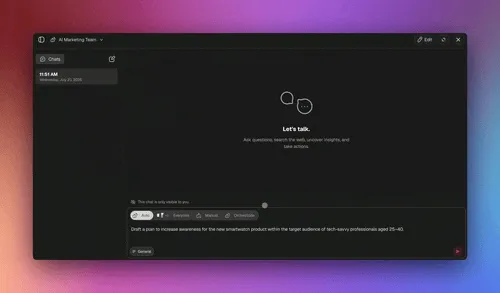
Every Taskade project includes a built-in AI chat sidebar. Ask it to summarize a document, explain a concept, brainstorm ideas, or answer questions about your workspace content. This is pure chatbot functionality — conversation with no side effects. It is the on-ramp for teams who are new to AI and want to start with zero-risk exploration.
Level 2 in Taskade: Copilot Assistance
Inside the project editor, Taskade AI can suggest task breakdowns, rewrite paragraphs, generate outlines, and restructure content. These suggestions appear inline and the user decides whether to accept them. This is copilot behavior — the AI augments your work in the document you are already editing, but you remain the decision-maker.
Level 3 in Taskade: Autonomous Agents
Taskade AI agents operate at full Level 3 autonomy. You can build custom agents with specific knowledge, connect them to built-in tools, give them access to your workspace data, and assign them multi-step tasks. Agents can research topics, manage projects, qualify leads, schedule content, update databases, and trigger automations across 100+ integrations. They execute independently and report results.
Teams deploy these agents for:
- Lead qualification — agent scores inbound leads against criteria and routes them to the right rep
- Content operations — agent researches topics, drafts outlines, generates first drafts
- Project management — agent monitors task status, sends reminders, updates boards
- Data analysis — agent queries databases, generates reports, identifies trends
- Customer support — agent answers questions using your knowledge base, escalates complex issues
With multi-agent collaboration, multiple agents work together on complex workflows — a research agent gathers data, an analysis agent processes it, and a reporting agent formats the output.
Level 4 in Taskade: Genesis Autonomous Building
Taskade Genesis is autonomous system territory. Describe what you need in natural language — "a client onboarding portal with intake forms, document collection, progress tracking, and automated follow-ups" — and Genesis designs, builds, and deploys a live application. It determines the architecture, generates the interface, connects the data layer, wires up AI agents, configures automations, and publishes the result to a shareable URL.
This is not code generation. Genesis delivers living applications inside the Taskade workspace, backed by the same 15+ frontier models from OpenAI, Anthropic, and Google that power the rest of the platform. Over 150,000 apps have been built with Genesis, and they run as first-class workspace objects with built-in collaboration, version history, and custom domain support.
Where the Taxonomy Breaks Down
No classification system is perfect, and intellectual honesty requires acknowledging the edge cases. Here is where the four-level model gets fuzzy.
Hybrid products that span levels. ChatGPT with plugins and code interpreter operates somewhere between Level 2 and Level 3. It can execute code (Level 3 behavior) but only within a sandboxed conversation (Level 1 container). Most users interact with it as a chatbot, but power users treat it as an agent. The same product occupies different levels depending on how it is used.
The copilot-agent boundary is shifting. GitHub Copilot started as pure Level 2 (inline suggestions) but Copilot Workspace pushes into Level 3 (planning and executing multi-file changes). Cursor can run terminal commands autonomously, blurring the line between suggestion and execution. As these tools add more autonomous capabilities, the distinction between "suggests" and "does" becomes a slider rather than a switch.
Autonomy is task-dependent, not product-dependent. A Level 3 agent handling email triage (low stakes, clear rules) effectively operates autonomously. The same agent handling contract negotiation (high stakes, nuanced judgment) should operate more like a copilot with human checkpoints. The right level depends on the context, not just the tool's capabilities.
The "autonomous" label is aspirational for most. True Level 4 autonomy — where the system identifies its own objectives and self-corrects at a strategic level — exists in narrow domains (driving, trading, app generation) but is not yet general-purpose. Most products marketed as "autonomous agents" are actually Level 3 agents with good error handling. The distinction matters because it sets appropriate expectations.
The taxonomy is still useful despite these edge cases. It gives teams a shared vocabulary for evaluating tools, a framework for matching capabilities to requirements, and a roadmap for how their AI stack will evolve over time.
Building Your AI Stack: Recommendations by Team Size
The right AI stack depends on your team's size, technical sophistication, and workflow complexity. Here is a practical guide.
Solo Founders and Freelancers
Start with a platform that covers multiple levels so you do not need to manage separate tools. Taskade (free to start, with Pro from $10/month billed annually) gives you chatbot-level AI chat, copilot-level writing assistance, Level 3 agents with built-in tools, and Genesis for building client-facing apps — all in one workspace. You avoid the integration tax of stitching together ChatGPT + Zapier + a no-code builder + a project management tool.
Recommended stack:
- Taskade for workspace AI, agents, and automations
- GitHub Copilot or Cursor if you write code daily
- Domain-specific tools only where Taskade integrations do not cover your niche
Small Teams (5-20 people)
At this scale, you need agents that multiple team members can build and share. Look for platforms with role-based access (Taskade offers roles from Owner to Viewer), shared agent libraries, and automation workflows that trigger across your team's tools.
Recommended stack:
- Taskade Pro ($10/month billed annually, up to 10 seats included) for team workspace, shared agents, and automations
- Copilot-level tools for specialized roles (GitHub Copilot for engineers, domain copilots for designers)
- One or two Level 3 agent platforms for domain-specific workflows (sales, support)
Mid-Market Teams (20-100 people)
Complexity increases. You need multi-agent systems where specialized agents collaborate, automation workflows that span departments, and governance controls that prevent agents from operating outside approved boundaries.
Recommended stack:
- Taskade Business ($25/month billed annually, unlimited seats) for enterprise-grade workspace AI with advanced agent capabilities
- Dedicated agent infrastructure for engineering workflows (Devin, Claude Code)
- Taskade Genesis for internal tools and client portals
- Integration layer connecting agents to your existing CRM, support, and data systems via 100+ integrations
Enterprise (100+ people)
At enterprise scale, the taxonomy is less about individual tool selection and more about platform strategy. You need a unified AI workspace where agents, automations, and applications share the same data layer and permission model. Fragmented AI tools create data silos, security gaps, and governance nightmares.
Taskade Enterprise provides custom SLA, dedicated support, and the full spectrum from Level 1 chat through Level 4 Genesis — with the kind of centralized administration that compliance teams require.
How Taskade Spans All Four Levels: Workspace DNA
The reason Taskade can operate at every autonomy level is its core architecture — what we call Workspace DNA. Three components form a self-reinforcing loop that powers everything from simple chat to autonomous app generation.
Memory (Projects) stores everything your team knows — documents, tasks, notes, databases, files. This is the data layer that every AI interaction draws from. When a chatbot answers a question, it reads from Memory. When an agent researches a topic, it writes back to Memory. When Genesis builds an app, it creates new Memory objects.
Intelligence (Agents) processes information and makes decisions. Custom AI agents with specialized knowledge, built-in tools, and persistent memory operate here. They read from Projects, reason about what needs to happen, and trigger Automations or update Projects directly.
Execution (Automations) carries out actions across systems. Automation workflows connect to 100+ integrations — Slack, Google Workspace, Salesforce, GitHub, Shopify, and more. When an agent decides that a lead is qualified, it triggers an automation that updates the CRM, sends a Slack notification, and creates a follow-up task. The result feeds back into Memory, closing the loop.
This loop is why Taskade does not force you to choose a single autonomy level. The same underlying architecture supports a simple chat query (Level 1), an inline writing suggestion (Level 2), a complex multi-step agent workflow (Level 3), and a prompt-to-deploy application (Level 4). The data, the intelligence, and the execution layer are shared — you simply choose how much autonomy to grant for each specific task.
The Future of the Taxonomy: What Changes in 2026-2027
The four-level model will evolve as AI capabilities advance. Three trends are already reshaping the boundaries.
Agents are becoming the default. In 2024, most commercial AI was Level 1-2 (chatbots and copilots). By mid-2026, Level 3 agents are the baseline expectation. Teams no longer ask "should we use AI agents?" but "which workflows should our agents handle first?" The agentic engineering movement has made agent deployment accessible to non-technical teams.
Multi-agent systems are replacing single agents. Rather than one all-purpose agent, teams deploy specialized agents that collaborate — a research agent, an analysis agent, a writing agent, a scheduling agent. Multi-agent orchestration is where the productivity gains compound. A single agent saves you time on one task. A team of agents transforms an entire workflow.
The human-AI boundary is becoming a permissions question. Instead of asking "can the AI do this?" teams ask "should the AI be allowed to do this?" This is why role-based access control and agent guardrails matter as much as raw AI capability. The best platforms let you dial autonomy up or down per agent, per workflow, per task — exactly what Taskade's permission system enables.
FAQ
What is the difference between an AI agent and a chatbot?
A chatbot responds to questions in a conversation window with no ability to take actions in external systems. An AI agent uses tools, accesses data, makes decisions, and executes multi-step workflows autonomously. The core difference is agency — chatbots are reactive (they answer when asked), while agents are proactive (they plan and execute tasks). Taskade AI agents have built-in tools and can trigger automations across 100+ integrations.
What is an AI copilot?
An AI copilot works alongside a human, suggesting actions that the human approves or rejects. GitHub Copilot suggests code, Cursor suggests edits, Microsoft 365 Copilot suggests document changes. Copilots augment human work without replacing human judgment. They sit between chatbots (no actions) and agents (autonomous actions) on the autonomy spectrum.
What are the four levels of AI autonomy?
Level 1 is Chatbot (conversation only, no actions). Level 2 is Copilot (suggests actions, human approves). Level 3 is Agent (executes tasks autonomously within guardrails). Level 4 is Autonomous System (plans, executes, and self-corrects with minimal oversight). Most production AI in 2026 operates at Level 2-3, with Level 4 emerging in domains like app generation and autonomous vehicles.
When should I use an AI agent vs a copilot?
Use a copilot when you want AI assistance on tasks you understand well and want to review each action — coding, writing, data analysis. Use an AI agent when you want AI to handle entire workflows autonomously — lead qualification, content scheduling, data pipeline management, project status updates. Start with copilots for high-stakes work, graduate to agents for repetitive workflows where per-action review becomes the bottleneck.
Can AI agents replace human workers?
AI agents handle routine, repetitive workflows better than humans: data entry, scheduling, lead scoring, report generation, status updates. They complement humans on complex tasks requiring judgment, creativity, and relationship building. The most effective approach in 2026 is AI agents handling the 80% of routine work while humans focus on the 20% that requires strategic thinking.
What is Taskade and how does it use AI agents?
Taskade is an AI-powered workspace that combines projects, AI agents, and automations in one platform. Teams build custom AI agents with built-in tools, connect them to 100+ integrations, train them on workspace knowledge, and deploy them as public-facing assistants or internal workflow engines. The platform supports 15+ frontier models from OpenAI, Anthropic, and Google, with pricing free to start and $10/month for Pro (up to 10 seats), billed annually.
What is an autonomous AI system?
An autonomous AI system operates at Level 4 autonomy — it plans, executes, monitors, and self-corrects with minimal human oversight. Unlike Level 3 agents that execute assigned tasks, autonomous systems can identify what tasks need to be done. Taskade Genesis is a practical example: describe an application in natural language, and it designs, builds, and deploys the live app. Self-driving vehicles and autonomous trading systems are other Level 4 examples.
Which companies make AI agents in 2026?
Major platforms include Taskade (workspace agents with built-in tools and 100+ integrations), OpenAI (Custom GPTs and Assistants API), Anthropic (Claude Code), Google (Vertex AI Agent Builder), Microsoft (Copilot Studio), CrewAI (open-source multi-agent orchestration), and LangChain/LangGraph (developer agent frameworks). The market is consolidating around platforms that combine agents with workspace features versus standalone agent infrastructure.
Related Reading
- AI Agents: Build Custom AI Agents for Your Team — deploy Level 3 agents with built-in tools
- Automate: AI-Powered Workflow Automation — connect agents to 100+ integrations
- AI Apps: Build with Taskade Genesis — Level 4 autonomous app generation
- Multi-Agent Systems: The Complete Guide — orchestrating teams of specialized agents
- Agentic Workspaces: The Future of Team Productivity — Workspace DNA architecture explained
- Agentic Engineering Without Code — building agent workflows without technical expertise
- Taskade Integrations: 100+ Connected Tools — the execution layer for your agents
- Taskade Community: AI Agent Gallery — explore and deploy community-built agents