






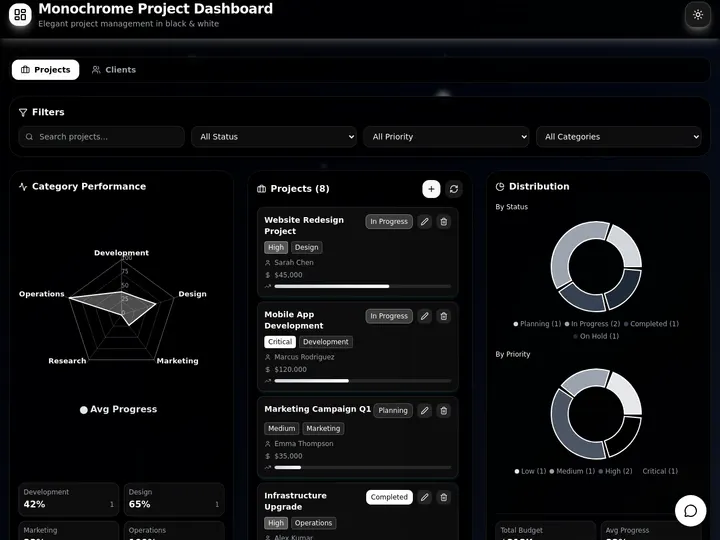
Updated June 2026. This is a plain-English explainer of what AI coding agents are, how the agent loop actually works, and where they help versus where they break. If you came here to rank tools instead, read our best AI coding tools and Claude Code alternatives listicles. This page answers the what and the how, and shows the difference between an agent that writes code and one that ships the whole app. Try Taskade Genesis free →
What Are AI Coding Agents?
AI coding agents are software systems that take a goal in plain language, then plan the work, write the code, run it, read the errors, and fix what broke, looping until the task is done. The key word is agent: it acts on your project directly, reading files, editing them, and running commands, rather than just printing a suggestion you copy-paste. According to Anthropic's Claude Code documentation, the agent runs an "agentic loop" that plans, calls tools, evaluates the results, and continues until the task is complete.
The plain-English version: a chatbot answers a question and stops. A coding agent takes a job, does it across your whole codebase, checks its own work, and keeps going until it passes. The 2026 shift, as Vellum's coding-agent breakdown puts it, is that agents "take a goal and handle the full execution" instead of waiting for you to drive every keystroke. That is the difference between a tool that helps you type and a tool that gets the task done.
To go deeper on the agent concept itself, see our explainer on what AI agents are and the wiki entry on the Genesis Loop.
How Does the Agent Loop Work?
The agent loop is a five-step cycle that repeats until the goal is met: plan the task into steps, write the code changes, run the code or tests, read what failed, and fix the errors. Then it loops. This self-correcting cycle is the single thing that separates a 2026 coding agent from a one-shot prompt. The agent doesn't just generate code and hope; it runs the code, sees the red, and fixes it, sometimes for minutes or hours at a stretch.
Here is a concrete example from the research. When you tell Claude Code to refactor an authentication module, it reads your codebase, maps the dependency graph, edits files across multiple directories, runs the test suite, sees what broke, fixes those failures, and keeps iterating until everything passes. No copy-paste, no babysitting each step. That is the loop in action.
The loop is also why agents need a way to check themselves. Without tests or a clear definition of done, the agent has no signal for whether it succeeded, so it stops at "looks right" instead of "is right." That gap is the source of most agent failures, and it is the reason a test suite matters more than a clever prompt.
  THE AGENT LOOP (runs until "done")
  ──────────────────────────────────
   ┌──────────┐
   │  1 PLAN  │  break the goal into steps
   └────┬─────┘
        ▼
   ┌──────────┐
   │  2 WRITE │  edit code across many files
   └────┬─────┘
        ▼
   ┌──────────┐
   │  3 RUN   │  run tests / commands
   └────┬─────┘
        ▼
   ┌──────────┐      pass ──► DONE ✓
   │  4 READ  │──────┤
   └────┬─────┘      fail
        ▼              │
   ┌──────────┐         │
   │  5 FIX   │◄────────┘
   └────┬─────┘
        └──► back to WRITE (iterate)
The Leap: From AI Autocomplete to AI That Ships
The story of AI coding tools is a march up the autonomy ladder, from suggesting one line to shipping a whole pull request. Early tools were autocomplete: they guessed your next line while you typed, and you stayed in control of every keystroke. Today's agents take a goal and execute it end to end. As the State of AI Coding Agents 2026 survey describes it, agents now "take work assignments and execute them independently," opening pull requests like an autonomous engineer.
There is a spectrum, not a single category. Low-autonomy tools live in your editor and suggest. Medium-autonomy tools edit files and run commands inside a supervised loop. High-autonomy tools get their own machine and ship a PR while you do something else. The big 2026 behavior shift: most developers now run two tools, an editor for fast edits and an agent for shipping.
Read the same ladder as a table, with what each rung does and what it still leaves on your plate:
| Rung | What it does | You still handle |
|---|---|---|
| Autocomplete | Suggests the next line as you type | Everything else — design, files, tests, deploy |
| IDE assistant | Inline edits and chat in your editor | Wiring, running, deploying the result |
| Supervised agent | Edits files, runs tests, iterates | Reviewing each change, hosting, infra |
| Autonomous agent | Plans, codes, tests, opens a PR | Reviewing the PR, deploying, the database, auth |
| App agent (Taskade Genesis) | Ships the running app from a prompt | Almost nothing — it runs, hosts, and is live |
The plain-English takeaway: every rung does more of the work, but most rungs still hand you code and leave the running system, the hosting, the database, and the sign-in for you to assemble. The last rung is where the output stops being a file and starts being a live app.
Where AI Coding Agents Help
AI coding agents shine on well-defined, multi-step work inside a codebase you already have. The research is consistent on the sweet spots: complex refactors, large code migrations, debugging tangled issues, and routine feature work where the goal is clear and there is a test suite to check against. These are exactly the tasks where the plan-write-run-fix loop pays off, because the agent can iterate against a concrete signal of success.
They are strongest when three things are true: the goal is specific, the project is documented, and there is a way to verify the result. Persistent memory files that encode project context help the agent stay oriented across sessions. Give an agent a fuzzy goal in an undocumented repo with no tests, and the same loop that produces magic on a clear task produces confident nonsense.
| Where agents help | Why the loop works here |
|---|---|
| Multi-file refactors | Agent maps dependencies, edits broadly, tests, fixes |
| Code migrations | Repetitive, rule-based, easy to verify with tests |
| Debugging hard issues | Agent reproduces, isolates, and checks the fix |
| Routine features | Clear spec plus tests give a strong success signal |
| Boilerplate and scaffolding | Fast, low-risk, easy to review |
Where AI Coding Agents Fail
The honest limits matter as much as the strengths. The most-cited failure is the "almost right" problem: research finds 66% of developers say AI solutions that are close but not quite right are their biggest frustration, and debugging those near-misses can take longer than writing the code yourself. The other common gaps are lost context when a session ends, missing knowledge of your tickets and architecture decisions, and security risk when credentials reach the model.
The pattern underneath all of it: agents are strong inside a codebase and weak on everything around it. They see your files but not your roadmap, your customer, or your deployment constraints. They are powerful tools, not autonomous colleagues, and they still need a human to set the goal, review the output, and own the outcome. That gap, strong inside the code, weak on everything around it, is exactly the territory developer experience (DevEx) measures and removes, because the friction that slows humans (flaky tests, slow CI, missing docs) slows agents too.
What Is Vibe Coding?
Vibe coding is describing what you want in plain language and letting an AI agent generate and run the code, instead of writing it line by line. You judge the output by whether it works and feels right, not by reading every function. It is the most accessible end of the agent spectrum, and it is what opened coding to people who never learned to program. The catch is the same as for any agent: anything that touches real users or real data still needs review and tests, because "feels right" is not the same as "is correct." Our vibe coding wiki entry goes deeper on the practice and its guardrails.
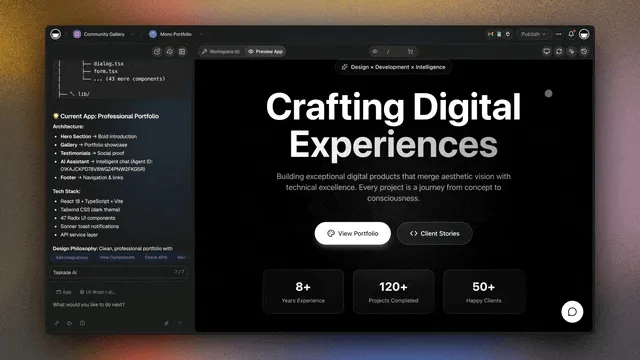
No IDE required, click any part of your app to edit it visually, the way a non-coder expects.
Vibe coding is also where the gap between a code agent and an app agent becomes obvious. A code agent vibes you a folder of files; you still have to run them, host them, and connect a database. An app agent vibes you a running app. That is the leap the next section is about.
Code Agent vs. App Agent: The Honest Difference
A code-writing agent generates files. Taskade Genesis ships the whole running app. That is the structural difference, and it is worth being precise about, because both are useful for different people.
Where a code agent hands you files, Taskade Genesis hands you a live app you can open and share.
A dedicated coding agent like Claude Code or Cursor is the right tool when you are a developer doing deep work in an existing codebase: a gnarly refactor, a multi-file migration, reasoning across a large repository. Those tools are genuinely better at deep codebase work than any app builder, and this guide will not pretend otherwise. They hand you source code, which is exactly what you want when you own the repo and the deploy pipeline.
But source code is the start of a running system, not the end. After the agent writes the files, someone still has to set up the database, wire authentication, host it, build the user interface, and keep it running. For a non-coder, that "someone" is the wall they hit. Taskade Genesis removes the wall by shipping the whole thing from one prompt: a workspace that acts as the database, AI agents for the logic, reliable automation workflows for execution, hosting, and a user interface. You describe the outcome and get the outcome, not the raw material for it.
Taskade's first self-serve Enterprise customer — an IT program manager with no engineering team — built a production field-service dashboard on Taskade Genesis and put the outcome frame plainly: "What I accomplished in a few weeks would have taken a team of 40+ people 18 months in a Fortune 500." He didn't generate a folder of code. He generated the app that runs the work.
Here is the same difference as a capabilities table:
| Capability | Code agent (Claude Code, Cursor) | App agent (Taskade Genesis) |
|---|---|---|
| Output | Source files | A running, hosted app |
| Database | You set it up | Workspace is the database |
| Logic | You write it | Built-in AI agents (built-in tools) |
| Execution | You wire it | Reliable automation workflows |
| Hosting | You deploy | Included, on secure infrastructure |
| User interface | You build it | Generated with the app |
| Auth + domains | You configure | Sign-in + custom domains (paid tiers) |
| Best for | Deep codebase work, devs | Outcomes without managing the IDE |
The honest summary: if you live in a codebase, a dedicated coding agent is your best tool. If you want the result a coding agent promises without managing the IDE, the deploy, or the runtime, an app agent gets you there. They are not rivals; they sit at different rungs of the same ladder.
Try It Live: A Coding Agent That Shipped the Whole App
Most coding agents hand you code. This one hands you a running app. The app below was built from a single prompt in Taskade Genesis: a coding agent wrote the logic, wired the database, generated the interface, and hosted it, so what you are looking at is the finished system, not a folder of files. Click it, clone it, and see the difference between code and a shipped app.
Watch one prompt become one running app:
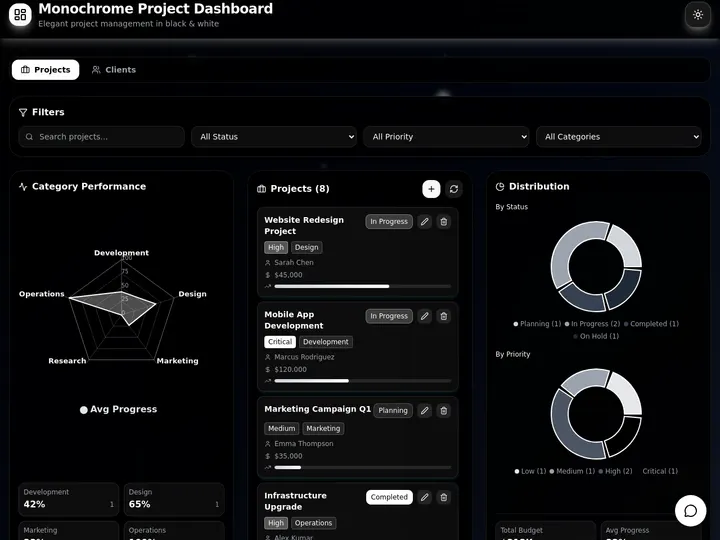
This is the whole point of the article in one click. A coding agent that gives you files is a tool. A coding agent that gives you a running app is leverage. Clone this app and make it yours →
How Taskade Genesis Ships the Whole App
Taskade Genesis is the app-agent end of the spectrum: you describe an outcome in plain language and get a running web app, not a file you download. The same agent loop that powers code tools, plan, build, run, fix, runs underneath, but the output is the finished system. One prompt produces a workspace, agents, automations, hosting, and a user interface, all wired together.
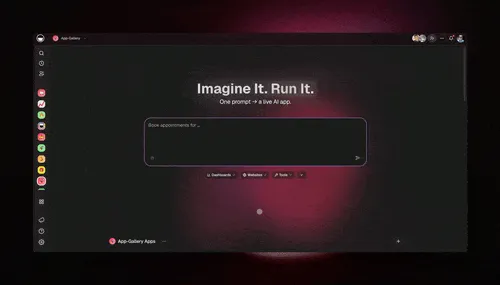
One prompt in, one working app out, no files to wire up, no server to set up.
Here is the loop, drawn out:
The dotted line back to the start is the part a one-shot code agent doesn't have: every shipped app feeds the next prompt. Here is what's actually inside a Taskade Genesis app, the layers a folder of source code can't carry on its own:
  A GENESIS APP (one prompt builds all of this)
  ─────────────────────────────────────────────
  ┌─ USER INTERFACE ───────────────────────────┐
  │  the screens your users actually see       │   ← code agents stop before this
  ├─ WORKSPACE (DATABASE) ─────────────────────┤
  │  your data, on Board, Table, and more      │   ← no DB to set up
  ├─ AI AGENTS (LOGIC) ────────────────────────┤
  │  Built-in tools, persistent memory         │   ← the team inside the app
  ├─ AUTOMATIONS (EXECUTION) ──────────────────┤
  │  reliable workflows: branch, loop, filter  │   ← runs without babysitting
  ├─ INTEGRATIONS ─────────────────────────────┤
  │  100+ bidirectional: pull in, push out     │   ← wired, not bolted on
  └─ HOSTING + MEMORY ─────────────────────────┘
     live, on a domain · Workspace DNA          ← the compounding part
EVE and AI Agents: The Logic, Built In
In a code agent, you write the logic by hand. In Taskade, the logic is agents. AI Agents v2 ship built-in tools, web search, code, file analysis, custom slash commands, plus persistent memory, multi-agent collaboration, public embedding, and multi-model routing. Taskade EVE, the meta-agent, orchestrates the whole team from a single instruction. The agents aren't bolted onto the app afterward; they are the running logic.
Automations: The Execution Layer
Behind the app sits reliable automation, workflows that branch, loop, and filter, and run dependably without you babysitting them. Wire 100+ bidirectional integrations so triggers pull events in (a form submitted, a payment cleared) and actions push results out (update a record, send a message, post to Slack). A code agent leaves this for you to build. Taskade Genesis ships it.
Multiple Project Views and Workspace DNA
Every Taskade Genesis app comes with multiple project views, List, Board, Calendar, Table, Mind Map, Gantt, and Org Chart (Timeline lives inside Gantt). So the same data reads the way you think. Underneath, Workspace DNA is the self-reinforcing triad of Memory + Intelligence + Execution: Memory remembers what worked, Intelligence drafts the next move across frontier models from top AI labs, and Execution ships it. Each shipped app becomes Memory for the next one, so the workspace gets smarter every time you build.
When to Use a Code Agent vs. an App Agent
Pick by the job, not by the hype. If you are a developer doing deep work in an existing repository, a dedicated coding agent wins. If you want a finished, running app without managing the IDE or the deploy, an app agent wins. Most people will use both, at different rungs of the ladder.
| Your situation | Best fit | Why |
|---|---|---|
| Refactor a large existing codebase | Code agent (Claude Code) | Deep multi-file reasoning, you own the repo |
| Migrate or modernize legacy code | Code agent (Cursor, Codex) | Rule-based, test-verifiable, dev-owned |
| Debug a tangled production issue | Code agent | Reproduce, isolate, verify against tests |
| Ship an internal tool with no dev time | Taskade Genesis | Running app with DB, UI, hosting from a prompt |
| Build a client portal or dashboard | Taskade Genesis | Outcome without setup, clone-ready |
| Launch an app as a non-coder | Taskade Genesis | No terminal, no deploy, no infra to manage |
| Prototype fast, then hand to devs | Either | Taskade Genesis to validate, code agent to extend |
The plain-English version: code agents are best when you have a codebase and the skills to run what they produce. App agents are best when you want the result and would rather skip the runtime work. Honest answer, both directions.
How Do I Start With AI Coding Agents?
Start at the rung that matches your skills. If you write code, pick a small, well-defined task with a test suite, point an editor agent like Cursor or Claude Code at it, and review every change before you merge. That is the safe on-ramp the research recommends. If you would rather skip the IDE entirely and get a running app, describe what you want at Taskade Genesis and clone a working example from the Community Gallery to remix.
For the tool rankings, our best AI coding tools and Claude Code alternatives guides compare the field in depth, and free AI app builders covers the no-cost app-agent options. To understand the broader concept, read what AI agents are. For the product side, the Taskade Genesis overview, the no-code app builder wiki entry, and the AI apps page show what shipping the whole app looks like in practice. Compare the platforms in our best AI CRM software roundup if your first app is a pipeline.
Taskade Genesis pricing is honest and flat: Free (Free Forever), Pro $10/mo (the Popular ★ tier, with custom domains), Business $25/mo, Max $100/mo, and Enterprise $250/mo, all annual billing. Every paid tier ships a live app, not just code, and the free plan lets you build and keep your first one at no cost.
The Bottom Line
AI coding agents are the leap from autocomplete to autonomy: software that plans, writes, runs, and fixes code in a loop until the job is done. They are genuinely strong on clear, multi-step work inside a codebase, and genuinely limited on everything around it, the almost-right answers, the lost context, the missing knowledge of your roadmap. Dedicated coding agents like Claude Code and Cursor are the best tools for developers doing deep repository work, and this guide says so plainly.
The gap they leave is the running system. A code agent hands you files; you still have to host, wire a database, build the interface, and ship. Taskade Genesis closes that gap by shipping the whole app from one prompt, workspace, agents, automations, hosting, and a user interface. So a non-coder gets the outcome a coding agent promises without managing the IDE or the deploy. Describe what you want, get a running app, clone it from the Community Gallery, and make it yours. The agent loop is the engine; the shipped app is the point.
Workspace DNA, Memory + Intelligence + Execution, is why the loop compounds: every app you ship makes the next one faster. ▲ ■ ●
Frequently Asked Questions
What are AI coding agents?
AI coding agents are software systems that take a goal in plain language, then plan the work, write code, run it, read the errors, and fix what broke, looping until the task is done. Unlike a chatbot that only suggests text, an agent acts on your project directly by reading files, editing them, and running commands. Tools like Claude Code, Cursor agent mode, and Devin are leading examples in 2026.
What is the difference between a coding agent and autocomplete?
Autocomplete suggests your next line while you type, and you stay in control of every keystroke. A coding agent takes a whole goal, such as fix this bug or add this feature, then works on its own across many files, runs tests, and iterates until it finishes. Autocomplete assists you as you code. An agent does multi-step work toward a finished result while you supervise.
How does the agent loop work?
The agent loop has five repeating steps: plan the task into smaller steps, write the code changes, run the code or tests, read the results to see what failed, and fix the errors. The agent repeats that cycle until tests pass or the goal is met. This loop is what separates a 2026 coding agent from a one-shot prompt, because the agent checks its own work and corrects itself.
Do AI coding agents replace developers?
No. In 2026 AI coding agents handle multi-file refactors, migrations, and routine features, but they still need a developer to set the goal, review the output, and catch the close-but-wrong answers. Surveys show that solutions that are almost right are the top frustration for developers. Agents shift the human role from typing code to directing, reviewing, and shipping it.
What is vibe coding?
Vibe coding is describing what you want in plain language and letting an AI agent generate and run the code, instead of writing it line by line yourself. You judge the result by whether it works and feels right, not by reading every function. It lowers the barrier for non-coders, but you still need review and testing for anything that goes to real users or handles real data.
What can go wrong with AI coding agents?
The common failure modes are answers that look right but are subtly wrong, lost context when a session ends, missing knowledge of your tickets and architecture decisions, and security risks when credentials reach the model. Agents are strong inside a codebase and weak on everything around it. A clear spec, a test suite, and human review keep these failures from reaching production.
What is the difference between a coding agent and an IDE assistant?
An IDE assistant lives in your editor and helps you while you write, with suggestions and inline edits. A coding agent runs more independently, taking a goal and executing many steps on its own, sometimes in its own terminal or virtual machine. The line is blurring because editor tools now ship agent modes, but the spectrum runs from inline help to fully autonomous execution.
Do non-coders use AI coding agents?
Yes, more every month, but pure code-writing agents still assume you can run a terminal, read errors, and deploy. That is the gap an app builder closes. Taskade Genesis lets a non-coder describe an outcome and get a running app with a database, agents, automations, hosting, and a user interface, so you get the result a coding agent promises without managing the IDE or the deploy.
What does Taskade Genesis do differently?
A code-writing agent generates files you still have to wire up, run, and host. Taskade Genesis ships the whole running app from one prompt: a workspace as the database, AI agents as the logic, reliable automation workflows as the execution, hosting, and a user interface. You get a live app you can publish and clone, not a folder of code, so the outcome arrives without the runtime work.
Does Taskade Genesis ship hosting, a database, and auth too?
Yes. A Taskade Genesis app comes with a hosted workspace that acts as the database, built-in agents and automations, a shareable user interface, built-in sign-in on every plan, password protection on Pro and above, and custom domains on Pro and above. A standalone coding agent gives you source code and leaves hosting, the database, and authentication for you to set up and maintain.
Are AI coding agents safe?
They are safe when supervised. Run agents in a sandbox, keep secrets out of the model context, review changes before merging, and require tests to pass. The main risks are leaked credentials, unreviewed changes reaching production, and confident but wrong code. Taskade Genesis reduces the surface for non-coders by managing infrastructure and access on secure cloud infrastructure instead of exposing raw keys.
How do I start with AI coding agents?
If you write code, start with an editor agent like Cursor or Claude Code on a small, well-defined task with tests, and review every change. If you want the finished app without managing the IDE, describe what you want at Taskade Genesis and get a running app with a database, agents, automations, and hosting. The Free Forever plan lets you build and keep your first app at no cost.