






OpenAI Codex has no standalone price. As of September 29, 2026 it is included in ChatGPT plans that cost $0 to $500 per month, or you pay API token prices with an API key, and since April 2, 2026 usage is metered with token-based credits worth about $0.04 each. On DevDay 2026, OpenAI added a $500 Pro 500 plan, cut the usage allowance on new Pro 200 subscriptions, and shipped GPT-6.1 Sol at $2 per million input tokens. That is why "codex pricing" keeps spiking in search: your bill depends on which plan, which model, and how many tokens each task burns.
Here is the part the official pages will not do for you: the arithmetic. OpenAI publishes a rate card in credits per million tokens, but nobody hands you the answer to the question you actually have - what will my month cost? This guide does that math: every plan from Go at $8 to Pro 500 at $500, the Codex credit rate for each GPT-6 model, the September 2026 GPT-6 API prices, a worked 50-step agent session, an ASCII cost worksheet, subscription-versus-API break-evens, what light, moderate, and heavy months really cost, how Business and Enterprise billing works after the June 24 seat change, and what you can build in Taskade Genesis when a flat-priced plan fits the job better.
OpenAI Codex pricing is a token-metered credit system layered on ChatGPT subscriptions: every tier from Free to Pro 500 ($500/month) buys a differently sized usage allowance, and credits worth about $0.04 each cover the overflow, so your real monthly cost depends on tokens burned, not tasks completed.
TL;DR: Codex is bundled into ChatGPT plans: Free, Go $8, Plus $20, Pro $100, Pro $200, and the new Pro 500 at $500 with Ultrafast. The GPT-6.1 Sol API costs $2 input and $10 output per 1M tokens, about $1.37 per 50-step agent session. Flat alternative: Taskade Genesis, free, then $10/mo billed annually. Start free →
Last updated: September 29, 2026: added the DevDay 2026 pricing changes (Pro 500, the new Pro 200 allowance, GPT-6.1 Sol, Ultrafast), the credit rate for each GPT-6 model and OpenAI's included-usage estimates (both from OpenAI's pricing page and rate card, read September 29), GPT-6 API price tables, a worked 50-step session, subscription-versus-API break-evens and a pricing history. GPT-5.5-era credit rates, window limits and competitor prices further down are labeled July 2026. OpenAI retires GPT-5.5 from Codex on October 14, 2026, so treat those tables as legacy.
Start on the Free plan: Taskade Genesis includes 3 apps, 1 AI agent, and 2 workspace members at $0. Pro starts at $10 per month billed annually. Build your first app →
How Much Is Codex? Codex Pricing at a Glance (Updated September 29, 2026)
Codex costs $0 to $500 per month for individuals as of September 29, 2026, because it is bundled into ChatGPT plans: Free, Go at $8, Plus at $20, and Pro at $100, $200, or the new $500 Pro 500 tier that adds Ultrafast. An API key skips the plan and bills per token. Business Standard seats cost $20 per user per month billed annually. Through the API, GPT-6.1 Sol costs $2 per million input tokens and $10 per million output tokens.
OpenAI now names the personal Pro plans by price (Pro 100, Pro 200, Pro 500). Older guides, and the July 2026 sections of this one, call them Pro 5x and Pro 20x after their allowance multiples. Same plans, new labels.
| Plan | Price | Work and Codex usage | Astra Ultrafast |
|---|---|---|---|
| Free | $0 | Limited, metered | No |
| Go | $8/mo (July 2026 price, not re-checked Sept 29) | Larger than Free | No |
| Plus | $20/mo | 1x baseline, with limited Astra usage and optional credits | No |
| Pro 100 | $100/mo | 5x Plus* | No |
| Pro 200 | $200/mo | New subscribers: 10x Plus*. Eligible existing subscribers keep the old 20x allowance through Oct 29, 2026 | No |
| Pro 500 | $500/mo | 25x Plus | Yes |
| Business Standard | $25/user/mo, or $20 billed annually | Plus-sized window per seat, shared workspace credits | No |
| Business Premium | $125/user/mo, or $100 billed annually | 5x Standard, no five-hour limit, weekly resets | No |
| Enterprise / Edu | Contact sales | Contract-level credit pool | Eligible workspaces, billed to workspace credits |
*The 5x and 10x multiples come from OpenAI's Codex lead on X, as reported by BGR. OpenAI's help center states that Pro 200 includes more usage than Pro 100 and that Pro 500 offers the highest included usage, and its DevDay recap lists 25x Plus for Pro 500. Pro is billed monthly only.
The API side of the same coin, in dollars per 1M tokens. OpenAI's pricing page lists these as standard rates for the newest models:
| Model | Input | Cached input | Cache write | Output |
|---|---|---|---|---|
GPT-6.1 Sol (gpt-6.1-sol) |
$2.00 | $0.10 | $2.50 | $10.00 |
| GPT-6.1 Sol, long context (above 272K tokens) | $4.00 | $0.20 | $5.00 | $15.00 |
GPT-6 Astra (gpt-6-astra) |
$10.00 | $1.00 | $12.50 | $50.00 |
| GPT-6 Astra, long context | $20.00 | $2.00 | $25.00 | $75.00 |
GPT-6 Luna (gpt-6-luna) |
$0.10 | $0.01 | $0.125 | $0.50 |
| GPT-6 Sol (Sept 22, replaced by 6.1 Sol) | $2.00 | $0.20 | not listed | $10.00 |
Speed tiers multiply those rates. Here is the whole ladder for the two models where OpenAI published every tier:
| Mode | GPT-6.1 Sol (in / cached / out) | GPT-6 Astra (in / cached / out) | Multiple of standard |
|---|---|---|---|
| Standard | $2 / $0.10 / $10 | $10 / $1 / $50 | 1x |
| Batch or Flex | $1 / $0.05 / $5 | $5 / $0.50 / $25 | 0.5x |
| Fast | $4 / $0.20 / $20 | $20 / $2 / $100 | 2x |
| Ultrafast | Coming soon, no price in the sources we checked | $60 / $6 / $300 | 6x |
Ultrafast has two sixes and two eights that people mix up. OpenAI's documents say Ultrafast delivers up to 8x faster token generation in Codex and up to 6x faster in the API, at about 300 tokens per second. That is a speed claim. The price is a separate number: Astra Ultrafast bills at 6x the standard API rate ($60 and $300 versus $10 and $50). A third pair sits on OpenAI's pricing page: Astra Ultrafast uses 8x your included subscription usage and 6x purchased credits. Those are billing multipliers, and OpenAI states they do not describe speed. A forum post that says "6x" or "8x" without saying speed or price, and Codex or API, is mixing them up. Sol Ultrafast was announced with "up to 8x faster token generation" in Codex and no price yet.
What Are Codex Credits Per Million Tokens for GPT-6?
On OpenAI's rate card, GPT-6.1 Sol draws 50 credits per million input tokens, 2.5 credits per million cached input tokens and 250 credits per million output tokens. At about $0.04 per credit, that is $2, $0.10 and $10, so the credit meter and the API price list agree for every GPT-6 row. This is the "codex credits" table that most guides still print for GPT-5.5.
| Model (standard speed) | Credits per 1M input | Credits per 1M cached input | Credits per 1M output | Same in dollars at $0.04 |
|---|---|---|---|---|
| GPT-6 Astra | 250 | 25 | 1,250 | $10 / $1 / $50 |
| GPT-6.1 Sol | 50 | 2.5 | 250 | $2 / $0.10 / $10 |
| GPT-6 Sol | 50 | 5 | 250 | $2 / $0.20 / $10 |
| GPT-6 Luna | 2.5 | 0.25 | 12.5 | $0.10 / $0.01 / $0.50 |
Three things follow from the table. Output costs 5x input on every GPT-6 row. Codex credit billing has no separate cache-write charge, so the cache-write column in the API table does not apply to credits. And Luna costs one-twentieth of Sol per token, which makes it the cheap lane for mechanical work now that GPT-5.4-mini is gone from ChatGPT-signed-in Codex.
The other half of the picture is how much your plan includes before credits start. OpenAI's pricing page gives these local-message estimates per five-hour period for Plus and Standard Business. It says they are estimates, not fixed limits, that cloud tasks use more, that weekly limits may also apply, and that Pro plans currently have no five-hour limit.
| Model | Plus or Standard Business, local messages per 5 hours |
|---|---|
| GPT-6 Astra | 5 to 45 |
| GPT-6.1 Sol | 15 to 160 |
| GPT-6 Sol | 15 to 150 |
| GPT-6 Luna | 350 to 3,000 |
Speed modes change how fast the allowance drains:
| Speed mode | Included subscription usage | Purchased credits and Enterprise pay-as-you-go |
|---|---|---|
| Fast | 2.5x | 2x |
| GPT-6 Astra Ultrafast | 8x | 6x |
Retirement notice: OpenAI's pricing page says GPT-5.5 retires from ChatGPT, ChatGPT Work and Codex on all plans on October 14, 2026, and its rate card says GPT-5.4 and GPT-5.4 mini are already unavailable in Codex when you sign in with ChatGPT (use GPT-5.6 Terra and GPT-5.6 Luna). The API and Codex with your own API key are not affected. The GPT-5.5, GPT-5.4 and GPT-5.4-mini figures later in this guide are July 2026 legacy numbers. They still teach the method, and the lever of routing routine work to a small model carries over to GPT-6 Luna.
Sources, all checked on September 29, 2026: OpenAI's Codex pricing page, the Codex rate card, OpenAI's About ChatGPT Pro tiers help article, the API pricing page, Introducing GPT-6.1 Sol, Premium seats on ChatGPT Business, and the DevDay 2026 developer thread. Vendor benchmark and speed claims are OpenAI's own.
What Changed on September 29, 2026: Pro 500, the New Pro 200, and GPT-6.1 Sol
OpenAI changed three things about Codex pricing on September 29, 2026: it launched the $500 Pro 500 plan, it lowered the included allowance on new Pro 200 subscriptions while keeping the $200 price, and it released GPT-6.1 Sol into ChatGPT Work and Codex at one-fifth of GPT-6 Astra's API price. Eligible existing Pro 200 subscribers keep their old allowance through October 29.
| Before Sept 29 | After Sept 29 | |
|---|---|---|
| Top personal plan | Pro 200 at $200 | Pro 500 at $500 (25x Plus, includes Astra Ultrafast) |
| Pro 200 allowance | 20x Plus | New subscribers: lower, reported as 10x Plus. Eligible existing subscribers: 20x through Oct 29, 2026 |
| Pro 200 price | $200/mo | $200/mo, unchanged |
| Sol-tier API price | GPT-6 Sol: $2 in, $0.20 cached, $10 out | GPT-6.1 Sol: $2 in, $0.10 cached, $10 out |
| Speed tiers | Fast mode (2x price) | Fast, plus Ultrafast on Astra (6x price) |
Three details matter for anyone budgeting:
- Keeping the old allowance does not upgrade you. OpenAI's help center says an existing Pro 200 subscriber who keeps the previous allowance still has Pro 200: no Pro 500 features and no Ultrafast. After October 29, 2026, the subscription moves to the lower allowance at the same $200.
- Credits do not buy Ultrafast on the lower plans. At launch, buying credits on Pro 100 or Pro 200 does not unlock Ultrafast. On Pro 500, Ultrafast draws from included usage first and then from your credit balance.
- The price per unit of usage is now flat across the ladder. If Pro 100 is 5x, new Pro 200 is 10x, and Pro 500 is 25x Plus, every tier costs exactly $20 per Plus-sized unit of usage. The old 20x Pro 200 was the one bulk discount ($10 per unit), and it survives only for grandfathered subscribers until October 29.
Arithmetic: $20 / 1x, $100 / 5x, $200 / 20x, $200 / 10x, $500 / 25x. The 5x and 10x multiples are reported by BGR from OpenAI's Codex lead, so treat those two bars as reported figures.
GPT-6.1 Sol in Codex. OpenAI released GPT-6.1 Sol on September 29 to Plus, Pro, Business, Enterprise, and Edu users in ChatGPT Work and Codex, with the rollout starting on Pro. It is not yet available in regular Chat. GPT-6 Astra usage in Work and Codex draws from your plan allowance at standard or Fast speed: Pro 100, Pro 200, and Business Premium seats can use their full existing allowance for Astra, while Plus and Business Standard seats include limited Astra usage with optional credits after that. Sol replaced GPT-6 Sol after seven days, and Artificial Analysis measured it one point below Astra on its Intelligence Index at $0.72 per task versus $3.26 for Astra at max effort. For what the GPT-6 tiers are and why they exist, see What Is GPT?.
Cost per unit of useful work is falling faster than plan prices. That is the theme of the AI cost per task analysis, and the worked example below turns it into dollars.
Is There a Flat-Price Alternative to Codex Credits?
Yes, for a different job. Taskade Genesis turns one prompt into a live, hosted app with its own data, AI agents and automations, and it prices by plan: Free costs $0 with no credit card and starts with no AI credits (earn credits or buy a credit pack), then Pro is $10/month billed annually with 50,000 credits every month. There is no rolling five-hour window. If you run out, buy more credits or turn on auto top-up. The example-apps table later in this guide shows what that buys, and the Codex vs. flat-price builder comparison gives the line-by-line view.
- Free plan: 3 Taskade Genesis apps, 1 AI agent, 2 workspace members, 10 automation runs a month, no credit card.
- Pro: $10/month billed annually ($20 month-to-month), 50,000 credits/month, up to 10 custom domains.
- Business: $25/month billed annually, for teams that need SSO or more than 10 seats.
- Taskade Genesis apps publish live at a shareable URL by default, on every plan, Free included.
Start building free on Taskade Genesis →
How Much Does OpenAI Codex Cost?
As of September 29, 2026, OpenAI Codex costs $0 to $500 per month for individuals: Free, Go at $8/month, Plus at $20/month, and Pro at $100/month (5x capacity), $200/month (20x through October 29 for existing subscribers, lower for new ones), or $500/month (Pro 500, 25x). Teams pay $20 per user/month on annual billing ($25 month-to-month, 2-seat minimum) for Business, and Enterprise/Edu is contact-sales. The table below keeps the July 2026 window sizes, and every tier meters Codex with token-based credits, so the plan you buy determines how big your allowance is, not a fixed number of tasks.
| Plan | Price | Who it fits | Codex usage (July 2026 windows) |
|---|---|---|---|
| Free | $0 | Trying Codex | Limited metered credits |
| Go | $8/mo | Light, occasional coding | Bigger allotment than Free |
| Plus | $20/mo | Solo daily driver | 15–80 GPT-5.5 messages per 5-hour window |
| Pro (5x) | $100/mo | Heavy solo use | 75–400 messages per window |
| Pro (20x, now Pro 200) | $200/mo | All-day agent runs | 300–1,600 messages per window for existing subscribers through Oct 29, 2026; new subscribers get a lower allowance |
| Pro 500 | $500/mo | Parallel agents, latency-sensitive work | 25x Plus, plus Astra Ultrafast (announced Sept 29, 2026) |
| Business | $20/user/mo annual ($25 monthly) | Teams | Pooled workspace credits, top-ups; Codex-only usage seats grandfathered only |
| Enterprise / Edu | Contact sales | Large orgs | Contract-level credit pools |
One update to the Pro rows: OpenAI's pricing page now says Pro plans currently have no five-hour limit. The Pro window ranges in this table are the July 2026 GPT-5.5 figures, and the Sept 29 estimates for GPT-6 are in the tables at the top.
The ranges are wide on purpose. A "message" is not a fixed unit anymore: a one-line question burns a few credits while a long agentic run with a big context can burn dozens, so the same plan supports 15 heavy messages or 80 light ones in the same window.
If you want a single planning number: hobbyists fit inside Free or Go ($0–$8), a working developer fits Plus ($20) until they hit the window regularly, and the all-in cost of a heavy Codex habit converges on $100–200/month, whether you buy it as a Pro subscription or accumulate it through Business usage. Pro 500 at $500 is for people whose agents run in parallel all day and who will pay for latency. Here is the identity card for the whole system:
| Fact | Detail (September 29, 2026; July 2026 where marked) |
|---|---|
| Cheapest paid plan | Go, $8/month (July 2026) |
| Standard individual plan | Plus, $20/month |
| Top individual tier | Pro 500, $500/month (Pro 200 is $200/month) |
| Team entry | Business, $20/user/mo billed annually, 2-seat minimum |
| Enterprise | Quote-only; procurement reports cluster at $45–$75/seat |
| Metering unit | Token credits, ~$0.04 each, 1:1 with API prices |
| Refill mechanic | Rolling 5-hour window, continuous recovery |
| Typical session cost | $0.50–$2.00 |
| Heavy-user budget | $100–$200 per developer per month |
| Flat-priced alternative | Taskade Genesis: Free, then from $10/mo billed annually |
One structural takeaway before the details: Codex plans fall into three lanes. The individual lane is linear (each step buys roughly proportional window capacity), the team lane is a pool, and the enterprise lane is a negotiated contract. Which lane you are in matters more than which tier.
Pricing Timeline: What Changed on April 2, 2026
On April 2, 2026, OpenAI replaced Codex's per-message metering with API-token-aligned credits. Before the change, every Codex task counted as one message against your plan's cap, whether it was a typo fix or an hour-long agent run. After it, each task draws credits proportional to the actual tokens consumed, at the same effective rates the OpenAI API charges.
| Before April 2, 2026 | After | |
|---|---|---|
| Metering unit | Messages per window | Token credits (~$0.04 each) |
| One-line fix | 1 message | ~2–10 credits |
| Long multi-file refactor | 1 message | 60+ credits |
| Model choice | Same cost per message | Cheaper models draw fewer credits |
| Alignment with API | None | 1:1 with API token prices |
The practical effect: small tasks got cheaper, big agentic runs got more expensive, and model choice suddenly matters. It also means you can now reason about Codex costs the same way you reason about API costs, which is exactly what the rest of this guide does.
April 2 was not the only date that mattered. The first half of 2026 rewired Codex billing in several steps, and two of them change what teams should buy today: Pro 5x launched on April 9 to fill the gap between Plus and Pro 20x, and usage-based Codex-only seats closed to new Business workspaces on June 24. OpenAI spent Q2 2026 converting Codex from a bundled perk into a metered utility, then narrowed the ways teams can buy it à la carte. If you are budgeting for the rest of 2026, assume the credit model is permanent and plan around consumption, not seats. The history table below lists every dated change, and the fuller product backstory is in the complete OpenAI Codex history and the broader OpenAI and ChatGPT story.
Codex and Model Pricing History, 2025 to September 29, 2026
OpenAI changed Codex plans or model prices at least 12 times between the 2025 launch and September 29, 2026, and the API price of its workhorse model fell 60% (input) to 67% (output) in five months. The table lists every price or plan change we could verify, newest last. Dates and prices come from OpenAI's announcements, API changelog, and help center.
| Date | Change | Price or plan effect |
|---|---|---|
| 2025 | codex-mini API launches |
$1.50 in, $6 out per 1M tokens |
| Apr 2, 2026 | Token credits replace per-message metering | Credits worth ~$0.04, aligned 1:1 with API prices |
| Apr 9, 2026 | Pro 5x launches | $100/mo middle tier |
| Apr 23, 2026 | GPT-5.5 launches | $5 in, $30 out per 1M tokens |
| Jun 24, 2026 | Codex-only Business seats close to new workspaces | Existing holders grandfathered |
| Jul 9, 2026 | GPT-5.6 launches (Sol, Terra, Luna) | Sol $5/$30, Terra $2.50/$15, Luna $1/$6 |
| Jul 30, 2026 | Luna 80% cheaper, Terra 20% cheaper; Priority renamed Fast mode | Luna $0.20 in; Fast is 2x price for 2.5x speed on Sol |
| Aug 13, 2026 | Ultrafast previewed on GPT-5.6 Sol | Up to 14x faster, limited API preview |
| Aug 21, 2026 | GPT-5.6 Sol price cut | $4 in, $20 out (promo runs to at least Nov 21) |
| Aug 25, 2026 | Premium seats on ChatGPT Business | $125/mo per seat ($100 annual), 5x Standard |
| Sep 3, 2026 | GPT-6 Astra launches | $10 in, $50 out per 1M tokens |
| Sep 22, 2026 | GPT-6 Sol and Luna launch | Sol $2/$10, Luna $0.10/$0.50, 50% below GPT-5.6 promo prices |
| Sep 29, 2026 | GPT-6.1 Sol, Pro 500, new Pro 200 allowance, Astra Ultrafast | Sol $2/$0.10 cached/$10; Pro 500 $500/mo; Astra Ultrafast $60/$300 |
The five points are GPT-5.5 (Apr 23), GPT-5.6 Sol (Jul 9), GPT-5.6 Sol after its promo cut (Aug 21), GPT-6 Sol (Sep 22), and GPT-6.1 Sol (Sep 29): the model most Codex users default to at each date. Input price fell 60% ($5 to $2) and output price fell 67% ($30 to $10). Cached input fell from $0.50 to $0.10, an 80% cut.
The pattern to plan around: per-token prices fall in steps every few weeks, while plan prices move rarely and mostly upward at the top (Pro 500 is a new rung, and the Pro 200 allowance shrank). Meanwhile agent sessions burn more tokens each. The state of vibe coding data shows the same shift from seats to consumption across the category. The rule of thumb: re-price your Codex budget every time a new model tier ships, because the cheapest way to buy the same work changes faster than the plan ladder does.
Why Did OpenAI Move Codex to Credits?
Because the old system charged a typo fix and an hour-long agent run the same price, and agentic use broke that math. Under per-message metering, one "message" could quietly consume a thousand times the compute of another — fine when Codex answered questions, unsustainable once it started running multi-step agent sessions that read entire repositories. Token credits make the price track the cost: heavy tasks pay more, light tasks pay less, and the meter finally measures the thing that actually costs OpenAI money.
Three second-order effects of the change are worth understanding, because they explain most of what confuses people about the current pricing:
- Model choice became a pricing decision. Before April 2, picking GPT-5.5 over GPT-5.4-mini changed quality, not cost. Now it changes your bill by a factor of about seven. That is deliberate: it pushes routine work onto cheaper capacity and reserves the frontier model for tasks that earn it.
- The plan tiers stopped being usage promises and became window sizes. "15–80 messages" is not a quota, it is an exchange rate between your plan and your task weight. The wide ranges that frustrate people are honest — a plan genuinely cannot promise a task count when tasks vary 100x in size.
- Subscription and API pricing fused into one system. With credits aligned 1:1 to API token prices, arbitrage between the two disappeared. The only remaining difference is packaging: the subscription bundles discounted consumption behind a window, the API sells unmetered consumption at list price.
The same logic swept the category within a quarter — GitHub Copilot's June 1 move to AI Credits followed the identical playbook — because every vendor faced the same asymmetry between chat-era pricing and agent-era costs. The agents vs copilots divide explains why agentic workloads forced the issue everywhere at once.
What it means for you: the era of "unlimited AI coding for $20" is over industry-wide, and the winners under credit pricing are people who route models deliberately and keep sessions warm. The rest of this guide is effectively a manual for being one of them.
How Much Do Codex Credits Cost?
One Codex credit is worth about $0.04, and every model has a published credit rate per million tokens that maps 1:1 to OpenAI's API prices. The GPT-6 rates are in the table near the top of this guide. The table below is the GPT-5.5-era rate card as of July 2026 (credits per 1M tokens). GPT-5.5 retires from Codex on October 14, 2026, and GPT-5.4 and GPT-5.4 mini already left ChatGPT-signed-in Codex, so read it as a legacy reference that shows the method.
| Model | Input | Cached input | Output |
|---|---|---|---|
| GPT-5.5 | 125 | 12.5 | 750 |
| GPT-5.5 Cyber | 500 | 50 | 3,000 |
| GPT-5.4 | 62.5 | 6.25 | 375 |
| GPT-5.4-mini | 18.75 | 1.875 | 113 |
| GPT-5.3-Codex | 43.75 | 4.375 | 350 |
| GPT-5.2 | 43.75 | 4.375 | 350 |
Two patterns to internalize. First, output tokens cost about six times input tokens on GPT-5.5 and GPT-5.4 (five times on the GPT-6 models), so tasks that generate lots of code cost far more than tasks that mostly read it. Second, cached input is ten times cheaper than fresh input, so continuing an existing session with warm context is much cheaper than cold-starting the same conversation. The specialist GPT-5.5 Cyber tier sits at 4x standard GPT-5.5 rates - reserve it for the security-review work it is built for, not everyday edits.
Why is the per-message range so wide? Context. A message's input tokens include everything Codex re-reads: the files in scope, the conversation so far, and tool outputs along the way. A question about one function might send 20K tokens; an agent run across a large repository can send hundreds of thousands. And because cached input bills at a tenth of fresh input, the same context costs far less the second time it is sent, which is why the first message of a session is often the most expensive one.
The credit pipeline, end to end:
Here is what that means in dollars for real work:
| Task | Credits | Approx. cost |
|---|---|---|
| One GPT-5.5 message | 5–45 | $0.20–$1.80 |
| Small bug fix | ~10 | ~$0.40 |
| Multi-file refactor | ~60 | ~$2.40 |
| Typical working session | varies | $0.50–$2.00 |
Run those numbers forward and the monthly picture emerges: a developer doing two or three sessions a day lands around $30–$120 of raw credit consumption per month, and OpenAI's own guidance for heavy users pegs real-world spend at roughly $100–200 per developer per month. That is why the Pro tiers exist: the $200 plan is priced at approximately what a heavy user would otherwise consume.
   CODEX CREDIT MODEL (since Apr 2, 2026; GPT-5.5 examples, July 2026)
   ┌───────────────────────────────────────────────────┐
   │  1 credit ≈ $0.04, aligned to API token prices    │
   │  rolling 5-hour window  ──►  credits refill       │
   │                                                   │
   │  GPT-5.5 message     ≈ 5–45 credits ($0.20–1.80)  │
   │  small bug fix       ≈ 10 credits   (~$0.40)      │
   │  multi-file refactor ≈ 60 credits   (~$2.40)      │
   │  typical session     ≈ $0.50–$2.00                │
   │                                                   │
   │  ✗ no per-task estimate shown up front            │
   │  ✗ no user-set spending ceiling                   │
   │  ✗ no flat unlimited plan below Enterprise        │
   └───────────────────────────────────────────────────┘
The cache discount is the single most underused lever in the whole system. Re-sending a 100K-token context costs 12.5 credits fresh on GPT-5.5 but only 1.25 credits cached — a 90% saving for simply staying in the same session instead of opening a new one:
Takeaway: batch related work into one long session. Ten follow-up questions inside a warm session can cost less than two cold-started ones.
How Do Codex Credits Burn by Task Type?
The rate card tells you credits per million tokens; it does not tell you what a task costs, because tasks differ in shape. Here is the arithmetic, worked openly so you can adapt it: estimate input tokens (everything Codex reads), estimate output tokens (everything it writes), apply the rate card, and multiply by $0.04. These are our estimates from the published rates, not OpenAI figures — but the method is exactly how the meter works.
| Task shape | Typical tokens (in / out) | GPT-5.5 credits | GPT-5.5 cost | GPT-5.4-mini cost |
|---|---|---|---|---|
| Quick question about one function | 8K / 1K | ~2–5 | $0.08–$0.20 | ~$0.01–$0.03 |
| Small bug fix | 40K / 4K | ~8–12 | $0.32–$0.48 | ~$0.05–$0.07 |
| New feature, few files | 80K / 10K | ~18–30 | $0.70–$1.20 | ~$0.10–$0.18 |
| Multi-file refactor | 200K / 25K | ~45–70 | $1.80–$2.80 | ~$0.26–$0.40 |
| Repo-wide agent migration | 600K (60% cached) / 60K | ~80–150 | $3.20–$6.00 | ~$0.45–$0.85 |
GPT-5.4-mini is no longer offered in Codex when you sign in with ChatGPT. GPT-6 Luna is the small-model lane now: at 2.5 credits per million input tokens and 12.5 per million output tokens, it draws about one-fiftieth of GPT-5.5's input rate and one-sixtieth of its output rate.
Walk through one row so the method is clear. A multi-file refactor sends roughly 200K input tokens: 200,000 × 125 credits ÷ 1,000,000 = 25 credits of input. It writes about 25K output tokens: 25,000 × 750 ÷ 1,000,000 ≈ 19 credits. Add re-reads, tool calls, and a retry or two and you land in the 45–70 credit range — $1.80 to $2.80. That matches OpenAI's own "~60 credits" refactor example almost exactly, which is a good sanity check that the method is right.
Three planning rules fall out of this table:
- The 7x model spread is real money. The same migration costs about $6 on GPT-5.5 and under $1 on GPT-5.4-mini. Route mechanical work (renames, test scaffolding, boilerplate) to the mini model and save the frontier model for design decisions.
- Output-heavy tasks are the budget killers. Generating a large new module costs disproportionately more than reviewing one, because output bills at six times input. Ask for diffs, not full-file rewrites.
- Agent runs compound. An autonomous run is many messages in a trench coat: every tool call re-reads context. The 60% cache assumption in the migration row is generous — a poorly scoped agent run that keeps cold-starting can double it.
One more line item to know about: cloud tasks run in managed containers, and independent guides published in May 2026 measured container fees of roughly $0.03–$1.92 per 20-minute cloud session depending on machine size, while local CLI tasks carry no container fee. Treat that as third-party measurement rather than an official rate, but budget a small premium for cloud-heavy workflows.
What Does a Real Week of Codex Credits Look Like?
Here is a plausible working week for a full-time developer on Plus, assembled from the task table above — the kind of log OpenAI's dashboard shows you only after the fact:
| Day | Work | Est. credits | Est. cost |
|---|---|---|---|
| Monday | 6 questions + 2 bug fixes, warm session | ~35 | ~$1.40 |
| Tuesday | New feature across 3 files, some retries | ~55 | ~$2.20 |
| Wednesday | Code review day: mostly reading, mini model | ~20 | ~$0.80 |
| Thursday | Multi-file refactor + follow-ups | ~85 | ~$3.40 |
| Friday | Agent run on test suite, 60% cached | ~110 | ~$4.40 |
| Week total | ~305 | ~$12.20 |
Multiply by 4.3 and this developer consumes roughly 1,300 credits — about $52 of token value — in a month, on a $20 plan. That is the subscription working as designed: below the window, above face value. But notice the shape of the week. Thursday and Friday account for nearly two-thirds of the spend, and Friday's agent run alone costs more than the first three days combined. Credit budgets are not spread evenly; they are consumed in spikes, which is exactly why the 5-hour window (not the monthly total) is what you will actually feel. One bad Friday — an agent run that keeps cold-starting, or fast mode left on — can double the week without changing the calendar at all.
Worked Example: A 50-Step Agent Session on GPT-6.1 Sol vs GPT-6 Sol
A 50-step Codex agent session with a 60,000-token prefix and a 90% cache hit rate costs about $1.37 on GPT-6.1 Sol at API list prices, versus about $1.64 on GPT-6 Sol and $8.20 on GPT-6 Astra. The session bills 3 million input tokens in total, and 90% of them arrive at the cached rate, which is why the cache price matters more than the headline input price.
The assumptions, so you can swap in your own numbers:
- Each of the 50 steps re-sends a 60,000-token prefix (instructions, tool definitions, repository context), so total input is 50 × 60,000 = 3,000,000 tokens.
- The cache hit rate is 90%: 2,700,000 tokens bill at the cached rate, 300,000 tokens bill fresh.
- The agent writes 1,000 output tokens per step, so total output is 50,000 tokens.
- Prices are API list prices per 1M tokens from OpenAI's pricing page. Cache-write surcharges are ignored: writing the 60,000-token prefix once at $2.50 instead of $2 adds about $0.03. Codex credit billing has no separate cache-write charge, so that line applies only to the API.
| Line | GPT-6.1 Sol | GPT-6 Sol | GPT-6 Astra |
|---|---|---|---|
| Fresh input: 0.3M tokens | 0.3 × $2 = $0.60 | 0.3 × $2 = $0.60 | 0.3 × $10 = $3.00 |
| Cached input: 2.7M tokens | 2.7 × $0.10 = $0.27 | 2.7 × $0.20 = $0.54 | 2.7 × $1 = $2.70 |
| Output: 0.05M tokens | 0.05 × $10 = $0.50 | 0.05 × $10 = $0.50 | 0.05 × $50 = $2.50 |
| Session total | $1.37 | $1.64 | $8.20 |
In Codex credits the same GPT-6.1 Sol session is 0.3 × 50 + 2.7 × 2.5 + 0.05 × 250 = 15 + 6.75 + 12.5 = 34.25 credits, which is $1.37 at $0.04 per credit. Four things fall out of the arithmetic:
- Halving the cache price cut the session by about 16%. GPT-6.1 Sol and GPT-6 Sol have identical input and output prices. The whole difference is the cached rate, $0.10 versus $0.20, and cached tokens are 90% of the input.
- Caching is worth more than model choice. Without any cache, the same session on GPT-6.1 Sol costs 3 × $2 + $0.50 = $6.50, so the 90% hit rate saves 79%. Read how prompt caching works and keep tool definitions and instructions stable, because a changed prefix is a cache miss you pay for.
- More output tokens do not erase the saving. Artificial Analysis found GPT-6.1 Sol uses about 10 to 30% more output tokens than GPT-6 Sol. At the midpoint, 60,000 output tokens cost $0.60, the session lands at $1.47, and GPT-6 Sol is still $1.64.
- Speed tiers are the expensive knob. Fast mode doubles the session to $2.74 on GPT-6.1 Sol. Astra Ultrafast bills 6x standard: 0.3 × $60 + 2.7 × $6 + 0.05 × $300 = $18.00 + $16.20 + $15.00 = $49.20 for the same session.
Luna: 0.3 × $0.10 + 2.7 × $0.01 + 0.05 × $0.50 = $0.03 + $0.027 + $0.025 = $0.08. GPT-6 Luna suits the mechanical steps of an agent loop, the same routing idea as the GPT-5.4-mini advice later in this guide. These are our estimates from published prices, not OpenAI figures, and real sessions vary with reasoning effort and tool output size.
Subscription vs API: Where Is the Break-Even?
A subscription beats API list prices once you run more sessions per month than the plan price divided by the cost of one session. For the 50-step session above, that is $20 / $1.37 = about 15 sessions a month on Plus, and about 365 sessions on Pro 500. The table divides each plan price by the session cost of three models.
| Plan | Price | Sessions at $1.37 (GPT-6.1 Sol) | at $8.20 (Astra) | at $0.08 (Luna) |
|---|---|---|---|---|
| Plus | $20 | 15 | 2 | 250 |
| Pro 100 | $100 | 73 | 12 | 1,250 |
| Pro 200 | $200 | 146 | 24 | 2,500 |
| Pro 500 | $500 | 365 | 61 | 6,250 |
How to read it: a Plus subscriber who runs 30 such sessions on GPT-6.1 Sol consumes about $41 of API-priced tokens for $20. A Pro 500 subscriber needs 365 sessions, roughly 17 per workday, before $500 of API-priced tokens matches the plan price. That is why Pro 500 is a latency purchase for most people, not a token-discount purchase: the Ultrafast tier is the feature you cannot buy on the cheaper plans, even with credits.
Two caveats keep the table honest. First, OpenAI does not publish the plan allowances in dollars, so the plan may run out of allowance before you reach the break-even count, and the overflow bills as credits. Second, the subscription only wins if a human is in the loop. A nightly script or a CI job does not need a plan window, and it pays the same list price through the API. The rule from earlier in this guide still holds: if a human is in an editor, subscribe; if a script is calling, use the API. The inference cost and token wiki pages explain the units.
How Does the 5-Hour Window Work?
Codex credits refill on a rolling 5-hour window, not a monthly bucket or a midnight reset. Capacity recovers continuously: usage from five hours ago "ages out" of the window as new capacity becomes available. Business Premium seats are the exception: OpenAI says they remove the five-hour limit and reset weekly. The GPT-6 estimates are in the tables near the top of this guide (Plus and Standard Business: 15 to 160 GPT-6.1 Sol messages and 350 to 3,000 GPT-6 Luna messages per window), and OpenAI now says Pro plans have no five-hour limit. As of July 2026, the windows translated to these GPT-5.5 message ranges, which are legacy numbers:
| Plan | GPT-5.5 messages per 5-hour window |
|---|---|
| Plus ($20) | 15–80 |
| Pro 5x ($100) | 75–400 |
| Pro 20x ($200) | 300–1,600 |
Model choice stretches the same window dramatically — the per-model limits published in mid-2026 guides show the full grid, and Business seats carry Plus-sized windows per user:
| Plan | GPT-5.5 | GPT-5.4 | GPT-5.4-mini |
|---|---|---|---|
| Plus / Business (per seat) | 15–80 | 20–100 | 60–350 |
| Pro 5x | 75–400 | 100–500 | 300–1,750 |
| Pro 20x | 300–1,600 | 400–2,000 | 1,200–7,000 |
When you hit the limit, Codex pauses new requests until the window refills. Your options, in ascending cost order: wait it out, switch to a lighter model (GPT-6 Luna draws one-twentieth of GPT-6.1 Sol's credits), upgrade a tier, or on Business plans, buy a workspace top-up. The window is also why Codex sessions feel different from a monthly quota: you can never "save up" a month of credits for one massive weekend, but you also can never burn a whole month in one bad afternoon.
The window behaves like a state machine, and knowing the states helps you plan sessions instead of fighting the meter. In real use the Working state loops back into Burning with every new task, which the diagram leaves out so the forward path stays readable:
A concrete scenario: you start a Plus session at 9:00 a.m. and burn most of your window's capacity by 11:00. You are not locked out until 4:00 p.m. — the 9:00 usage starts aging out around 2:00 p.m., returning capacity in a trickle rather than a reset. Heavy mornings borrow from early afternoons. It also means two focused one-hour sessions spaced across a day feel roomier than one intense three-hour block, because the first session has partially aged out before the second begins.
Once you know the mechanic, schedule around it: put agent runs and big refactors at the start of the day when the window is fresh, and push questions and reviews into the hours after a heavy block. None of this changes what you pay. It changes how often you sit waiting, which for most Plus users is the real cost of the plan.
What Do Light, Moderate, and Heavy Codex Months Actually Cost?
A light month costs $8–$20 all-in, a moderate month $20–$100, and a heavy month $100–$400 — and you can predict which one you are heading for from two numbers: sessions per day and average task weight. This is the forecast OpenAI's pricing page will never publish, so here it is as a working model built on the verified rate card.
| Profile | Typical pattern | Est. credits/month | Consumption value | Right plan (July 2026) |
|---|---|---|---|---|
| Light | 3–5 small tasks/day, few days a week | 150–400 | $6–$16 | Go $8 or Plus $20 |
| Moderate | 1–2 real sessions every workday | 500–2,500 | $20–$100 | Plus $20, watch the window |
| Heavy | 3+ sessions/day, agent runs, big contexts | 2,500–10,000 | $100–$400 | Pro 5x $100 or Pro 20x $200 |
| Team (per dev) | Mixed across the team | varies | $100–$200 | Business seats + pooled top-ups |
The line that matters is where your consumption value crosses your plan price. A moderate user consuming $60 of tokens inside a $20 Plus plan is getting 3x face value — the subscription is subsidizing them in exchange for accepting the window. A heavy user consuming $350 on Pro 20x is still ahead. The trap tier is the gap between them: consuming $110 of tokens on Plus means fighting the throttle daily, and that friction, not the dollars, is what pushes people up a tier.
Read the chart as: the line is what you consume (at ~$1.50 per session, 20 workdays), the bars are the plan you would realistically need at that intensity. One session a day fits Plus with room to spare; from three sessions a day the window pressure makes Pro 5x the honest choice; past six, you are a Pro 20x customer whether you like it or not.
Three worked months, end to end:
- Light month, freelancer on Go ($8): 60 tasks, mostly questions and small fixes on a small model - about 250 credits, $10 of consumption value. Total cost: $8. The window never bites. The only reason to move to Plus is wanting GPT-5.5 as the default.
- Moderate month, full-time dev on Plus ($20): 40 sessions averaging $1.25, so $50 of consumption. Total cost: $20, and roughly 2.5x face value captured. Hits the window twice during a release week; downshifting to a small model such as GPT-6 Luna for test scaffolding absorbed it.
- Heavy month, agent-driven on Pro 20x ($200): daily multi-hour agent runs, 8,000 credits — $320 of consumption value for $200 flat. The subscription beats the API by $120, and the 300–1,600 message window is the difference between "runs all day" and "babysits a throttle."
Estimate your own month in one line: (sessions per week) × (average session cost from the task table) × 4.3. If that number is under $15, buy Go. Between $15 and $80, buy Plus. Over $80, price Pro 5x against it. Over $250, Pro 20x — or question whether every task needs a frontier model at all.
Is OpenAI Codex Free?
Codex is bundled into the ChatGPT free tier, so you can try it at no cost, but free usage is limited and metered like everything else. The cheapest paid step up is Go at $8/month, which buys a meaningfully larger credit allotment for occasional coding without committing to Plus. OpenAI's pricing page lists GPT-6 Luna at standard speed in the desktop app for both Free and Go, subject to rollout. There is still no flat unlimited plan below Enterprise at any price.
Set expectations for what free actually covers: enough credits to evaluate the workflow — a handful of real tasks per window — but not enough to lean on daily. Free is a test drive, Go is a commuter car, and Plus is where full-time use starts. That is a reasonable ladder for a coding tool; just do not mistake the free tier for a free workload.
Codex Go vs Plus: Is $8 Enough?
Go at $8/month is enough for genuinely occasional coding — a few evenings a week of questions, small fixes, and short sessions — and not enough for anyone who opens Codex every workday. The dividing line from the worked models earlier: if your month burns under roughly 400 credits (about $16 of token value), Go covers it with margin; past that, you are rationing a window to save $12, which is a bad trade for anyone whose time bills at more than a few dollars an hour.
| Go ($8/mo) | Plus ($20/mo) | |
|---|---|---|
| Fits | 3–5 light tasks/day, part-time use | Daily driver, 1–2 real sessions/day |
| Window feel | Tight during any multi-hour session | Comfortable outside agent runs and crunch weeks |
| Best trick | Route everything through GPT-6 Luna | Save GPT-5.5 for design decisions |
| Upgrade signal | Any week with 2+ throttle pauses | Weekly throttling → Pro 5x |
The honest budget sequence for a cost-conscious solo developer: start Free, move to Go the week the trial limits bite, move to Plus the week Go's window interrupts real work twice, and re-run the session math from the monthly-cost section before ever paying $100. Skipping steps costs more than it saves — most people who buy Pro 5x in month one would have fit inside Plus for half a year.
If "free" means build and publish a real app without a rolling usage window, that is where a flat-priced builder fits better: Taskade Genesis has a genuinely usable Free plan - 3 published Taskade Genesis apps, 1 AI agent, 10 automation runs a month, and basic project views, with no 5-hour window. Free starts with no AI credits, so you earn credits or buy a credit pack, and paid plans include a monthly credit allowance. The two free tiers answer different questions: Codex Free asks "do you like this coding assistant?", Taskade Genesis Free asks "do you want this app to exist?"
What Is the Codex $200 Plan (Pro 200, Formerly Pro 20x) and Who Needs It?
The Codex $200 plan is ChatGPT Pro 200: $200/month. Through October 29, 2026, eligible existing subscribers keep the old 20x Plus allowance - roughly 300–1,600 GPT-5.5 messages per rolling 5-hour window, up to 2,000 on GPT-5.4 and 7,000 on GPT-5.4-mini, in July 2026 terms. New subscriptions since September 29 carry a lower allowance, reported as 10x Plus, at the same $200. At API rates, an all-day agent workflow burned $300–$500 of tokens a month on the old allowance, so $200 flat was the cheaper way to buy that capacity. The table below describes the July 2026 tiers, which is still what grandfathered subscribers have.
The two Pro tiers are the same product at different scales, and the math for choosing between them is short:
| Pro 5x ($100/mo) | Pro 20x ($200/mo) | |
|---|---|---|
| GPT-5.5 window | 75–400 messages / 5h | 300–1,600 messages / 5h |
| GPT-5.4-mini window | 300–1,750 / 5h | 1,200–7,000 / 5h |
| Break-even vs API | ~$100+ monthly consumption | ~$200+ monthly consumption (old allowance) |
| Built for | Heavy solo coding, regular window pressure on Plus | All-day agent runs, fast mode, parallel sessions |
| Wrong fit if | You hit the Plus window only during crunch weeks | Your agent runs would fit inside Pro 5x's window |
Notice the asymmetry in the July 2026 terms: Plus → Pro 5x is linear (5x window, 5x price), but Pro 5x → Pro 20x gave you 4x the window for only 2x the price. That bulk discount is ending: new Pro 200 subscribers get the reported 10x allowance, which puts every tier on the same $20-per-unit line, and the next step up is Pro 500 (25x for $500). If you are grandfathered until October 29 and still throttling weekly, the old marginal $100 was the best-priced capacity OpenAI sold to individuals, so plan the move before the date. The buying signal is simple: count throttle events. Zero per month means stay put; one or two during crunch means downshift models before upgrading; weekly means move up a tier and stop paying in waiting time.
Who actually needs the $200 tier or above: developers running multiple concurrent agent sessions, anyone using fast mode as a default (its 2x to 2.5x multiplier eats windows fast), and teams-of-one whose Codex output is their whole production pipeline. Who needs Pro 500: people who want Astra Ultrafast in Codex, which no cheaper plan includes at launch. Who does not need any of them: anyone who has never hit the Pro 5x ceiling - the state of vibe coding data keeps showing most solo builders overestimate their tier by one.
Codex Business Plan & Enterprise Pricing: Seats vs Pay-As-You-Go
Codex Business costs $20 per user/month on annual billing ($25 month-to-month, 2-seat minimum) as of July 2026, and it is the first tier built around pooled, workspace-level usage instead of individual 5-hour windows. Each seat carries a Plus-sized Codex window, and admins can buy workspace credit top-ups centrally when the team runs hot.
One important change landed on June 24, 2026: usage-based Codex-only seats — the pay-as-you-go seats with no flat fee — are no longer available to new ChatGPT Business workspaces, or to workspaces that had never added one before that date. Workspaces that had a Codex seat (including pending invites) before June 24 are grandfathered and can keep managing and adding them. If your workspace qualifies, those seats remain the cheapest on-ramp for uneven usage: a contractor who runs $30 of tokens costs $30, not a $25 seat plus usage. If it does not, your options are standard Business seats plus top-ups, or the API for programmatic workloads.
Since August 25, 2026, Business also has Premium seats at $125 per user per month, or $100 billed annually, with 5x the usage of a Standard seat, no five-hour usage limit, and weekly resets. Standard seats stay at $25 per user per month, or $20 billed annually, and you can mix both seat types in one workspace. Per OpenAI's help pages, Premium seats can use their full existing allowance for GPT-6 Astra, while Standard seats include limited Astra usage.
Three things separate Business from stacking individual Plus accounts:
- Pooled credits and top-ups. Admins buy workspace credit top-ups centrally, so one developer's heavy week draws from the shared pool instead of hitting a personal wall.
- Grandfathered usage seats. Workspaces that added a Codex seat before June 24, 2026 can mix standard seats with pure pay-as-you-go Codex seats — the most flexible cost structure OpenAI has offered teams.
- Centralized billing and admin controls. One invoice, per-workspace management, and SAML SSO. OpenAI's pricing page also lists cloud features such as GitHub code review and Slack integration on the plan side, which an API key does not include.
The billing objects and how they relate:
Budgeting guidance: plan for roughly $100–200 per developer per month all-in for engineers using Codex as a daily driver. The $20–25 seat is the floor, not the estimate; the real spend is seats plus the usage that flows through them.
A worked example for a five-person team: two heavy users at ~$150 of usage each, three occasional users at ~$30 each, plus five annual seats at $20. That is roughly $490/month, about $98 per developer, right at the bottom of the $100–200 guidance. The same team on individual Pro 5x plans would pay $500 in subscriptions alone, with nobody able to share a credit, which is the case for Business in one sentence.
New teams evaluating Codex after June 24 should walk this decision path:
How Much Does Codex Enterprise Actually Cost?
OpenAI does not publish Codex Enterprise pricing — it is quote-only, annual-prepay, and negotiated per contract. What procurement data exists in 2026 converges on roughly $45–$75 per seat per month, with reported seat minimums around 150, which puts the practical entry floor near $108,000 per year. Treat those numbers as procurement folklore with a real signal in it, not a rate card: the often-quoted "$60 average" traces back to a single old community post, and OpenAI has never confirmed a list price.
What is verifiable is the structure. Enterprise meters Codex against a shared, contract-level credit pool rather than per-seat caps — the credit rate card was applied to existing Enterprise plans on April 23, 2026 — and that pooling is the whole economic argument. On Business, one developer's monster week hits their seat's window; on Enterprise, it draws from a pool sized for the org, so bursty teams waste less purchased capacity.
| Line item | Business | Enterprise |
|---|---|---|
| Seat price | $20/user/mo annual ($25 monthly) | Quote-only; reports cluster $45–$75 |
| Minimum | 2 seats | Reported ~150 seats |
| Codex metering | Per-seat windows + workspace top-ups | Shared contract-level credit pool |
| Contract | Monthly or annual | Annual prepay, negotiated |
| Extras | SAML SSO, admin controls | Data residency (10 regions), SCIM, compliance APIs, customer-managed keys |
A worked enterprise budget, using the midpoint estimate: 150 seats × $60 × 12 ≈ $108K/year in seats, plus a Codex credit pool. If a third of those seats are engineers averaging $120/month of Codex consumption, that is 50 × $120 × 12 = $72K/year of usage, for a realistic first-year total near $180K — roughly $100/month per active developer, which lines up neatly with the $100–200 guidance that keeps appearing at every scale.
Negotiation levers that show up in 2026 procurement write-ups: bring a competing quote (rival coding tools price $10–$15 per seat cheaper at the team tier), cap the renewal uplift in writing (2–3% annually is the reported norm), ask for pilot seats before the full minimum, and get the credit pool's overage rate in the contract rather than discovering it at renewal. None of this is exotic — it is the same playbook as any usage-priced SaaS, applied to a vendor whose list price does not exist.
Two adjacent notes for completeness. Edu follows the Enterprise model - contact-sales, negotiated per institution, with the same credit-pool structure; no public rate exists, so treat any specific Edu number you see online as unverified. And Sites, OpenAI's feature for publishing web apps from Work or Codex, is in public beta. OpenAI's pricing page says it is included with eligible ChatGPT plans and that availability depends on your plan, region and workspace, so check your own workspace before you budget seats around it. If publishing a live app is the actual goal, compare it against builders where publishing is the default, and read the Codex Sites breakdown for the launch-era limits.
Codex API vs Subscription: Which Is Cheaper?
Per token, they cost exactly the same. Since the April 2, 2026 restructure, every credit rate multiplies out to the API price at $0.04 per credit: GPT-6.1 Sol's 50 credits per million input tokens × $0.04 = $2, which is precisely the API rate, and GPT-5.5's 125 credits × $0.04 = $5 held the same way in July. The September 2026 GPT-6 prices sit in the tables at the top of this guide, and the worked example above shows the break-even sessions per plan. For reference, the API prices of the GPT-5 generation as of July 2026 (per 1M tokens):
| Model | API input | Cached input | API output |
|---|---|---|---|
| gpt-5.3-codex | $1.75 | – | $14 |
| gpt-5.4-mini | $0.75 | $0.075 | $4.50 |
| gpt-5.4 | $2.50 | $0.25 | $15 |
| gpt-5.5 | $5 | $0.50 | $30 |
So the question is not rate, it is packaging. The subscription wins for light and moderate use because a real allotment of credits is bundled into the flat fee: a Plus user consuming $40 of tokens inside their included window pays $20. The API wins for programmatic and bursty use: no 5-hour window, no per-seat fee, direct integration into CI or internal tools, and you pay only for what runs. The trade-off, per OpenAI's pricing page, is that API-key Codex has no cloud-based features such as GitHub code review or Slack integration. Grandfathered Business workspaces can still split the difference with usage-based Codex seats; everyone else chooses per workload.
The break-even math is simple: a typical session costs $0.50–$2.00 in tokens, so 10–40 sessions a month is $20–$80 of consumption. Anyone coding most weekdays clears the value of a $20 Plus subscription easily; the plan effectively sells tokens below API cost in exchange for accepting the window. A reasonable rule: if you are a human in an editor, subscribe; if a script is doing the calling, use the API.
The rising line is API-priced consumption by sessions per month (at ~$1.25 average); the flat line is the $20 Plus fee. They cross around 16 sessions — roughly four sessions a week. Below that, the API's pay-per-use is genuinely cheaper and window-free; above it, the subscription is buying tokens at a discount. The same crossover logic applies one tier up: Pro 5x pays for itself near $100 of monthly consumption, Pro 20x near $200.
The setup most experienced teams land on is not either/or — it is both, split by workload. Developers get subscriptions, because humans in editors benefit from the bundled discount and tolerate windows. Machines get API keys, because CI pipelines, nightly batch jobs, and internal tools need predictable latency and cannot sit out a throttle. The failure mode to avoid is the reverse: running automated jobs through someone's Pro subscription (they will eat the shared window at 3 a.m.) or making a daily-driver developer pay list-price API rates for interactive work. Budget the two lanes separately and each one stays legible.
What's the Cheapest Way to Run Codex?
The cheapest legitimate Codex setup is Go at $8/month with disciplined model routing — and for many people the honest answer is even cheaper: the free tier plus the API for occasional bursts. Searches for cheap Codex access spike every month, so here is the full cost-minimization playbook, in the order that saves the most money first:
| Lever | Saving | How |
|---|---|---|
| Route by model | Up to ~95% per token | GPT-6 Luna draws 1/20 of GPT-6.1 Sol's credits ($0.10 in, $0.50 out versus $2 and $10); use it for mechanical work |
| Stay in warm sessions | Up to ~90% on context | Cached input bills at 1/10 of fresh; batch related tasks together |
| Ask for diffs, not rewrites | ~50–80% on output | Output bills at 6x input; smaller outputs dominate the saving |
| Skip fast mode by default | 2–2.5x per task | Fast mode bills 2x on purchased credits and 2.5x on included usage; reserve it for interactive sessions |
| Scope the context | Varies, often 2–3x | Point Codex at the files that matter, not the whole repo |
| Right-size the plan | $12–$100/mo | Count throttle events monthly; upgrade on friction, not fear |
| Use the API for scripts | No seat fee | CI and batch jobs do not need a subscription or a window |
The July 2026 numbers in this table came from the GPT-5.5 era. On the GPT-6 generation the same levers apply: GPT-6 Luna at $0.10 in and $0.50 out is the cheap lane for mechanical steps, GPT-6.1 Sol's $0.10 cached rate rewards long warm sessions, and Ultrafast at 6x price is the lever to leave off unless latency is the product. OpenAI's own tips add two more: shrink your AGENTS.md, and disable MCP servers you are not using, because each one adds context to every message.
What Does Codex Fast Mode Cost?
Fast mode bills a multiplier on the standard rate in exchange for priority processing. OpenAI's pricing page lists 2.5x for included subscription usage and 2x for purchased credits and Enterprise pay-as-you-go, which makes GPT-6.1 Sol $4 in and $20 out per million tokens on the API price list. (In July 2026 the card read roughly 2.5x for GPT-5.5 and 2x for GPT-5.4.) OpenAI renamed Priority processing to Fast mode on July 30, 2026. Ultrafast is a separate, pricier tier above Fast, covered in the at-a-glance section. The $2.40 refactor becomes about $5 to $6, and the $0.40 bug fix becomes about a dollar. That is worth it exactly when a human is waiting on the answer mid-flow, and worth skipping for anything running in the background. If fast mode has quietly become your default, it is usually the single biggest line item in a surprising bill: a Pro 100 user who runs everything fast drains the allowance like a much larger plan without the extra window.
Should You Buy a Discounted Codex Account?
No — and the search results offering "cheap Codex accounts" are the expensive option in disguise. Shared or resold ChatGPT accounts violate OpenAI's terms, get banned without refund, and hand a stranger access to your prompts, code, and connected repositories. The legitimate budget path covers the same ground: Free to evaluate, Go at $8 for light use, model routing to stretch any tier, and the API's pure pay-per-use when a subscription does not fit. Every dollar those gray-market listings save is borrowed against your account, your codebase, or both.
Codex vs Claude Code vs Cursor vs Copilot: Pricing Compared
All four major AI coding tools anchor near $20/month for individuals as of July 2026 (the competitor prices in this section were last checked in July and not re-verified on September 29), and three of the four (Codex, Claude Code, Cursor) sell a $200 top tier for heavy users. The bigger story is convergence in the metering itself: within one quarter, the whole category moved to token-based usage - Codex on April 2, GitHub Copilot on June 1 (AI Credits replaced flat premium requests), and Cursor already passes model API rates through its included-usage pools. Claude Code is the holdout, metering session windows instead of itemized credits.
| Tool | Plans (July 2026) | Usage model | What ~$20/mo buys |
|---|---|---|---|
| OpenAI Codex | Free / Go $8 / Plus $20 / Pro $100–$200 / Business from $20/user | API-aligned credits, rolling 5-hour window | Plus: 15–80 GPT-5.5 messages per window |
| Claude Code | Pro $20 / Max $100–$200 / Team from $20/user (Code needs $100 Premium seats) | Session limits (5-hour windows plus weekly caps) | Pro: Claude Code in terminal and IDE at entry-level limits |
| Cursor | Free / Pro $20 / Pro+ $60 / Ultra $200 / Teams $40 std, $120 premium | Included monthly usage at model API rates, then pay-as-you-go | Pro: ~$20 of included frontier-model usage in the IDE |
| GitHub Copilot | Free / Pro $10 / Pro+ $39 / Max $100 / Business $19 / Enterprise $39 per user | Token-based AI Credits (since Jun 1, 2026); completions stay unlimited | Two Pro seats, or Pro plus extra credits |
A few observations from the full head-to-head comparisons:
- Token metering won. A year ago these four tools had four different usage units; by July 2026, three bill by tokens and the fourth caps sessions. Cross-tool cost math is finally possible — and it converges on the same $100–200/month reality for heavy users everywhere.
- Copilot is the cheapest entry, at $10 with a usable free tier and unlimited code completions, but agentic work now draws token-priced AI Credits, so heavy agent use escalates toward Pro+ ($39) or Max ($100) just like everywhere else.
- Cursor's team pricing split in July 2026: Standard seats at $40/user monthly ($32 annual) and Premium seats at $120 ($96 annual) with 5x the usage — the same seat-tiering move Claude made, where Claude Code requires $100 Premium seats on Team plans (5-seat minimum). See Codex vs Cursor for the line-by-line.
- Claude Code and Codex mirror each other at $20 / $100 / $200, with Claude metering by session windows rather than itemized credits — the practical difference is that Codex tells you what each task cost and Claude tells you when you are done for the day. Background in the Claude Code history and Anthropic's full story.
Credit where each rival genuinely earns it: Copilot's unlimited code completions at $10 remain the best per-dollar autocomplete in the industry, and its GitHub-native review flow is unmatched if your team already lives in pull requests. Cursor's included-usage model is the most transparent of the four — you see dollar-denominated usage in real time, which makes it the easiest tool to reason about mid-month. Claude Code's session-cap model trades granularity for simplicity: no arithmetic, no rate card, just "you have hit today's limit," which some developers honestly prefer to watching a meter. These are real strengths, and the right choice depends on which trade-off matches how you work — the Cursor alternatives guide maps the whole territory.
What a heavy month costs on each, using each vendor's own tiering: Codex $100–$200 (Pro tiers), Claude Code $100–$200 (Max tiers), Cursor $200 (Ultra) or usage overages on Pro+, Copilot $100 (Max) plus credit overages. Every one of these is a coding tool: the output is code you still have to run, host, and maintain. For the adjacent question — which tool builds and hosts the whole app — see the best Codex alternatives breakdown and the wider AI app builder rankings.
Which Codex Plan Should You Pick?
Match the plan to how often you hit the window, not to how much you code. Start low; upgrading is instant, and the tiers are spaced so each one costs less than the equivalent API overage would.
One budgeting note that catches people: the jump from Plus to Pro 5x is 5x the price for roughly 5x the window, so the tiers are linear. Pro 5x to the old Pro 20x was 4x the window for 2x the price, the only bulk discount in the ladder, and that discount now survives only for grandfathered subscribers until October 29, 2026. The full decision matrix in one table:
| If you… | Choose | Expect to pay |
|---|---|---|
| Are evaluating whether Codex fits your workflow | Free | $0 |
| Code a few evenings a week | Go | $8/mo |
| Code daily and rarely run agents | Plus | $20/mo |
| Hit the Plus window weekly | Pro 5x | $100/mo |
| Run agents all day or default to fast mode | Pro 200 (Pro 20x for grandfathered subscribers) | $200/mo |
| Want Astra Ultrafast in Codex, or run parallel agents all day | Pro 500 | $500/mo |
| Manage 2–50 developers with mixed usage | Business + top-ups | $20/user/mo annual + usage |
| Run 150+ seats with compliance requirements | Enterprise | Quote-only; budget ~$100/dev/mo all-in |
| Call models from scripts and CI | API | Pure pay-per-token |
| Want the app built and hosted, on a plan price | Taskade Genesis | Free, then $10/mo billed annually |
Why Do Agent Sessions Cost More? Subagents, Scheduled Tasks and Always-On Work
Agent workloads cost more than chat because every worker and every unattended run draws its own tokens from the same allowance. OpenAI's rate card says its credit rates apply to local tasks, cloud tasks, automations, code review, auto review and delegated workers. It also says the Ultra reasoning choice uses maximum reasoning and may run additional agents, so credit usage depends on the tokens the task and any agents it runs produce.
| Workload | Why the bill grows | Cost lever |
|---|---|---|
| One long agent session | Each step re-sends the same prefix, as in the 50-step example | Keep instructions and tool definitions stable so the cache hits |
| Subagents or delegated workers | Each worker reads its own context and writes its own output | Give every worker a narrow scope, and send mechanical workers to a small model |
| Scheduled tasks and automations | They run while you are away and still draw from the same allowance | Review what is scheduled once a week, and run each on the smallest model that works |
| Ultra reasoning | Maximum reasoning, possibly with extra agents | Use it for the one hard decision, not the routine edit |
| Always-on runs | The run never stops, so the meter never stops | Set an approval step and a budget before you leave it on |
The same cost shape applies to any agent product, not only Codex. For the architecture behind it, read subagents vs agent teams, the primer on always-on AI agents, and the guide to multi-agent systems. If you want to see how the ideas fit together for ordinary work, autonomous task management covers agents that plan, act and check their own results.
How Do You Forecast a Codex Budget for the Rest of 2026?
Forecast consumption, not seats: (active developers) × (sessions per week each) × (average session cost) × 4.3, then add plan fees on top. That one line, fed with the task-table numbers from earlier, predicts a Codex bill within about 20% — which is as precise as any usage-priced tool allows and far better than the "wait for the invoice" approach most teams are running.
Fill in this worksheet before you pick a plan. The example uses the 50-step GPT-6.1 Sol session from earlier, and every arithmetic step is shown.
CODEX MONTHLY COST WORKSHEET
- Sessions per week ................................ A = ____
- Average cost per session (API list price)
light question or small fix ........ about $0.20 to $0.50
50-step agent, GPT-6.1 Sol, 90% cache hit ..... $1.37
50-step agent, GPT-6 Astra .................... $8.20
50-step agent, GPT-6 Luna ..................... $0.08 B = ____
- Consumption value per month = A x B x 4.3 ..... C = ____
- Compare C with the plan price
Plus $20 | Pro 100 $100 | Pro 200 $200 | Pro 500 $500
C below the plan price -> the plan costs less than the API
C above the plan price -> you may hit the allowance; count throttle events
- Add speed modes: Fast bills 2x, Astra Ultrafast bills 6x on the affected sessions
- Add team seats: Business is $20 per user per month billed annually
EXAMPLE, one developer
A = 12 sessions per week, B = $1.37
C = 12 x $1.37 x 4.3 = $70.69 per month
Plus ($20) covers that only if the window holds: count throttle events,
and price Pro 100 if they repeat.
FLAT-PLAN COMPARISON
Taskade Genesis Pro = $10 per month billed annually
50,000 credits every month, no rolling window
Buy credit packs or turn on auto top-up only if the monthly credits run out.
Two lines of this worksheet decide most bills: line 2 (which model you route each session to) and line 5 (whether speed modes stay off by default).
The variance drivers, ranked by how hard they can swing a month:
- Agent adoption. The jump from "Codex answers questions" to "Codex runs multi-step tasks" multiplies consumption 3–10x per developer. If your team plans to adopt agentic workflows in Q3, budget the step change now, not after it lands.
- Fast mode discipline. A 2–2.5x multiplier applied by default is the most common source of quiet budget doubling. Make it an explicit choice, not a setting someone forgot.
- Model routing culture. Teams that route mechanical work to a small model such as GPT-6 Luna spend a fraction of teams that default everything to a frontier model. This is a habits problem, not a tooling problem - one pinned guideline in the team channel captures most of the saving.
- Context hygiene. Cold-started sessions pay 10x on re-read context. Long-lived, well-scoped sessions are the cheap ones.
- Release cadence. Crunch weeks spike 2–3x over quiet weeks; a monthly average hides that, a weekly tracking ritual does not.
A workable governance loop for a team lead takes fifteen minutes a week: pull the usage dashboard, flag any developer whose week doubled, ask which driver above caused it, and adjust the routing guideline or the plan tier - in that order. Upgrade tiers on sustained friction (throttle events every week for a month), never on a single spike. And re-run the whole forecast at each quarter boundary: OpenAI shipped four pricing changes in H1 2026 alone, and H2 was not quieter. The Codex workhorse model's API price fell from $5 in and $30 out on July 9 to $2 in and $10 out on September 22, and the Pro 200 allowance changed on September 29.
The uncomfortable honest note: a token-metered budget is never fully yours to control, because the meter prices effort, and effort depends on how the model behaves that week. If a forecast you can actually promise your finance team matters more than per-task granularity, that is not a Codex tuning problem — it is the structural argument for flat-priced tools, which is where the next section picks up.
What a Codex User Can Build in Taskade Genesis at a Flat Price
Taskade Genesis turns one prompt into a live, hosted app with its own data, AI agents and automations, on a plan price: Free at $0, then Pro at $10 per month billed annually ($20 month-to-month). Codex is a coding agent that writes and edits code you deploy and run. Taskade Genesis is an app builder that hosts the finished system, so the two answer different questions. Many teams use both: one for the repository, one for the operational tools around it.
The structural difference is what each bill is attached to:
WHAT EACH BILL IS ATTACHED TO CODEX (coding agent) TASKADE GENESIS (app builder)
ChatGPT plan price Plan price: Free, Pro, Business, Max
- included usage window + monthly credit allowance
- credits after the allowance + credit packs or auto top-up
- you deploy and host the code + hosting, data, agents and automations
live in one workspace
Meter: tokens, rolling 5-hour window Meter: monthly credits, no rolling window
Output: code in a repository Output: a live app at a shareable URL
Example Apps You Can Build With One Prompt
One prompt builds the app. The app comes with its own projects (Memory), AI agents (Intelligence) and automations (Execution). These examples come from the Taskade Genesis guides, and each prompt is one you can paste and adapt.
| App | The prompt you type | Projects (Memory) | AI agents (Intelligence) | Automations (Execution) |
|---|---|---|---|---|
| Live dashboard | Build a dashboard that tracks our AI tool spend. I log each subscription and each month's usage. Show total spend per tool and a weekly summary. |
Tools and monthly usage | Weekly summary writer | Schedule trigger refreshes the data |
| Client portal | Build a client portal for a small accounting firm. Clients submit a request with name, email, request type and documents. Show my team a board grouped by status. |
Client requests with status stages | Answers questions from the request history | Notifies the team when a request arrives |
| Lead tracker | Build a lead tracker for a wedding photographer. A public form collects name, email, date, venue and budget. Add an agent that scores each lead Hot, Warm or Cold. |
Leads | Lead scorer with a one-line reason | Form submission creates a lead record |
| Invoicing app | Build an invoicing app for a freelance designer. Log each job, create a Stripe invoice and email the payment link to the client. |
Jobs and invoices | Answers "who owes me money?" | Stripe step creates the invoice and payment link |
| Internal tool | Build an inventory tool for a coffee shop. Staff log deliveries. Flag any item under 10 units in red. Keep the app private. |
Stock levels | Reorder suggestions | Weekly low-stock digest on a schedule |
| Support agent for your website | Create a support agent trained on my help documents. Publish it as a website widget. |
Help documents | Public support agent | Chat threads route to Slack or email |
A client portal needs one extra step to be private per client. Sign-in works on every plan and confirms who a visitor is. To show each person only their own records, turn on row scoping, match records to the login and test with a second account. The Taskade Genesis guides walk through it.
The pieces connect in one loop:
New records and results flow back into your projects, so the loop starts again with fresh data. That loop is Workspace DNA: projects remember, AI agents think, and automations execute.
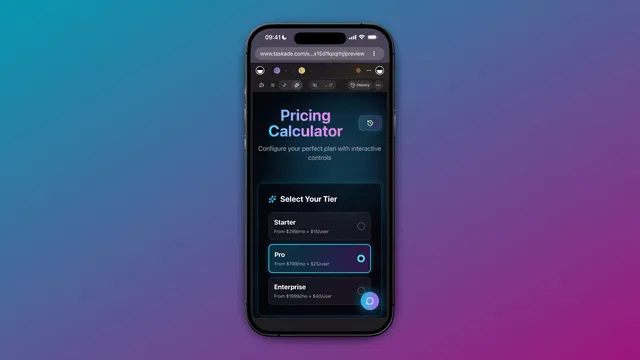
A pricing calculator built with Taskade Genesis. The app is the surface, and an AI agent sits behind it.
What the Plan Price Includes
- Agents that work in the background. Build an agent trained on your own knowledge. Start it from a schedule, a new email or a form response. It reads the web, uses your connected apps and waits for your approval on risky steps.
- Teams of specialists. Ask Taskade EVE for a research agent, a writer and a reviewer. They share one workspace memory and hand work to each other. AI Teams are available on Pro and above.
- Public agents. Publish an agent to a public link, or embed it on a website as a widget. Every conversation lands in the Agent Inbox.
- One workspace, many models. Taskade gives you frontier models from top AI labs. Auto is the default. The model underneath can change without your app changing with it.
- 100+ bidirectional integrations. Triggers pull events in. Actions push data out, and the HTTP Request action reaches any API without a built-in connector.
- Publish and share. Publish with one click and decide when changes go live. Share an app as an App Kit that others can clone. Put it on your own domain on Pro and above.
- Role-based access from Owner to Viewer. Invite teammates with the access each one needs.
Coding assistants can join in. The hosted Taskade MCP server, on every paid plan, lets MCP-compatible assistants such as Claude, ChatGPT and Cursor read and edit your projects, tasks and agents, with your permissions and plan limits still in force. OpenAI's Codex docs list MCP support, so check whether your setup can connect. The hosted MCP guide has the steps.
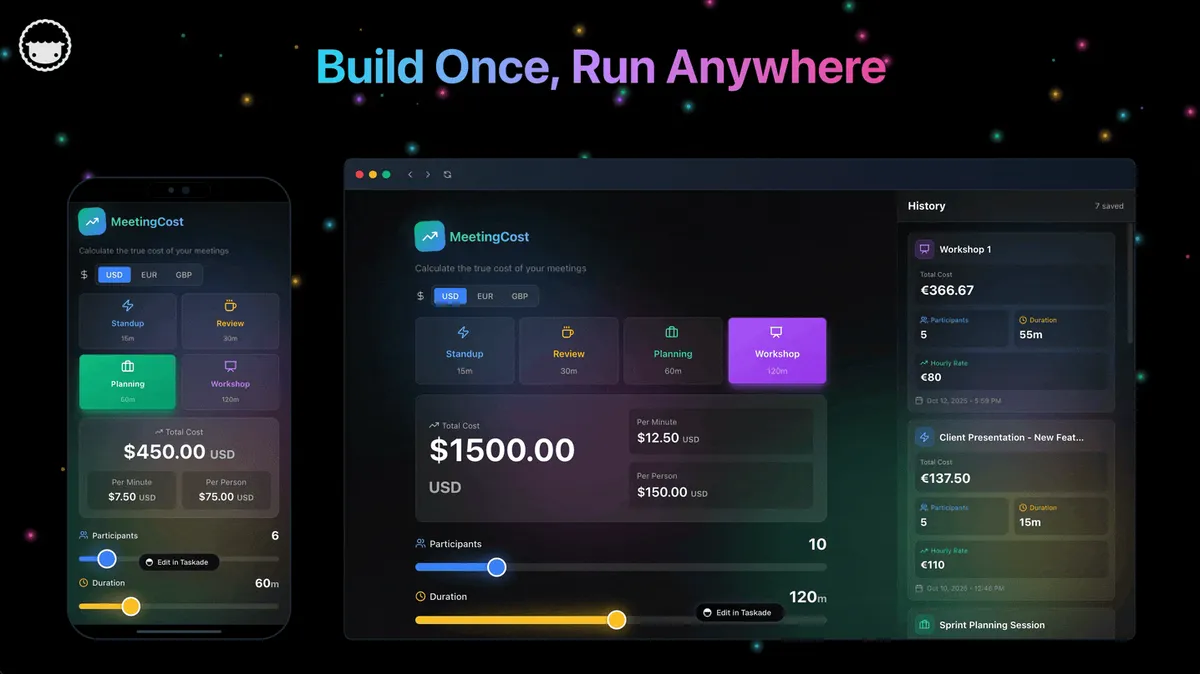
One Taskade Genesis app, running on a phone and on desktop. The Meeting Cost Calculator is a live example you can open.
What the Plans Cost
| Plan | Billed annually | Billed monthly | What it adds for Taskade Genesis |
|---|---|---|---|
| Free | $0 | $0 | 2 workspace members, 3 Taskade Genesis apps, 1 agent, 10 automation runs per billing period, sign-in, Let others clone, no starting credits (earn or buy credits) |
| Pro | $10/mo ($120/yr) | $20/mo | 50,000 credits a month, unlimited apps and agents, AI Teams, incoming webhooks, password protection, code export, badge removal, up to 10 custom domains, up to 10 members |
| Business | $25/mo ($300/yr) | $50/mo | 150,000 credits a month, branding and SEO, analytics, SAML single sign-on, admin controls, unlimited members |
| Max | $100/mo ($1,200/yr) | $200/mo | The highest AI capacity for heavy agent and build use |
| Enterprise | $250/mo ($3,000/yr) | $500/mo | SCIM provisioning, dedicated onboarding, custom SLA |
Prices in USD. Annual plans show the monthly equivalent and are billed once a year. AI work draws from credits. See the pricing page for the current plan matrix.
Where Codex is the better fit. If the output you want is source code in your own repository, with your own CI and deployment, a coding agent is the right tool, and the tables above tell you what it costs. Taskade Genesis is the better fit when the output you want is a working app that people who do not write code can run. Compare the tools line by line in the Taskade Genesis vs OpenAI Codex breakdown, or see the wider field in the best Codex alternatives guide and the free AI app builders roundup.
Browse real examples in the Community Gallery, read the newsletter walk-throughs from prompt to live app and clients, projects and teams in one app, or create your first app. If prompt-first building is new to you, the vibe coding primer covers the workflow in ten minutes.
Frequently Asked Questions
How much does Codex cost in 2026?
As of September 29, 2026: Free $0, Go $8/mo (July price), Plus $20/mo, Pro 100 $100/mo, Pro 200 $200/mo, and the new Pro 500 $500/mo. Business Standard is $20/user/mo billed annually ($25 monthly), Premium seats $100 ($125 monthly), Enterprise is contact-sales. The GPT-6.1 Sol API costs $2 in and $10 out per 1M tokens.
What is Codex Ultrafast?
A premium speed tier for GPT-6 Astra: up to 8x faster token generation in Codex and up to 6x in the API, at 6x the standard price ($60 in, $300 out per 1M tokens in the API). OpenAI also lists it at 8x included usage and 6x purchased credits. In ChatGPT it is limited to Pro 500 and eligible Enterprise and Edu workspaces. Sol Ultrafast is coming soon.
What is ChatGPT Pro 500?
A $500/month plan announced September 29, 2026, with 25x the Plus usage allowance and Astra Ultrafast. Pro 100 and Pro 200 do not include Ultrafast at launch, even with purchased credits. Pro is billed monthly only.
Is GPT-6.1 Sol available in Codex?
Yes. It launched September 29, 2026 for Plus, Pro, Business, Enterprise, and Edu users in ChatGPT Work and Codex, starting with Pro, and not yet in Chat. The API model is gpt-6.1-sol at $2 input, $0.10 cached input, $10 output per 1M tokens.
Did the ChatGPT Pro 200 plan change?
Yes. The price stays $200, but new subscribers get a lower allowance, reported as 10x Plus instead of 20x. Eligible existing subscribers keep the old allowance through October 29, 2026. Pro 200 has no Ultrafast.
How much does a 50-step Codex agent session cost on GPT-6.1 Sol?
About $1.37 in API list prices: 300K fresh input tokens at $2 per million, 2.7M cached at $0.10, and 50K output at $10. The same session costs about $1.64 on GPT-6 Sol and $8.20 on GPT-6 Astra.
How much is one Codex credit?
About $0.04, aligned 1:1 with API token prices. On OpenAI's rate card, GPT-6.1 Sol draws 50 credits per million input tokens, 2.5 cached and 250 output ($2, $0.10 and $10). OpenAI says a typical GPT-5.6 Sol task uses 5–30 credits ($0.20–$1.20).
How many Codex credits does GPT-6.1 Sol use?
50 credits per million input tokens, 2.5 per million cached input tokens and 250 per million output tokens, which is $2, $0.10 and $10 at about $0.04 per credit. GPT-6 Astra draws 250, 25 and 1,250 credits, and GPT-6 Luna draws 2.5, 0.25 and 12.5.
Is OpenAI Codex free?
It is bundled into ChatGPT's free tier with limited metered usage, and Go at $8/mo is the cheapest paid step. There is no flat unlimited plan below Enterprise. Taskade Genesis has a usable free plan that builds and publishes live apps: 3 apps, 1 agent and no starting credits (earn or buy credits).
What happens when I hit the Codex 5-hour limit?
Codex pauses until the rolling window refills. You can wait, switch to a cheaper model (GPT-6 Luna draws one-twentieth of GPT-6.1 Sol's credits), buy credits on Plus or Pro, upgrade a tier, or buy a Business workspace top-up. OpenAI says Pro plans currently have no five-hour limit.
Codex API vs subscription: which is cheaper?
Identical per token since April 2026. Subscriptions win for humans in editors because credits are bundled into the flat fee; the API wins for scripts and CI because there is no window and no seat fee, though it has no cloud features such as GitHub review or Slack. The crossover sits near 16 sessions a month against Plus's $20.
How do OpenAI Codex credits work?
Since April 2, 2026, Codex meters usage by tokens converted into credits, drawn down on a rolling 5-hour window. Rates vary by model: GPT-6 Astra draws 250 credits per million input tokens, GPT-6.1 Sol 50, and GPT-6 Luna 2.5. Output costs 5x input, cached input is far cheaper, and credit billing has no cache-write charge. Codex shows no per-task estimate in advance.
How do I make Codex credits last longer?
Use cached context (cached input is 10x cheaper than fresh input), pick the lightest model that handles the task (GPT-6 Luna draws one-twentieth of GPT-6.1 Sol's credits), ask for diffs instead of full rewrites, shrink your AGENTS.md, and leave fast mode off by default since it bills 2–2.5x the standard rate.
How does Codex pricing compare to Claude Code, Cursor, and GitHub Copilot?
All anchor near $20/mo for individuals: Codex Plus $20, Claude Pro $20, Cursor Pro $20, Copilot Pro $10, with $200 top tiers on Codex, Claude, and Cursor (competitor prices last checked July 2026). Copilot moved to token-based AI Credits on June 1, 2026, completing the category's shift to token metering. See the Codex vs GitHub Copilot breakdown for the closest matchup.
What is the cheapest way to build apps from a prompt?
Taskade Genesis (free, then Pro at $10/mo billed annually with 50,000 credits a month) builds and hosts the whole app, with a plan price instead of a rolling window. Compare Lovable Pro ($25/mo with message credits) and Replit Core ($20/mo, $18/mo billed annually, plus effort-based checkpoints). OpenAI's Sites feature is in public beta on eligible ChatGPT plans.
What is the Codex 200 plan?
ChatGPT Pro 200, $200/month. Eligible existing subscribers keep the old 20x Plus allowance through October 29, 2026 (roughly 300–1,600 GPT-5.5 messages per 5-hour window in July 2026 terms); new subscribers get a lower allowance, reported as 10x Plus. It fits all-day agent runs. Pro 500 is the tier above.
How much does Codex Enterprise pricing cost?
Quote-only. 2026 procurement reports converge on $45–$75 per seat/month with ~150-seat minimums — a practical floor near $108K/year — and Codex draws from a shared contract-level credit pool rather than per-seat caps. The rate card reached existing Enterprise plans on April 23, 2026.
What is Codex fast mode and how much does it cost?
Priority processing billed at a multiplier: 2.5x on included subscription usage and 2x on purchased credits and Enterprise pay-as-you-go, per OpenAI's pricing page. A $2.40 refactor becomes about $5 to $6. Use it while actively pairing; skip it for background runs. Ultrafast is a separate tier for Astra, at 8x included usage and 6x credits.
How much does Codex cost for a team of five?
About $490/month in a realistic mix: five Business seats at $20 ($100), two heavy users adding ~$150 of usage each, three light users near $30 each — $98 per developer. Since June 24, 2026, pay-as-you-go Codex-only seats are limited to workspaces that already had one.
What can I build with Taskade Genesis instead of paying per token for Codex?
Live apps from one prompt, with their own data, AI agents and automations: a client portal, a lead tracker, an invoicing app, an inventory tool, a live dashboard or a public support agent. Free costs $0 with 3 apps, and Pro is $10/mo billed annually with 50,000 credits a month. Codex writes code you host; Taskade Genesis hosts the finished app. Build your first app →
Related Reading
Codex, top to bottom:
- What Is OpenAI Codex? Complete History
- OpenAI Codex Sites Explained
- Best OpenAI Codex Alternatives (coders + non-coders)
- The OpenAI and ChatGPT Story
- What Is GPT? GPT vs LLM vs ChatGPT, Tiers and GPT-6
- AI Cost per Task: What AI Work Really Costs
Head-to-head comparisons:
The wider AI coding market:
- Best Claude Code Alternatives
- Best Cursor Alternatives
- GitHub Copilot Alternatives
- AI Agents vs Copilots
- What Are AI Coding Agents?
Agents, always-on work and multi-agent teams:
- What Are AI Agents?
- Always-On AI Agents
- AI Subagents vs Agent Teams
- What Are Multi-Agent Systems?
- Autonomous Task Management
- Best OpenClaw Alternatives
More head-to-head comparisons:
- Taskade Genesis vs Devin
- Taskade Genesis vs Manus
- Taskade Genesis vs Emergent
- Taskade Genesis vs Base44
Codex pricing now rewards people who understand it: the credit system is transparent down to the token, but it still takes a rate card and a calculator to predict a monthly bill, and heavy users should budget $100–200/month, or $500 if latency is the product. The arithmetic in this guide is that calculator - count your sessions, weigh your tasks, and the invoice stops being a surprise. If you would rather start from a plan price and get the whole app, not just code, start free with Taskade Genesis →.
Before you go:
- Taskade Genesis overview — build your first app from one prompt
- How AI model credits work in Taskade — the flat-plan answer to this article
- Custom AI agents — the teammates inside your apps
- Automations execution — what keeps running after the build
Create a free account and see what a known bill feels like.
Describe the app once, and your workspace remembers, thinks, and ships it. ▲ ■ ●