







TL;DR: An AI second brain is one workspace that captures your notes, mind-maps your ideas, and lets AI agents recall and connect that knowledge on command. Taskade Genesis does all three in a single place with persistent Workspace DNA memory, so you ask a question in plain English and get answers from everything you ever saved. 150,000+ apps have been built on it since launch.
You know the feeling. A great idea lands in the shower, gets a half-sentence in your phone notes, and is gone by lunch. A useful article gets bookmarked into a graveyard of 400 other bookmarks. A meeting decision lives in one doc, the follow-up in another, and the reason behind it in nobody's head.
The problem was never that you do not capture enough. It is that nothing reads back across everything you captured. A second brain fixes capture. An AI second brain fixes recall.
This guide shows non-technical operators how to build one in Taskade Genesis: capture notes fast, mind-map your thinking, and let AI agents remember and connect it all for you. No engineering team required.
┌────────────────────────────────────────────────────────────┐
│  My Second Brain  ›  Mind Map view          [ Ask AI ▾ ]   │
├────────────────────────────────────────────────────────────┤
│                                                            │
│            ● Product Launch                                │
│           /        |        \                              │
│     ● Research   ● Messaging   ● Timeline                  │
│       |             |             |                        │
│   • Competitor   • Hero line   • Beta: Jul 8               │
│   • User quotes  • FAQ draft   • Launch: Aug 1            │
│                                                            │
│  ┌──────────────────────────────────────────────────┐    │
│  │  You: "What did the quotes say about price?"     │    │
│  │  Taskade EVE: 3 notes mention price. 2 want a    │    │
│  │  free tier, 1 cited Notion at $10. Linked:       │    │
│  │  Research › User quotes. Add a summary here?      │    │
│  └──────────────────────────────────────────────────┘    │
└────────────────────────────────────────────────────────────┘
What is an AI second brain?
An AI second brain is a single workspace where you capture everything you learn, and an AI layer recalls and connects that knowledge for you on demand. It is the difference between a filing cabinet and a research assistant who has read every file.
In Taskade Genesis, three things live together: your notes (captured as clean outlines), your mind maps (the same notes seen as a visual web of ideas), and your AI agents (who read across all of it and answer in plain English). The glue is persistent Workspace DNA memory, context that carries between projects and conversations, so the system remembers what you remember.
The payoff is recall on demand. You do not search for the note. You ask the question, and the answer comes back with the source attached.
Capture: get every idea into one place fast
The first job of a second brain is to never lose an idea, so capture has to be frictionless. In Taskade you open any project and start typing, every line is a node you can nest, reorder, and link. If you live in your notes, the AI outliner approach pairs perfectly with this workflow.
The capture toolkit, grounded in how Taskade actually works:
| Capture method | How it works | Best for |
|---|---|---|
| Outline typing | Press Tab to indent, Shift + Tab to outdent | Fast thinking, meeting notes, brain dumps |
| Web clipper | Save an article or page straight into a project | Research, references, inspiration |
| Attachments | Drop in documents, spreadsheets, images | Source files alongside your notes |
| @-mention links | Type @ plus a note title to connect two notes | Building a web of related ideas |
| #hashtags | Tag any line to filter it later | Themes that cut across projects |
The structure mirrors how your brain compartmentalizes: a Workspace holds everything, Folders group topics, and Projects are the individual notes and canvases. You are not forced into rigid templates. You capture first, organize later, and the AI helps with both.
For a step-by-step walkthrough of outlining and indentation, see the outlining guide in Learn Taskade.
┌──────────────────────────────────────────────────────────┐
│  Weekly Notes  ›  List view                              │
├──────────────────────────────────────────────────────────┤
│  ▸ Mon — strategy call                                   │
│     • Decision: ship free tier first   #pricing          │
│     • @Competitor research → revisit price                │
│  ▸ Tue — user interview                                  │
│     • Quote: "I'd pay if onboarding was faster"  #voice  │
│     • Clipped: rival pricing page  [web clip]             │
│  ▸ Wed — design review                                   │
│     • Attached: hero-mockup-v3.png                        │
│  [ + Add note ]      AI: summarize this week ⟶            │
└──────────────────────────────────────────────────────────┘
Mind-map: turn notes into a map you can think with
Mind mapping turns a flat list of notes into a visual web, so you can see how ideas connect instead of reading them one line at a time. The same content powers both views, nothing is duplicated or lost.
To mind-map in Taskade, switch any project to Mind Map view (one of multiple project views: List, Board, Calendar, Table, Mind Map, Gantt, and Org Chart). Start with a central node for your main idea, then branch out:
- Add child nodes to break an idea into parts.
- Add parent nodes to zoom out and see the bigger picture.
- Branch infinitely. There is no depth limit.
- Drag and drop to reorganize as your thinking changes.
Here is where the AI earns its keep. Ask it to expand a node and it suggests sub-ideas you had not considered. Describe a topic in a sentence and it can generate a whole starter map for you. You are never staring at a blank canvas. (For a deeper dive on the technique itself, see our guide to AI mind mapping.)
Because the map and the list share one underlying structure, you can flip a brainstorm into a Board, assign owners, and ship it, the same idea moves from thinking to execution without a copy-paste step.
Recall: let AI agents remember and connect your knowledge
Recall is the part regular note apps cannot do. Instead of searching for a note, you ask a question in plain English, and an AI agent reads across everything you saved and answers with the sources attached.
In Taskade this works two ways. Inside any project, open AI chat and pick Ask Project to question that project's contents directly. Across your whole workspace, AI agents with built-in tools carry persistent memory, so an agent recalls context from any project, not just the one open in front of you. Taskade EVE, the built-in meta-agent, can pull threads together from notes you wrote weeks apart.
This is Workspace DNA in action: Memory + Intelligence + Execution, a self-reinforcing loop.
The more you capture, the smarter recall gets. Every answer an agent gives can become a new note, which feeds back into memory. That is the loop the Taskade EVE memory guide explains in detail.
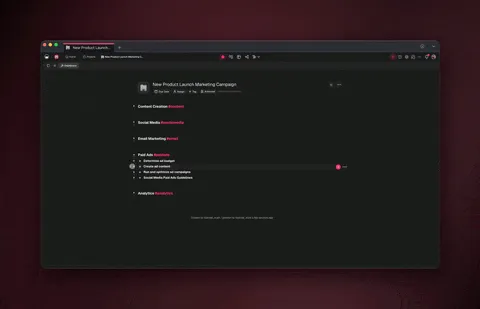
Want a knowledge agent without building one from scratch? Browse ready-made knowledge management agents and clone one into your workspace.
See it live: clone a working second brain in one click
The fastest way to start is to copy a second brain that already works. The Community Gallery is full of live, cloneable apps, knowledge bases, research hubs, and personal wikis, each with a real URL you can open and use before you build your own.
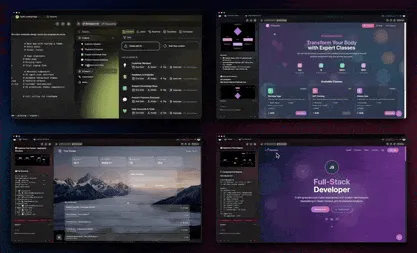
Open one, see how it captures and recalls, then clone it and make it yours. You start with a working system instead of a blank page, and you can re-prompt Taskade Genesis to reshape it around how you actually think.
Put it on autopilot: automations that maintain your brain for you
A second brain stays useful only if it stays current, so let automations do the upkeep. Taskade Genesis runs reliable, durable automation workflows that can branch, loop, filter, and wait from minutes to days, and resume from the exact step that failed instead of starting over.
Practical jobs to automate:
| Automation | What it does | Why it matters |
|---|---|---|
| Morning digest | Agent summarizes yesterday's captures into a daily brief | Start the day knowing what you saved |
| Auto-filing | New notes routed to the right folder by topic | Capture without organizing manually |
| Weekly connections | Agent finds links between notes from different projects | Surfaces ideas you forgot you had |
| Source sync | Pull new items from connected apps into a project | Your brain updates while you sleep |
These run across 100+ bidirectional integrations, triggers pull events in, actions push data out, with native Shopify and Stripe support if your knowledge work touches sales or commerce.
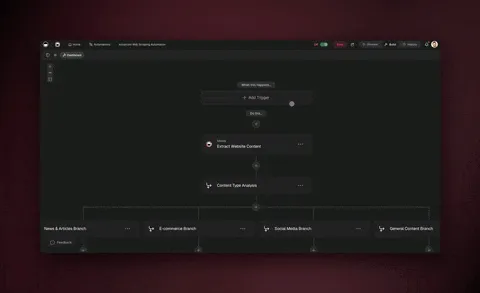
How an AI second brain compares to your current setup
Most people stitch a second brain out of three or four disconnected tools. An AI second brain in Taskade Genesis collapses that into one workspace where capture, mapping, and recall share the same memory.
| Capability | Notes app | Bookmarks + docs | Taskade AI second brain |
|---|---|---|---|
| Fast capture | Yes | Partial | Yes (outline, clip, attach) |
| Visual mind maps | Rare | No | Yes (Mind Map view + AI expand) |
| AI recall across notes | No | No | Yes (agents + persistent memory) |
| Connects ideas for you | No | No | Yes (Workspace DNA memory) |
| Automated upkeep | No | No | Yes (durable workflows) |
| One workspace, one search | No | No | Yes |
The honest take: a dedicated notes app can feel snappier for raw typing, and a bookmark manager is simpler if all you want is links. An AI second brain wins the moment you need to ask your knowledge a question instead of digging for it.
Frequently Asked Questions
What is the best way to start an AI second brain?
Start by capturing, not organizing. Open one project in Taskade Genesis, dump everything in your head as an outline using Tab to indent, then ask an AI agent to summarize and group it. Structure emerges from your notes instead of forcing your notes into a structure. You can mind-map and automate later once you have material to work with.
Does my second brain get smarter the more I add?
Yes. Taskade Genesis uses persistent Workspace DNA memory, so every note you capture gives AI agents more context to recall and connect. Memory feeds Intelligence, which triggers Execution, which creates new Memory, the loop compounds. A brain with 500 notes gives far richer answers than one with five.
Can I import my existing notes from another app?
Yes. You can paste outlines directly, attach exported documents and spreadsheets, and use the web clipper to pull in saved articles. Once content is in Taskade, AI agents can read across all of it immediately, so imported notes join the same recall system as anything you type fresh.
How do mind maps connect to my notes and tasks?
They share one underlying structure. A mind map and a list are two views of the same content, so a branch you sketch in Mind Map view becomes a task in List or Board view with no copy-paste. You think visually, then execute in whatever view fits the work.
Can an AI agent answer questions using only my notes?
Yes. Open AI chat in a project and choose Ask Project to scope answers to that project's contents, or use a workspace agent with persistent memory to recall across everything. Answers come back with the relevant notes linked, so you can verify the source, not just trust the summary.
Is my knowledge private and secure?
Yes. Projects are private to you by default. When you collaborate, role-based access spans 7 permission levels from Owner to Viewer, so you control exactly who sees what. You can keep your whole second brain private or publish select knowledge apps with built-in sign-in.
Can I turn my second brain into an app for my team?
Yes. With Taskade Genesis you can publish a knowledge base as a live, shareable app with built-in sign-in on every plan and a custom domain on Business plans and above. Your team gets a clean front end while you keep the editable workspace behind it, one source of truth, two surfaces.
What does it cost to run an AI second brain?
Taskade Genesis is free to start, which is enough to capture, mind-map, and use AI recall. Paid plans on annual billing are Pro at $10/month (the popular pick), Business at $25/month, Max at $100/month, and Enterprise at $250/month.
Related reading
- The best AI second brain tools, how Taskade compares to other knowledge apps.
- Your second brain on autopilot, automations that maintain your notes for you.
- AI note-taking apps, capture techniques and tools that pair with this workflow.
- AI knowledge management tools, scaling a second brain across a team.
Build your second brain today
The hard part of knowledge work was never capture. It was recall, getting the right idea back at the right moment. An AI second brain in Taskade Genesis closes that gap: you capture in clean outlines, see your thinking as mind maps, and let AI agents with persistent memory recall and connect it all on command. Automations keep it current, and the Community Gallery gives you a working system to clone in one click.
Capture once. Recall forever. Your workspace remembers so you do not have to.
▲ ■ ● Workspace DNA, Memory, Intelligence, Execution, the loop that turns scattered notes into a brain that works for you.