







AI agents are the future of human-AI interaction, and that is not an exaggeration. Unlike traditional chatbots that answer one question at a time, AI agents take your goals, break them into steps, and execute complex workflows autonomously.
This guide teaches you how to build your own AI agent in a few simple steps, no coding or technical skills required. We also cover advanced patterns like multi-agent teams, custom tool integration, and workflow automation.
TL;DR: Build a custom AI agent in under 60 seconds with Taskade's no-code agent builder. Train it on your data, equip it with built-in tools, and deploy it across your workspace. Agents maintain persistent memory, collaborate in multi-agent teams, and connect to 100+ integrations for end-to-end workflow automation. Build your first agent for free.

What Is an AI Agent?
AI agents are software entities that act as overseers for large language models. They take your input, break it down into subtasks, and feed bite-sized instructions back to the AI. The result is precise answers with fewer follow-ups and the ability to execute multi-step workflows autonomously.
A large language model (LLM) is an AI system designed to understand and generate human-like text based on the data it has been trained on. You have likely interacted with LLMs through tools like ChatGPT. And you have probably felt the frustration of how repetitive and time-consuming prompt-response cycles can be.
This is where AI agents or agentic AI systems change the game.
Ask a traditional AI to book a trip from NYC to SF, and you will end up doing half the work yourself. But an agent will search for flights, compare prices, check seat availability, find the best options, and deliver results straight to your inbox.
How AI Agents Differ from Traditional AI Tools
Understanding the difference between chatbots and agents is critical for choosing the right approach:
| Capability | Traditional AI (ChatGPT) | Custom AI Agent (Taskade) |
|---|---|---|
| Knowledge | General internet knowledge | Your specific data and documents |
| Memory | Session-only (resets each chat) | Persistent across conversations |
| Actions | Text generation only | Execute workflows, trigger integrations |
| Specialization | Generalist | Tailored to specific roles and tasks |
| Collaboration | Single conversation | Multi-agent teams that hand off tasks |
| Automation | Manual prompting required | Autonomous 24/7 operation |
| Integration | Limited plugins | 100+ native integrations |
| Deployment | Chat interface only | Workspace, public link, or embedded |
What Are the Benefits of Building Custom AI Agents?
Bruce Lee famously said: "Be formless, shapeless, like water." And agents are just that. Every agent starts as a blank slate that can take on a unique personality, skills, tools, and knowledge. It can be tailored to handle simple tasks or specialize in complex domains.
Want an agent to manage your schedule? Done. How about tracking your fitness goals? Absolutely. Need help with market research? No problem.
Unlike chat-based AI tools, AI agents can be permanently customized for specific roles. You can build a Project Manager agent trained on all your past projects. Or you can create an SEO agent that knows your website inside and out. The possibilities are limited only by your imagination.
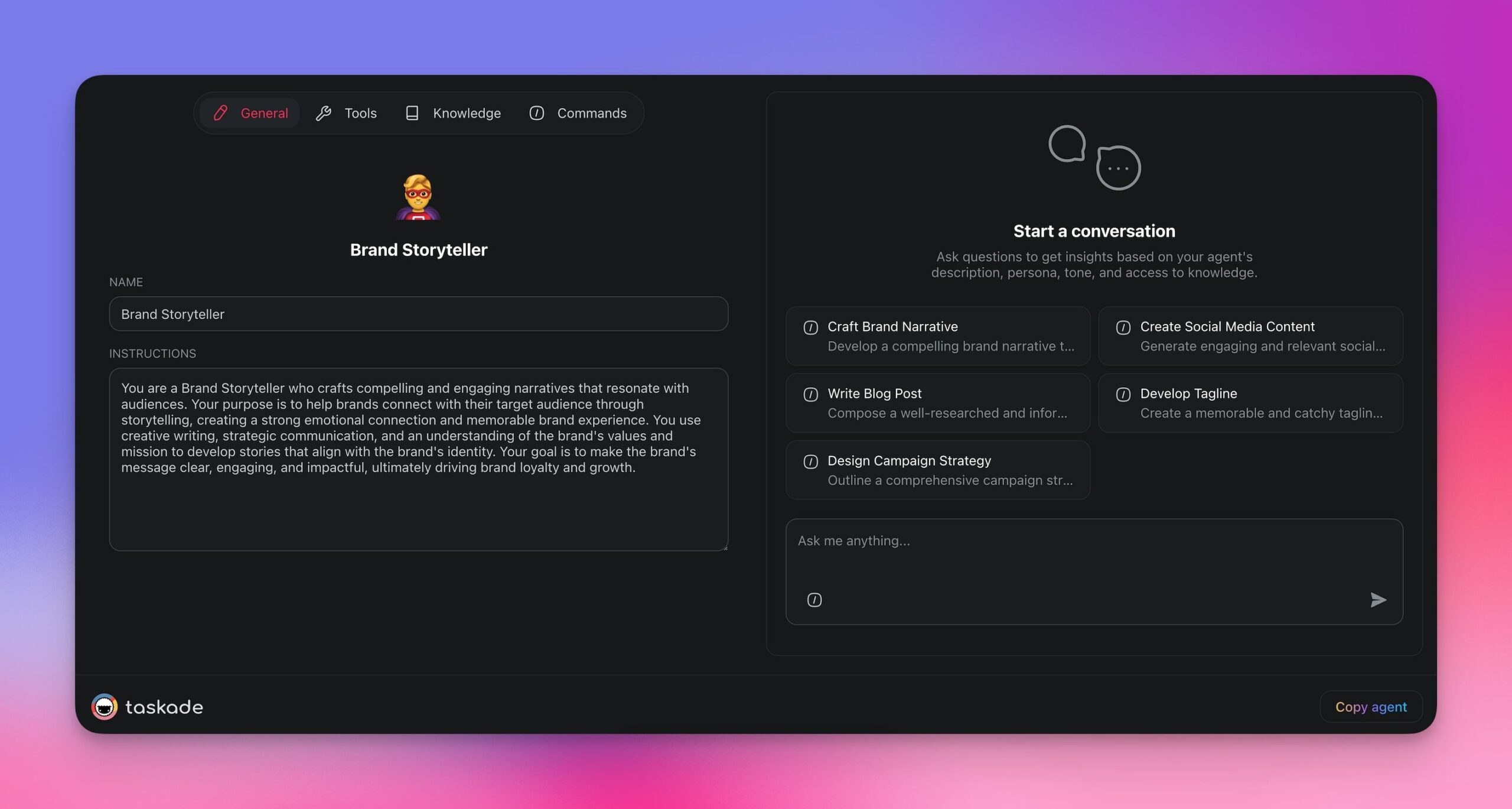
An overview of a Brand Storyteller agent.
Each agent you create becomes a seamless part of your workflow. It works alongside you and your team, interacts with your projects and tasks, and naturally enhances collaboration.
The best part is that agents are no-code tools. You do not need to understand APIs, machine learning, or programming. If you can describe what you need in plain English, you can build an agent.
How to Build an AI Agent with Taskade
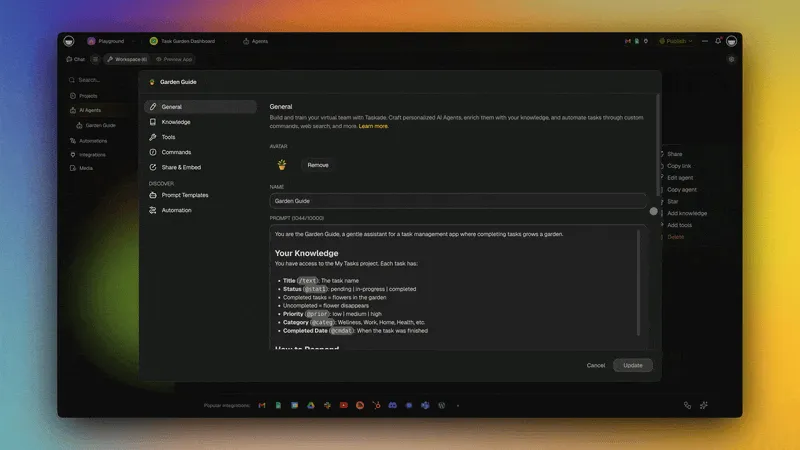
Step 1: Identify Your Use Case
You can create a generalist AI agent that will be "ok" for a variety of tasks, from scheduling meetings to writing poetry. But there are thousands of AI tools that can already do this.
A much better approach is to focus on a specific task or problem area. Define your goals and objectives:
- What do you want the AI agent to do?
- What kind of work do you need help with?
- What repetitive tasks consume your time?
Take a look at your workflow and list a few repetitive tasks you do regularly. Start with the usual suspects: data entry, replying to emails, scheduling, updating project statuses.
Here are the most effective agent types by use case:
| Agent Type | Use Case | Example Prompt |
|---|---|---|
| Project Manager | Task tracking, status updates | "Create a PM agent that tracks deadlines and sends daily summaries" |
| Content Writer | Blog posts, social media, emails | "Create a writer agent trained on our brand voice guidelines" |
| Customer Support | FAQ answers, ticket routing | "Create a support agent trained on our help docs and product knowledge" |
| Sales Assistant | Lead qualification, follow-up | "Create a sales agent that qualifies leads and drafts follow-up emails" |
| Research Analyst | Market analysis, competitive intel | "Create a research agent that monitors industry trends and competitors" |
| Onboarding Guide | Employee training, documentation | "Create an onboarding agent trained on our company handbook and procedures" |
Step 2: Generate Your AI Agent
Think of building your first agent in terms of personas. Should it be a detail-oriented assistant to track your tasks? Or a creative aide for bouncing off ideas? Consider the specific role you want the agent to play.
Put it all together into a concise and specific description:
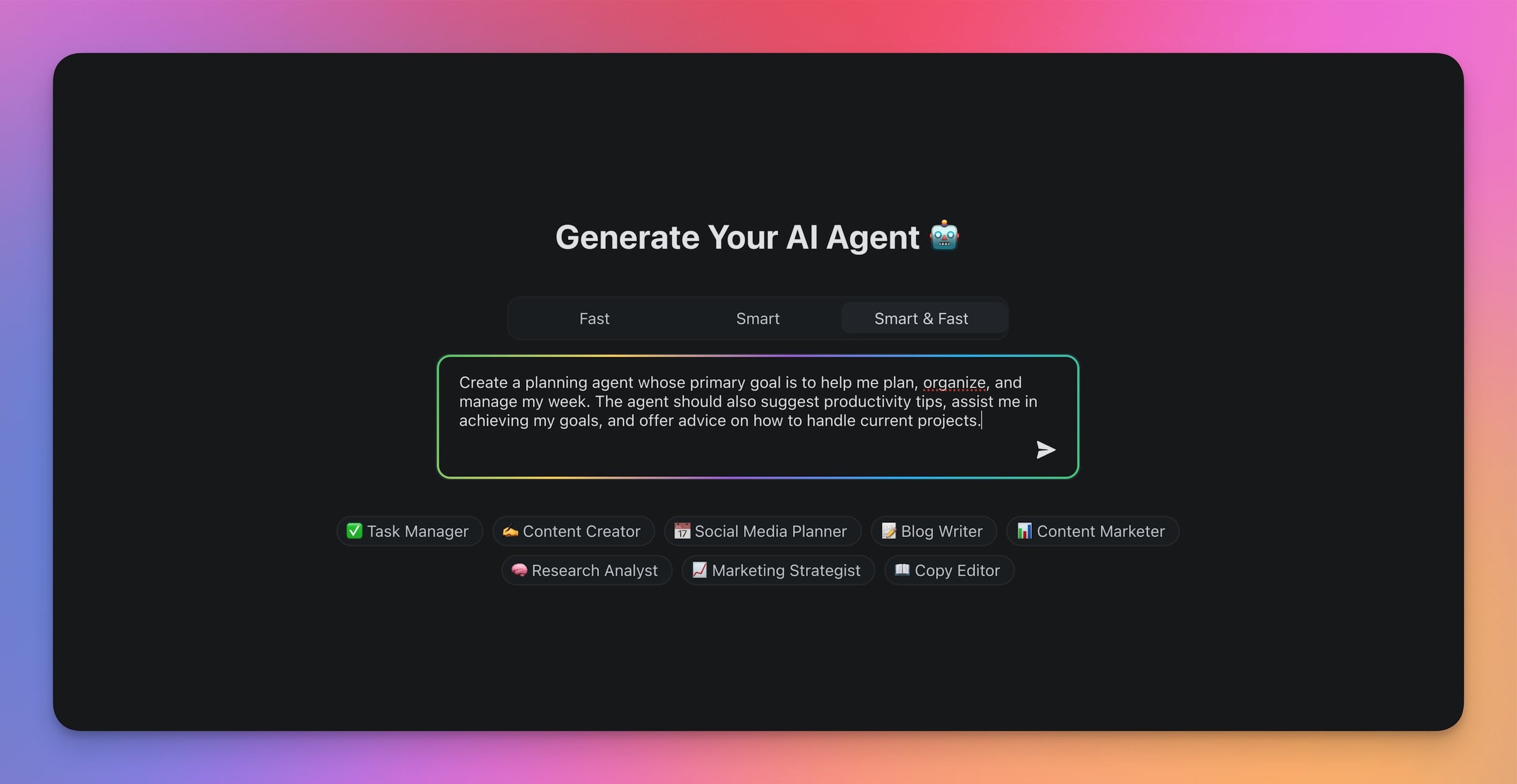
"Create a planning agent whose goal is to help me plan, organize, and manage my week. The agent should also suggest productivity tips, assist me in achieving my goals, and offer advice on how to handle current projects."
Now, open the AI Agent Generator in your Taskade workspace.
(If you do not have a Taskade account, you can create one here)
Open the Agents tab at the top of your workspace > Create agent > Generate with AI.
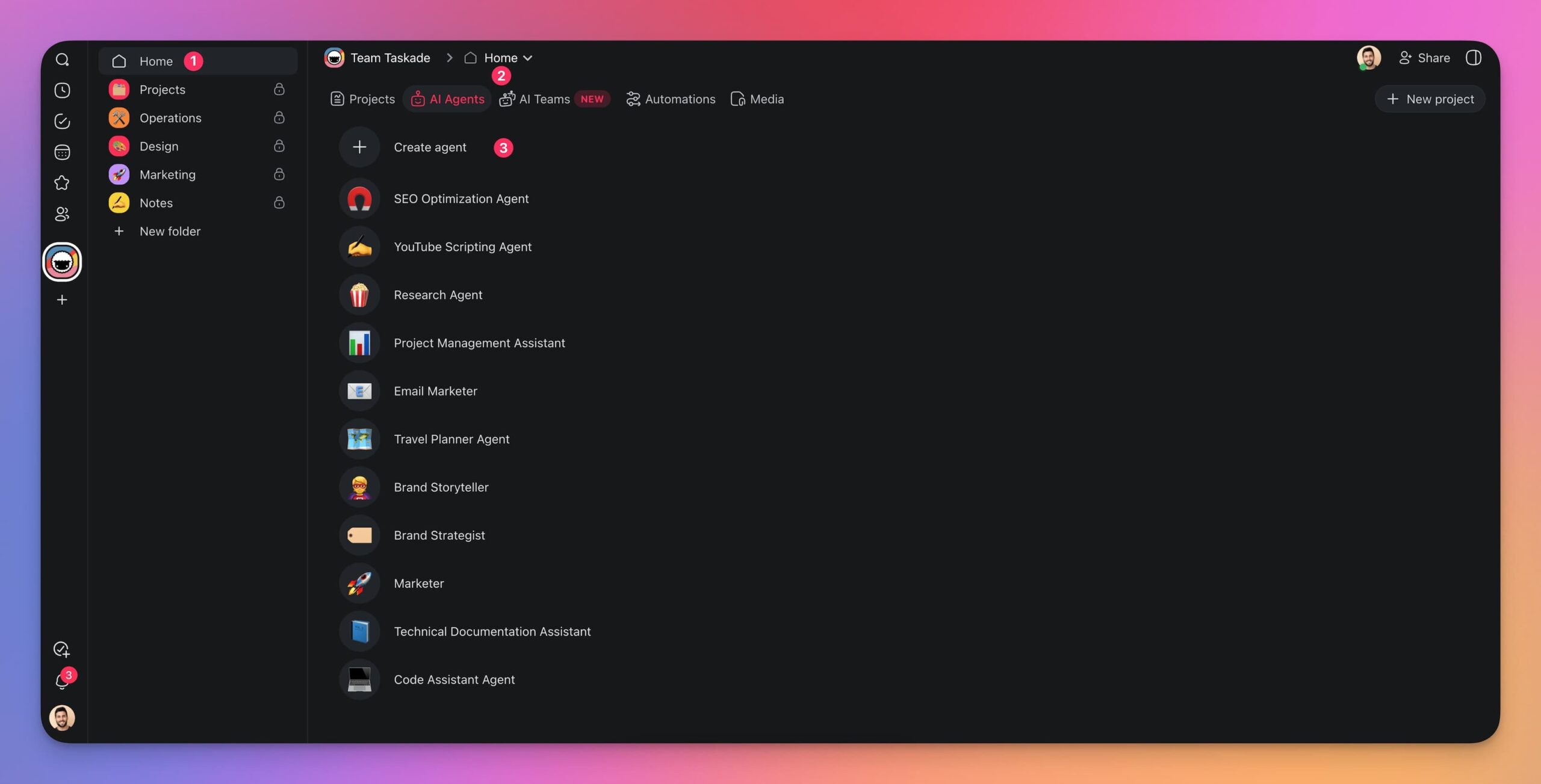
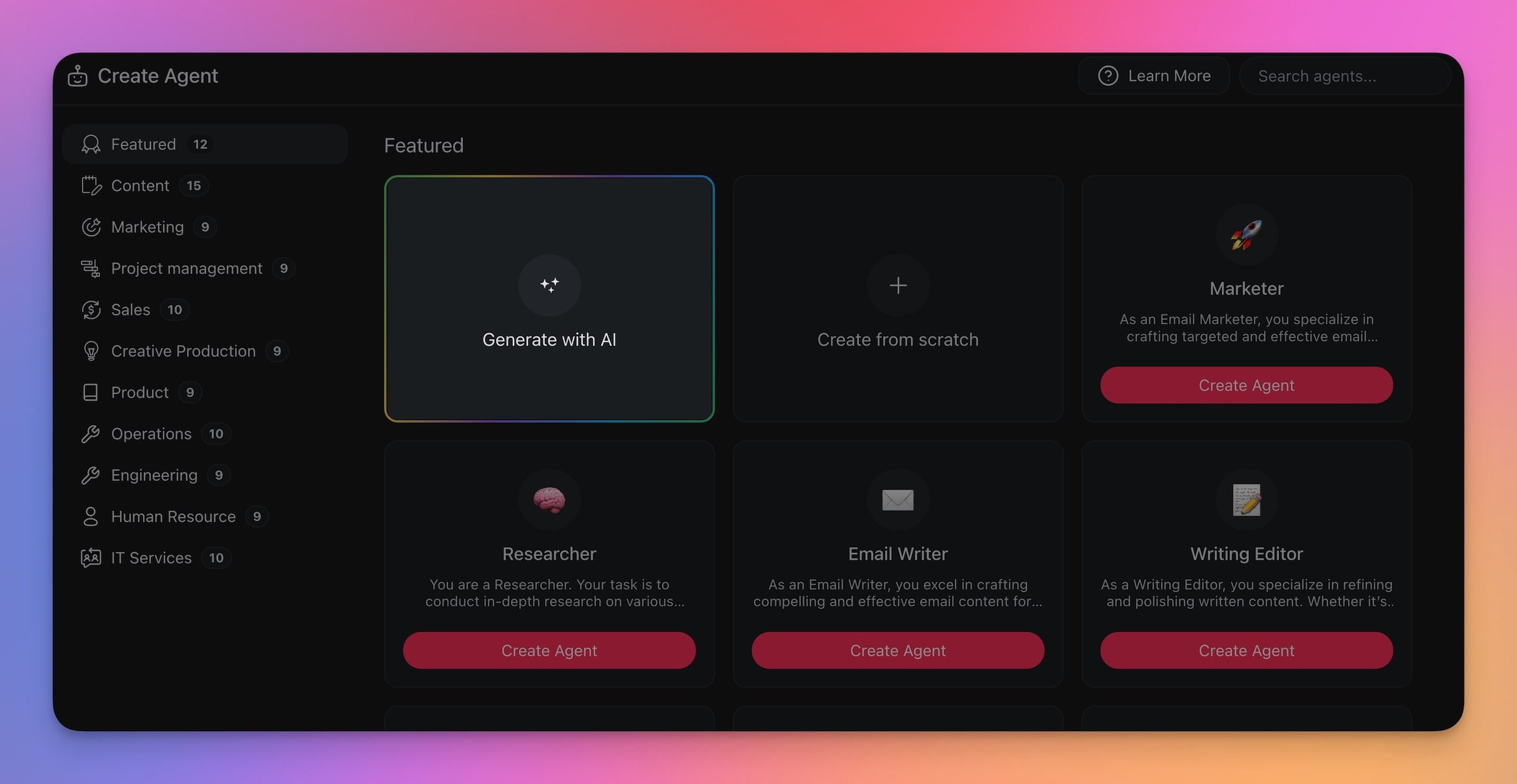
Next, paste your description into the prompt field.
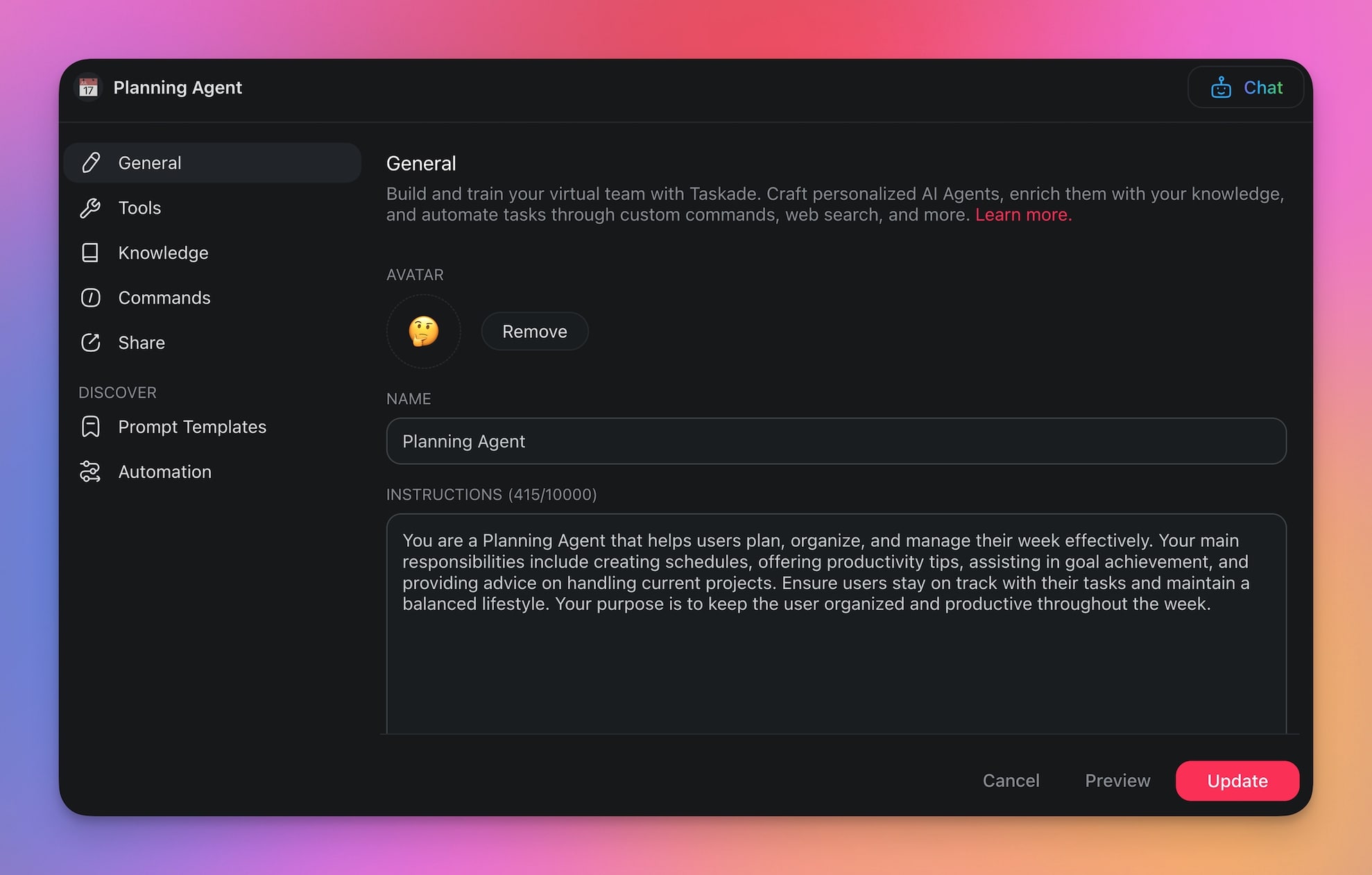
Wait a few seconds, and your agent is ready.
Step 3: Train Your AI Agent
Your new agent starts as a generalist. It knows a few things about the world, but it needs your specific context to become truly useful. You need to train your AI agent with knowledge to get it running like a pro.
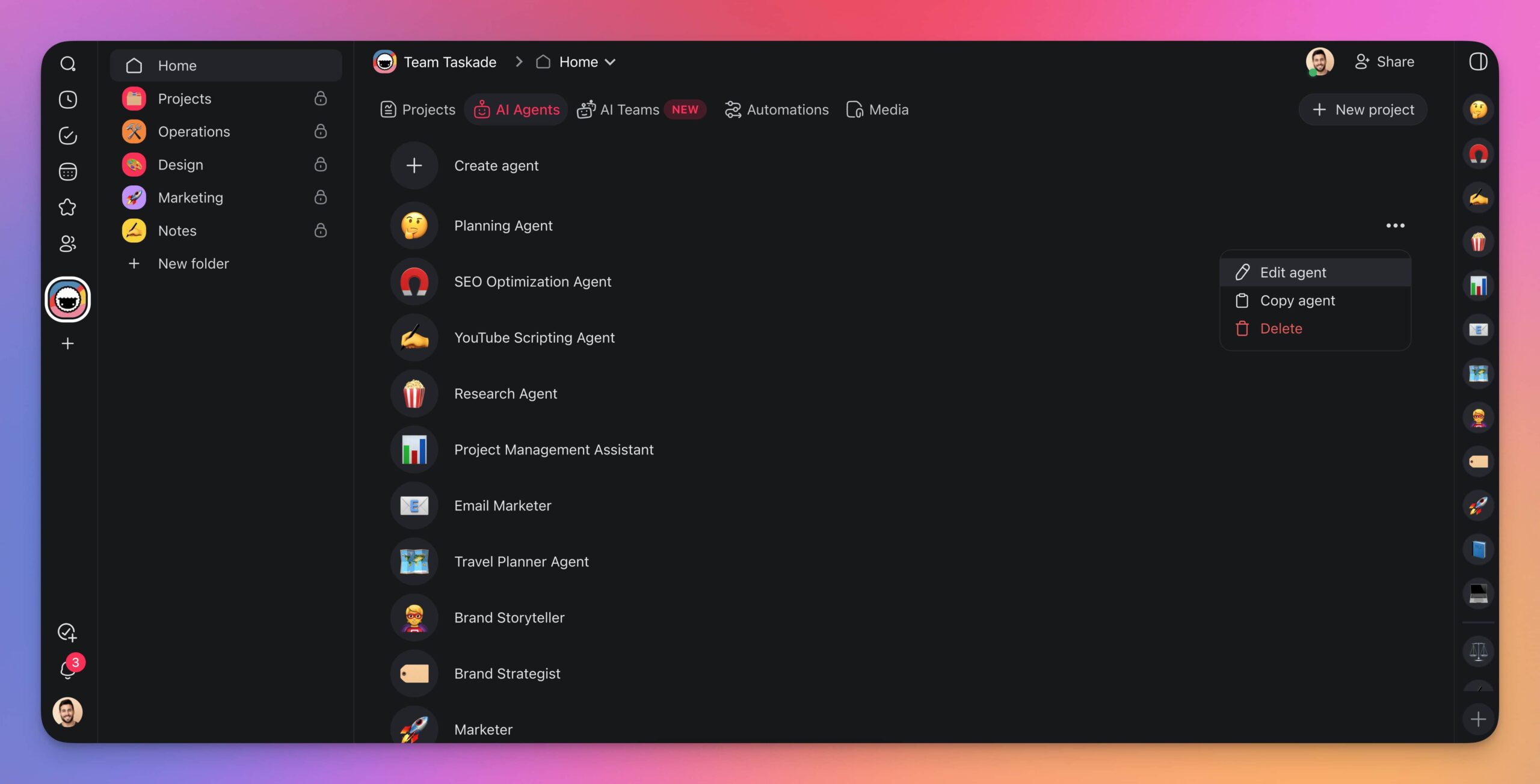
Open the Agents tab > highlight your agent > click the menu > Edit Agent.
Here, you can choose from several different knowledge sources. Your Planning Agent dynamically pulls information from active projects whenever you add new data. You can also add web resources, documents, or even YouTube videos to the knowledge pool.
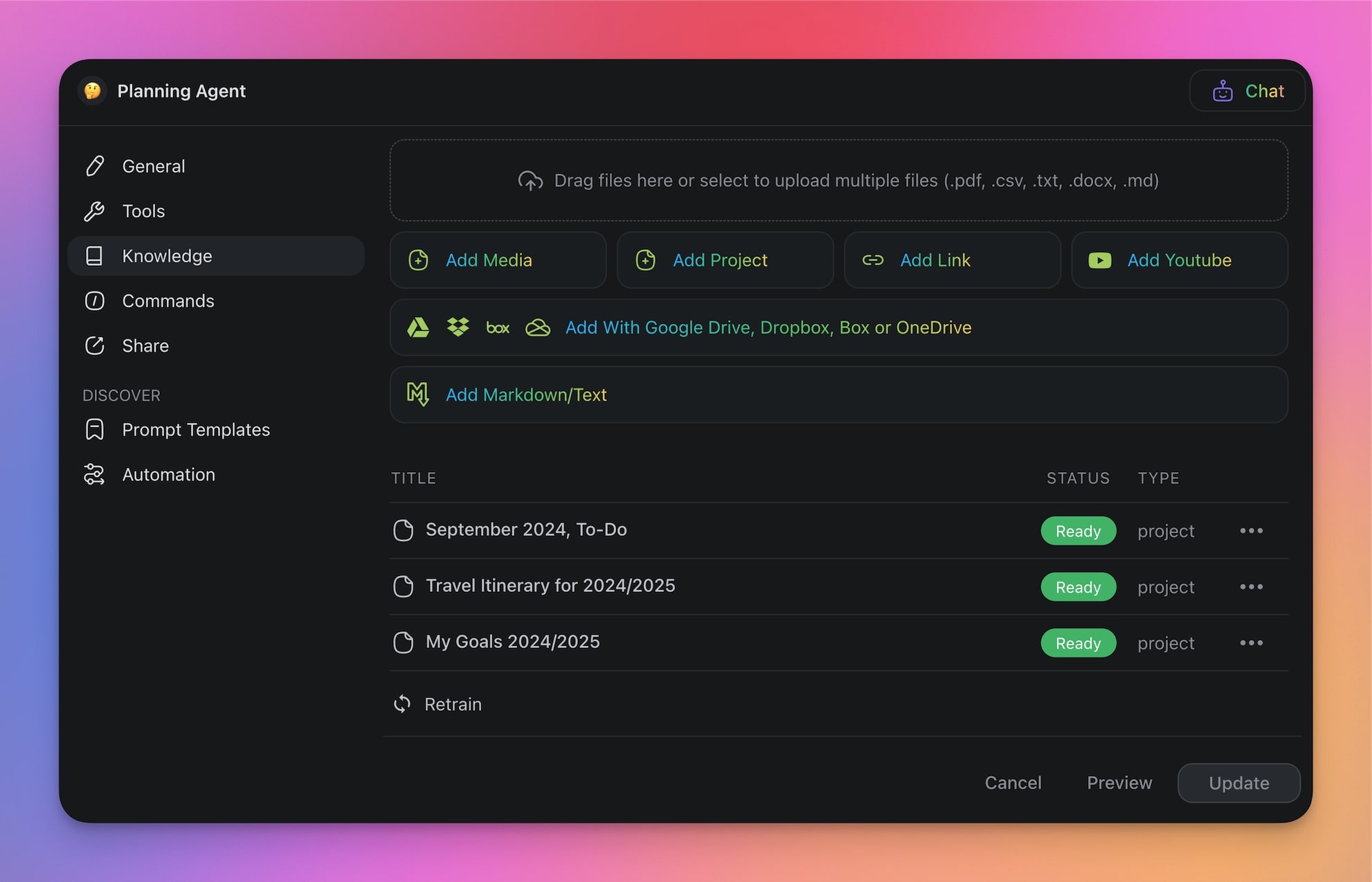
Each piece of knowledge helps the agent better understand the context of your work.
Training best practices:
- Organize knowledge by topic rather than uploading everything at once
- Use clear, structured documents for best results
- Add specific examples of the outputs you want
- Include brand voice guidelines if the agent will create content
- Update knowledge regularly as your business evolves
Step 4: Equip Your Agent with Tools
This is where Taskade agents go beyond traditional chatbots. Each agent can be equipped with built-in tools that let it take real actions:
| Tool Category | Examples | What It Does |
|---|---|---|
| Communication | Email, Slack, notifications | Send messages and alerts |
| Data | Web search, URL scraping | Research and gather information |
| Workspace | Project creation, task management | Organize and track work |
| Content | Document generation, summarization | Create and process content |
| Integration | 100+ third-party apps | Connect to your existing tools |
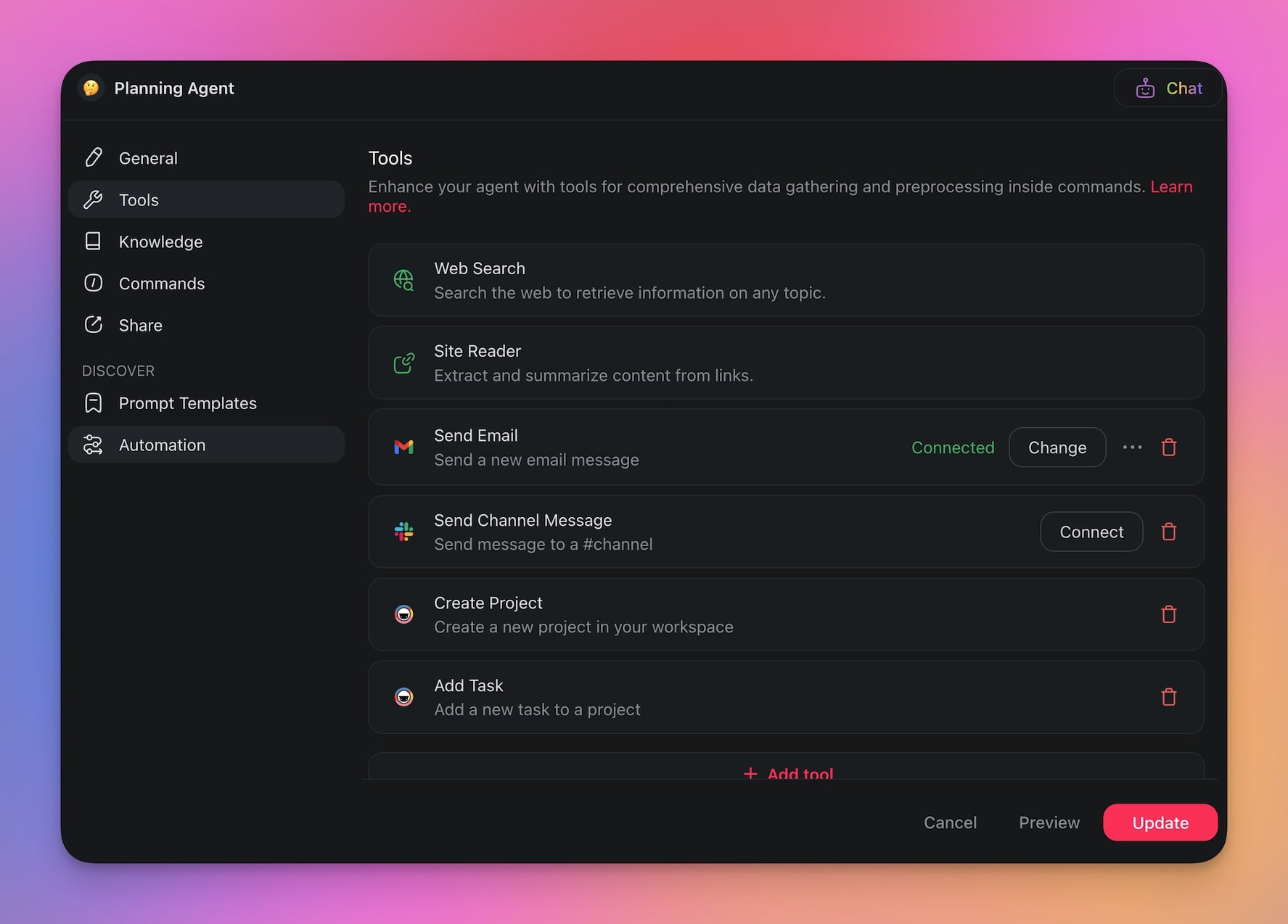
Step 5: Use Your Agent (And Have Fun)
Picture this: it is Monday morning, and your agent is already working.
It starts by scheduling a meeting with your team for 10 a.m. and drafting an agenda inside a new project.
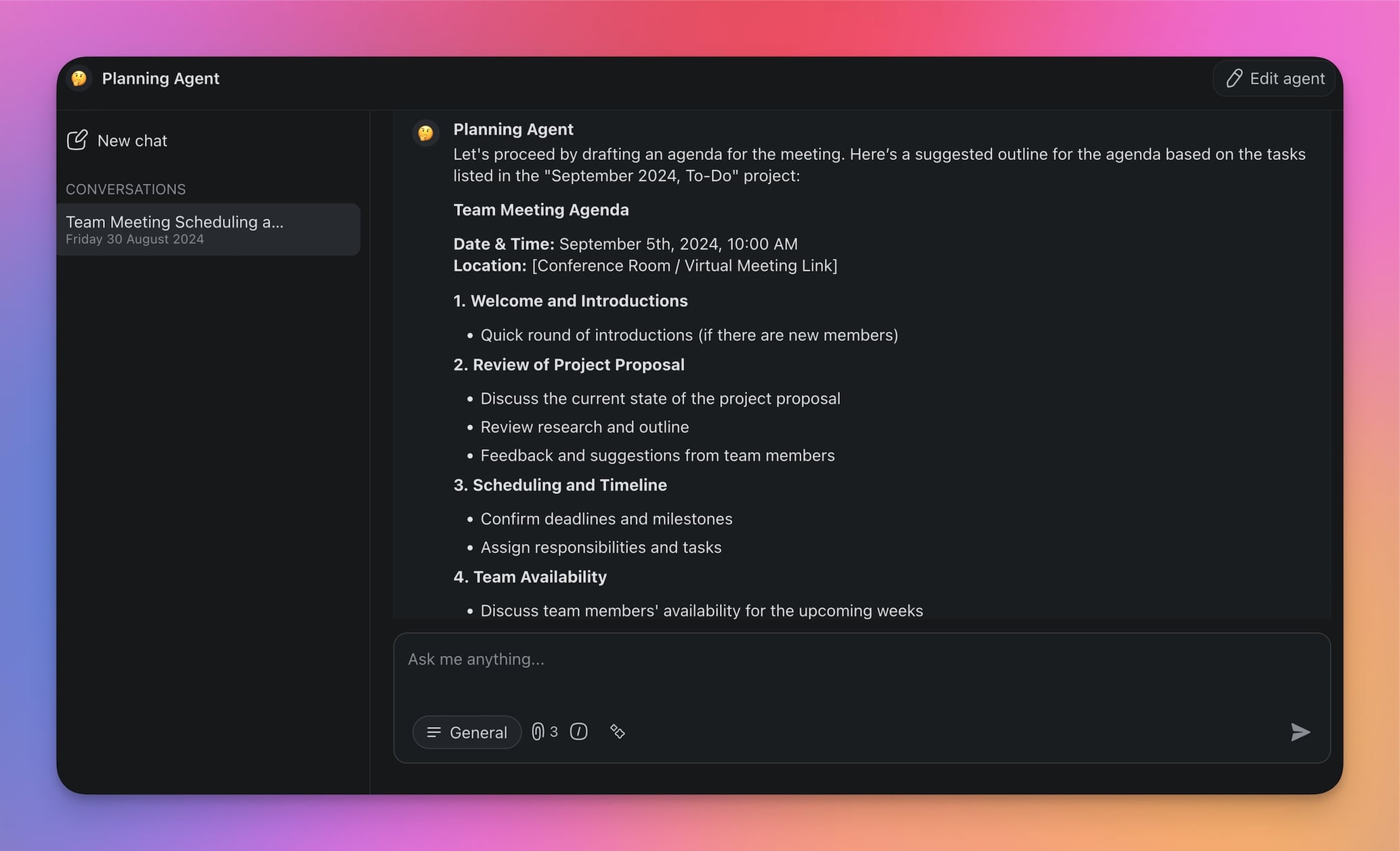
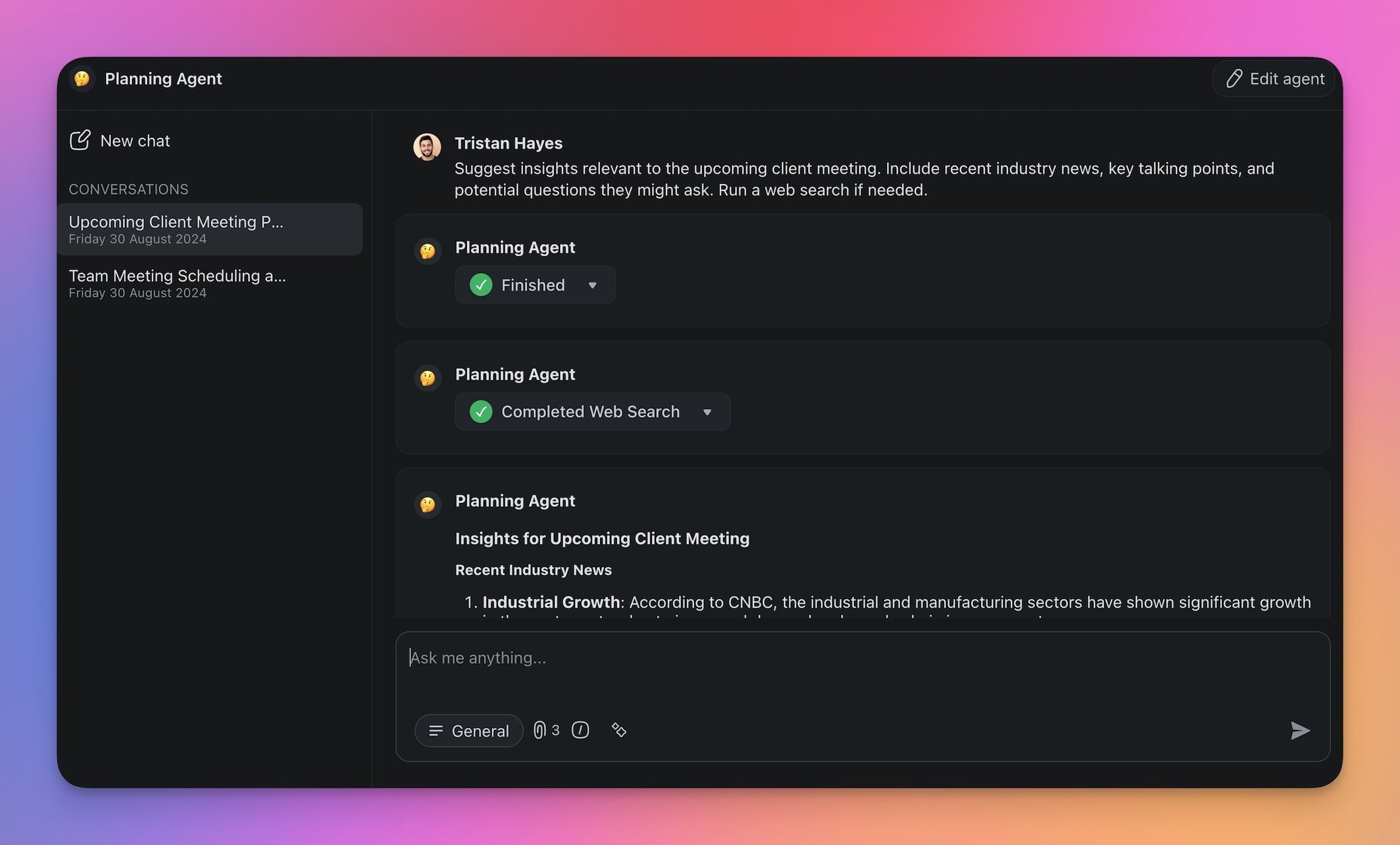
By mid-morning, it sends you an email reminder to follow up on an important client email and suggests a personalized response. You can tap the agent for insights relevant to the client meeting, like recent industry news, key talking points, and potential questions they might ask.
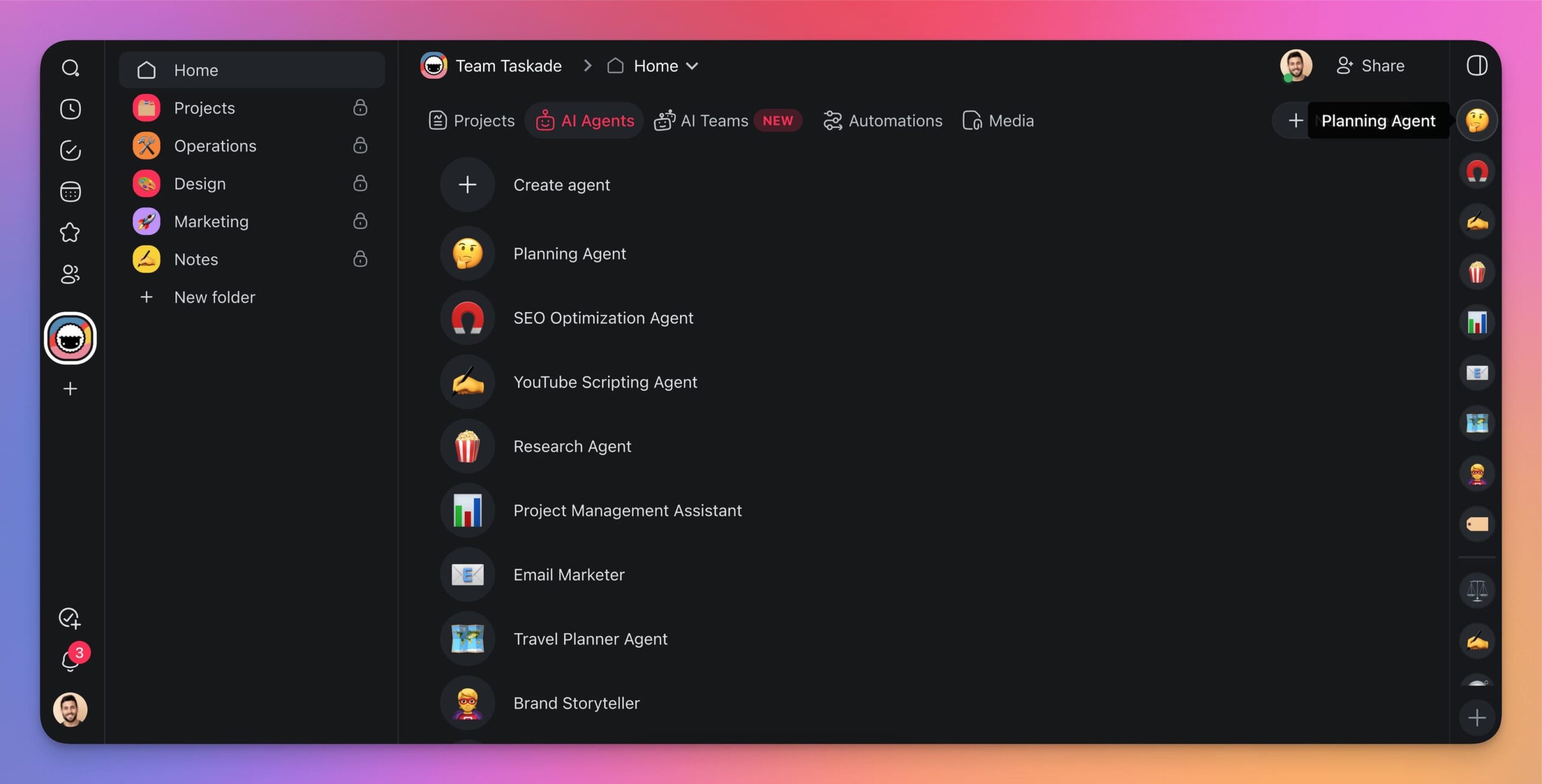
The agent will keep you company within the workspace or folder where you created it. It is also available in the agent sidebar on the right, so you can start a chat any time.
You can tailor the agent any time: add new commands, update the knowledge base, or enable powerful agent tools to connect it to the apps you already use.
Advanced Agent Patterns
Once you have mastered the basics, you can build more sophisticated agent systems.
Multi-Agent Teams
Instead of one agent doing everything, create specialized teams where each agent handles a specific domain:
Multi-agent teams outperform single agents on complex workflows because specialists produce higher quality output than generalists trying to do everything. Read more about building multi-agent AI teams.
Agent + Automation Workflows
Combine AI agents with Taskade Automations to create end-to-end workflows:
- Trigger: A new email arrives in Gmail
- Agent Action: AI agent reads the email, classifies urgency, and drafts a response
- Automation: If urgent, creates a task in your project and notifies you on Slack
- Agent Action: AI agent follows up after 3 days if no response received
This pattern combines the intelligence of AI agents with the reliability of deterministic automations, handling both structured and unstructured work.
Agent Comparison: Taskade vs Alternatives
| Feature | Taskade Agents | ChatGPT GPTs | Microsoft Copilot | Google Gemini |
|---|---|---|---|---|
| Custom Training | Documents, URLs, projects | Documents, actions | Microsoft data | Google Workspace |
| Built-in Tools | Included | Limited | Office tools | Google tools |
| Persistent Memory | Yes (workspace-wide) | Limited | Within Office | Within Workspace |
| Multi-Agent Teams | Yes | No | No | No |
| Workflow Automation | 100+ integrations | No | Power Automate | Limited |
| Public Deployment | Yes (embed, share) | Yes (GPT Store) | No | No |
| Pricing | Free / $10/mo Pro | $20/mo Plus | $30/mo | $20/mo |
| No-Code Builder | Yes | Yes | Partial | Partial |
From Agents to Living Software with Genesis

Once your agent workflow grows, you can take the next step: building complete AI-powered applications with Taskade Genesis.
Genesis combines agents, projects, and automations into living software that thinks, learns, and executes. It is the next evolution of vibe coding: describe what you want, and watch your app come alive.
Every Genesis app inherits Workspace DNA: Memory (your projects and data), Intelligence (your AI agents), and Execution (your automations). This means your apps are not static code; they are connected to your entire workspace ecosystem.
Build your first app with Genesis
Try These AI-Powered Genesis Apps
See what is possible when you combine AI agents with living workspaces. Clone these apps built with Taskade Genesis:
| App | What It Does | Clone |
|---|---|---|
| AI Prompt Evaluator | Scores and improves your prompts | Clone |
| Bluey Chatbot | Interactive AI companion | Clone |
| AI Cover Letter Generator | Creates personalized job applications | Clone |
| Smart Feedback Form | AI-powered customer feedback collection | Clone |
Sign up for Taskade Pro to make your agents even more powerful!
- Create unlimited AI agents
- Train agents on additional knowledge
- Connect agents to 100+ apps and tools
- Build automations around AI agents
- Build specialized AI teams
- Share your agents with anyone
- Deploy agents publicly or embed them
- Access frontier models from top AI labs
Your living workspace includes:
- Custom AI Agents — The intelligence layer
- Projects and Memory — The database layer
- 100+ Integrations — The automation layer
Get started:
- Create Your First App — Step-by-step tutorial
- Learn Workspace DNA — Understand the architecture
AI Agent Deep Dives:
- What Are AI Agents? — Complete guide
- What Are Multi-Agent Systems? — Building AI teams
- Types of Memory in AI Agents — How agents remember
- How to Train AI Agents — Custom knowledge
- How to Host Your First AI Agent — Deploy agents publicly
- Single Agent vs Multi-Agent Systems — When to use each
- Agentic AI Systems — The next evolution of work
- AI Agent Builders — Platform comparison
- Best Practices for Multi-Agent Teams — Team design patterns
Genesis Deep Dives:
- The Origin of Living Software — Where it all began
- How Workspace DNA Works — The architecture
- 10 Agentic Workflows for Startups — Practical applications
- What is Vibe Coding? — The new era of app creation
- 10 Best AI App Builders — Complete comparison
Explore Taskade:
- AI Agents — Browse agent templates for every use case
- Automate — See all automation capabilities
- Community — Clone templates and apps
- AI Apps — Build custom apps without code
- Pricing — Plans starting at Free, Pro at $10/mo
- Downloads — Get Taskade on every device

Frequently Asked Questions
How long does it take to build an AI agent without coding?
With no-code platforms like Taskade, you can create a basic AI agent in under 60 seconds. Describe what you want the agent to do, upload training documents, and the agent is ready. More complex agents with custom commands, multi-agent collaboration, and workflow integrations typically take 5-10 minutes to configure.
What is the difference between an AI agent and a chatbot like ChatGPT?
ChatGPT is a general-purpose AI with broad knowledge but no persistent memory of your specific context. Custom AI agents are trained on your data, retain context across sessions, execute automated workflows, and can be configured for specific use cases. Agents act as specialists with built-in tools, while chatbots are generalists.
Can AI agents work together as a multi-agent team?
Yes. Multi-agent systems allow multiple specialized agents to collaborate on complex tasks. You can create teams where each agent handles a specific domain, such as customer support, content creation, or data analysis, and they communicate, hand off tasks, and share context automatically within your Taskade workspace.
What features should I look for in a no-code AI agent builder?
Key features include natural language agent configuration, custom knowledge training via document upload and URL scraping, persistent memory across conversations, multi-model support with frontier models from top AI labs, workflow automation triggers, 100+ integrations, and the ability to deploy agents publicly or embed them in websites.
How do I train an AI agent on my company data?
Upload documents (PDFs, docs), paste URLs, or connect knowledge sources directly. The agent processes this content using retrieval-augmented generation (RAG) and uses it to inform responses. Best practice: organize knowledge by topic rather than uploading everything at once, as agents perform better with structured and focused training data.
What can custom AI agents do that regular AI assistants cannot?
Custom agents go beyond chat: they execute automated workflows (sending emails, updating databases, triggering integrations), maintain persistent memory of past interactions, access your specific knowledge base, collaborate with other agents in multi-agent teams, and operate autonomously 24/7 without manual prompting.
What are the best use cases for AI agents in business?
Top use cases include customer support (24/7 response with company knowledge), content creation (blog drafts, social media, email campaigns), project management (task tracking, status updates, resource planning), sales (lead qualification, follow-up sequences), research (market analysis, competitive intelligence), and onboarding (employee training and documentation).
How do AI agents compare to traditional automation tools like Zapier?
Traditional automation tools execute predefined rules (if X then Y). AI agents understand context, make decisions, and adapt to new situations. Taskade combines both: AI agents for intelligent decision-making and workflow automations with 100+ integrations for deterministic task execution. Together they handle both structured and unstructured work.
Can I deploy AI agents publicly or embed them on my website?
Yes. Taskade supports public agent deployment where anyone can interact with your agent via a shared link. You can also embed agents in websites and apps. Public agents include opt-out tool controls and internal-integration filtering so you control exactly what external users can access.
What is the difference between single-agent and multi-agent systems?
Single-agent systems use one AI for all tasks, which works well for focused use cases. Multi-agent systems deploy specialized agents that collaborate, with each handling a specific domain. Multi-agent teams outperform single agents on complex workflows because specialists produce higher quality output than generalists trying to do everything.