
Overview
Trello is a kanban-style project management tool that organizes work into boards, lists, and cards. Export your Trello boards as CSV files, then import them into Taskade through the Import CSV tab. Your cards, lists, labels, and descriptions come across with them.
TL;DR: Move your Trello boards into Taskade by exporting each board as CSV, then importing it through the Import CSV tab. Mark the column that holds the card name, set the type of every other column, and open the result in Board view or any other view.
Export a Trello Board
- Export a single board:
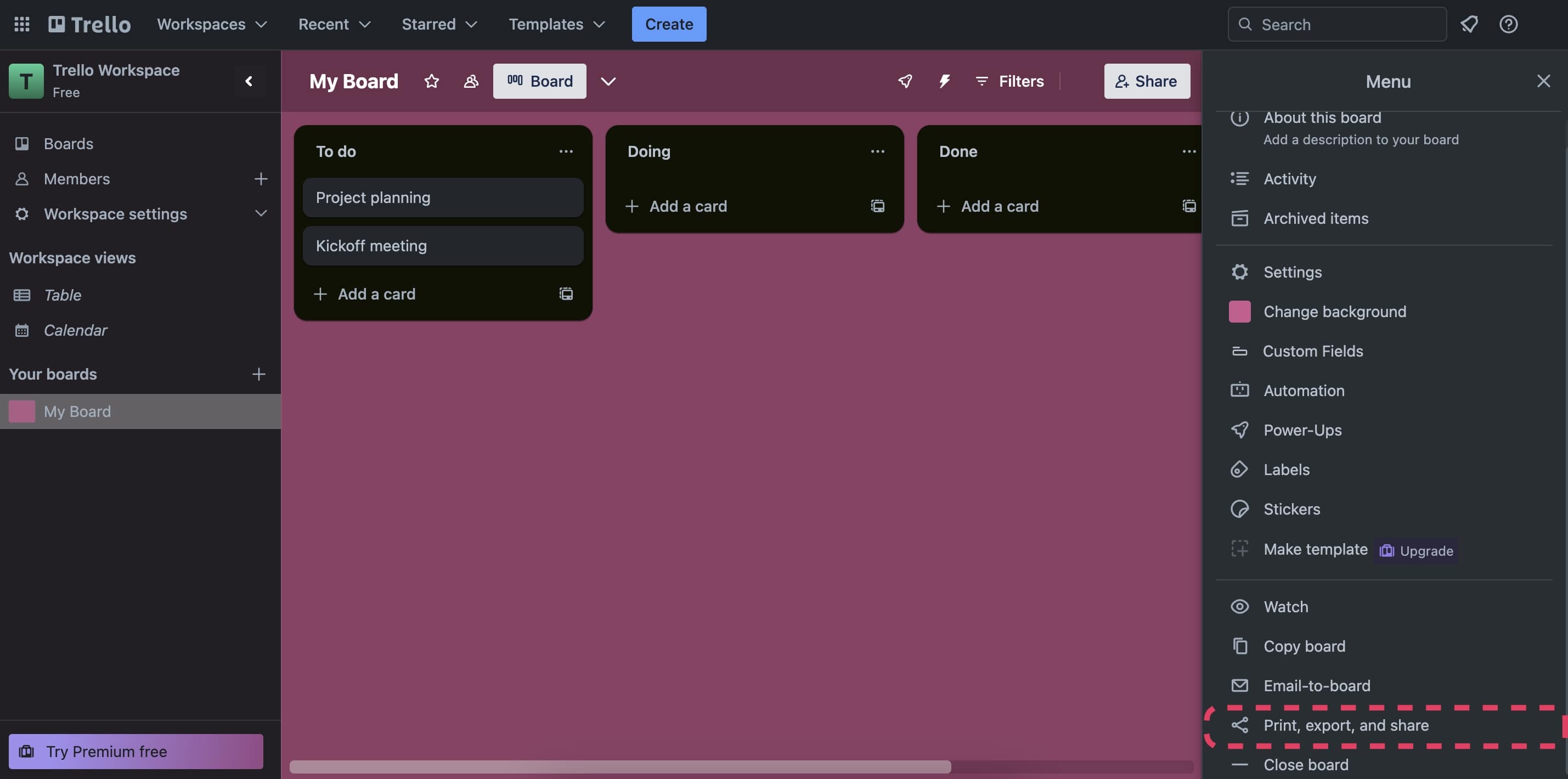
- Open Trello and click the three dots ··· in the top-right corner.
- Choose Print, export, and share from the list.
- Click Export as CSV.
Export all your boards:
Go to Workspace Settings.
Choose Export from the drop-down menu.
Check Include raw attachments... to export attachments.
💡 Note: CSV export may depend on your Trello plan. If you do not see the option, export the board as JSON from the board menu.
Import to Taskade
- Go to your workspace/folder.
- Click the arrow next to the ➕ New Project button.
- Choose Import ➡ switch to the Import CSV tab.
- Drag your file into the pop-up menu or click to select files.
- Set your column types in the preview, then click Import.
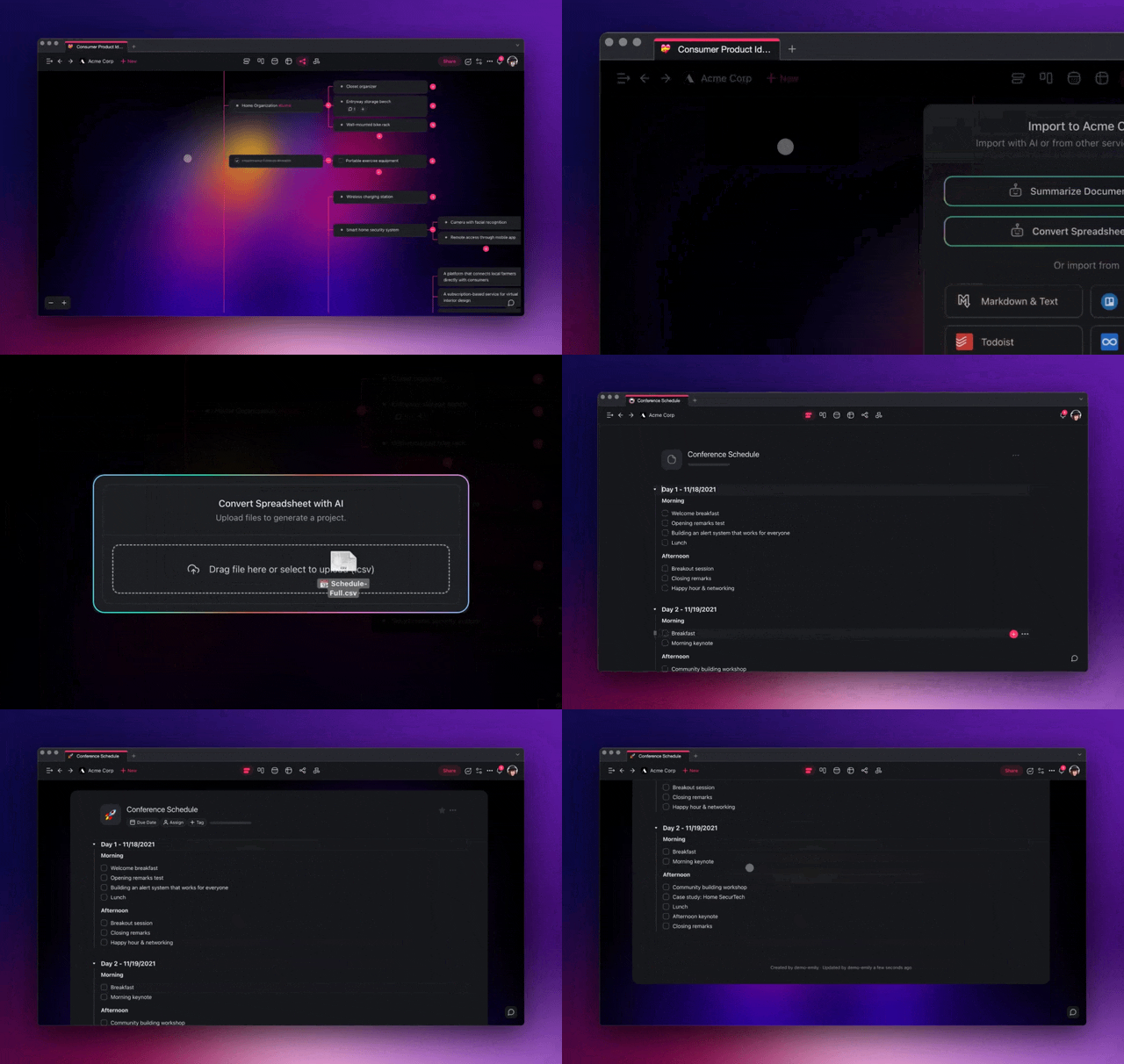
Taskade reads the first row as your column names and shows a preview. Mark the column that holds the task name as Primary, then set each other column to Text, Select, or Number. Click Import to build the project.
The Import CSV tab takes up to 300 rows and 5 MB per file. If your export is larger, split it and import the parts.
After Import
After your Trello data lands in Taskade, your lists and cards rebuild as a live kanban you can work in:
┌─────────────────────────────────────────────┐
│  📋 Product Roadmap             Board ▾    ⚙ │
├─────────────┬─────────────┬─────────────────┤
│ To Do       │ Doing       │ Done            │
│ • Wireframes│ • Build API │ • Launch prep ✓ │
│ • Copy      │ • QA pass   │                 │
└─────────────┴─────────────┴─────────────────┘
From here you can build out your process:
- Use Board view: Switch to Board view for a familiar kanban layout that mirrors your Trello boards.
- Try other views: Explore Table, Calendar, Gantt (paid plans), and Mind Map views for different perspectives on your data.
- Set up automations: Create automations to move cards between columns, send notifications, or trigger actions when tasks are completed.
- Add AI agents: Use custom AI agents to manage your boards, generate task descriptions, or prioritize work.
Tips
- Import one board per project to keep your workspace organized. Use folders to group related boards.
- If your Trello board uses labels for categorization, recreate them with Taskade tags after import.
- For boards with detailed card descriptions, review the imported content. Then add subtasks to the tasks that need them.
- Want the board back as a spreadsheet? Export to CSV works from Board, Table, and every other view.
Trello → Taskade Mapping
| Trello | Taskade |
|---|---|
| Board | Project (Board view) |
| List | Column |
| Card | Task |
| Label | Tag / Custom field |
| Member | Assignee |
Background: AI Personas & CSV-to-Project.
Bring It Into Taskade Genesis
Your imported board is now part of your Workspace DNA. Open the project's ··· menu and choose Add to Agent Knowledge so a custom agent answers questions from it. Start an automation from the project to act on cards that move between columns. Then open Taskade Genesis and describe the app you want on top of that data, such as a client portal, a CRM, or a tracker. For a web page or a video you want to keep alongside it, save the link in the Media Files tab (see Import a Website URL).