
Overview
Microsoft OneNote is a digital notebook for free-form note-taking, clipping, and organizing information across sections and pages. OneNote uses a proprietary format, so export your notebooks first. Then use Taskade's AI-powered summarization to turn them into structured projects.
TL;DR: Export your OneNote notebook as a ZIP, then drop the files into the Summarize with AI tab so Taskade turns free-form notes into structured, editable projects. Tidy the result with Summarize with AI and reference key pages as agent knowledge.
Export a Notebook from OneNote
- In My Notebooks, right-click the notebook you want to export.
- Click Export notebook ➡ Export.
- Choose a location and save the file.
- OneNote saves the notebook as a ZIP file.
- Unzip the archive to access the individual section files.
If you use OneNote for the web, the Export option can require the desktop app. You can also copy and paste page content directly.
Import to Taskade
- Click the ➕ New project button in your workspace / folder.
- Choose Import and switch to the Summarize with AI tab.
- Unzip the downloaded notebook.
- Drag your PDF files into the pop-up menu or click to select files.
- Click ➕ Create Project to create a new project.
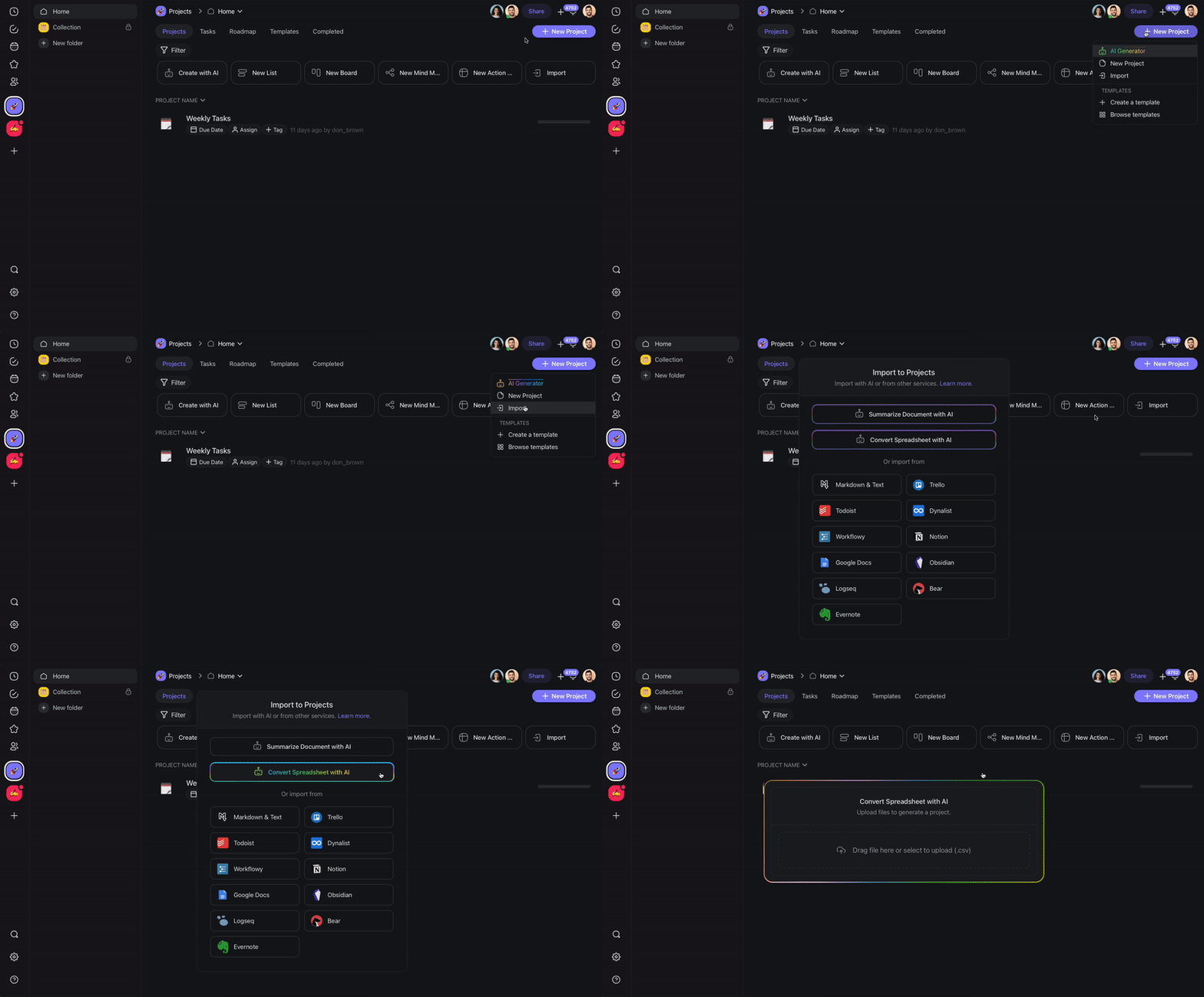
Taskade AI reads the uploaded files and generates a structured summary, turning your free-form notes into organized, editable content.
Here is how a summarized notebook lands as a Taskade project you can act on:
📓 Q3 Team Notebook
├─ Meeting Notes
│   ☑ Send recap to client
│   ☐ Follow up with vendor
├─ Project Ideas
│   ☐ Draft launch checklist
└─ Research Clips
Each section becomes a heading and each to-do becomes a task you can check off, assign, and set a due date on.
After Import
After your OneNote content lands in Taskade, you can organize and extend it:
- Switch views: Use List view for a traditional outline or Mind Map view to visualize connections between topics.
- Restructure with AI: Ask Taskade AI to reorganize, summarize, or expand on imported notes.
- Add to agent knowledge: Upload your OneNote files as agent knowledge so custom AI agents can reference them when answering questions. File uploads to agent knowledge are available on paid plans.
- Collaborate: Share imported projects with your team for real-time editing.
Tips
- For best results, export one notebook at a time and import each as a separate Taskade project.
- If your OneNote notebook contains images or handwritten notes, the AI summarizer reads only the text it can extract.
- Use folders in Taskade to mirror your OneNote notebook and section structure.
For more, see Custom AI Agents/GPTs.
OneNote Field Mapping
| OneNote | Taskade Equivalent |
|---|---|
| Notebook | Folder / Workspace |
| Section | Folder |
| Page | Project |
| To-Do tag | Task |
| Inline image | Re-upload after import |
| Audio note | Re-attach manually |
Carries over vs needs cleanup
- Imports cleanly: Page text, lists, headings, basic to-dos when summarized via AI.
- Needs cleanup: Free-form ink and handwriting (text only), embedded printouts, and Outlook task links. Rebuild the links with automations and integrations.
Bring It Into Taskade Genesis
Your imported notebook is now part of your Workspace DNA. Open the project's ··· menu and choose Add to Agent Knowledge so a custom agent answers questions from it. Start an automation from the project to act on new or changed tasks. Then open Taskade Genesis and describe the app you want on top of that data, such as a client portal, a knowledge base, or a tracker. For a web page or a video you want to keep alongside it, save the link in the Media Files tab (see Import a Website URL).