
Overview
Move your Evernote notes to Taskade in two ways. Copy and paste the content, or use an open-source converter for a bulk import. Your notes become full Taskade projects that you can organize, share, and extend with AI.
TL;DR: Move Evernote notes into Taskade by pasting them straight into a project, or convert
.enexfiles to Markdown with the open-source Yarle tool for bulk imports. Notebooks become Folders, notes become projects, and checklists become tasks. Bring the converted files in via Import Markdown.
Method 1: Copy and Paste
The quickest way to move individual notes:
- Open your Evernote notebook and select the note you want to copy.
- Select all content (Ctrl/Cmd + A) or click and drag to highlight text.
- Copy the selection (Ctrl/Cmd + C).
- Open a Taskade project and paste (Ctrl/Cmd + V).
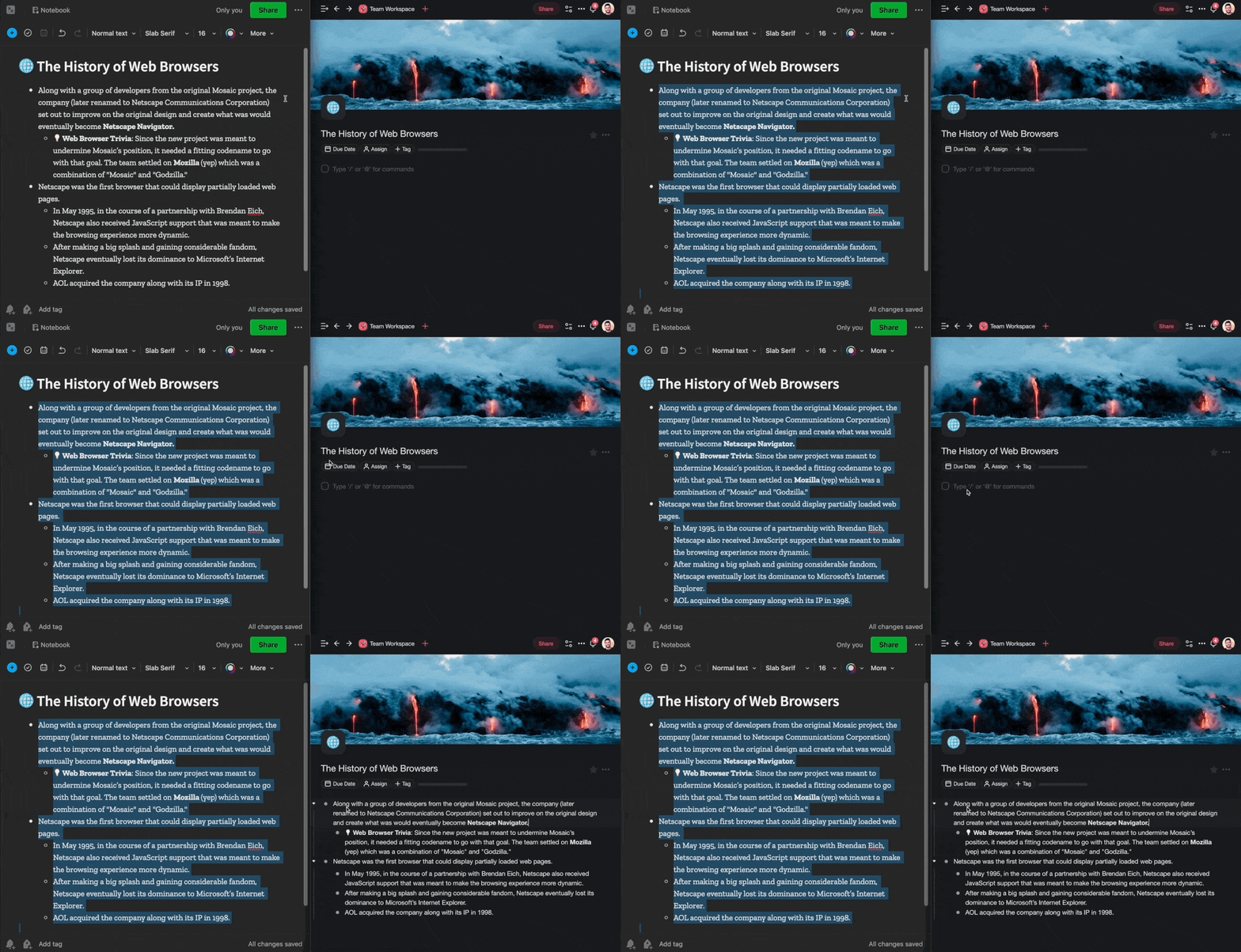
💡 Tip: Pasting keeps your formatting, links, and basic structure. Images do not come across, so re-upload them by hand.
Method 2: Bulk Import with Yarle
Taskade's built-in path for a bulk move is the Markdown importer: export your notes from Evernote, turn them into Markdown files, then upload them with Import Markdown. Evernote exports notes as .enex files, not Markdown, so you need a converter for that middle step. Yarle is a third-party, open-source Evernote-to-Markdown converter. Taskade does not maintain or support it.
- Export your Evernote notebooks as
.enexfiles (File ➡ Export in Evernote). - Run Yarle to convert the
.enexfiles to Markdown (.md) format. - Import the Markdown files into Taskade with Import ➡ Markdown in your workspace.
💡 Tip: Yarle preserves tags, creation dates, and note metadata during conversion. Images and attachments stored inside Evernote do not import, so re-upload the ones you still need.
After Import
- Organize imported notes into Folders by topic or project.
- Switch between project views. Your notes work in List, Board, Mind Map, and more.
- Imported content becomes part of your Workspace DNA. AI agents can learn from it, and automations can act on it.
- Use tags to replicate your Evernote notebook structure. One tag per notebook keeps things familiar.
- If your notes contain checklists, Taskade converts them into tasks you can assign and track.
Migration Path
For more on turning notes into automations, see Custom AI Agents/GPTs.
Evernote Field Mapping
| Evernote | Taskade Equivalent |
|---|---|
| Notebook | Folder |
| Note | Project |
| Tag | Tag |
| Checkbox | Task |
| Attachment | Re-upload after import |
| Reminder | Due date |
Carries over vs needs cleanup
- Imports cleanly: Headings, bullet lists, checklists, links, basic formatting.
- Needs cleanup: Web clips (re-clip via Web Clipper), embedded files, handwritten notes (text only).
Bring It Into Taskade Genesis
Open the imported project's ... menu and choose Add to Agent Knowledge so a custom agent answers questions from your Evernote notes. Start an automation from the project to act on new tasks. Then open Taskade Genesis and describe the app you want on top of it, such as a research tracker, a team wiki, or a client portal. For a web page or YouTube video, save the link in Media Files instead of clipping it.