
Overview
Turn a stack of documents into a working project in seconds. Drop in a report, contract, slide deck, spreadsheet, webpage, or YouTube video. Taskade AI condenses each one into a structured, editable project you can act on. Supported formats include .pdf, .docx, .txt, .md, .pptx, .xlsx, .xls, .epub, and .csv.
TL;DR: Drop a PDF, DOCX, PPTX, or other document into the Import dialog. You can also paste a webpage or YouTube URL. Taskade AI condenses the source into a structured project. Ask Taskade AI follow-up questions, or store the source as agent knowledge for deeper context.
Note: Visit Import & Export to see other ways to convert data.
How to Summarize with AI
- Click ➕ Create new in your workspace / folder (top-right corner).
- Choose Import from the drop-down list.
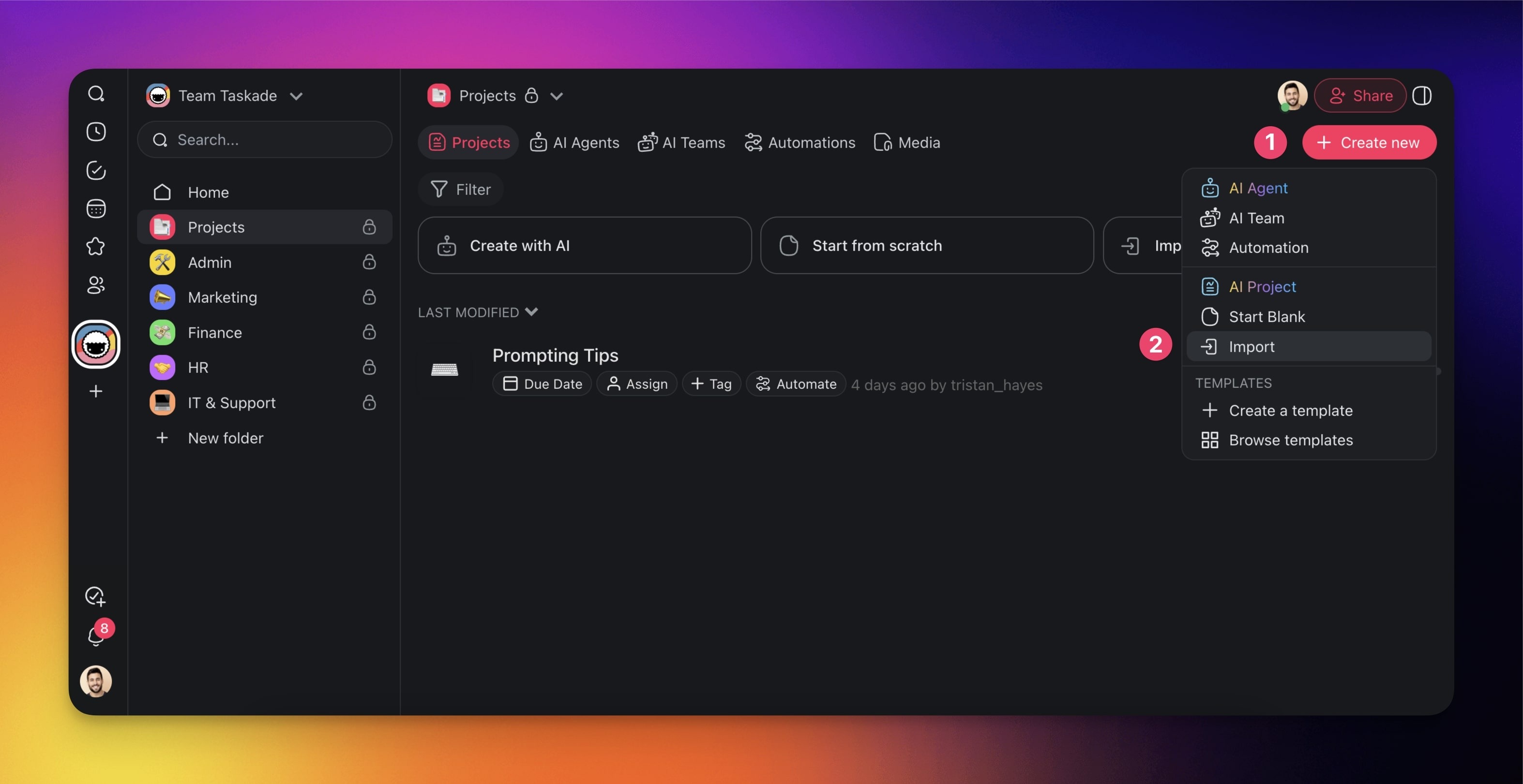
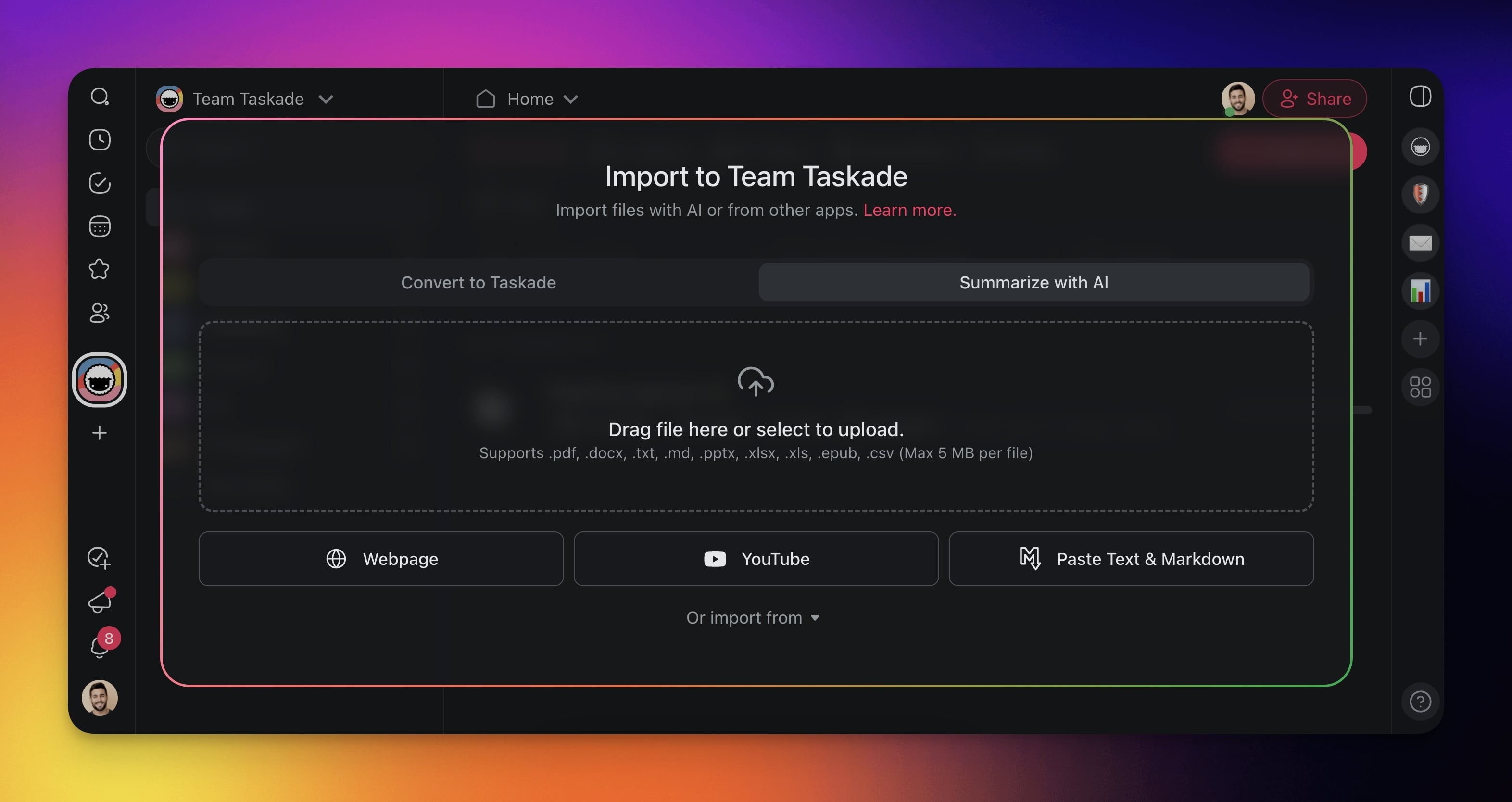
(method 1): Drag & drop files into the pop-up or click to upload from your device. Uploading a PDF, DOCX, or other document is available on paid plans.
(method 2): Choose one of the available options:
Webpage: Summarize web resources from specific URLs.
YouTube: Transcribe and summarize YouTube videos.
Paste Text & Markdown: Paste and summarize text documents.
- Click Create Project to paste the summary into a new project.
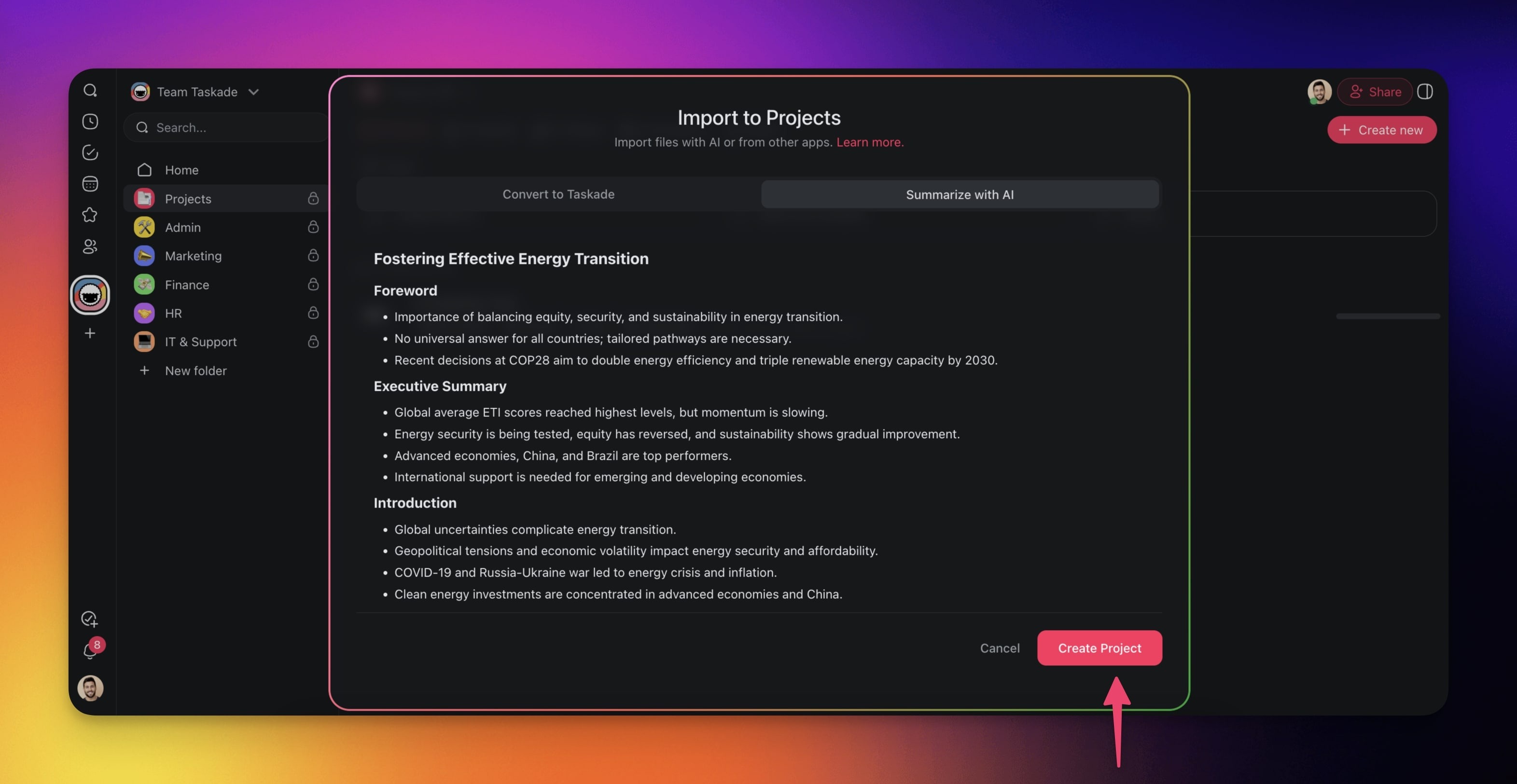
Note: Use the agent knowledge feature to process multiple resources with AI.
Use Cases
| ✨ Use Case | 💬 Description |
|---|---|
| Summarize web resources | Automatically summarize content from web pages or articles via URLs. |
| Summarize YouTube videos | Transcribe and summarize YouTube videos into concise, actionable content. |
| Summarize pasted text & markdown | Condense pasted text or markdown documents into structured summaries. |
| Create knowledge summaries | Summarize long research papers, reports, or articles uploaded as .pdf, .docx, .txt, .md, .pptx, .xlsx, .xls, .epub, or .csv files. |
Tips
- For best results, upload one document at a time so the AI summarizer can focus on a single topic.
- Use the Webpage option to capture and summarize online articles, documentation, or competitor research. To keep a page as a reusable media item instead, see Import a Web Page or Video Link.
- The YouTube option transcribes the video first, so it works for videos without subtitles.
- After the import, use Taskade AI to ask follow-up questions or expand a section of the summary.
- Upload summarized documents as agent knowledge to give your custom AI agents context about the material.
For background on AI-powered document processing, see Custom AI Agents/GPTs.
Source Field Mapping
| Source Input | Taskade Equivalent |
|---|---|
| .pdf / .docx / .epub | Project (summary) |
| .pptx slide deck | Project (slide-by-slide bullets) |
| .xlsx / .csv | Project (Table view) |
| Webpage URL | Project (article summary) |
| YouTube URL | Project (video transcript + key points) |
| Pasted text/Markdown | Project (cleaned + structured) |
Carries over vs needs cleanup
- Imports cleanly: Long-form articles, research papers, transcripts, structured slide decks.
- Needs cleanup: Scanned PDFs without OCR, password-protected files, paywalled URLs (paste cleaned text instead).