
Overview
Whimsical is a visual collaboration tool for flowcharts, wireframes, mind maps, and sticky notes. Whimsical has no direct Markdown or CSV export, so export your boards as PDF files instead. Then use Taskade's AI-powered summarization to turn them into structured projects. The key information from your diagrams and boards carries over.
TL;DR: Export each Whimsical board as a PDF, then drop it into the Summarize with AI tab. Taskade AI turns your flowcharts, wireframes, and sticky notes into a structured project you can rebuild visually in Mind Map view or attach as agent knowledge for later reference.
Export Content from Whimsical
- Open the Whimsical board you want to export.
- Click the plane icon in the top-right corner of the screen.
- Select Print and choose PDF.
- Save the PDF file to your computer.
If you have several boards, export each one the same way. Import them into separate Taskade projects, or group them in a single workspace folder.
Import to Taskade
- Click the ➕ New project button in your workspace or folder.
- Choose Import and switch to the Summarize with AI tab.
- Drag your PDF file into the pop-up menu or click to select files.
- Click ➕ Create Project to create a new project.
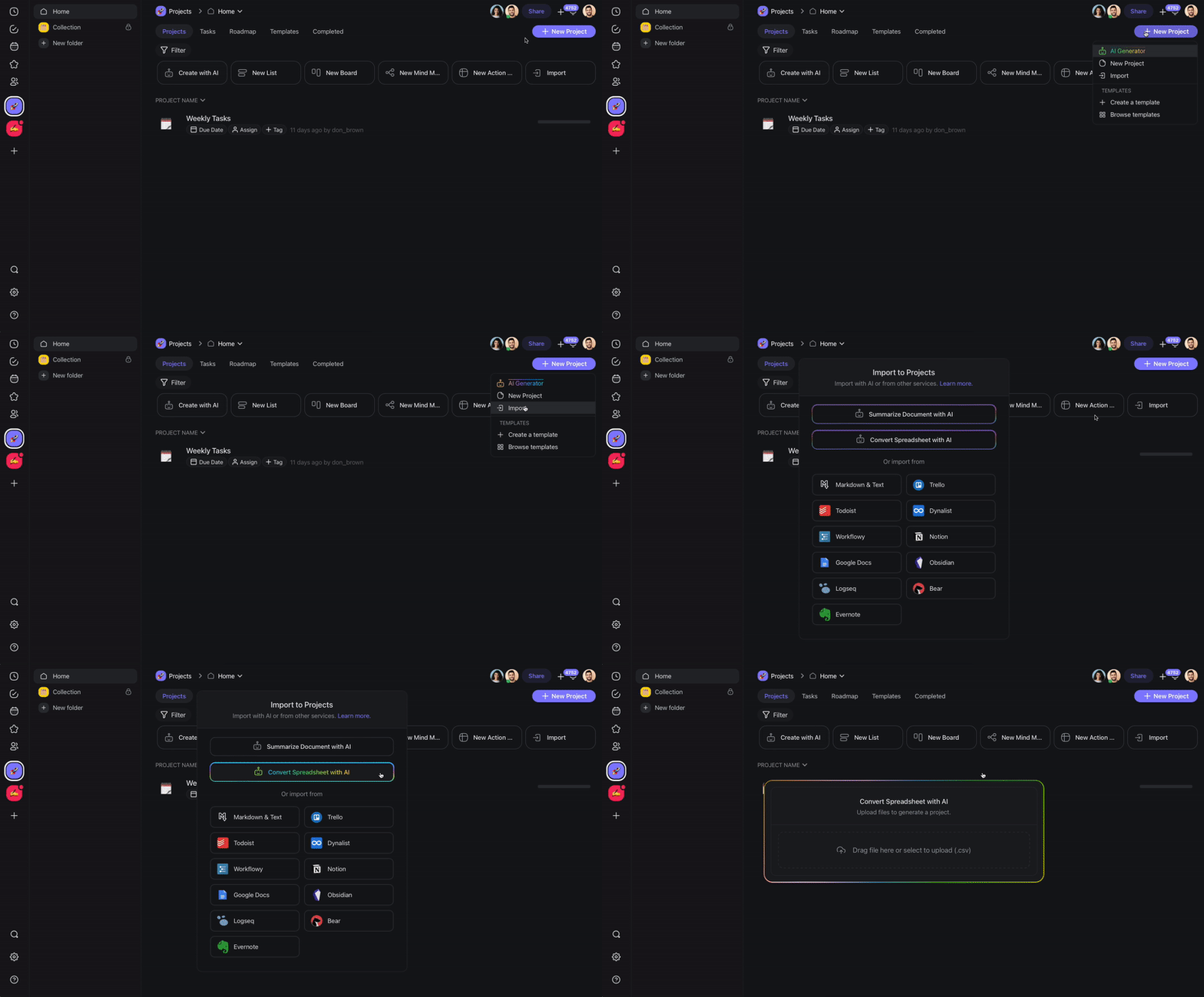
Taskade AI reads your PDF and generates a structured summary. Your visual content becomes text you can edit and expand.
After Import
After your Whimsical content lands in Taskade, your board becomes an editable Mind Map you can branch and expand:
           ┌───────────────┐
           │ 🧠 Onboarding │
           └───────┬───────┘
        ┌──────────┼──────────┐
   ┌────┴───┐  ┌───┴────┐  ┌──┴─────┐
   │ Signup │  │ Setup  │  │ Launch │
   └────────┘  └────────┘  └────────┘
From here you can build on it:
- Restructure with views: Switch to Mind Map view to recreate a visual layout similar to your Whimsical boards, or use Board view for a kanban-style layout.
- Expand with AI: Use Taskade AI to elaborate on summarized sections, generate action items, or break down complex diagrams into tasks.
- Add to agent knowledge: Upload the original PDF as agent knowledge so your AI agents can reference the full document in future conversations. File uploads to agent knowledge are available on paid plans.
- Collaborate with your team: Share the imported project with teammates for real-time editing.
Tips
- For best results, export each Whimsical board separately so the AI summarizer can focus on one topic at a time.
- Use Taskade's flowchart and mind map views to rebuild visual flowcharts after import.
- If your Whimsical board holds text-heavy sticky notes, copy the text instead. Then use the Paste Text & Markdown option in the Import dialog.
For background on turning documents into agent knowledge and automations, see Custom AI Agents.
Whimsical Field Mapping
| Whimsical | Taskade Equivalent |
|---|---|
| Flowchart | Mind Map view |
| Wireframe | Project (summary + image) |
| Mind Map | Mind Map view |
| Sticky note | Task |
| Connector / arrow | Sub-task hierarchy |
| Board | Project |
Carries over vs needs cleanup
- Imports cleanly: Sticky note text, mind map labels, structured headings via AI summarization.
- Needs cleanup: Free-form drawings (re-create as Mind Map), connector logic (rebuild parent/child structure), exact visual layout.
How the Import Works
Bring It Into Taskade Genesis
Your imported board is now part of your Workspace DNA. Open the project's ··· menu and choose Add to Agent Knowledge so a custom agent answers questions from it. Start an automation from the project to act on new or changed tasks. Then open Taskade Genesis and describe the app you want on top of that data, such as a client portal, a product tracker, or an onboarding checklist. For a web page or a video you want to keep alongside it, save the link in the Media Files tab (see Import a Website URL).