
Overview
Turn a dense PDF into something you can work with. Drop in a report, manual, or whitepaper, then pick a mode. Taskade converts the file into a structured project, a bullet summary, searchable agent knowledge, or context for a new AI project.
TL;DR: Drop a PDF into Taskade and pick a mode. PDF upload is available on paid plans. Convert it to a structured project, or summarize it with AI. You can also attach it as searchable agent knowledge, or use it as context for a new AI project. Every import joins your Workspace DNA so agents and automations can act on it.
PDF Modes at a Glance
| Mode | What You Get | Best For |
|---|---|---|
| Convert to Taskade | Structured project | Reports, manuals |
| Summarize with AI | Bullet summary | Long whitepapers |
| Agent Knowledge | Searchable memory | Reference docs |
| Project Context | Generation seed | New AI projects |
For background on AI-powered document processing, see Custom AI Agents/GPTs.
Convert PDF Into Projects
Note: Visit Convert to Taskade & Summarize with AI to learn more.
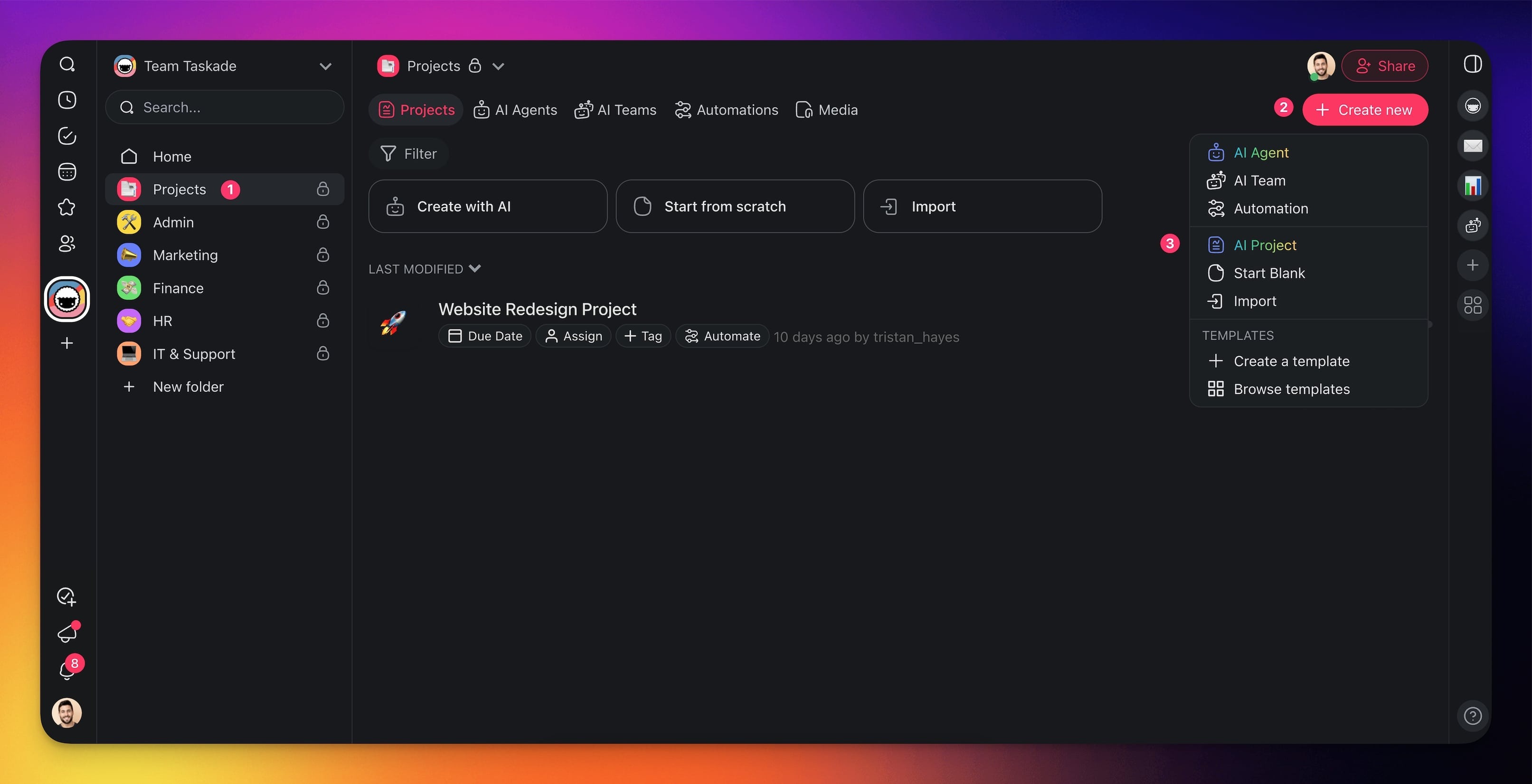
- Click the ➕ Create new button in your workspace/folder (top-right corner).
- Choose Import from the drop-down menu.
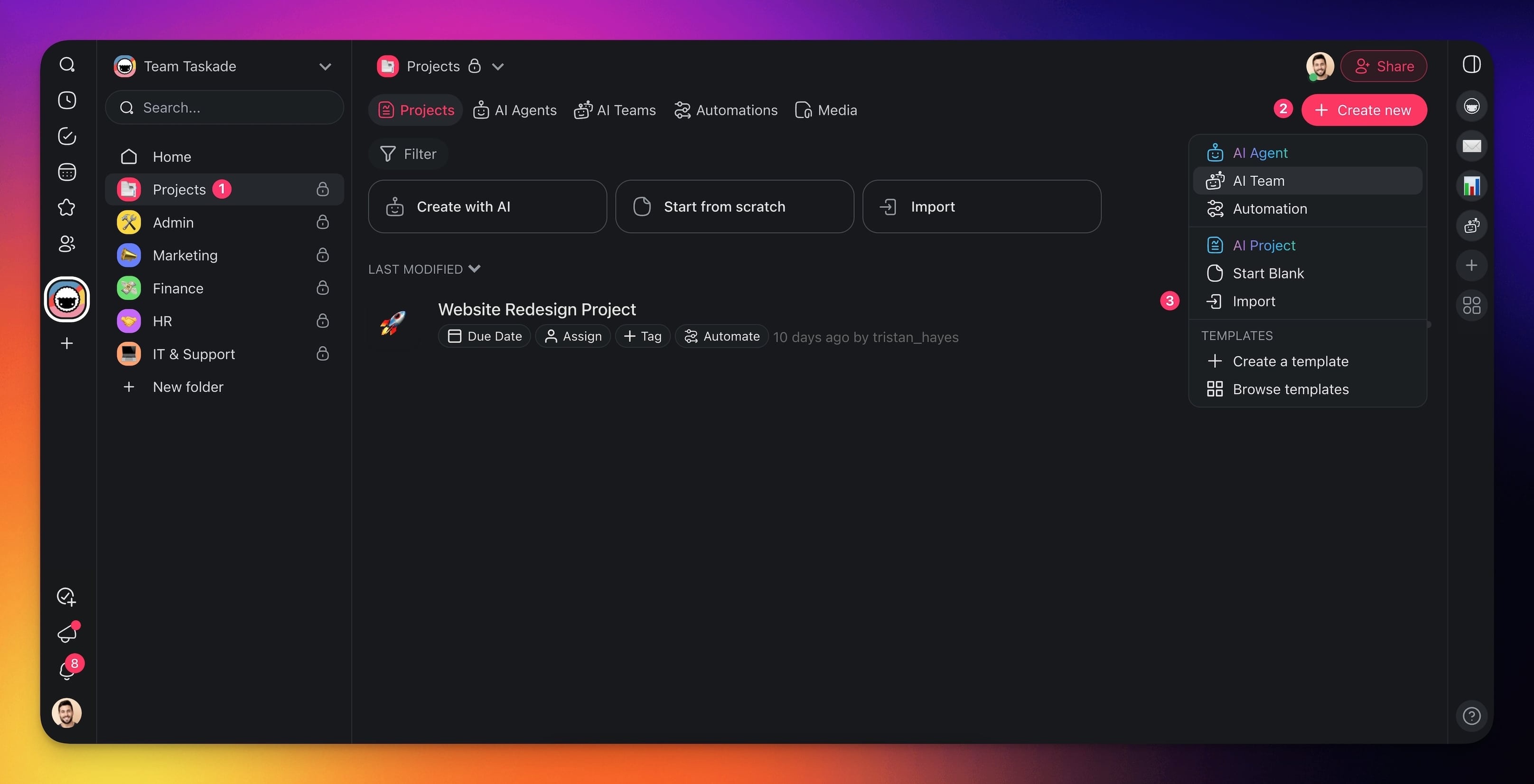
Choose one of the available options:
- Convert to Taskade: Convert the file into a structured project.
- Summarize with AI: Summarize the file in a new project.
Drag your files into the box or click to upload. Uploading a PDF or other document is available on paid plans.
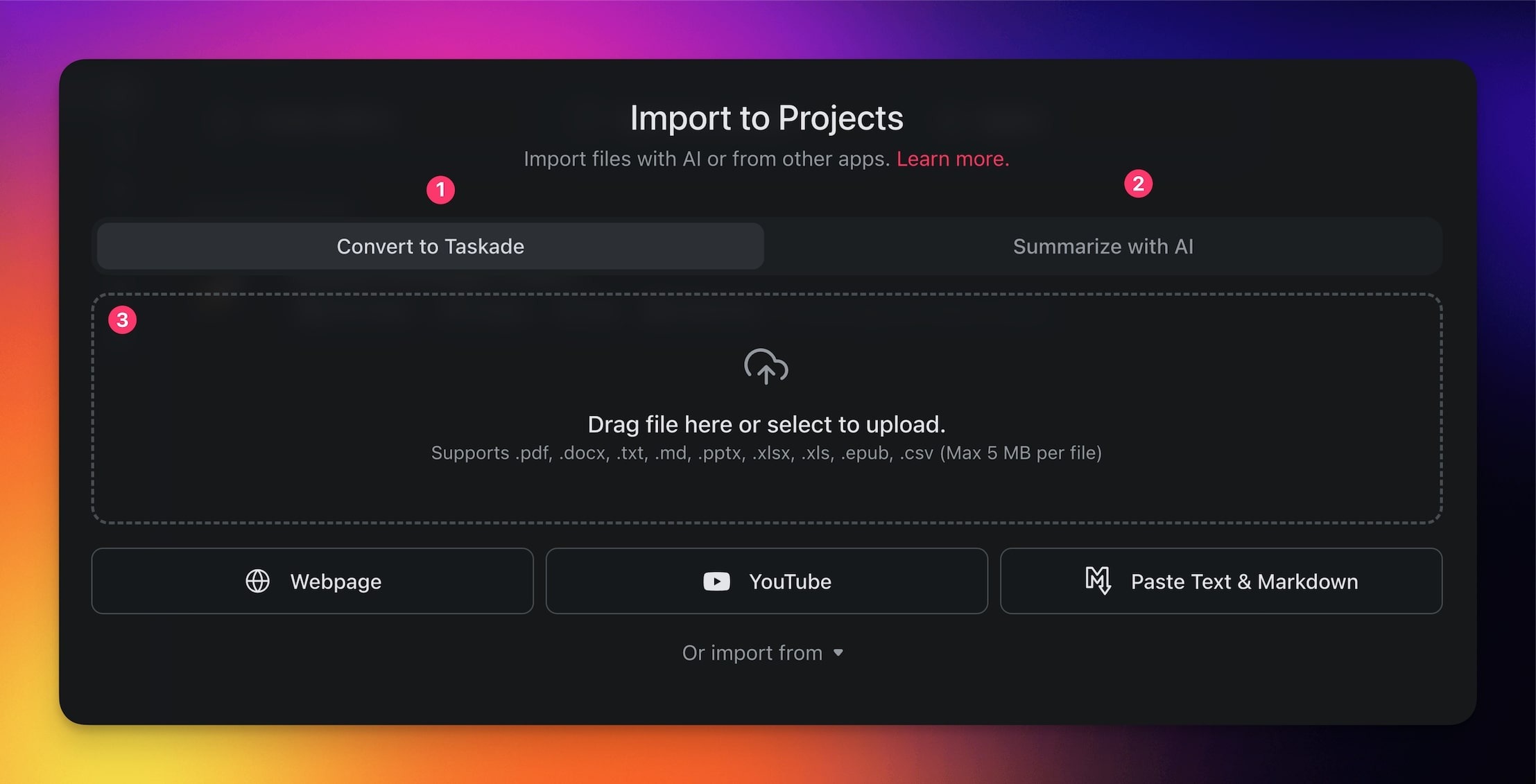
- Wait for the importer to finish.
- Click ➕ Create Project to create a new project.
The dropzone prints your workspace upload limit at the top of the drop area. If your PDF is larger, Taskade names the limit and refuses the upload. Split the file, or export a smaller section. Then upload it again. A paid plan raises the limit.
Add PDF as AI Agent Knowledge
Note: Visit Agent Knowledge & Data to learn more.
- Go to your workspace or folder.
- Open the AI Agents tab.
- Select the agent you want to fine-tune with your file.
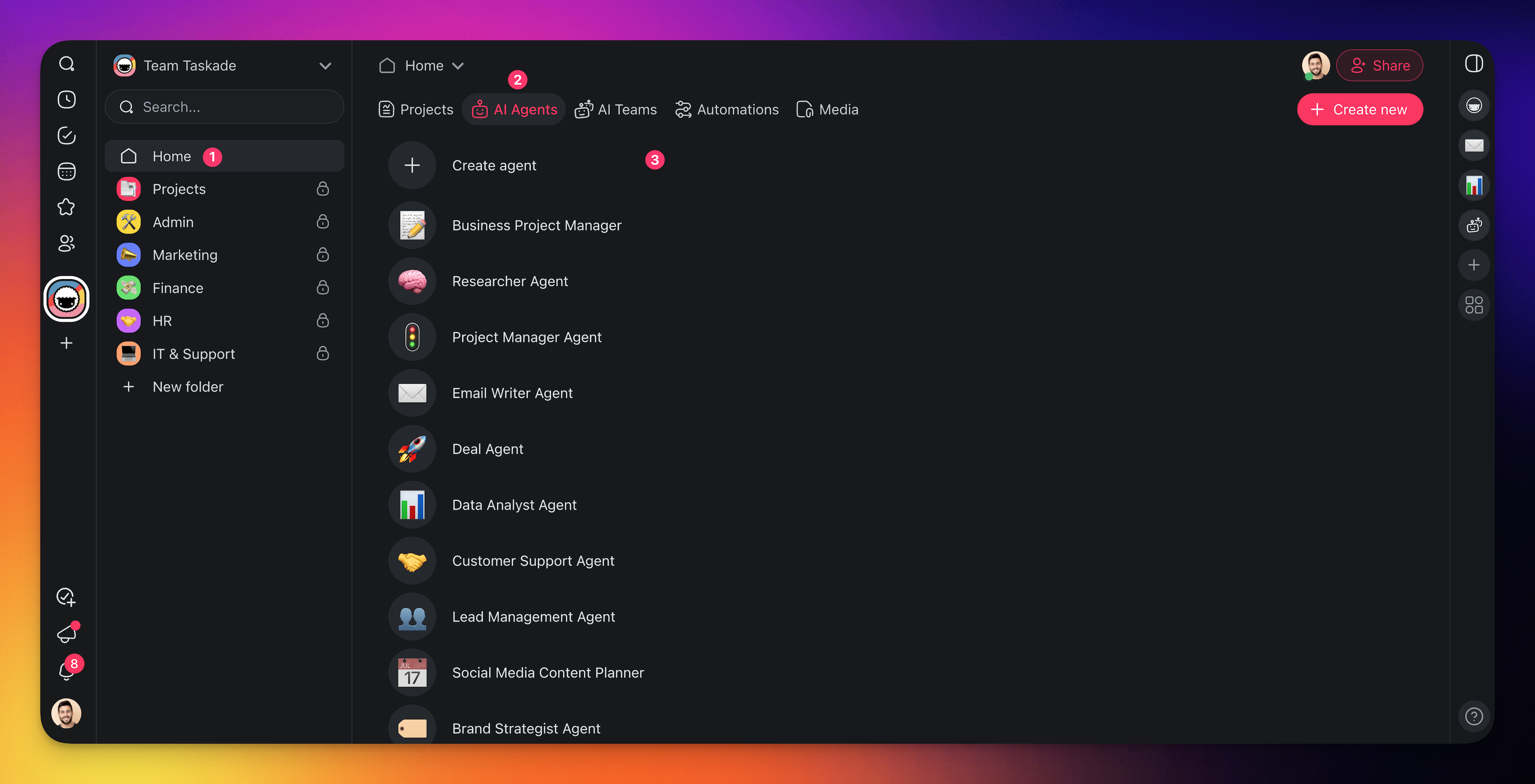
- Click the arrow next to the name of the agent.
- Click Edit agent.
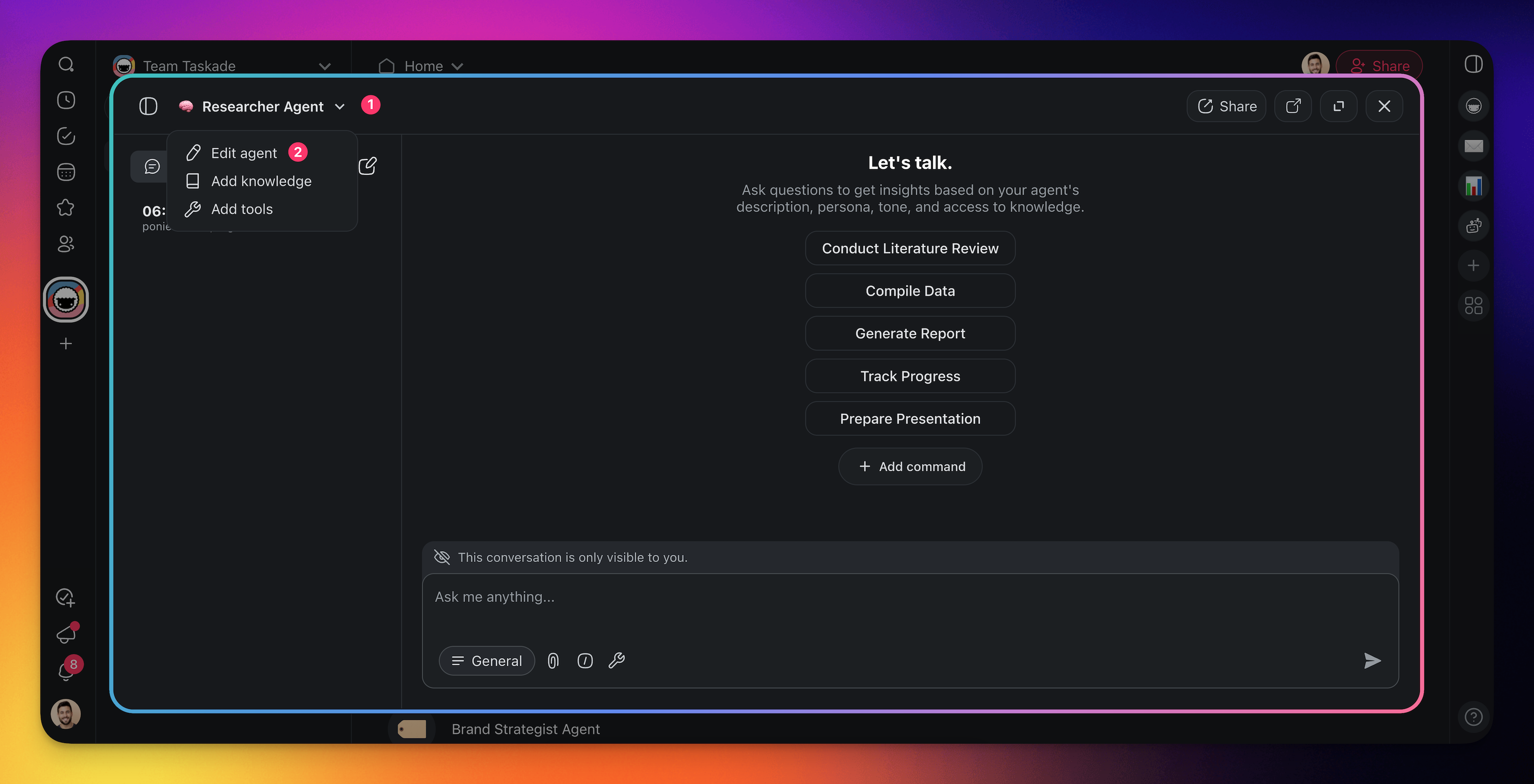
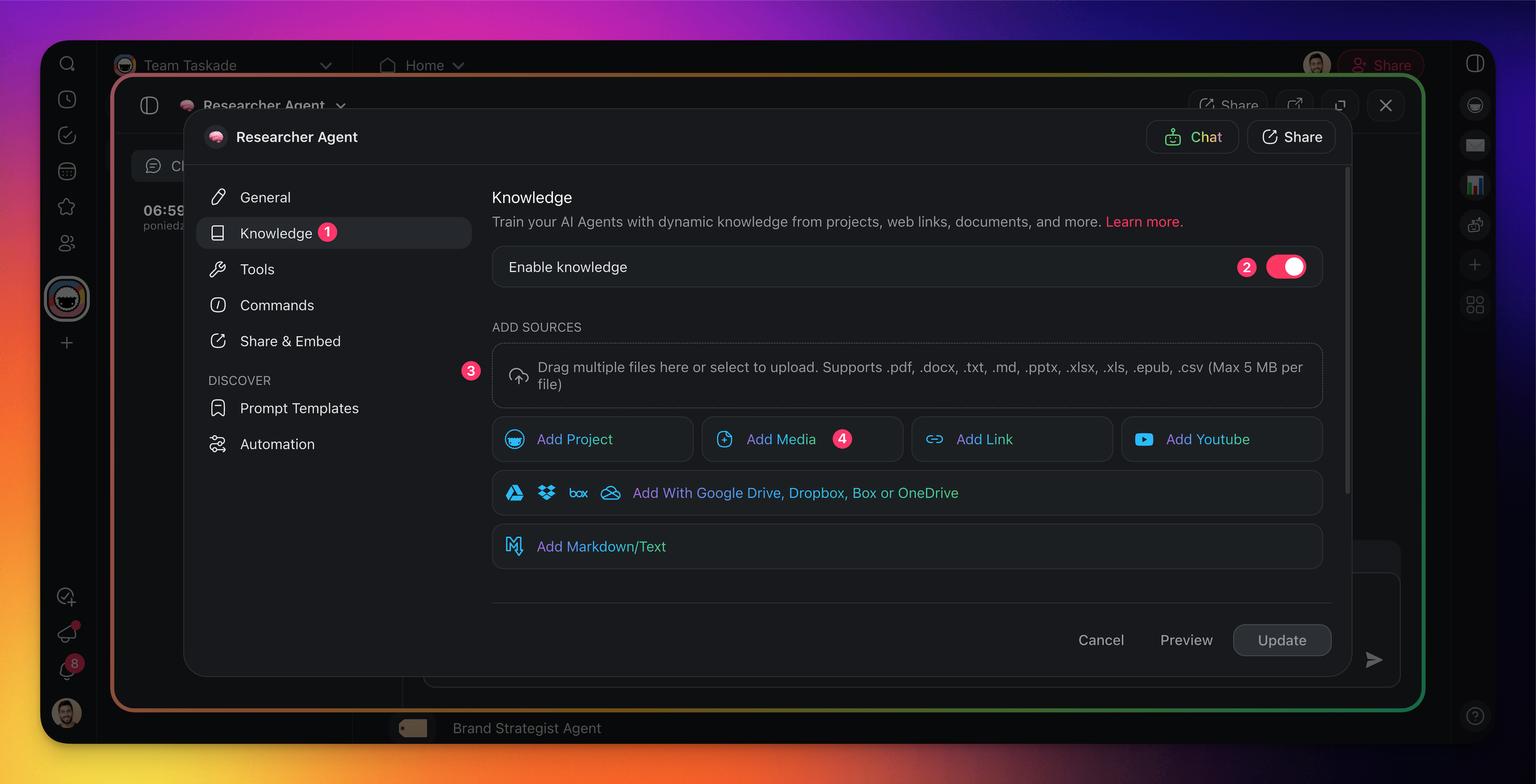
Select the Knowledge tab from the menu on the left.
Use the toggle to enable agent knowledge.
- Drag your files into the box or click to upload. Uploading a PDF to agent knowledge is available on paid plans.
- Click Add Media to add attachments from your folders/workspace.
Use PDF as Project Context
Note: Visit AI Project Studio to learn more.
- Go to your workspace/ folder.
- Click ➕ Create new (top-right corner).
- Choose AI Project from the drop-down list.
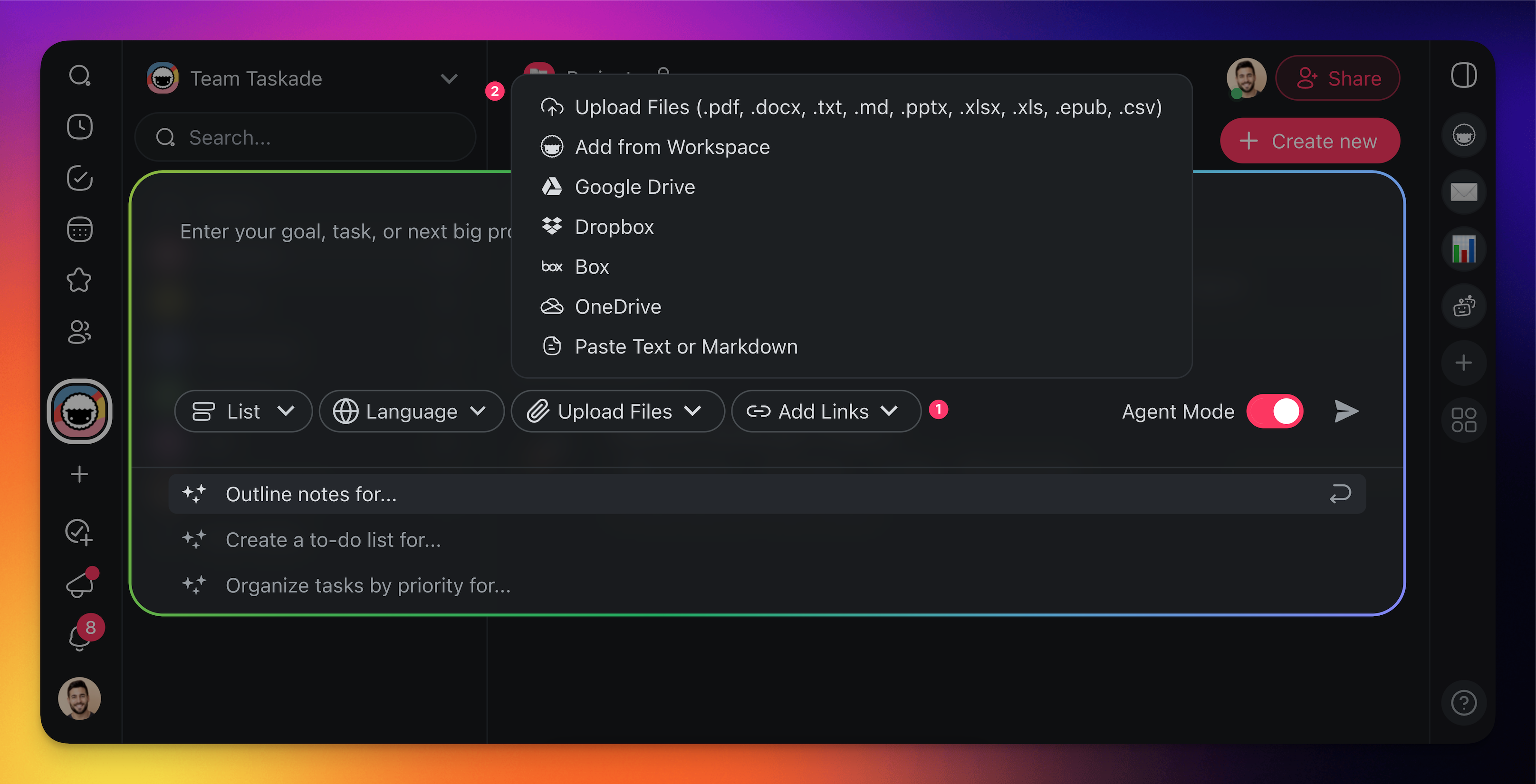
- Describe the project you want to generate, or use one of the templates.
- Click 📎 Upload Files and upload your .pdf files.
- Click ➤ or press ⌨️ Enter to generate the project.
💡 Tip: Imported content becomes part of your Workspace DNA. Your AI agents can learn from it and your automations can act on it.
To bring in a web page or YouTube video instead of a file, see Import a Web Page or Video Link.