
Overview
Asana is a popular project management tool for tracking tasks, milestones, and team workloads. To move an Asana project, export it as a CSV file. Then upload it in the Import CSV tab and map your columns. Your tasks, assignees, due dates, and other columns land in a structured Taskade project.
TL;DR: Export an Asana project to CSV, then upload it to the Import CSV tab, mark the column that holds the task name, and set the type of every other column. Once imported, switch between multiple project views like Board and Gantt, or add automations. See Import CSV Spreadsheets for the full flow.
Export a Project from Asana
- Open the Asana project you want to export.
- Click the arrow ▼ next to the project name to open a drop-down menu.
- Choose Export / Print ➡ CSV.
- Save the downloaded CSV file to your computer.
Asana exports one project per CSV file. To move several projects, export each one the same way.
Import to Taskade
- Click the ➕ New project button in your workspace / folder.
- Choose Import and switch to the Import CSV tab.
- Drag your CSV file into the pop-up menu or click to select files.
- Set your column types in the preview, then click Import.
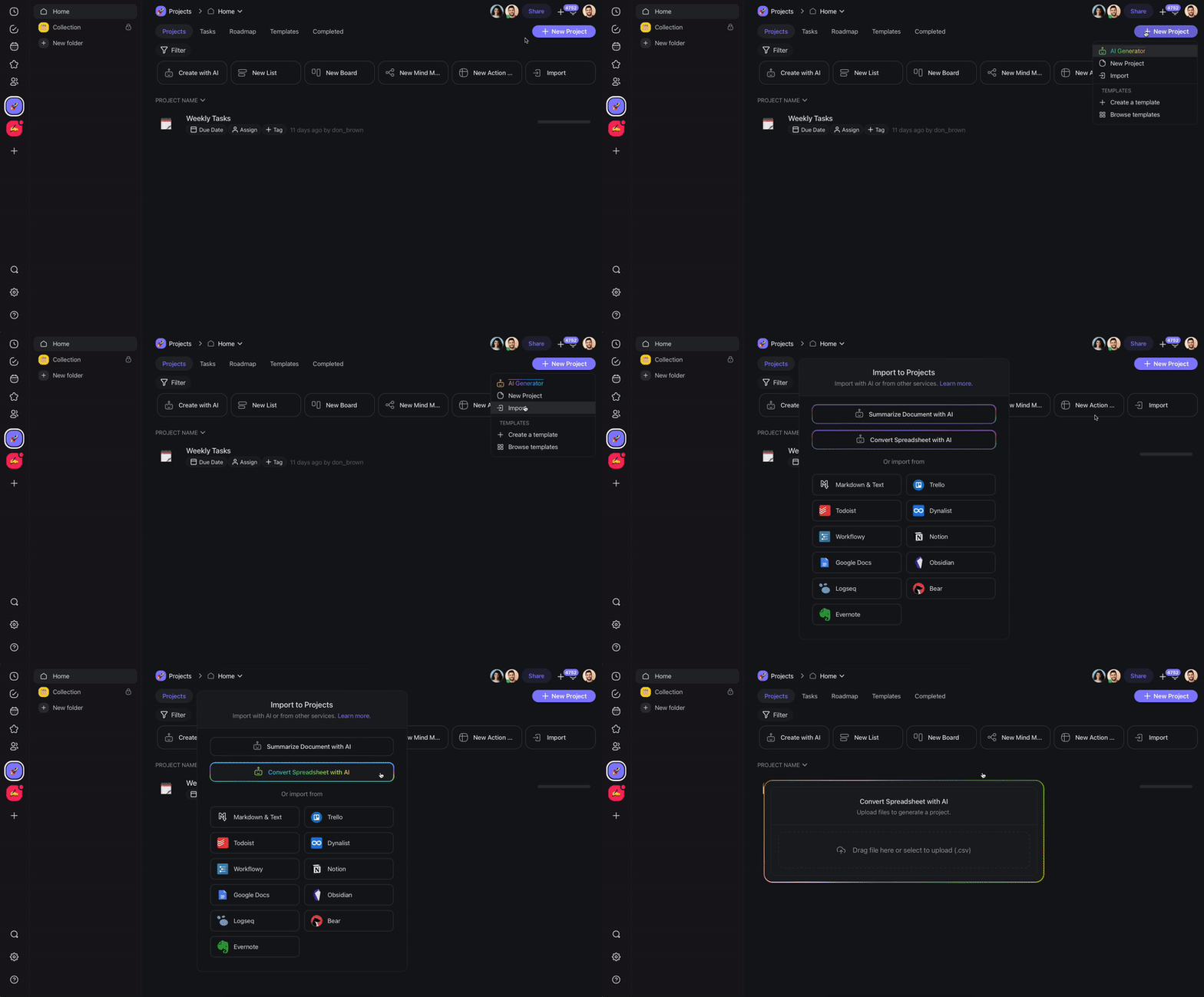
Taskade reads the first row as your column names and shows a preview. Mark the column that holds the task name as Primary, then set each other column to Text, Select, or Number. Click Import to build the project.
The Import CSV tab takes up to 300 rows and 5 MB per file. If your export is larger, split it and import the parts.
After Import
Your Asana sections land as Board columns, so the process you already know is ready on day one:
┌────────────────────────────────────────────────┐
│  📋 Product Launch        Board ▾      [ Share ]│
├──────────────┬───────────────┬─────────────────┤
│ To Do        │ In Progress   │ Done            │
├──────────────┼───────────────┼─────────────────┤
│ Draft copy   │ Build page    │ Kickoff call    │
│ Mia · Jul 24 │ Sam · Jul 26  │ Ada · done      │
└──────────────┴───────────────┴─────────────────┘
After your Asana data lands in Taskade, use these features:
- Switch views: Use Board view to replicate your Asana boards, or try Table view, Calendar view, or Gantt view for timeline planning.
- Assign tasks: Add team members and set due dates to keep your team on track.
- Set up automations: Use automations to trigger actions when tasks are completed, moved, or updated.
- Use AI agents: Ask Taskade AI to prioritize tasks, generate subtasks, or summarize project status.
Tips
- Before you import, open the CSV in a spreadsheet app. Check that all task columns exported correctly.
- Organize imported projects into folders that mirror your Asana workspace structure.
- Use Taskade's AI Project Studio to generate follow-up tasks or expand on imported items.
How the Import Works
Field Mapping at a Glance
| Asana Field | Taskade Equivalent |
|---|---|
| Task Name | Task title |
| Assignee | Assignee |
| Due Date | Due date / Calendar view |
| Section | Board column |
| Custom Field | Custom field |
For deeper background, see AI Personas & CSV-to-Project and Custom AI Agents/GPTs.
Bring It Into Taskade Genesis
Your imported project is now part of your Workspace DNA. Open the project's ... menu and choose Add to Agent Knowledge so a custom agent answers questions from your Asana tasks. Start an automation from the project to act on new or completed tasks. Then open Taskade Genesis and describe the app you want on top of it, such as a client portal, a CRM, or a launch tracker. For a web page or YouTube video, save the link in Media Files instead.