
Overview
Miro is a visual collaboration platform for whiteboards, diagrams, and brainstorming sessions. You can export a Miro board as CSV (for sticky notes and cards) or as PDF (for visual layouts). Taskade imports both formats. Your Miro boards become organized, editable projects.
TL;DR: Turn a Miro board into an editable Taskade project. Export sticky notes and cards as CSV, or export the full layout as PDF, then import with AI. Rebuild the visual structure in Mind Map or Board view and turn brainstorming items into tasks with due dates and assignees.
Export a Board from Miro to CSV
- Open the export menu (top-left corner of the board).
- Choose Export to spreadsheet (CSV).
- Click Export.
- Save the CSV file to your computer.
CSV export works best for boards with structured content like sticky notes, cards, and frames. The export captures text content and basic metadata.
Export a Board from Miro to PDF
- Open the export menu (top-left corner of the board).
- Choose Save as PDF.
- Select Small file size or Best quality.
- Click Export.
PDF export captures the full visual layout of your board, including drawings, connectors, and images. To keep the visual arrangement, use this method.
Import to Taskade
Click the ➕ New project button in your workspace or folder.
Click Import and choose one of the following options:
- For CSV files ➡ switch to the Import CSV tab.
- For PDF files ➡ switch to the Summarize with AI tab.
Drag your files into the pop-up menu or click to select files.
For a CSV, set your column types in the preview, then click Import. For a PDF, wait for the summary, then click ➕ Create Project.
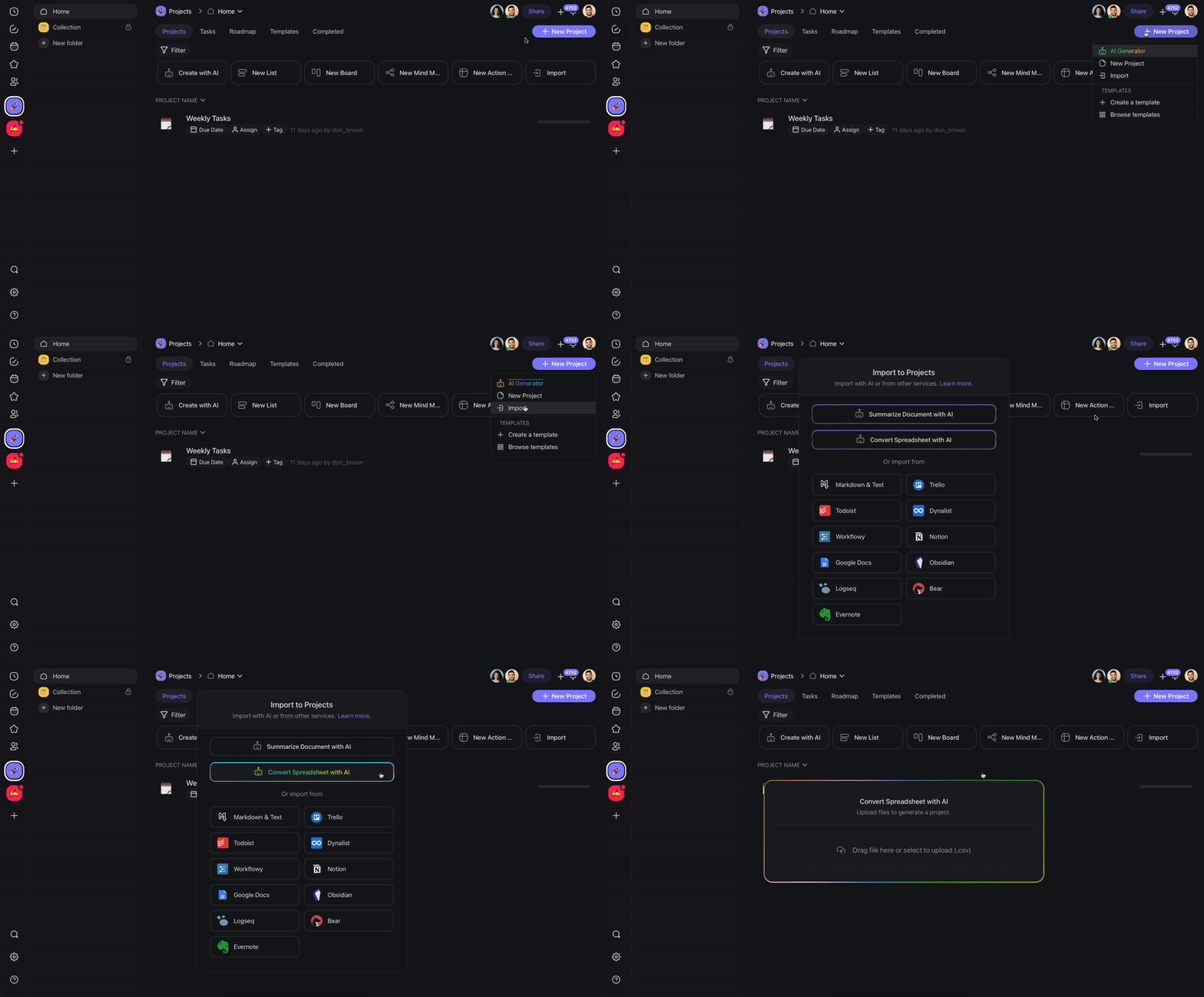
The two tabs work differently. The Import CSV tab reads the first row as your column names and lets you set each column type before it builds the project. The Summarize with AI tab reads the PDF and writes a structured summary you can edit.
💡 Your sticky notes and cards land as task cards you can drag across a Board:
┌─────────────┬─────────────┬─────────────┐
│ Ideas       │ Building    │ Done        │
├─────────────┼─────────────┼─────────────┤
│ Onboarding  │ CSV import  │ Kickoff     │
│ New pricing │ Dashboard   │ Logo draft  │
│ Referral    │             │             │
└─────────────┴─────────────┴─────────────┘
From here you can assign owners, add due dates, and set up automations to move cards as work progresses.
After Import
After your Miro content lands in Taskade, you can build on it:
- Recreate visual layouts: Use Mind Map or Board view to rebuild a visual structure similar to your Miro boards.
- Convert to tasks: Turn brainstorming items into actionable tasks with due dates and assignees.
- Expand with AI: Ask Taskade AI to elaborate on sticky note summaries, generate action items, or organize ideas into a project plan.
- Automate follow-ups: Set up automations to assign tasks or send reminders as work progresses.
Tips
- Use CSV export for text-heavy boards (sticky notes, cards) and PDF export for visual boards (diagrams, flowcharts).
- For best results with large Miro boards, export individual frames as separate files and import them into separate Taskade projects.
- After import, use the AI Project Studio to generate a structured project plan from your brainstorming notes.
Format Choice
| Miro Export | Best For | Taskade Mode |
|---|---|---|
| CSV | Sticky notes, cards, frames | Import CSV tab |
| Diagrams, flowcharts, full layout | Summarize with AI tab |
See AI Personas & CSV-to-Project.
Bring It Into Taskade Genesis
Your imported board is now part of your Workspace DNA. Open the project's ... menu and choose Add to Agent Knowledge so a custom agent answers questions from your sticky notes. Start an automation from the project to move cards as work progresses. Then open Taskade Genesis and describe the app you want on top of it, such as an idea tracker, a CRM, or a client portal. For a web page or YouTube video, save the link in Media Files instead.