






2025 was the year software learned to think, remember, and act.
We shipped Taskade Genesis in October 2025. In just 90 days, 150,000 apps were generated and 3 million automations ran across workspaces worldwide. A single prompt turned into living applications built from Workspace DNA.
This guide covers everything you need to know: how to build your first app, how the architecture works, and what we learned from watching a quarter million apps come to life.
TL;DR: Taskade Genesis generated 150,000+ apps and ran 3 million automations in its first 90 days. This guide covers the full architecture — Workspace DNA (Memory, Intelligence, Execution), agent training, no-code app building, and 100+ integrations — plus tutorials to build your first app in minutes. Try it free →
Since Taskade Genesis launched (Oct-Dec 2025):
| Metric | Count | Timeframe |
|---|---|---|
| 📊 Genesis Apps generated | 150,000+ | 90 days |
| ⚡ Automation executions | 3M+ | All workspaces |
| 🤖 Community apps published | 70+ | Available to clone |
| 📝 Blog posts published | 107 | Full year 2025 |
| 🚀 Major releases shipped | 15+ | Full year 2025 |
| 🌐 Integrations connected | 100+ | Available now |
🚀 Quick Start: Build Your First Taskade Genesis App in 5 Minutes
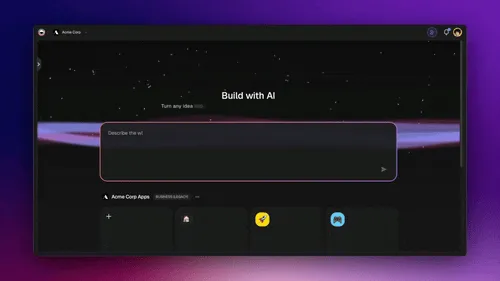
Before diving into the full guide, here's how to build your first app:
| Step | Action | Details |
|---|---|---|
| 1. Open Taskade Genesis | Go to taskade.com/genesis | Or type /create in any workspace |
| 2. Describe What You Need | Type a natural language prompt | "Build a CRM dashboard for tracking leads" |
| 3. Watch It Build | Taskade Genesis auto-generates | Frontend + Database + AI Agent + Automations |
| 4. Customize and Deploy | Edit anything, connect integrations | Share your app with a link |
Example prompts to try:
- "Build a CRM dashboard for tracking leads"
- "Create a booking system for appointments"
- "Make a team capacity tracker"
Time to first app: 2-15 minutes. No code required.
📚 Full tutorial: Create Your First App
🧬 How Taskade Genesis Works: The Three Pillars
Taskade Genesis isn't just an app builder. It's a system that connects three pillars into one living architecture:
| Pillar | What It Does | Why It Matters | Learn More |
|---|---|---|---|
| 📚 Memory | Projects as databases storing everything | AI needs context, not just conversation | Projects Guide |
| 🧠 Intelligence | Custom AI agents trained on your data | Workspace-aware AI beats generic AI | AI Agents Guide |
| ⚡ Execution | Automations that run workflows 24/7 | Systems need to act, not just respond | Automations Guide |
📚 Pillar 1: Memory (Projects)
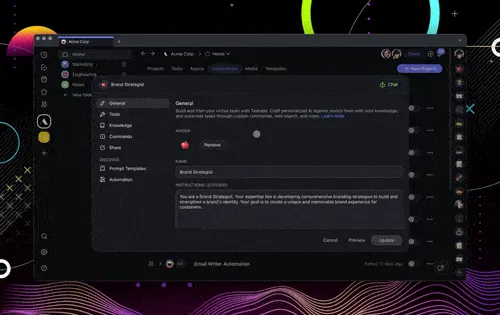
What it is: Your data layer. Projects act as databases that store and remember everything.
| Step | How to Use Memory |
|---|---|
| 1 | Create a Project with custom fields (text, number, date, dropdown) |
| 2 | Enable Table View for spreadsheet-like editing |
| 3 | Connect the Project to your Genesis App as its data source |
| 4 | AI agents and automations can read/write to this data |
📚 Deep dive: Projects & Databases: The Memory Pillar
🧠 Pillar 2: Intelligence (AI Agents)
What it is: Custom AI trained on your data. Not generic ChatGPT—agents that know your business.
| Step | How to Build Intelligence |
|---|---|
| 1 | Create an AI Agent in your workspace |
| 2 | Train it on knowledge sources: files, projects, web links, YouTube videos |
| 3 | Embed the agent in your Genesis App |
| 4 | Set up automated training via automations so knowledge stays current |
📚 Deep dive: Custom AI Agents: The Intelligence Pillar
⚡ Pillar 3: Execution (Automations)
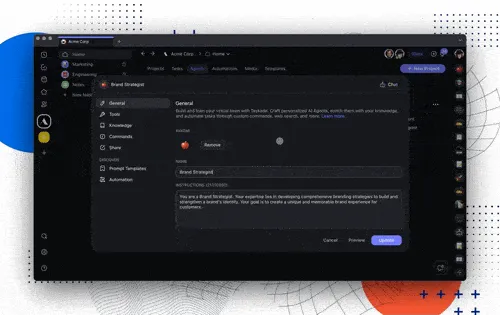
What it is: Workflows that run automatically. The nervous system that connects everything.
| Step | How to Build Automations |
|---|---|
| 1 | Create an Automation with a trigger (form submission, schedule, webhook) |
| 2 | Add actions: create tasks, send emails, update databases, ask AI agents |
| 3 | Use branching, loops, and filters for complex logic |
| 4 | Connect to 100+ integrations: Gmail, Slack, Stripe, HubSpot, etc. |
📚 Deep dive: Automations: The Execution Pillar
The Taskade Genesis Loop
These three pillars form a continuous feedback loop:
Memory provides context → Intelligence makes decisions → Execution creates results → Results flow back to Memory → Loop continues
"Memory feeds intelligence. Intelligence triggers motion. Motion updates memory. The loop is the product."
This is what separates Taskade Genesis from other app builders. You're not building static software. You're building systems that evolve.
💡 What We Learned from 150,000 Apps
Since launching in October 2025, we've watched 150,000 apps get generated. Here's what the data revealed:
Top Use Cases (by category)
| Category | % of Apps | Examples |
|---|---|---|
| Business operations | 28% | CRM dashboards, invoicing, inventory |
| Booking & scheduling | 22% | Appointments, calendars, events |
| Internal dashboards | 19% | Team capacity, project tracking |
| Client portals | 15% | Agency work, consulting |
| Personal productivity | 16% | Second brain, knowledge management |
Surprising Findings from 90 Days of Data
| Finding | Metric | What It Means |
|---|---|---|
| Mobile-first builders | 63% | Most Genesis Apps built on phones |
| AI-native apps | 47% | Nearly half include embedded AI agents |
| Connected apps | 72% | Apps linked to external integrations |
| Fast generation | 8.4 min avg | Prompt to working app |
| Database usage | 89% | Projects as memory is essential |
The Key Insight
People don't want to build apps. They want to solve problems. Taskade Genesis meets them where they are.
| Before Taskade Genesis | After Taskade Genesis |
|---|---|
| 🔴 Pay $10K+ for custom development | 🟢 Describe what you need in plain English |
| 🔴 Use a rigid SaaS that doesn't fit | 🟢 Get a working app in minutes |
| 🔴 Spend weeks learning no-code tools | 🟢 App already connected to workspace intelligence |
📖 The HyperCard Parallel
1987: HyperCard let anyone build software.
2025: Taskade Genesis let anyone build living systems.
We realized we weren't just building an app builder. We were creating the first Agent Hosting Platform—infrastructure for AI-powered applications.
Similar to how AWS became the hosting platform for the web, Taskade Genesis became the hosting platform for AI agents and living software.
🏆 The Must-Reads
These are the posts that defined 2025. Start here if you're new to Taskade Genesis.
Build Without Permission: The Taskade Genesis Manifesto
The founding vision. Why we built Taskade Genesis for outsiders, misfits, and anyone who was never given a seat at the table but showed up anyway.
"I didn't grow up in Silicon Valley. I didn't have a roadmap, a head start, or a room full of engineers. What I had were ideas, and the instinct to build."
The Origin of Living Software
How memory, intelligence, and execution became the three pillars of Taskade Genesis. The Living Trinity explained.
Help Me Remember Carol: The Moment Taskade Became Alive
Past midnight, a single prompt sparked the creation of Taskade Genesis. The story of how digital memory became architecture.
🛠️ How to Build Different Types of Apps
Based on our most popular guides and the 150,000 apps generated, here's how to build the most common app types:
Business Operations Apps
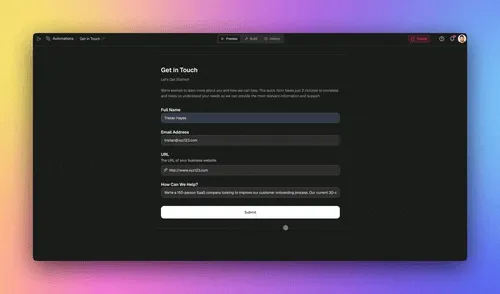
What to build: CRM dashboards, invoice generators, inventory trackers
How to do it:
- Prompt example: "Create a CRM dashboard to track leads, deals, and customer interactions"
- Set up Projects as your database with custom fields: Name, Email, Deal Size, Stage (dropdown)
- Train an AI agent on your sales playbook, product docs, and past conversations
- Create automations: Lead submitted → Agent qualifies → Slack notification → Add to CRM project
Guides:
- 10 AI Sales and CRM Dashboards
- Automate Customer Relationship Management
- Neon CRM Dashboard (clone it)
Booking & Scheduling Systems
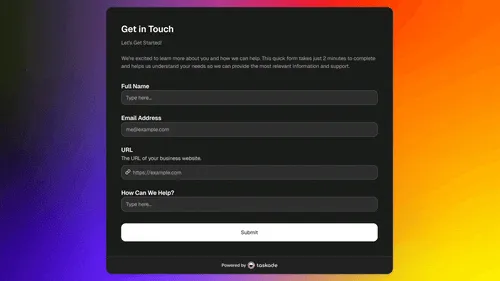
What to build: Appointment booking, consultation scheduling, event registration
How to do it:
- Prompt example: "Build a booking system for 30-minute consultations with calendar integration"
- Set up Projects with fields: Date, Time, Client Name, Service Type, Status
- Add integrations: Google Calendar, Gmail for confirmations, Stripe for payments
- Embed an AI agent to answer FAQs about your services
Guides:
Client Portals
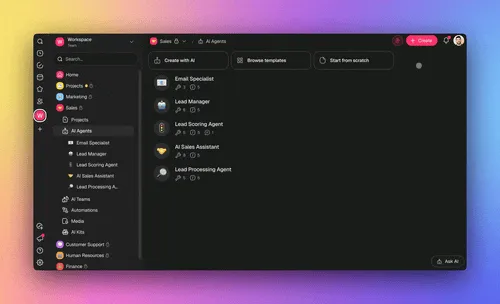
What to build: Agency dashboards, project status portals, consulting hubs
How to do it:
- Prompt example: "Create a client portal where clients can view project status and send messages"
- Set up Projects as client databases with project details
- Train agents on your service offerings and client history
- Password protect individual client views
Guides:
Internal Dashboards
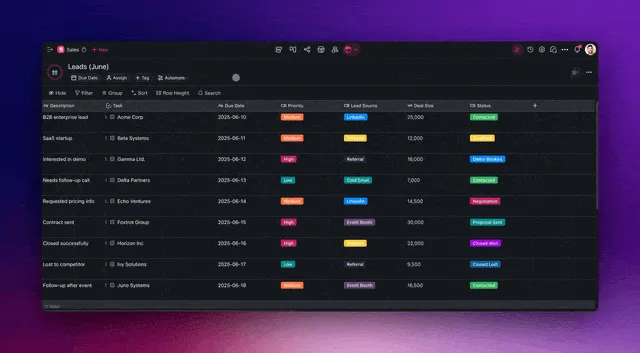
What to build: Team capacity planners, project trackers, OKR dashboards
How to do it:
- Prompt example: "Build a team capacity dashboard showing workload across team members"
- Connect existing Projects as data sources
- Set up automations that update status automatically
- Create views: List for details, Board for kanban, Calendar for timeline
Guides:
Landing Pages & Websites
What to build: SaaS landing pages, real estate listings, portfolio sites
How to do it:
- Prompt example: "Create a SaaS landing page with features section, pricing, and contact form"
- Add form triggers that connect to your automations
- Style it: Specify colors, fonts, and themes in your prompt
- Custom domain: Connect your own domain via Settings
Guides:
🧬 Taskade Genesis & Living Software
The technical and philosophical foundations of what we built.
Foundational Essays
| Post | Why It Matters |
|---|---|
| SaaS Has Quietly Evolved Into Living Software | The shift from passive dashboards to systems that think and act |
| Workspace DNA Living System | Deep dive into the Tree of Life architecture |
| What Is an Agent Hosting Platform? | Why hosting agents is the next infrastructure layer |
| From AI Productivity to AI Infrastructure | The evolution from tools to platforms |
The Taskade Genesis Origin Story
| Post | The Story |
|---|---|
| From Bronx Science to Taskade Genesis | How two high school rivals invented AI, and what their legacy means today |
| Help Me Remember Carol | The prompt that sparked Taskade Genesis |
| What Are AI Agents? | Understanding AI agents and their capabilities |
🤖 AI Agents & Automation
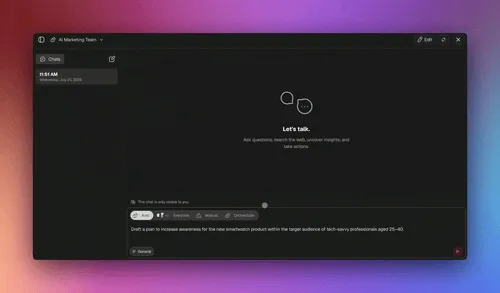
Everything we learned about building, training, and deploying AI agents.
Agent Architecture
| Post | Key Insight |
|---|---|
| How to Build AI Agents Faster | Patterns for rapid agent development |
| AI Agent Memory | Short-term vs long-term memory architectures |
| Train AI Agents in Taskade | How to train agents on your data |
| Train Living Knowledge | Dynamic knowledge that updates automatically |
Agent Philosophy
| Post | Core Idea |
|---|---|
| Chatbots vs Agents | Why the distinction matters for real work |
| Prompts vs Workflows | The trap of prompt engineering |
| Execution Beats Fundraising | Ship agents, not pitch decks |
| What Are AI Agent Teams? | Multi-agent collaboration patterns |
⚡ Product Launches & Updates
The major releases that shipped in 2025.
Taskade Genesis Launch Sequence
| Date | Launch | What It Enabled |
|---|---|---|
| Aug 21 | Build Without Permission Manifesto | The vision |
| Oct 10 | Introducing Taskade Genesis | Second brain, alive |
| Oct 13 | The Origin of Living Software | The architecture |
| Oct 24 | One Prompt, One App | Workspace-powered apps |
| Oct 30 | Build Live Dashboards, Websites, Tools | Full app generation |
| Nov 4 | Your Workspace Lives | Apps that evolve |
| Nov 10 | Publish, Share, and Explore the Community | Community Gallery launch |
| Nov 21 | 100+ Integrations | Full ecosystem |
| Dec 14 | Analytics, Domains, Security | Enterprise features |
| Dec 16 | Community Gallery App Store | 70+ apps to fork |
| Dec 18 | Workspace DNA Living System | The architecture explained |
| Dec 20 | Projects as Databases | Memory pillar |
| Dec 25 | 100+ Integrations Ecosystem | Full integration hub |
| Dec 27 | Custom AI Agents Training | Intelligence pillar |
| Dec 30 | Advanced Automation Workflows | Execution pillar |
Pre-Taskade Genesis Infrastructure
| Update | What Shipped |
|---|---|
| AI Agent Widgets & Workflows | Agent embedding |
| AI Kits with Unlimited Training | Knowledge training |
| New Table View & Task Automation | Projects as databases |
| AI Automation Beta | Structured data |
| Multi-Agent Systems | Multi-agent systems |
📚 Taskade Genesis App Guides
Practical guides for building Genesis Apps.
App Collections
| Guide | Apps Covered |
|---|---|
| AI Apps Clone Gallery | Full Community Gallery tour |
| AI Dashboard Examples | Operations dashboards |
| AI App Ideas | Landing pages and portals |
| AI Client Portal Examples | Agency and service portals |
| AI Booking System Examples | Scheduling and appointments |
| AI App Beginner Examples | Inspiration catalog |
Industry-Specific Guides
| Guide | Audience |
|---|---|
| AI Finance Workspaces for Founders | Startups and small business |
| AI Sales and CRM Dashboards | Sales teams |
| AI Agency Workspaces | Agencies and consultants |
| AI Education Portals & Study Tools | Students and educators |
| AI Real Estate Apps | Real estate professionals |
| AI Nonprofit & Community Portals | Nonprofits and communities |
🔧 Automation & Workflow Guides
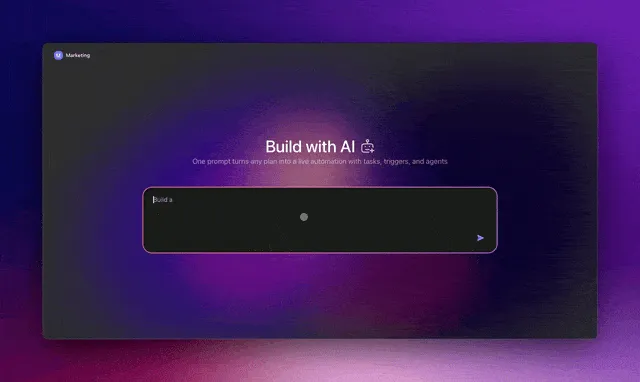
How to build workflows that run themselves.
| Guide | What You'll Learn |
|---|---|
| Agentic Workflows for Startup Automation | End-to-end automation patterns |
| What Is Agentic Engineering? | The discipline behind agent-powered systems |
| How Workspace DNA Works | Memory + Intelligence + Execution architecture |
| Task Automation Guide | Spreadsheet workflows |
| AI Content Automation Kits | Content production |
| AI SEO Automations | SEO workflows |
| Marketing Automations | Campaign automation |
| Social Media Automation Kits | Social workflows |
| AI Hiring & Onboarding Automation | HR automation |
💡 Deep Thinking
Essays on AI, consciousness, and the future of work.
| Essay | Core Question |
|---|---|
| The Cognitive Turn | What happens when software starts thinking? |
| The Something True Beneath the Simulation | Consciousness and AI systems |
| The Garden of Agents: How Work Will Feel in 2030 | Future of human-AI collaboration |
| What is Vibe Coding? | The new era of app creation |
| RSS Isn't Dead, It's Learning | Information architecture in the AI age |
| What Are AI Agents? | Understanding AI agent fundamentals |
📊 Listicles & Comparisons
High-value comparison guides for SEO.
| Guide | Category |
|---|---|
| AI Agent Builders | App builders |
| AI App Builder vs Website Builder vs Agent Builder | Category comparison |
| AI Dashboard Examples | Dashboard tools |
| AI Booking System Examples | Scheduling software |
| AI Sales CRM Dashboards | CRM platforms |
| AI Apps for Freelancers | Freelancer toolkit |
| AI Apps for Students & Educators | Education tools |
| AI Productivity Tools for Teams | Team productivity |
📈 2025 By the Numbers
Full Year (2025):
| Metric | Count |
|---|---|
| Blog posts published | 107 |
| Major product releases | 15+ |
| Integrations shipped | 100+ |
| Categories covered | AI, Automation, Productivity, Updates |
Since Taskade Genesis Launch (Oct 10 - Dec 31, 2025):
| Metric | Count |
|---|---|
| Genesis Apps generated | 150,000+ |
| Automation executions | 3M+ |
| Community Gallery apps | 70+ |
| Days to reach 100K apps | 67 |
| Average app generation time | 8.4 minutes |
📈 The Evolution: How Taskade Genesis Grew in 2025
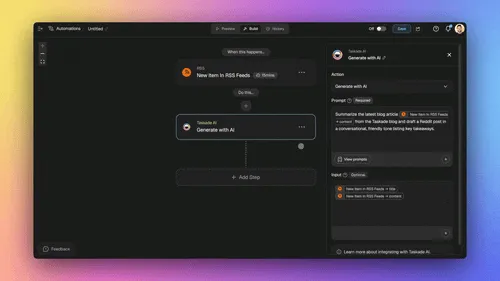
| Phase | Timeframe | What Shipped | Key Insight |
|---|---|---|---|
| Phase 1: Foundation | Jan-Sept | Projects as databases, AI agent training, complex automations, 50+ templates | We were building infrastructure, not just features |
| Phase 2: Breakthrough | Oct | Taskade Genesis launch, Workspace DNA, 10K apps in 3 weeks | "Help me remember Carol" sparked the digital memory realization |
| Phase 3: Evolution | Nov-Dec | Mobile builder, 70+ community apps, 100+ integrations, 150K total apps | Users weren't building apps—they were creating ecosystems |
Phase 1: Foundation (Jan-Sept)
| What Shipped | Impact |
|---|---|
| Projects became databases | Custom fields and table views enabled structured data |
| AI Agent knowledge training | Files, projects, and web links as training sources |
| Advanced automations | Loops, branches, and 50+ templates |
Phase 2: The Breakthrough (Oct)
| What Launched | Result |
|---|---|
| Taskade Genesis app builder | One prompt → complete app with database + agents + automations |
| Workspace DNA concept | Apps built on YOUR workspace context, not templates |
| First 10,000 apps | Generated in just 3 weeks |
The turning point: "Help me remember Carol" prompt sparked the realization that Taskade Genesis creates digital memory, not just apps.
Phase 3: Rapid Evolution (Nov-Dec)
| What Shipped | Impact |
|---|---|
| Mobile app builder | Build Genesis Apps on any device |
| Community Gallery | 70+ apps published and available to clone |
| 100+ integrations | Full ecosystem connectivity |
| Enterprise features | Analytics, custom domains, security |
| 150,000 Genesis Apps | Generated in just 90 days |
| 3M automations | Executed across all workspaces |
The Three Waves of Adoption
| Wave | Who | What They Built | Key Insight |
|---|---|---|---|
| Early Adopters (Oct) | Founders, hackers | CRM dashboards, booking systems | "This replaces my entire stack" |
| Second Wave (Nov) | Agencies, consultants | Client portals, project dashboards | "I can serve 10x more clients" |
| Third Wave (Dec) | Everyone | Personal dashboards, niche tools | "Anyone can build now" |
What 90 Days of Data Revealed
From October 10 to December 31, 2025—analyzing 150,000 generated apps and 3M automation runs:
Top use cases:
| Rank | Category | % of Apps | Examples |
|---|---|---|---|
| 1 | Business operations | 28% | CRM, invoicing, inventory |
| 2 | Booking & scheduling | 22% | Appointments, calendars, events |
| 3 | Internal dashboards | 19% | Team capacity, project tracking |
| 4 | Client portals | 15% | Agency work, consulting |
| 5 | Personal productivity | 16% | Second brain, knowledge management |
Surprising findings from 90 days:
| Metric | Value | Insight |
|---|---|---|
| Mobile builders | 63% | Most Genesis Apps built on phones |
| AI agents embedded | 47% | Intelligence is now default |
| Integration connections | 72% | Apps don't exist in isolation |
| Average generation time | 8.4 min | Prompt to working app |
| Projects as database | 89% | Memory pillar is essential |
The Shift from Tools to Infrastructure
Before Genesis (2019-2024): Taskade was a productivity tool
After Genesis (2025+): Taskade became AI infrastructure
We went from "collaboration platform" to "agent hosting platform." The workspace evolved from a place where work happens to the backend that powers applications.
This wasn't a pivot. It was an emergence.
The Technical Foundation That Made It Possible
Behind the scenes, Taskade Genesis required fundamental architectural decisions:
The Three Pillars Architecture:
| Pillar | What It Does | Why It Matters | Technical Achievement |
|---|---|---|---|
| 📚 Memory (Projects) | Structured databases with custom fields, table views, unique constraints | AI agents need context, not just conversation history | Real-time Operational Transform (OT) for conflict-free multi-user editing |
| 🧠 Intelligence (Agents) | Custom-trained AI with knowledge from files, projects, web, YouTube | Generic AI fails in business contexts | Dynamic knowledge that updates automatically via automations |
| ⚡ Execution (Automations) | Advanced workflows with branching, looping, filtering, 100+ integrations | Systems need to act, not just respond | Event-driven architecture that connects everything |
The breakthrough: These three systems form a continuous feedback loop. Memory provides context → Intelligence makes decisions → Execution creates results → Results flow back to Memory.
What "Workspace DNA" Actually Built
When users create a Genesis App, the system doesn't generate from templates. It generates from your workspace:
| Your Workspace Contains | The App Inherits |
|---|---|
| Project structures (what data matters) | Pre-configured databases matching your structure |
| Agent knowledge (what your business knows) | AI agents already trained on your knowledge |
| Automation patterns (how work flows) | Automations connected to your workflows |
| Integration connections (what tools you use) | Integrations to your existing tools |
| Historical context (what you've built before) | Design patterns from your workspace theme |
Result: Every Genesis App is unique because it's built on YOUR unique workspace DNA.
Why Mobile-First Changed Everything
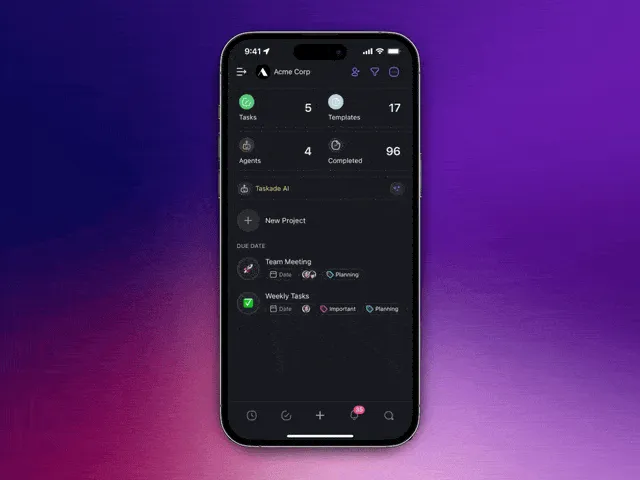
63% of apps were built on mobile devices. This wasn't expected.
| What We Learned | Why It Matters |
|---|---|
| Builders want to create anywhere, anytime | Mobile-first removes barriers |
| The best ideas come outside the office | Capture inspiration instantly |
| Touch interfaces make prompting feel natural | Lower learning curve |
| Real-time sync works seamlessly | "Build on phone, deploy from desktop" |
The technical challenge: Making a full app builder work on a phone screen required rethinking every interaction. We succeeded because Taskade Genesis is prompt-based, not menu-based.
The Community Effect
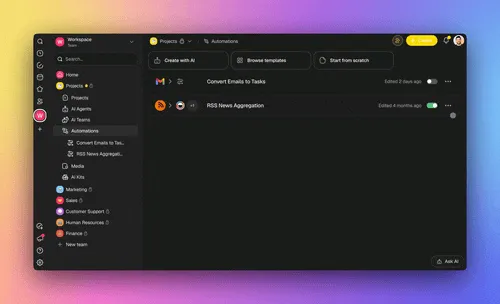
70+ apps in the Community Gallery created a network effect:
Virtuous cycle:
| Step | What Happens |
|---|---|
| 1 | User builds an app for their use case |
| 2 | Publishes to Community Gallery |
| 3 | Others fork and customize it |
| 4 | Improvements feed back into ecosystem |
| 5 | Best patterns emerge organically |
Impact: The community is now teaching itself what's possible. We're no longer the only ones evangelizing Taskade Genesis.
🚀 What's Next in 2026
2025 was the year we proved living software is possible.
2026 is the year we scale it.
Here's what's coming:
| Feature | What It Enables |
|---|---|
| Multiple apps per workspace | Build entire app ecosystems |
| Advanced templates | Industry-specific Genesis Apps |
| API generation | Apps that expose their own APIs |
| Multi-agent orchestration | Complex agent team workflows |
| Edge deployment | Global performance for Genesis Apps |
💡 Lessons for Builders
What we learned building Taskade Genesis in 2025:
On Product
| # | Lesson | Key Insight |
|---|---|---|
| 1 | The loop is the product | Build systems that feed back into themselves |
| 2 | Context beats capability | Workspace-aware AI beats more powerful generic AI |
| 3 | Mobile-first isn't mobile-only | Build for phones, ensure seamless desktop sync |
| 4 | Templates are dead | People want systems built on their context |
| 5 | Community is distribution | 70 apps teaching each other beats 1000 marketing dollars |
On AI
| # | Lesson | Key Insight |
|---|---|---|
| 6 | Agents need memory | Structured knowledge from projects, not just conversation history |
| 7 | Execution beats prompting | Stop worshipping prompts; build automatic workflows |
| 8 | The database matters | App intelligence is only as good as its data structure |
| 9 | One prompt, complete system | Generate database + logic + automation + UI together |
| 10 | Living beats static | Apps that evolve win vs. apps that stay frozen |
On Architecture
| # | Lesson | Key Insight |
|---|---|---|
| 11 | Three pillars pattern | Memory → Intelligence → Execution → Memory (repeat forever) |
| 12 | Workspace DNA principle | Use existing workspace as foundation, not empty slate |
| 13 | Event-driven everything | Automations should respond to events, not require manual triggers |
| 14 | Real-time or bust | If it doesn't sync instantly across devices, rebuild it |
| 15 | Infrastructure mindset | You're building the backend for other apps |
On Go-to-Market
| # | Lesson | Key Insight |
|---|---|---|
| 16 | Ship fast, learn faster | 15 launches in 3 months > 3 years of planning |
| 17 | Let users teach users | Community Gallery apps explain Taskade Genesis better than we can |
| 18 | Build in public | Every newsletter became a blog post and teaching moment |
| 19 | Make it concrete | "Living software" means nothing until people see 150,000 real apps |
| 20 | The manifesto matters | Build Without Permission resonated more than feature lists |
👋 Start Building Today
If you haven't tried Taskade Genesis yet, here's your roadmap:
Step 1: Build Your First App (5 minutes)
- Go to taskade.com/genesis
- Type what you want to build: "Create a booking system for my consulting business"
- Watch Taskade Genesis generate your app with database, agents, and automations
Step 2: Explore What Others Built
Browse the Community Gallery with 70+ apps you can fork and customize:
Step 3: Learn the Architecture
- How Taskade Genesis Works: Workspace DNA
- Projects as Databases (Memory)
- Custom AI Agents (Intelligence)
- Automations (Execution)
Step 4: Join the Community
Share what you build in the Builder Community. Publish your apps, fork others' work, and learn from 70+ community-created apps.
Step 5: Understand the Vision
Read Build Without Permission—the manifesto behind why we built Taskade Genesis for outsiders, misfits, and anyone who was never given a seat at the table but showed up anyway.
📋 Quick Reference: Essential Links
Getting Started
| Resource | What You'll Learn |
|---|---|
| Try Taskade Genesis | Build your first app in 5 minutes |
| Community Gallery | Fork 70+ ready-made apps |
| Create Your First App | Step-by-step tutorial |
| Prompt Library | Proven prompts that work |
The Three Pillars
| Pillar | What It Does | Documentation |
|---|---|---|
| Memory | Projects as databases | Projects & Databases Guide |
| Intelligence | Custom-trained AI agents | AI Agents Guide |
| Execution | Automations & workflows | Automations Guide |
Architecture
| Topic | Learn More |
|---|---|
| Workspace DNA | How Taskade Genesis Works |
| Agent Knowledge | Agent Knowledge & Memory |
| 100+ Integrations | Integrations Hub |
Top Community Apps to Clone
| App | Use Case | Link |
|---|---|---|
| Team Capacity Planner | Resource management | Clone it |
| Appointment Booking | Scheduling | Clone it |
| Invoice Generator | Billing | Clone it |
| Neon CRM Dashboard | Sales tracking | Clone it |
| SaaS Landing Page | Marketing | Clone it |
| Finance Tracker | Expense tracking | Clone it |
🐑 Build your own living software with Taskade Genesis
150,000 apps generated in 90 days. 3M automations executed. Join the builders.
🤖 Custom AI Agents: Train agents on your data, embed them in apps
🪄 AI App Builder: One prompt to working software in minutes
⚡ 100+ Integrations: Gmail, Slack, Stripe, HubSpot, and more
📚 Workspace DNA: Memory, Intelligence, Execution in one living system
This guide will be updated as Taskade Genesis evolves. Last updated: January 9, 2026.
Thanks for reading. Here's to 2026.
John
Frequently Asked Questions
What is Taskade Genesis?
Taskade Genesis is a no-code AI app builder that turns a single prompt into a living application. It connects your workspace's Memory (projects/databases), Intelligence (AI agents trained on your data), and Execution (automations) into working software. Since launching in October 2025, over 150,000 apps have been generated and 3 million automations have run across workspaces.
What is living software?
Living software is Taskade's concept for applications that remember, think, and act autonomously. Unlike static apps, living software evolves with your data — AI agents learn from new information, automations adapt to changing conditions, and the entire system improves as your team works. It's powered by Workspace DNA: the combination of Memory, Intelligence, and Execution.
How many apps have been built with Taskade Genesis?
Over 150,000 apps were generated in the first 90 days after Taskade Genesis launched in October 2025. These range from CRM dashboards and booking systems to client portals and internal tools. The platform continues to grow as more builders discover no-code AI app building.
Can I build an AI app without coding?
Yes. Taskade Genesis is designed for non-technical builders. Describe your app in plain language, and Genesis generates a working application with UI, database structure, AI agents, and automations. You can customize everything through a visual interface. No programming knowledge is required to build, publish, and share professional-grade apps.