






Hi Taskaders! 🎉
Exciting news! Agent Widget and Custom Domains are now live. With Agent Widgets, you can now embed fine-tuned agents directly on your website.
Custom Domains let you share your AI Agents with your own branded domain links. This release also lays the groundwork for customizing and sharing your projects, automations, forms, and Taskade AI Kits with your brand.
Here’s a full breakdown of what’s new! 👇
TL;DR: This update adds 2 new integrations—GitHub and Facebook—plus Agent Widgets to embed AI agents on any website, custom domains for branded sharing, Delay and Schedule actions for timed automations, and full AI agent history tracking in projects. Try it free →
🤖 Embed AI Agents with Widgets
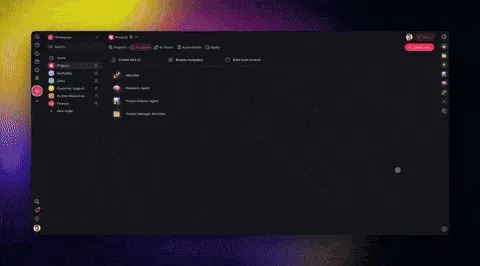
The Agent Widget makes it easy to embed your AI agents directly on your website, offering personalized, AI-powered support for your team and customers. Once live, you can track conversations in the Public Agent Inbox.
Train your agents with Dynamic Knowledge—upload documents, add web resources, or connect existing projects to align responses with your brand, tone, and goals. Add datasets, policies, scripts, support docs, and more, to teach agents to handle tasks and questions in real time. Learn more.
Train and embed agents anywhere for personalized support.
Review incoming conversations in the Public Agent Inbox.
Deliver real-time Q&A and assistance directly on your site.
Reduce repetitive inquiries with automated responses.
👉 How to use: Go to Agents tab → Click Share Agent button → Enable Public Access → Copy widget code → Embed on your website/dashboard!
✅ Custom Domain Support (CNAME)
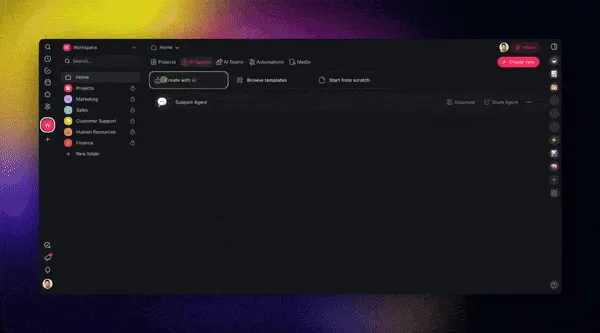
Custom Domains support is now available! Share AI Agents with branded links using your own domain, creating a professional and cohesive experience.
This initial release introduces support for branded agent links, with custom domains coming soon to projects, automations, forms, and AI kits. Learn more.
Showcase your brand identity with a custom domain.
Strengthen your brand presence across emails, marketing, and more.
Provide clients and teammates with a consistent and branded experience.
Make your shared links recognizable and aligned with your brand.
👉 How to use: Go to Workspace Settings → Click the arrow ˅ next to the Home button → Select Edit → Add Custom Domain.
🔮 Delay Workflows in Automation
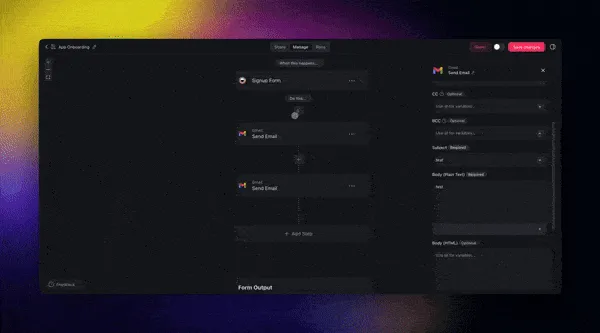
The Delay Action is now live, adding new flexibility to your workflows alongside the Schedule Trigger. Now you can create perfectly timed workflows to ensure tasks happen exactly when they need to. Learn more.
Easily set up drip campaigns, schedule recurring actions, and automate workflows with delays built into each step. Here’s what you can do.
Create automated drip campaigns with staggered follow-ups for CRM, sales teams, support requests, and email marketing!
Pause automation flows for a set duration or until a specific date.
Combine Schedule Trigger and Delay Action for repetitive workflows.
Automate sequences for product launches and content scheduling.
Build advanced automations that run exactly when needed.
👉 How to use: Go to Automations tab → Create a new workflow → Add Action → Select Delay.
🐙 Automate GitHub in Taskade
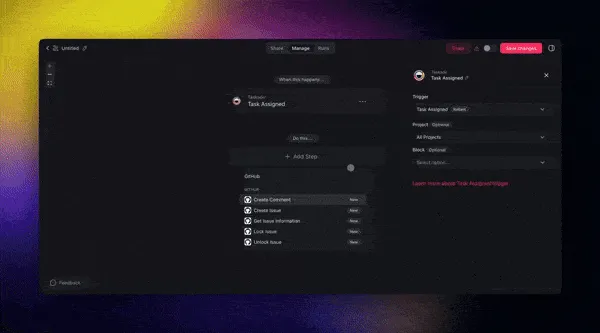
The new GitHub Integration lets you automate developer project management workflows in your Taskade workspace. Track new pull requests, resolve bugs, and manage new GitHub issues / tickets in one place! Learn more.
Automate your coding workflow with new GitHub triggers and actions.
Sync updates instantly between GitHub and Taskade in real-time.
Customize workflows to fit your team’s coding and project needs.
Reduce context-switching by consolidating communication.
👉 How to use: Go to Automations tab → Create a new flow → Add Action/Trigger → Select GitHub.
⚡️ Automate Facebook in Taskade
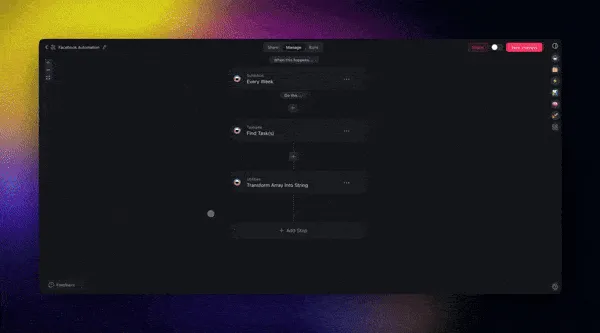
Say goodbye to manual posting! The new Facebook Integration lets you automate marketing campaigns by linking your Facebook account and scheduling posts triggered by specific workflows. Learn more.
Auto-post text or photo updates to your Facebook Pages.
Reduce manual social media tasks and free up team resources.
Announce product launches and updates automatically with Taskade.
👉 How to use: Go to Automations tab → Create a new workflow → Add Action → Select Facebook.
📝 AI Agent History in Projects
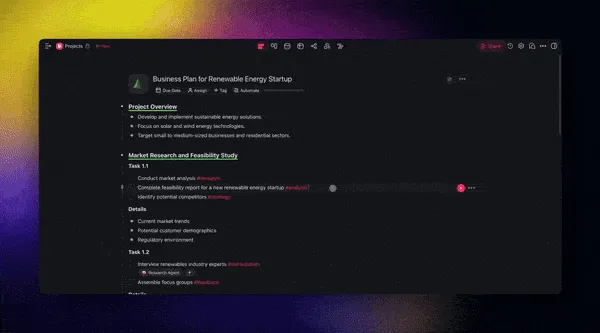
AI Agent History now records every AI command run within a project, giving you full visibility into AI edits and agent commands in each project.
Easily track changes, view the entire project history and timeline, and understand how AI contributed to your projects. Learn more.
Record and track AI actions and Agent Commands in every project.
Understand how each AI edit shaped your project.
Browse and instantly jump to previous edits.
Collaborate across teams with full context.
👉 How to use: Open a Project → Click the clock button 🕑 → Go to AI History.
✨ Other Improvements
New: Taskade Apps for Mac, Windows, Linux, iOS, and Android – Stay connected and productive on any device, anytime, anywhere! 🎉
New: Taskade AI Kits Beta is live! Share fully pre-configured workspaces bundled with AI agents, automations, and projects—all with a single click.
Early Access: Try Taskade Kits today on LinkedIn, Twitter / 𝕏, and Reddit. Create your own "Taskade AI Kit" today!
1-Click Install: AI agents, workflows, and projects with a single link.
Instant Onboarding: Quickly onboard teams or clients with pre-trained AI agents and ready-to-use workspaces.
Customizable & Shareable Kits: Create and share bundles like Marketing Automation Kits and more for your specific needs.
New: Custom Domain (CNAME) Support for Branded Links:
Add and manage branded public URLs in your workspace.
Provide clients with a more consistent and professional experience.
Future updates include support for projects, forms, and workspaces.
Improved: Import Anything into Taskade:
Convert to Taskade: Create structured docs, tables, and projects.
Summarize with AI: Generate outlines from files, articles, or videos.
Import Markdown: Various upgrades and better formatting support.
Import Google Sheets: Improved row actions and syncing.
Import from Webpages: Extract data with the "Scrape Webpage" tool
New: AI Agent Enhancements:
Improved Agent Knowledge for faster and more accurate responses.
New Agent Widgets: Embed fine-tuned agents on your websites.
New AI History: Review past agent commands and edits in projects.
Use the Public Agent Inbox to monitor and manage conversations.
Dynamically train agents with your own datasets, policies, and scripts to align responses with your brand voice, expertise, and identity.
Export agent conversations directly to markdown for record-keeping.
Enhanced right-sidebar search to locate agents quickly.
New: AI Automation Enhancements:
Automation Actions & Triggers:
Delay Action (Sleep, Wait): Introduce precise delays into workflows for better timing and coordination.
Transform Array to String: Simplify how data arrays are processed in automation workflows.
Loop Action: Process batch tasks, sync data from Google Sheets, and enable nested workflows.
GitHub Triggers and Actions: Automate pull requests, issues, and task syncing with real-time updates.
Facebook Pages Integration: Automate posting updates and announcements using triggers and long-lived tokens.
WhatsApp Business Integration: Automate client messages and updates seamlessly.
Advanced Automation Filtering & Error Handling:
Added “is empty” condition for flexibility in automation rules.
Enhanced webhook trigger support with nested JSON validation.
Improved error handling and debugging across workflows.
Google Integration Enhancements:
Google Docs Integration: Search and manage Google Docs directly in workflows.
Google Sheets Enhancements: Better handling for rows and cells in triggers and actions.
HTTP Request & Webhook Updates:
Generate response schemas automatically for easier workflow design.
Added advanced "Send HTTP Response" action with improved response data.
Improved: UI and User Experience
Enhanced performance for rainbow animations and agent sidebar.
Improved layout for static dropdown fields and filter conditions.
Expanded dropdown menus for better usability.
Resolved caching issues in agent operations, for smoother workflows.
Fixed dropdown positioning and overlay issues in automation interfaces.
Addressed bugs with agent name displays in markdown exports.
Resolved long workspace name truncation issues across multiple views.
Fixed issues with public project subdomains and CNAME redirects.
Fixed various bugs to improve overall performance and stability.
Check out all the latest updates on our Changelog Forum.
🚀 Join the Community
Join us every Thursday at 4 PM (US PST) for our weekly Taskade LIVE stream, featuring demos, advanced use cases, and Q&A with the Taskade team.
Connect with us on our official Forum, Subreddit, Facebook Group, and Twitter/X, and don’t forget to watch our past Streams on Youtube.
Check out our Latest Updates and share your feedback — we’d love to hear from you!
Have questions? Visit our Help Center or contact us.
Whether you’re deploying your first agent or scaling your team, Taskade is here to empower you every step of the way.
Here’s to 2025, the Age of Agents.
Let’s build the future, together. 🚀John Xie, Co-founder and CEO, Taskade
— Team Taskade 🐑
P.S. Love Taskade? Share your experience on our testimonials page to get featured, or dive into our Affiliate Partnership program today!

Frequently Asked Questions
How do I embed a Taskade AI Agent on my website?
Use the Agent Widget feature: go to the Agents tab, click Share Agent, enable Public Access, then copy the widget code. Paste the code into your website's HTML and the agent appears as an interactive chat widget. Train it with Dynamic Knowledge (documents, web resources, project data) so it responds in your brand's voice and handles real customer queries.
Does Taskade support custom domains for branded sharing?
Yes. Custom Domain (CNAME) support lets you share AI Agents with your own branded domain links instead of Taskade URLs. Go to Workspace Settings, click Edit, and add your custom domain. This creates a professional, white-labeled experience. Support for custom domains on projects, automations, forms, and AI Kits is also available.
How do Delay and Schedule actions work in Taskade automations?
The Delay Action pauses a workflow for a set duration or until a specific date, perfect for drip campaigns, staggered follow-ups, and timed sequences. The Schedule Trigger fires workflows on a recurring schedule. Combine both for complex timing: a Schedule Trigger can initiate a workflow, then Delay Actions space out individual steps within it.
Can Taskade automate GitHub and Facebook workflows?
Yes. The GitHub integration lets you automate developer workflows — track pull requests, resolve bugs, and manage issues between GitHub and Taskade in real time. The Facebook integration automates marketing by scheduling and posting text or photo updates to Facebook Pages based on automation triggers. Both reduce context-switching and manual effort.