






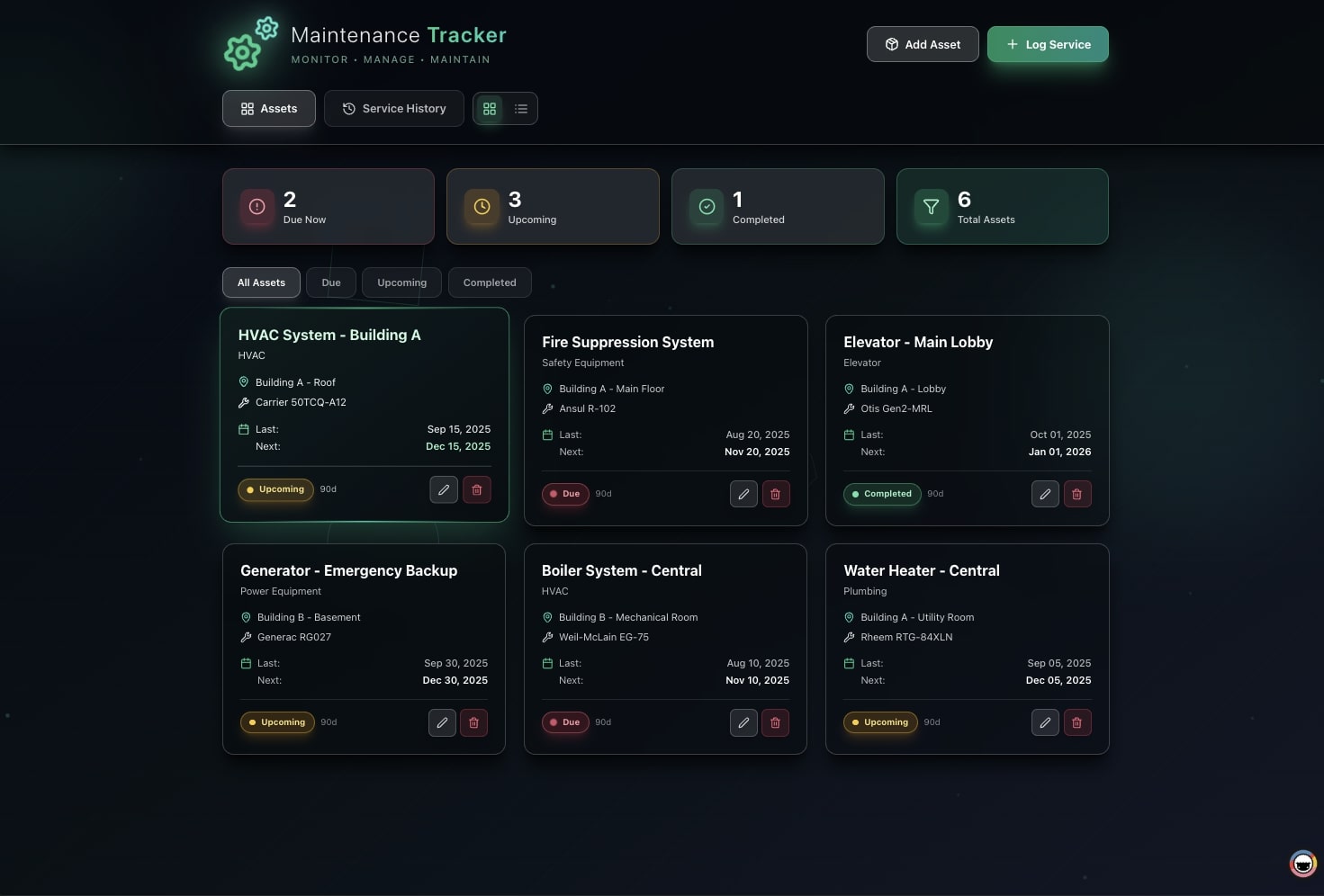
Internal tools are the quiet engine of every company, the approval inbox, the inventory tracker, the admin panel, the operations dashboard nobody outside the team ever sees. They are also the work that never makes it out of the engineering backlog. In 2026, you no longer need to wait. You describe the tool you need in plain English, and AI builds a living app that does the work for you.
TL;DR: Taskade Genesis turns one plain-English prompt into a working internal tool, database, views, an AI agent that runs the work, and automations, usable the same day, starting free. Most "no-code" tool builders still make you wire a database, APIs, and auth before anything works. Genesis removes the build step entirely. Over 150,000 apps have been built this way. Build your internal tool free →
This guide is for the operations or IT person who owns a process, not a codebase. If you can describe what the tool should do, you can build it, the same way a non-technical operator can stand up a production tool solo in days instead of waiting a quarter for engineering.
What counts as an internal tool?
An internal tool is any app your team uses to run the business that customers never see, and in 2026 the fastest ones to build are also the ones that do the work themselves. Defined by what they do for you rather than how they are built, the common ones are remarkably consistent across companies.
| The tool | What it does | What runs inside it |
|---|---|---|
| Approval / request inbox | Routes requests to the right approver | Agent triages; automation notifies + logs the decision |
| Inventory / asset tracker | Tracks stock, equipment, licenses | Automation flags low stock; agent summarizes status |
| Admin panel | Manages records and operations | Multiple views of the same data; role-based access |
| Operations dashboard | Shows the whole operation at a glance | KPI rollups; alerts when something needs attention |
| Onboarding checklist | Walks a new hire or client through steps | Agent answers questions; automation assigns tasks |
| Internal knowledge base | Single source of truth for the team | Agent trained on your content answers instantly |
Want to see real ones first? Browse the Community Gallery, every app is live and cloneable. Strong internal-tool starting points include the AI Insight Matrix operations dashboard and the Simple Store Manager for inventory and order ops. The same prompt-to-app path powers our guides to building a business app, a CRM, and a client portal.
The distinction that matters in 2026 is not what the tool stores. It is whether the tool does the work once it ships. A static admin panel is a window onto a database; an agentic internal tool reads the queue, makes a call, and moves the work forward on its own. Every build below can be either one. On Taskade Genesis it is the second kind by default, because an AI agent and automations come bundled with the app instead of being an add-on you wire up later.
| Internal tool type | Who usually owns it | Core data object | What an agent does inside it | What an automation does |
|---|---|---|---|---|
| Approval / request inbox | Operations, Finance, IT | Requests | Triages, checks policy, drafts replies | Routes to approver, notifies, logs |
| Inventory / asset tracker | Ops, Facilities, IT | Items / stock | Summarizes status, flags anomalies | Alerts on low stock, reorders |
| Admin panel | Any team | Records | Answers "what changed and why" | Syncs records to other systems |
| Operations dashboard | Leadership, RevOps | Metrics | Explains the trend in plain English | Refreshes KPIs, posts a digest |
| Onboarding workflow | HR, Customer Success | Checklists | Answers new-hire / client questions | Assigns tasks, sends reminders |
| Internal knowledge base | Support, Enablement | Documents | Answers from your content instantly | Files new docs, updates links |
The point of the table is the last two columns. Most builders stop at columns one through four, the data and the interface. The agent and the automation are what turn a tool you operate into a tool that operates itself.
Why internal tools get stuck in the engineering backlog
Internal tools stall because they are expensive to build and easy to deprioritize, every hour spent on an internal admin panel is an hour not spent on the product customers pay for. The numbers behind that trade-off are stark.
According to Retool's internal-tools research, engineering teams spend roughly 20% to 40% of their time building and maintaining internal tools, rising with company size, and a single custom tool can represent around 600 engineering hours, or roughly $26,000 in fully-loaded cost. At the same time, 80% of organizations call their internal tools critical to operations. The work is essential and expensive, which is exactly why it waits.
That tension produces three predictable outcomes, none of them good:
- The backlog. The tool is "important, not urgent," so it sits behind revenue work for a quarter or more.
- The spreadsheet. The team builds a fragile spreadsheet to cope, then lives with its limits for years.
- Shadow IT. Someone wires together three SaaS tools without approval, and now there is an unmaintained, unsecured workflow nobody owns.
The catch with "no-code" builders most people miss
Most tools marketed as "no-code internal tool builders" are actually developer tools. They remove some code, but they still expect you to connect a database, wire APIs, and configure authentication before anything works. This is the single most important thing to understand before you pick a tool, and it is rarely said plainly.
The category leaders are honest about it once you read closely. Stackby's own roundup notes that Retool "leans more towards low-code than no-code" and "requires coding knowledge for advanced functionality." ToolJet's guide is explicitly written "for CTOs and technical decision-makers" and assumes you understand databases, APIs, and RBAC. Even AI-prompt newcomers stop short of finished: the prompt scaffolds an interface, but you still connect storage and auth yourself. That gap is exactly where React-first builders stop and an ops system starts.
WHAT "NO-CODE" OFTEN STILL ASKS OF YOU      WHAT TASKADE GENESIS DOES
──────────────────────────────────────      ─────────────────────────────
connect a database (Postgres/Supabase) ──▶   the database is built in
write SQL / JavaScript for logic       ──▶   describe the logic in English
wire APIs to your other tools          ──▶   100+ integrations, ready
configure authentication + roles       ──▶   role-based access, built in
operate the tool yourself              ──▶   an AI agent runs the work
The practical test for any tool: can a non-technical teammate build and change it without help? If the answer involves "just connect your database" or "you can also drop into code," it is a developer tool wearing a no-code label.
| "Internal tool builder" | What it still requires of a non-coder |
|---|---|
| Developer canvases (Retool, Appsmith, ToolJet) | SQL/JS, API wiring, self-hosting or DevOps |
| Database-first no-code (connect-your-own-DB tools) | A separate database + auth set up first |
| AI-prompt UI builders | Storage + auth configured after the prompt |
| Taskade Genesis | A plain-English description — nothing to wire |
Internal tool builders compared (2026)
There is no shortage of internal tool builders, the question is which one matches you, the person who has to build and maintain the thing. The honest split is along a single axis: how much of the build do you have to do by hand? The more a platform leans on a developer canvas, the more it can do at the ceiling and the less a non-technical operator can ship without help.
The category roughly sorts into three groups. Developer canvases, Retool, Appsmith, Budibase, ToolJet, give you maximum control and expect SQL, JavaScript, API wiring, and (for the open-source ones) self-hosting. Spreadsheet-and-form builders, Glide, Softr, Airtable, Microsoft Power Apps, are friendlier to non-coders but still ask you to model your data, design the screens, and bolt automation on separately. And the new prompt-first agentic group, where Taskade Genesis sits, generates the whole tool, including the agent that runs it, from a description.
| Platform | Category | What a non-coder still has to do | Built-in AI agent that runs the tool | Pricing model |
|---|---|---|---|---|
| Retool | Developer canvas | SQL/JS, connect a database, wire APIs | No (AI generates UI, you operate it) | Per builder seat; ~$10→$50/user with SSO |
| Appsmith | Developer canvas (open source) | JS, connect a DB, self-host or DevOps | No | Free self-hosted; paid cloud tiers |
| Budibase | Low-code (open source) | Model data, light logic, self-host option | No | Free self-hosted; paid cloud tiers |
| ToolJet | Low-code (open source) | DB + API connections, RBAC setup | No (AI scaffolds a first draft) | Free self-hosted; paid cloud tiers |
| Glide | Spreadsheet-to-app | Structure a sheet, design screens | No | Plan-based, scales with usage |
| Softr | Airtable front-end | Bring an Airtable base, build pages | No | Per-app / per-user plans |
| Microsoft Power Apps | Low-code (MS ecosystem) | Model data, build screens, manage connectors | No | Per-app / per-user licensing |
| Taskade Genesis | Prompt-first agentic | Describe the tool — nothing to wire | Yes — agent + automations bundled | One flat plan; builders + users included |
Pricing notes reflect publicly documented 2026 models and are illustrative; check each vendor's current page for exact figures.
Capability matrix: what comes in the box
The clearest way to compare is to ask what you get the moment the tool exists, before you start customizing. A developer canvas hands you a blank surface; a prompt-first builder hands you a working tool.
| Capability | Developer canvases | Spreadsheet/form builders | Taskade Genesis |
|---|---|---|---|
| Database / data model | Connect your own | Structure it yourself | Generated for you |
| Interface / multiple views | Build each screen | Build each page | views of the same data |
| AI agent that does work | Add-on, you wire it | Rare / add-on | Bundled, with built-in tools |
| Automations | Separate product/tier | Limited, separate | 100+ bidirectional, built in |
| Permissions / RBAC | Configure manually | Limited tiers | Owner to Viewer, built in |
| Auth / SSO | Configure / enterprise tier | Higher tiers | OIDC/SSO on Business+ |
| Hosting / deployment | Self-host or their cloud | Their cloud | Fully hosted, publish in a click |
| Maintenance | Code + deploy pipeline | Rebuild by hand | Describe the change |
For tool-by-tool depth, our Retool vs Taskade breakdown covers the developer-canvas comparison directly, and the free Retool alternative page lays out the no-lock-in case. If your current stack is spreadsheet-shaped, see the free Airtable alternative, free Glide alternative, and free Softr alternative comparisons. For the automation layer specifically, the free Zapier alternative and free Make alternative pages show how triggers and actions fold into the same workspace. And if the tool you need is really an operations cockpit — jobs, pipeline, invoices, client status — see the ten ops dashboard builders ranked side by side.
Which one should you pick?
Pick by the question you most need answered, not by the longest feature list. A team with engineers to spare and a need for pixel-level control will be happy on a developer canvas. A non-technical operator who needs a tool this week, and needs it to keep running without babysitting, is the person Taskade Genesis is built for.
Build your first internal tool from a single prompt
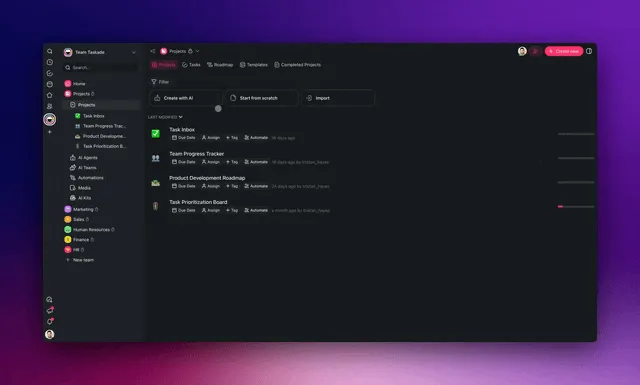
You build an internal tool in four steps, and you only ever type in plain English. There is no setup, no data source to connect, and no deployment step. Here is the entire path.
- Describe it. "An approval inbox where the team submits expense requests and my managers approve or reject them."
- Genesis builds it. It generates the database, the views, and a starting AI agent, a working tool, not a mockup.
- Add the work. Point an agent at a job ("summarize pending requests each morning") and add automations that route and notify.
- Go live. Set who can see what, publish, and share the link with your team.
| Step | What you do | What you get | Time |
|---|---|---|---|
| 1. Describe | Type a sentence | A clear build spec | Seconds |
| 2. Build | Review and refine | Working tool with data + views | Minutes |
| 3. Add work | Assign agents + automations | A tool that runs itself | Minutes |
| 4. Go live | Set permissions + share | A live tool for your team | Same day |
And because there is no codebase, the tool is never frozen. You change it by describing the change:
How long each step takes: versus the old way
The reason internal tools waited in the backlog was never the interface; it was the four hidden build steps no one outside engineering sees. Genesis removes those steps rather than speeding them up, which is why the timeline collapses from a quarter to an afternoon.
| Build step | Traditional / developer-canvas path | Taskade Genesis |
|---|---|---|
| Set up a database + schema | Days (design, migrate, secure) | Generated from your description |
| Build the interface | Days to weeks (per screen) | Multiple views appear at once |
| Add logic + workflows | Days (SQL/JS, test) | Describe it in plain English |
| Wire integrations | Days (API keys, auth, mapping) | Pick from 100+, both directions |
| Configure auth + roles | Days (provider, RBAC) | Roles built in |
| Deploy + host | Days + ongoing DevOps | Publish in one click, fully hosted |
| Total to first usable tool | ~600 eng hours / ~a quarter | Minutes to same day |
That 600-hour, roughly-$26,000 figure for a single tool comes from Retool's own internal-tools research, the people who sell developer canvases agree the build is expensive. The fastest way to skip the whole table is to start from a tool that already exists: clone the closest app in the Community Gallery, then reshape it in plain English. We walk through the same clone-and-reshape path for a business app and a CRM.
The part competitors skip: an AI agent that runs the tool
A living internal tool does not just hold data. It does the work. This is the gap every developer-canvas and listicle leaves open: they help you build an interface, but a person still has to operate it. A Taskade Genesis tool has two things working inside it around the clock.
- An AI agent, a teammate with built-in tools and persistent memory that triages requests, summarizes a queue, answers questions from your knowledge base, and drafts responses. Learn the fundamentals in What Are AI Agents?.
- Automations, reliable workflows that trigger on events and run across 100+ integrations: a new request routes to the right approver, notifies them, and logs the outcome, automatically.
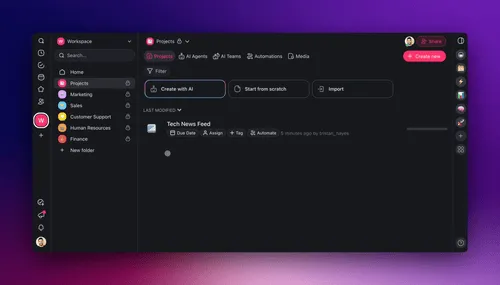
Here is how an approval request flows through a living internal tool, end to end, with no one chasing it:
This is the Workspace DNA loop in practice: Memory (your records) feeds Intelligence (your agent), Intelligence triggers Execution (your automations), and Execution writes the result back to Memory. The tool gets more useful the more it runs.
Picture it as an admin panel for, say, vendor records. A teammate edits a record; the agent reads what changed and why and notes the context; an automation pushes the update out to the systems that need it and writes the outcome back. No one re-keys the same data into three places.
A typical request lifecycle, managed for you
Every request that enters the tool follows a predictable path the system manages on its own. So the team handles exceptions, not routine:
Four internal tools you can clone right now
The fastest way to build is to start from one that already works. Every app in the Community Gallery is live, open it, use it, and clone it into your workspace in one click, then reshape it for your process.
| Build | Good starting point | Open |
|---|---|---|
| Operations dashboard | KPIs, status, alerts | AI Insight Matrix |
| Inventory / order ops | Stock, products, fulfillment | Simple Store Manager |
| Recruiting / intake workflow | Stage-based request routing | Recruiting pipeline templates |
| Metrics / reporting tool | MRR, ARR, team KPIs | SaaS metrics dashboard templates |
Not sure which to build first? Follow the bottleneck you have right now:
WHERE IS THE TIME GOING TODAY?
│
├─ "Approvals pile up in my inbox"          ──▶  Approval / request tool
├─ "Nobody knows what's in stock"           ──▶  Inventory / asset tracker
├─ "I rebuild the same status report"       ──▶  Operations dashboard
├─ "New hires ask the same questions"       ──▶  Onboarding + knowledge base
└─ "We manage records in a fragile sheet"   ──▶  Admin panel
                                                 │
                                                 ▼
                          Describe it to Genesis → clone the closest
                          gallery app → make it yours → share today
Who can build this: no engineer required
The most common objection to internal tools is "we don't have anyone to build it." With a prompt-first builder that objection disappears, because the person who understands the process is the person who builds the tool. They do not need to also understand databases, auth, or deployment. Those are exactly the parts Genesis handles.
Here is who builds what, in practice:
| If you are… | You can build… | Without knowing… |
|---|---|---|
| An operations lead | Approval inboxes, ops dashboards | SQL, schemas, hosting |
| An office or IT manager | Asset trackers, request queues | APIs, auth providers |
| A founder or solo operator | An admin panel for the whole company | Any code at all |
| An HR or People partner | Onboarding + knowledge tools | Front-end design |
| A customer success manager | Client intake + portals | Deployment pipelines |
| A team lead in any function | A tool for your team's exact process | The roadmap of whoever "owns" tooling |
The test from earlier still applies: can a non-technical teammate build it and change it without help? On a developer canvas the answer is usually no, eventually someone has to "just connect the database" or "drop into code." On Taskade Genesis the answer is yes, because both building and changing happen in the same plain-English loop. That is the same shift we describe in The Vibe-Coded Business: the operator who owns the problem ships the solution.
Two things widen who can build even further. First, you do not have to start from a blank prompt, clone a working tool from the Community Gallery and reshape it. Second, the AI agent inside the tool absorbs the operational knowledge, so the tool does not depend on its original builder still being around. If they leave, the next person edits it the same way: by describing what should change. Learn the engine in What Are AI Agents?.
Connect the systems you already use (both directions)
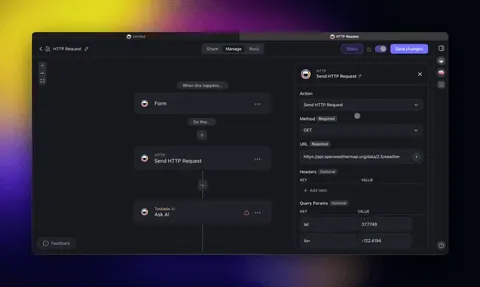
Your internal tool should plug into your stack, not replace it. Taskade's 100+ integrations are bidirectional, triggers pull events in, and actions push data out, which is what lets a tool actually run a process instead of just recording it.
| Direction | Example | What it enables |
|---|---|---|
| Pull in (trigger) | New form submission, paid invoice, calendar event | The tool reacts the moment something happens |
| Push out (action) | Update a Google Sheet, post to Slack, create a record | The tool keeps your other systems in sync |
A request inbox shows why both directions matter. A new form submission pulls in as a request; the agent reads it and an automation pushes out a Slack notification to the approver; the approver's decision pushes out an email to the employee and writes back to update a Google Sheet of approvals. Each leg is a trigger or an action across the same 100+ integrations, no middleware to maintain.
| Internal tool | Triggers it listens for (pull in) | Actions it takes (push out) |
|---|---|---|
| Approval inbox | New form submission, new email | Notify in Slack, email decision, update sheet |
| Inventory tracker | Order placed, stock threshold hit | Reorder, alert the channel, log to records |
| Ops dashboard | Scheduled time, metric change | Post a digest, page on-call, refresh KPIs |
| Onboarding tool | New hire added, start date reached | Assign tasks, send welcome, create accounts |
Because the same workspace holds your data, your agents, and your automations, you are not paying for, or maintaining, four separate tools glued together. There is no separate automation subscription, no separate AI add-on, and no integration platform stitching them together. That single-workspace model is the same reason it beats a stitched stack for any build, a point we make in The Vibe-Coded Business and in our free Zapier alternative breakdown.
Permissions and access control with roles
A serious internal tool needs real access control, and Genesis includes it without configuration. The same approval inbox might be filed in by everyone, approved by a few, and audited by one, and you can express exactly that. Access runs through role-based permissions from Owner to Viewer, applied per workspace, folder, and project, so the right people see the right slice of the tool and nothing more.
| Role | What it can do | Typical internal-tool use |
|---|---|---|
| Owner | Full control, billing, delete | The person who owns the tool |
| Editor | Create and change records | Ops lead and the team doing the work |
| Checker | Comment and approve, not change | Reviewers leaving notes |
| Viewer | Read-only | Auditors, leadership, clients |
Each role applies per workspace, folder, and project, so the same person can edit one queue and only read another. Layer these onto a single tool and access falls out cleanly:
On top of roles, every tool ships with password protection, and OIDC/SSO plus custom domains arrive on Business ($25/month annual) and above. So a finished tool can live at a URL that feels like part of your internal suite and authenticate against your identity provider. You configure none of this by hand; you toggle it on. Compared to developer canvases where SSO often triggers a steep tier jump, this keeps enterprise-grade access affordable as the team grows.
Whatever the role, the same data renders every way your team thinks. You never rebuild a separate report for a different audience. You just point them at the view that fits.
| Project view | Best for in an internal tool |
|---|---|
| List | Task queues, checklists |
| Board | Approval stages, request status |
| Calendar | Scheduling, deadlines |
| Table | Inventory, records, admin data |
| Mind Map | Process mapping |
| Gantt | Project and rollout timelines |
| Org Chart | Teams, ownership, escalation |
The same data renders every way your team thinks, no rebuilding a separate report.
What it costs (and why one workspace beats the build)
One subscription replaces both the per-tool engineering cost and the stitched no-code stack. Instead of ~$26,000 and a quarter per tool, or a monthly bill across a database tool, a front-end builder, an automation tool, and an AI add-on, Taskade folds it into one workspace.
| Plan | Price (annual) | Best for |
|---|---|---|
| Free | $0 | First tool, testing |
| Pro | $10/month (Popular) | Solo operators and small teams |
| Business | $25/month | Teams, custom domains, SSO |
| Max | $100/month | Heavy AI usage |
| Enterprise | Custom | Larger orgs and advanced controls |
The Free Forever plan is enough to build and run a real internal tool. You move up when you need a custom domain, SSO, more team members, or more AI capacity, see the full breakdown on the pricing page.
The stack you replace
The sticker price of one builder rarely tells the real story. A working internal tool usually needs a place to store data, a way to build the interface, an automation layer, and an AI add-on, four line items that each carry their own subscription and their own integration glue. Folding them into one workspace is where the savings actually come from.
| What you'd normally pay for | Why you need it | In Taskade |
|---|---|---|
| Database / backend tool | To store the records | Included |
| Front-end / UI builder | To build the screens | Included — multiple views |
| Automation platform | To route and notify | Included — 100+ integrations |
| AI assistant add-on | To do the work | Included — agents, built-in tools |
| Auth / SSO provider | To control access | Included — roles, SSO on Business+ |
| Hosting / DevOps | To keep it running | Included — fully hosted |
Developer canvases also tend to price per builder seat, which punishes the exact thing you want more of, people who can make tools. Retool's publicly documented model, for example, steps from roughly $10 to $50 per user per month once SSO is required, and self-hosted open-source options trade that bill for DevOps time instead. Taskade's plans cover builders and users together, so the cost of letting another operator build a tool is effectively zero. The deeper case is in Retool vs Taskade and the free Retool alternative breakdown.
Build your internal tool today
You do not need an engineering ticket, a database, or a quarter of runway. Start from a working tool in the gallery, clone the closest one, and reshape it in plain English, or describe your tool to Genesis from scratch. Either way you will have something your team can use today.
To go deeper: read What Are AI Agents? for the engine that runs the tool, explore automations for the rules that route work, and see more starting points in AI App templates. Building adjacent systems too? Pair this with the CRM and client portal guides, or start broad with how to build a business app without code. For the wider field, our roundup of free AI app builders compares the options.
You bring the process. Genesis brings the tool that runs it, Memory holds every record, Intelligence makes the call, Execution does the work.
▲ ■ ● Memory · Intelligence · Execution, build your internal tool free →
Frequently Asked Questions
Can I build an internal tool without coding?
Yes. With Taskade Genesis you describe the internal tool you need in plain English, an approval inbox, an inventory tracker, an admin panel, and it builds a working app with a database, views, an AI agent, and automations. You never write SQL, connect an API, or configure auth. Over 150,000 apps have been built this way. Start free, then move to Pro at $10/month (annual) when you need more.
Do I need a developer or engineering team to build internal tools?
No. That is the whole point. Internal tools traditionally sit in the engineering backlog because they require building a database, an interface, permissions, and integrations. Taskade Genesis removes the build step, a non-technical operations or IT person describes the outcome and gets a deployed tool the same day, with no ticket and no waiting.
What is the difference between Taskade and Retool, Appsmith, or ToolJet?
Retool, Appsmith, and ToolJet are powerful, but they are low-code developer tools: they expect you to connect databases, write SQL or JavaScript, and wire APIs. Taskade Genesis is built for non-coders, you describe the tool in plain English and it generates the data, the interface, the AI agent, and the automations. No data sources to wire, no code to write.
Do I need to know SQL or connect a database?
No. Taskade Genesis includes the database. Many tools marketed as no-code still require you to connect a separate database (like PostgreSQL or Supabase) and set up authentication before anything works. Genesis builds the data model for you from your description, so there is nothing to wire.
Can a non-technical person maintain the tool after it is built?
Yes. You change the tool the same way you built it, by describing what is different in plain English. There is no codebase to maintain, no deployment pipeline, and no dependency on whoever originally built it. Anyone with edit access can adjust it.
What kinds of internal tools can I build?
Common builds include approval and request workflows, inventory and asset trackers, admin panels, team and operations dashboards, onboarding checklists, and internal knowledge bases. Each ships as a living app with multiple project views (List, Board, Calendar, Table, Mind Map, Gantt, Org Chart), an AI agent, and automations.
Can the internal tool do work on its own, not just store data?
Yes, this is what separates a living tool from a database. Taskade Genesis tools include AI agents with built-in tools and persistent memory, plus automations that trigger on events. An agent can review a request, summarize a queue, or draft a response, and an automation can route, notify, and update records automatically across 100+ integrations.
How fast can I build and launch an internal tool?
Most people have a working tool in minutes and a polished version the same day. Industry surveys put the traditional cost of a single internal tool near 600 engineering hours; Genesis collapses that to a prompt because there is no database, interface, deployment, or hosting step to build.
Does it connect to the systems we already use?
Yes. Taskade offers 100+ bidirectional integrations, triggers pull events in (a new form submission, a paid invoice, a calendar event) and actions push data out (update a sheet, send a Slack message, create a record). Your internal tool fits into your existing stack instead of replacing it.
Is it secure and controllable enough for company use?
Yes. Taskade uses role-based access from Owner to Viewer, with password protection and OIDC/SSO for teams on Business and above. You decide exactly who can see and do what.
How much does it cost to build internal tools on Taskade?
Taskade is Free Forever to start. Paid plans run from Pro ($10/month) through Business ($25/month) on annual billing, up to Max and Enterprise. One subscription replaces the typical stack of a database tool, a front-end builder, an automation tool, and a separate AI add-on, and there is no per-tool engineering cost.
What is the best no-code internal tool builder in 2026?
For non-technical operators, Taskade Genesis leads because it removes the build step entirely: describe the tool and get a finished, living app with an AI agent that runs the work, rather than a developer canvas you have to wire up. You can also clone a working internal tool from the Community Gallery and adapt it in minutes.
How is Taskade Genesis different from Retool, Appsmith, Budibase, and ToolJet?
Retool, Appsmith, Budibase, and ToolJet are developer-oriented internal tool builders, they give you a drag-and-drop canvas, then expect you to connect a database, write SQL or JavaScript, and (for the open-source ones) self-host the result. Retool also charges per builder seat, with a documented jump from roughly $10 to $50 per user per month when you need SSO. Taskade Genesis is prompt-first for non-coders: you describe the tool, it generates the data model, the views, the AI agent, and the automations, and there is nothing to wire or host. One flat plan covers builders and users, and SSO arrives on Business at $25/month.
Can the internal tool replace our spreadsheet and our automation tool at the same time?
Yes. A Taskade Genesis tool holds your records (replacing the fragile spreadsheet), renders them in multiple views, and runs automations across 100+ bidirectional integrations (replacing a separate automation tool), with an AI agent on top. Most internal-tool setups stitch together a database tool, a front-end builder, an automation platform, and an AI add-on. Genesis folds all four into one workspace, so there is one bill and nothing to glue together.
What about permissions and access control for a company-wide tool?
Taskade uses a role model, Owner to Viewer, applied per workspace, folder, and project, so you grant exactly the access each person needs. Password protection ships on every tool, and OIDC/SSO plus custom domains arrive on Business ($25/month annual) and above. You never configure an auth provider or write permission logic by hand.