







Learning is a system, not an event.
Most educational tools treat it like a checklist — watch video, take quiz, forget everything. Research shows students forget 70% of material within 24 hours without reinforcement, and traditional LMS completion rates hover between 5-15%.
The best learning happens when content, practice, and feedback are woven together into a living system that adapts to each learner.
TL;DR: Taskade Genesis builds complete AI-powered learning systems from a single prompt — course portals, flashcard makers, AI tutors with persistent memory, and automated spaced repetition workflows. 150,000+ apps built since launch, powered by 15+ frontier models from OpenAI, Anthropic, and Google. Build your learning system free →
Taskade Genesis turns education into living learning systems. One prompt creates a complete workspace with course content (Projects), AI tutors (Agents), and automated learning workflows (Automations).
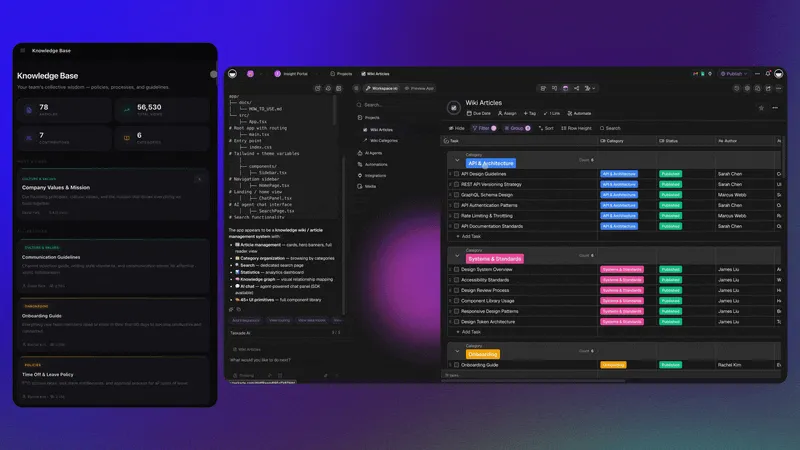
How to Choose the Right Learning Tool
Different learning goals require different tools. This flowchart helps you pick the right template based on what you are trying to accomplish.
Each tool below can be cloned in one click and customized for your specific needs. For anything not covered by a template, describe it in a Genesis prompt and the system builds it from scratch.
Quick Reference: All 8 Education Tools
| # | Tool | Best For | Learning Science | Clone Link |
|---|---|---|---|---|
| 1 | Flash Deck Maker | Memorization, languages | Spaced repetition, active recall | Clone → |
| 2 | Multiplication Playground | Math learning | Interleaving, retrieval practice | Clone → |
| 3 | Study/Work Timer | Focus sessions | Pomodoro technique, time blocking | Clone → |
| 4 | Seating Chart Planner | Classroom management | Strategic grouping, collaboration | Clone → |
| 5 | Class Booking Portal | Course scheduling | Structured scheduling, commitment | Clone → |
| 6 | Book Reading Tracker | Reading habits | Distributed practice, annotation | Clone → |
| 7 | Note Tiles | Visual note-taking | Dual coding, spatial memory | Clone → |
| 8 | AI Quiz Generator | Exam preparation | Retrieval practice, feedback loops | Build with Genesis → |
The Learning Science Behind Effective Education Tools
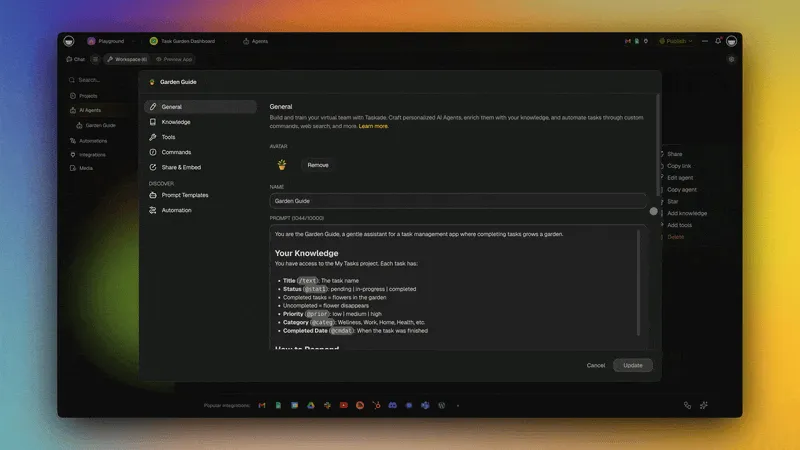
Before diving into the tools, understanding three evidence-based learning principles helps you choose and configure the right system for your needs.
Three Principles That Drive Retention
| Principle | What It Means | Retention Impact | Taskade Implementation |
|---|---|---|---|
| Spaced Repetition | Review at increasing intervals | 200-300% improvement vs. massed practice | Automated review scheduling via Automations |
| Active Recall | Retrieve from memory, do not re-read | 50% better retention than passive review | AI-generated quiz questions via Agents |
| Interleaving | Mix topics in study sessions | 20-40% improvement on transfer tests | Mixed-topic review decks via Projects |
How Spaced Repetition Works in Taskade
Taskade Automations handle the scheduling automatically. When a student marks a flashcard as "recalled," the system pushes the next review further out. When they miss one, it shortens the interval. No manual tracking required.
1. Flash Deck Maker

Create, organize, and study flashcards with AI-powered spaced repetition. The system tracks which cards you know well and which need more practice, automatically scheduling reviews at optimal intervals.
Best for: Students, language learners, medical students, certification prep
Features:
- Flashcard creation with rich text, images, and code blocks
- Deck organization by subject, difficulty, and review status
- Study mode with active recall testing (card flips, not re-reading)
- Progress tracking with retention curves
- AI-generated cards from uploaded notes via Agents
- Spaced repetition scheduling via Automations
Teacher perspective: Upload a lesson plan and the AI agent generates a flashcard deck covering key vocabulary and concepts. Share the deck with students and track their retention progress.
Student perspective: Study a deck, mark cards as easy/medium/hard, and receive automated reminders to review difficult cards before they fade from memory.
2. Multiplication Playground
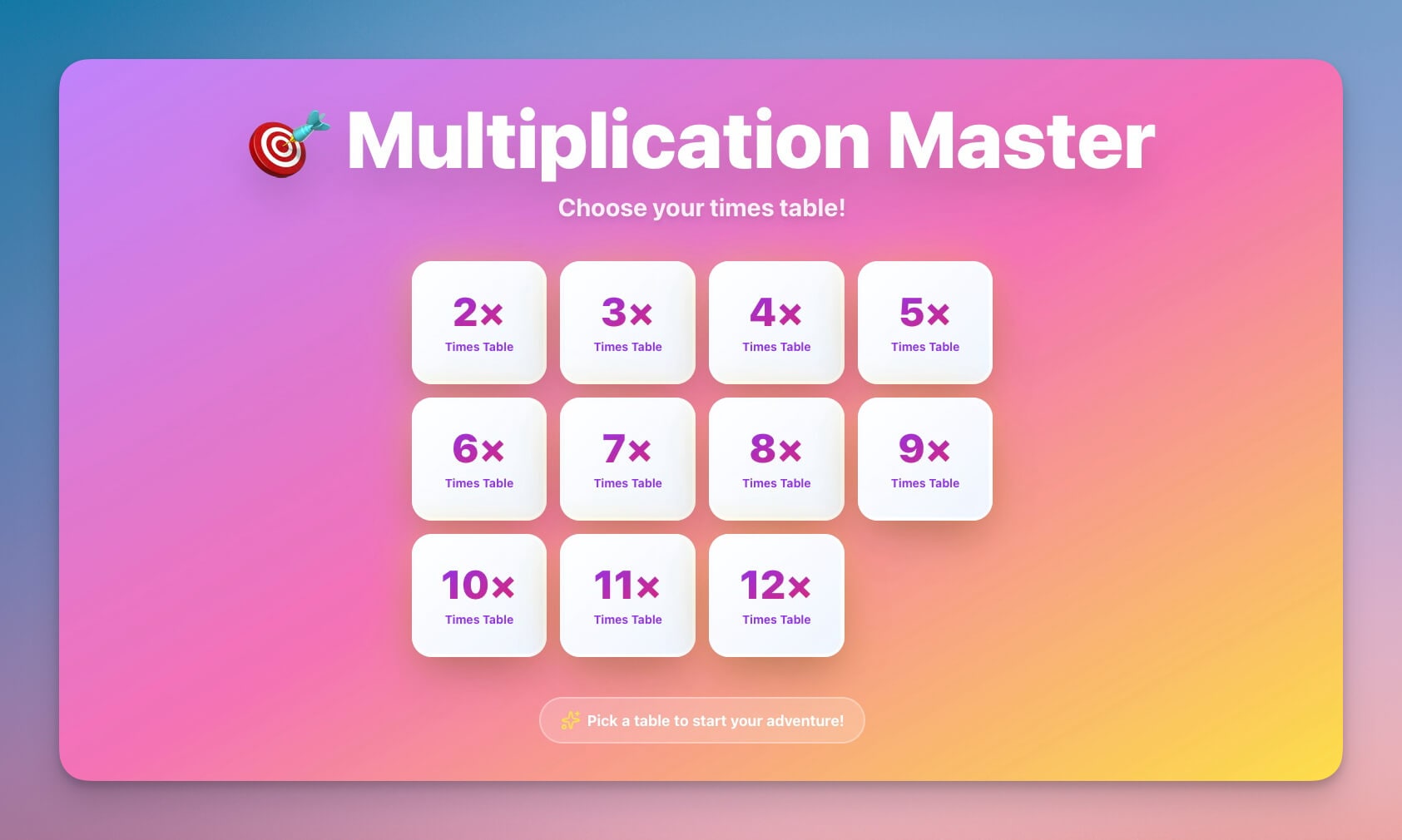
An interactive math learning tool that uses interleaving — mixing problem types within a session rather than drilling one type at a time. Research shows interleaved practice produces 20-40% better performance on tests than blocked practice.
Best for: Elementary students (ages 6-12), parents, math tutors
Features:
- Interactive practice with immediate feedback
- Adaptive difficulty that adjusts to student performance
- Achievement system with milestone tracking
- Progress reports for parents and teachers
- Mixed problem types (interleaving) for deeper learning
- AI hints that guide reasoning instead of revealing answers
Teacher perspective: Assign multiplication ranges per student. The AI agent tracks accuracy and automatically adjusts difficulty — students who master 1-5 move to 6-9 without teacher intervention.
Student perspective: Earn achievements for streaks and accuracy. The gamified interface makes drill practice feel like a challenge rather than a chore.
Clone Multiplication Playground →
3. Study/Work Timer and Music Player

A Pomodoro-style timer with ambient sounds for focused study sessions. The Pomodoro technique (25 minutes focus, 5 minutes break) is backed by research showing structured breaks improve sustained attention by 15-25%.
Best for: Students, remote workers, focus enthusiasts, exam prep
Features:
- Configurable Pomodoro timer (25/5, 50/10, custom intervals)
- Ambient music and white noise player
- Break reminders with stretch and eye-rest suggestions
- Session history with daily and weekly study time tracking
- Integration with flashcard decks for timed review sessions
- Focus analytics showing peak productivity hours
4. Seating Chart Planner
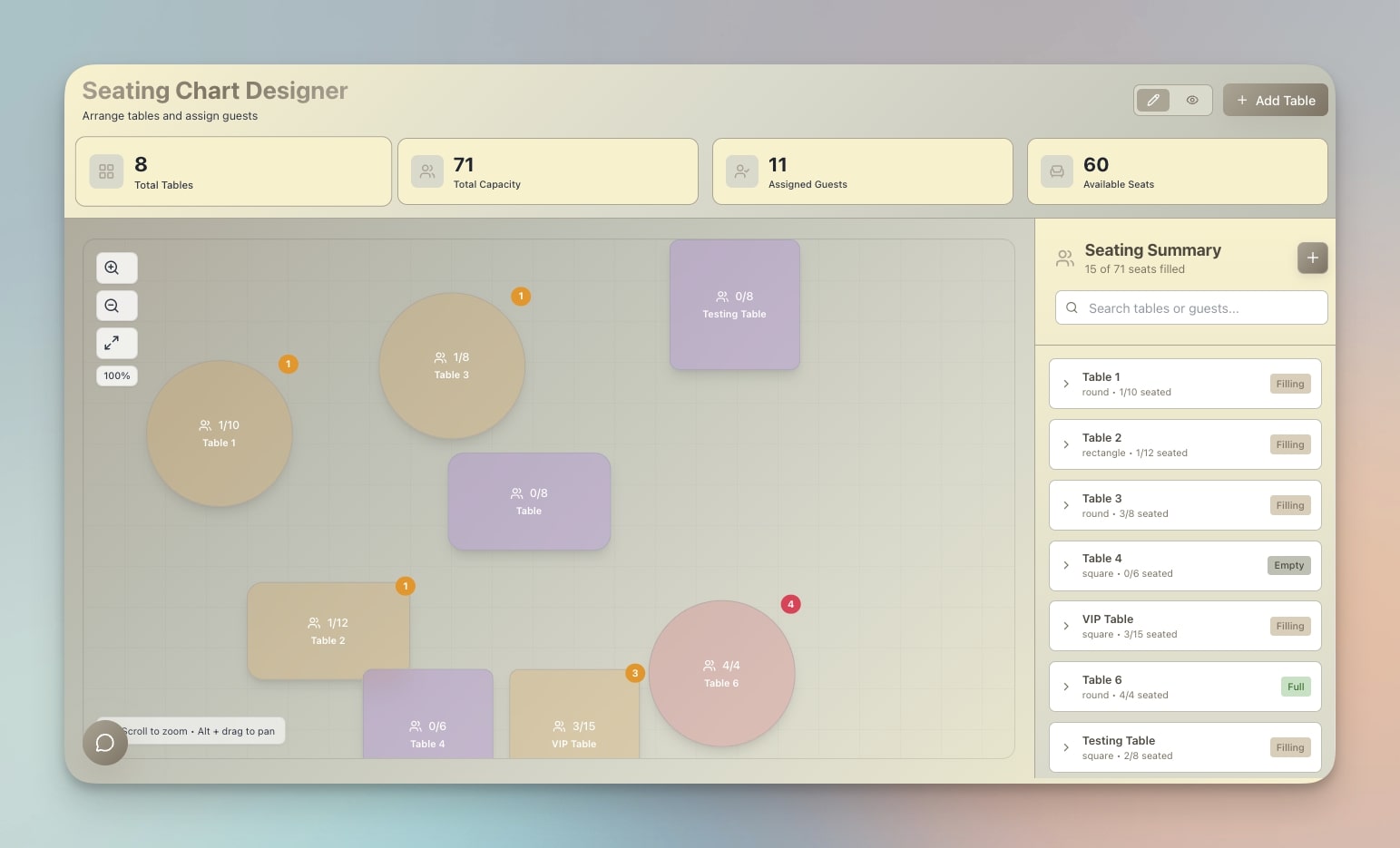
Plan and manage classroom seating arrangements with strategic grouping. Research on collaborative learning shows that intentional seating — pairing high and low performers, separating distractors — improves engagement by 20-30%.
Best for: Teachers, event planners, workshop facilitators, conference organizers
Features:
- Drag-and-drop seating arrangement builder
- Student database with notes on learning preferences and behavior
- Multiple layout presets (rows, groups, U-shape, circle)
- Export and print for substitute teachers
- Random shuffle with constraints (keep certain students apart)
- Group rotation tracking for collaborative activities
Teacher perspective: Create multiple seating configurations for different activities — lecture layout, group work layout, test layout — and switch between them with one click. The AI agent suggests optimal groupings based on student profiles.
5. Class Booking Portal
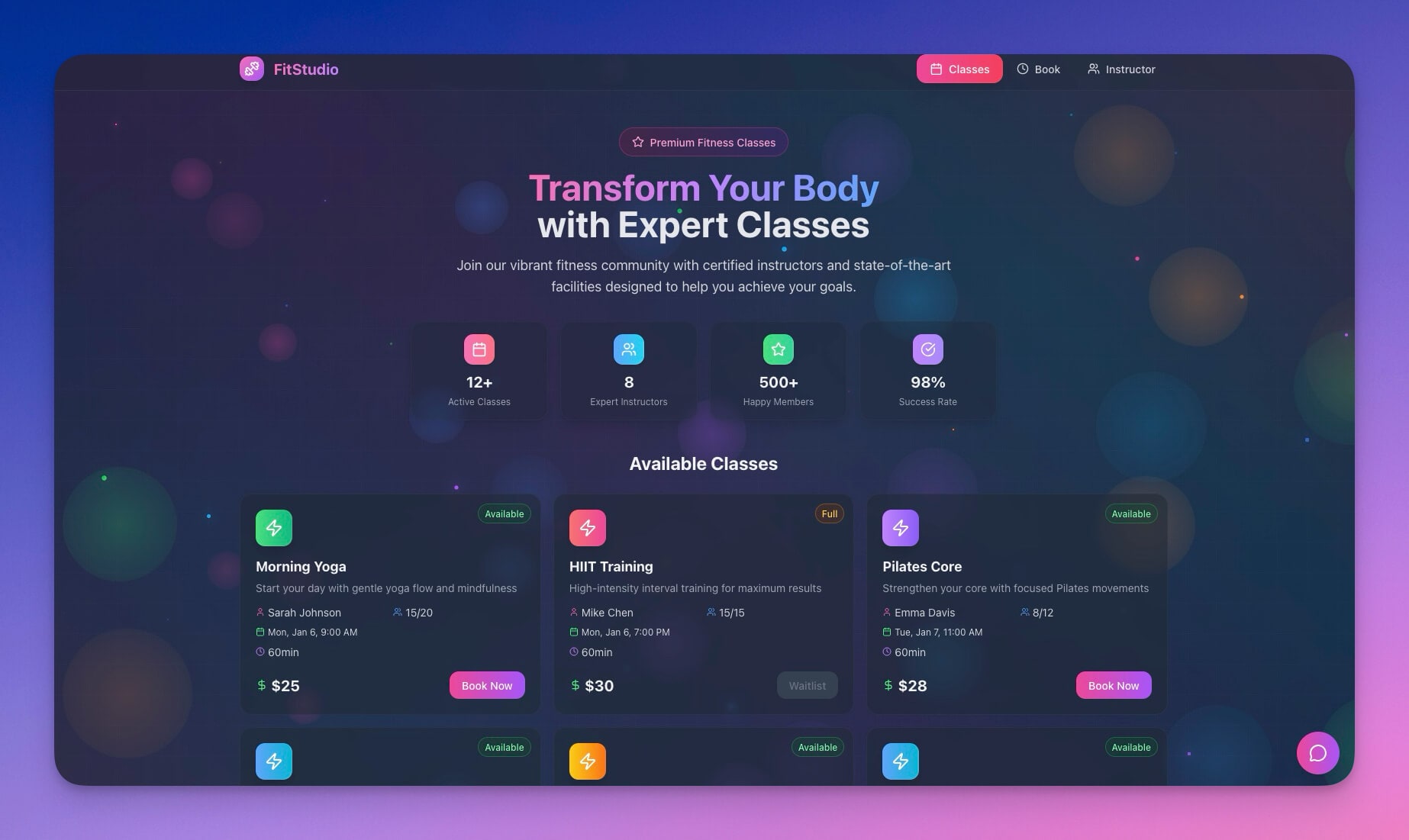
Schedule and manage class sessions, workshops, or tutoring appointments. Students book their preferred time slots and receive automated confirmations and reminders.
Best for: Tutors, workshop facilitators, course creators, language schools
Features:
- Class scheduling with capacity limits per session
- Student registration with automatic waitlist management
- Reminder automations 24 hours and 1 hour before class
- Attendance tracking with no-show detection
- Payment integration for paid workshops
- Calendar sync via 100+ integrations
Teacher perspective: Set available time slots, define class capacity, and let students self-register. The system handles confirmations, reminders, and waitlist management automatically.
Student perspective: Browse available classes, register with one click, receive calendar invites and reminders. Cancel or reschedule without emailing the teacher.
6. Book Reading Tracker
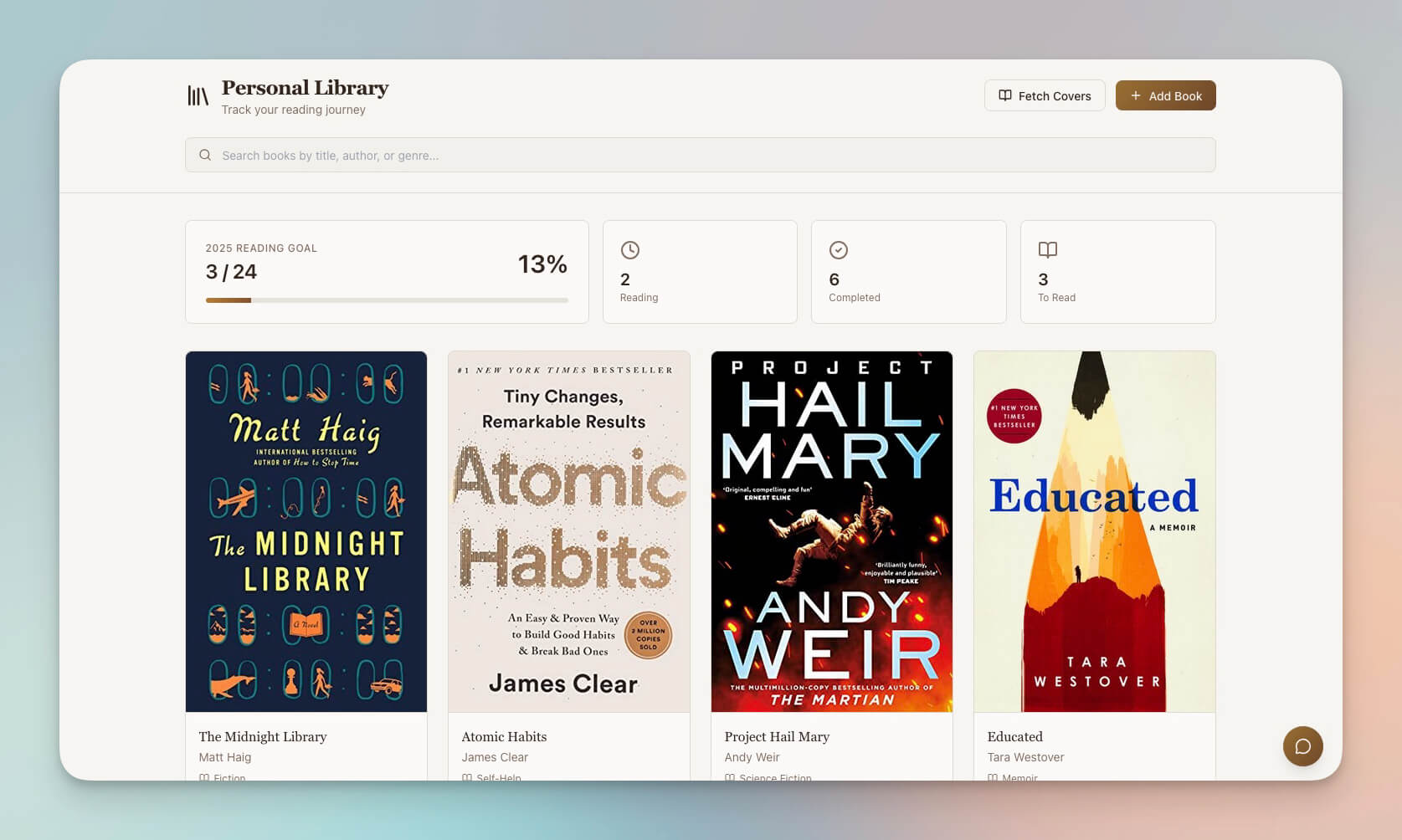
Track reading progress, capture notes, and build a personal knowledge library. The act of annotating while reading (distributed practice) improves comprehension by 30-40% compared to passive reading.
Best for: Students, book clubs, lifelong learners, researchers
Features:
- Reading list management with status tracking (to-read, reading, completed)
- Page progress tracking with estimated completion dates
- Note-taking linked to specific chapters and pages
- AI-powered recommendation system based on reading history
- Reading streak tracking and annual goals
- Export annotations for research papers and essays
7. Note Tiles
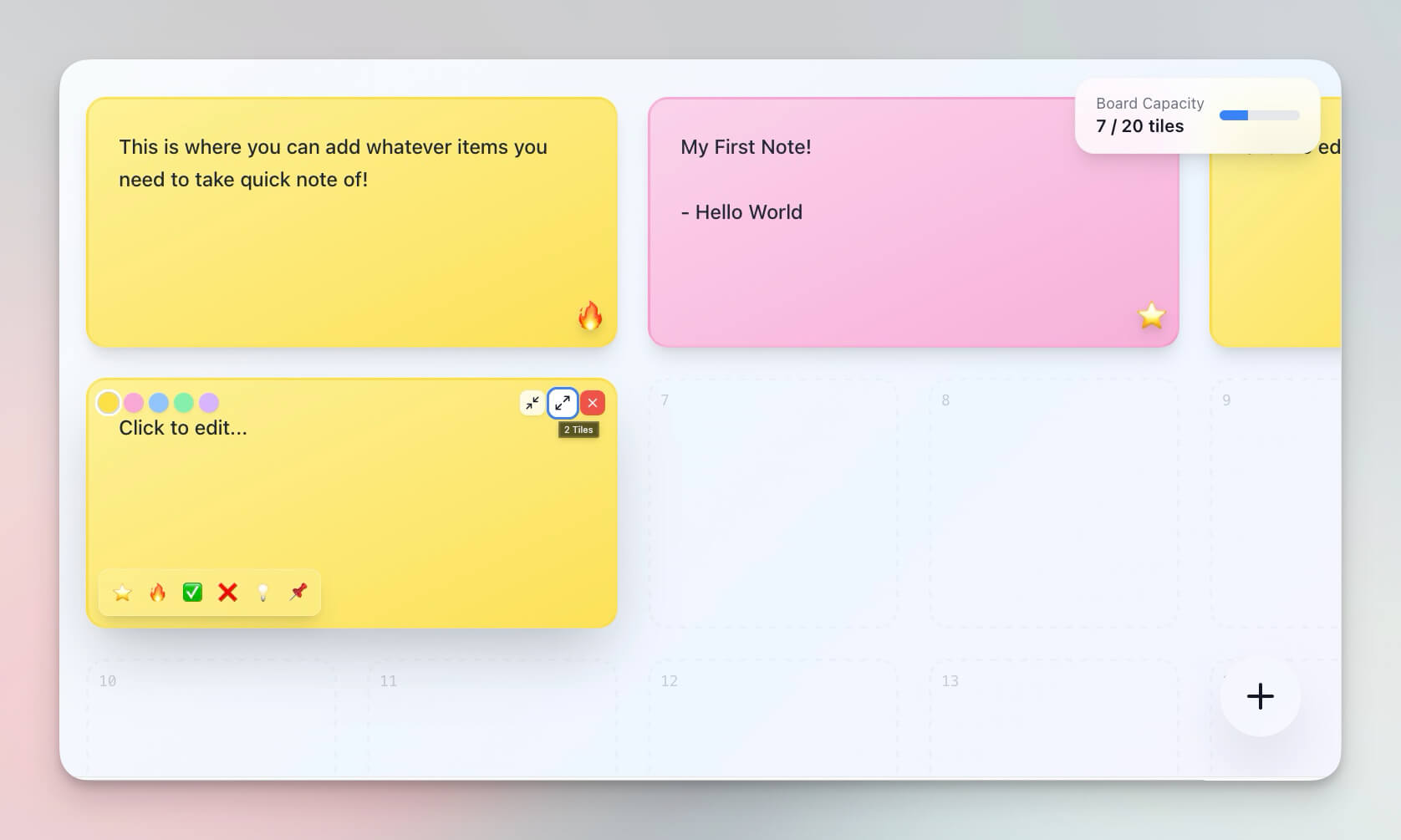
A visual note-taking system that leverages dual coding — combining text with spatial arrangement. Research shows visual-spatial organization improves recall by 20-30% compared to linear notes.
Best for: Visual learners, researchers, students, creative thinkers
Features:
- Tile-based organization with drag-and-drop arrangement
- Color coding by subject, priority, or status
- Quick capture for ideas, quotes, and concepts
- Full-text search and tag-based filtering
- AI-powered connection suggestions between related tiles
- Export to Mind Map view for hierarchical visualization
8. AI Quiz Generator
Build a custom quiz system from any study material. Upload notes, textbook chapters, or lecture slides, and AI agents generate multiple-choice, short-answer, and essay questions aligned with learning objectives.
Best for: Exam preparation, certification study, teacher assessment creation
Features:
- Auto-generated questions from uploaded content
- Multiple question types (MCQ, true/false, short answer, essay)
- Difficulty levels aligned with Bloom's taxonomy
- Instant feedback with explanations
- Performance analytics showing knowledge gaps
- Spaced review of missed questions via Automations
Teacher perspective: Upload a chapter and the AI generates a 20-question assessment in seconds. Review and edit questions, then assign to students with automatic grading.
Student perspective: Take practice quizzes, see immediate explanations for wrong answers, and automatically receive follow-up quizzes focused on weak areas.
Taskade vs Khan Academy vs Quizlet vs Anki vs Google Classroom
Each platform serves a different slice of the education market. Here is how they compare for building and running learning systems.
| Feature | Taskade Genesis | Khan Academy | Quizlet | Anki | Google Classroom |
|---|---|---|---|---|---|
| Primary use | Custom learning systems | Pre-made video lessons | Flashcard studying | Spaced repetition | Assignment management |
| Content | Build anything from a prompt | K-12 math, science, computing | User-generated flashcards | User-generated flashcards | Teacher-uploaded assignments |
| AI assistance | 15+ frontier models, 34 tools | AI-guided practice (math only) | AI-generated study sets | None | None |
| Spaced repetition | Via Automations | None | Limited (Plus plan) | Core feature (SM-2 algorithm) | None |
| Customization | Fully custom from prompt | Fixed curriculum | Card templates only | Card templates + add-ons | Classroom templates |
| Collaboration | Real-time, 7 permission levels | None | Study groups | Shared decks (manual) | Teacher-student model |
| Integrations | 100+ integrations | None | Limited (3rd-party) | Add-on ecosystem | Google Workspace only |
| Views | 7 project views | Video + practice | Cards + learn mode | Cards only | Stream + classwork |
| Pricing | Free / $10 / $25 per month | Free | Free / $8 per month | Free (desktop), $25 (mobile) | Free (with Google account) |
| Best for | Custom AI-powered learning systems | Self-paced math/science study | Vocabulary and term memorization | Hardcore spaced repetition | K-12 classroom management |
The key difference: Khan Academy, Quizlet, and Google Classroom provide pre-built education experiences you adapt to. Taskade Genesis builds the exact education tool you describe, with AI agents and automations built in.
Curriculum Integration Examples
Here are practical examples of how educators use Taskade learning tools within existing curricula.
K-12 Science Class
| Component | Taskade Tool | How It Is Used |
|---|---|---|
| Vocabulary | Flash Deck Maker | AI generates flashcards from textbook glossary |
| Lab Reports | Note Tiles | Students organize observations visually |
| Study Schedule | Study Timer | Pomodoro sessions before exams |
| Seating | Seating Chart Planner | Group rotations for lab partners |
| Review | AI Quiz Generator | Auto-generated quizzes from unit content |
University Language Course
| Component | Taskade Tool | How It Is Used |
|---|---|---|
| Vocabulary | Flash Deck Maker | Spaced repetition for 500+ terms per semester |
| Reading | Book Reading Tracker | Track novels and articles with annotations |
| Tutoring | Class Booking Portal | Students book conversation practice slots |
| Writing | AI Agent | Feedback on grammar and structure in real time |
| Progress | Automations | Weekly reports sent to students and advisor |
Corporate Training Program
| Component | Taskade Tool | How It Is Used |
|---|---|---|
| Onboarding | Custom Genesis Portal | New-hire training modules with quizzes |
| Compliance | AI Quiz Generator | Annual certification assessments |
| Scheduling | Class Booking Portal | Workshop registration with capacity limits |
| Knowledge Base | Note Tiles + AI Agents | Searchable reference library with AI answers |
| Analytics | Automations | Completion reports sent to HR weekly |
Why Learning Needs Living Systems
Static courses do not stick. The best learning happens when the system adapts to the learner. Genesis education tools are living systems that evolve with each interaction.
| Traditional LMS | Taskade Genesis Learning System |
|---|---|
| Fixed curriculum | Adaptive content via AI agents |
| No personalization | Persistent memory tracks each learner |
| Manual grading | Automated feedback and assessment |
| Isolated content | Connected knowledge across 7 views |
| Passive consumption | Active engagement with retrieval practice |
| One-size-fits-all pace | Spaced repetition adapts to individual progress |
| Siloed tools | 100+ integrations connect learning to workflows |
This is Workspace DNA — Memory (your course content in Projects) feeds Intelligence (AI tutors in Agents) which triggers Execution (automated workflows in Automations) which creates new Memory (student progress data). A self-reinforcing learning loop.
Education Automations
Connect your learning tools to real workflows with Taskade Automations:
| Automation | Trigger | Action | Integration |
|---|---|---|---|
| Spaced repetition reminders | Review interval reached | Push notification to student | Slack, email, mobile |
| Progress reports | Weekly schedule | Summary emailed to parent/student | Gmail, Outlook |
| New content alerts | Lesson published | Notification to enrolled students | Slack, Teams |
| Milestone celebrations | Quiz score above threshold | Badge awarded, notification sent | In-app, email |
| Review prompts | 3 days before exam date | Study plan generated and sent | Email, Calendar |
| Attendance tracking | Class session completed | Attendance logged, absent students notified | Slack, email |
Learn more: Automations and Workflows →
Build Your Learning System
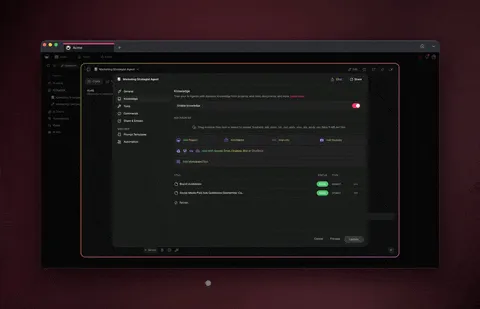
Create a custom education workspace in minutes:
- Open Taskade Genesis and click "Create App"
- Describe your system (e.g., "Build a course portal with lesson modules, quizzes, and an AI tutor that answers student questions and tracks progress with spaced repetition")
- Use "Enhance Prompt" for detailed customization
- Genesis creates the workspace with Projects, Agents, and Automations
- Add your content — upload notes, paste curriculum outlines, or let AI generate starter material
- Invite students and let them learn with AI assistance
- Review progress reports and adjust the system based on data
Learn more: Create Your First App →
Start Building
Ready to build your learning system?
Resources:
- Explore Community Apps — Clone education tools from the gallery
- Create Your First App — Step-by-step tutorial
- Workspace DNA — Understand the Memory + Intelligence + Execution architecture
- AI Agents Guide — Build AI tutors with persistent memory
- Automations Guide — Set up spaced repetition and progress reports
- Project Views — Use all 7 views for different learning activities
Your living learning system includes:
- Custom AI Agents — AI tutors with 34 built-in tools
- Projects and Memory — Course content in all 7 views
- 100+ Integrations — Connect to Google Calendar, Slack, email, and more
- Role-Based Access — 7 permission levels from Owner through Viewer
Read more:
- Build Your First AI App: 12 Beginner Examples
- 10 Personal AI Workspaces (Second Brain)
- 12 AI Tools Built with Taskade Genesis
- What is Vibe Coding?
- Stop Worshipping Prompts, Start Building Workflows
- How to Build a Room Booking Dashboard
Explore Taskade AI:
- AI Education Tools — Built for learning
- AI App Builder — Build complete apps from one prompt
- AI Agent Builder — Create AI tutors with persistent memory
- AI Dashboard Builder — Generate analytics dashboards
Build with Genesis:
- Browse All Generator Templates — Apps, dashboards, websites, and more
- Browse Agent Templates — AI agents for every use case
- Explore Community Apps — Clone and customize
- Explore Templates — Ready-to-use templates
Explore the Vibe Apps series:
- Vibe Learning Apps — Best AI LMS and course platforms

Frequently Asked Questions
How can I use Taskade Genesis to build AI education tools?
Open Taskade Genesis and describe the learning tool you need in a text prompt such as a course portal with lesson modules, quizzes, and an AI tutor. Genesis builds the complete system with content storage in Projects, AI tutors via Agents with 34 built-in tools, and automated learning workflows via Automations connecting to 100+ integrations. Over 150,000 apps have been built with Genesis since launch.
What types of education tools can I build with Taskade?
You can build flashcard makers with spaced repetition, interactive math playgrounds, Pomodoro study timers, seating chart planners, class booking portals, book reading trackers, visual note-taking systems, and AI-powered quiz generators. Each tool includes AI assistance and can be cloned from the Taskade Community Gallery.
Can Taskade AI agents act as personal tutors for students?
Yes. Taskade AI Agents, powered by 15+ frontier models from OpenAI, Anthropic, and Google, can answer student questions, generate study materials, provide adaptive feedback, and guide learning sessions. They maintain persistent memory of student interactions for personalized tutoring across sessions and support 34 built-in tools.
Can teachers automate study reminders and progress reports with Taskade?
Yes. Taskade Automations can send spaced repetition study reminders, deliver progress reports to parents or students, notify when new content is available, and prompt review sessions before exams. All automations connect to 100+ integrations including email, Slack, Google Calendar, and messaging platforms.
How does spaced repetition improve learning retention?
Spaced repetition schedules reviews at increasing intervals based on how well you know each item. Research shows it improves long-term retention by 200-300% compared to massed practice. Taskade automates the scheduling so students review material at optimal intervals without manual tracking, using AI agents to adapt difficulty based on performance.
What is active recall and how does Taskade support it?
Active recall is the practice of retrieving information from memory rather than re-reading notes. Studies show it produces 50% better retention than passive review. Taskade supports active recall through AI-generated quiz questions, flashcard testing mode, and agents that ask follow-up questions based on student responses rather than simply presenting answers.
How does Taskade compare to Khan Academy and Google Classroom for education?
Khan Academy provides pre-made video lessons for K-12 math and science. Google Classroom manages assignments and grading for existing curricula. Taskade Genesis builds custom learning systems from a prompt with AI tutors, automated workflows, and 7 project views, free to start, with Pro from $10 per month billed annually. The key difference is customization: Taskade creates the exact learning tool you need rather than adapting to a pre-built platform.
Can I build a curriculum management system with Taskade?
Yes. Describe your curriculum structure in a Genesis prompt including modules, lessons, prerequisites, and assessment criteria. Genesis creates a workspace with course content in Projects, AI teaching assistants via Agents, and automated grading and progress tracking via Automations. Teachers can view curriculum as a Gantt chart for scheduling or a Mind Map for topic relationships.
What learning science principles should I apply when building education tools?
Three evidence-based principles produce the largest learning gains: spaced repetition with 200-300% retention improvement, active recall with 50% better retention than passive review, and interleaving with 20-40% improvement on transfer tests. Taskade supports all three through automated review scheduling, AI-generated retrieval practice, and mixed-topic study sessions managed by AI agents.
Can students collaborate on study materials in Taskade?
Yes. Taskade supports real-time collaboration with 7 permission levels from Owner through Viewer. Students can co-edit study guides, share flashcard decks, contribute to group projects, and comment on each other's notes. AI agents can moderate group discussions and generate summary notes from collaborative sessions.