






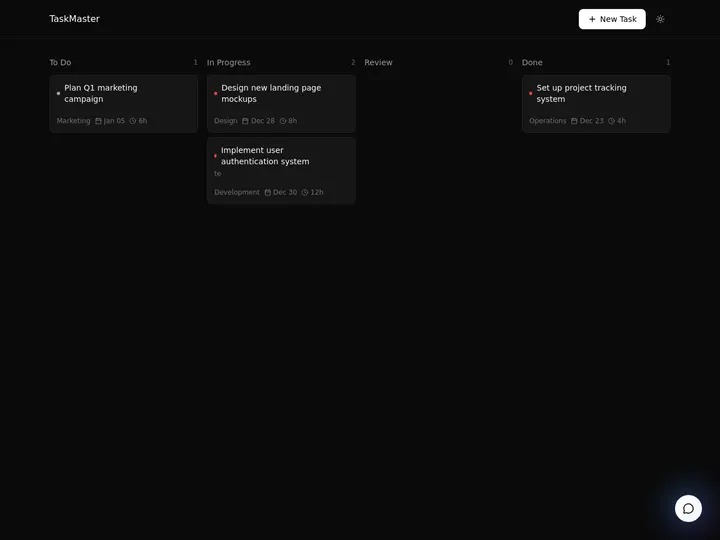
Updated June 2026. A family tree generator should not hand you a flat picture and walk away. Generate the tree in Taskade Genesis, then run it as a living app, viewed as an Org Chart, expandable generation by generation, and shared with relatives who add the branches only they remember. MyHeritage and Ancestry lead on deep historical records, FamilySearch on free shared trees, and Canva and Lucidchart on printable charts. But only Taskade Genesis turns the tree into a workspace you own. Try Taskade Genesis free →
Try It Live: A Family Tree You Can Actually Run
Every other tool on this list hands you a chart and stops. This one keeps going. The app below was built from a single prompt in Taskade Genesis. Clone it, switch to the Org Chart view, and you have a living family tree, every relative a node you can open, expand, and hand to your whole family to edit together. Click it, clone it, and watch a family tree stop being a frozen image and start being a workspace you own.
Watch how one prompt becomes a real, running app:
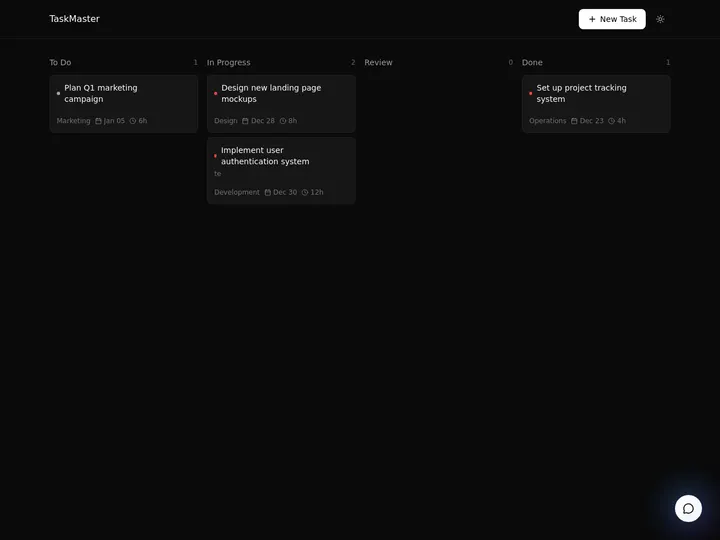
This is the difference the rest of the article is about. A family tree generator that gives you a picture is a tool. A family tree generator that gives you a living, shareable app is something your whole family keeps building for years. Clone this app and turn it into your family tree →
The Evolution of Family Tree Tools: From Wall Chart to Living App
Family tree tools have moved through four eras, and 2026 is the start of the fifth. It began as a hand-drawn wall chart you rolled up in a closet. It became desktop genealogy software with a .ged file. It became a cloud research site with billions of records. It became an AI generator that drafts the chart for you from a few names. And now, with Taskade Genesis, it becomes a living app, a tree you generate from a list of names, view as an Org Chart, expand generation by generation, and share with relatives in real time. Each era kept the previous one's job and added a new one. The pattern is consistent: the chart got easier to make, but it stayed a chart. The 2026 shift is the first time the output stops being a picture and starts being a running app your whole family owns together.
Here is the whole arc, era by era:
Read the same arc as a milestone table, what changed, and what each era still left on the table:
| Era | What you made | What you got | What it still couldn't do |
|---|---|---|---|
| Pre-1990s — Wall chart | A hand-drawn poster | A keepsake | Redraw it for every new birth |
| 1990–2005 — Desktop software | A GEDCOM file on one PC | Structured data | Family couldn't open it together |
| 2006–20 — Cloud records | A tree on a research site | Billions of sources | Tree lives in their silo, not yours |
| 2021–24 — AI drafting | A chart from a few names | A faster first draft | Still a static picture, still siloed |
| 2025–26 — Living app | A family tree app (Taskade Genesis) | A tree you own and expand together | — (this is the frontier) |
The plain-English takeaway: every era made the chart easier to draw or richer to research. Only the 2026 era makes the tree grow with your family after you make it. That is the whole reason Taskade Genesis tops this list. It is built for the era the rest of the category is still catching up to. For how prompt-to-app generation works, see our Genesis Loop and no-code app builder explainers.
What Is the Best AI Family Tree Generator in 2026?
Taskade Genesis is the best AI family tree generator in 2026 because it closes the gap between drawing a tree and living with one. Type your relatives in one prompt, and Taskade Genesis lays out a structured family tree. Then runs it as a live app you view as an Org Chart, one of Taskade's project views. Every other tool on this list hands you a chart image or locks your tree in a research silo. Taskade Genesis hands you a workspace you own, where the tree grows one branch at a time and the whole family edits it together.
The plain-English version: the family tree that used to take a weekend of redrawing, or a paid subscription to keep alive, gets generated from a list of names in minutes and stays current forever. Taskade's first Enterprise customer — an IT program manager with no engineering team — built a production app on Taskade Genesis and put the leverage this way: "What I accomplished in a few weeks would have taken a team of 40+ people 18 months in a Fortune 500." He didn't generate a file. He generated the app that runs the work, and a family tree is exactly the kind of living app the same engine builds.
This article leans on the dedicated family-tree generator at its core, so you can start from a focused tool and graduate to the full living app whenever you're ready.
Generate the Chart vs. Run the App: Why a Picture Isn't Enough
A family tree generator gives you a better picture. An app generator gives you the thing the picture was for, a living record your family keeps together. That is the whole gap. Six of the seven tools below hand you a static chart, a printable poster, or a tree locked inside their research site. You still have to redraw it for the next birth, email a fresh copy around, and pay to keep it alive. Taskade Genesis takes the same list of names and returns a working family tree app, viewed as an Org Chart, expandable generation by generation, and shared with relatives who add the branches only they know.
Here is the path a family tree actually travels when the tool doesn't stop at the picture:
Most tools on this list live in the first two boxes. Taskade Genesis is the only one that carries the tree all the way to the last one, a living record, not a printed picture.
Side by side, the year after you make it looks like this:
  A CHART GENERATOR                        AN APP GENERATOR (Taskade Genesis)
  ──────────────────                       ──────────────────────────
  [ you ] enter the names                  [ you ] enter the names
      │                                        │
      ▼                                        ▼
  export a PNG / printable chart           a living Org Chart app
      │                                        │
      ▼                                        ├─ open a person → photo + notes
  email it around                          ├─ relatives add their own branches
      │                                        ├─ view as List, Table, Calendar
      ▼                                        ▼
  redraw it for the next birth             it grows with every birth
  (a fresh file each time)                 (one shared tree the family owns)
The left column is where six of these tools end. The right column is where the family tree actually lives.
Why Sharing With Relatives Is the Whole Game
The family tree you can build together is the family tree that survives. The richest branches of any tree are the ones only one relative remembers, a great-aunt's maiden name, a cousin's birth year, a grandfather's hometown. A static chart traps that knowledge with whoever drew it. A living app does the opposite: it invites every relative onto the same tree, so the people who hold the memories add them directly, and the tree fills in faster than any one person could research it alone.
That is the difference between a generator that hands you a picture and one that hands you a workspace. Every tool on this list can produce a clean first draft in 2026; AI made the drawing easy. The unsolved problem, the one that actually completes a family tree, is everything that happens after the first draft, when relatives add what they know and the tree stays current for decades. Taskade Genesis is built around that second half: real-time collaboration, a node per person you can keep editing, and a role model so you choose exactly who can edit and who can only view. The drawing is table stakes. The living, shared record is the product.
How We Ranked
We ranked 7 AI family tree generators on six criteria that matter to the person who actually wants to build and keep a family tree, not just print one:
- Generation quality, how well the tool lays out a correct, readable tree from a few names.
- Output you keep, a static picture, a tree in a vendor silo, or a living app you own.
- Collaboration, can relatives open the same tree and add the branches only they remember.
- Depth per person, can each relative hold a photo, dates, a hometown, and a story.
- Records and research, access to historical records, hints, and the GEDCOM standard.
- Pricing, free-tier generosity and cost once the tree grows past a few hundred people.
Scored against those six criteria, here is how the field stacks up at a glance, the single column that separates the leader from the pack is "Output you keep":
| Tool | Generation | Output you keep | Collaboration | Records | Price value |
|---|---|---|---|---|---|
| Taskade Genesis | Excellent | Living app | Real-time, Owner to Viewer | Via integrations | Excellent (free) |
| MyHeritage | Excellent | Tree in their silo | Invite family | Billions + GEDCOM | Fair (250 free) |
| Ancestry | Excellent | Tree in their silo | Invite family | Largest DB + GEDCOM | Low (subscription) |
| FamilySearch | Good | Shared global tree | Whole community | Free records + GEDCOM | Excellent (free) |
| Canva | Good | Printable picture | Basic | None | Good (free + Pro) |
| Lucidchart | Good | Diagram file | Real-time | Spreadsheet import | Good (free tier) |
| Creately | Good | Diagram file | Real-time | None | Good (flat team) |
The grid tells the story before you read a word of the reviews: most tools earn "Good" or "Excellent" on generation, then every single one drops to "picture," "silo," or "diagram file" on output, except the one that hands you a living app.
The 7 Best AI Family Tree Generators
1. Taskade Genesis: Best Overall: Generate the Tree, Then Live In It
Taskade Genesis is the only tool on this list that generates a family tree and runs it as a living app. Describe your relatives in one prompt, grandparents, parents, siblings, children, and Taskade Genesis lays out a structured tree, then opens it in the Org Chart view, one of Taskade's project views. From there it is a working app: every person is a node you click to add a photo, a birth date, a hometown, and a story, and the whole family can open the same tree to add the branches only they remember.
That is the structural gap in the whole category. Every competitor stops at a chart picture or a tree locked in their research site. Taskade Genesis carries the tree all the way to a living, shareable workspace you own. The family tree that used to take a weekend of redrawing, and a paid subscription to keep alive, gets generated from a list of names in minutes and stays current for generations.
The fastest way in is the dedicated family-tree generator: type the names, get a tree, then expand it as a full app whenever you're ready. Because the tree is a Taskade Genesis app, it also opens as a List for a clean name index, a Table for birth and death dates, a Calendar for everyone's birthdays, and a Mind Map for mapping out a branch you're still researching, the same tree, seen the way you need it.
Taskade Genesis runs on 15+ frontier models from OpenAI, Anthropic, Google, and open-weight providers, so the layout reads cleanly and the AI understands plain-language relationships. The workspace ships multiple project views (List, Board, Calendar, Table, Mind Map, Gantt, Org Chart), a role model (Owner to Viewer) so a young cousin can view while a parent edits, and 100+ bidirectional integrations to wire a printable export or a photo backup around the tree. Brand and host it on a custom domain on Business and above, and your family tree becomes a private family site, not a file on someone's hard drive.
Best for: Anyone, a parent, a grandchild, a family historian, who wants a family tree that grows with the family, not a picture that goes stale.
Strengths: Only tool that turns the tree into a living, shareable app you own; generate from a list of names; Org Chart plus 6 other views of the same tree; photo, dates, and story per person; real-time collaboration with roles from Owner to Viewer; generous free tier.
Weaknesses: Not a records-research engine. It won't surface census hints the way MyHeritage and Ancestry do; deep GEDCOM workflows live on the dedicated genealogy sites.
Pricing: Free (Free Forever plan), Pro $10/mo (the Popular tier), Business $25/mo, Max $100/mo, Enterprise $250/mo, all annual billing.
The catch: Honest one, if your goal is hunting down 1880 census records and matching DNA, a dedicated genealogy site is the research engine. Taskade Genesis is the living tree you keep, share, and grow once you have the names.
Verdict: The clear winner for anyone who wants a family tree that lives, grows, and stays shared, not a picture that has to be redrawn.
2. MyHeritage: Best AI Records and Research Depth
MyHeritage is the AI-records heavyweight. It pairs a tree builder with billions of historical records, DNA matching, and a 2026 wave of AI tools, Scribe AI to transcribe and translate old documents, and GAIA, a genealogy assistant that fields research questions about your tree. For the actual research of a family history, the depth is genuinely strong, and Smart Matches surface relatives you didn't know to look for.
Best for: Family historians who want deep records, DNA matching, and AI research help in one place.
Strengths: Billions of records; DNA matching; Scribe AI and the GAIA assistant; GEDCOM import and export; strong Smart Matches.
Weaknesses: Free tree caps at 250 people before you must upgrade; the tree lives in MyHeritage's system, not a workspace you own; research depth comes with subscription cost.
Pricing: Free up to 250 tree members; paid subscriptions for larger trees and full record access.
The catch: Brilliant for research, but the tree is a silo with a 250-person free wall, not a living app you own and reuse across your own projects.
Verdict: Best if deep historical records and DNA matching are the point, and you don't mind a subscription as the tree grows.
3. Ancestry: Best Historical Record Database
Ancestry is the record-database benchmark. It holds the largest collection of family trees and billions of historical records, with AI features layered on top and a 14-day free trial to explore. Tree-building itself is free and stays accessible even if you cancel, which is a genuine point in its favor, but the records that make Ancestry powerful sit behind a subscription.
Best for: People in the deep research phase who want the biggest possible record pool and tree database.
Strengths: Largest record and tree database; DNA testing and matching; free tree-building that survives cancellation; 14-day trial.
Weaknesses: The valuable records require a subscription that climbs fast; the tree lives in Ancestry's silo; overkill if you just want a clean shareable chart.
Pricing: Tree-building free; subscriptions around $19.99/mo (US Discovery) to $34.99/mo (World Explorer); 14-day free trial.
The catch: The free tree is real, but everything that makes Ancestry worth it, the records, is paywalled, and the tree isn't a workspace you own across other projects.
Verdict: Best for serious record research with the largest database, if you'll pay the subscription to unlock it.
4. FamilySearch: Best Completely Free Shared Tree
FamilySearch is the free-forever benchmark, run by a nonprofit. It offers a single shared global family tree, AI-indexed records, full-text search, an AI help chatbot, and an AI research assistant, all at no cost. For anyone who wants to research and build without ever reaching a paywall, FamilySearch is the most generous option in the category, and its collaborative world tree is unique.
Best for: Budget-conscious researchers who want free records and a free tree without a subscription.
Strengths: Completely free; AI-indexed records and full-text search; AI chatbot and research assistant; GEDCOM support; huge collaborative tree.
Weaknesses: The single shared world tree means your branches are public and editable by others; less polished private-tree experience; not a workspace app you own privately.
Pricing: Free.
The catch: The shared global tree is a strength and a constraint, your part of it is communal, not a private app you alone control.
Verdict: Best if you want serious genealogy completely free and don't mind a shared, community-edited tree.
5. Canva: Best Printable, Designed Family Tree Poster
Canva is the design-first pick. Its family tree maker offers hundreds of templates plus a whiteboard where you add as many relatives as you like, a built-in photo editor, and clean printable output, the classic "make a beautiful family tree poster for the reunion" tool. For a designed, frame-it-on-the-wall chart with photos, Canva's polish is hard to beat.
Best for: Anyone who wants a beautiful, printable family tree poster with photos for a reunion or gift.
Strengths: Hundreds of templates; built-in photo editor; whiteboard for unlimited relatives; gorgeous printable output; generous free tier.
Weaknesses: It's a design tool, not a genealogy tool, no relationship data, no records, no GEDCOM; the result is a picture, not a living, queryable tree.
Pricing: Free templates and whiteboard; Canva Pro around $12.99/mo for the full toolkit.
The catch: You get a stunning picture, not a structured tree. There's no per-person data, no records, and no app that grows with new births.
Verdict: Best if your goal is a designed, printable family tree poster rather than an ongoing genealogy record.
6. Lucidchart: Best Spreadsheet-to-Chart Diagramming
Lucidchart is the diagramming-engine option. Its family tree maker uses drag-and-drop shapes and ready templates, and its standout trick is importing your family's information from a spreadsheet so a chart populates automatically. For anyone who already keeps relatives in a spreadsheet, the auto-generate-from-data flow is a real time-saver, and real-time collaboration is built in.
Best for: Spreadsheet-organized families who want a chart to populate automatically from their data.
Strengths: Spreadsheet import auto-builds the chart; drag-and-drop shapes; ready templates; real-time collaboration; free tier to start.
Weaknesses: A general diagramming tool, not a genealogy app. It lacks GEDCOM import and export and genealogy-specific features; the output is a diagram file, not a living family record.
Pricing: Free tier (limited documents); Individual around $9/mo; Team around $10/user/mo.
The catch: Great for turning a spreadsheet into a chart, but it has no genealogy depth and no GEDCOM, so it's a diagram, not a family history.
Verdict: Best if you keep family data in a spreadsheet and want a clean chart generated from it.
7. Creately: Best Collaborative Canvas and Genogram App
Creately is the infinite-canvas collaborator. It builds family trees with drag-and-drop diagramming, smart connectors, and ready-made layouts on a shared canvas, and its dedicated genogram app adds purpose-built features for mapping relationships in detail. For a team or family that wants to refine a tree together in one workspace, the real-time collaboration and flat team pricing are genuine strengths.
Best for: Families and professionals who want a collaborative canvas and detailed genogram features.
Strengths: Infinite collaborative canvas; smart connectors; ready-made layouts; a dedicated genogram app; flat team pricing instead of per-seat.
Weaknesses: A diagramming platform, not a genealogy engine, no historical records and no GEDCOM; the output is a diagram, not a living app that holds rich per-person profiles.
Pricing: From around $5/mo; Business plan around $89/mo flat for unlimited users.
The catch: Strong for collaborative diagramming and genograms, but with no records and no GEDCOM it stops at the chart, not a family history you keep.
Verdict: Best if you want a collaborative canvas with genogram depth and flat team pricing.
Comparison Table: Output, Sharing, and the Annual-Pricing Wedge
Feature matrices hide the one thing that actually decides the choice: what you walk away with. This table strips it down to the columns the rest of the category quietly skips, what you get (a picture, a silo, or a living app), whether your whole family can build it together, and the price as the tree grows. This is where Taskade Genesis is the only green row.
| Tool | Output you keep | Whole family can edit | Records / GEDCOM | Living cloneable app | Price (annual) |
|---|---|---|---|---|---|
| Taskade Genesis | Living Org Chart app | Yes — real-time, Owner to Viewer | Via integrations | Yes — clone it | Free / $10 / $25 |
| MyHeritage | Tree in their silo | Invite-only | Billions + GEDCOM | No | Free to 250, then paid |
| Ancestry | Tree in their silo | Invite-only | Largest DB + GEDCOM | No | ~$19.99–$34.99/mo |
| FamilySearch | Shared global tree | Whole community | Free records + GEDCOM | No | Free |
| Canva | Printable picture | Basic share | None | No | Free + Pro ~$12.99/mo |
| Lucidchart | Diagram file | Real-time | Spreadsheet import | No | Free / ~$9/mo |
| Creately | Diagram file | Real-time | None | No | From ~$5/mo |
Read the rows top to bottom and the wedge is obvious: a picture or a silo is where the others finish, and where Taskade Genesis is just getting started. On price, Taskade Genesis starts Free, then Pro $10 (the Popular tier), Business $25, Max $100, and Enterprise $250, and the tree you build on the free plan is yours to keep, share, and grow. The genealogy sites paywall the tree once it grows; the design tools paywall the export; FamilySearch is free but communal. You are not paying for a prettier chart. You are paying for a family tree that lives, grows, and stays shared.
Full Feature Matrix: Seven Tools, Eight Columns
This is the detailed grid the buyer's-guide pages bury or skip. It scores all seven tools on the eight capabilities that decide a family-tree workflow, AI layout, multiple generations, photos per person, real-time collaboration, historical records, GEDCOM, an owned reusable app, and a free tier. Taskade Genesis is the only row that is "Yes" straight across the living-app columns.
| Tool | AI layout | Multi-gen | Photo per person | Real-time edit | Records | GEDCOM | Owned app | Free tier |
|---|---|---|---|---|---|---|---|---|
| Taskade Genesis | Yes | Unlimited | Yes | Yes (Owner to Viewer) | Via integrations | Via integrations | Yes — clone it | Yes (Free Forever) |
| MyHeritage | Yes | Yes | Yes | Invite | Billions | Yes | No | To 250 people |
| Ancestry | Partial | Yes | Yes | Invite | Largest | Yes | No | Trial / free tree |
| FamilySearch | Partial | Yes | Yes | Community | Free | Yes | No | Yes |
| Canva | Partial | Manual | Yes | Basic | No | No | No | Yes |
| Lucidchart | Partial | Yes | Limited | Yes | No | No | No | Yes (3 docs) |
| Creately | Partial | Yes | Limited | Yes | No | No | No | Trial |
The shape of the grid is the argument. Most tools earn a column of "Yes" on layout and generations, then go blank on owning a reusable app, every single one. Taskade Genesis is the only tool that fills the right-hand columns, which is exactly where a family tree becomes a living record instead of a frozen chart.
Pricing Matrix: What You Pay As the Tree Grows
Most family-tree pages quote a "free to start" headline and hide the wall you hit once the tree grows. Here is the honest picture across the field, with what you actually keep at each price. Taskade Genesis is the only one with a real free tier and a flat per-workspace climb instead of a per-person or per-seat wall.
| Tool | Free tier | Entry (annual) | What grows the cost | Top tier | What you keep |
|---|---|---|---|---|---|
| Taskade Genesis | Free Forever | Free | Seats + horsepower, not people | Max $100 · Enterprise $250 | A living app you own + clone |
| MyHeritage | To 250 people | Paid subscription | Tree size + records | Complete plan | A tree in their silo |
| Ancestry | Free tree only | ~$19.99/mo | Record access | World Explorer ~$34.99/mo | A tree + records you rent |
| FamilySearch | Free | Free | — | Free | A shared communal tree |
| Canva | Yes | Free | Pro features | Pro ~$12.99/mo | A printable picture |
| Lucidchart | 3 docs | ~$9/mo | More docs + features | Team ~$10/user/mo | A diagram file |
| Creately | Trial | ~$5/mo | Seats + features | Business ~$89/mo flat | A diagram file |
The math is the message. The genealogy sites charge more as your tree grows; the design and diagram tools charge to unlock the full toolkit; FamilySearch is free but communal. Taskade Genesis starts free, climbs by workspace rather than by person, and the tree you build is a living app you own, the Pro tier at $10/mo is the Popular ★ pick, and the Business tier at $25/mo adds the custom domain that turns it into a private family site.
Use-Case → Tool Matrix: Pick by What You're Actually Doing
Skip the feature war and start from your job. This matrix maps the most common family-tree jobs to the tool that fits, and to the Taskade Genesis route that does the same job and hands you a living app afterward.
| Your job | Quick pick (chart-first) | Taskade Genesis route (living app) |
|---|---|---|
| Build a tree from a list of names | Lucidchart (spreadsheet import) | /generate/writing/family-tree |
| Research deep historical records | MyHeritage or Ancestry | Clone a Taskade Genesis app for the shareable tree |
| Do it all for free | FamilySearch | Free Forever plan |
| Make a printable reunion poster | Canva (designed templates) | Print the Org Chart view |
| Collaborate on one shared tree | Creately (collaborative canvas) | /create with roles from Owner to Viewer |
| Keep photos and stories per person | MyHeritage (profiles) | A node per person with attachments |
The pattern reads in one glance: every row has a perfectly good chart-first option, and a Taskade Genesis route that does the same job and leaves you with a living, shareable app instead of a one-shot picture. That is the whole reason to start on the right-hand column.
From a List of Names to a Living Tree: What You Can Actually Build
The fastest way to understand the gap is to look at what people ship. These are real outcome shapes, not features, that start from one prompt in Taskade Genesis and end as a running app. Each is the kind of family record that used to need a weekend of redrawing or a paid subscription to keep alive.
| Outcome you want | What you prompt | What you get to run |
|---|---|---|
| A family tree from names | "Build a family tree for my grandparents, parents, and siblings" | A living tree on the Org Chart view you expand by generation |
| A shareable family site | "Build a private family tree the whole family can edit" | A branded app on a custom domain with roles from Owner to Viewer |
| A birthday tracker | "Add everyone's birthday to a calendar" | The same tree opened as a Calendar view of family birthdays |
| A family memory book | "Add photos and a short story to each relative" | A node per person holding photos, dates, and stories |
| A research workspace | "Map the branch I'm still researching as a mind map" | A Mind Map view of the branch you're tracing |
| A reunion plan | "Add a family reunion plan beside the tree" | A tree plus a Board view of reunion tasks |
Each of these is a clone away. The live Taskade Genesis app above is the same idea ready to run, open it, clone it, switch to the Org Chart view, and swap in your own relatives. That single click is the activation event the rest of this category never reaches.
Wiring the tree to the rest of your life, a printable export, a photo backup, a birthday reminder, happens through Taskade's 100+ bidirectional integrations, so the family tree isn't an island. Triggers pull events in; actions push data out.
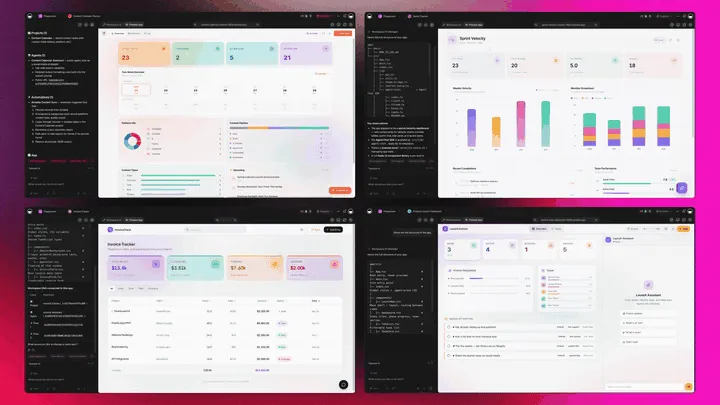
The Full Taskade Genesis Capability: What a Family Tree Generator Looks Like When It's Actually a Platform
A family tree generator that's really a platform doesn't just draw the tree. It runs the living record around it. Taskade Genesis generates the tree as a live web app, then surrounds it with views that reshape it, agents that help research it, and a workspace that remembers every relative. Here is the capability slice that matters for family trees, told in plain language and shown in working product.
Taskade Genesis: Describe a Family, Get a Running App
This is the core move. You describe your family in plain words, "a family tree for my grandparents, my parents, my siblings, and our kids", and Taskade Genesis returns a real, running app, not a picture you download. You can publish it, put it on a custom domain as a private family site, and let relatives clone or join it with one click. The tree stops being a file you guard and becomes a record the whole family keeps.
The loop, drawn out:
That dotted line back to the start is the part no chart tool has: every relative added becomes memory the workspace keeps. Here is what's actually inside a Taskade Genesis family tree app, the layers a static chart can never carry:
  A GENESIS FAMILY TREE APP (one prompt builds all of this)
  ────────────────────────────────────────────────────────
  ┌─ THE TREE ─────────────────────────────────────┐
  │  parents above children · siblings side by side │   ← the chart everyone else stops at
  ├─ PERSON PROFILES ──────────────────────────────┤
  │  photo · dates · hometown · a short story       │   ← every node holds a life, not a name
  ├─ SEVEN VIEWS ──────────────────────────────────┤
  │  Org Chart · List · Table · Calendar · Mind Map │   ← one tree, seen the way you need it
  ├─ REAL-TIME SHARING ────────────────────────────┤
  │  relatives add branches · roles, Owner→Viewer │   ← the family builds it together
  ├─ AUTOMATION ───────────────────────────────────┤
  │  birthday reminders · printable export · backup │   ← 100+ bidirectional integrations
  └─ MEMORY ───────────────────────────────────────┘
     every relative added stays, forever              ← Workspace DNA, the part that lasts
See the same living-app shape running now. This is a real Taskade Genesis app you can clone and rebuild as your family tree:
AI Agents v2: built-in tools to Help Research the Tree
The branches you can't remember are the ones an agent can help find. In Taskade, an AI agent can research and organize alongside you. AI Agents v2 ship built-in tools, web search, file analysis, custom slash commands, plus persistent memory, multi-agent collaboration, public embedding, and multi-model routing. Point one at your tree and it can search for a hometown, organize the relatives you've gathered, or draft a short biography for each person. EVE, the meta-agent, orchestrates the whole team from a single instruction.

Automation: Durable Workflows That Keep the Tree Alive
Behind the tree sits reliable automation, workflows that branch, loop, and filter, and run dependably without you babysitting them. Wire 100+ bidirectional integrations so triggers pull events in (a relative submits a form with their branch, a birthday arrives) and actions push data out (send a birthday reminder, back up photos, generate a printable chart). The family tree isn't a file you manage; it's a living record that maintains itself.
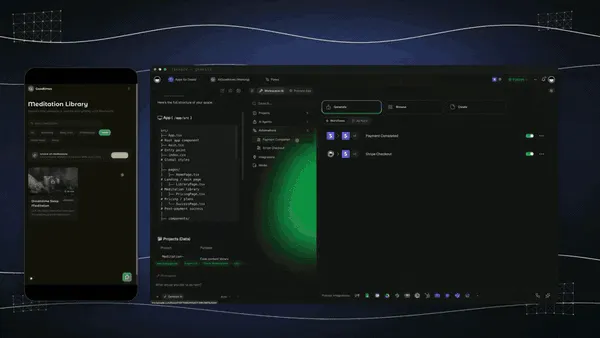
Multiple Project Views: See the Tree the Way You Think
Every family tree app comes with multiple project views, List, Board, Calendar, Table, Mind Map, Gantt, and Org Chart (the Timeline lives inside Gantt). See the generations on an Org Chart, scan everyone on a List, sort birth and death dates on a Table, track birthdays on a Calendar, and map a branch you're still tracing on a Mind Map. The same tree, reshaped for whatever you're doing. A static chart gives you exactly one of these, a picture.
Workspace DNA: Memory + Intelligence + Execution
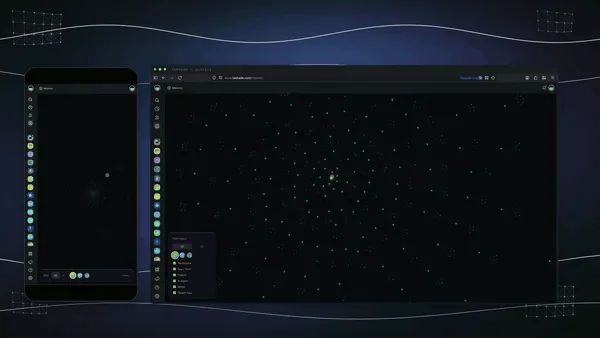
The reason the tree compounds is Workspace DNA, the self-reinforcing triad of Memory, Intelligence, and Execution (the ▲ ■ ● signature). Memory remembers every relative, photo, and story you add; Intelligence helps research and organize across 15+ frontier models from OpenAI, Anthropic, Google, and open-weight providers (auto-routed, no model-picking required); Execution keeps it alive with reminders and exports. Each relative added becomes Memory for the whole family, the tree gets richer every time someone contributes.
A Real Operator Already Runs On This
This isn't a roadmap promise. Taskade's first self-serve Enterprise customer — an IT program manager with no engineering team — built a production app on Taskade Genesis, a real, running app his team uses every day. His take: "What I accomplished in a few weeks would have taken a team of 40+ people 18 months in a Fortune 500." He didn't generate a file. He generated the app that runs the work, and a family tree is the same idea, ready for you to clone. Browse more live, cloneable apps in the Community Gallery, or start your own from free AI app builders.
Decision Flowchart: Which Family Tree Tool for Your Job
The plain-English version: if you want the tree to grow with your family after you make it, every road leads to Taskade Genesis. If you only need deep records, a printable poster, or a one-off chart, the niche tools are fine.
Three Families, One Platform: How the Same Tool Fits Different Jobs
The clearest way to see the difference is to watch three very different people use the same generator. Each starts with one prompt and ends with a living app, not a folder of chart images.
The Grandchild Starting From Scratch
She wants a family tree but has only a handful of names. She opens the family-tree generator, types her grandparents, parents, and siblings, and gets a structured tree in the Org Chart view. She shares the live link with her aunt, who adds the great-grandparents only she remembers, and a cousin, who fills in two more branches over the weekend. By Monday the tree has tripled, and it's a living app she owns, not a file she has to keep merging. What used to be a stalled spreadsheet is now a tree the whole family is filling in together.
The Family Historian
He's done the deep research on MyHeritage and has the records, but wants a shareable tree the rest of the family will actually open. He generates a family tree app from his verified names, attaches a photo and a short story to each person, and publishes it on a custom domain as a private family site. Relatives browse it like a website, leave comments, and add the small details he never found in a census. His research lives in the genealogy site; his living, shared tree lives in Taskade Genesis, and an agent drafts a tidy one-paragraph bio for each relative as he goes.
The Reunion Organizer
She runs the family reunion and wants the tree, the birthdays, and the plan in one place. She generates the tree, opens it as a Calendar view to see everyone's birthdays, and adds a Board view beside it for reunion tasks, venue, food, who's bringing what. Automations fire birthday reminders to the family chat, and the printable Org Chart becomes the poster for the reunion hall. One workspace holds the family's past (the tree), present (the birthdays), and the event itself (the plan).
The thread across all three: same platform, same one-prompt start, three completely different jobs, and in every case the output is a living app the family owns, not a picture locked in a vendor's editor.
How a Family Tree Comes Together Inside a Taskade Workspace
Here is the path from a list of names to a living, shared tree, end to end.
How to Build a Family Tree That Actually Lasts
Generating the tree is half the work; the other half is building it so it survives. Four reliable patterns:
Start From the Names You Know, Not a Blank Canvas
The hardest part of any family tree is the empty page. Skip it: type the relatives you already know into the family-tree generator and let the AI lay out the structure. You go from a handful of names to a real tree in minutes, then expand from there. Starting from a generated draft beats staring at a blank chart every time.
Invite the Relatives Who Hold the Memories
The branches you can't fill in are the ones someone else remembers. Share the live app with the aunt who knows the maiden names and the cousin who knows the hometowns, and let them add directly. Real-time collaboration with a role model means you decide who edits and who only views, and the tree fills in faster than any one person could research alone.
Give Every Person a Life, Not Just a Name
A name on a chart is forgettable; a photo, a hometown, and a one-line story is a memory. Open each node and add what you have. Because the tree is a workspace app, every person can hold attachments, links, and comments. So the tree becomes the family's memory book, not just its diagram.
Wire the Tree to Keep Itself Alive
A tree you have to maintain by hand goes stale. Put birthdays on a Calendar view and let an automation fire reminders, so the tree stays part of family life instead of a file in a drawer. The trees that last are the ones the whole family keeps opening, and reminders are how you keep them opening it.
Where This Is Going: Our Vision for 2027 and Beyond
By 2027 the line between drawing a family tree and living in one disappears entirely. Tools that stop at a chart image lose ground to platforms that generate the tree and the living record around it, the photos, the stories, the shared editing, the reminders. Families will ask of every tool the question they're already starting to ask: what do I actually keep, and can everyone build it together? The answer that wins is a living app, not a picture.
The deeper shift is the one Taskade is building toward: software you describe instead of build. Today you generate a family tree app from a prompt. Tomorrow every family runs its shared life as living, cloneable apps, the family tree, the reunion planner, the recipe book, the photo archive, each one described in plain words, each one owned, each one richer every time a relative adds to it. The workspace becomes the place the family's memory lives. You don't open ten apps; you describe ten outcomes, and the family builds them together.
The Enterprise customer's frame captures the size of it. What took "a team of 40+ people 18 months in a Fortune 500," he built in a few weeks, and what he built, you can clone in an afternoon. That is the inversion: the leverage that used to belong to a software team belongs to one person with a prompt. A single description of your family kicks off a living app, and from there the whole family extends it, exactly the way Taskade's real-time collaboration already works today.
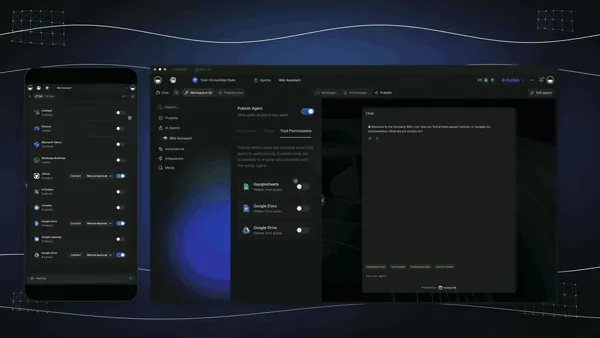
The roadmap from here is straight: more frontier models auto-routed behind the scenes, deeper agent help so the workspace can research a branch for you, and a growing Community Gallery of clone-and-go app templates so you can start from a working family tree app instead of a blank page. The family tree generator that wins 2027 won't be the one with the prettiest poster. It will be the one that hands you a living record your whole family keeps for generations.
The market context backs the bet. The 2026 family-tree field has split into three camps, records-research engines that own the data (MyHeritage, Ancestry, FamilySearch), design tools that make a beautiful picture (Canva), and diagramming tools that draw a chart (Lucidchart, Creately). Taskade Genesis sits in a fourth camp the others don't reach: a living app you own, where the tree is generated from names and grown by the whole family. As AI makes the drawing universal and commoditized, the durable advantage moves to the layer the rest of the category still skips: owning the living, shared record, not the picture. That is the lane Taskade has been building in since day one, Memory, Intelligence, and Execution in a single workspace, compounding with every relative you add.
Related Reading
Connect the dots across our 2026 AI tooling coverage. A family tree is one kind of living app. These guides cover the apps, agents, and automations around it:
Build living apps from prompts
- Free AI App Builders, the broader category your family tree app belongs to
- Best AI Second Brain Tools, turn memories and notes into a system you own
- Best AI Workflow Automation Tools 2026, wire reminders, backups, and exports around your tree
Sharpen the inputs
- 15 Best AI Prompt Generators, write the prompt that gets a better first draft
- What Are AI Agents, the teammates that help research and organize the tree
Build it yourself
- Taskade AI Apps, describe an outcome, get a running app
- Taskade AI Agents, the teammate that researches and organizes the tree
- Taskade Automations, durable workflows that keep the tree alive
- The Genesis Loop, how prompt-to-app-to-clone actually works
- No-Code App Builder, building without writing code
- Taskade Genesis Overview, a guided tour of building apps from prompts
- Taskade Genesis, start here, free
Generate your tree
- AI Family Tree Generator, type the names, get a tree, grow it into a living app
Switching In: What It Takes to Build Your Living Family Tree
Moving to a living-app family tree is lighter than it sounds, because you don't migrate a database. You generate a fresh tree from the names you know and grow it from there. Three practical notes for the switch:
- Start with the names you have, not a full pedigree. Generate one family tree app from the relatives you already know, share it, and let the family fill in the rest. You don't need a finished genealogy to begin; you just need a starting branch.
- Keep your records site for the deep research. If you love MyHeritage or Ancestry for census hints and DNA matches, run them alongside Taskade Genesis, research there, and keep the shareable, growing tree as a Taskade Genesis app. Many families find the Taskade Genesis tree is the one relatives actually open.
- Invite the family early. The whole advantage is shared building. Share the live link with a custom domain on Business and above, set the roles, and let relatives add the branches only they remember. A tree built by one person stalls; a tree built by ten grows for generations.
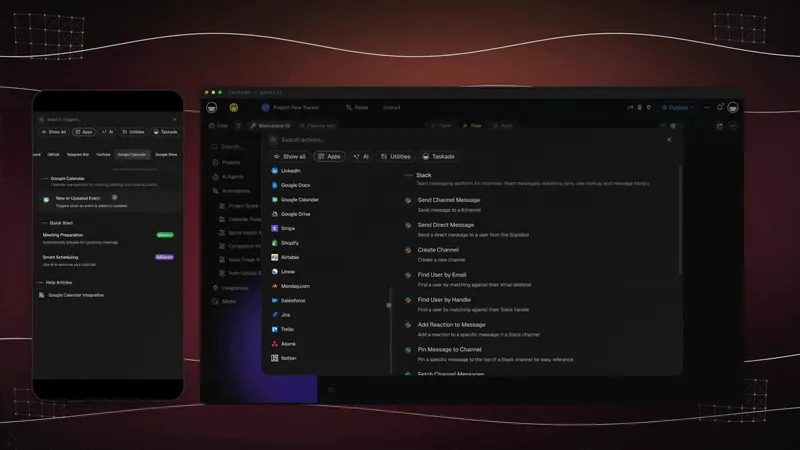
The whole switch fits in an afternoon: generate, add photos, share, invite. Compare that to learning desktop genealogy software or paying a subscription before you've added a single relative, and you see why the free AI app builder path is the faster on-ramp.
Honest Answers to the Three Things You're Probably Wondering
A claim this clean, "generate the tree, then live in it as a shared app", deserves a few straight answers before you commit. Here are the three objections worth raising, answered without spin.
"Doesn't a living app sound more complicated than a chart?" It sounds that way and isn't. You still start by describing your family in plain words, exactly like any AI generator. The difference is what comes back: instead of a picture you have to redraw, you get a tree that opens in the Org Chart view and grows on its own as relatives add to it. There's nothing to assemble. The work that used to live with one person, keeping the chart current, moves into a shared app.
"What about deep historical records?" This is the honest gap. MyHeritage, Ancestry, and FamilySearch own billions of census, immigration, and DNA records that Taskade Genesis does not. If your goal is hunting 1880 records and matching DNA, use a records site for that, and run your shareable, growing tree as a Taskade Genesis app. The two work well together: research in the records engine, live in the Taskade Genesis tree.
"Is the free tier actually usable, or a teaser?" It's a real Free Forever plan. You generate the tree and keep the live app you build, with no export paywall and no 250-person wall. Most "free" family-tree tiers cap your tree size, stamp the export, or lock the file until you pay. With Taskade Genesis the tree you build on the free plan is yours to share, clone, and grow. Free apps do show a small "Powered by Taskade" badge in the footer. The paid tiers (Pro $10, Business $25, both billed annually) remove it and add seats, the custom domain, and more horsepower — not the right to keep what you made.
The throughline: the leader isn't winning on a prettier chart. It's winning on everything that happens after the chart, the sharing, the per-person stories, the growth over years, which is exactly where a family tree actually lives.
The Bottom Line in One Paragraph
If you only remember one thing: in 2026, AI made the drawing of a family tree a solved problem, seven tools on this list do it well. The unsolved problem is what happens after, when relatives add what they know and the tree stays alive for decades, and that is where Taskade Genesis is the only tool that competes on the right battlefield. It generates the tree from a list of names and runs it as a living, shareable app, viewed as an Org Chart across multiple views, a photo and story per person, real-time editing with roles from Owner to Viewer, and 100+ integrations, free to start, $25/mo for a private family site. Everyone else hands you a picture or a silo. Taskade Genesis hands you the living record your whole family builds together.
Verdict
If you want deep historical records and DNA matching, use MyHeritage or Ancestry. If you want serious genealogy completely free, use FamilySearch. If you want a beautiful, printable family tree poster, use Canva. If you want a chart generated from a spreadsheet, use Lucidchart. If you want a collaborative canvas with genogram depth, use Creately. If you want a family tree that turns into a living app the moment you generate it, viewed as an Org Chart, expandable generation by generation, shared with relatives in real time, and owned by you, use Taskade Genesis. Start free at /create, generate your tree at /generate/writing/family-tree, and ship a living family tree app the same afternoon.
Stop drawing a picture. Build a family tree that lives and grows. Clone a live Taskade Genesis app and rebuild it as your family tree →, free, shareable, and yours to grow for generations.
The family tree that used to take a weekend of redrawing, and a subscription to keep alive, generated from a list of names and grown by the whole family in an afternoon. That is Workspace DNA at work: Memory remembers every relative, Intelligence helps research and organize them, and Execution keeps the tree alive with reminders and exports. Every other tool on this list hands you a better picture; only Taskade Genesis hands you the living record your family builds together, and then keeps it, ready to clone and grow for the next generation. Start free, ship a living family tree today, and watch it fill in one branch at a time on a tree you actually own. ▲ ■ ●
FAQ
What is the best free AI family tree generator in 2026?
Taskade Genesis is the best free AI family tree generator in 2026 because it turns a list of names into a living Org Chart app, not a static picture. You type the relatives, get a generated tree, then expand it generation by generation and share it with family in real time. The Free Forever plan keeps the app you build, with no export paywall. Free apps carry a small "Powered by Taskade" badge, which any paid plan removes. Paid tiers start at Pro $10/mo billed annually.
Can AI build a family tree from a list of names?
Yes. In Taskade Genesis you describe the family in plain words, grandparents, parents, siblings, children, and the AI lays out a structured tree for you. It then becomes a live app in the Org Chart view, one of Taskade's project views, where you keep adding people, photos, and notes. The tree starts from your names instead of a blank canvas. Start at /generate/writing/family-tree.
How do I make a genealogy chart online for free?
Open Taskade Genesis, describe your family in one prompt, and switch the result to the Org Chart view to see a clean generational chart. You can also clone a live family tree app in one click and swap in your own relatives. FamilySearch and the free tier of MyHeritage build charts too. Taskade is the only one that hands you a living workspace app you own and reuse.
Can I share my family tree with relatives?
Yes. A Taskade Genesis family tree is a live, shareable app with real-time collaboration, so aunts, cousins, and grandparents can open the same tree and add the branches only they remember. A role model lets you decide who can edit and who can only view. Static chart makers give you a file to email. Taskade Genesis gives you one living tree the whole family keeps current together.
Can an AI family tree show multiple generations?
Yes. The Org Chart view in Taskade Genesis is built for deep hierarchies, so you can keep expanding upward to great-grandparents and downward to grandchildren with no fixed limit on generations. Each person is a node you can open to add birth dates, photos, and stories. You expand the tree one branch at a time as you learn more, and the whole family sees the update live.
Can I turn a family tree into an org chart?
A family tree already is an org chart. Taskade ships Org Chart as one of its project views, and a family tree is the most natural use of it. In Taskade Genesis you generate the tree from names, then view it as an Org Chart to see parents above children and siblings side by side. The same app also opens as a List, Table, Mind Map, or Calendar for birthdays.
Is there a printable or exportable family tree template?
Yes. Taskade Genesis lets you generate a family tree app and share it as a live link, print the view, or wire an export through the 100+ bidirectional integrations. Canva and Lucidchart are strong for printable poster-style charts. Taskade's advantage is that the tree stays a living app you keep updating, not a frozen image you reprint every time a baby is born.
How does AI infer relationships in a family tree?
You describe the relationships in plain language, for example, "Maria is the mother of John and Ana", and the AI in Taskade Genesis lays them out in the correct generational structure. It reads cues like parent, child, sibling, and spouse to place each person on the right level. You confirm and refine the layout in the Org Chart view, where every node is editable.
Can I add photos and notes to each person?
Yes. Every person in a Taskade Genesis family tree is a node you can open to attach a photo, a birth and death date, a hometown, and a short story or note. Because the tree is a workspace app, each profile can hold attachments, links, and comments from relatives. A flat chart image shows only names. A living app holds the whole memory of each person.
Is my family data private in an AI family tree?
Yes. A Taskade Genesis family tree is private by default, and you choose exactly who to invite using a role model from Owner down to Viewer. You can share a read-only link, invite specific relatives to edit, or keep the tree entirely to yourself. You own the workspace and the data inside it, and you can delete or export it at any time.
Can I export my family tree to GEDCOM or PDF?
Dedicated genealogy platforms like MyHeritage, Ancestry, and FamilySearch support the GEDCOM standard for moving tree data between research sites. Taskade Genesis focuses on the living, shareable app and can print or wire exports through its 100+ integrations. A common workflow is to keep deep records in a GEDCOM site and run the shareable family tree as a Taskade Genesis app.
How many people can an AI family tree hold?
A Taskade Genesis family tree has no small cap on people the way some free genealogy tiers do. MyHeritage caps its free tree at 250 members before asking you to upgrade. In Taskade Genesis you keep adding relatives as nodes across generations, and the Org Chart view stays readable as the tree grows. The whole family can expand it together in real time on one shared app.