






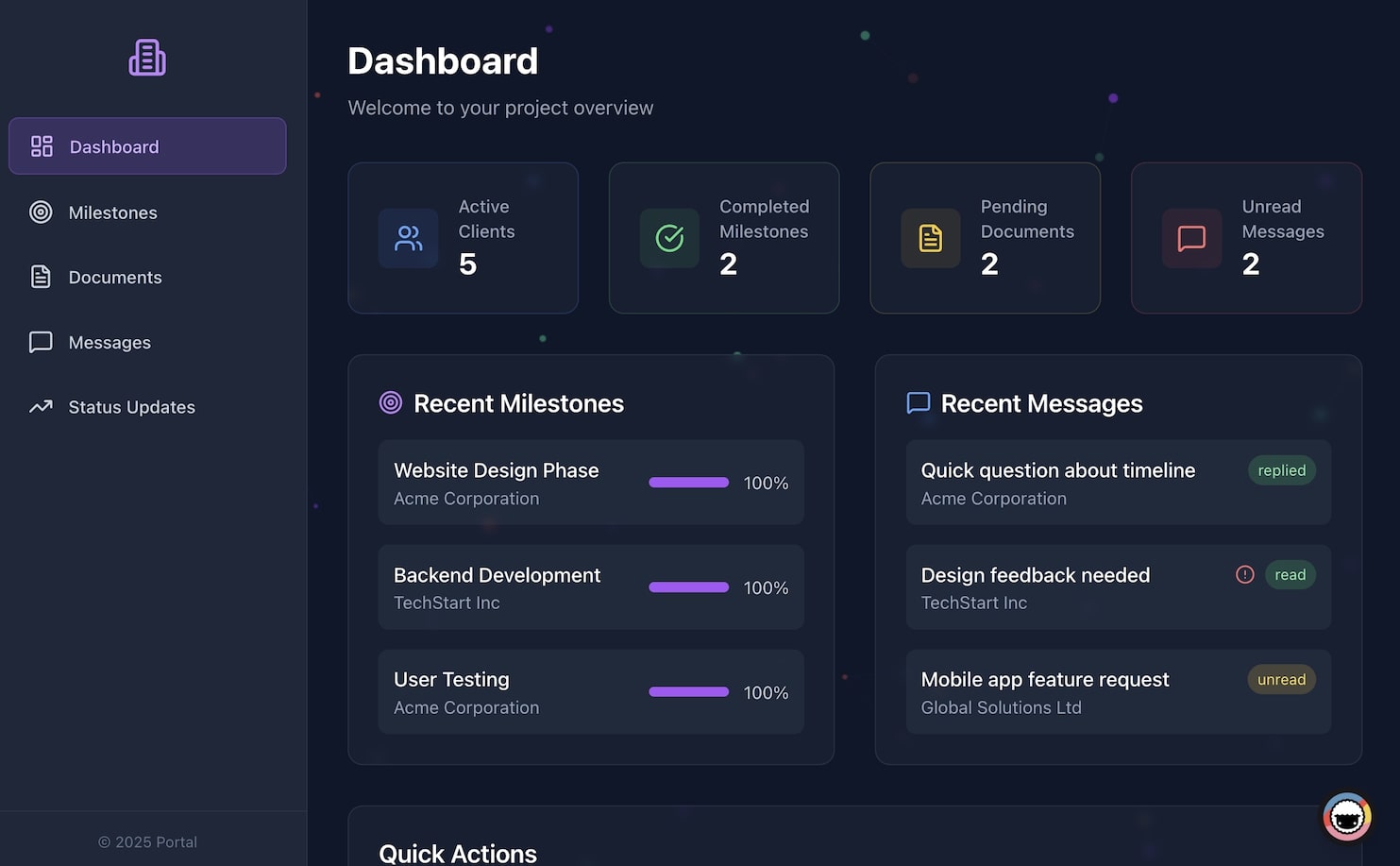
A client portal is a method, not a theme: decide which jobs clients must do without emailing you, then pick a builder family and split sign-in from row scoping before you publish. This page owns that method. The Taskade click path lives in Build a Customer Portal. Generator cards live at AI portals.
TL;DR: Build a client portal by listing the jobs (status, files, messages), choosing a builder family, and treating sign-in as identity on every plan. Isolation is an opt-in filter you configure and test with a second account. Over 150,000 Taskade Genesis apps have been built. Build your portal free →
This guide is for consultants, agencies, and service teams who run client relationships, not for engineers. If you can describe what a client should see when they log in, you can specify the portal that delivers it.
Quick answer
A client portal is a branded room where clients check status, send files, and ask questions without a status-email thread. Decide which jobs it must do, which builder family fits, and how you split sign-in (identity on every plan) from isolation (opt-in filters you test). Taskade UI clicks live in Build a Customer Portal.
Step 1: List the jobs the portal must do
Write the jobs a client must complete without emailing you: check status, send a file, ask a routine question, and approve a deliverable.
Step 2: Choose a builder family
Pick database-first (front end on a table you already have), an all-in-one client suite (portal plus billing), or an AI-native app builder (agent and automations in the same prompt).
Step 3: Separate sign-in from isolation
Treat sign-in as identity on every plan, including Free. Isolation is a separate, opt-in filter. Match records to the login and test it with a second account before you share private data.
Do this in Taskade
Taskade Genesis is the AI-native path for the method above. You describe the client experience, Taskade EVE assembles views and an agent, and you publish the same day. Sign-in works on every plan, including Free. Isolation stays a filter you configure and test with a second account. Custom domains start on Business.
Step 1: Open Create
Open Create and describe the client experience in plain English, or clone a live portal from the Community Gallery.
Step 2: Point the agent and automations at the work
Add your FAQ so the agent can answer routine questions. Wire automations so a new message, signed document, or paid invoice updates status across 100+ integrations.
Step 3: Publish, then match records to each login
Publish the app. Sign-in works on every plan, including Free. If clients should open only matched rows, you configure that filter and test it with a second account. A custom domain is Business and above.
Can I build a client portal without creating a new account?
You can specify the method on this page without signing up. To publish a live portal, you need a Taskade account. The Free plan includes App User sign-in. Isolation stays opt-in. A custom domain and SSO wait for Business and above, and those gates are not the same as sign-in.
How do I build a client portal on a Free plan?
On Free you can describe the portal, publish it, and turn on client sign-in. Free includes 2 workspace members, 3 Taskade Genesis apps, and 1 agent. Isolation is still a filter you configure. Custom domains and SSO unlock on Business. Do not treat sign-in as a paid-plan feature.
What does a client portal do for your business?
A client portal gives clients one branded place to track work and reach you, which cuts status-update emails, builds trust, and makes a small team look enterprise-grade. In 2026 the portal is alive: an AI agent answers routine questions from your knowledge base, and automations route requests so your team handles exceptions instead of every thread.
| Clients can… | Your team gets… | What runs inside it |
|---|---|---|
| See project status anytime | Fewer "any update?" emails | Status views update automatically |
| Message you in one place | A single thread per client | Agent drafts replies from your FAQ |
| Submit requests or files | Intake that routes itself | Automation assigns and confirms |
| Self-serve common answers | Time back for real work | Agent answers from your knowledge base |
| Trust a branded experience | An enterprise look at any size | Custom domain + role-based permissions |
The difference between a static portal and a living one comes down to who does the work:
A STATIC PORTAL                    A LIVING PORTAL (Taskade Genesis)
───────────────                    ──────────────────────────────────
shows project status        ──▶     answers "what's the status?" itself
client emails you a question ──▶     agent replies from your knowledge base
you route the request        ──▶     automation assigns + confirms it
you chase internal updates   ──▶     the portal updates as work happens
per-seat bill per client     ──▶     flat workspace pricing
Every client request then follows the same hands-off lifecycle:
Want to see one first? Browse the Community Gallery, every app is live and cloneable. The Simple Store Manager and the dashboard pattern in the AI Insight Matrix are strong starting points for a client-facing surface. For more finished examples, see AI client portal examples and agency client portal templates.
What a client portal must do in 2026
Before comparing tools, it helps to agree on the checklist. A portal that only shows a logo and a file list is a brochure. A portal clients actually return to does seven jobs, and in 2026 the last two are what separate a living portal from a static one.
| # | Capability | Why it matters | In Taskade Genesis |
|---|---|---|---|
| 1 | Secure login plus opt-in isolation | Sign-in identifies the visitor on every plan; isolation is a filter you configure | App User sign-in (every plan) + optional record match + password; SSO is Business+ |
| 2 | Live project / order status | Kills the "any update?" email | Multiple views: List, Board, Calendar, Table, Mind Map, Gantt, Org Chart |
| 3 | File sharing & document requests | One place for deliverables and intake | Files, tasks, and checklists inside the space |
| 4 | Built-in messaging | Conversation stays tied to the work | Comments and chat per project, per client |
| 5 | Branding & custom domain | Looks like your software, not a tool | Custom domain on Business and above |
| 6 | An agent that answers clients | Routine questions resolve instantly | AI agent, built-in tools, persistent memory |
| 7 | Automations that keep status current | Nobody chases internal updates | Triggers + actions across 100+ integrations |
The first five rows are table stakes, most no-code portal builders cover them. Rows 6 and 7 are where the work actually lives. A portal that lists files but still emails you every time a client has a question has only moved the inbox; it has not removed it. That is the bar this guide builds toward.
Client portal tools compared
The no-code portal space in 2026 splits into three camps, and the method starts by picking one. Database-first builders (Softr, Glide, Stacker, Noloco) turn a table into a branded front end. All-in-one client suites (SuiteDash, Copilot/Assembly, Clinked, Moxo) bundle CRM, invoicing, and a portal. AI-native app builders such as Taskade Genesis generate the views, the agent, and the automations from one prompt.
The table below maps the common options against the seven jobs above. Pricing reflects each vendor's published 2026 plans; verify current figures before you buy.
| Tool | Approach | Built-in AI agent for clients | Native automations | Custom domain / white-label | Per-workspace vs per-seat | Entry price (2026) |
|---|---|---|---|---|---|---|
| Taskade Genesis | AI-native, prompt-to-app | Yes, built-in tools, memory, multi-agent | Yes, 100+ bidirectional | Yes (Business+) | Per workspace | Free; Business $25/mo billed annually |
| Softr | Database-first front end | AI builder for setup, not a client agent | Via integrations | Yes (paid tiers) | Per-app / per-user editor seats | ~$49/mo (Basic) |
| Glide | Spreadsheet → app | Limited AI features | Basic | Yes (paid) | Per-user / per-update | Paid plans scale by users |
| Stacker | Airtable-backed portals | No client-facing agent | Via Airtable / integrations | Yes (business tiers) | Per-user, business-oriented | Higher-tier oriented |
| SuiteDash | All-in-one client suite | No conversational client agent | Built-in workflows | Yes (full white-label) | Per workspace | ~$19/mo (Start) |
| Copilot (Assembly) | Modern client suite | No (portal + billing focus) | Limited | Yes (branded + magic-link login) | Per workspace + client seats | Plan-based |
A few honest notes so you can choose well. Database-first tools like Softr and Glide are excellent when your data already lives in a table and you mainly need a clean, secure front end. All-in-one suites like SuiteDash and Copilot are a good fit when invoicing and a client inbox are the whole job and you do not want to assemble parts. Taskade Genesis is the strongest fit when you want the portal to answer clients and move work on its own, and when you would rather pay per workspace than per client seat as you grow. If you are weighing specific tools, the free Softr alternative, free Glide alternative, free Airtable alternative, free Notion alternative, and free Bubble alternative breakdowns go deeper on each.
The old way vs. the new way: templates or describing the experience
The old portal path hands you a static template to customize. The new path lets you describe the client experience, and Taskade Genesis builds the views, the agent, and the automations behind it. The result is not a brochure page. It is a working space that does the back-and-forth for you.
Dedicated portal and site tools, like Softr for portals on top of a database, or the options rounded up in Knack's client-portal guide, are good at presentation. What they typically leave to you is the work behind the portal: answering questions, routing requests, keeping status current. That is the gap the AI-native path closes.
How a living portal works for you (and your clients)
A living portal answers and routes on its own, so your team handles exceptions, not routine. This is what static portals miss: they display status but still wait for a human to do everything. A Taskade Genesis portal has two things working inside it.
Why this matters: Teams that move clients into a portal commonly cut client email by around 70%, status, files, and answers live in one place instead of an endless thread. The usual catch is the per-seat bill: portals that charge per client or per staff seat get expensive fast past ten users. A living portal answers clients itself and runs on flat workspace pricing.

- An AI agent, a teammate with built-in tools and persistent memory that answers client questions from your knowledge base, drafts status updates, and summarizes activity. Learn the fundamentals in What Are AI Agents?.
- Automations, reliable workflows triggered by events, running across 100+ integrations: a new client message pings your team; a submitted request creates a task and confirms receipt.
Here is how a client request flows through the portal end to end:
This is the Workspace DNA loop: Memory (project status and history) feeds Intelligence (your agent), Intelligence triggers Execution (your automations), and Execution updates Memory. The portal gets more helpful the more clients use it.
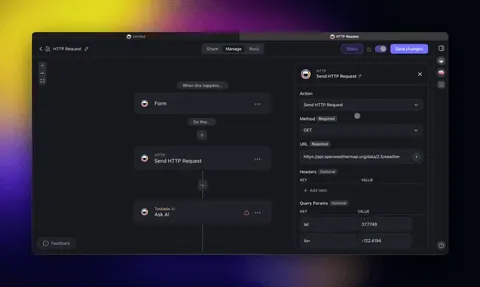
The client onboarding journey, end to end
The first week sets the tone for the whole relationship. A living portal turns onboarding from a chase into a guided path: the client signs, the portal opens, the agent greets them, and automations hand off the rest. Here is the journey from "deal closed" to "first deliverable approved."
Map this once and every new client gets the same polished first week without manual effort. For ready-made starting points, see AI customer onboarding templates and the intake variant in AI recruiting pipeline templates.
Secure access and permissions
A professional portal treats sign-in and isolation as two steps. Sign-in confirms who the visitor is, and App User sign-in works on every plan including Free. Isolation is opt-in: you match records to that login and test it with a second account. Role-based access runs from Owner to Viewer. Password protection is Pro and above. SSO is Business and above.
| Need | How the portal handles it |
|---|---|
| Know who opened the portal | App User sign-in on every plan, including Free |
| Show matched rows after login | You configure a record filter and test it with a second account |
| Stakeholder who should only read | Assign a Viewer role, no edit |
| Reviewer who approves but does not edit | Assign a Checker role |
| Sensitive intake or contracts | Password protection on the shared space |
| Enterprise client with their own identity | SSO on Business and above |
| Your team across many clients | Owner and Editor roles manage everything centrally |
Here is how a client's request actually moves through access control before it ever reaches your team, the portal checks who they are and what they can see before routing anything:
One note on naming: Taskade access runs from Owner to Viewer, and every level is defined by what it can do. You assign intent, not a catch-all level.
Agents that answer clients and automations that update them
Two engines run inside a Taskade Genesis portal, and they do different jobs. The AI agent answers routine questions from persistent memory and your knowledge base. Automations move status when a message, signature, or invoice lands. Taskade EVE assembles both from your prompt. Start with What Are AI Agents?, then AI automation agents.
The AI agent is the conversational layer clients talk to. It draws on persistent memory of the project and a knowledge base you point it at, and it has built-in tools to look up a status, summarize recent activity, draft a reply, and search files. It can run multi-agent (one agent triages, another drafts) and multi-model, choosing from 15+ frontier models from OpenAI, Anthropic, and open-weight providers.
Automations are the deterministic layer. They are reliable, event-triggered workflows, not chat, and they are bidirectional: triggers pull events in (a client sends a message, signs a document, pays an invoice) and actions push data out (notify the owner in Slack, create a task, update a CRM record, send a confirmation email). That two-way flow across 100+ integrations is what keeps status current without anyone chasing it. See advanced automation workflows and automate for the full picture.
| Job to be done | Agent (conversational) | Automation (deterministic) |
|---|---|---|
| "What's the status of my project?" | Answers instantly from memory | Not required |
| New client message arrives | Drafts a reply, flags if human-needed | Notifies the owner in Slack |
| Client submits a request/form | Acknowledges and clarifies | Creates a task, assigns an owner, confirms receipt |
| Invoice paid / document signed | Confirms next steps to the client | Triggers the next stage, updates the record |
| Weekly status summary | Writes the recap from activity | Posts it to the portal on a schedule |
The two engines work as a relay. Here is a document-and-approval round trip, a common client moment, showing where the agent hands off to an automation:
This relay, agent answers, automation routes, status advances, is the engine that lets a small team look enterprise-grade. Routine resolves itself; your people only touch the exceptions.
Branding and custom domain: make it feel like your software
A portal on a generic link feels borrowed. A portal on your domain, in your colors, feels like software you built. In Taskade Genesis, custom domains publish on Business and above ($25/month billed annually). SSO unlocks on the same tier. Client sign-in itself is on every plan, including Free. Do not treat branding and sign-in as one gate.
| Branding layer | What clients see | Plan |
|---|---|---|
| Custom domain | portal.yourbrand.com, not a generic URL |
Business+ |
| Your logo, colors, and naming | A space that reads as your product | All paid plans |
| OIDC / SSO sign-in | Their own corporate identity at login | Business+ |
| Password-protected spaces | A gated, professional front door | All plans |
| Published Taskade Genesis app | A real app, not a shared document | All plans |
Because the portal is a real published Taskade Genesis app, not a brochure page. It behaves like software: clients return to it, log in, and act inside it. For more on the publish-to-domain path, see build a business app without code and the pricing page for the exact tier breakdown.
Per-industry client portals
The seven-job checklist stays the same across industries. What changes is the language and the first object a client cares about. Taskade Genesis adapts to the vocabulary of your field because you describe the portal in your own words. A few common shapes:
| Industry | What the client logs in to see | Portal pattern to clone |
|---|---|---|
| Marketing / creative agency | Campaign status, deliverables, approvals | Agency client portal templates |
| Accounting / bookkeeping | Document requests, filing status, invoices | Document-request + status portal |
| Consulting / professional services | Project roadmap, milestones, reports | AI client portal examples |
| E-commerce / product services | Orders, fulfillment, support | Simple Store Manager |
| Coaching / classes | Schedules, bookings, resources | Book classes & schedule clients |
| Nonprofit / community | Members, programs, updates | AI nonprofit community portals |
| Education / tutoring | Study plans, materials, progress | AI education portals & study tools |
The operations counterpart, the internal system behind the portal, usually wants its own build too. The build a CRM without code guide covers the team-facing side, and the bundled CRM + invoice generator + client portal pattern shows the two halves working together.
Taskade Genesis vs. the alternatives, in detail
The summary table earlier maps the field at a glance. Here are the head-to-head comparisons people actually search for, framed around the seven jobs a portal must do. Each alternative is genuinely good at something. The question is whether it does the work behind the portal or leaves that work to you.
Taskade Genesis vs. Softr
Softr is a strong database-first builder: point it at a table and it generates a clean, secure, branded front end, and its AI co-builder speeds up the setup. Where the two diverge is what runs after launch. Softr presents your data; you still wire the logic, the notifications, and any AI through integrations.
| Job | Softr | Taskade Genesis |
|---|---|---|
| Build the front end | AI co-builder from a database | Prompt-to-app, no database to design first |
| Client-facing AI agent | Not a built-in client agent | Agent with built-in tools + persistent memory |
| Automations | Via third-party integrations | Native, 100+ bidirectional |
| Pricing model | Tiered, editor seats | Per workspace |
See the full free Softr alternative breakdown.
Taskade Genesis vs. Stacker
Stacker shines for business teams that already live in Airtable and want a professional, secure portal on top of it. It is opinionated and clean, with that polish coming at the cost of flexibility and a price aimed at larger organizations. Taskade Genesis does not require an existing database and folds the agent and automations into the same build.
| Job | Stacker | Taskade Genesis |
|---|---|---|
| Data source | Airtable-backed | Built-in data + 100+ integrations |
| Client agent | None client-facing | Built in, multi-agent capable |
| Best fit | Larger Airtable-centric teams | Solo operators to enterprise |
| Starting cost | Business-tier oriented | Free; Business $25/mo |
Taskade Genesis vs. SuiteDash
SuiteDash bundles CRM, invoicing, project management, and a fully white-labeled portal under one roof at a low entry price, attractive when billing and a client inbox are the whole job. The tradeoff teams report is a steeper learning curve and a heavier feel for smaller, non-technical operators. Taskade Genesis trades the built-in invoicing module for a conversational agent and a faster prompt-to-portal path, connecting to your billing tool through integrations.
| Job | SuiteDash | Taskade Genesis |
|---|---|---|
| All-in-one (CRM + billing) | Built in | Via integrations + companion CRM build |
| Conversational client agent | No | Yes, agent answers clients |
| Setup curve | Steeper, feature-dense | Describe it in plain English |
| White-label / domain | Full white-label | Custom domain on Business+ |
Taskade Genesis vs. Copilot (Assembly)
Copilot, now Assembly, is a modern, friendly client suite with branded portals and passwordless client login, well suited to small service businesses that want fast time-to-value. Its strength is simplicity. The limit is customization and a client-facing AI layer. Taskade Genesis matches the fast setup and adds the agent-plus-automation engine on top.
| Job | Copilot (Assembly) | Taskade Genesis |
|---|---|---|
| Time-to-value | Fast, polished | Fast, live the same day |
| Client login | Magic link / Google SSO | Every plan, including Free. SSO is Business+ |
| Client-facing AI agent | Not the focus | Core, agent answers and summarizes |
| Customization | Limited | Describe any experience |
The honest summary: if your data is already in a table and you only need a front end, a database-first tool is a fine choice; if invoicing and a client inbox are the entire job, an all-in-one suite fits. Choose Taskade Genesis when you want the portal to answer clients and move work on its own, on per-workspace pricing, the free Notion alternative and free Airtable alternative comparisons cover the adjacent document-and-database tools people also evaluate.
Real-world portal scenarios
The same engine reshapes itself around the relationship. An agency, a bookkeeping practice, and a solo consultant can each run the same method: status in one place, an agent for routine questions, and automations for routing. Three walkthroughs show how that relay plays out without cloning a generator card or a Learn click path.
A marketing agency gives each client a branded space showing live campaign status. When a client asks "is the blog post live yet?", the agent answers from project memory instead of pinging an account manager. When the client approves a draft, an automation moves the task to "scheduled" and notifies the team in Slack. The agency runs twice the clients per account manager without adding headcount, the agency client portal templates are the starting point.
A bookkeeping practice opens a document-request portal each quarter. The agent reminds clients which documents are still missing and answers "what do you need from me?" on its own. When a client uploads a statement, an automation files it, marks the checklist item done, and advances the engagement status, turning the usual email chase into a self-running intake.
A solo consultant publishes a single portal at portal.theirname.com. Clients see their roadmap, message in one thread, and get weekly summaries the agent writes automatically. One person looks like a team, on Pro or Business pricing rather than a per-seat suite. The AI client portal examples post collects more patterns like this.
What ties all three together is the relay you saw earlier: an AI agent handles the conversation, an automation handles the routing, and the portal, a real published AI app, stays current on its own. That is the difference between a portal you maintain and a portal that maintains the relationship for you.
Clone a working portal and make it yours
Start from a portal that already works rather than a blank template. Every app in the Community Gallery is live. Open it, use it, and clone it in one click, then rebrand and reshape it for your clients. Cloning is a method shortcut, not a substitute for listing the jobs and splitting sign-in from row scoping.
| Start from | Good for | Open |
|---|---|---|
| Operations dashboard | Service status, project tracking | AI Insight Matrix |
| Customer/order workspace | Agencies, e-commerce services | Simple Store Manager |
| Onboarding flow | New-client kickoff | Customer onboarding templates |
For a recruiting or intake variant of the same pattern, see the AI recruiting pipeline templates. And the broader build a business app without code guide covers the same prompt-to-app path for any internal or client-facing tool.
What it costs (and why one workspace beats a stitched portal stack)
One subscription replaces the typical portal stack. The usual route means a portal tool, a database, an automation tool, and a separate AI add-on, wired together and maintained. Taskade folds those jobs into one workspace. Custom domains and SSO unlock on Business. Client sign-in stays on every plan, including Free.
| Plan | Price (annual) | Best for |
|---|---|---|
| Free | $0 | First portal, testing |
| Pro | $10/month (Popular) | Solo consultants |
| Business | $25/month | Custom domain + SSO for clients |
| Max | $100/month | Heavy AI usage |
| Enterprise | Custom | Larger client bases and controls |
Custom domains and SSO, the features that make a portal feel like your software, unlock on Business. See the full breakdown on the pricing page.
The cost story gets clearer when you line up the pieces. A stitched portal stack usually means paying four vendors and wiring them together; one workspace folds the same capability into a single bill that does not climb with each client you add.
| Capability | Stitched stack | One Taskade workspace |
|---|---|---|
| Portal front end | Portal tool (per-seat) | Included |
| Data / records | Separate database tool | Included (Table view + data) |
| Request routing & notifications | Automation tool | Included (100+ integrations) |
| Client-facing AI | Separate AI add-on | Included (agent, built-in tools) |
| Branding + SSO | Add-on or higher tier | Business ($25/mo, annual) |
| Pricing model | Often per client seat | Per workspace, flat as you grow |
The per-seat-versus-per-workspace difference is the one that compounds. Database-first and suite tools that bill per client seat get expensive past ten clients; a workspace price stays flat whether you onboard your eleventh client or your hundredth. For the no-code landscape overall, see best no-code builders and best customer portal software.
Common mistakes when building a client portal (and how to avoid them)
Most portals that quietly fail do so for the same handful of reasons. None of them are about the tool's looks. They are about whether the portal removes work or just relocates it. Plan around these and the portal earns its place from week one.
| Mistake | What happens | The fix |
|---|---|---|
| Treating the portal as a brochure | Clients log in once, never return | Give them a reason to come back: live status, an agent that answers, things they can do |
| Leaving the work to humans | Portal lists files but you still answer every email | Add an agent for routine questions + automations for routing |
| Over-sharing access | A client sees another client's project | Scope with role-based access; share specific spaces, default to Viewer |
| Generic links instead of a domain | Feels like a borrowed tool, low trust | Publish to a custom domain on Business+ |
| Building before mapping | A pretty portal nobody's workflow needs | Map the seven jobs first, then build to them |
| Paying per seat at scale | Cost balloons past ten clients | Choose per-workspace pricing |
| No first-week guidance | Clients get stuck at login and churn | Onboard with a checklist + a welcoming agent |
The throughline: a portal succeeds when it does something on its own. That is why the agent and automation layers matter more than the visual theme, and why an AI app built around AI agents tends to outlast a static front end. The visual polish is necessary; it is just not sufficient.
Migrating from a stitched portal stack
If you already run a portal tool plus a database plus an automation tool plus an AI add-on, you do not have to rip everything out on day one. Move in layers. Keep the old stack live until the new portal proves itself. Bidirectional integrations let the new portal read from systems you still run, so nothing goes dark mid-migration.
Because integrations are bidirectional, the new portal can read from the systems you still run while you transition, pulling records in and pushing updates back out. So nothing goes dark mid-migration. The operations side moves the same way; the automate customer relationship management and forms, dashboards & portals guides cover the team-facing half, and CRM + client portal + capacity planner shows a combined build.
Build your client portal step by step
Here is the whole path from idea to a live, branded portal, with no developer at any step. Describe the experience, let Taskade EVE assemble the views and agent, then publish. Sign-in works on every plan. Isolation is a filter you configure after publish and test with a second account.
Step 1: Describe the experience
Tell Taskade Genesis what a client should see and do when they log in, for example a branded portal where each client checks project status, messages you, and gets answers from an AI agent.
Step 2: Let Taskade EVE assemble it
Taskade EVE builds the views, the AI agent, and the starter automations from your prompt, or clone a working portal from the Community Gallery and reshape it.
Step 3: Set permissions and match records
Assign role-based access from Owner to Viewer and add password protection. Sign-in is on every plan, including Free. If clients should open matched rows, you configure that filter and test it with a second account. Turn on SSO if you are on Business.
Step 4: Point the agent at your knowledge
Give the agent your FAQ and docs so it answers client questions from persistent memory.
Step 5: Wire the automations
Connect the tools you already use so a new message, a signed document, or a paid invoice triggers the right notification and status change across 100+ integrations.
Step 6: Brand, publish, and invite
Add your logo and colors. Publish to a custom domain on Business and above so it reads as your software. Send the login, then refine the agent and automations as real questions come in.
Frequently asked questions
A no-code client portal is specified as a method before you pick a tool. Sign-in is identity on every plan, including Free. Isolation is opt-in and needs a match plus a second-account test. Custom domains and SSO are Business and above. The answers below restate those facts so they can be cited on their own.
Can I build a client portal without coding?
Yes. With Taskade Genesis you describe the portal you want in plain English and it builds a working, branded space: project status, a place for clients to message you, an AI agent, and automations. You can publish the same day. No code, no hosting, no developer.
Do I need a developer to build a client portal?
No. Taskade Genesis is built for the operator who runs client relationships, not for an engineering team. You describe what clients should see and do, and Taskade Genesis assembles the views, the AI agent, and the automations.
Can clients log in and see only the projects I match to them?
Sign-in confirms who the visitor is, and it works on every plan including Free. It does not hide anyone else's rows on its own. Isolation is opt-in: you match records to that login, then test it with a second account. A custom domain and SSO are Business and above.
Build your client portal today
You do not need a developer or a template marketplace. Start from a working app in the gallery, clone the closest one, and rebrand it in plain English. Either way, you will have a live, branded portal today.
To go deeper: read What Are AI Agents? for the client-answering engine, see automations for request routing, and pair this with AI customer onboarding templates for the first-week experience. Building the internal side too? The build a CRM without code guide is the operations counterpart. Taskade UI clicks live in Build a Customer Portal.
You bring the client relationship. Taskade Genesis brings the portal that runs it. Memory holds every project, Intelligence answers every question, Execution keeps everyone in sync.
▲ ■ ● Memory · Intelligence · Execution, build your client portal free →