






Updated June 2026. Every other tool here stops at a string. Generate regex at
/generate/programming/regex, validate JSON-LD at/generate/schema/json-ld-validator, draft FAQ schema at/generate/seo/faq-schema, and build bookmarklets at/generate/ai/bookmarklet. Then Taskade Genesis wraps each one in a runnable app your team can clone. regex101 wins on testing, JSON-LD.com on fresh schema, Bookmarklet.io on conversion. But only Taskade Genesis hands you the deployable tool. Try Taskade Genesis free →
Watch a working tool app built from one prompt:
Try It Live: A Developer Tool You Can Actually Run
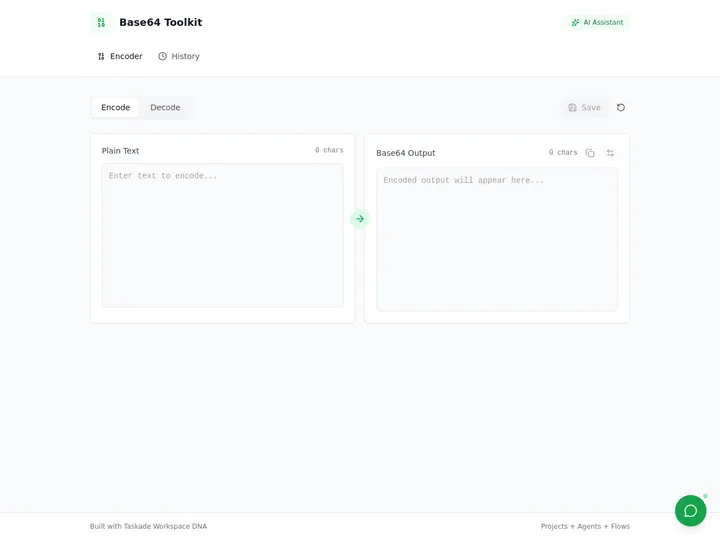
Every other generator in this guide hands you a string and stops. This one keeps going. The app below is a live Base64 toolkit built in Taskade Genesis, encode, decode, and reuse, all inside a real app at a real URL. It is the proof of the whole argument: a dev-tool generator that gives you a javascript: URL is a converter; one that gives you a running app is leverage. Click it, clone it, make it yours.
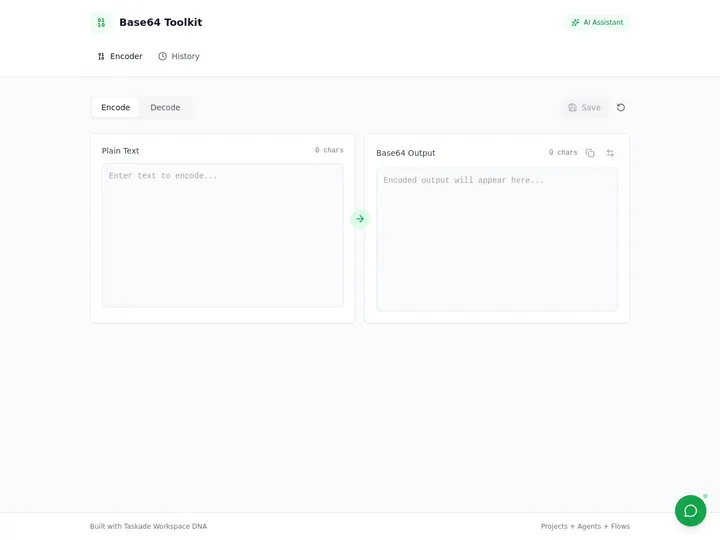
This is the difference the rest of the article is about. Clone this toolkit and start from a working tool →
What Is the Best AI Developer Tool Generator in 2026?
Taskade Genesis is the best AI developer tool generator of 2026 because it generates the artifact and the whole tool around it. Describe a regex tester, a JSON-LD validator, a FAQ-schema authoring app, or a bookmarklet, and Taskade Genesis returns the regex, the schema, or the JavaScript plus a live, cloneable app at a real URL. Every other tool on this list stops at a single output, a regex string, a JSON-LD blob, or a javascript: URL. Taskade Genesis ships software your team can clone, share, and run on a custom domain.
Generate the Snippet vs. Generate the Tool: Why a String Isn't Enough
A snippet generator gives you a string. A tool generator gives you the thing the string was for. That is the entire gap this guide measures. Nine of the ten tools below hand you a polished artifact you still have to paste somewhere, wire up somewhere, and rebuild the next time you need it. Taskade Genesis takes the same request, "match these emails," "mark up this product schema," "encode this to Base64", and returns a running app you open, edit, and share the same afternoon.
This matters most to the operator who isn't a full-time developer. If your real job is "validate the schema before launch," "give the team a regex they can reuse," or "ship an internal encoder," a better string is a detour. You wanted the tool, not the snippet. Taskade's first Enterprise customer — an IT program manager with no engineering team — put it plainly after building a production field-service dashboard on Taskade Genesis: "What I accomplished in a few weeks would have taken a team of 40+ people 18 months in a Fortune 500." He didn't generate a code blob. He generated the tool.
Here is the path a developer request actually travels when the generator doesn't stop at the clipboard:
Most tools on this list live in the first two boxes. Taskade Genesis is the only one that carries the request all the way to the last one. The plain-English version: a generator that gives you a string is a tool; one that gives you a running app is leverage.
Side by side, the day-after looks like this:
  A SNIPPET GENERATOR                    A TOOL GENERATOR (Taskade Genesis)
  ──────────────────────                 ──────────────────────────
  [ you ] describe the need              [ you ] describe the need
      │                                      │
      ▼                                      ▼
  "Here is a regex string."              A live app you can open
      │                                      │
      ▼                                      ├─ test it against sample data
  copy → paste into your code            ├─ explain it in plain English
      │                                      ├─ attach an agent (built-in tools)
      ▼                                      ▼
  one use, then gone                     clone it → ship on a custom domain
  (rebuild it next week)                 (your team reuses it every day)
The left column is where nine of these tools end. The right column is where the work actually gets reused.
What Is an AI Developer Tool Generator? (Primer)
An AI developer tool generator is a tool that drafts a developer artifact from plain English, a regex pattern, JSON-LD structured data, FAQ schema, a bookmarklet, or a code snippet, instead of making you write it by hand. In 2024 the category was mostly manual form-fillers and testers. In 2026 the category has split into two distinct shapes that buyers should understand before choosing.
Snippet Emitters vs Tool Builders
A snippet emitter produces one output and stops: regex101 tests a pattern, JSON-LD.com emits a schema blob, Bookmarklet.io returns a javascript: URL. A tool builder produces the same artifact and a runnable app around it, Taskade Genesis is the only entry on this list in this category. The distinction is not cosmetic. A snippet is disposable; a tool is reusable, shareable, and clonable by your whole team.
Why Recency Matters in This Category
Developer-tool facts go stale fast, and several leaders in this category have not kept up. Regex.ai still shows a ©2023 footer. Saijo George's FAQPage generator still pitches "rich result eligibility" even though Google fully ended FAQ rich results on May 7, 2026 (after first narrowing them in 2023). A 2026-dated, fact-current answer wins both trust and AI-engine citations against pages that quietly went stale.
What Each Generator Actually Hands You
Most guides compare developer tools on features. The more useful question is: "What do I walk away with, and can I reuse it?" This table maps the four common dev-tool jobs to the fastest starting point and the result you should have in about ten minutes.
| Your job | Best starting point | What you'll have in ~10 minutes |
|---|---|---|
| Match a pattern in text | /generate/programming/regex → run in Taskade Genesis |
A tested regex and a reusable tester app |
| Mark up a page for search/AI | /generate/schema/json-ld-validator |
Valid JSON-LD and a validator your team reuses |
| Author FAQ structured data | /generate/seo/faq-schema |
FAQ JSON-LD and a live FAQ app |
| Build a one-click browser action | /generate/ai/bookmarklet |
A bookmarklet and an app to edit and re-export it |
| Debug an existing regex | regex101 | A live match breakdown (string only) |
| Sell or share a developer utility | Taskade Genesis | A cloneable app on a custom domain |
The pattern that separates a snippet emitter from a tool builder is what happens after you generate. An emitter hands you a string and stops. A builder runs the artifact, remembers your context, and turns it into something your team reuses. That maturity ladder looks like this:
Most tools on this list live at the first two rungs. Taskade Genesis is built to carry a request all the way to the last one, a published tool with agents and automations attached.
Plain-English glossary (no CS degree needed)
- Regex, a compact pattern for finding or validating text (an email address, a phone number, a date).
- JSON-LD, the structured-data format Google and AI engines read to understand a page (a product, an article, an FAQ).
- FAQ schema: JSON-LD that labels question-and-answer pairs so machines can quote them.
- Bookmarklet, a tiny piece of JavaScript saved as a bookmark that runs an action on the current page.
- Snippet, any small output you copy and paste; the thing most generators stop at.
- App, a runnable, shareable tool with the snippet built in; the thing Taskade Genesis ships.
How We Ranked
We ranked 10 AI developer tool generators on six criteria:
- Output type, a disposable string, or a runnable, reusable tool.
- AI authoring, plain-English to artifact, or manual form-fill only.
- Coverage, regex, JSON-LD, FAQ schema, bookmarklets, code, or a single niche.
- Recency, fact-current for 2026, or stale (©2023 footers, retired-feature claims).
- Team features, sharing, permissions, and reuse across a workspace.
- Pricing, free-tier honesty versus hidden per-call credit walls.
The 10 Best AI Developer Tool Generators
1. Taskade Genesis: Best Overall (Builds the Tool, Not Just the Snippet)
Taskade Genesis is the only generator on this list that takes a developer request and returns a deployed tool. Describe the utility you need, a regex tester, a JSON-LD validator, a FAQ-schema authoring app, a Base64 toolkit, a bookmarklet maker, and Taskade Genesis builds the artifact and a live app around it. The app sits at a real URL you can clone, share with role-based access, and ship on a custom domain.
The generation side is powered by the /generate library: regex at /generate/programming/regex, schema validation at /generate/schema/json-ld-validator, FAQ markup at /generate/seo/faq-schema, and browser utilities at /generate/ai/bookmarklet. Each one drafts the output in plain English and then. This is the part competitors skip, wraps it in a runnable app. Taskade Genesis runs on frontier models from top AI labs, so the model that writes your regex is the same one that explains it.
The agent builder layers built-in tools and Custom Agent Tools on top, so a generated tool becomes a working teammate with web search, code execution, file analysis, and 100+ bidirectional integrations. Team features are first class: the workspace has multiple project views (List, Board, Calendar, Table, Mind Map, Gantt, Org Chart) and a role model (Owner to Viewer), so a tool is visible only to the people you choose until you publish it. The Base64 toolkit above is the proof: it is not a string, it is a clonable app.
Strengths: Only tool that ships a runnable, cloneable app, not a snippet; covers regex, JSON-LD, FAQ schema, bookmarklets, and code; frontier models; built-in agents; 100+ integrations; transparent annual pricing; generous free tier ships a working app.
Weaknesses: Not a dedicated regex debugger like regex101; the validator surface is newer than purpose-built schema emitters.
Pricing: Free, Pro $10/mo (Popular), Business $25/mo, Max $100/mo, Enterprise $250/mo, annual billing.
Verdict: The clear winner for anyone who wants a tool they can reuse, not a string they rebuild.
Best for: the operator who wants the tool, not the snippet, and wants their team to reuse it. Pricing: free tier ships a working app; Pro $10/mo. The catch: it is a workspace-native app builder, not a dedicated regex debugger, pair it with regex101 when you're dissecting a gnarly existing pattern.
2. regex101: Best Regex Tester and Debugger
regex101 is the credibility benchmark for testing and debugging regular expressions. It highlights matches live as you type, supports multiple flavors (PCRE, JavaScript, Python, Go), and breaks a pattern down token by token with a clear explanation panel. It is the tool experienced developers reach for to debug a pattern they already have.
Strengths: Best-in-class live testing; multi-flavor; superb token explanation; free; saveable shared links.
Weaknesses: A tester, not a generator. There is no plain-English-to-regex; no AI authoring; no app output.
Pricing: Free; optional Patreon for premium features.
Verdict: The first stop for debugging an existing pattern. Pair it with Taskade Genesis when you need to create one.
Best for: dissecting a regex you already have, against real sample text, with a token-by-token explanation. Pricing: free; small Patreon for saved private libraries. The catch: it tests, it doesn't generate. There's no plain-English-to-regex and no app to hand your team.
3. Regex.ai: Best-Known AI Regex Namebrand
Regex.ai (Liberty Labs) lets you highlight sample strings and have AI infer the regex that matches them. It was an early breakout for AI-assisted regex and remains the namebrand people search for. The highlight-to-pattern interaction is genuinely clever for one-off extraction tasks.
Strengths: Novel highlight-to-regex workflow; fast for simple extraction; free to try.
Weaknesses: Visibly stale, the footer reads ©2023; a roughly 4,000-character input cap; the AI agents can disagree on the pattern; output is a regex string only, with no app and no flavor selector.
Pricing: Free tier, paid plans for higher limits.
Verdict: Worth a look for sample-based extraction, but check the date before trusting it as your daily driver.
Best for: one-off extraction where you can highlight examples and let AI infer the pattern. Pricing: free tier; paid plans lift the input cap. The catch: the ©2023 footer is the tell, a ~4,000-character input limit, no flavor selector, and a string-only output with no app behind it.
4. Formula Bot (AI Regex Generator): Best Plain-English Regex Competitor
Formula Bot's AI Regex Generator turns a plain-English description into a regex pattern and explains it back to you. It is the strongest natural-language regex competitor on the SERP and reads well for non-experts who know what they want to match but not how to write it.
Strengths: Clean plain-English input; readable explanations; good for non-developers.
Weaknesses: "100% free to try" then an account and credit gate; regex string only, with no live app; the surrounding content is generic SEO filler.
Pricing: Free to try, then credit-gated paid tiers.
Verdict: A solid plain-English regex helper if you accept the eventual sign-up wall.
Best for: a non-developer who can describe what to match but not how to write it. Pricing: "free to try," then an account and per-call credit gate. The catch: the "100% free" framing softens once you hit the credit wall, and you still walk away with a string, not a tester your team can open.
5. TechnicalSEO.com Schema Markup Generator: Incumbent JSON-LD Tool
The TechnicalSEO.com Schema Markup Generator is the long-running incumbent for hand-building JSON-LD. It supports roughly 15 schema types through guided forms and outputs copy-paste-ready markup. It is reliable and widely bookmarked by SEO teams.
Strengths: Broad schema-type coverage; trusted by SEO professionals; free; outputs valid markup.
Weaknesses: Manual form-fill with no AI; copy-paste code only; no content drafting and no live app; dated UI.
Pricing: Free.
Verdict: Dependable manual emitter. But you do the thinking, and you walk away with a blob, not a tool.
Best for: an SEO professional who knows exactly which schema type and properties they need. Pricing: free. The catch: it's a manual form-filler, no AI drafts the content, the UI shows its age, and the output is a copy-paste blob, not a validator your team reuses.
6. JSON-LD.com Generator (v2.0): Freshest 2026 Schema Emitter
The JSON-LD.com Generator (v2.0, refreshed April 2026) is the freshest pure schema emitter in this category. It covers 17 schema types, produces valid JSON, and validates inline as you build. If you want a current, no-frills code emitter, this is the one to bookmark.
Strengths: Fresh 2026 release; 17 schema types; valid output; inline validation.
Weaknesses: Pure code emitter, no AI, no content drafting, and no app; lives in an SEO-tool silo.
Pricing: Free.
Verdict: The best modern code-only JSON-LD generator. Use Taskade Genesis when you want the validator to live in a reusable app.
Best for: someone who just wants fresh, valid JSON-LD to paste, today. Pricing: free. The catch: still a pure emitter, no AI content drafting, no reusable app, and it lives in an SEO-tool silo rather than your workspace.
7. Jasper FAQ Schema Generator: Best-Known AI FAQ-Schema Name
Jasper's FAQ Schema Generator is the most recognized AI name attached to FAQ structured data. It drafts question-and-answer pairs and wraps them in FAQPage JSON-LD, leaning on Jasper's broader content suite for the writing.
Strengths: Strong AI drafting of Q&A copy; familiar brand; clean output.
Weaknesses: Single-output snippet; the best parts are paywalled behind the Jasper suite; ships no working FAQ page or app; like most FAQ tools, it under-explains that Google retired FAQ rich results in 2023.
Pricing: Free tool, paid Jasper suite for full features.
Verdict: A capable AI FAQ-copy drafter if you already pay for Jasper. But you still leave with a snippet.
Best for: a marketing team already inside Jasper that wants AI-drafted Q&A copy. Pricing: the standalone tool is free; the good parts live behind the paid Jasper suite. The catch: single-output snippet, no live FAQ page, and like most FAQ tools it under-explains that Google fully ended FAQ rich results on May 7, 2026.
8. Saijo George FAQPage JSON-LD Generator: Popular Free FAQ Emitter
Saijo George's FAQPage JSON-LD Generator is a popular free tool that turns Q&A pairs into minified or pretty FAQ JSON-LD. It is fast and beginner-friendly for hand-authoring FAQ markup.
Strengths: Free; minified and pretty output; simple and fast.
Weaknesses: Manual, not AI; code only with no live FAQ app; still pitches "rich result eligibility" even though Google retired FAQ rich results for most sites, a stale, misleading promise.
Pricing: Free.
Verdict: Fine for a quick manual FAQ blob, just ignore the outdated rich-result claim.
Best for: hand-authoring a quick FAQ JSON-LD blob, minified or pretty. Pricing: free. The catch: it still pitches "rich result eligibility". But Google fully retired FAQ rich results on May 7, 2026, so that promise is now flatly out of date.
9. Bookmarklet.io: Leading Bookmarklet Maker
Bookmarklet.io is the leading converter for turning JavaScript into a usable bookmarklet. It ships 50+ presets, minifies and encodes your code, and gives you a sandbox to test before saving. For mechanically packaging a javascript: URL, it is the cleanest option.
Strengths: 50+ presets; reliable minify/encode; built-in sandbox; free.
Weaknesses: A mechanical converter with no AI authoring; output is a javascript: URL, not an app; the indie tooling can look abandoned.
Pricing: Free.
Verdict: The go-to if you already wrote the JavaScript. Use Taskade Genesis when you want AI to write and house it.
Best for: packaging JavaScript you've already written into a clean
javascript:URL. Pricing: free. The catch: it's a mechanical converter, no AI writes the code, the output is a URL not an app, and the indie tooling can look abandoned.
10. Refact.ai (Free AI Code Generator): Representative Free NL-to-Code Tool
Refact.ai is a representative free AI code generator: describe what you want in plain English and it returns code across 50+ languages with no sign-up required. It stands in for the broad commodity tier (CodeConvert, Perchance, ZZZCode) of throwaway snippet generators.
Strengths: Free; no sign-up; broad language coverage; fast.
Weaknesses: Throwaway snippet output with no project, no persistence, and no live app; a commodity AI wrapper with little differentiation.
Pricing: Free tier, paid plans for the IDE assistant.
Verdict: Handy for a quick code snippet. But the snippet is where it ends.
Best for: a fast, no-sign-up code snippet across 50+ languages. Pricing: free tier; paid plans for the in-IDE assistant. The catch: it's a commodity NL-to-code wrapper, no project, no persistence, no live app, and the snippet is where the value stops.
These ten are the SERP leaders, but the category is wider. Here are the next-tier tools worth knowing, so this guide covers more of the field than any single list above it.
More Tools Worth Knowing (the long tail)
| Tool | Category | What it does | What you walk away with |
|---|---|---|---|
| Workik | Regex + JSON + code | AI regex, JSON-schema, and code generation in one workbench | A snippet (regex / JSON / code) |
| Leiga Regex Generator | Regex | Natural-language-to-regex with explanations | A regex string |
| Apify Regex Builder | Regex | Describe in English, get regex with test/validate/replace | A regex string |
| RegSQL | Regex | Optimized regex with explanations, no sign-up to test | A regex string |
| iWeaver AI Regex | Regex | "Match all emails / phone numbers" plain-English regex | A regex string |
| Rexpression | Regex | AI plus a drag-and-drop step-by-step builder | A regex string |
| RegExr | Regex | Live highlighting and a community pattern library | A live match view |
| Hyperleap Schema | JSON-LD | 20+ Schema.org types, copy-paste JSON-LD | A JSON-LD blob |
| AI Rank Lab Schema | JSON-LD | AI-generated JSON-LD across Article, Product, FAQ, HowTo | A JSON-LD blob |
| Zynith SEO Schema | JSON-LD | AI reads the page and emits Google-friendly schema | A JSON-LD blob |
| Schema AI (schemaai.dev) | JSON-LD | AI analyzes content and drafts JSON-LD in seconds | A JSON-LD blob |
| Gryffin | JSON-LD | Bulk JSON-LD generation "at scale" for SEO teams | A JSON-LD blob |
| ToolTool / DataZ / DevTools4U | Dev toolkit | Base64, UUID, QR, hash, JWT — client-side utilities | A converted value (in-browser) |
The pattern repeats all the way down the long tail: every one of these hands you a string, a blob, or an in-browser value, and stops. Taskade Genesis is the only entry, at any tier, that hands you the running tool. That is the column the whole category skips, and the reason this list ranks them the way it does.
Mega Comparison Matrix (10 × 7)
| Tool | Price (entry) | AI authoring | Output you walk away with | Coverage | 2026-current | Best for |
|---|---|---|---|---|---|---|
| Taskade Genesis | Free / $10 | Yes (frontier models) | A runnable, cloneable app | Regex, JSON-LD, FAQ, bookmarklet, code | Yes | Tool, not snippet |
| regex101 | Free | No | A live match breakdown | Regex (test/debug) | Yes | Regex debugging |
| Regex.ai | Free / paid | Yes | A regex string | Regex | No (©2023) | Sample-based extraction |
| Formula Bot | Free to try | Yes | A regex string | Regex | Yes | Plain-English regex |
| TechnicalSEO.com | Free | No | A JSON-LD blob | ~15 schema types | Partial | Manual schema |
| JSON-LD.com v2.0 | Free | No | A JSON-LD blob | 17 schema types | Yes | Fresh schema emitter |
| Jasper FAQ Schema | Free / suite | Yes | A FAQ JSON-LD snippet | FAQ schema | Partial | AI FAQ copy |
| Saijo George FAQ | Free | No | A FAQ JSON-LD snippet | FAQ schema | No (stale claim) | Manual FAQ blob |
| Bookmarklet.io | Free | No | A javascript: URL |
Bookmarklets | Yes | Bookmarklet packaging |
| Refact.ai | Free | Yes | A code snippet | Code (50+ langs) | Yes | Quick code |
The Column Every Other Generator Fails
Feature matrices hide the one thing that actually decides the buy: what you walk away with. The table below strips it down to the two columns the rest of this category quietly skips, what you get (a string, or a running tool) and whether you can clone a live demo before you commit. This is where every competitor goes red and Taskade Genesis is the only green.
| Tool | Output you walk away with | Live cloneable demo | Team / RBAC | Best for |
|---|---|---|---|---|
| Taskade Genesis | A working tool (tester, validator, encoder) | Yes — clone it | Yes (role-based) | Request → tool |
| regex101 | A match breakdown | No | No | Regex debugging |
| Regex.ai | A regex string | No | No | Extraction |
| Formula Bot | A regex string | No | No | Plain-English regex |
| JSON-LD.com v2.0 | A JSON-LD blob | No | No | Schema emitting |
| Jasper FAQ Schema | A FAQ snippet | No | Limited | AI FAQ copy |
| Bookmarklet.io | A javascript: URL |
No | No | Bookmarklets |
| Refact.ai | A code snippet | No | No | Quick code |
Read the rows top to bottom and the wedge is obvious: a string is where the others finish, and where Taskade Genesis is just getting started. The annual-pricing ladder makes the same point on cost, Taskade Genesis starts Free, then Pro $10 (the Popular tier), Business $25, Max $100, and Enterprise $250, and the free tier already ships a working app, not a metered snippet. Competitors like Formula Bot and Jasper advertise "free to try" and then gate behind account sign-up or per-call credits. You are not paying for a better string; you are paying for software that runs.
Full Feature Matrix (the long-form comparison)
The mega matrix above ranks the ten; this one goes deeper on the capabilities that decide a real team purchase, AI authoring, live testing, reuse, permissions, and whether the artifact ever becomes software. Read down the Runnable app and Team RBAC columns: they stay green for exactly one row.
| Capability | Taskade Genesis | regex101 | Regex.ai | Formula Bot | TechnicalSEO | JSON-LD.com | Jasper FAQ | Saijo George | Bookmarklet.io | Refact.ai |
|---|---|---|---|---|---|---|---|---|---|---|
| Plain-English input | Yes | No | Partial | Yes | No | No | Yes | No | No | Yes |
| Live test / validate | Yes | Yes | No | No | No | Inline | No | No | Sandbox | No |
| Explains the output | Yes | Yes | Partial | Yes | No | No | Partial | No | No | Partial |
| Runnable app | Yes | No | No | No | No | No | No | No | No | No |
| Clone a live demo | Yes | No | No | No | No | No | No | No | No | No |
| Team / RBAC | Role-based | No | No | No | No | No | Limited | No | No | No |
| Custom domain | Yes | No | No | No | No | No | No | No | No | No |
| Attach an AI agent | built-in tools | No | No | No | No | No | No | No | No | No |
| Multi-artifact coverage | 5+ | Regex | Regex | Regex | Schema | Schema | FAQ | FAQ | Bookmarklet | Code |
| 2026-current facts | Yes | Yes | No | Yes | Partial | Yes | Partial | No | Yes | Yes |
Pricing Matrix (the annual-pricing wedge)
Pricing in this category hides behind the word "free." Here is the honest version: entry cost, what the free tier actually gives you, and where the wall is. Taskade Genesis is the only row whose free tier ships a running app instead of a metered string.
| Tool | Entry price | What "free" actually includes | The wall |
|---|---|---|---|
| Taskade Genesis | Free → $10 → $25 → $100 → $250 | A working, cloneable app on the free plan | Higher seats / Max compute at the top tiers |
| regex101 | Free | Full tester, multi-flavor, shared links | Patreon for private saved libraries |
| Regex.ai | Free → paid | Sample-based regex, ~4,000-char cap | Higher input limits behind paid plans |
| Formula Bot | "Free to try" | A few generations | Account + per-call credit gate |
| TechnicalSEO.com | Free | ~15 schema types, full output | None (manual, no AI) |
| JSON-LD.com v2.0 | Free | 17 schema types, inline validation | None (code emitter only) |
| Jasper FAQ Schema | Free tool / paid suite | Basic FAQ JSON-LD drafting | Best drafting behind the Jasper suite |
| Saijo George FAQ | Free | Minified + pretty FAQ JSON-LD | None (manual) |
| Bookmarklet.io | Free | 50+ presets, minify/encode, sandbox | None |
| Refact.ai | Free → paid | NL-to-code, 50+ languages, no sign-up | Paid for the in-IDE assistant |
Annual billing, in plain numbers: Free $0 · Pro $10 (Popular) · Business $25 · Max $100 · Enterprise $250, and the free tier is not a trial of a string, it is a running app you can clone today. For more on how that free tier compares across the whole builder category, see our roundup of free AI app builders.
Use-Case → Tool Matrix (start from your job)
Most people don't arrive looking for "a generator." They arrive with a job. Find your row, start at the fastest tool, and note where Taskade Genesis turns the one-off into something your team keeps.
| Your job today | Fastest single tool | What Taskade Genesis adds |
|---|---|---|
| Debug a regex I already have | regex101 | Save it as a tester your team reuses |
| Write a regex from a description | Formula Bot / Leiga | A live tester app + plain-English explanation |
| Extract a pattern from sample text | Regex.ai | The pattern and a reusable extraction app |
| Emit fresh JSON-LD to paste | JSON-LD.com v2.0 | A validator app the whole team opens |
| Mark up a product or article page | TechnicalSEO.com | A connected validator with role-based access |
| Author FAQ structured data | /generate/seo/faq-schema |
A live FAQ app, framed for AI citation not dead rich results |
| Package a bookmarklet | Bookmarklet.io | An app that drafts and re-exports it |
| Get a quick code snippet | Refact.ai | A project that persists, runs, and ships |
| Encode / decode Base64 | ToolTool / DataZ | A Base64 toolkit app you clone once and reuse |
| Generate UUIDs or QR codes | online dev toolkits | A UUID or QR app your team runs |
| Ship an internal dev utility for the team | — | One prompt → a cloneable app on a custom domain |
From Request to Production: What You Can Actually Build
The fastest way to understand the snippet-to-tool gap is to look at what people ship. These are real outcome shapes, not features, that start from one request in Taskade Genesis and end as a running tool. Each is the kind of internal utility that used to mean a dev ticket and a week of waiting.
| Outcome you want | What you describe | What you get to run |
|---|---|---|
| Reuse a regex across the team | "Build a regex tester for validating customer emails and phone numbers" | A live tester app with multiple project views and an agent that explains each pattern |
| Validate schema before launch | "Build a JSON-LD validator for our product and article pages" | A connected validator app the whole team opens at /generate/schema/json-ld-validator |
| Ship a browser utility | "Build a bookmarklet that grabs the current page title and URL" | A shareable app on a custom domain that drafts and re-exports the bookmarklet |
Each of these is a clone away. The Base64 toolkit above is the same idea in miniature, open it, clone it, and swap the logic for your own. That single click is the activation event the rest of this category never reaches.
More Dev Tools You Can Clone Right Now
The Base64 toolkit isn't a one-off. Here are two more developer utilities built the same way, each a live app at a real URL, each clonable in one click. A long tail of online tools each do one of these; these do them as software your team owns.
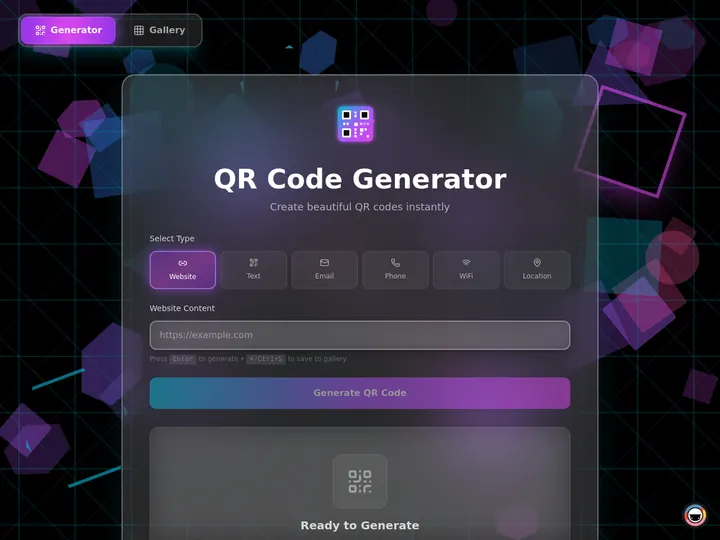
The QR Code Studio above generates and styles QR codes, the kind of utility you'd normally hit a one-off web tool for, except this one is yours to clone, brand, and put behind your team's login.
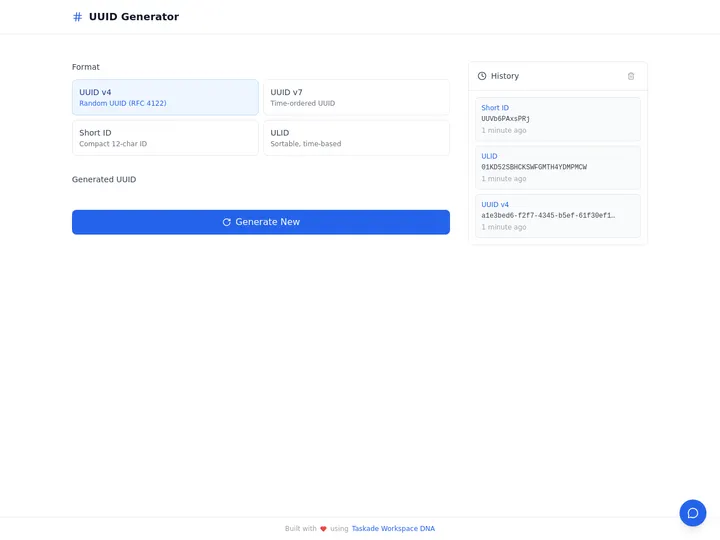
The Quick UUID app does what a dozen "uuid generator" sites do. But as a real app you clone once and reuse forever, instead of re-finding the same site every time. Want the data side too? The Neon Data Visualizer turns raw values into a live chart, the same way.
Does FAQ Schema Still Earn Rich Results in 2026?
No, Google fully ended FAQ rich results on May 7, 2026, completing a phase-out that began in August 2023. The expandable FAQ panel no longer appears in Google Search for any site, and Google is removing FAQ from the Rich Results Test and Search Console API through mid-2026. But the markup still earns you something valuable: FAQPage is a valid Schema.org type, Google still parses it to understand pages, and AI search engines like Perplexity, ChatGPT Search, and Google's AI Overviews preferentially cite cleanly structured Q&A. Bing still surfaces it too. So FAQ schema is worth generating, for AI citation and page understanding, not for Google's retired rich result. Several tools in this guide (Saijo George, parts of the Jasper flow) still imply Google FAQ-rich-result eligibility; that advice is now flatly out of date. When you draft FAQ schema at /generate/seo/faq-schema, Taskade Genesis frames it correctly: structured for the engines that actually quote it.
How to Generate Better Developer Tools
Picking a generator is half the work; the other half is describing what you want clearly. Here are the four most reliable patterns we use internally.
Describe the Tool, Not the Snippet
The single highest-leverage move is to ask for the tool, not the artifact. "Give me a regex for emails" returns a string. "Build a tool that validates and explains email regex against sample data" returns an app. Here is a copy-paste scaffold:
Build a [tool type] that [does the job].
Input: [what the user pastes or types].
Output: [the artifact + how it's tested or explained].
Reuse: [who on the team opens it, and how].
For example:
Build a regex tester that validates US phone numbers.
Input: a list of phone strings, one per line.
Output: the matching regex, a live match highlight, and a plain-English breakdown.
Reuse: shared with the support team as a read-only app.
Ask for the Explanation, Not Just the Pattern
Regex you can't read is regex you can't maintain. Always ask the generator to explain the output token by token. regex101 does this for an existing pattern; Taskade Genesis does it for a generated one and saves the explanation inside the app so the next teammate learns it too.
Generate a regex that matches ISO 8601 dates (YYYY-MM-DD).
Explain every token — anchors, character classes, and quantifiers —
in plain English, then save the explanation in the app.
Validate Before You Ship
Never ship JSON-LD you haven't validated. Generate the markup, then check it in Google's Rich Results Test or the Schema.org validator. Taskade Genesis bundles the validation step into the app so the check is one click away each time.
Generate Product JSON-LD for a $40 software plan.
Include name, offers, price, priceCurrency, and a review aggregate.
Then flag any missing required properties before I copy it.
Keep It Reusable
The difference between a converter and a tool is reuse. Ask for the artifact and the housing, a shareable app, not a one-time string. So the next person doesn't start from zero.
Build a Base64 encode/decode toolkit as a shareable app.
Encode and decode text and small files.
Make it cloneable so each team can run its own copy.
The Developer-Tool Generator Evolution
Developer-tool generation has moved through four clear phases. Here is the timeline in plain text, followed by a Mermaid version.
2021: Manual testers
  regex101, RegExr, hand-built schema forms. You write it, they check it.2023: AI snippet emitters
Regex.ai, Formula Bot, AI FAQ generators. Plain English in, one string out.
2025: Fresh emitters
JSON-LD.com v2.0, refreshed schema tools. Valid output, still code-only.
2026: Tool builders
Taskade Genesis ships the whole runnable tool, not just the snippet.
Where the Category Came From, in More Detail
The four-phase arc above hides a richer story. Developer-tool generation didn't appear in 2026. It grew out of two decades of developers wanting the machine to write the boring part. Here is the longer timeline, milestone by milestone, so you can see exactly which problem each generation solved and which one it left open.
| Era | What shipped | What it solved | What it left open |
|---|---|---|---|
| Pre-2010 | Hand-written regex, manual <script type="application/ld+json"> |
Full control | Steep learning curve; nothing reusable |
| 2010–2015 | RegExr, regex101, schema test forms | Live testing and debugging | You still wrote everything by hand |
| 2016–2020 | Schema markup generators, bookmarklet packagers | Guided form-fill, no syntax memorizing | Manual input; output was a blob, not a tool |
| 2021–2022 | First AI regex experiments (Regex.ai) | Plain-English and sample-to-pattern | String only; quickly went stale |
| 2023–2024 | AI everywhere — Formula Bot, Jasper FAQ, NL-to-code | Anyone could describe and generate | Still a single output you paste and lose |
| 2025 | Fresh emitters (JSON-LD.com v2.0), inline validation | Current, valid, less error-prone output | Still code-only, still siloed |
| 2026 | Tool builders (Taskade Genesis) | The whole runnable tool, cloneable by a team | — this is the open frontier |
Read the right-hand column down the page and the through-line is clear: every generation made the string easier to produce, and every generation still handed you a string. 2026 is the first time the output is the tool itself. Here is that same arc as a flow, with the unsolved problem each phase carried forward until Taskade Genesis closed it.
Decision Flowchart: Which Tool for Your Job
Recency Scoreboard (How Current Is Each Tool?)
The Taskade Genesis Tool-Build Workflow
Here is how a developer request moves through a Taskade workspace end to end.
This is already live: a tool built from one request can plan, call tools from its built-in toolset, and verify its own output before handing back a result, the choreography you'd otherwise wire by hand.
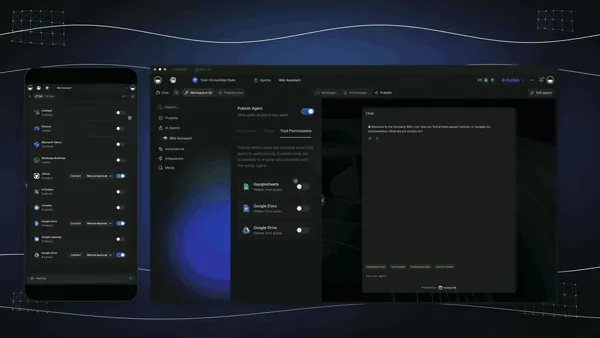
An agent built from one request in Taskade Genesis turns a generated tool into a working teammate, the difference between a string you copy and a tool that runs itself.
The Full Taskade Genesis Capability: What You Actually Get
Taskade Genesis is not a regex box bolted onto a chat window. It is a workspace where a plain-English request becomes a running app, an AI teammate, and an automation, all in one place. The dev-tool generation in this guide is one doorway into a much larger platform. Here is the whole capability, in plain language, for the operator who cares about outcomes.
AI Apps: Describe an Outcome, Get a Running App
The core move is simple: describe what you want in plain words, and Taskade Genesis builds a real, running web app, not a file you download, not a prototype, an actual app at a real URL. Publish it, put it on a custom domain, and let anyone clone it. A regex tester, a Base64 toolkit, a schema validator, an invoice generator, a client portal, all the same one-prompt path. This is the engine behind Taskade Genesis and the no-code app builder that powers it.
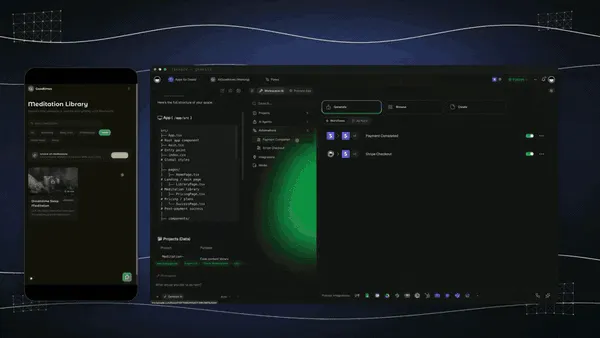
The app above ships with payments wired in from a single prompt, proof that "describe an outcome, get a running app" extends past dev utilities into real, revenue-ready software. For more on that path, see free AI app builders and the best vibe-coding tools compared.
AI Agents v2: Turn a Tool Into a Teammate
Every generated tool can become an agent. Taskade AI Agents ship built-in tools, web search, code execution, file analysis, and custom slash commands, plus persistent memory, multi-agent collaboration, public embedding, and a choice of the frontier models. EVE is the meta-agent that orchestrates the rest. A regex tester stops being a string and becomes a teammate that validates patterns, explains them, and remembers your conventions.

The agent above runs real work, not a demo. Multi-agent collaboration means one agent can hand off to another, the way you'd staff a small team. Go deeper in our coverage of the best multi-agent platforms and, for developers, Claude Code alternatives.
Automation: Reliable Workflows, Both Directions
Automations are the execution layer. Taskade automations are durable, reliable workflows with branching, looping, and filtering, wired to 100+ bidirectional integrations. The bidirectional part matters: triggers pull events in (a new row in a sheet, a form submission, a Slack message), and actions push data out (post to a channel, create a calendar event, update a CRM). A generated tool can sit at either end. See where this fits in our roundup of the best AI workflow automation tools and the best AI CRM software.
  TRIGGERS (pull events IN)            ACTIONS (push data OUT)
  ─────────────────────────           ────────────────────────
  new form submission        ──┐   ┌──▶  post to Slack / Discord
  new row in a sheet         ──┤   ├──▶  create a calendar event
  inbound email / webhook    ──┼───┼──▶  update a CRM record
  a schedule / cron tick     ──┤   ├──▶  send an invoice / receipt
  an agent finishes a task   ──┘   └──▶  write back to your workspace
                                │
                         [ your generated tool sits here ]
Workspace DNA: The Self-Reinforcing Loop
Underneath it all is one idea: Memory + Intelligence + Execution, a loop that feeds itself. Your projects are Memory. Your agents are Intelligence. Your automations are Execution. Each one strengthens the others, Memory feeds Intelligence, Intelligence triggers Execution, and Execution writes new Memory back. That is why a tool you build in Taskade Genesis gets better the more your team uses it, instead of going stale like a copied string.
The Genesis Loop: Prompt → App → Clone → Ship
Here is the full path a request travels, the loop that separates a tool builder from a snippet emitter. You describe it, Taskade Genesis builds the running app, you clone it, and you ship it to your team or the world. Read more at the Genesis Loop.
How a Tool Moves Through Your Workspace
Generation is the start, not the end. Once a tool exists, it lives in a workspace with multiple project views, List, Board, Calendar, Table, Mind Map, Gantt, and Org Chart (Timeline lives inside Gantt), and a role model (Owner to Viewer). The same Base64 toolkit can be a private draft, a team-shared app, and a published tool on a custom domain, without rebuilding anything.
When a generated tool needs to do something on a schedule or in response to an event, automations take over, calendar actions, integration grids, and EVE commands all run from the same workspace.
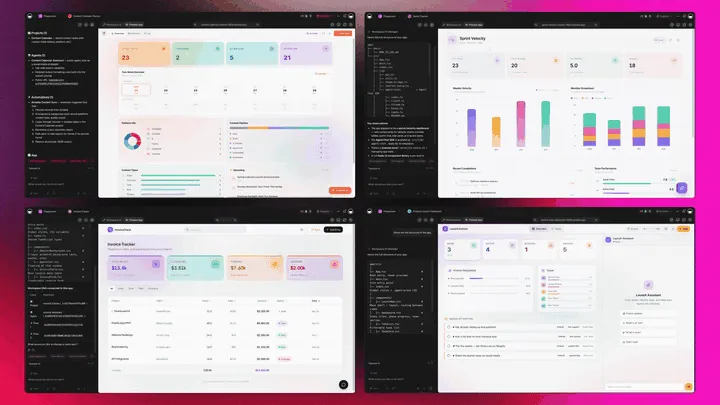
The grid above is the execution surface: a generated tool plugs into any of these connectors, and EVE can trigger them by command. That is the difference between a string you paste and a tool that participates in your day.
The Capability Map at a Glance
| Layer | What it is | What it does for a generated tool |
|---|---|---|
| AI Apps (Taskade Genesis) | Prompt → running web app | Turns a snippet request into a live, cloneable tool |
| AI Agents v2 | built-in tools, memory, multi-agent, EVE | Makes the tool explain, validate, and run itself |
| Automation | Durable workflows, 100+ integrations | Triggers and ships the tool's output, both directions |
| Multiple project views | List → Org Chart (Gantt holds Timeline) | Organizes the tool, its data, and its team |
| Workspace DNA | Memory + Intelligence + Execution | The loop that keeps the tool improving |
| Frontier models | Top AI labs | Auto-routed so the right model writes each part |
| Community + App Kits | Buy-once-clone-many gallery | Distribution: share or sell the tool you built |
Where Developer Tool Generation Is Going in 2027
1. Snippets Become Tools
By 2027 the act of generating a regex or a JSON-LD blob will be indistinguishable from deploying a small tool. Taskade Genesis-class platforms will absorb the snippet-emitter tier entirely, the way IDEs absorbed standalone linters.
2. Generators Validate Their Own Output
Today most generators stop at emitting. By 2027, generating an artifact without validating it inline will feel as strange as shipping code without a test. Taskade Genesis already bundles validation into the build; expect the rest of the category to follow.
3. Team Reuse Beats One-Off Output
Static, single-user converters will lose traffic to workspace-native tools that a whole team can clone and reuse. The buy decision shifts from "what string does it give me" to "what can my team run tomorrow."
Our Vision for 2027 and Beyond: Software You Describe, Not Build
The dev-tool generator is a small, honest preview of a much bigger shift. The future we are building toward is one where you describe software instead of building it, where every operator runs their business as living, cloneable apps, and agents with memory do the actual work. The phrase we use internally: the workspace becomes the computer.
Taskade's first Enterprise customer, an IT program manager with no engineering team, lived the early version of this. He built a production field-service dashboard on Taskade Genesis without writing code, and his frame says it best: what took a 40-person team 18 months, one person can now clone in an afternoon. That is not a metaphor about regex. It is what happens when the unit of software stops being a file you assemble and becomes a tool you describe.
Here is the arc, from where this category is today to where it goes.
Three shifts make this real, and you can already see the first one in this guide:
- Software becomes a description, not a build. You won't "make" a regex tester or a schema validator. You'll describe the outcome and the tool will exist. The generators in this list are the rough first draft of that idea; Taskade Genesis is the part that ships the running app.
- Agents with memory do the work. A tool won't just sit there waiting for input. An agent with persistent memory will run it, validate the output, and hand back a result, the way a teammate would. The autonomous agent loop above is the early shape of this.
- Distribution is buy-once-clone-many. The best tools won't be rebuilt a thousand times. They'll be cloned. The Community gallery and App Kits are the distribution layer, one person builds a tool, and an afternoon's clone gives the next operator a 40-person-team head start.

The small version of that future is one click away: clone the Base64 toolkit, describe your own tool in Taskade Genesis, and watch a snippet become software you own.
Related Reading
Connect the dots across our 2026 AI tooling coverage:
Developer tooling:
- Best AI Code Snippet Generators in 2026
- Best Claude Code Alternatives, AI Coding Agents and Tools
- Best MCP Servers in 2026
- 15 Best AI Prompt Generators 2026
- Best AI HTML Generators
App builders and agents:
- Best Vibe Coding Tools and AI App Builders Compared
- Free AI App Builders
- Best Multi-Agent Platforms in 2026
- Best AI Workflow Automation Tools 2026
- Best AI CRM Software
Build it yourself:
- AI App Builders
- Taskade AI Agents
- Taskade Automations
- What Is a No-Code App Builder?
- The Genesis Loop
- Generate a Regex Pattern
- Validate JSON-LD
- Generate FAQ Schema
- Make a Bookmarklet
- Taskade Genesis
What We Learned Testing All 10 Tools
Testing ten developer tool generators back to back revealed three surprises. First, the gap between an emitter and a builder is bigger than it looks, a tool you can reuse saves 10x more time than a string you regenerate. Second, recency is a real differentiator: the best-known AI regex name still ships a ©2023 footer, and several FAQ tools still promise Google rich results Google retired in 2023. Third, "free" is doing a lot of work in this category, most "free" generators gate behind account sign-up or per-call credits, while Taskade Genesis ships a working app on the free plan. If you only take one action from this guide, clone the Base64 toolkit, then describe your own tool in Taskade Genesis and watch a snippet become software.
Verdict
If you want to debug a regex, use regex101. If you want a fresh JSON-LD emitter, use JSON-LD.com v2.0. If you want to package a bookmarklet, use Bookmarklet.io. If you want a regex string from plain English, use Formula Bot. If you want the whole runnable tool, regex, JSON-LD, FAQ schema, or a bookmarklet, built into an app your team can clone and ship, use Taskade Genesis. Start free at /create: describe the tool, pick a model, and run it the same afternoon. Don't just get a snippet, ship the tool.
Stop generating strings. Generate the tool. Clone a live developer toolkit built in Taskade Genesis →, free, no rebuild, yours to run.
Memory feeds Intelligence, Intelligence triggers Execution, and Execution writes back to Memory, the self-reinforcing loop that turns a one-off snippet into a tool your whole workspace reuses. ▲ ■ ●
FAQ
What is the best AI regex generator in 2026?
Taskade Genesis is the best AI regex generator in 2026 because it writes the regex pattern from plain English and turns it into a live, cloneable app you can test and reuse, not just a string you copy once. regex101 is the best free tester for debugging an existing pattern, and Regex.ai infers regex from highlighted sample strings. Taskade Genesis pricing starts free, with Pro from $10/month billed annually.
How do I validate JSON-LD structured data?
Validate JSON-LD by pasting it into Google's Rich Results Test or the Schema.org validator, which flag missing required properties and syntax errors. To generate valid JSON-LD in the first place, use Taskade Genesis at /generate/schema/json-ld-validator. It drafts the markup and ships it inside a reusable app so your whole team can validate future schema the same way. JSON-LD.com and TechnicalSEO.com are solid code-only emitters.
How do I generate FAQ schema markup?
Generate FAQ schema markup by writing question-and-answer pairs and wrapping them in FAQPage JSON-LD. Taskade Genesis at /generate/seo/faq-schema drafts the Q&A and the JSON-LD together, then ships a reusable FAQ app. Note that Google fully ended FAQ rich results on May 7, 2026, so FAQ schema today helps AI engines and page understanding more than Google's blue links, current generators that still promise Google rich results are out of date.
What is the best free regex builder?
The best free regex builder depends on what you need. regex101 is free for testing and explaining patterns; RegExr is free for live highlighting. For free plain-English-to-regex generation that also gives you a reusable app, Taskade Genesis ships a free plan that already includes a working tool, not a metered snippet. Many AI regex tools advertise "free to try" then gate behind account sign-up or per-call credits.
How do I make a bookmarklet?
Make a bookmarklet by writing a small piece of JavaScript, minifying it, and prefixing it with javascript: so it runs from a browser bookmark. Bookmarklet.io converts code into a ready bookmarklet URL. Taskade Genesis at /generate/ai/bookmarklet drafts the JavaScript and explains what it does, then keeps it inside a reusable app so you can edit and re-export the bookmarklet later instead of pasting raw code each time.
Can AI explain a regex pattern in plain English?
Yes. AI can explain a regex pattern token by token in plain English, what each group, anchor, quantifier, and character class matches. regex101 shows a structural breakdown, and Taskade Genesis explains the same pattern in plain language and saves the explanation inside a shareable app so your team learns the pattern, not just copies it. This is faster than memorizing regex syntax for an occasional task.
How do I test a regex live?
Test a regex live by pasting the pattern and sample text into a tester that highlights matches as you type. regex101 and RegExr are the standard free live testers, with multi-flavor support for PCRE, JavaScript, and Python. Taskade Genesis pairs generation with a reusable test surface so the pattern, the sample data, and the expected matches all live in one app you can clone and reuse.
How do I build a reusable developer-tool app without coding?
Build a reusable developer-tool app without coding by describing the tool in plain English in Taskade Genesis, which generates a live app at a real URL you can clone, share, and run on a custom domain. Unlike single-output generators that hand you a regex string or a JSON-LD blob and stop, Taskade Genesis ships the whole tool, a Base64 toolkit, a schema validator, a regex tester, as software your team opens daily. Buy once, clone many.
Is my code private when I use an AI developer tool generator?
Code privacy depends on the tool. Taskade Genesis runs inside your workspace with a role model (Owner to Viewer), so a generated tool is visible only to the people you choose until you publish it. Free web converters and bookmarklet sites often process input client-side, but always check the privacy policy before pasting proprietary regex, schema, or code into any public tool.
Does FAQ schema still get rich results in Google in 2026?
No. Google fully ended FAQ rich results on May 7, 2026, completing a phase-out that began in 2023. The expandable FAQ snippet no longer appears in Google Search for any site. In 2026, FAQ schema still helps AI search engines like Perplexity and ChatGPT Search cite your answers, Google still parses it to understand pages, and Bing still surfaces it. But it no longer earns the FAQ rich result in Google. Generators that still promise Google FAQ rich results are giving outdated advice.
What is the best AI developer tool generator overall?
Taskade Genesis is the best AI developer tool generator overall because it generates the artifact, regex, JSON-LD, FAQ schema, a bookmarklet, or code, and the whole runnable tool around it as a cloneable app. Every other tool on this list stops at a string, a code blob, or a javascript: URL. Taskade Genesis ships the tool itself, with frontier models, built-in agent tools, and pricing from free to $10/month Pro.
What developer tools can I build with AI in 2026?
In 2026 you can build full developer utilities with AI, not just snippets. With Taskade Genesis you describe the tool in plain English and get a running app, a regex tester, a JSON-LD validator, a Base64 encode-and-decode toolkit, a UUID generator, a QR code studio, or a data visualizer. Each one lives at a real URL you can clone, share with role-based access, and run on a custom domain. That is the difference from generators that hand you a single string and stop. Taskade Genesis is free to start, with Pro from $10/month billed annually.