






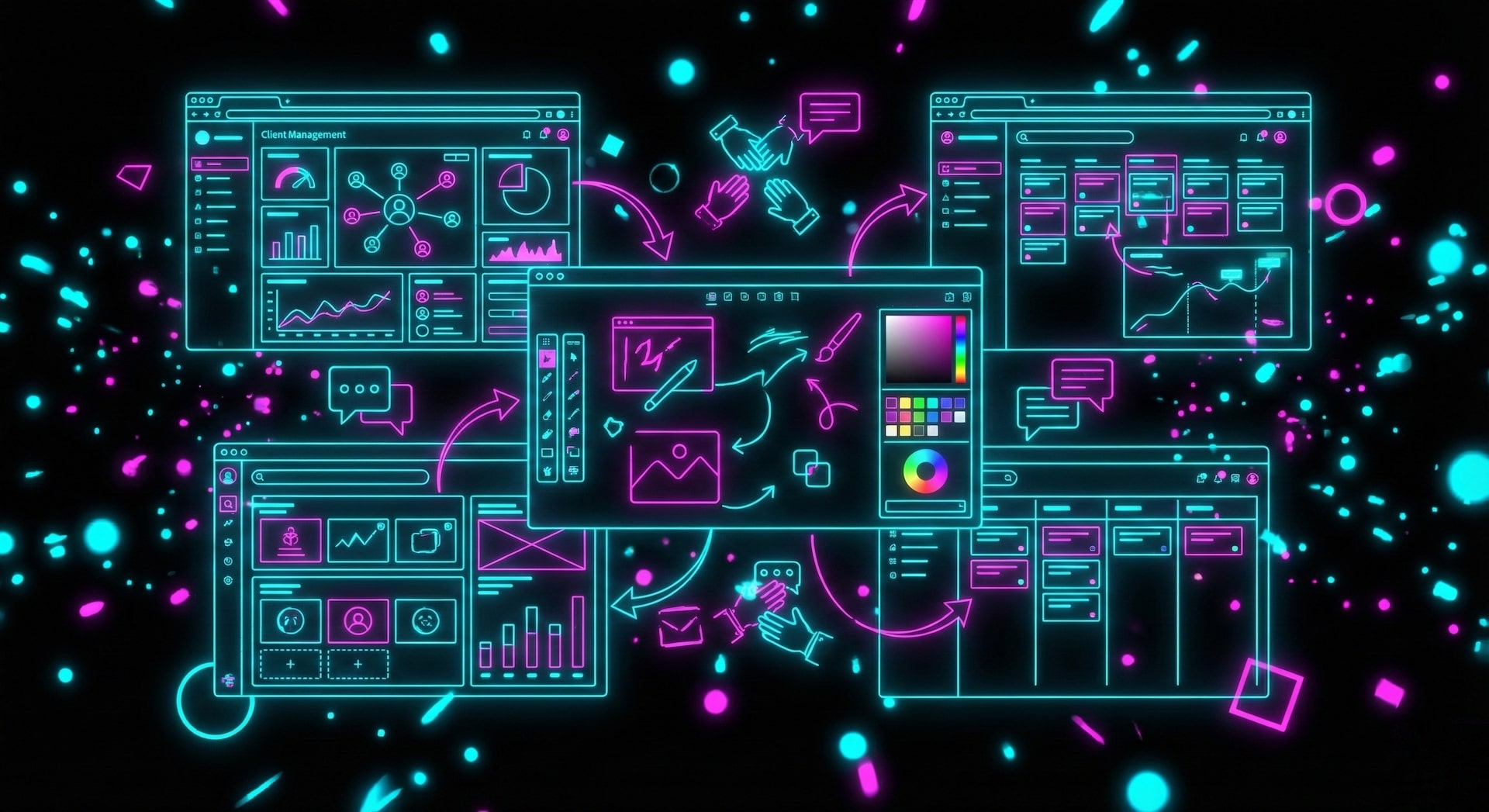
Running an agency is orchestration.
Client portals, project dashboards, content workflows, testimonial collection, multi-platform publishing — it is a maze of tools duct-taped together. Every new client means another folder, another Slack channel, another spreadsheet.
Taskade Genesis gives you a unified agency OS. One prompt creates a complete workspace with client data (Projects), AI assistants (Agents), and automated delivery (Automations). It is agentic engineering made accessible — no code, no infrastructure, just results.
TL;DR: Taskade Genesis replaces 12+ agency tools with a single AI-powered workspace. One prompt builds client portals, project dashboards, and automated workflows. AI agents with built-in tools handle proposals, briefs, scheduling, and reporting. 150,000+ apps built. Clone your first agency workspace ->

Why Agencies Need an AI-Powered Operating System in 2026
The average agency spends $300-1,000/month on disconnected tools — one for CRM, one for project management, one for publishing, one for client communication. Data lives in silos. Context is lost between handoffs. Your team spends 40% of their time on administrative work instead of client delivery.
Taskade Genesis consolidates everything into a living system where your client data, AI assistants, and automated workflows share the same context.
| Traditional Agency Stack | Taskade Genesis Agency OS |
|---|---|
| Separate CRM, PM, and publishing tools | Single workspace per client |
| $300-1,000/month tool spend | Free, then $10/mo billed annually |
| Manual data entry across systems | AI agents auto-update records |
| Static dashboards you update | Living dashboards that update themselves |
| Disconnected communication | Integrated client portals |
| 40% time on admin tasks | Automations handle repetitive work |
This is the difference between managing tools and running a business.
Quick Reference: All 10 Agency Workspaces
| # | Workspace | Function | Best For | Clone Link |
|---|---|---|---|---|
| 1 | Multi-Platform Publisher | Content distribution | Content agencies | Clone -> |
| 2 | Testimonial Portal | Social proof collection | Service businesses | Clone -> |
| 3 | Support Rating Dashboard | Client satisfaction | Account managers | Clone -> |
| 4 | BusinessPro Website | Agency website | Consulting firms | Clone -> |
| 5 | Consultancy Booking | Client scheduling | Consultants | Clone -> |
| 6 | Event Management Portal | Event planning | PR firms | Clone -> |
| 7 | Class Booking Portal | Workshop scheduling | Training companies | Clone -> |
| 8 | Neon CRM Dashboard | Client relationships | Sales teams | Clone -> |
| 9 | Invoice Generator | Billing | Freelancers | Clone -> |
| 10 | Team Capacity Planner | Resource allocation | Creative directors | Clone -> |
Here are 10 AI agency workspaces you can clone and run your business on.
1. Multi-Platform Publisher
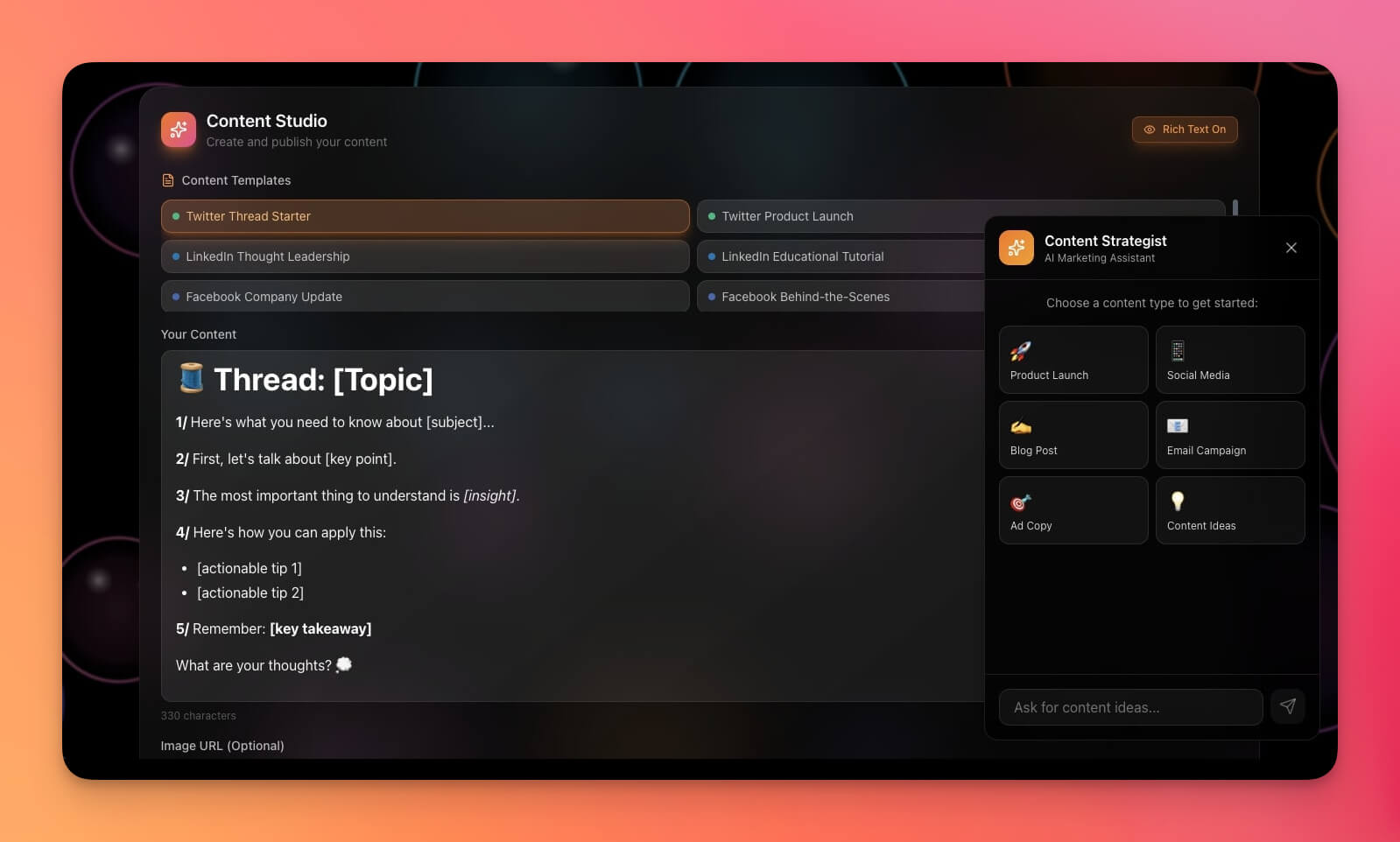
Publish content across multiple channels from a single dashboard. AI agents draft platform-specific variations while automations handle the publishing schedule.
Best for: Content agencies, social media managers, marketing teams
Features:
- Multi-channel content calendar with multiple project views (List, Board, Calendar, Table, Mind Map, Gantt, Org Chart)
- Platform-specific formatting powered by AI agents
- Scheduling interface with automated publishing workflows
- Performance tracking across all channels
Clone Multi-Platform Publisher ->
2. Testimonial Portal App
Collect, organize, and showcase client testimonials automatically. The AI agent sends collection requests after project milestones and formats testimonials for marketing use.
Best for: Agencies, consultants, service businesses
Features:
- Testimonial submission form with automated collection triggers
- Approval workflow managed by AI agents
- Display-ready formatting for websites and proposals
- Export for marketing collateral and social proof
3. Support Rating Dashboard
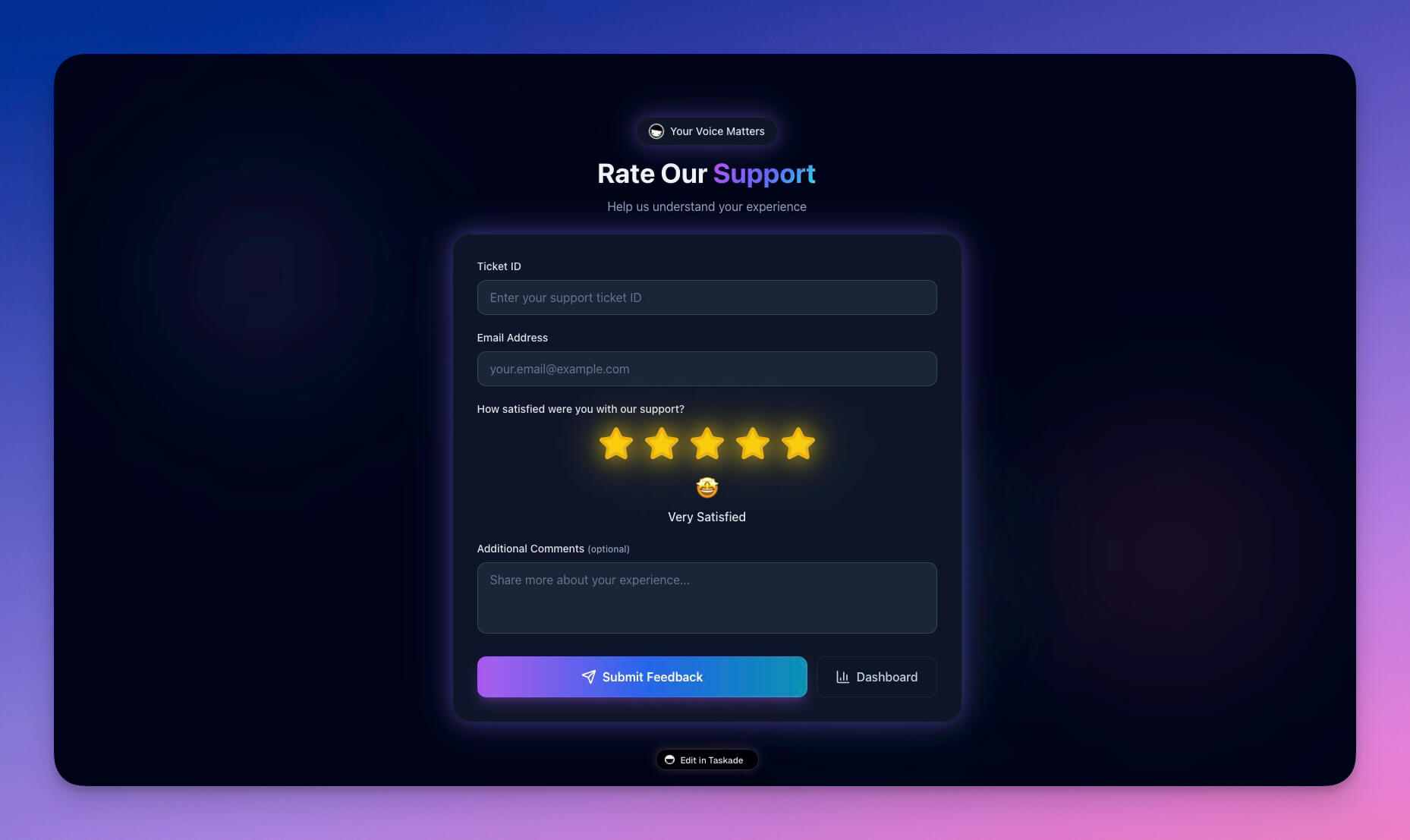
Track client satisfaction, support tickets, and service quality in real time. AI agents analyze trends and flag accounts that need attention before clients churn.
Best for: Account managers, client success, support teams
Features:
- CSAT tracking with automated surveys
- Ticket resolution metrics and response time analysis
- Client feedback aggregation across all touchpoints
- AI-powered trend analysis with churn risk alerts
Clone Support Rating Dashboard ->
4. BusinessPro Website
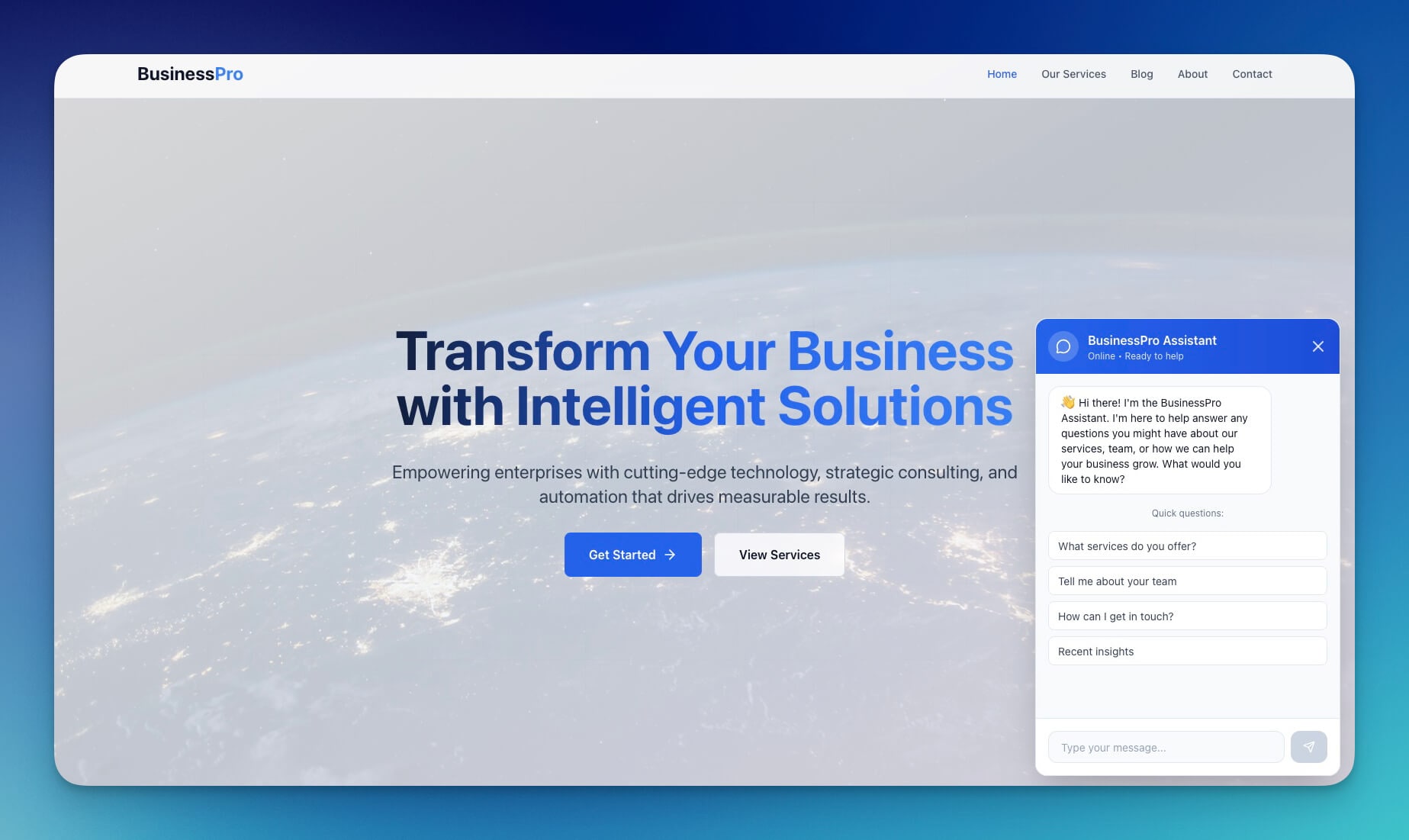
A professional business website template for agencies and consultants. Genesis builds the site, captures leads, and routes them into your CRM automatically.
Best for: Agencies, consulting firms, B2B services
Features:
- Service showcase with case study templates
- Lead capture forms connected to CRM automations
- Team section with role-based profiles
- Contact integration with automated follow-up sequences
5. Consultancy Booking Form
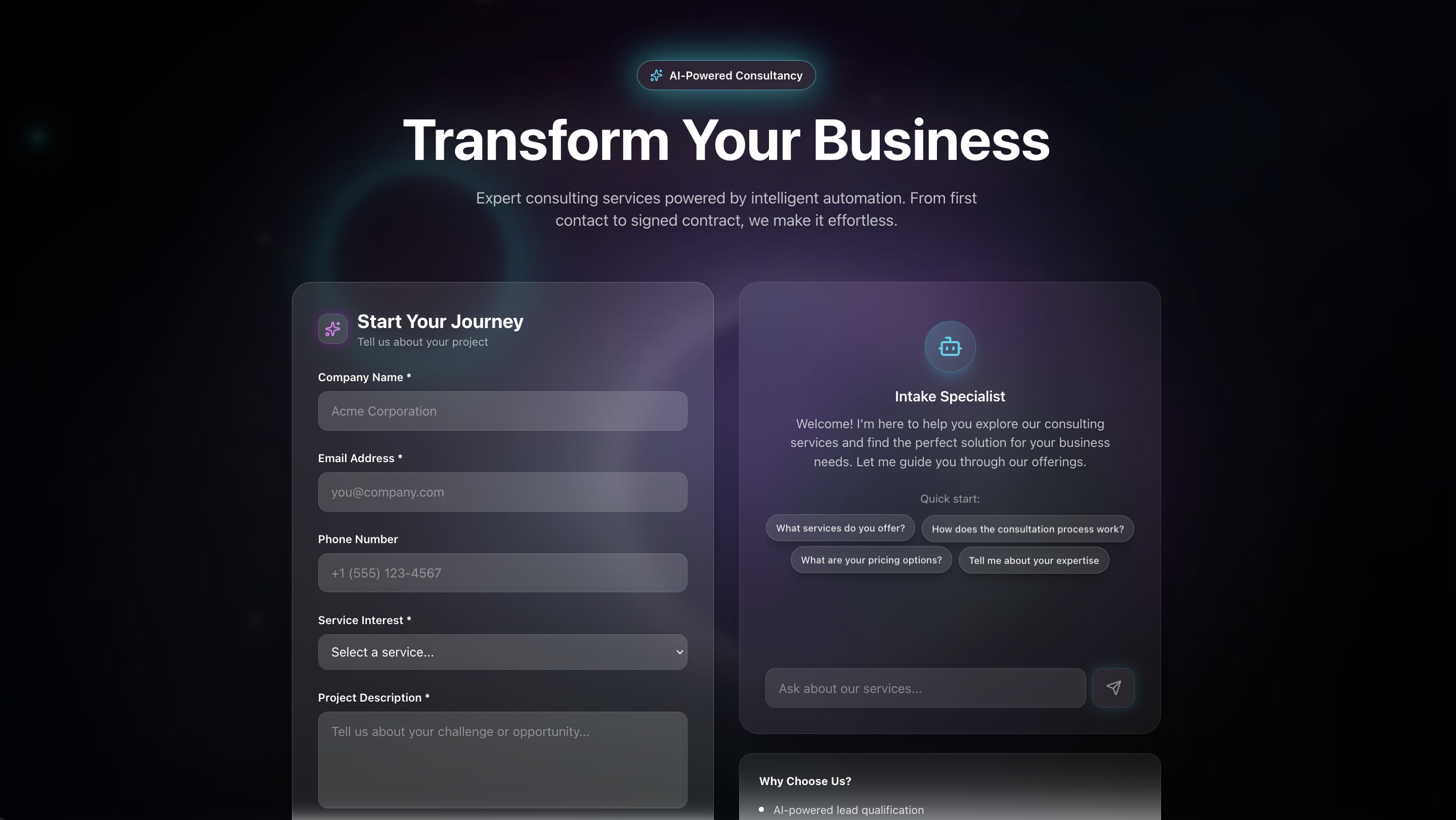
Let clients book consultations directly with automated scheduling, confirmation emails, and calendar sync. Eliminates the back-and-forth of manual scheduling.
Best for: Consultants, coaches, advisors
Features:
- Availability calendar with conflict detection
- Booking form with qualification questions
- Automated confirmation emails via integrations
- Calendar sync across platforms
6. Event Management Portal
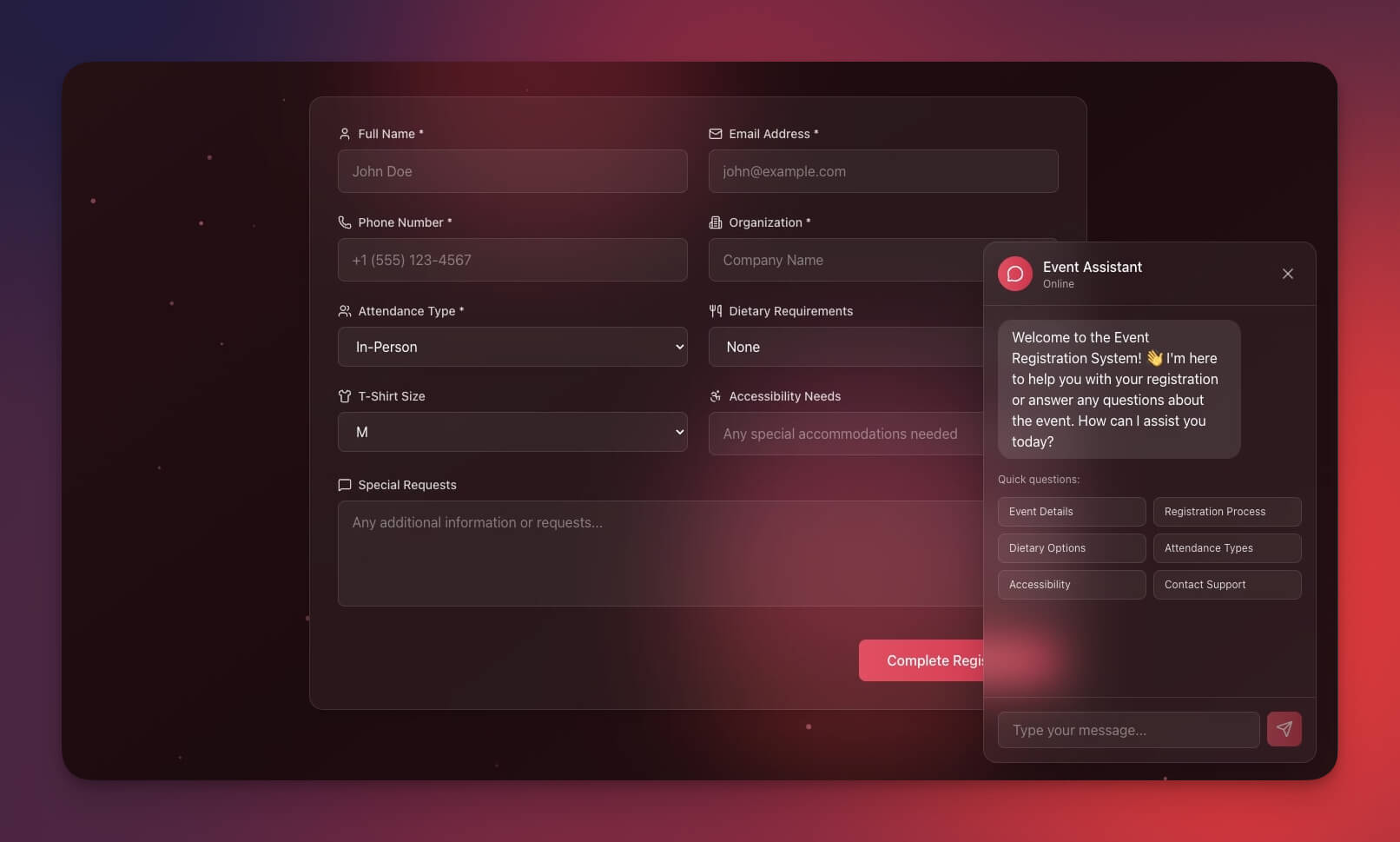
Manage client events from planning to execution. The AI agent coordinates vendors, tracks budgets, and sends automated reminders to all stakeholders.
Best for: Event agencies, PR firms, marketing teams
Features:
- Event calendar with milestone tracking
- Vendor management with automated coordination emails
- Budget tracking with AI-powered variance alerts
- Timeline planning across the full event lifecycle
7. Class Booking Portal
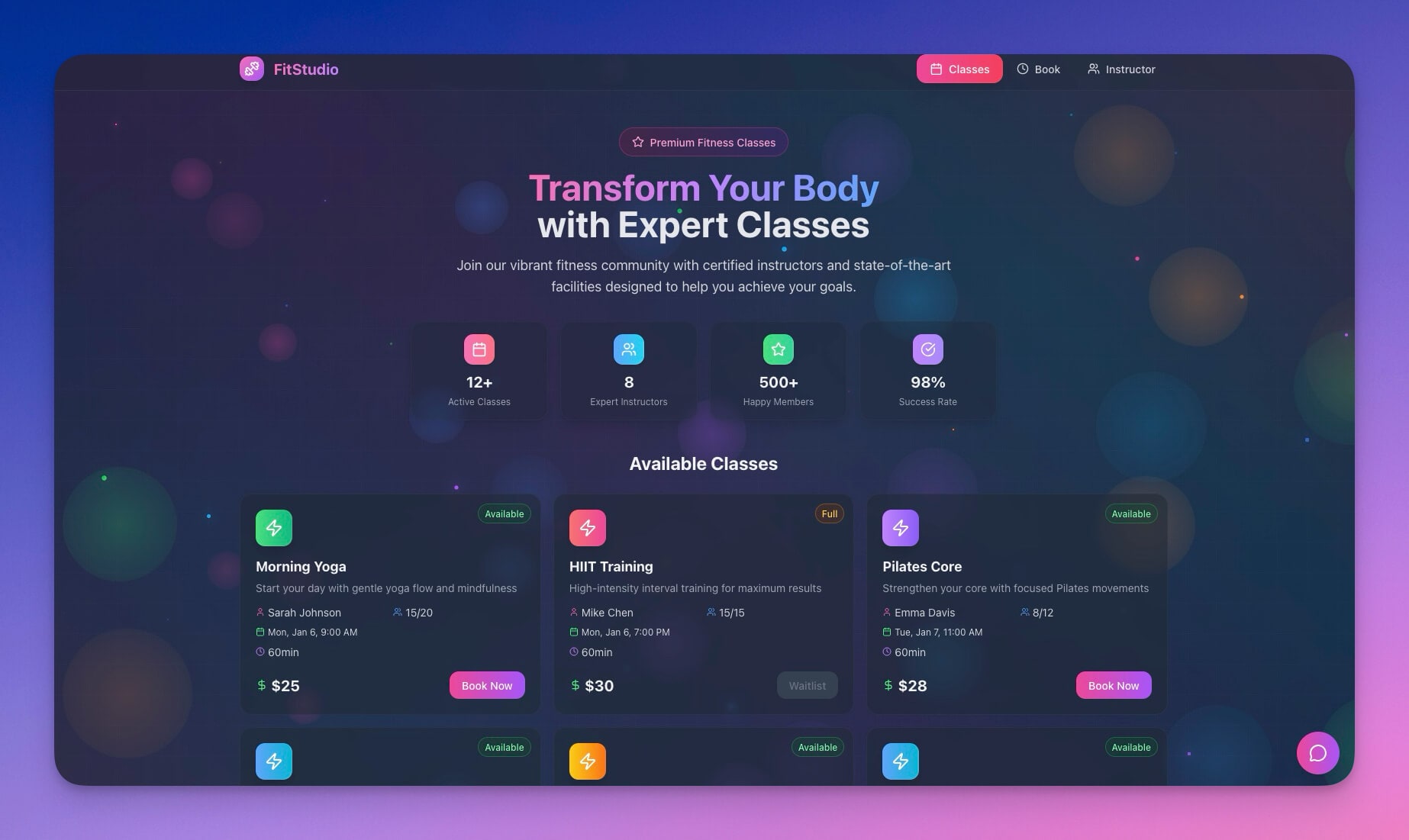
Schedule and manage recurring sessions or workshops. Automations handle registration, waitlists, and reminder sequences so you focus on content delivery.
Best for: Training companies, workshop facilitators, educators
Features:
- Class scheduling with recurring session support
- Attendee management with automated registration
- Waitlist handling with priority notifications
- Reminder automation via email and Slack
8. Neon CRM Dashboard
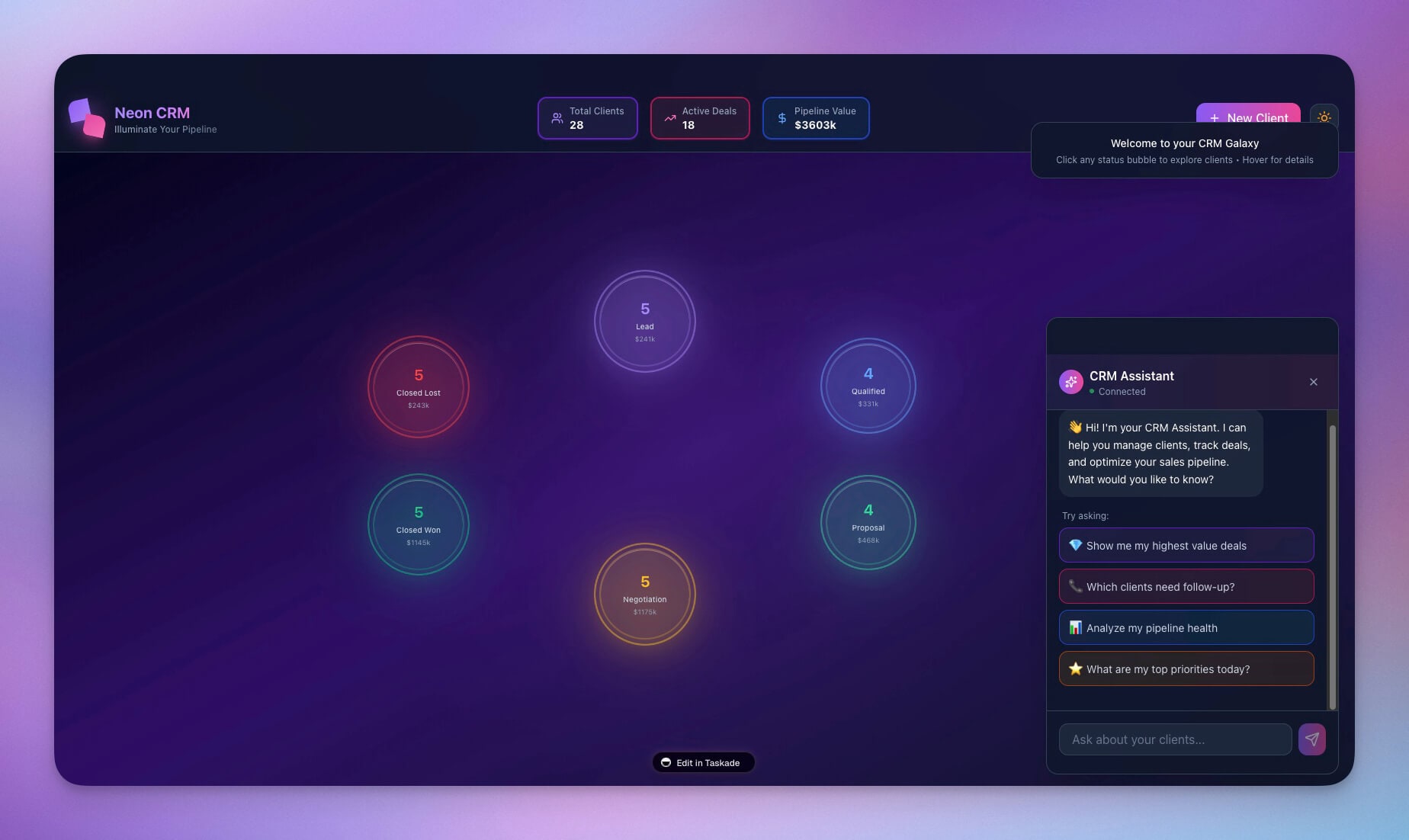
A visually striking CRM for tracking client relationships, deal pipeline, and revenue. AI agents score leads and draft follow-up messages based on interaction history.
Best for: Sales teams, account managers, agency BD
Features:
- Client database with full interaction history
- Deal pipeline with AI-powered lead scoring
- Automated follow-up sequences triggered by inactivity
- Revenue tracking and forecasting dashboards
9. Invoice Generator
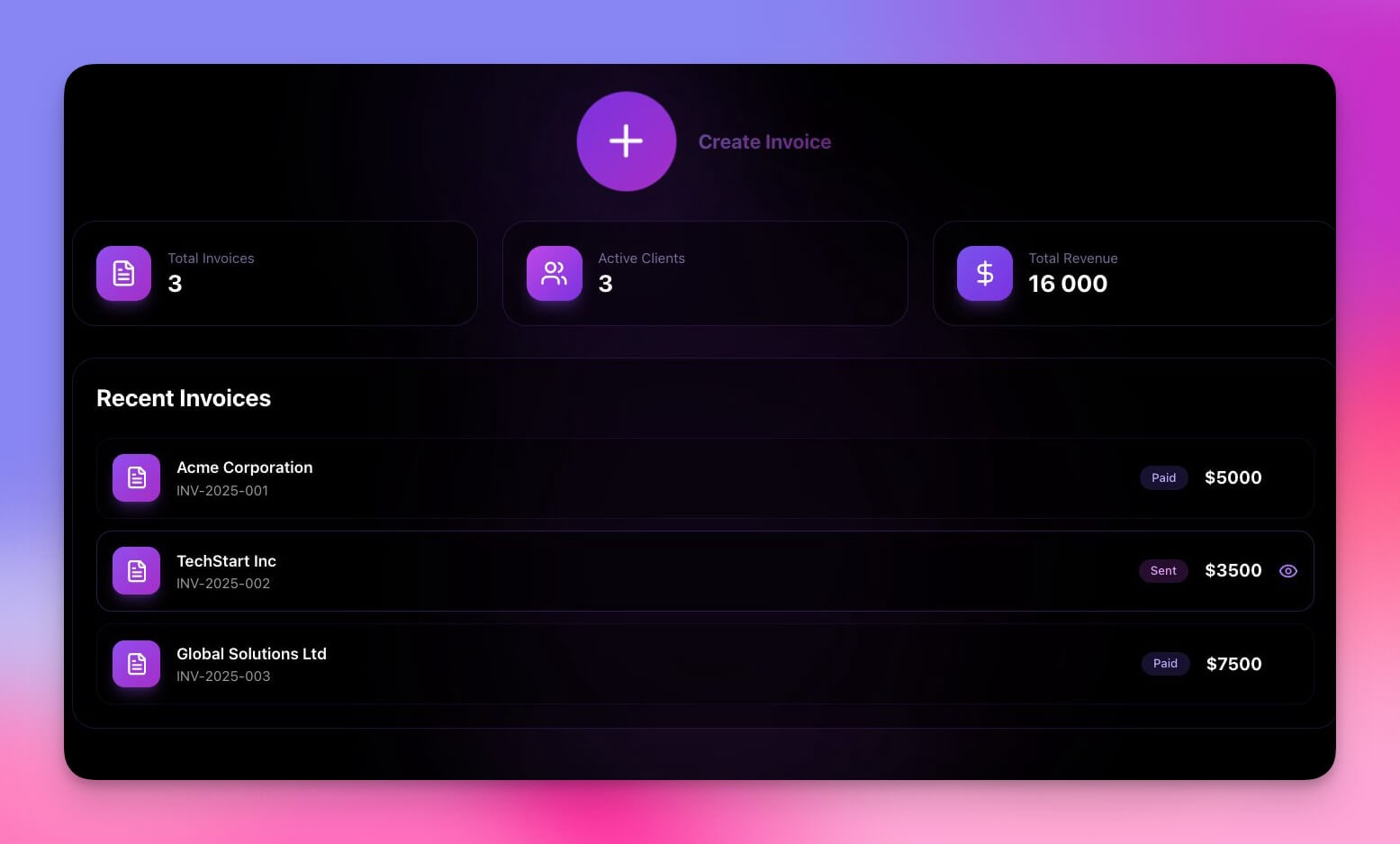
Create and track client invoices with automatic calculations. Automations send payment reminders for overdue invoices and log payments to your finance dashboard.
Best for: Freelancers, agencies, service businesses
Features:
- Professional invoice templates with line item calculations
- Client database synced with your CRM
- Payment tracking with automated overdue alerts
- Export-ready formats for accounting software
10. Team Capacity Planner
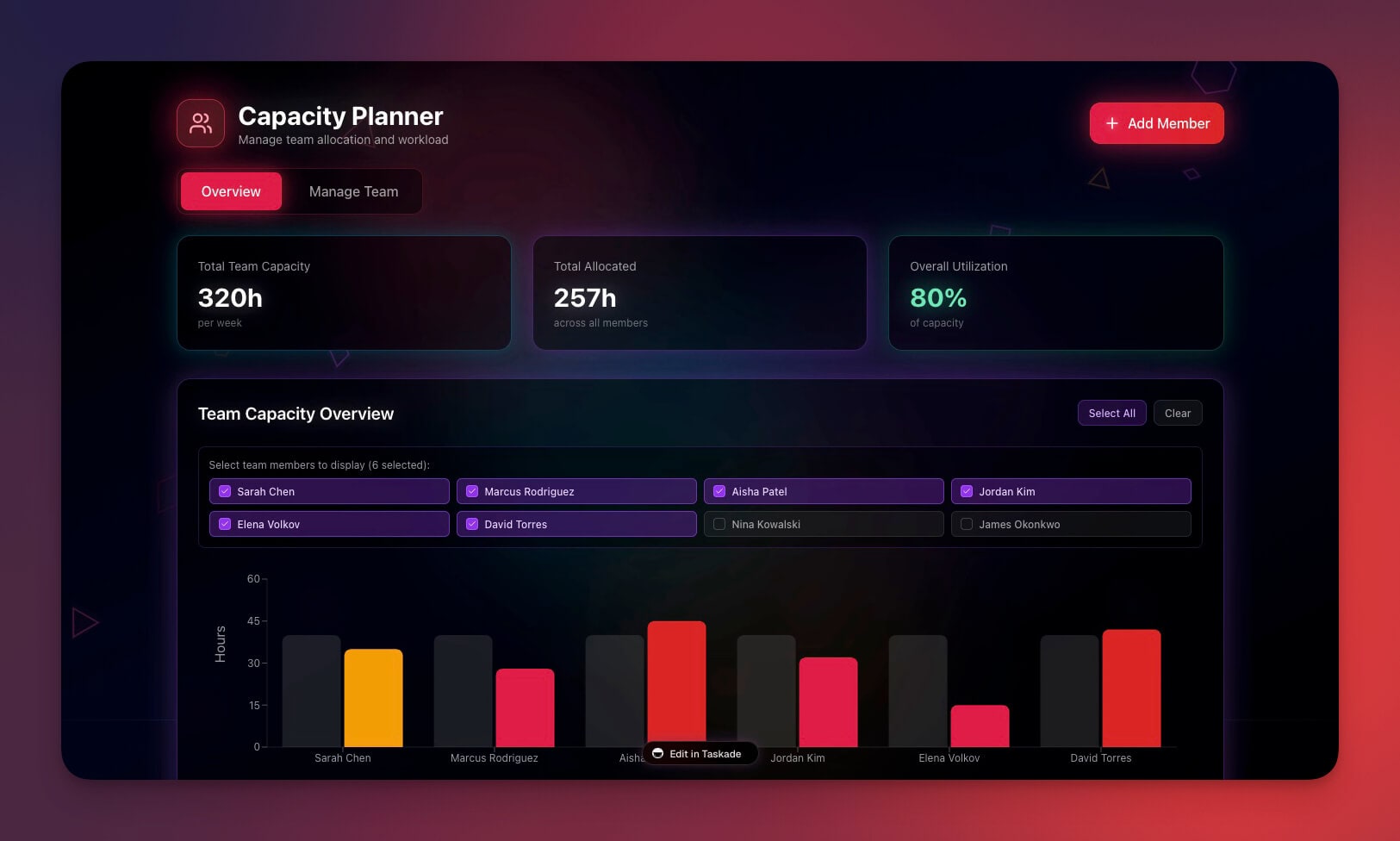
Allocate team resources across client projects. View utilization rates, identify bottlenecks, and forecast capacity needs before they become problems.
Best for: Creative directors, project managers, agency ops
Features:
- Team availability view across all active projects
- Project assignments with workload balancing
- Utilization tracking with AI-generated insights
- Capacity forecasting for hiring and staffing decisions
Clone Team Capacity Planner ->
The Agency OS Architecture: How Workspace DNA Powers Your Business
Most agencies run on chaos. Genesis agencies run on systems.
An Agency OS combines three layers of Workspace DNA:
| Component | Genesis Feature | Agency Example |
|---|---|---|
| Client Database | Projects (Memory) | All client info, briefs, and assets in one place |
| Smart Assistants | AI Agents (Intelligence) | Auto-draft proposals, summarize briefs, score leads |
| Automated Delivery | Automations (Execution) | Schedule posts, send reports, trigger onboarding |
Memory feeds Intelligence, Intelligence triggers Execution, Execution creates Memory. Your agency improves with every client interaction.
Taskade Genesis vs. Monday.com vs. ClickUp for Agencies
Agencies evaluating project management tools should understand the fundamental difference: Monday.com and ClickUp organize work. Taskade Genesis organizes and executes work.
| Capability | Taskade Genesis | Monday.com | ClickUp |
|---|---|---|---|
| AI agents that execute tasks | Yes (built-in tools, persistent memory) | No (AI assists, does not execute) | No (AI summarizes only) |
| Automated workflows | 100+ integrations, branching/looping | Recipes (limited logic) | Automations (limited triggers) |
| Client portals | Built-in with permissions | Third-party add-on | Limited sharing |
| Content publishing | Multi-platform from workspace | Not included | Not included |
| App generation from prompt | Yes (Genesis) | No | No |
| Pricing (10-seat team) | $10/month (Pro) | $36/month | $29/month |
| Knowledge base for agents | Native (Projects = memory) | Not available | Docs (no AI memory) |
The key differentiator: In Monday.com or ClickUp, your team does the work and the tool tracks it. In Taskade Genesis, AI agents do repetitive work while your team focuses on strategy and client relationships.
Agency Automations That Scale
Connect your workspaces to real workflows using Taskade Automations:
- Client onboarding sequences triggered by form submission — welcome email, project setup, intake questionnaire
- Weekly reports generated by AI agents and sent automatically to client stakeholders
- Invoice reminders for overdue payments with escalation after 30, 60, and 90 days
- Content scheduling across platforms with approval gates and publishing triggers
- Testimonial requests sent automatically after project milestones
These connect to 100+ integrations including Slack, Gmail, Google Calendar, HubSpot, Salesforce, Stripe, and more.
How to Build Your Agency OS in 5 Minutes
Create a custom agency workspace from a single prompt:
- Open Taskade Genesis and click "Create App"
- Describe your workspace: "Build a client portal with project tracking, file sharing, automated status updates, and a weekly report generator"
- Use "Enhance Prompt" for customization suggestions
- Genesis creates the workspace with Projects, Agents, and Automations
- Invite clients and team members with role-based permissions
- Run your agency on autopilot
Learn more in Create Your First App.
Start Building Your Agency OS
Ready to replace your fragmented toolchain with a unified workspace?
Resources:
- Explore Community Apps — Clone agency tools built by other teams
- Create Your First App — Step-by-step tutorial
- Workspace DNA Guide — Understand the architecture
Your living agency workspace includes:
- Custom AI Agents — AI assistants that draft, analyze, and coordinate
- Projects and Memory — Your client database across multiple views
- 100+ Integrations — Automated workflows across your entire stack
Read more:
- 10 AI Client Portals You Can Deploy Instantly
- 10 AI Dashboards You Can Clone in One Click
- 10 Agentic Workflows for Startups
- Build Without Permission
- How to Host Your First AI Agent
- SaaS Has Evolved Into Living Software
Explore Taskade AI:
- AI Agency Tools — Built for creative teams
- AI App Builder — Build complete apps from one prompt
- AI Portal Builder — Create client portals instantly
- AI Workflow Automation — Automate agency ops
Build with Genesis:
- Browse All Generator Templates — Apps, dashboards, websites, and more
- Browse Agent Templates — AI agents for every use case
- Explore Community Apps — Clone and customize
Frequently Asked Questions
What is an AI agency workspace?
An AI agency workspace is a unified operating system for service businesses that combines client portals, project dashboards, content workflows, and team coordination in one platform. Built with Taskade Genesis, each workspace includes structured databases (Projects), AI assistants (Agents), and automated delivery pipelines (Automations) — replacing the 12+ disconnected tools most agencies use.
How can agencies reduce tool sprawl with Taskade Genesis?
The average agency spends $300-1000/month on separate tools for CRM, project management, publishing, and client communication. Taskade Genesis consolidates everything into one workspace generated from a single prompt. Each workspace includes AI agents powered by frontier models from top AI labs, automated workflows, and multiple project views for managing client work.
Can I build a client-facing portal for my agency?
Yes. Taskade Genesis creates professional client portals with booking systems, project dashboards, testimonial collection, and automated status updates. Clients get a branded, self-service experience while your team manages everything from one workspace. Use the permission system (Owner to Viewer) to control client access.
What agency workflows can be automated with AI agents?
AI agents in Taskade can automate client onboarding, content scheduling, multi-platform publishing, testimonial collection, support ticket routing, and reporting. Agents have built-in tools, custom slash commands, and persistent memory, so they learn your agency processes and handle repetitive tasks autonomously.
How does a Taskade agency workspace compare to Monday.com or ClickUp?
Monday.com and ClickUp are project management tools that organize tasks but do not execute work. Taskade Genesis creates living workspaces where AI agents draft proposals, summarize client briefs, schedule content, and send reports automatically. You get project management plus AI intelligence plus workflow automation in a single platform, free to start, with Pro from $10/mo billed annually.
What is Workspace DNA and how does it apply to agency operations?
Workspace DNA is Taskade's architecture where Memory (Projects storing client data) feeds Intelligence (AI Agents that analyze and act), Intelligence triggers Execution (Automations that deliver work), and Execution creates new Memory. For agencies, this means your client data trains your AI assistants, which trigger automated delivery, which generates new data — a self-improving loop.
Can I manage client permissions in an agency workspace?
Yes. Taskade uses a role-based access system: Owner to Viewer. You can give clients Viewer or Checker access to see project status without editing work, while your team operates with Editor or Owner permissions.
How much does it cost to run an agency on Taskade?
Taskade pricing starts with a Free tier for individuals. Paid plans include Pro at $10/month for up to 10 seats (ideal for small agencies) and Business at $25/month for unlimited seats, both billed annually. All plans include AI agents, automations, and 100+ integrations.
Can I publish content to multiple platforms from a Taskade workspace?
Yes. The Multi-Platform Publisher workspace includes a content calendar, platform-specific formatting, scheduling interface, and performance tracking. AI agents can draft content variations for each platform, and automations handle the publishing schedule across channels.
What types of agencies benefit most from Taskade Genesis workspaces?
Creative agencies, marketing firms, consulting practices, development shops, and service businesses all benefit. Any agency that manages multiple clients, delivers recurring work, and coordinates teams across projects can replace fragmented toolchains with a single Taskade workspace that combines project management, AI assistance, and workflow automation.