







We make Taskade, so read this list with that in mind. Every entry, ours included, gets the same format and about the same length: what the tool is best for, real strengths, real limits and the price on the vendor's own page. The order is not a score. Tools that shut down in 2026 are in their own table, not in the ranking.
What Is the Best AI Agent Builder in 2026?
The best AI agent builder in 2026 is the one that sits where your work already lives. Taskade fits small teams that want agents beside their projects and automations. Zapier Agents fits teams that already run Zaps. n8n and Dify fit teams that self-host. Copilot Studio fits Microsoft 365 companies, and LangGraph or CrewAI fit Python developers.
| If you need... | Start with | Why |
|---|---|---|
| An agent that works inside your projects | Taskade | Projects, agents and automations share one workspace |
| An agent on top of existing Zaps | Zapier Agents | It reuses the apps you already connected |
| An assistant for your inbox and calendar | Lindy | Email and meetings are its home ground |
| Self-hosting and full control | n8n or Dify | Free community editions on your own server |
| A website support chatbot | Chatbase or Botpress | Built for answering visitors from your docs |
| Agents in code | LangGraph or CrewAI | Open-source Python frameworks |
| Microsoft 365 or Google Workspace | Copilot Studio or Workspace Studio | Agents inside the suite you already pay for |
What Is an AI Agent Builder?
An AI agent builder is a tool that lets you make an AI agent without training a model. You give the agent instructions, knowledge from your own documents, and tools for the apps it can act in. Then you publish it where customers or teammates can use it. For the full concept, read how agent builders work. For teams that run many agents with audit and access rules, see AI agent platforms for teams. For the code-first side of the agent landscape, see agentic engineering platforms.
Every builder on this list gives you some version of the same four parts:
| Part | What it does | Example |
|---|---|---|
| Instructions | Tells the agent its job and its limits | "Answer only from the attached FAQ" |
| Knowledge | Files, pages or tables the agent reads | A price list, a help center, a project |
| Tools | Actions the agent can take | Send an email, add a table row, search the web |
| Channel | Where people talk to the agent | A share link, a website widget, Slack, email |
Knowledge is the part that decides whether an agent gives your answer or a guess. A builder that reads your real documents, such as an FAQ or a price list, can quote them back to a customer.
If you want a ready-made agent instead of making one, compare ready-made AI agents. If you want an app around the agent, compare the best AI app builders.
What Kinds of AI Agents Can You Build?
Most small teams build one of six agents first: a support agent, a lead follow-up agent, an inbox agent, a meeting agent, a research agent or an internal Q&A agent. Each one does one job with one set of documents. Pick the job first, because the job decides which builder fits.
| Agent job | What it does | Builders that fit | Taskade starting point |
|---|---|---|---|
| Support agent | Answers customer questions from your FAQ and policies | Chatbase, Botpress, Taskade | FAQ answer agent |
| Lead follow-up agent | Drafts the next message to each new lead | Relevance AI, Zapier Agents, Taskade | Lead follow-up agent |
| Inbox agent | Sorts email and drafts replies | Lindy, Zapier Agents, Make | Email sorting agent |
| Meeting agent | Turns notes into decisions and tasks | Lindy, Taskade | Meeting notes taker |
| Research agent | Collects and summarizes sources on a topic | Gumloop, Relevance AI, CrewAI | Custom agent with web search |
| Internal Q&A agent | Answers staff questions from company docs | Copilot Studio, Workspace Studio, Dify, Taskade | Custom agent with project knowledge |
A first agent works best when it has one job, one short set of instructions and only the knowledge that job needs. Add a second job to a second agent, not to the first one.
How We Checked These 14 Builders
We checked each builder against the same five questions, and we read each vendor's pricing page on 2026-10-19. We did not run a hands-on trial for this update, so each entry reports what the vendor documents, not what we measured. Where a vendor page and its docs disagree, we say which one we used.
| Question | What we looked for |
|---|---|
| Can a non-developer build it? | Plain-language setup, templates, no code for a first agent |
| Can it read your documents? | Files, links, help centers or projects as knowledge |
| Can it act? | Tools or app connections that send, update or create something |
| Where can people use it? | A public link, a website widget, Slack, email or an app |
| What does a busy month cost? | The free plan, the first paid plan and the meter that raises the bill |
We kept builders with a public free plan or a public price and a product update in 2026. We moved tools that shut down to their own table further down.
AI Agent Builders Compared: Free Plan, Price and Best Use
Six of the 14 builders have a free plan that does not expire. The rest offer a trial, a small credit grant or a free open-source edition that you host yourself. Prices below come from each vendor's own pricing page, which we checked on 2026-10-19. Prices change often, so confirm on the vendor page before you buy.
| Tool | Best for | Free plan | Paid from | Checked on |
|---|---|---|---|---|
| Taskade | Agents inside projects and automations | 1 agent, no starting AI credits | $10/mo billed yearly | 2026-10-19 |
| Zapier Agents | Teams that already run Zaps | 400 activities a month | Pro, about $33.33/mo billed yearly | 2026-10-19 |
| Lindy | Inbox and calendar work | $50 in credits for 7 days | $29.99/mo | 2026-10-19 |
| Make | Low-cost visual scenarios | 1,000 credits a month | $9/mo | 2026-10-19 |
| n8n | Self-hosting | Self-hosted edition, cloud trial | €20/mo billed yearly | 2026-10-19 |
| Gumloop | Visual AI flows for ops teams | 14-day trial, card needed | $37/mo | 2026-10-19 |
| Relevance AI | Sales and research agents | None (retired) | $19/mo billed yearly | 2026-10-19 |
| Chatbase | Website support chatbot | 7-day trial | $32/mo billed yearly | 2026-10-19 |
| Botpress | Chat agents on many channels | 3 agents, 100 conversations a month | $150/mo billed yearly | 2026-10-19 |
| LangGraph | Agents in Python code | Open source, free LangSmith seat | $39/seat/mo (LangSmith Plus) | 2026-10-19 |
| Copilot Studio | Microsoft 365 companies | Trial | $200/mo per 25,000 credits | 2026-10-19 |
| Google Workspace Studio | Google Workspace companies | None for businesses | $7/user/mo (Business Starter) | 2026-10-19 |
| Dify | Open-source visual agents | 200 message credits, self-host free | $590/yr per workspace | 2026-10-19 |
| CrewAI | Python agent teams | 50 executions a month | Enterprise (custom) | 2026-10-19 |
Where each builder sits, by who builds and how many agents it is made for:
                    one agent, one job                many agents, one team
                 ┌─────────────────────────────┬─────────────────────────────┐
  no code        │ Chatbase, Lindy,            │ Taskade, Relevance AI,      │
                 │ Zapier Agents               │ Copilot Studio,             │
                 │                             │ Workspace Studio            │
                 ├─────────────────────────────┼─────────────────────────────┤
  visual canvas  │ Make, Botpress              │ Gumloop, n8n, Dify          │
                 ├─────────────────────────────┼─────────────────────────────┤
  code           │ LangGraph (graph of steps)  │ CrewAI (crews of agents)    │
                 └─────────────────────────────┴─────────────────────────────┘
1. Taskade: Best for Agents That Work Inside Your Projects
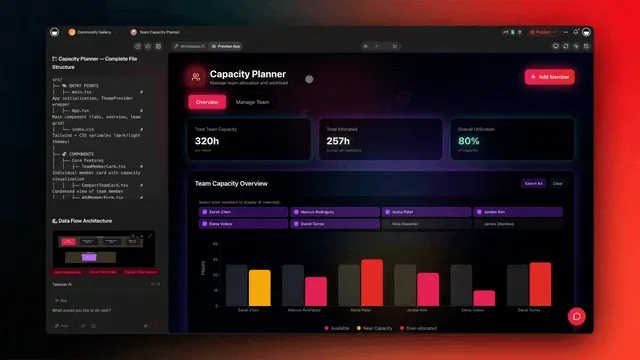
Taskade puts the AI agent in the same workspace as your projects, documents and automations. You describe the agent, attach knowledge from files, links or projects, and pick its tools. The agent then answers questions, updates tasks and runs inside automations.
Strengths:
- Knowledge comes from your live projects, so the agent reads the same lists and docs your team edits. See the knowledge guide.
- Every plan can publish an agent as a public link or a website widget, and visitor chats land in the Visitor Inbox.
- Agents act through built-in tools and run inside automations across 100+ integrations.
Limits: Free has 1 agent with 1 knowledge item, so a busy public agent needs credits. Premium automation steps such as Gmail and Slack need a paid plan. There is no voice channel and no self-hosted edition.
Pricing (checked 2026-10-19): Free has 1 agent, 10 automation runs a month and no starting AI credits. You earn credits with referrals and invites, or buy a credit pack. Pro is $10 a month billed yearly ($20 monthly) with unlimited agents, 50 knowledge items per agent, 50,000 AI credits a month and up to 10 people. Claude runs in custom agents on Pro and up with your own API key. For a ranked list of builders that run on your own key, see the best AI builders with BYOK.
Pick it if: you want agents next to the work they use, and you want to share them by link.
2. Zapier Agents: Best for Teams That Already Run Zaps
Zapier Agents lets you describe an agent in plain words and give it access to the apps you already connected in Zapier. The agent works through a task step by step, and each search, read or action counts as an activity. For teams with years of Zaps, it is the shortest path from automation to an agent.
Strengths:
- It reuses Zapier's very large app directory and your existing connections, so most apps are one click away.
- Agents can run on a trigger, on a schedule or on demand, and they can hand off to a Zap for fixed steps.
- The plain-language setup suits operations staff who already know Zapier's way of working.
Limits: Activities are the meter, and one run can use many of them. The free plan caps a run at 10 activities, so a long research task stops early and asks for your input. Agents is a separate product from Zapier Chatbots, so a public chat page needs the other product. Costs can stack when you also pay for Zaps.
Pricing (checked 2026-10-19): Free has 400 activities a month, with up to 10 for each run. Pro has 1,500 activities a month, with up to 40 for each run. Zapier's pricing page lists Pro from about $33.33 a month billed yearly. Zapier's help center lists the activity limits (updated 2026-10-01).
Pick it if: your company already lives in Zapier and you want agents to use the same connections.
3. Lindy: Best for an Assistant That Works Your Inbox and Calendar
Lindy builds personal and team assistants that read email, draft replies, book meetings and take notes. You describe the job, connect Gmail or Outlook and your calendar, and the assistant starts to triage and respond. For a founder or a sales rep who lives in email, Lindy is the most direct fit on this list.
Strengths:
- Email and calendar work is the core of the product, with templates for inbox triage, meeting prep and follow-ups.
- Assistants can run on a trigger, such as a new email, and act without a prompt from you.
- Setup is plain language, and the template gallery gives you a working start in a few steps.
Limits: Lindy is not a forever-free tool. The free offer is a credit grant that ends after 7 days. Credits run down faster on long tasks, and heavy users move up the credit ladder quickly. It is a weaker fit for a public website agent than a support chatbot tool.
Pricing (checked 2026-10-19): New accounts start with $50 in credits that last 7 days, with no card needed. Team starts at $29.99 a month for 3,000 credits, and the price rises with the credit tier, for example $49.99 for 5,000 credits. Extra credits cost $10 for each 1,000. Enterprise is custom.
Pick it if: your agent's main job is your inbox and your calendar.
4. Make: Best for Low-Cost Visual AI Agents Inside Scenarios
Make is a visual automation tool where you drag apps onto a canvas and connect them into scenarios. AI agents run as part of those scenarios, so an agent can decide the next step while Make handles the app connections. Make's entry price is the lowest paid price on this list.
Strengths:
- The visual canvas shows every branch, filter and error route, which helps when a flow gets complex.
- The free plan renews every month, which suits small, steady jobs.
- A large library of app modules covers most business tools, with fine control over each field.
Limits: The canvas takes time to learn, and a non-technical owner can find it dense. Each step uses credits, and AI steps can use more than plain steps, so monthly use is harder to predict. Make is an automation tool first, so a public chat agent needs extra setup.
Pricing (checked 2026-10-19): Free has 1,000 credits a month. Core starts at $9 a month with 10,000 credits a month, as listed on Make's own comparison page. Make's main pricing page says yearly payment is cheaper but showed no figures when we checked.
Pick it if: you want visual control of every step and the lowest paid entry price.
5. n8n: Best for Self-Hosting and Full Control
n8n is a workflow tool with AI agent nodes that you can run on your own server or in n8n's cloud. You connect a model, memory and tools on a canvas, and the agent node decides which tool to call. Teams that must keep data on their own servers start here.
Strengths:
- The self-hosted Community Edition is available on GitHub, so you control where data lives.
- Agent nodes connect to many apps, plus any API through the HTTP node, so very little is out of reach.
- Developers can add code steps in JavaScript or Python when a visual node is not enough.
Limits: Self-hosting means you run updates, backups and security yourself. The canvas is technical, and a non-technical owner needs help to start. Cloud prices on the page are in euros and shown for yearly billing.
Pricing (checked 2026-10-19): The self-hosted Community Edition is on GitHub. The cloud trial needs no card and includes 1,000 executions with Pro features. Cloud Starter is €20 a month billed yearly with 2,500 executions, and Pro is €50 a month billed yearly with 10,000 executions. The page shows no monthly price.
Pick it if: you have someone technical and you must self-host. Compare more options in AI automation tools.
6. Gumloop: Best for Marketing and Ops Teams That Build Visual AI Flows
Gumloop is a visual builder for AI workflows and agents, popular with marketing and operations teams. You chain nodes for scraping, AI steps, spreadsheets and app actions, then run the flow or hand it to an agent. Gumloop's strength is data-heavy work, such as enriching leads or summarizing many pages.
Strengths:
- Nodes for web scraping, AI and spreadsheets make bulk research and enrichment fast to set up.
- Flows can run on a schedule, from a webhook or from tools such as Slack.
- The template library covers common marketing and ops jobs.
Limits: There is no free plan. The trial needs a card and turns into a paid plan unless you cancel. Credits are the meter, and overage can add cost on busy months. It is a canvas tool, so a non-technical owner needs time to learn it.
Pricing (checked 2026-10-19): Every new account starts with a 14-day trial of Pro. A card is required, and each customer gets one trial. Pro is $37 a month with 20,000 credits a month. Extra credits cost $0.005 each when overage is on. Enterprise is custom.
Pick it if: your team does bulk research or data jobs and wants a visual flow for them.
7. Relevance AI: Best for Sales and Research Agent Teams
Relevance AI builds teams of agents for sales, research and operations work, such as prospect research and outbound drafts. You give each agent tools and a role, and they pass work between them. Its billing splits actions, which are tool calls, from vendor credits, which pay for AI use.
Strengths:
- Templates for sales research, lead qualifying and outreach give sales teams a fast start.
- Agents can work as a team, with one agent handing a task to the next.
- Paid plans let you bring your own model keys, which can lower the AI part of the bill.
Limits: The free plan is gone. Relevance AI's docs say it was retired for new signups and for existing accounts. The two meters, actions and vendor credits, make cost planning harder. The product is shaped for sales and research more than for customer support.
Pricing (checked 2026-10-19): No free plan. The public pricing page shows only Enterprise, so these figures come from Relevance AI's pricing docs. Pro is $19 a month billed yearly ($29 monthly) with 2,500 actions a month and $20 of vendor credits. Team is $234 a month billed yearly ($349 monthly) with 7,000 actions.
Pick it if: you run a sales or research team that wants several agents to work as one crew.
8. Chatbase: Best for a Website Support Chatbot Trained on Your Docs
Chatbase turns your website, PDFs and help center into a support chatbot that you embed on your site. You upload sources, set the tone and add actions, such as collecting a lead or booking a call. It is one of the fastest paths from "we have docs" to "visitors get answers".
Strengths:
- Setup from a website address or files is quick, and the agent cites your own content.
- The website widget, branding options and chat logs are built for support teams.
- Actions let the agent collect contact details or hand off to a person.
Limits: There is no free plan, only a 7-day trial. The Hobby plan has 1 agent and a small message allowance. Chatbase is built for answering questions, so work inside your projects or long multi-step jobs need another tool.
Pricing (checked 2026-10-19): No free plan, with a 7-day trial on paid plans. Hobby is $32 a month billed yearly (the page shows $40 crossed out) with 1 agent and 700 message credits a month. Standard is $120 a month billed yearly with 4,000 message credits. Enterprise is custom.
Pick it if: your one job is a support chatbot on your website. Taskade's chatbot from your documents guide covers the same job.
9. Botpress: Best for Chat Agents on Many Channels With Fine Control
Botpress is a platform for chat agents that you can deploy on a website, WhatsApp, Slack, Messenger and other channels. Its visual studio lets you mix free AI answers with fixed flows, so you control exactly what the agent says at key steps. Agencies and support teams use it for customer chat at scale.
Strengths:
- One agent can run on many channels at once, each with its own settings.
- You can combine AI answers with fixed flows and code hooks for tight control.
- The free plan has 3 agents, which is generous for testing ideas.
Limits: The free plan has a hard cap of 100 conversations a month, with no top-ups. The jump from Free to Plus is the largest price step on this list. The studio has many options, which takes time for a non-technical owner.
Pricing (checked 2026-10-19): Free has 3 AI agents, 3 seats and 100 conversations a month, with no overages. Plus is $150 a month billed yearly with 250 conversations, unlimited agents and $25 of AI usage. Extra conversations cost $65 for each pack of 100.
Pick it if: you need one chat agent on several messaging channels.
10. LangGraph: Best for Developers Who Need Full Control of Agent State in Code
LangGraph is an open-source framework from LangChain for building agents as a graph of steps in Python or JavaScript. You define each step, the state passed between steps and the points where a person must approve. It is the tool for developers who want to see and control every move an agent makes.
Strengths:
- The framework is open source under the MIT license, so you can run it anywhere.
- Graph state, retries and human approval steps give fine control over long-running agents.
- LangSmith adds tracing and evaluation, so you can see why an agent made each choice.
Limits: LangGraph is code. A non-technical owner cannot use it alone. You also pay for model use and hosting, and deployment on LangChain's platform is metered by resources used. It replaces Voiceflow on this list, because Voiceflow showed no public price on 2026-10-19.
Pricing (checked 2026-10-19): The LangGraph framework is free. The LangSmith Developer plan is $0 for 1 seat with up to 5,000 base traces a month and no deployments. Plus is $39 per seat a month with 10,000 base traces and one small deployment included. Extra deployments are billed by compute and memory.
Pick it if: you have Python or JavaScript developers and an agent that must follow exact rules. See more open-source agent libraries.
11. Microsoft Copilot Studio: Best for Companies on Microsoft 365
Copilot Studio lets companies build agents that work across Microsoft 365, Teams, SharePoint and Dataverse. You describe the agent in plain words, connect company data and publish it in Teams or on a website. For a company that already runs on Microsoft, it is the natural first stop.
Strengths:
- Agents read SharePoint, OneDrive and other company data with the access rules IT already set.
- Publishing to Teams and Microsoft 365 Copilot puts the agent where staff already work.
- Admin controls, data rules and Azure billing fit large IT teams.
Limits: Pricing is built for companies, not for a solo owner. Credits are the meter, and estimating use takes work. Many features expect a Microsoft 365 tenant and an Azure subscription, so a small team outside Microsoft gets less value.
Pricing (checked 2026-10-19): A pack of 25,000 Copilot Credits costs $200 a month. Pay-as-you-go billing through an Azure subscription charges only for credits used. Microsoft 365 Copilot is $30 per user a month, paid yearly. Microsoft offers a free trial but did not list its length on the page.
Pick it if: your company runs on Microsoft 365 and IT wants agents under the same controls.
12. Google Workspace Studio: Best for Companies on Google Workspace
Google Workspace Studio lets you build AI agents, which Google calls flows, that act across Gmail, Docs, Sheets, Drive and Chat. You describe what to automate in plain words, and Gemini builds the flow with a starter and steps. It grew out of Google Workspace Flows.
Strengths:
- Flows run inside the Google apps your team already uses, with no extra connection setup.
- Plain-language building suits staff who never used an automation tool.
- Admins get data rules and controls for agentic flows, which Google describes on its security blog.
Limits: Workspace Studio works best inside Google's own apps. A team that mixes many outside tools needs another builder. There is no public chat agent for website visitors in the same way as Chatbase or Taskade.
Pricing (checked 2026-10-19): Google's Workspace pricing page lists Workspace Studio on Business Starter, Standard, Plus and Enterprise. Business Starter is $7 per user a month, and the page shows a launch discount from 2026-11-01 to 2027-02-01. Starter has basic Gemini access, and the higher plans have expanded access.
Pick it if: your company runs on Google Workspace and the agent's work stays inside it.
13. Dify: Best for Open-Source Visual Agents With Knowledge Search
Dify is an open-source platform for building AI apps and agents on a visual canvas, with strong knowledge search over your documents. You can use Dify's cloud or run the Community Edition on your own server with Docker. Teams that want a visual builder and self-hosting both often pick Dify.
Strengths:
- The self-hosted Community Edition is free and open source.
- Knowledge search over documents is a core feature, with settings for how text is split and searched.
- Apps publish as a web chat or an API, so developers can reuse them.
Limits: The cloud Sandbox is small, with 200 message credits and 1 team member. Self-hosting needs a server and someone to maintain it. The many settings suit technical users more than non-technical owners, and a first agent takes some reading of the docs.
Pricing (checked 2026-10-19): Sandbox is free with 200 message credits, 5 apps and 50 knowledge documents. The self-hosted Community Edition is free. Professional is $590 a year per workspace, about $49 a month, with 5,000 message credits a month.
Pick it if: you want a visual agent builder that you can also self-host.
14. CrewAI: Best for Python Developers Who Build Agent Teams in Code
CrewAI is an open-source Python framework for teams of agents, each with a role, a goal and tools. You define the crew and the tasks, and the agents work through them in order or under a manager agent. CrewAI also runs a hosted platform with a visual builder and tracing.
Strengths:
- Roles, goals and tasks map well to how people describe a team, which makes crews easy to reason about.
- The framework is open source, so you can run crews anywhere you run Python.
- The hosted platform adds a visual builder with AI help, templates and tracing, even on the free Basic plan.
Limits: The full power is in code, so a non-technical owner needs a developer. The hosted plan has no self-serve paid tier between Basic and Enterprise, so a growing team jumps straight to a sales call. You also pay for model use.
Pricing (checked 2026-10-19): Basic is free with 50 workflow executions a month, a visual builder and tracing. Enterprise is custom, with a trial on request. The open-source framework is free.
Pick it if: you have Python developers and the job splits into roles. Compare more options in multi-agent platforms.
AI Agent Builders That Shut Down or Changed in 2026
Five tools from 2025 "best of" lists are gone, frozen or about to close in 2026. Check this table before you trust an older ranking, because a builder that shuts down takes your agents with it.
| Tool | What changed | Date | Source |
|---|---|---|---|
| Flowise | Code freeze, repo archived, then end of life | 2026-08-31 | flowiseai.com/sunset |
| OpenAI Assistants API | Removed from the API | 2026-08-26 | OpenAI deprecations |
| OpenAI Agent Builder | Shuts down. OpenAI points to ChatKit and the Agents SDK | 2026-11-30 | OpenAI Agent Builder guide |
| Relay.app | Shut down | September 2026 | relay.app |
| Microsoft AutoGen | Maintenance mode. Microsoft points to Microsoft Agent Framework | 2026 | github.com/microsoft/autogen |
We checked these sources on 2026-10-18. We also left some tools out on purpose. Devin is a coding agent, not a builder, so it is in ready-made AI agents. The Claude Agent SDK is a code library, so it is in open-source agent libraries. Voiceflow showed only "Request pricing" for businesses on 2026-10-19, so LangGraph took its place.
Free AI Agent Builders: What "Free" Really Means
"Free" hides four different offers in this category: a plan that does not expire, a trial that ends, a credit grant and open-source software that you host yourself. Only the first lets you keep an agent running at no cost, and even then the limits are tight.
| Offer type | Tools | What ends it |
|---|---|---|
| Free plan that does not expire | Taskade, Zapier Agents, Make, Botpress, CrewAI (Basic), LangSmith Developer | The monthly cap (agents, activities, credits, conversations, executions) |
| Trial | Gumloop (14 days, card), Chatbase (7 days), n8n Cloud, Copilot Studio | The end date |
| Credit grant | Lindy ($50 for 7 days), Dify Sandbox (200 message credits) | The credits run out or expire |
| Self-hosted open source | n8n, Dify, LangGraph, CrewAI framework | Your server bill and your time |
| No free offer | Relevance AI (free plan retired), Google Workspace Studio | Not applicable |
The free plans in detail, from each vendor page on 2026-10-19:
| Tool | Agents | Usage cap | Public chat link or widget on Free |
|---|---|---|---|
| Taskade | 1 agent, 1 knowledge item | 10 automation runs a month, no starting AI credits | Yes, every plan |
| Zapier Agents | Not capped on the page | 400 activities a month, 10 per run | Needs Zapier Chatbots |
| Make | Not an agent count | 1,000 credits a month | No chat page |
| Botpress | 3 agents | 100 conversations a month | Yes |
| CrewAI Basic | Not capped on the page | 50 workflow executions a month | No chat page |
| LangSmith Developer | 1 seat | 5,000 base traces a month, no deployments | No |
A free agent that answers the public still costs something. On Taskade, each visitor reply uses AI credits from your workspace, and Free starts with none, so you earn credits with referrals and invites or buy a pack. If you want a free app builder instead of an agent builder, read free AI app builders.
How to Choose an AI Agent Builder
Pick by where your work already lives. Microsoft 365 teams start with Copilot Studio, Google Workspace teams with Workspace Studio, Zapier users with Zapier Agents, self-hosters with n8n or Dify, and teams that want agents beside their projects and apps with Taskade.
Then ask four questions before you pay:
| Question | Why it matters | Builders that answer it well |
|---|---|---|
| Can it read my real documents? | An agent without your facts guesses | Taskade, Chatbase, Dify, Copilot Studio |
| Can it act in my apps? | Answers alone do not save time | Zapier Agents, Make, n8n, Taskade |
| Where will people talk to it? | A widget, Slack and email need different tools | Botpress, Chatbase, Taskade |
| What does a busy month cost? | Activities, credits and conversations add up | Check the meter in the table above |
Start small. Pick one job, such as answering the ten questions customers ask most, and give the agent only the knowledge it needs. Our step-by-step agent guide walks through a first agent, and the FAQ answer agent template is a ready start for support.
Limitations: When Taskade Is Not the Right Fit
Taskade is not the right fit for phone and voice agents, for teams that must self-host, or for a free agent that answers many visitors. Free has 1 agent with 1 knowledge item and starts with no AI credits.
| If you need... | Taskade's limit | Better fit |
|---|---|---|
| Phone or voice calls | No voice channel | Voiceflow or a voice-first tool |
| Self-hosting on your servers | Cloud only | n8n, Dify, LangGraph, CrewAI |
| An agent in your inbox all day | Gmail runs as an automation step on paid plans | Lindy |
| Agents in strict code with approval gates | No-code first | LangGraph |
| Agents under Microsoft or Google admin rules | Separate workspace | Copilot Studio, Workspace Studio |
| WhatsApp and many chat channels at once | Link and widget first | Botpress |
Why We Built Taskade Differently
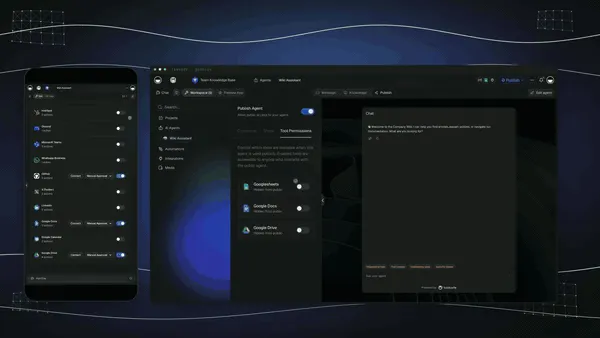
Taskade puts the agent next to the work it uses. The agent reads your projects as knowledge, acts on them with built-in tools, runs automations across 100+ integrations, and can sit inside a Taskade Genesis app that you share by link. That is Workspace DNA: projects hold the memory, agents bring the intelligence and automations do the execution.

Most builders on this list make an agent and then connect it to your work. Taskade starts from the work. A custom agent can read the same project your team edits, answer a visitor through a widget, then add a row or a task when the chat ends. A form trigger can start the same agent from a web form.
What you can do in one workspace:
- Build a live app from one prompt. Taskade Genesis builds dashboards, portals, forms and trackers with their own database, and the agent works inside the app. Read the Taskade Genesis guide.
- Edit the app in chat. Taskade EVE builds and changes the app when you describe what you want.
- Give agents knowledge and tools. Agents read your files and projects and act with built-in tools, inside an app or on their own. Browse AI agent templates.
- Connect 100+ integrations. Automations pull events in with triggers and push data out with actions.
- Start from a kit. Clone a working app from the Community Gallery, share it by link, and add a custom domain on Pro and up.
- Know the plan facts. Free has 3 apps, 1 agent and no starting AI credits. Pro is $10 a month billed yearly.
▲ Memory: your projects. ■ Intelligence: your agents. ● Execution: your automations. Build your first agent free, or see plans and prices.
FAQ
What is the best AI agent builder in 2026?
The best AI agent builder depends on where your work already lives. Taskade fits teams that want agents beside their projects and automations. Zapier Agents fits teams that already run Zaps. n8n and Dify fit teams that self-host. Microsoft Copilot Studio fits Microsoft 365 companies, and Google Workspace Studio fits Google Workspace companies. LangGraph and CrewAI fit Python developers.
What is the best free AI agent builder?
Six builders have a free plan that does not expire: Taskade, Zapier Agents, Make, Botpress, CrewAI and the LangSmith Developer plan for LangGraph. Taskade Free has 1 agent with 1 knowledge item, a public link and a website widget, and starts with no AI credits, so you earn credits with referrals and invites or buy a credit pack. n8n and Dify are free to self-host on your own server.
Which AI agent builder is easiest for non-technical people?
Taskade, Zapier Agents, Lindy and Chatbase are the easiest for non-technical people, because you describe the agent in plain words and add knowledge from your own files. Make, Gumloop and Botpress use a visual canvas that takes longer to learn. LangGraph and the CrewAI framework need Python.
How much does an AI agent builder cost?
On 2026-10-19 the cheapest paid plans ran from $9 a month (Make Core) to $150 a month billed yearly (Botpress Plus). Taskade Pro is $10 a month billed yearly, Relevance AI Pro is $19, Lindy Team starts at $29.99, Chatbase Hobby is $32 billed yearly and Gumloop Pro is $37. Copilot Studio sells 25,000 Copilot Credits for $200 a month.
Can an AI agent answer customer emails?
Yes. Lindy works an inbox directly, and Zapier Agents, Make, n8n and Gumloop can read and send email through their app connections. In Taskade, an agent can run inside an automation that reads and sends Gmail. Gmail is a premium automation step, so it needs a paid plan.
Can a free AI agent go live on my website?
Yes, on some builders. Taskade lets every plan, Free included, publish an agent as a public link or a website widget, and each visitor reply uses AI credits from the workspace. Botpress Free covers 100 conversations a month. Chatbase, Gumloop and Lindy offer only a trial before you pay.
What is the difference between an AI agent builder and an AI agent platform?
An AI agent builder helps you make one agent for one job, such as answering customer questions. An AI agent platform runs many agents for a team. It deploys them, controls which data each one can use, and shows what each one did. Many products do both, so pick by the job you have today. Compare AI agent platforms for the team view.
What is the difference between an AI agent builder and a workflow automation tool?
A workflow automation tool runs a fixed set of steps that you define in advance. An AI agent builder creates agents that pick their own steps at run time, with tools and memory, to reach a goal. Many platforms now blend both. Workflow tools such as n8n and Zapier add AI agent steps, and agent-first tools such as Taskade add triggers and actions for automation.
Do I need to code to build an AI agent?
No, for most of these builders. Taskade, Zapier Agents, Lindy, Make, Gumloop, Relevance AI, Chatbase, Botpress, Copilot Studio and Google Workspace Studio need no code. LangGraph and the CrewAI framework are Python libraries. Self-hosted n8n and Dify need a server that you run.
Which AI agent builders shut down in 2026?
Flowise reached end of life on 2026-08-31 after its code was archived. OpenAI removed the Assistants API on 2026-08-26, and its visual Agent Builder shuts down on 2026-11-30. Relay.app shut down in September 2026. Microsoft AutoGen is in maintenance mode, and Microsoft points new users to Microsoft Agent Framework.