






Dashboards are the nerve center of any business.
They show you what is working, what is broken, and what needs attention — all at a glance. But building a great dashboard usually means wrestling with spreadsheets, stitching together tools like Retool or Metabase, or hiring developers to write SQL queries for Looker Studio.
Not anymore.
TL;DR: Taskade Genesis is the only AI dashboard builder that generates live,
intelligent dashboards from a single prompt — complete with AI agents, automated
workflows, and 100+ integrations. 150,000+ apps built since launch.
Clone a dashboard now →
With Taskade Genesis, you can generate a fully functional AI-powered dashboard from a single prompt. Each dashboard comes with built-in databases (Projects), intelligent assistants (AI Agents), and automated workflows (Automations).
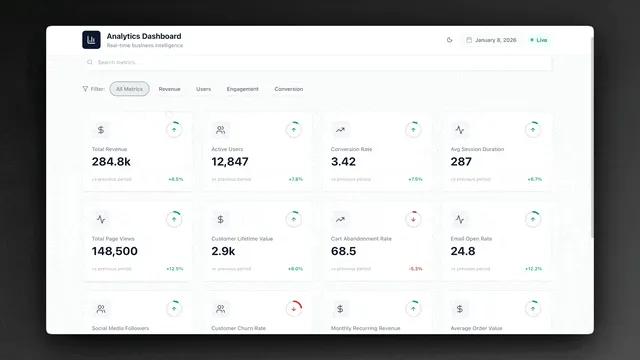
Here are 10 AI dashboards you can clone right now — and use for your business today.
What Makes an AI Dashboard Different From a Traditional Dashboard?
Traditional dashboards from tools like Google Data Studio, Metabase, and Looker display static data. You connect a database, configure charts, and read the output. The dashboard never acts on what it sees.
AI dashboards built with Taskade Genesis are living systems. They combine three layers — Workspace DNA — into a self-reinforcing loop:
This means your dashboard does not just show data — it analyzes patterns, surfaces insights, and triggers automated responses. A finance tracker that spots unusual spending and alerts you. A CRM that nudges you to follow up with a cold lead. A support dashboard that escalates tickets before SLA deadlines.
AI Dashboard Builder Comparison: Genesis vs Traditional Tools
Before diving into the 10 cloneable dashboards, here is how Taskade Genesis compares to the most popular dashboard tools on the market.
| Feature | Taskade Genesis | Retool | Metabase | Looker Studio | Google Sheets |
|---|---|---|---|---|---|
| No-code setup | One prompt | JavaScript required | SQL required | Connector config | Manual formulas |
| AI agents built-in | Yes (built-in tools) | No | No | No | No |
| Automated workflows | 100+ integrations | Custom scripts | No | No | Add-ons only |
| Real-time collaboration | RBAC | Team plans | Team plans | Google sharing | Google sharing |
| Custom domains | Yes | Enterprise only | Self-hosted only | No | No |
| Pricing (annual) | Free / $10-$25/mo | $10+/mo per user | Free (OSS) / $85/mo | Free | Free |
| Living system | Yes | No | No | No | No |
| Strength | Traditional BI Tools | Taskade Genesis |
|---|---|---|
| Data visualization | Chart libraries | AI-generated views |
| Data analysis | Manual SQL queries | AI agents surface insights |
| Action on data | Separate tool needed | Built-in automations |
| Team access | Viewer-only sharing | Role-based access |
| Setup time | Hours to weeks | Minutes |
Quick Reference: All 10 Dashboards
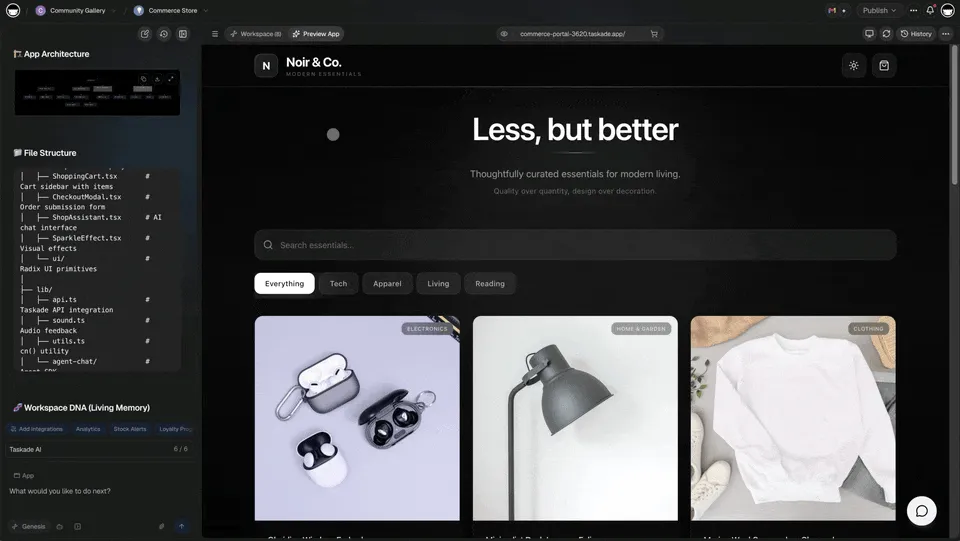
| # | Dashboard | Use Case | Best For | Clone |
|---|---|---|---|---|
| 1 | Finance Tracker | Revenue & expenses | Startups, freelancers | Clone → |
| 2 | Neon CRM | Lead tracking | Sales teams, agencies | Clone → |
| 3 | Investor Dashboard | KPIs & runway | Founders, CFOs | Clone → |
| 4 | Team Capacity | Workload planning | PMs, team leads | Clone → |
| 5 | Support Rating | CSAT & tickets | Support teams | Clone → |
| 6 | Maintenance Tracker | Equipment & repairs | Facility managers | Clone → |
| 7 | Neon Task Management | Tasks & deadlines | Teams, freelancers | Clone → |
| 8 | Room Booking | Space reservations | Offices, venues | Clone → |
| 9 | Hospitality Insight | Occupancy & revenue | Hotels, restaurants | Clone → |
| 10 | Monochrome Project | Milestones & progress | Teams, solo founders | Clone → |
1. Finance Tracker Dashboard
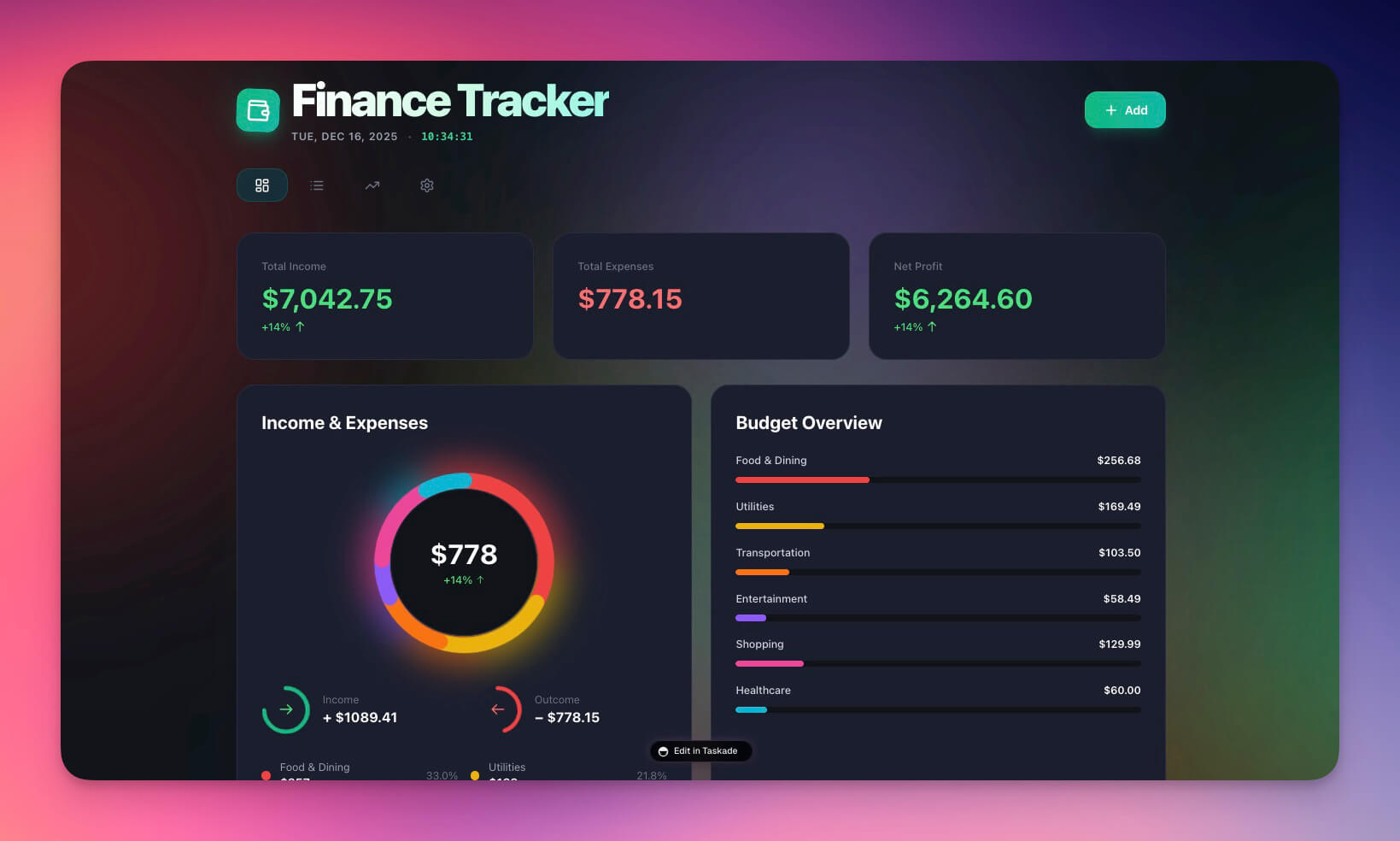
The Finance Tracker Dashboard gives startups and freelancers a single view of revenue, expenses, and cash flow. AI agents automatically categorize transactions and flag anomalies, while automated workflows generate weekly financial summaries.
Best for: Startups, freelancers, small businesses
Features:
- Expense and income tracking with automatic categorization
- Category breakdown across multiple project views (List, Board, Calendar, Table, Mind Map, Gantt, Org Chart)
- Automated calculations with real-time balance updates
- AI-generated financial insights powered by frontier models
- Automated alerts when spending exceeds thresholds
How it compares: Unlike Google Sheets budgets that require manual formulas, this dashboard uses AI agents to surface spending patterns and trigger reorder alerts through 100+ integrations.
2. Neon CRM Dashboard
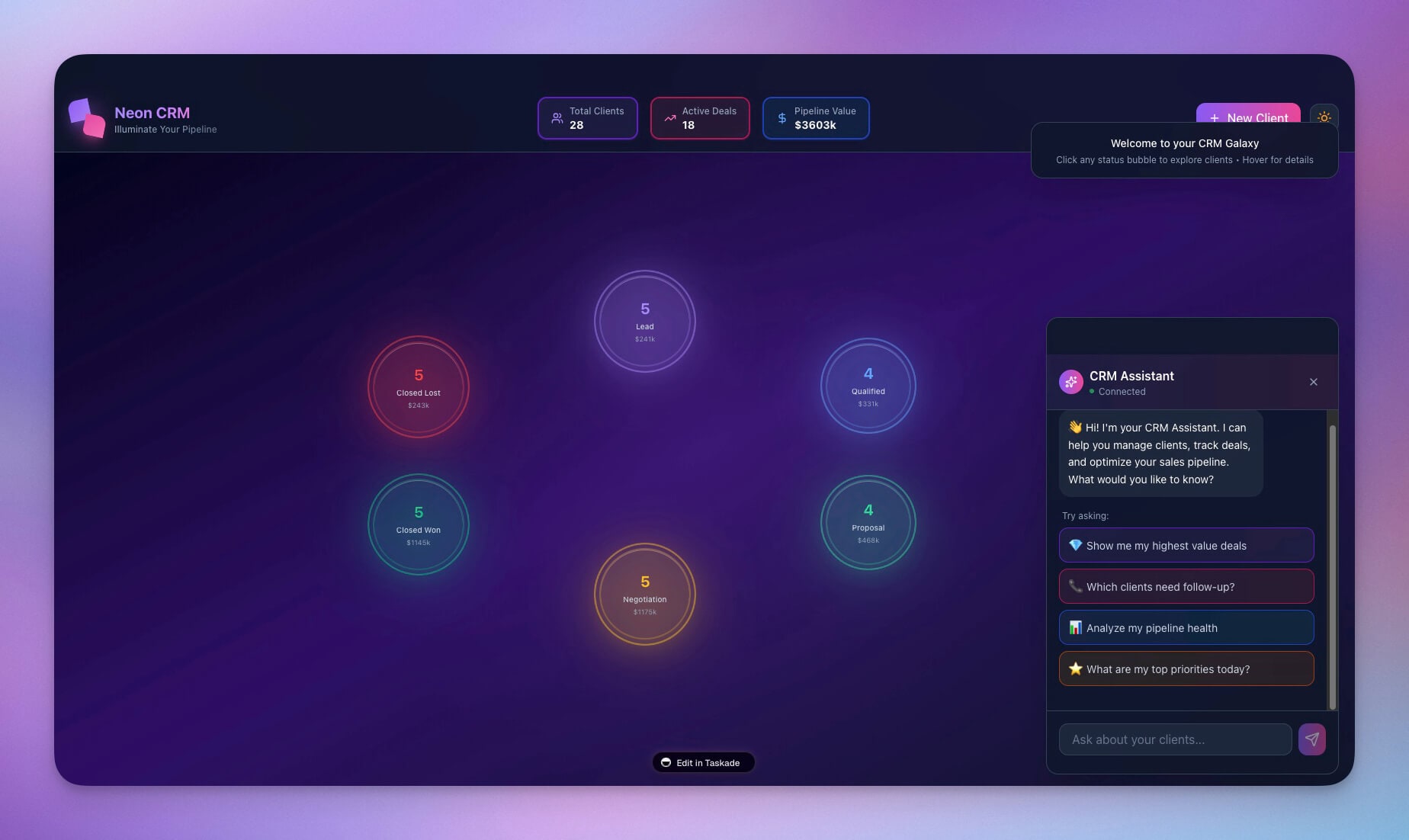
A modern customer relationship management dashboard with lead tracking, deal stages, and contact management. The neon aesthetic makes data easy to scan, and AI agents analyze your pipeline to predict deal outcomes.
Best for: Sales teams, agencies, consultants
Features:
- Lead pipeline visualization across multiple stages
- Contact database with interaction history and relationship scoring
- Deal tracking with AI-powered revenue forecasting
- Activity logging with automated follow-up reminders
- Role-based access (Owner to Viewer) for sales teams
How it compares: Traditional CRMs like Salesforce require weeks of setup. This Genesis CRM deploys in minutes with built-in intelligence that actively coaches your sales process. Explore more AI CRM agents.
3. Investor Dashboard
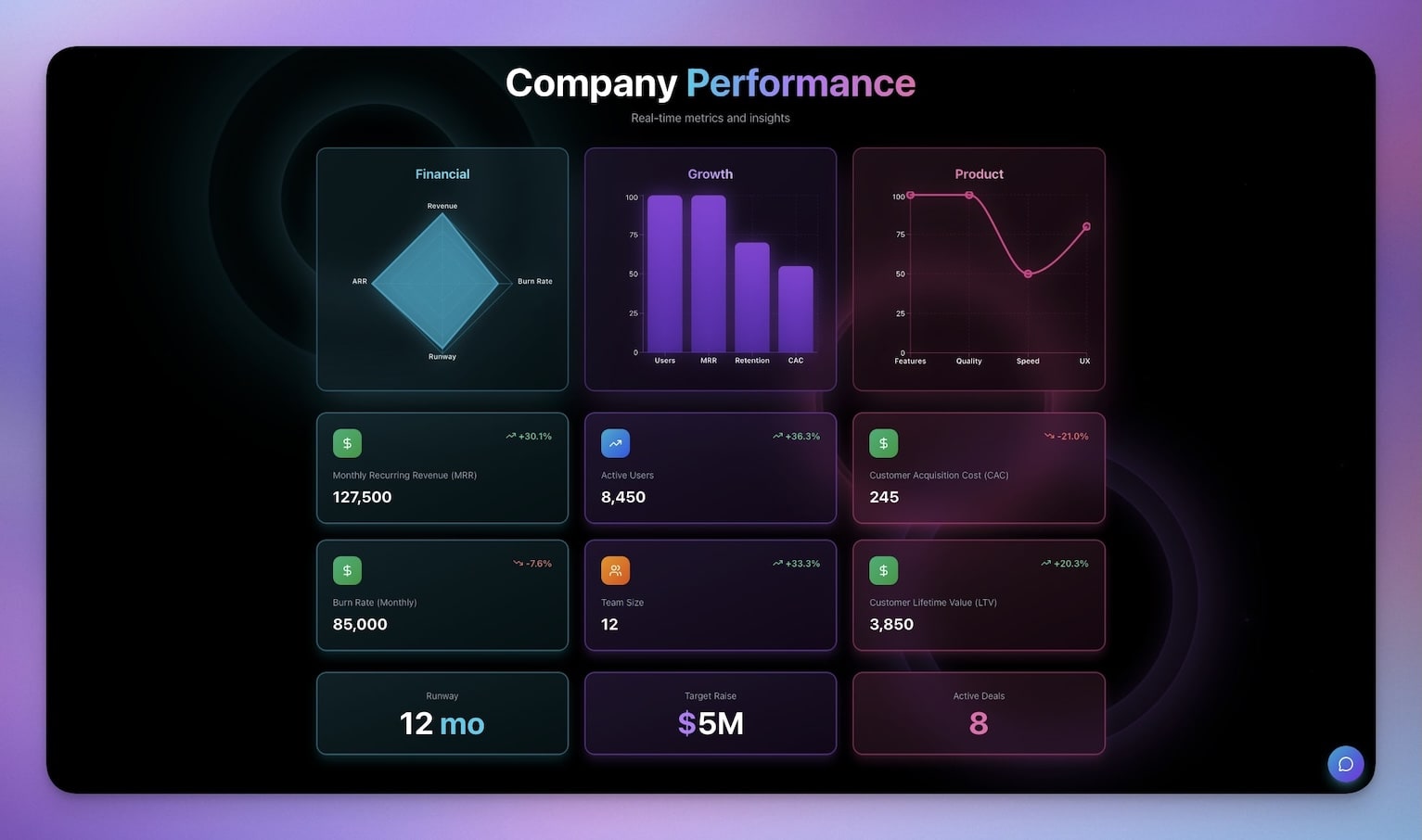
Keep stakeholders informed with a dashboard that auto-updates KPIs, runway calculations, and key growth metrics. AI agents generate investor-ready summaries, and automated workflows send scheduled updates to your cap table contacts.
Best for: Founders, CFOs, investor relations teams
Features:
- KPI tracking with historical trend visualization
- Runway calculations updated in real time
- Growth metrics with AI-generated commentary
- Automated investor updates via email integrations
- Embeddable as a public-facing portal with custom domains
4. Team Capacity Planner
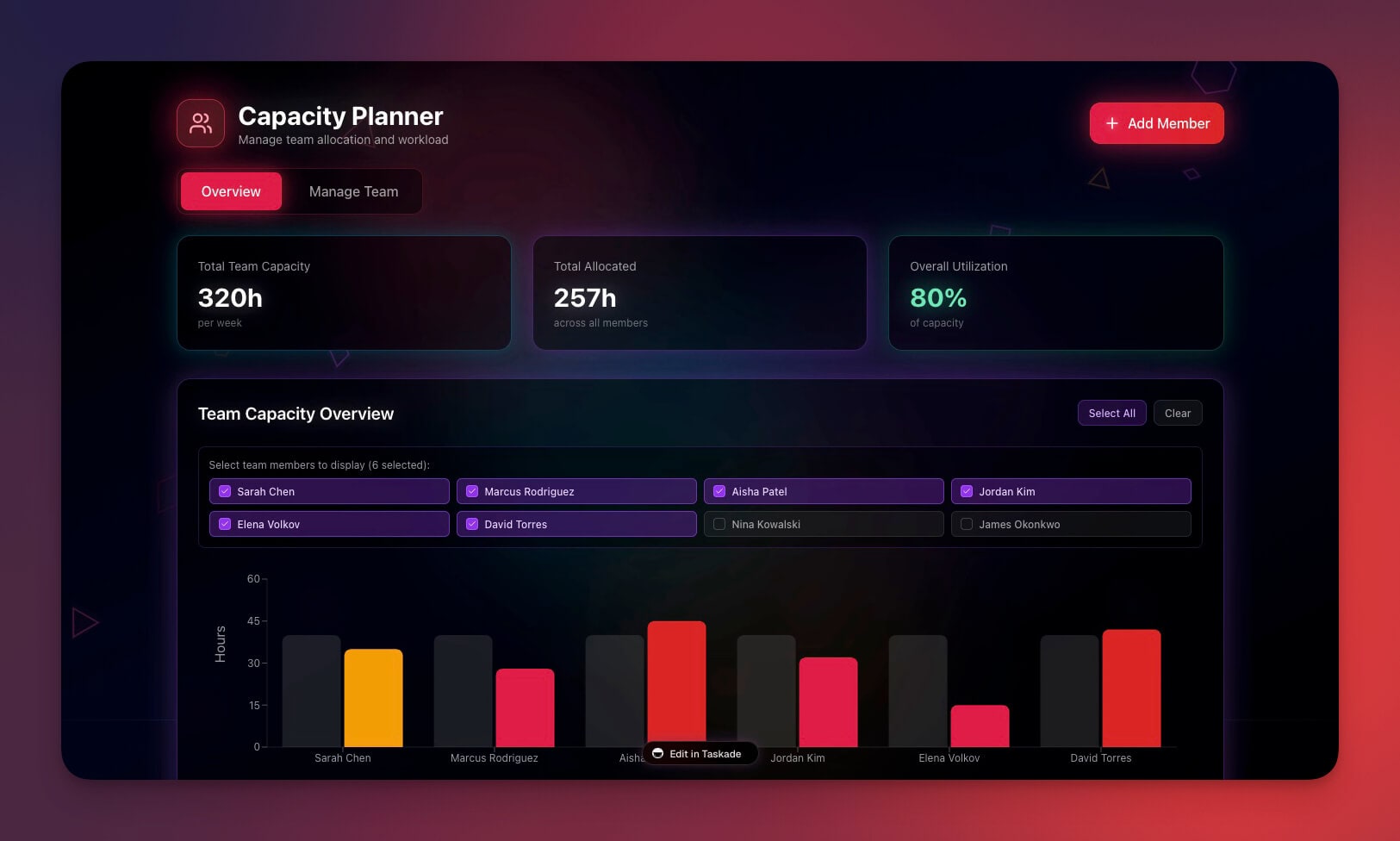
Visualize team workload, availability, and resource allocation across all project views. AI agents help balance capacity and flag potential burnout before it happens.
Best for: Project managers, team leads, HR departments
Features:
- Team availability view with workload heat maps
- Workload distribution with drag-and-drop rebalancing
- Capacity alerts powered by AI pattern recognition
- Resource planning with automated notifications to Slack or email
- Gantt view for timeline-based capacity visualization
How it compares: Tools like Monday.com and Asana show workload dashboards, but they cannot proactively suggest rebalancing. Genesis capacity planners use AI agents to predict bottlenecks and automate team notifications.
5. Support Rating Dashboard
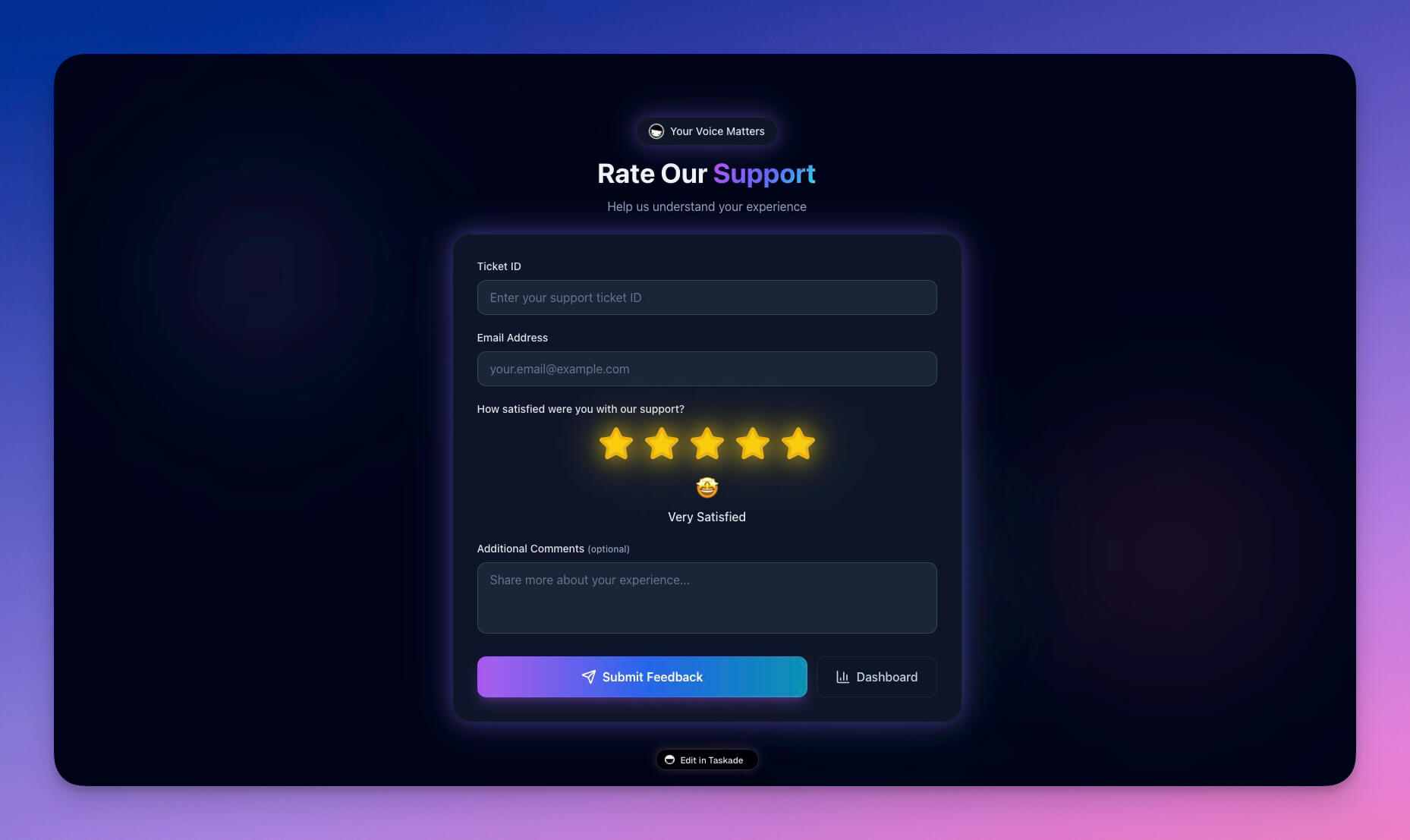
Monitor customer support quality with satisfaction scores, response times, and ticket resolution tracking. AI agents analyze patterns across tickets and suggest process improvements before customer churn accelerates.
Best for: Support teams, customer success managers, product teams
Features:
- CSAT tracking with trend analysis across time periods
- Response time metrics with SLA compliance monitoring
- Resolution rates broken down by agent, category, and priority
- AI-powered improvement suggestions with actionable recommendations
- Automated escalation workflows for at-risk tickets
Clone Support Rating Dashboard →
6. Maintenance Tracker Dashboard
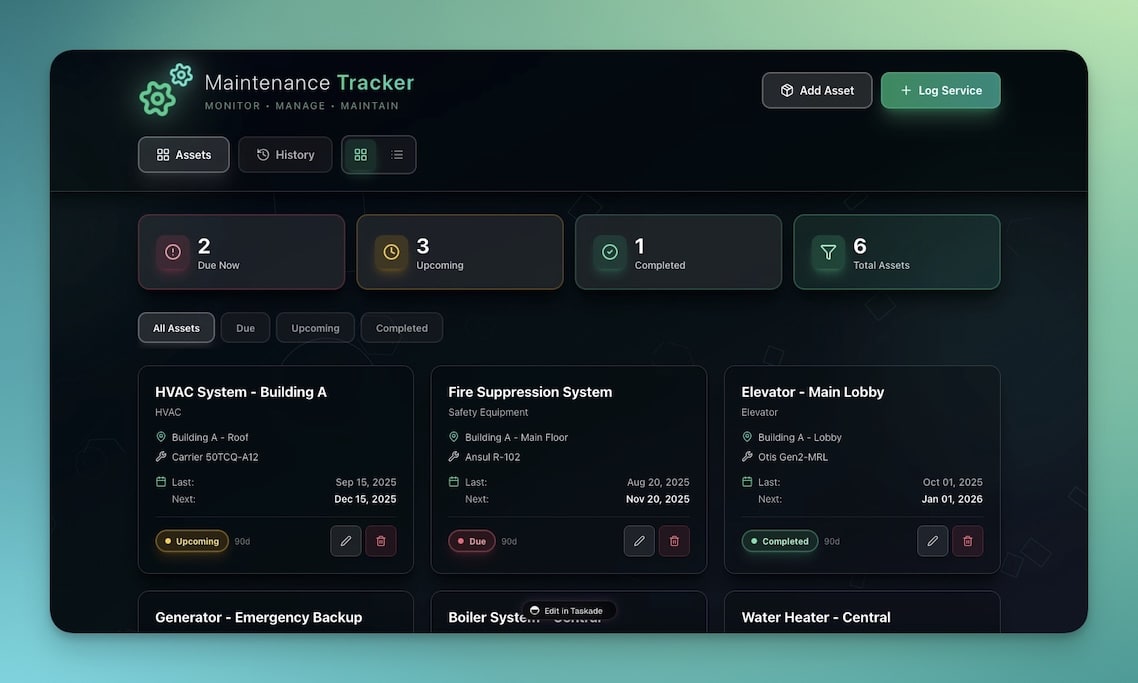
Track repairs, maintenance schedules, and equipment status across your entire operation. Automations send reminders before maintenance is due, and AI agents predict when equipment will need attention based on historical patterns.
Best for: Facility managers, property managers, operations teams
Features:
- Maintenance scheduling with recurring task automation
- Equipment tracking with lifecycle and depreciation data
- Automated reminders via Slack, email, or webhook triggers
- History logging with searchable maintenance records
- Calendar view for visual scheduling
7. Neon Task Management Dashboard
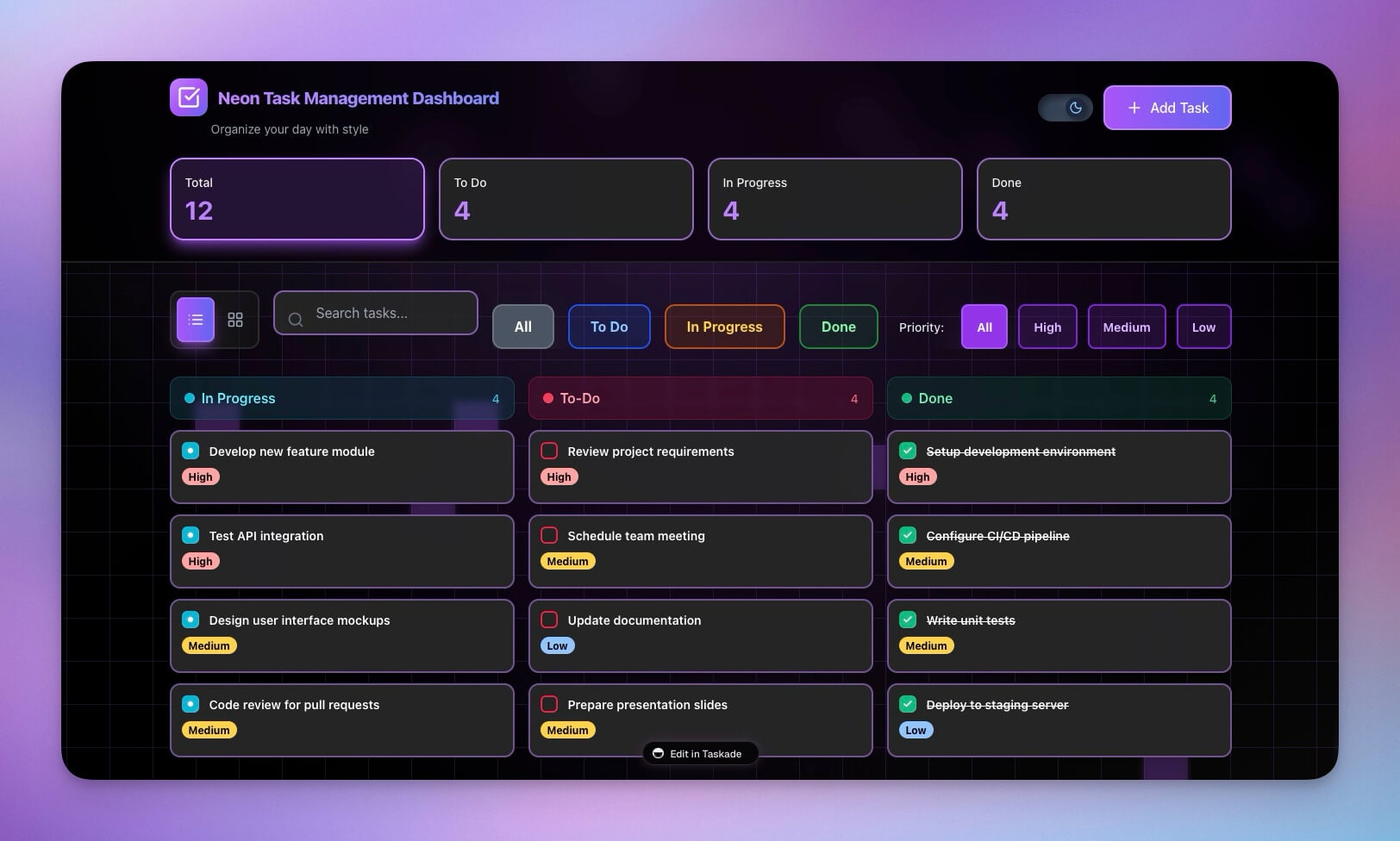
A visually striking task dashboard with project tracking, due dates, and team assignments. The dark theme reduces eye strain for all-day use, and AI agents prioritize tasks based on deadlines, dependencies, and team velocity.
Best for: Teams, project managers, freelancers
Features:
- Task boards with customizable status columns
- Due date tracking with automated deadline reminders
- Team assignments with role-based access
- Progress visualization across Board, List, and Table views
- AI-generated daily standup summaries
8. Room Booking Dashboard
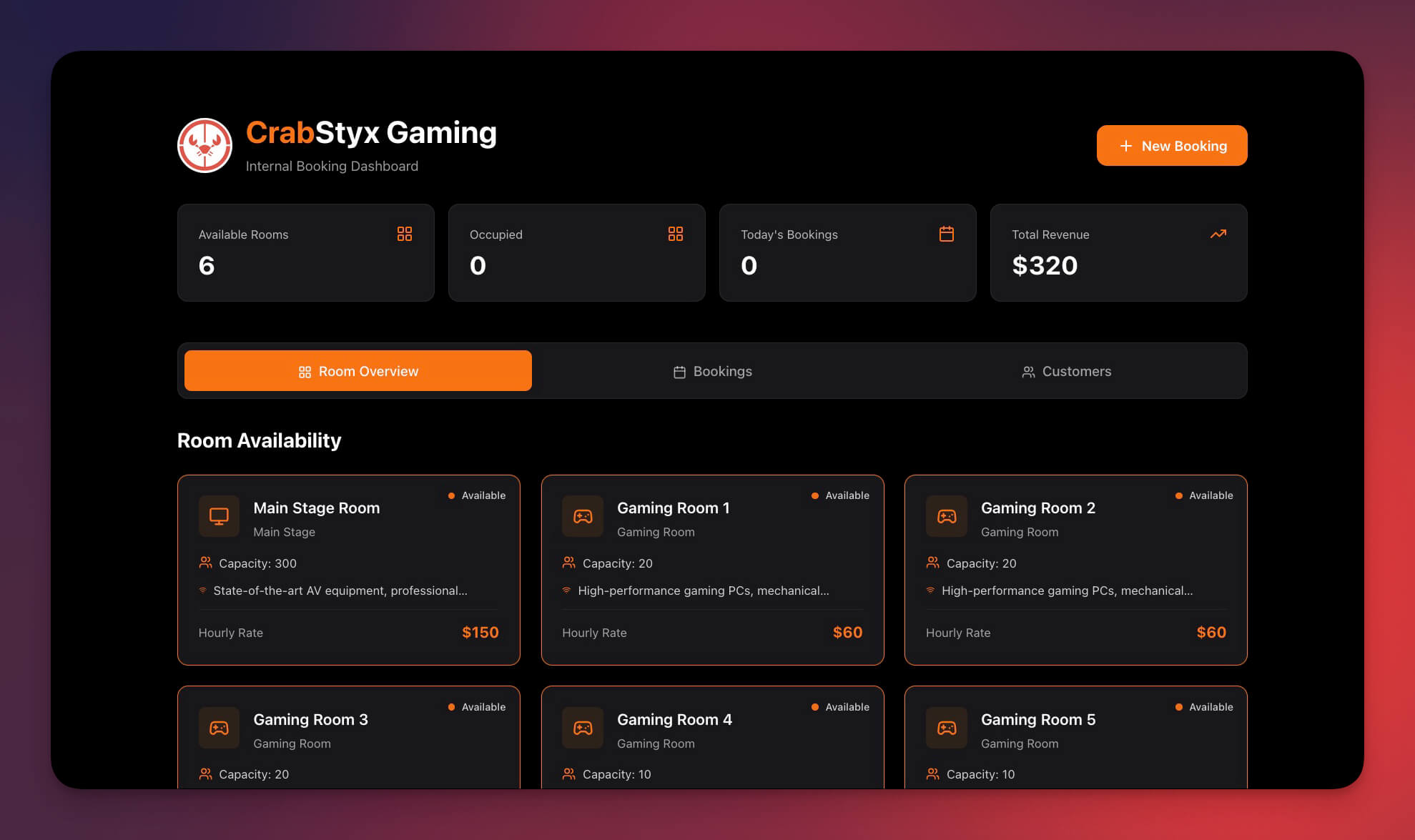
Manage space reservations, check availability, and prevent double-bookings. AI agents optimize room utilization and suggest scheduling alternatives when conflicts arise.
Best for: Office managers, coworking spaces, event venues
Features:
- Room availability calendar with real-time conflict detection
- Booking management with approval workflows
- Double-booking prevention via automated validation
- Usage analytics with AI-generated optimization reports
- Google Calendar integration for external sync
Clone Room Booking Dashboard →
9. Hospitality Insight Dashboard
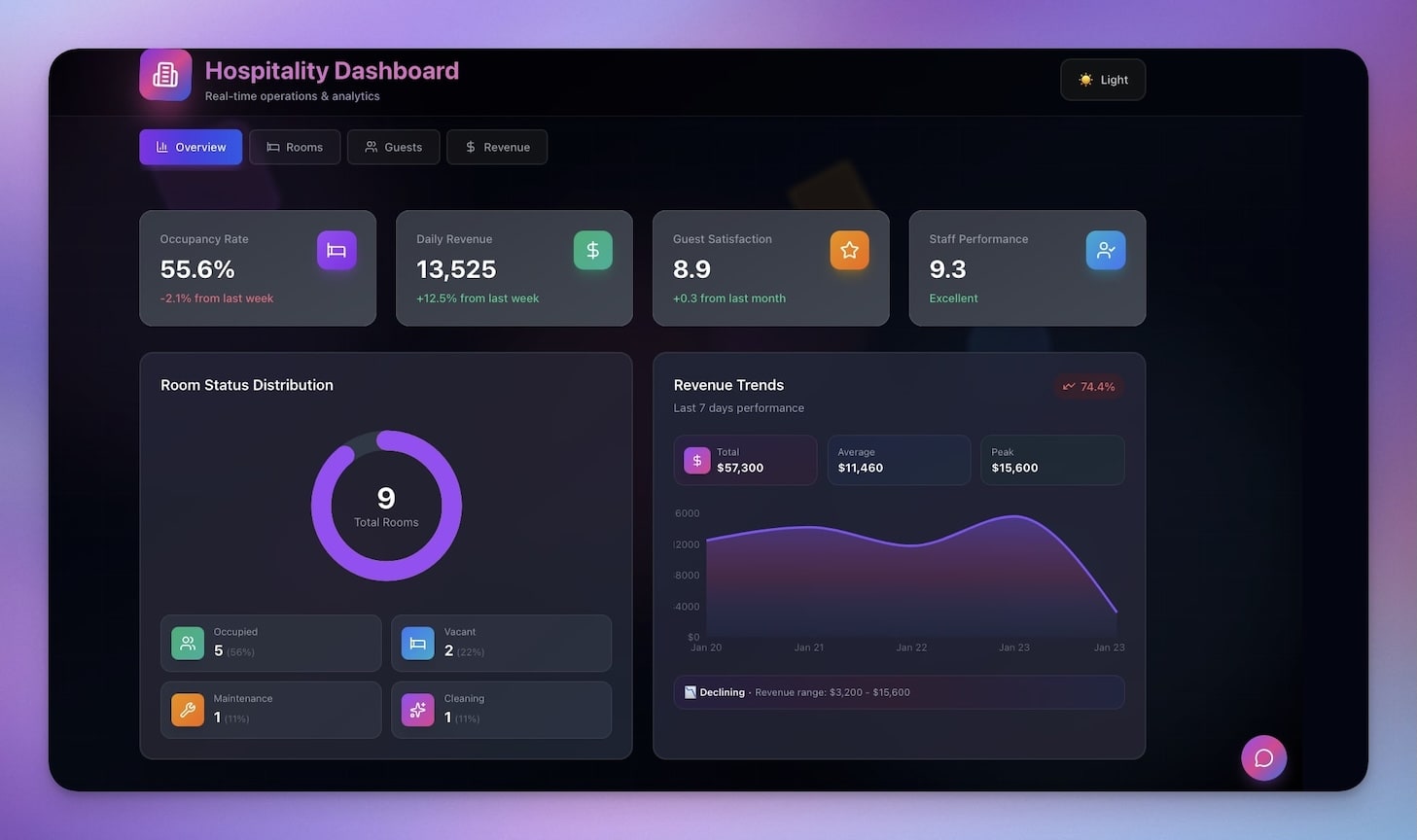
Industry-specific analytics for hotels, restaurants, and venues. Track occupancy rates, revenue per available room (RevPAR), and guest satisfaction scores — all powered by AI agents that spot seasonal trends and pricing opportunities.
Best for: Hotels, restaurants, hospitality businesses
Features:
- Occupancy tracking with historical comparison views
- Revenue metrics including ADR, RevPAR, and total revenue per guest
- Guest feedback analysis with AI-powered sentiment scoring
- Seasonal trend detection with predictive demand forecasting
- Automated reports sent to stakeholders on custom schedules
10. Monochrome Project Dashboard
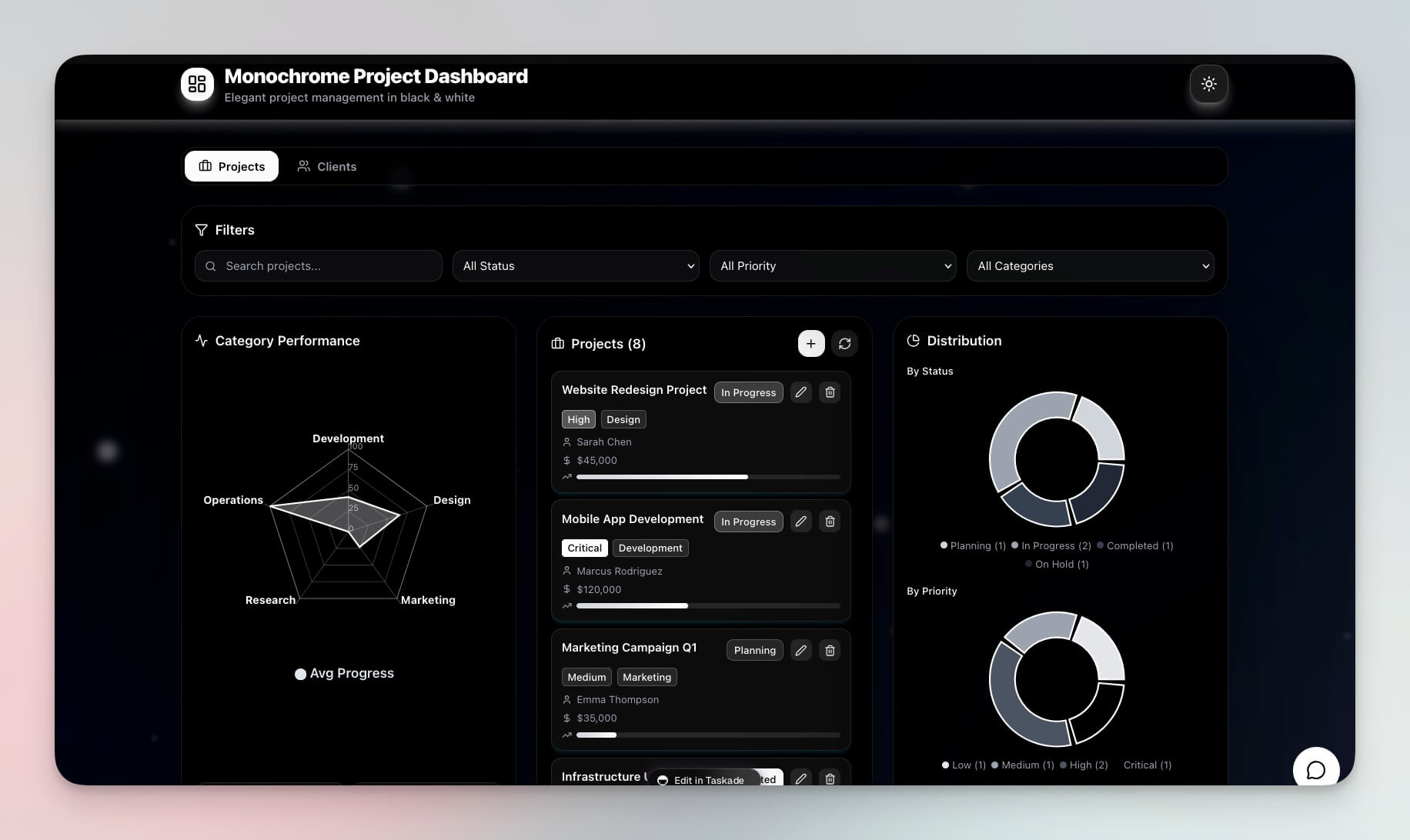
A clean, minimalist project tracker with tasks, milestones, and team updates. The monochrome design keeps focus on what matters, while AI agents track progress and flag at-risk deliverables.
Best for: Teams, project managers, solo founders
Features:
- Project milestones with dependency tracking
- Task tracking across all project views
- Team updates with automated status collection
- Progress overview with AI-generated health scores
- Mind Map view for brainstorming and planning
The Dashboard Architecture: How Workspace DNA Powers Live Data
Every Genesis dashboard runs on Workspace DNA — the three-layer architecture that transforms static displays into living systems.
Here is what each layer does inside your dashboard:
| Layer | What It Does | Dashboard Example |
|---|---|---|
| Memory (Projects) | Stores structured data in databases | Product inventory, customer records, KPI history |
| Intelligence (AI Agents) | Analyzes data and surfaces insights | "Revenue dropped 12% this week — here are the 3 largest contributing factors" |
| Execution (Automations) | Triggers actions based on conditions | Send Slack alert when CSAT drops below 4.0, email weekly report every Friday |
This is why Genesis dashboards are fundamentally different from Retool, Metabase, or Looker Studio. Those tools visualize. Genesis dashboards think and act.
How to Generate Your Own Custom Dashboard
Do not see exactly what you need? Create a custom dashboard in seconds:
- Open Taskade Genesis and click "Create App"
- Describe your dashboard in natural language (e.g., "Build a sales pipeline dashboard with deal stages, revenue tracking, and team performance metrics")
- Use "Enhance Prompt" to refine your description — the AI expands your brief into a detailed spec
- Watch Genesis build your dashboard with Projects, Agents, and Automations
- Customize the design, data fields, and automation rules as needed
- Publish and share with your team using role-based access
Learn more: Create Your First App →
Power Your Dashboard with Automations
Each dashboard can connect to 100+ integrations for automated data flows:
- Slack notifications when metrics hit thresholds
- Google Sheets sync for data import/export
- Email alerts for stakeholder updates via automated workflows
- Google Calendar integration for scheduled reports
- Webhook triggers for real-time data from external APIs
When to Use Taskade Genesis vs Traditional Dashboard Tools
Choosing the right dashboard tool depends on your team, technical skills, and what you need the dashboard to do.
| Scenario | Best Tool | Why |
|---|---|---|
| Quick internal dashboard, no developers | Taskade Genesis | One prompt, live in minutes, AI included |
| Heavy SQL analytics on large datasets | Metabase or Looker | Purpose-built for complex queries |
| Custom internal tools with APIs | Retool | Strong API connector library |
| Simple data visualization only | Looker Studio | Free, connects to Google ecosystem |
| Living dashboard that thinks and acts | Taskade Genesis | Workspace DNA: Memory + Intelligence + Execution |
For teams that want dashboards that do more than display data — dashboards that analyze, alert, and automate — Taskade Genesis is the fastest path from idea to production.
Start Building Your Dashboard
Ready to build your own AI-powered dashboard?
Resources:
- Explore Community Apps — Clone dashboards, websites, and tools built by the community
- Create Your First App — Step-by-step tutorial for Genesis
- Learn Workspace DNA — Understand the architecture behind living dashboards
- AI Agents Guide — Configure intelligent assistants for your dashboard
- Automation Triggers — Set up automated workflows and alerts
Your living workspace includes:
- Custom AI Agents with built-in tools and persistent memory
- Projects & Memory with multiple views (List, Board, Calendar, Table, Mind Map, Gantt, Org Chart)
- 100+ Integrations for automated data flows and notifications
Read more:
- What People Actually Build With AI — first-party census: 28.2% of AI-built apps are dashboards, the #1 category
- The Remix Economy — why people clone a working dashboard ~100x more than they build one from scratch
- 10 AI Client Portals You Can Deploy Instantly
- 12 AI Websites You Can Build from a Single Prompt
- The Origin of Living Software
- Build Without Permission
- How Workspace DNA Works
- AI Workspace Builder: Turn Lists Into Live Software
Explore Taskade AI:
- AI App Builder — Build complete apps from one prompt
- AI Dashboard Builder — Generate dashboards instantly
- AI Workflow Automation — Automate any business process
Explore Taskade Hubs:
- AI Reports Automations — Auto-generate reports
- AI Project Management Generators — Team dashboards
- AI CRM Agents — Customer tracking assistants
- AI CSV Converters — Import spreadsheet data
- Browse All Templates — Ready-to-clone dashboards

Frequently Asked Questions
What is an AI dashboard and how does it work?
An AI dashboard is an interactive data visualization tool powered by artificial intelligence. Unlike traditional dashboards that display static data, AI dashboards automatically categorize information, generate insights, spot trends, and trigger actions. Taskade Genesis dashboards include built-in databases (Projects), intelligent assistants (AI Agents with built-in tools), and automated workflows connected to 100+ integrations.
Can I build a dashboard without coding?
Yes. Taskade Genesis generates a fully functional AI-powered dashboard from a single natural language prompt. Describe what you need — finance tracker, CRM, support dashboard — and Genesis builds it with structured data, AI agents, and automation. No coding, design, or technical skills required. Plans start at Free with paid tiers from $10/month billed annually.
What types of AI dashboards can I create with Taskade Genesis?
You can create finance trackers, sales pipeline dashboards, CRM systems, support rating dashboards, booking managers, team capacity planners, and more. Each dashboard supports multiple project views (List, Board, Calendar, Table, Mind Map, Gantt, Org Chart) and comes with AI agents powered by frontier models from top AI labs.
How do I share an AI dashboard with my team?
Taskade dashboards support real-time collaboration with granular permissions. You can share any dashboard using a access control system — Owner to Viewer — so each team member gets exactly the right level of access. Dashboards can also be published as public links or embedded in external sites.
How does Taskade Genesis compare to Retool for dashboards?
Retool requires JavaScript knowledge and manual API connections to build dashboards. Taskade Genesis generates complete dashboards from a single natural language prompt with built-in AI agents, automated workflows, and 100+ integrations — no coding required. Genesis dashboards are living systems that adapt over time, while Retool produces static internal tools.
Can I connect external data sources to my AI dashboard?
Yes. Taskade Genesis dashboards connect to 100+ integrations across 10 categories including Slack, Google Sheets, email providers, webhooks, and more. Automated workflows can pull data from external sources, sync in real time, and trigger notifications when metrics hit thresholds.
What is Workspace DNA and how does it power dashboards?
Workspace DNA is Taskade's architecture where Memory (Projects and databases), Intelligence (AI Agents with built-in tools), and Execution (Automations with 100+ integrations) form a self-reinforcing loop. Dashboards built with Workspace DNA automatically update, generate insights, and trigger actions — they are living systems, not static displays.
Is Taskade Genesis better than Google Data Studio for dashboards?
Google Data Studio (now Looker Studio) visualizes existing data but cannot take actions. Taskade Genesis dashboards combine data visualization with AI agents that analyze patterns and automated workflows that execute responses. Genesis creates living dashboards that think and act, while Looker Studio creates read-only reports.
How much does it cost to build an AI dashboard with Taskade?
Taskade offers a Free plan to get started. Paid plans include Pro at $10/month for up to 10 users, and Business at $25/month for unlimited seats (annual billing). Every plan includes access to the Genesis AI app builder, AI agents, and automation workflows.
Can AI dashboards replace traditional BI tools like Metabase?
For many use cases, yes. Traditional BI tools like Metabase require database connections, SQL knowledge, and manual chart configuration. Taskade Genesis dashboards are generated from natural language, include AI agents that proactively surface insights, and automate actions based on data patterns. For teams that need fast, intelligent dashboards without a data engineering team, Genesis is the better fit.