






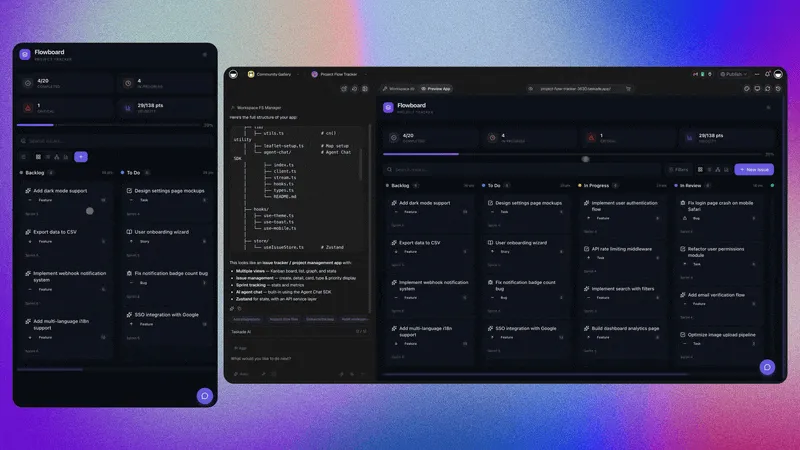
Three new Taskade Genesis apps you can clone today — a project tracker, a knowledge base, and a habit tracker. Each one comes with built-in AI agent teams, automations, and connected knowledge and database.
TL;DR: Clone 3 productivity apps built with Taskade Genesis — project tracker with AI-powered status updates, habit tracker with streaks and reminders, and a company wiki with knowledge graphs. All include agents, automations, and connected data. Try it free →
📋 Project Tracker
A complete project management dashboard with milestones, task assignments, and progress tracking. Clone the app →
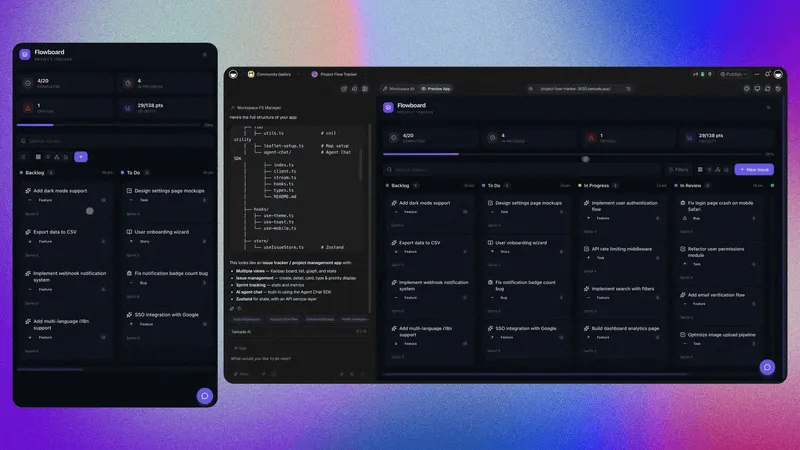
What's inside:
- 📋 See everything — One view for every project, every deadline
- 📊 No more standups — AI tracks progress and flags blockers
- ⚡ Set and forget — Status updates write themselves
This replaces the spreadsheet your team has been pretending works. One dashboard, multiple project views (Board, Table, Gantt, and more), and an AI agent that writes the status updates nobody wants to write.
🔥 Habit Tracker with Streaks
A beautiful habit tracker with streak counters, daily check-ins, and motivational nudges to keep you on track. Clone the app →
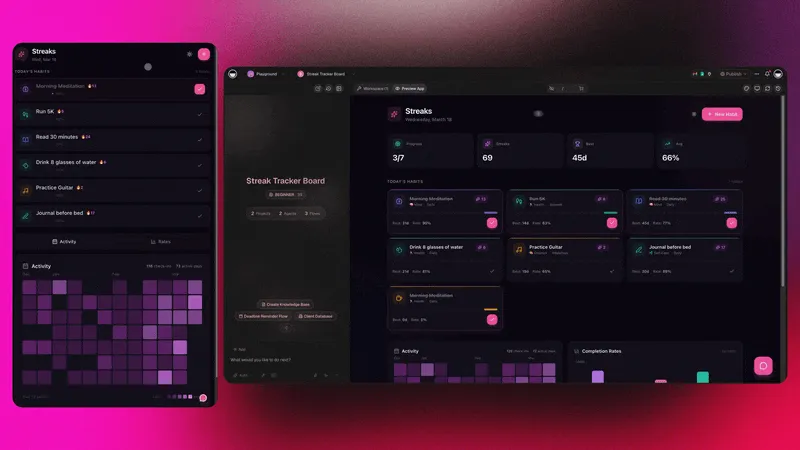
What's inside:
- 🔥 Never break the chain — Daily streaks and longest-run tracking
- ✅ One tap to log — Check in and keep momentum going
- 💬 Stay accountable — Automated reminders when you miss a day
Reading, exercise, meditation, journaling — whatever you're building, this app keeps the streak alive. The automations handle the nudges so you don't need willpower for the reminder part.
🤖 Build AI-powered apps with Taskade Genesis — Train agents, automate workflows, and deploy live apps from a single prompt. No code required.
🧠 15+ AI Models from OpenAI, Anthropic, and Google — choose the right model for every task.
🎬 Watch: Build a Habit Tracker for 2026
🔍 Company Knowledge Base
A searchable company wiki with categories, rich articles, and a knowledge graph that maps how everything connects. Clone the app →
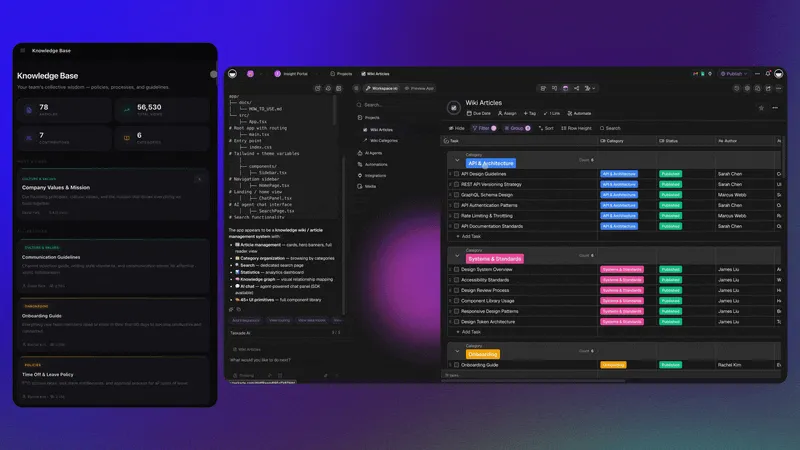
What's inside:
- 🔍 Find anything fast — Search articles, policies, and FAQs in seconds
- 🕸️ See how it connects — Knowledge graph maps topics and articles
- 📈 Know what matters — Usage stats show what your team reads most
Onboarding docs, product specs, internal policies — everything your team needs to know, organized and searchable. The AI agent answers questions from the knowledge base so new hires can self-serve from day one.
⚡ What You Can Build
Mix and match these apps with AI agent teams, automations, and your tools:
- 🏗️ Product team — Tracker → Ship sprints → Auto-update wiki
- 🧑💼 New hire — Knowledge Base → Onboarding tracker → First-week habits
- 🧘 Personal — Habit streaks → Journal → Goal tracking
- 🎧 Support team — Wiki → Ticket tracker → AI agent triage
- 🌐 Remote team — Tracker → Async standups → Team rituals
- 🚀 Founder — All three + automations → Full ops in one view
All three apps above are from @taskade — browse 74+ more app kits on our profile. Or generate your own in minutes. Free to start.
🚀 One Prompt. One Full System.
Want a custom productivity system without the setup? Describe what you need and Taskade Genesis builds the whole thing: UI, data backend, AI agents, live automations, and a deployed app.
"Build a project management app for my team with task boards, milestone tracking, an AI assistant that flags blockers, and automated status updates every Friday."
Genesis builds in ~7 minutes:
- Project dashboard — Board, list, and timeline views with milestones
- Data backend — Projects store tasks, deadlines, and team assignments
- Smart AI teammate — Flags blockers, suggests priorities, summarizes progress
- Live automations — Status updates, reminders, and weekly recaps on autopilot
🌱 Your Workspace, Alive
Every app in the Community Gallery is built on the same three pillars:
- 🧠 AI Agents think and get smarter with every interaction
- 📋 Projects remember from your apps, agents, and workflows
- ⚡ Automations execute continuously, connecting your system
This is Workspace DNA — Memory, Intelligence, and Execution in one living workspace.
🐑 Build with Taskade Genesis — The AI-powered workspace where agents think, projects remember, and automations execute.
🤖 Custom AI Agents — built-in tools, persistent memory, 15+ models
🧠 Multiple Project Views — List, Board, Calendar, Table, Mind Map, Gantt, Org Chart
⚡ 100+ Integrations — Slack, Gmail, Shopify, Stripe, and more
💬 Frequently Asked Questions
What is the Taskade Genesis project tracker?
A complete project management dashboard built with Taskade Genesis that includes milestones, task assignments, and progress tracking. AI agents flag blockers and auto-generate status updates. Available across multiple project views including List, Board, Calendar, Table, Mind Map, Gantt, and Org Chart.
How does the habit tracker work in Taskade?
The habit tracker includes daily check-ins, streak counters, and longest-run tracking. Automated reminders nudge you when you miss a day. Built with Taskade Genesis, it includes AI coaching and motivational nudges — all running on automations in the background.
Can I build a company knowledge base with Taskade?
Yes. The Company Knowledge Base app includes searchable articles, category organization, rich content support, and a knowledge graph that maps how topics connect. Usage stats show what your team reads most. The AI agent answers questions from the knowledge base so team members can self-serve.
Can I customize these Taskade Genesis apps?
Yes. Clone any app and customize every element using the Element Selector — click any component and describe changes in plain English. You can also connect 100+ integrations for notifications, calendars, and data sync.
How do I share my Taskade Genesis app with others?
Publish your app to the Community Gallery for public discovery, share a secret link for private access, or keep it workspace-only. You can also publish with a custom domain and password protection for client-facing portals.