







Booking systems are the most common AI app use case — and for good reason.
Every service business needs them. Consultants need appointment booking. Fitness studios need class registration. Real estate agents need viewing schedules. Event planners need ticket management. Yet most teams still rely on basic scheduling links from Calendly or Acuity, missing the full lifecycle of lead capture, qualification, follow-up, and rebooking.
With Taskade Genesis, you can deploy a complete booking system in minutes. Each system includes databases (Projects), AI assistants (AI Agents with built-in tools), and automated workflows (Automations) that handle confirmations, reminders, and follow-ups across 100+ integrations.
TL;DR: Taskade Genesis builds complete booking systems — not just scheduling links. Each system includes databases, AI agents, and automations that handle the full lifecycle from lead capture to follow-up. 150,000+ apps built since launch. Clone your first booking system free →
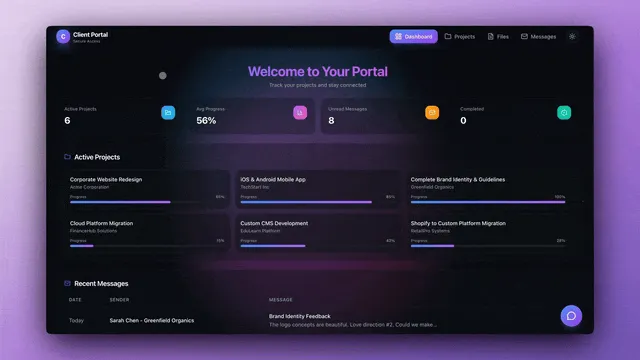
Here are 10 booking systems you can clone today.
How Taskade Booking Systems Compare to Dedicated Tools
Before exploring the templates, here is how Taskade Genesis stacks up against popular scheduling and booking platforms:
| Feature | Calendly | Acuity Scheduling | SimplyBook.me | Taskade Genesis |
|---|---|---|---|---|
| Appointment scheduling | Yes | Yes | Yes | Yes |
| Automated confirmations | Yes | Yes | Yes | Yes |
| CRM / lead database | No | Limited | Limited | Yes (Projects) |
| AI-powered lead scoring | No | No | No | Yes (AI Agents) |
| Custom follow-up sequences | Limited | Limited | Yes | Yes (Automations) |
| Custom domains | No | Yes | Yes | Yes |
| Real-time collaboration | No | No | No | Yes (permissions) |
| Payment processing | Yes (paid) | Yes | Yes | Yes (Stripe integration) |
| 100+ integrations | ~100 | ~50 | ~30 | 100+ |
| AI assistant built in | No | No | No | Yes (frontier models) |
| Pricing (annual) | $10/mo | $20/mo | $8.25/mo | Free / $10/mo |
The key difference: Calendly, Acuity, and SimplyBook are scheduling tools. Taskade Genesis creates complete booking systems — scheduling plus databases, AI agents, automations, and collaboration in one platform.
The Booking System Lifecycle

Every booking system follows the same lifecycle. Taskade Genesis automates every stage:
Most scheduling tools only cover stages C through E (Booking → Confirmation → Reminder). Genesis covers all eight stages with AI intelligence at every step.
1. Appointment Booking System
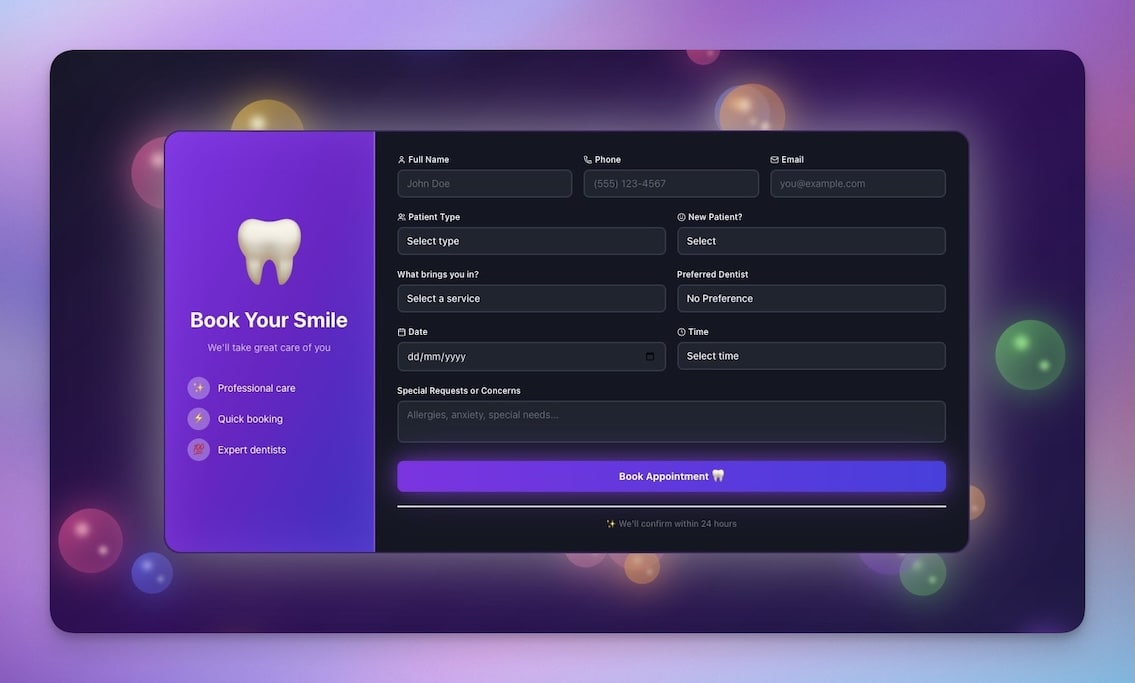
A clean, professional booking interface for one-on-one appointments. Clients select services, choose times, and receive automatic confirmations.
Best for: Consultants, therapists, coaches, healthcare providers
Features:
- Service menu with duration and pricing
- Calendar availability display
- Automatic confirmations via email
- Reminder sequences (24h and 1h before)
Automations you can add:
- Email confirmation on booking with service details
- SMS reminders 24 hours before via integrations
- Post-appointment feedback request with AI-drafted follow-up
- Calendar sync with Google Calendar or Outlook
2. Class Booking Portal
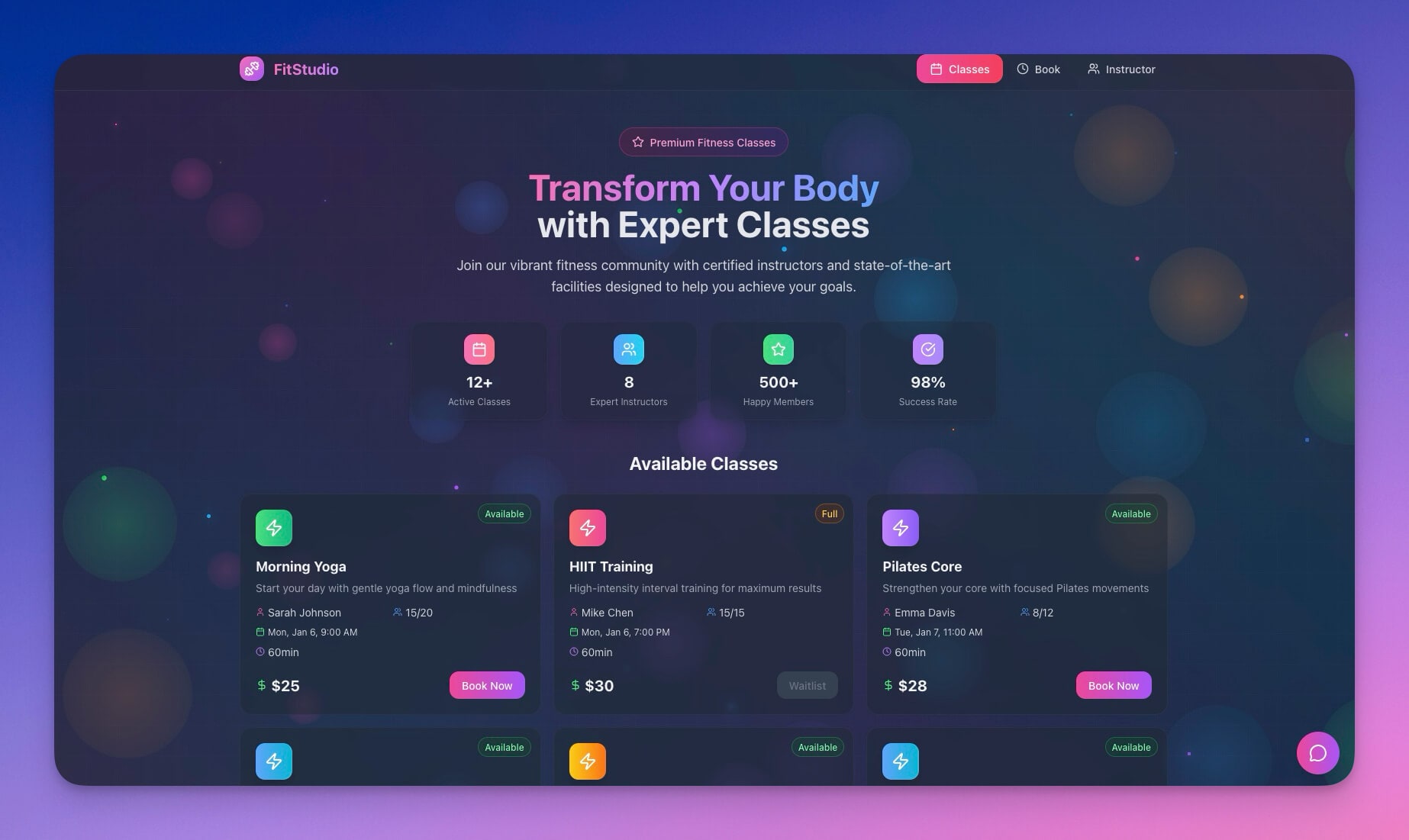
Let students browse class schedules, book spots, and manage their attendance. Built with multiple project views including Calendar and Board for visual scheduling.
Best for: Yoga studios, fitness classes, workshops, tutoring centers
Features:
- Class schedule display with instructor details
- Spot reservation with capacity limits
- Waitlist management when classes fill
- Attendance tracking across sessions
Automations you can add:
- Waitlist notifications when spots open
- Class reminder emails with preparation notes
- No-show tracking with automatic follow-up
- Recurring class scheduling with weekly rollover
3. Consultancy Booking Form
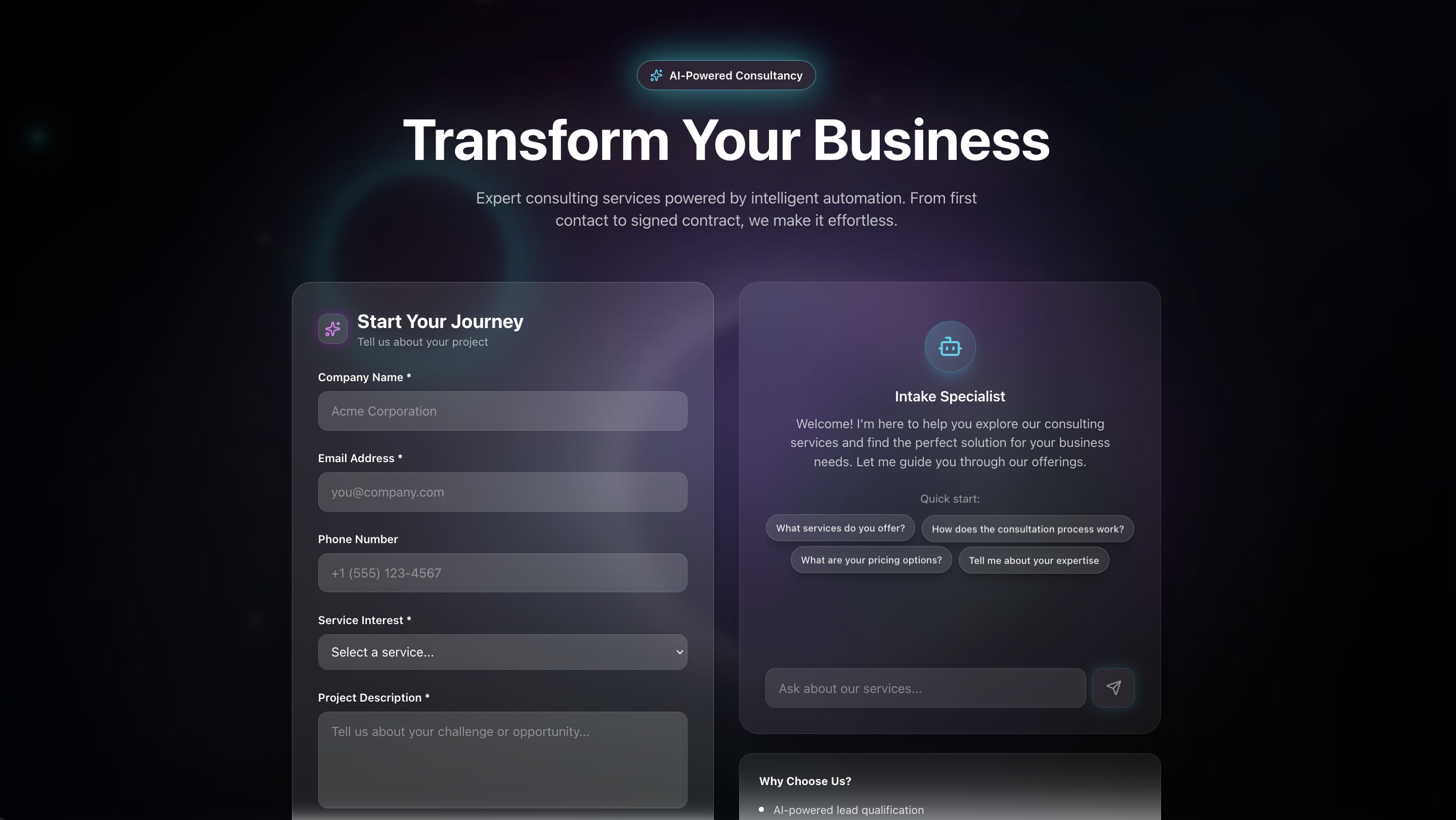
Capture leads and schedule discovery calls in one flow. Prospects answer qualifying questions and book directly — no back-and-forth emails.
Best for: Consulting firms, agencies, B2B services
Features:
- Lead qualification questions with scoring
- Calendar integration for available slots
- Requirements collection before the call
- Lead routing by score or specialty
Automations you can add:
- AI-powered lead scoring based on form responses
- CRM integration with Salesforce or HubSpot
- Preparation email with questionnaire sent pre-call
- Post-call follow-up sequences triggered automatically
4. Event Management Portal
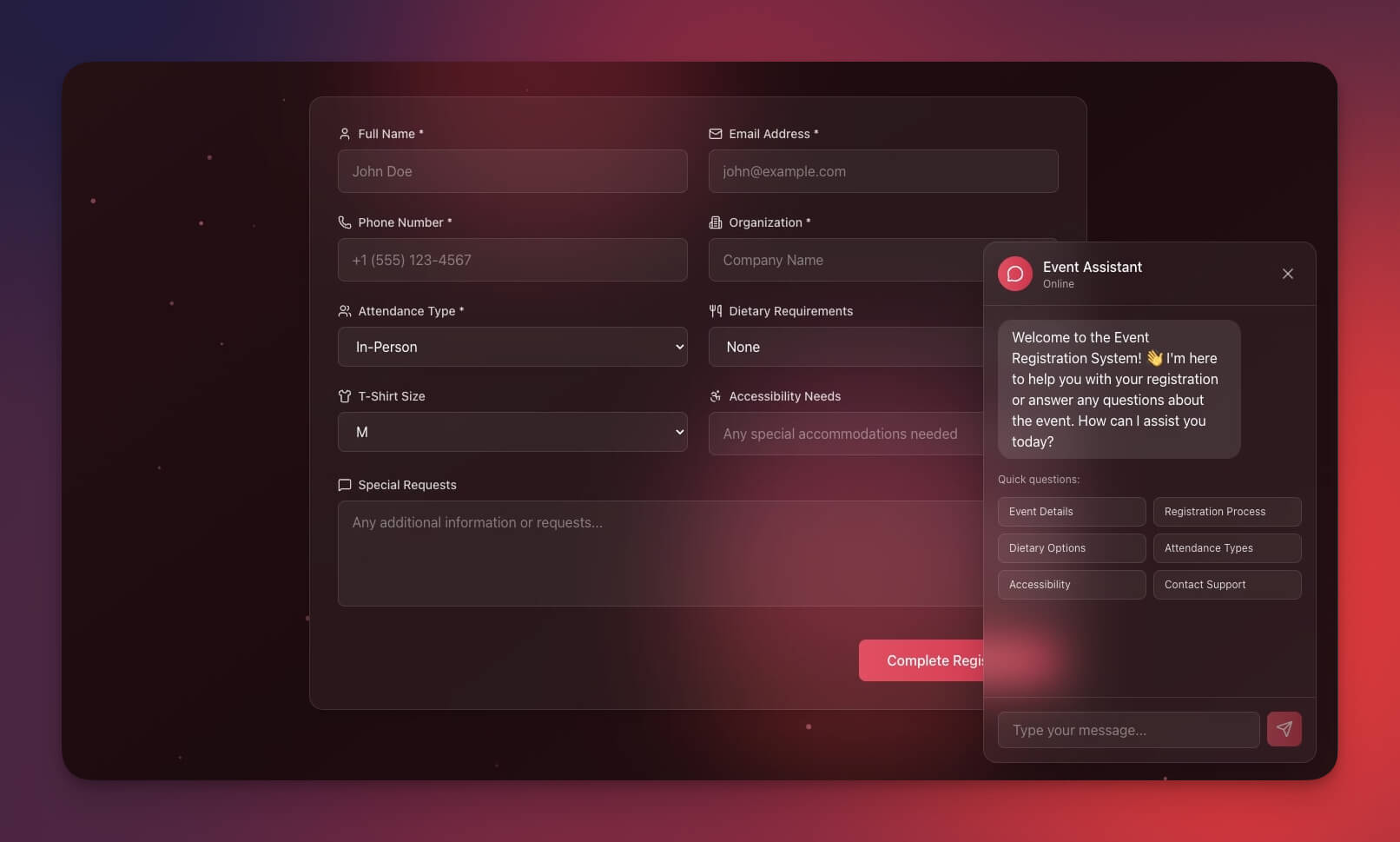
Complete event registration with ticket types, attendee management, and event updates — all powered by Workspace DNA.
Best for: Conference organizers, workshop hosts, community events
Features:
- Event registration with ticket tiers
- Attendee tracking and management
- Event update notifications
- Post-event survey collection
Automations you can add:
- Registration confirmation with ticket details
- Event reminder sequence (1 week, 1 day, 1 hour)
- Post-event feedback collection via AI agent
- Certificate delivery for workshop completions
5. Broker Calendar
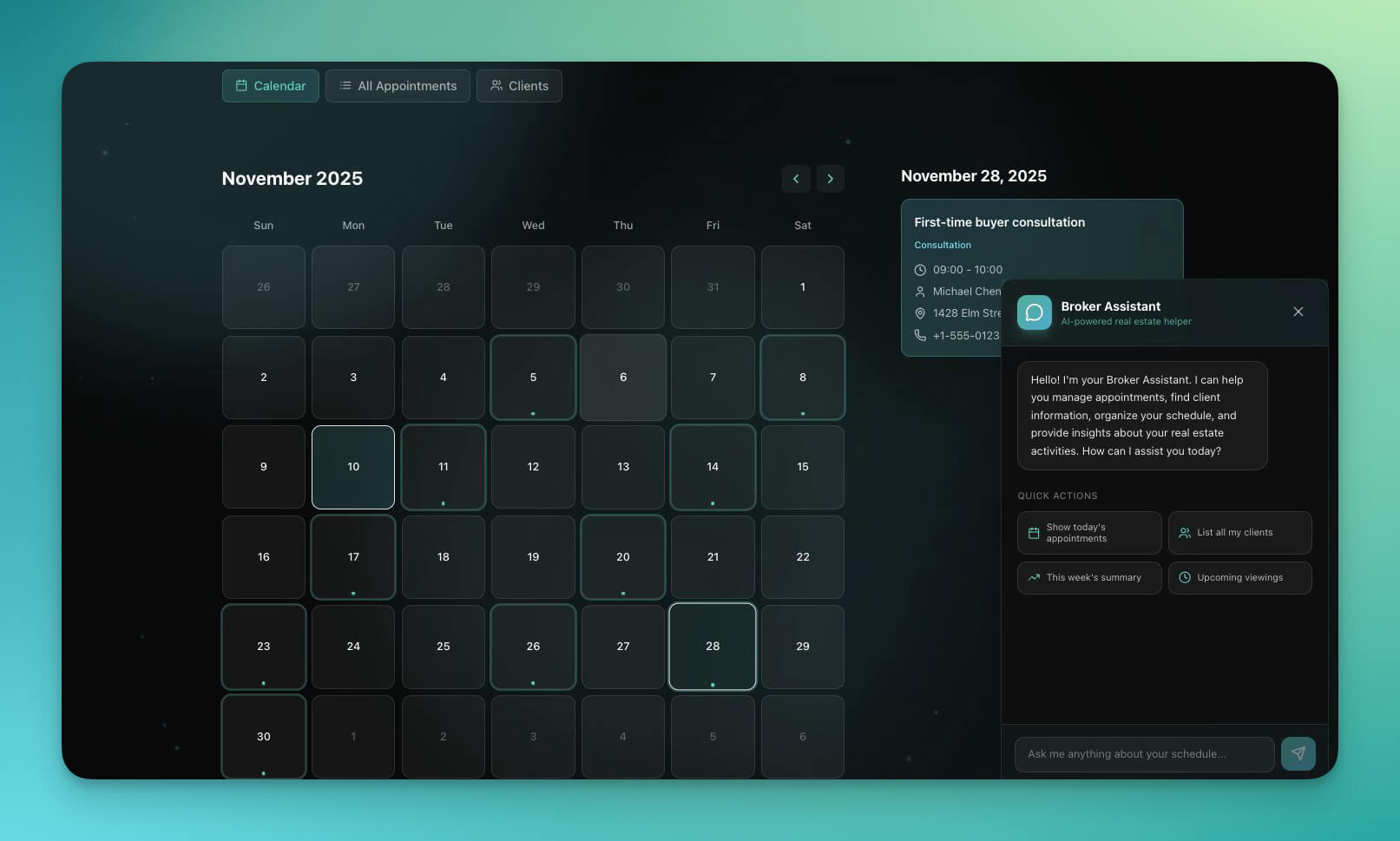
Real estate-specific booking for property viewings, client meetings, and listing presentations. Manage multiple calendars across properties and agents.
Best for: Real estate agents, property managers, brokers
Features:
- Property viewing slots with location details
- Client meeting booking with preferences
- Multiple calendar management per agent
- Property notes attached to each booking
Automations you can add:
- Property details and directions sent before viewing
- Viewing feedback collection after each visit
- Follow-up task creation for interested buyers
- CRM update on booking with lead status
6. Routes Tourism App
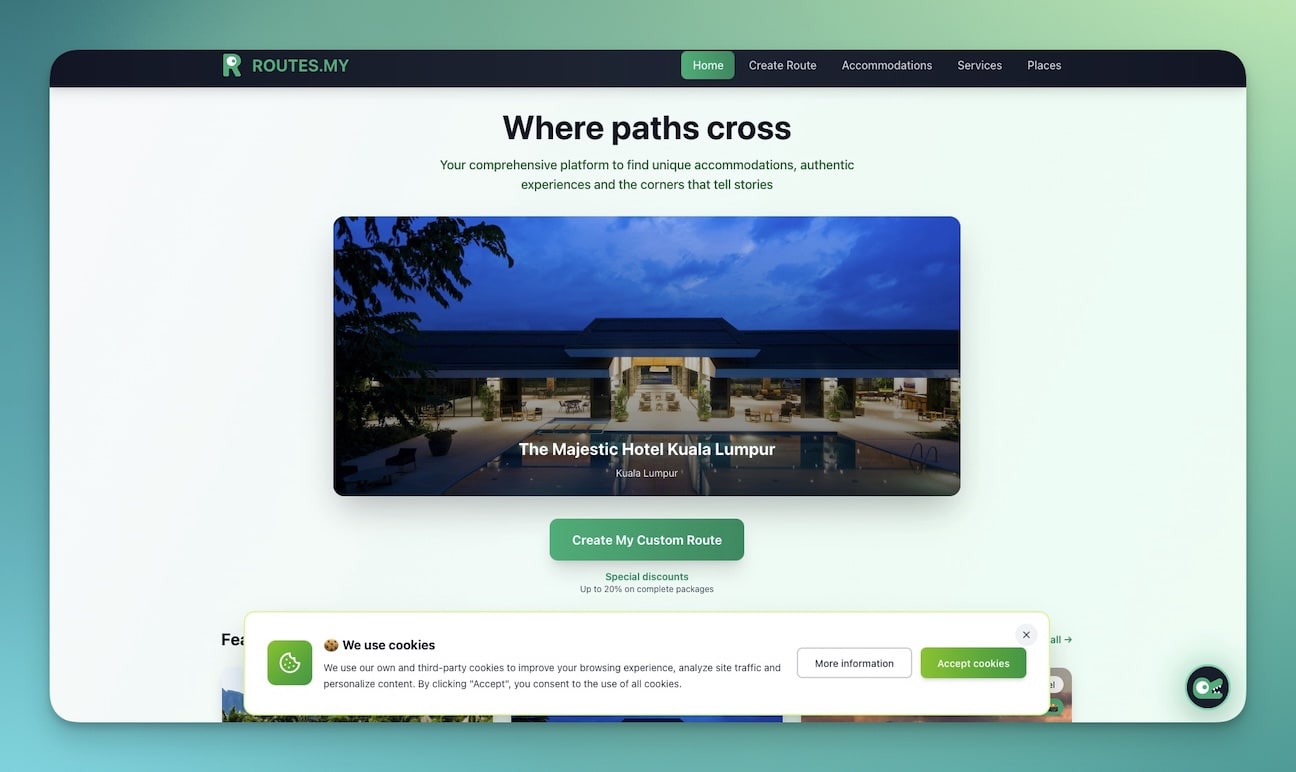
A travel booking system with tour packages, itineraries, and traveler information collection. AI agents can recommend tours based on preferences.
Best for: Tour operators, travel agencies, destination management
Features:
- Tour catalog with pricing and availability
- Online booking with group size selection
- Itinerary display with daily schedules
- Traveler information and waiver forms
Automations you can add:
- Booking confirmation with full itinerary PDF
- Pre-trip information sequence (packing list, weather, logistics)
- Guide assignment based on language and availability
- Post-trip review request with photo sharing
7. Real Estate Landing Page (with Booking)
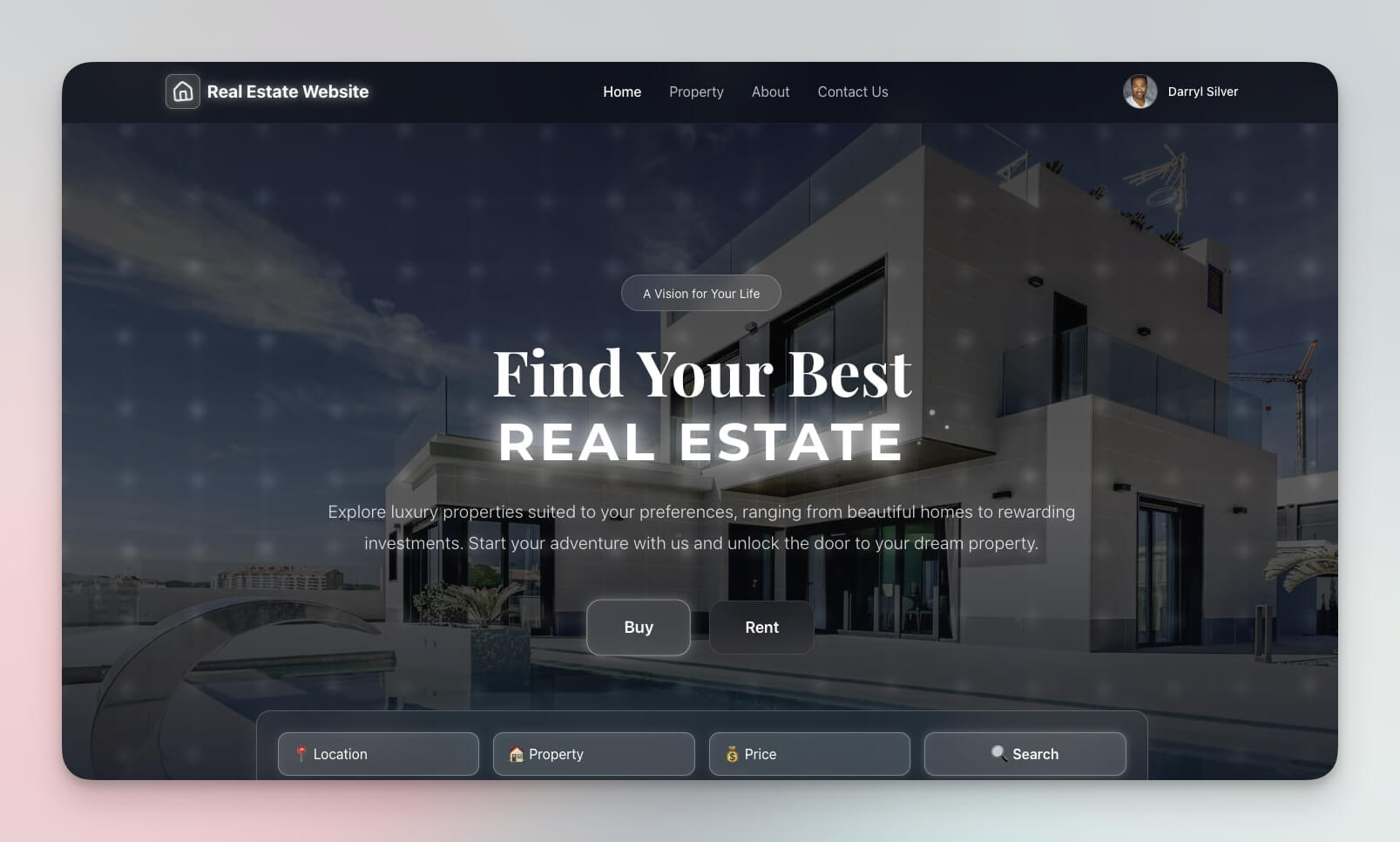
A property showcase with built-in inquiry and viewing booking — combining website and app in one Genesis creation.
Best for: Realtors, property developers, rental agencies
Features:
- Property listings with photos and details
- Inquiry forms with lead capture
- Viewing booking with calendar integration
- Agent profiles and contact information
Automations you can add:
- Property match notifications based on criteria
- Viewing confirmation with agent details
- Agent assignment by property type or location
- Follow-up sequences after viewing
8. Retro Themed Intake Form
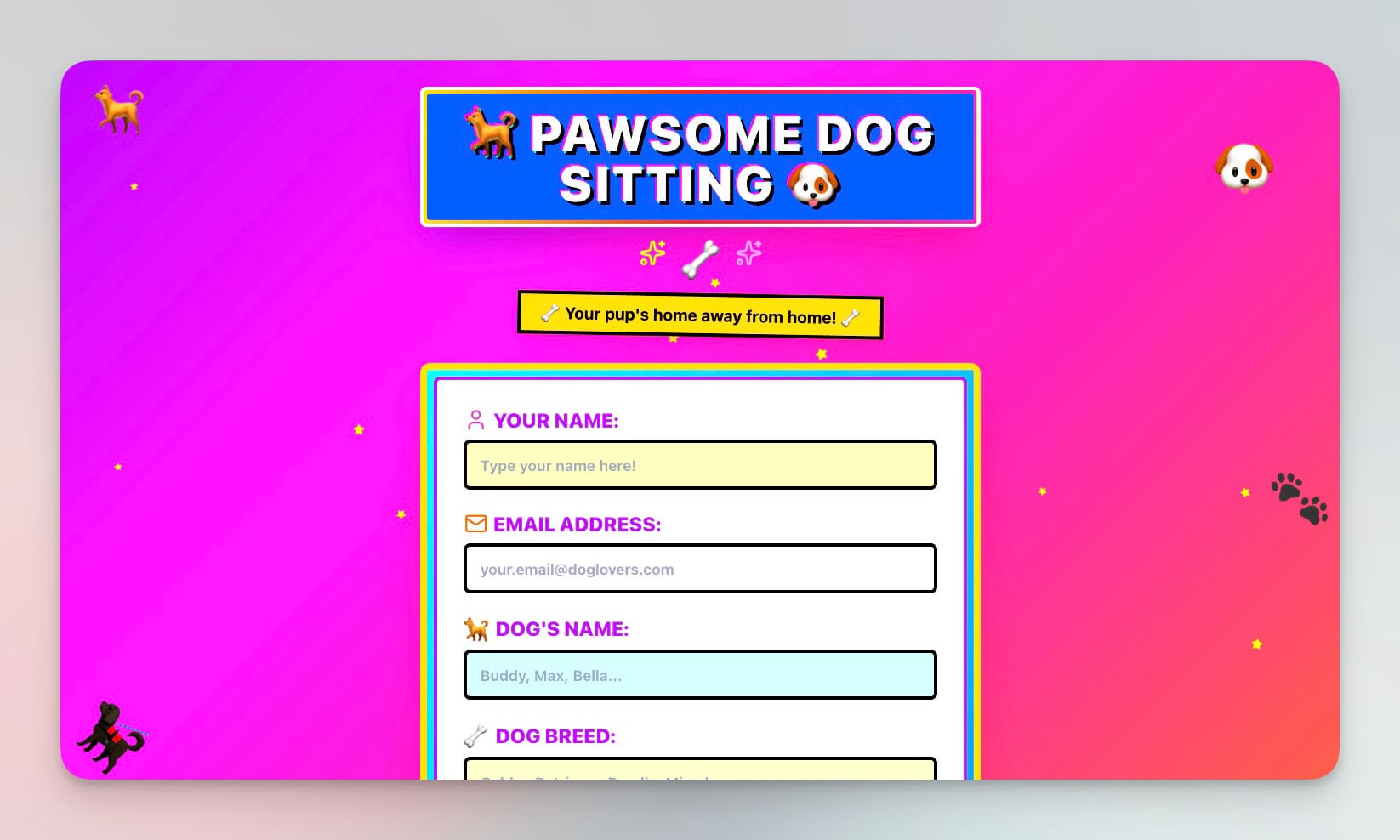
A styled booking and intake form with retro aesthetics — proof that Genesis apps can look unique, not generic.
Best for: Creative agencies, studios, unique services
Features:
- Customizable form fields with branded styling
- Visual personalization options
- Data collection with validation
- Booking integration with calendar
Automations you can add:
- Form submission notifications to team
- Response auto-categorization by AI agent
- Follow-up email sequences with branded templates
- Task creation from submissions in Projects
9. Testimonial Portal (Post-Service Booking)
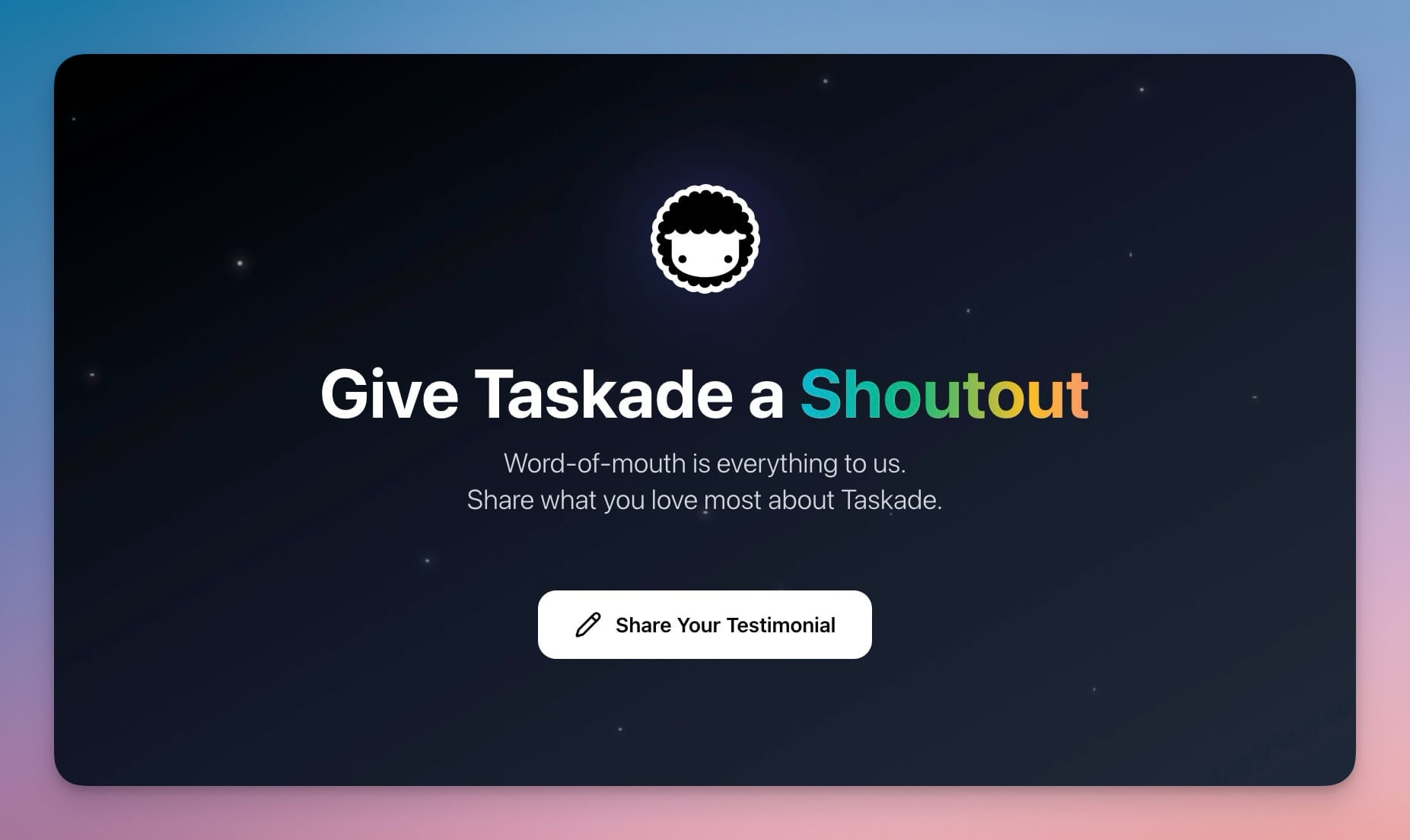
Collect testimonials and reviews after service delivery — a crucial part of the booking lifecycle that most scheduling tools ignore entirely.
Best for: Any service business wanting social proof
Features:
- Review collection with structured prompts
- Rating system with sentiment tracking
- Public showcase for approved testimonials
- Approval workflow with admin review
Automations you can add:
- Post-service review request timed to delivery
- Approval notifications to admin team
- Public display update when approved
- AI agent drafts thank-you responses
10. SaaS Landing Page (Lead to Booking)
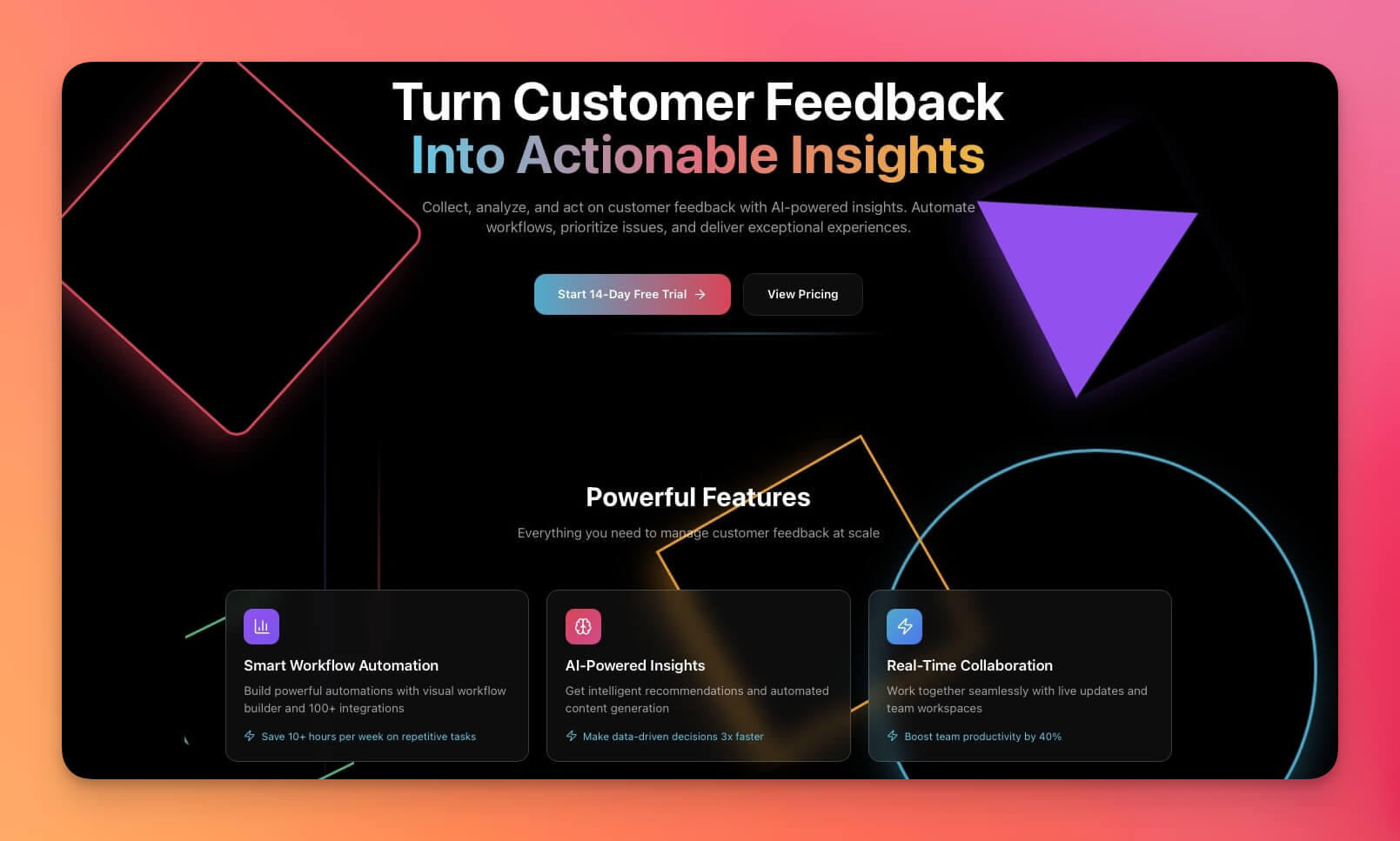
A lead capture page that flows into demo booking — the complete SaaS sales funnel from landing page to scheduled call.
Best for: SaaS companies, product demos, sales teams
Features:
- Lead capture with product interest tracking
- Demo booking with calendar integration
- Product showcase with feature highlights
- Pricing display with plan comparison
Automations you can add:
- Lead nurture sequence with educational content
- Demo reminder with agenda and prep materials
- Post-demo follow-up with pricing and trial link
- CRM sync for pipeline tracking
Booking System Selection Guide
Choosing the right template depends on your industry, service model, and automation needs:
| Industry | Recommended Template | Key Automation | Revenue Impact |
|---|---|---|---|
| Healthcare / Therapy | Appointment Booking (#1) | Reminders reduce no-shows by 30-50% | Direct revenue recovery |
| Fitness / Wellness | Class Booking Portal (#2) | Waitlist management fills empty spots | Maximized class capacity |
| Consulting / B2B | Consultancy Booking (#3) | Lead scoring qualifies before calls | Higher close rate |
| Events / Conferences | Event Management (#4) | Automated registration sequences | Reduced admin overhead |
| Real Estate | Broker Calendar (#5) | Pre-viewing details improve conversion | Shorter sales cycle |
| Tourism / Travel | Routes Tourism (#6) | Itinerary delivery reduces support load | Better reviews |
| SaaS / Tech | SaaS Landing Page (#10) | Demo booking + follow-up pipeline | Higher trial conversion |
Customization After Cloning
Every template is a starting point. After cloning, customize:
- Services and pricing — Update the service list, durations, and pricing to match your offerings
- Availability rules — Set business hours, buffer time between appointments, and blackout dates
- Notification templates — Edit confirmation, reminder, and follow-up email content
- AI agent knowledge — Train the agent on your FAQs, policies, and service descriptions
- Integration connections — Link to your calendar, CRM, payment processor, and communication tools via 100+ integrations
- Branding — Customize colors, logos, and domain settings for a professional client experience
Booking System Metrics to Track
Once your system is live, monitor these key performance indicators:
| Metric | What It Measures | Target |
|---|---|---|
| Booking conversion rate | Visitors who complete a booking | 15-30% |
| No-show rate | Booked appointments not attended | Under 10% |
| Lead-to-appointment ratio | Qualified leads who book | 40-60% |
| Average booking value | Revenue per appointment | Industry dependent |
| Repeat booking rate | Clients who rebook | 30-50% |
| Time to first booking | Days from system launch to first appointment | Under 7 days |
AI agents can compile these metrics into weekly reports sent to your team via automations.
How Automations Power the Booking Lifecycle
The real value of Genesis booking systems is the automation layer. Here is a typical booking workflow that runs entirely without human intervention:
Each step happens automatically. You set it up once, and it runs for every booking.
Common booking automations by integration:
| Integration | Automation |
|---|---|
| Google Calendar | Sync bookings, block availability |
| Outlook | Create events, send invites |
| Slack | Notify team of new bookings |
| Stripe | Process payments, issue refunds |
| Salesforce | Update lead records, track pipeline |
| Confirmations, reminders, follow-ups |
Advanced Booking Patterns
Multi-Service Booking
Some businesses offer multiple services with different durations, pricing, and providers. Genesis handles this with structured project records:
| Service | Duration | Price | Provider | Availability |
|---|---|---|---|---|
| Haircut | 30 min | $40 | Any stylist | Mon-Sat |
| Color Treatment | 90 min | $120 | Senior stylist only | Tue-Fri |
| Full Style | 120 min | $200 | Lead stylist | By appointment |
| Kids Cut | 20 min | $25 | Any stylist | Sat only |
The AI agent reads the service table, checks provider availability against the calendar, and suggests the earliest available slot that matches the client's preferences. No double-booking, no scheduling conflicts.
Group Booking and Capacity Management
For classes, workshops, and events, capacity management is critical. Genesis projects track bookings against capacity limits:
| Class | Max Capacity | Currently Booked | Waitlist | Status |
|---|---|---|---|---|
| Morning Yoga | 20 | 20 | 3 | Full (waitlist active) |
| HIIT Circuit | 15 | 12 | 0 | Open (3 spots) |
| Meditation | 10 | 8 | 0 | Open (2 spots) |
Automations fire at capacity thresholds: 80% full triggers a "filling up" notice, 100% enables the waitlist, and cancellations automatically promote the next person from the waitlist with a confirmation email.
Recurring Booking Patterns
Clients who book weekly sessions should not have to rebook every time. Genesis automations support recurring patterns:
- Weekly recurring — Same day, same time, same provider
- Bi-weekly — Every other week with automated reminders
- Monthly — First Monday, last Friday, or custom schedule
- Package-based — 10-session package with automatic tracking of remaining sessions
The AI agent monitors upcoming recurring bookings and proactively resolves conflicts. If a provider is unavailable for a recurring slot, the agent suggests alternative times and handles the rescheduling conversation.
No-Show Prevention
No-shows cost service businesses 10-30% of potential revenue. Genesis booking systems reduce no-shows through layered reminders:
| Timing | Channel | Content |
|---|---|---|
| Immediately | Booking confirmation with details | |
| 48 hours before | Reminder with cancel/reschedule option | |
| 24 hours before | Email + SMS | Final reminder with directions |
| 2 hours before | SMS | Short reminder with check-in link |
| 15 minutes after no-show | Missed appointment notice + rebooking link |
Each layer is an automation that fires independently. The AI agent tracks no-show patterns per client and can flag high-risk appointments for personal follow-up by your team.
Booking System Security and Permissions
Client booking data requires appropriate access controls. Taskade's permission system maps to booking system roles:
| Role | Booking System Access |
|---|---|
| Owner | Full system administration, billing, settings |
| Editor | Manage services and schedules, process bookings |
| Checker | Add notes to bookings (reception staff) |
| Viewer | Read-only access to public schedules and their own bookings |
For public-facing booking pages, clients do not need a Taskade account. The published booking page accepts submissions from anyone, while the administrative backend is restricted to your team.
Booking System Prompt Templates
Here are ready-to-use prompts for building common booking systems in Genesis. Copy, paste, and customize:
Salon / Spa Prompt
Build a salon booking system with:
- Service menu: haircuts (30 min, $40), coloring (90 min, $120),
  styling (60 min, $80), treatments (45 min, $60)
- Stylist profiles with availability calendars
- Automatic confirmation email with service details
- 24-hour reminder with cancellation/reschedule link
- Post-appointment feedback request sent 2 hours after service
- AI agent that recommends services based on client history
- No-show tracking with rebooking incentive for repeat offenders
Fitness Studio Prompt
Build a class booking system for a fitness studio with:
- Weekly class schedule: yoga, HIIT, pilates, meditation
- Maximum capacity per class (10-20 people)
- Waitlist management when classes fill up
- Recurring weekly booking for regular members
- 10-session and 20-session package tracking
- Class reminder email 24 hours before
- AI agent that suggests classes based on member preferences and past attendance
Professional Services Prompt
Build a consultancy booking system with:
- Intake form with qualifying questions (industry, company size, budget range)
- AI lead scoring based on form responses (1-100 score)
- High-score leads get immediate calendar link for 30-min discovery call
- Low-score leads receive automated resource email with case studies
- Pre-call questionnaire sent 48 hours before scheduled meeting
- Post-call follow-up sequence: thank you (same day), proposal (2 days), check-in (7 days)
- CRM integration to track pipeline from first touch to close
Each prompt creates a complete system with Projects for data, AI Agents for intelligence, and Automations for workflow execution.
Build Your Own Booking System
Create a custom booking system in minutes:
- Open Taskade Genesis and describe your system (e.g., "Build a dog grooming appointment booker with service selection, pet profiles, and automatic reminders")
- Use "Enhance Prompt" to add specific features
- Genesis creates the system with Projects, Agents, and Automations
- Customize services, times, and messaging
- Connect calendar and email via integrations
- Set permissions for team access using the system (Owner to Viewer)
- Publish and start accepting bookings
Learn more in Create Your First App.
Start Building
Ready to build your own booking system?
Resources:
- Explore Community Apps — Clone booking systems and more
- Create Your First App — Step-by-step tutorial
- Workspace DNA Guide — Understand the architecture
- Custom AI Agents — The intelligence layer
- Projects & Memory — The database layer
- Automations Guide — The automation layer
Read more:
- 10 AI Client Portals You Can Deploy Instantly
- 10 AI Dashboards You Can Clone
- 10 Agentic Workflows for Startups
- Build Self-Updating Client Portals
- AI App Builder vs Website Builder vs Agent Builder
- How Workspace DNA Works
Explore Taskade AI:
- AI App Builder — Build complete apps from one prompt
- AI Portal Builder — Create booking portals
- AI Forms Generator — Generate intake and booking forms
Explore Taskade Hubs:
- AI Booking Automations — Scheduling workflows
- AI Calendar Automations — Calendar sync workflows
- AI Customer Support Automations — Follow-up sequences
- AI Sales Agents — Lead management assistants
- Browse All Templates — Ready-to-clone booking systems
Explore the Vibe Apps series:
- Vibe Booking Apps — Build an AI appointment system in minutes
- Vibe Event Apps — 10 best event management tools for small teams

Frequently Asked Questions
How do I build an AI booking system with Taskade Genesis?
Open Taskade Genesis and describe your booking system in a text prompt, including services, time slots, confirmation rules, and notification triggers. Genesis builds the complete system with databases (Projects), AI assistants (Agents with built-in tools), and automated workflows (Automations with 100+ integrations) in minutes. No coding required.
What types of booking systems can I build with Taskade?
You can build appointment schedulers, class booking portals, consultancy booking forms, event registration systems, real estate viewing calendars, tourism booking apps, SaaS demo schedulers, and more. Each system includes automated confirmations, reminders, and follow-up sequences powered by AI agents and workflow automations.
Can Taskade booking systems send automatic confirmations and reminders?
Yes. Taskade Automations handle the entire booking lifecycle automatically: confirmation emails on booking, reminders 24 hours and 1 hour before, post-service follow-ups, and feedback collection. You can connect to 100+ integrations including Google Calendar, Outlook, Slack, and Stripe for a fully automated scheduling pipeline.
Are these AI booking systems free to clone?
Yes. All 10 booking system templates are available to clone from the Taskade Community with one click. You can customize services, time slots, branding, and automations after cloning. Taskade offers a free tier, with paid plans starting at $10 per month for Pro (billed annually) with up to 10 users.
How does Taskade compare to Calendly for booking and scheduling?
Calendly is a dedicated scheduling tool focused on calendar links and appointment booking. Taskade Genesis creates complete booking systems with databases, AI agents, automations, and multiple project views (List, Board, Calendar, Table, Mind Map, Gantt, Org Chart). You get scheduling plus CRM, follow-ups, lead scoring, and reporting in one platform instead of stitching together multiple tools.
How does Taskade compare to Acuity Scheduling?
Acuity Scheduling specializes in appointment management with payment processing. Taskade Genesis builds booking systems that include the scheduling layer plus AI agents for intelligent lead routing, automated follow-up sequences, and real-time collaboration with permissions (Owner to Viewer). Genesis also supports custom domains and public embedding for client-facing portals.
Can I connect a Taskade booking system to my existing calendar?
Yes. Taskade supports Google Calendar and Outlook integrations through its 100+ integration catalog. When a booking is created, the automation can sync it to your calendar, send confirmation emails, and create follow-up tasks automatically. You can also connect to Slack, Stripe, and CRM platforms for end-to-end booking workflows.
What is the difference between a booking system and a scheduling tool?
A scheduling tool like Calendly handles calendar availability and appointment links. A booking system manages the full lifecycle: lead capture, qualification, scheduling, confirmation, reminders, service delivery, follow-up, feedback collection, and rebooking. Taskade Genesis builds complete booking systems with all lifecycle stages powered by AI agents and automations.
Can I accept payments through a Taskade booking system?
Yes. Taskade integrates with Stripe and other payment processors through its automation workflows. When a client books a service, the automation can trigger a payment link, process the charge, and update the booking status automatically. This works for one-time appointments, class packages, and subscription-based services.
How do AI agents improve booking systems?
AI agents powered by frontier models from top AI labs add intelligence to every stage of the booking lifecycle. Agents can qualify leads from intake forms, recommend optimal time slots, draft personalized confirmation emails, analyze no-show patterns, and generate weekly booking reports. Each agent has access to built-in tools for reading data, sending messages, and triggering automations.