







Communities run on coordination.
Volunteers, donors, events, communications — it is a lot to manage with limited resources. Most nonprofits cobble together free tools, losing hours to manual work that should be automated. A 2024 NTEN survey found that 62% of nonprofits spend more than 10 hours per week on administrative tasks that could be automated, and 78% report that technology costs limit their program capacity.
TL;DR: Taskade Genesis gives nonprofits enterprise-level portals starting at $0. Clone any of the 10 templates below in one click, or describe your organization's needs and get a custom portal with AI agents, automated workflows, and donor tracking in minutes. No coding or IT team required. Build your portal free →
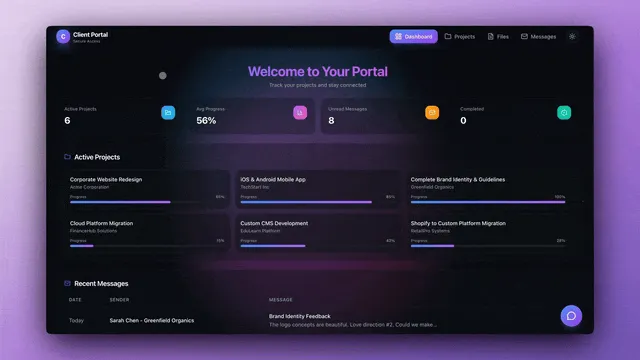
Taskade Genesis gives nonprofits enterprise-level systems without enterprise budgets. One prompt creates a complete portal with member data (Projects), AI assistants (Agents), and automated workflows (Automations).
The Nonprofit Technology Gap
The gap between what nonprofits need and what they can afford is widening. Enterprise CRM platforms like Salesforce Nonprofit Cloud start at $60/user/month. Custom website development costs $5,000-$20,000. Even "nonprofit-friendly" tools add up fast.
| Tool Category | Enterprise Option | Typical Cost | Taskade Genesis |
|---|---|---|---|
| Donor CRM | Salesforce Nonprofit Cloud | $60/user/mo | Included (free tier) |
| Website builder | Squarespace | $16-$49/mo | Included |
| Event management | Eventbrite Pro | $99/mo | Included |
| Volunteer coordination | VolunteerHub | $75/mo | Included |
| Email automation | Mailchimp Standard | $20/mo | Via 100+ integrations |
| Impact reporting | Custom development | $5,000+ | AI agent generates reports |
| Total | $270+/month | Free to $10/mo |
Taskade pricing: Free ($0), Pro ($10/mo for up to 10 users, billed annually), Business ($25/mo billed annually). Most small nonprofits run comfortably on the free plan.
Quick Reference: All 10 Community Portals
| # | Portal | Function | Best For | Clone Link |
|---|---|---|---|---|
| 1 | Nonprofit Org Website | Organization website with mission and programs | Charities, foundations | Clone → |
| 2 | Breathe Circle | Wellness and mental health programs | Support groups, mindfulness | Clone → |
| 3 | BusinessPro Website | Professional community hub | Associations, clubs | Clone → |
| 4 | Event Management Portal | Community event coordination | Fundraisers, gatherings | Clone → |
| 5 | Class Booking Portal | Programs, workshops, classes | Education, workshops | Clone → |
| 6 | Testimonial Portal | Impact stories and reviews | Fundraising, grants | Clone → |
| 7 | Routes Tourism App | Community tours and walkthroughs | Historical societies | Clone → |
| 8 | Support Rating Dashboard | Volunteer satisfaction tracking | Feedback collection | Clone → |
| 9 | Motivation Map Studio | Goal visualization and milestones | Strategic planning | Clone → |
| 10 | Appointment Booking | One-on-one consultations | Counseling, intake | Clone → |
1. Nonprofit Org Website
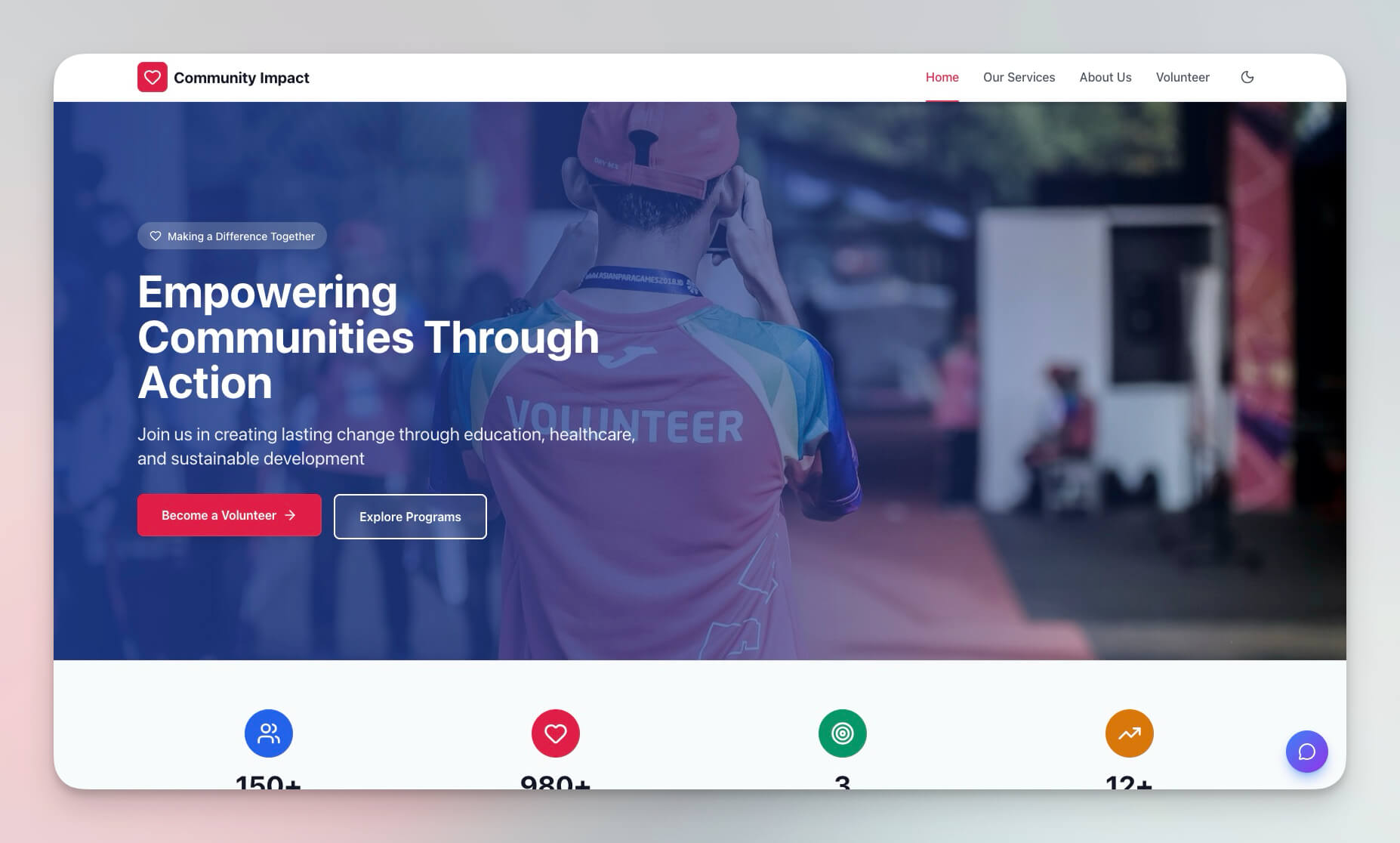
A professional website template for nonprofit organizations that communicates your mission, showcases programs, and captures donor information — all without a web developer.
Unlike Squarespace ($16-$49/month for a static site), this portal includes an AI agent that can answer visitor questions about your programs, guide donors through the giving process, and collect volunteer signups automatically.
Best for: Charities, foundations, community organizations
Features:
- Mission statement and program showcase sections
- Donation intake forms with automated thank-you sequences
- Contact forms connected to your Projects database
- Mobile-responsive design generated from your description
- AI agent that answers visitor questions 24/7
2. Breathe Circle
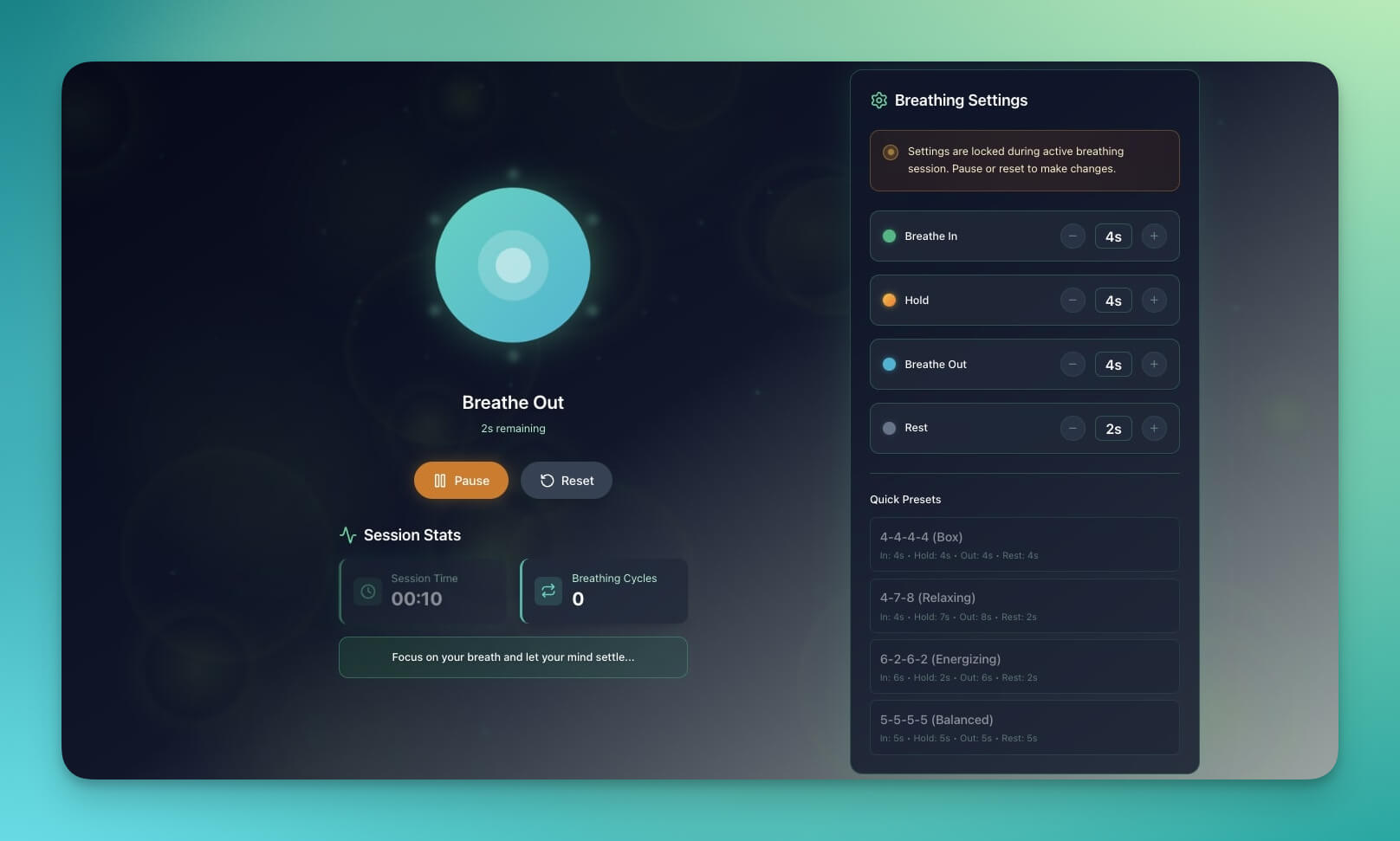
A wellness tool for community mental health programs. Guided breathing exercises, calming visuals, and session tracking — built for the organizations that support mental health but often lack the budget for custom apps.
Best for: Wellness programs, support groups, mindfulness initiatives
Features:
- Guided breathing exercises with visual pacing
- Calming visual themes customizable to your brand
- Session tracking for participants
- Mobile-friendly design for on-the-go access
- AI agent that guides users through exercises
3. BusinessPro Website
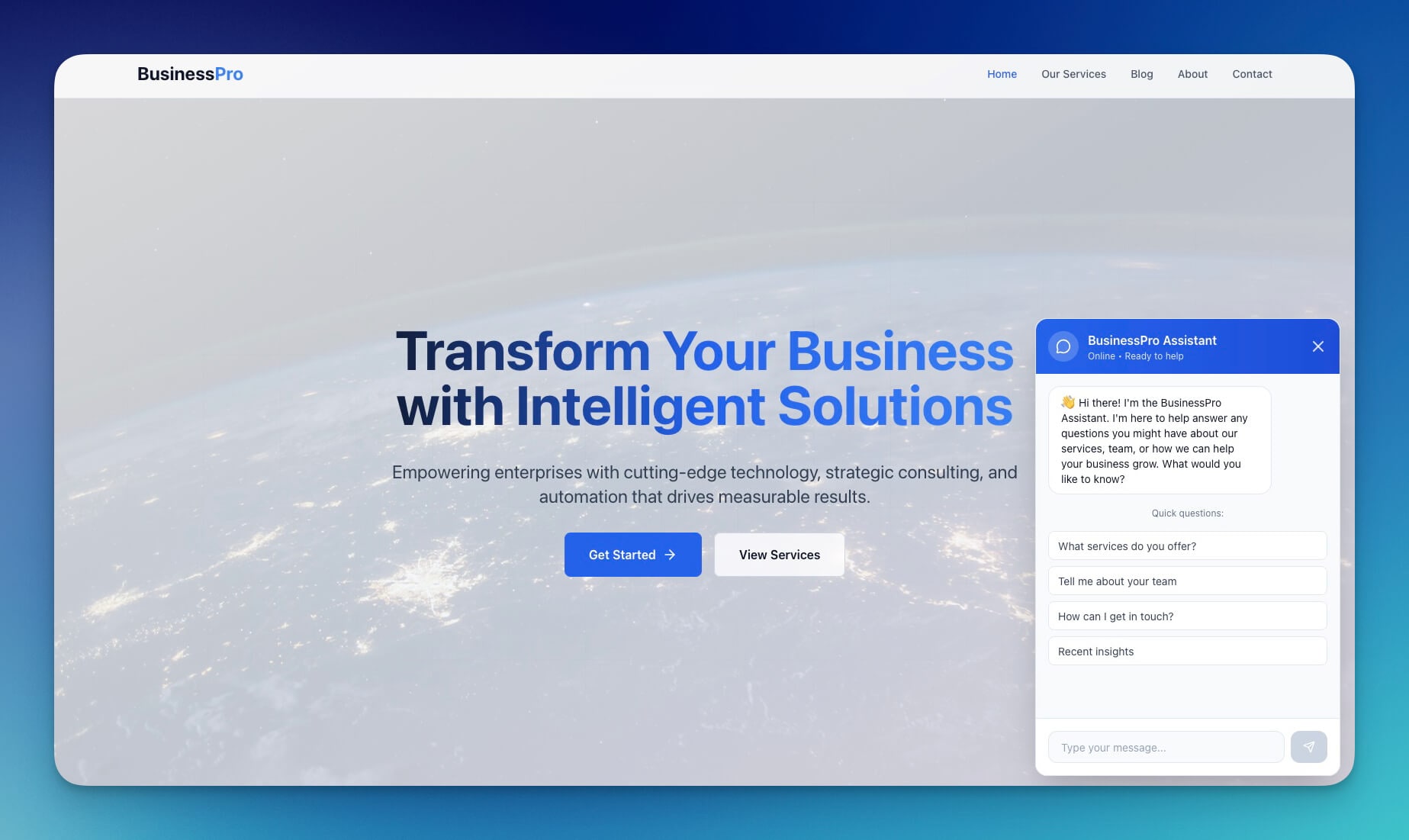
A professional template adaptable for community associations, professional groups, and membership organizations. Clean design with member sections, event calendars, and contact integration.
Best for: Community associations, professional groups, clubs, chambers of commerce
Features:
- Professional design with member-facing sections
- Event calendar with registration tracking
- Contact integration via 100+ integrations
- Resource library for members
- Role-based access: permissions (Owner to Viewer)
4. Event Management Portal
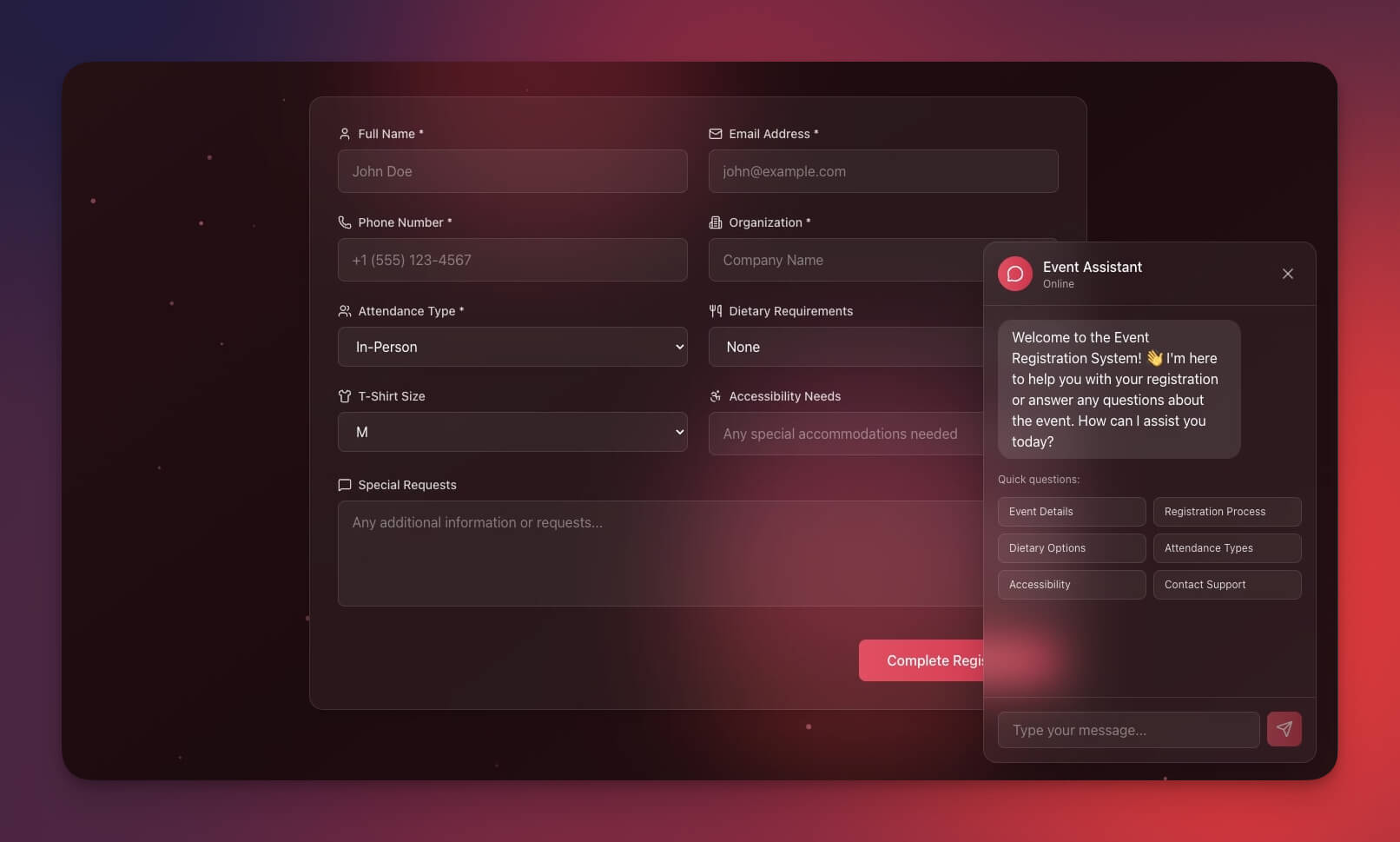
Coordinate community events from planning to execution. This portal handles volunteer assignments, budget tracking, attendee management, and post-event reporting — replacing tools like Eventbrite Pro ($99/month) for organizations that need coordination, not just ticketing.
Best for: Fundraisers, community gatherings, volunteer events
Features:
- Event calendar with multi-view display (multiple project views: List, Board, Calendar, Table, Mind Map, Gantt, Org Chart)
- Volunteer coordination with shift assignments
- Budget tracking per event with expense categories
- Attendee management with check-in tracking
- Post-event feedback collection via Automations
5. Class Booking Portal
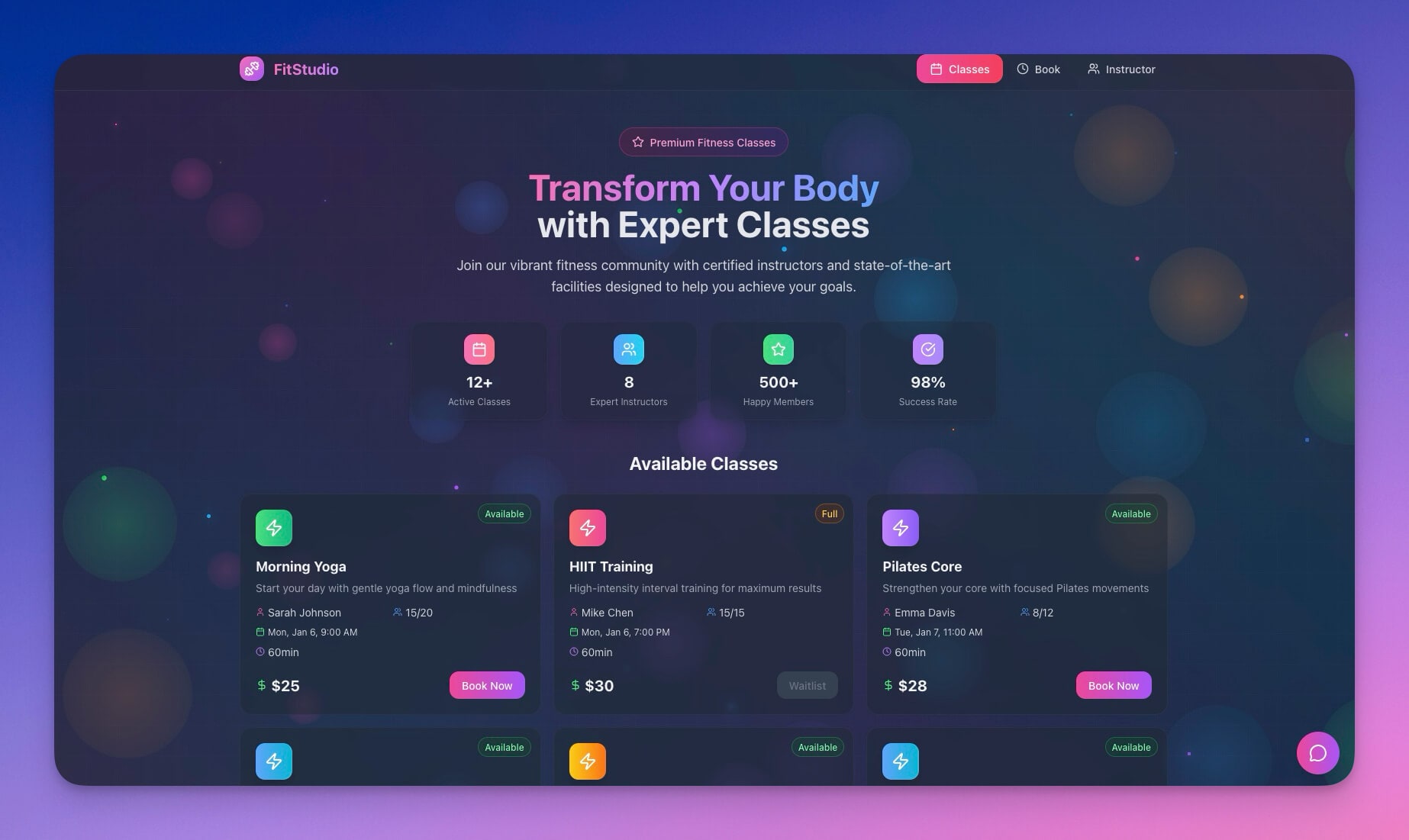
Schedule community classes, workshops, and programs. The AI agent handles registration, waitlists, and reminder sequences — so your staff focuses on teaching, not administration.
Best for: Community education centers, workshops, recurring programs
Features:
- Class scheduling with capacity limits
- Registration management with automatic confirmation emails
- Waitlist handling with automatic promotion when spots open
- Reminder automation: 24 hours before, 1 hour before
- Attendance tracking connected to your Projects database
6. Testimonial Portal App
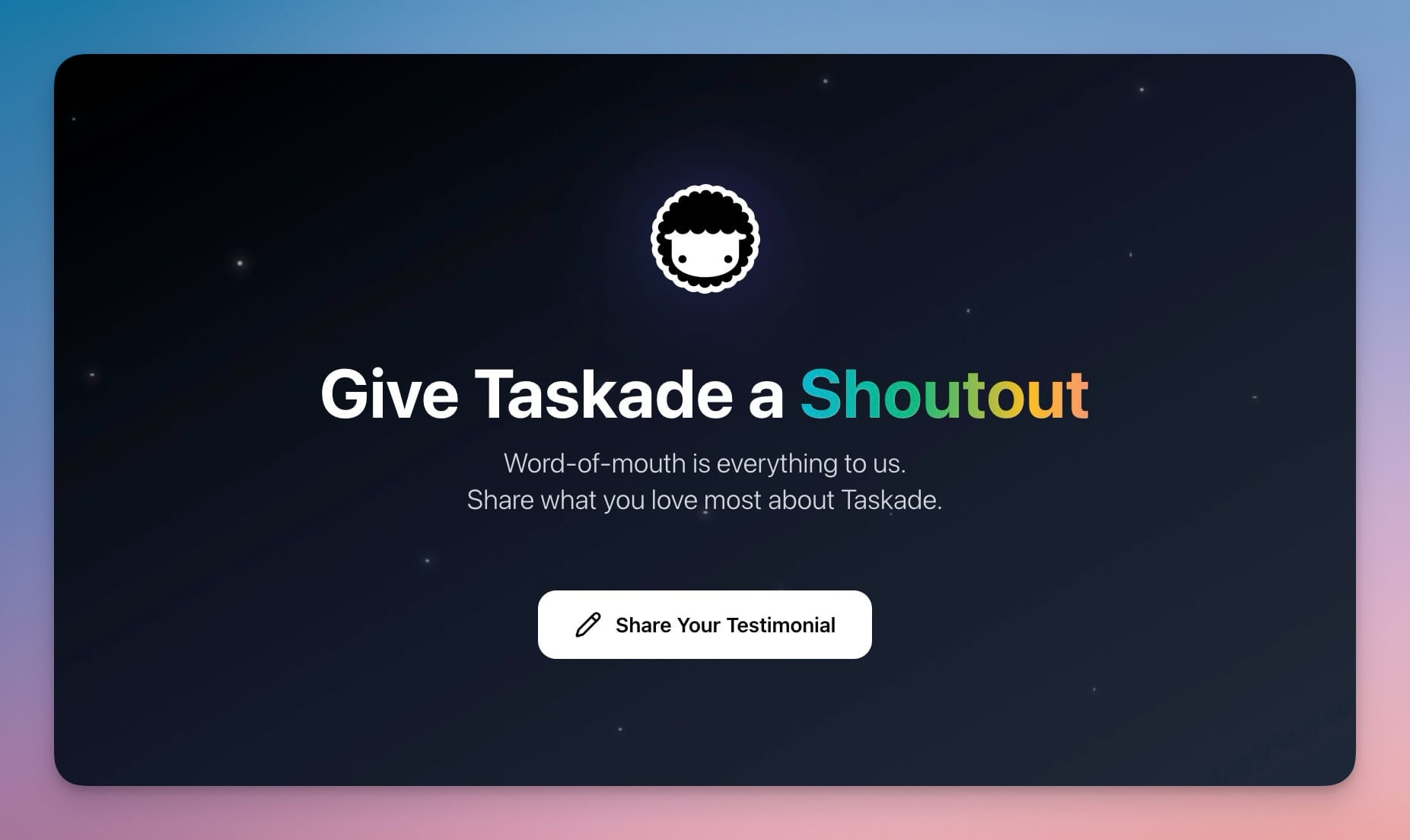
Collect impact stories and testimonials from community members, program participants, and beneficiaries. Impact stories are the most powerful fundraising tool a nonprofit has — this portal makes collecting them systematic rather than accidental.
Best for: Fundraising campaigns, grant applications, impact reporting
Features:
- Story collection forms with guided prompts ("What changed for you?")
- Photo integration for visual impact stories
- Approval workflow before publishing (role-based access)
- Export formatting for grant applications and annual reports
- AI agent that helps participants articulate their stories
7. Routes Tourism App
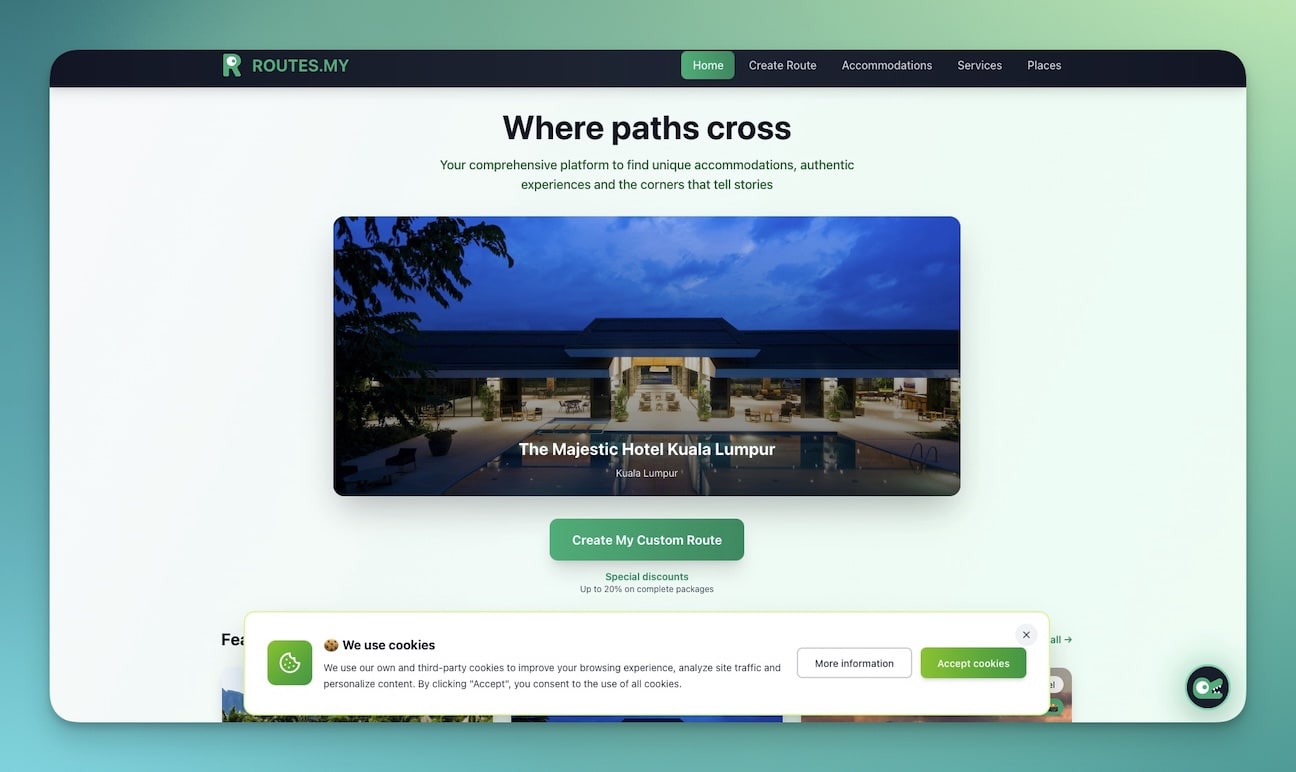
Plan community tours and neighborhood walkthroughs. Historical societies, community development organizations, and orientation programs use this to create self-guided experiences for visitors.
Best for: Historical societies, community tours, orientation programs, neighborhood associations
Features:
- Tour route planning with sequential stops
- Point-of-interest descriptions and information panels
- Photo galleries per stop
- Mobile-friendly for walking tours
- Shareable links for community distribution
8. Support Rating Dashboard
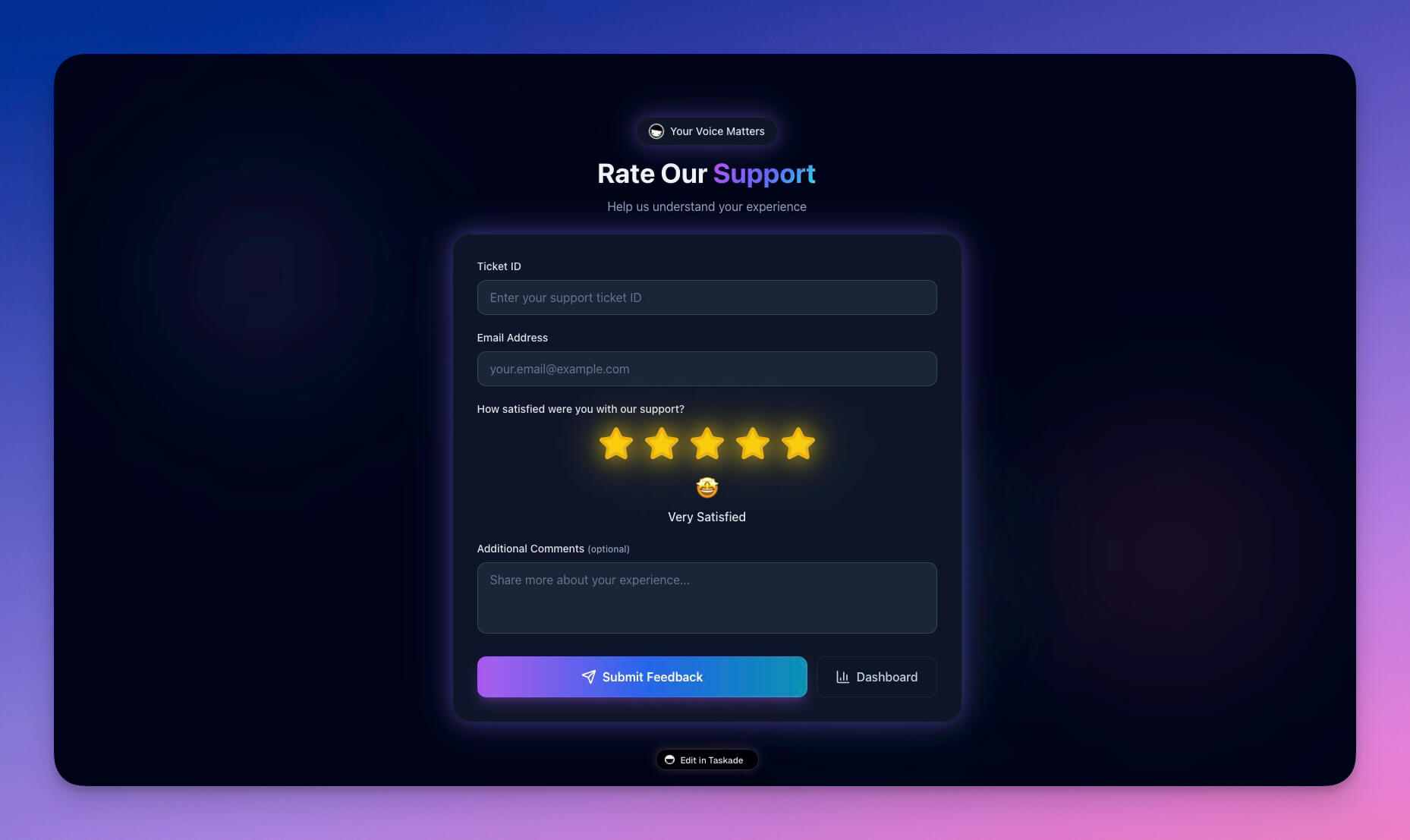
Track volunteer satisfaction and community feedback. Organizations that measure volunteer experience retain 40% more volunteers year-over-year (Corporation for National and Community Service, 2023). This dashboard makes feedback collection and trend analysis automatic.
Best for: Volunteer programs, community services, quality improvement
Features:
- Feedback tracking with satisfaction scores
- Trend analysis across time periods
- Issue categorization for targeted improvement
- Automated feedback requests after volunteer shifts via Automations
- Report generation for board presentations
Clone Support Rating Dashboard →
9. Motivation Map Studio
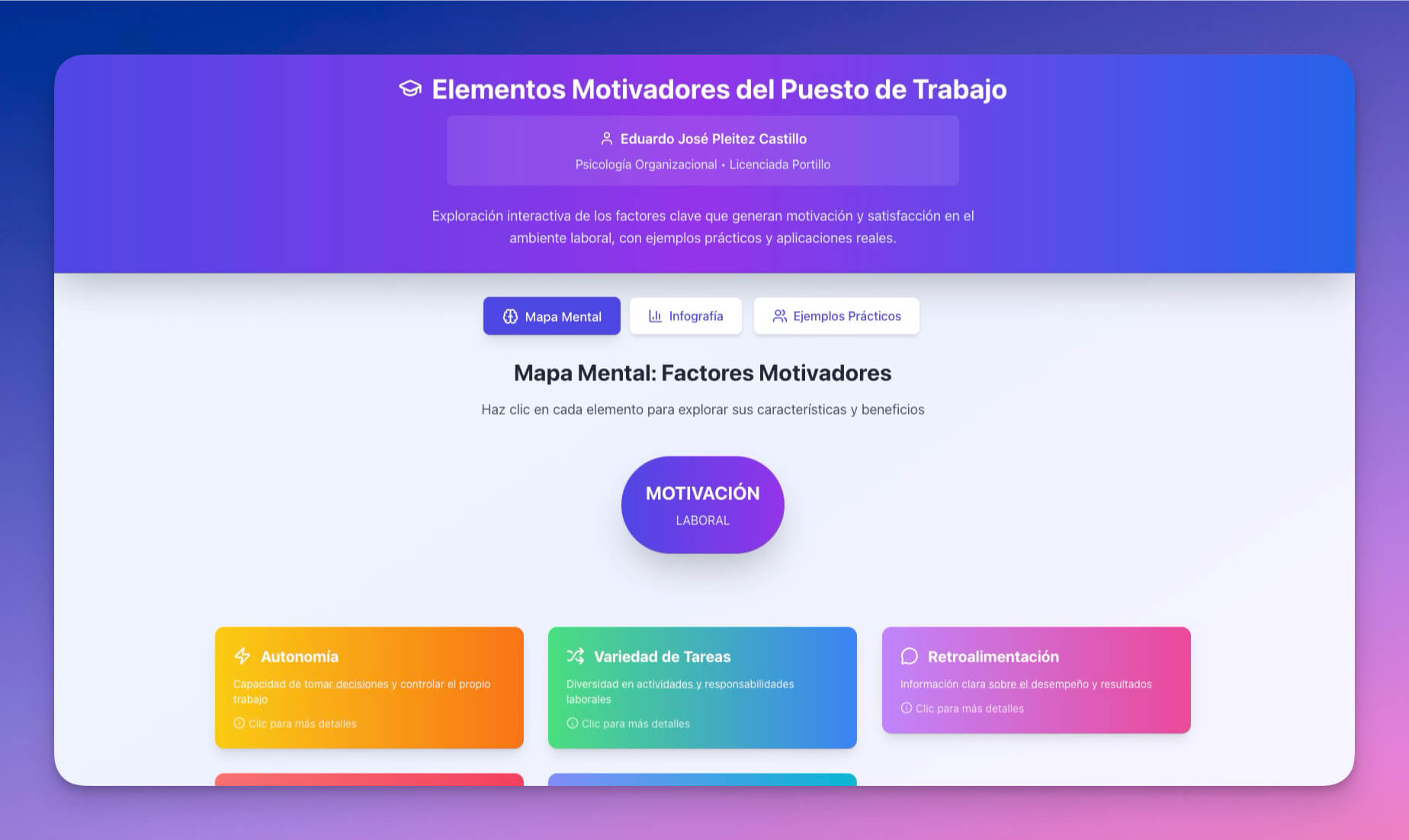
Visualize community goals and impact milestones. Board presentations, strategic planning sessions, and grant reporting all benefit from clear visual mapping of where the organization is headed.
Best for: Strategic planning, goal tracking, board presentations, grant applications
Features:
- Goal visualization with milestone markers
- Progress tracking with completion percentages
- Visual mapping of interconnected objectives
- Collaborative editing for team strategic planning
- Export for board reports and grant applications
10. Appointment Booking System
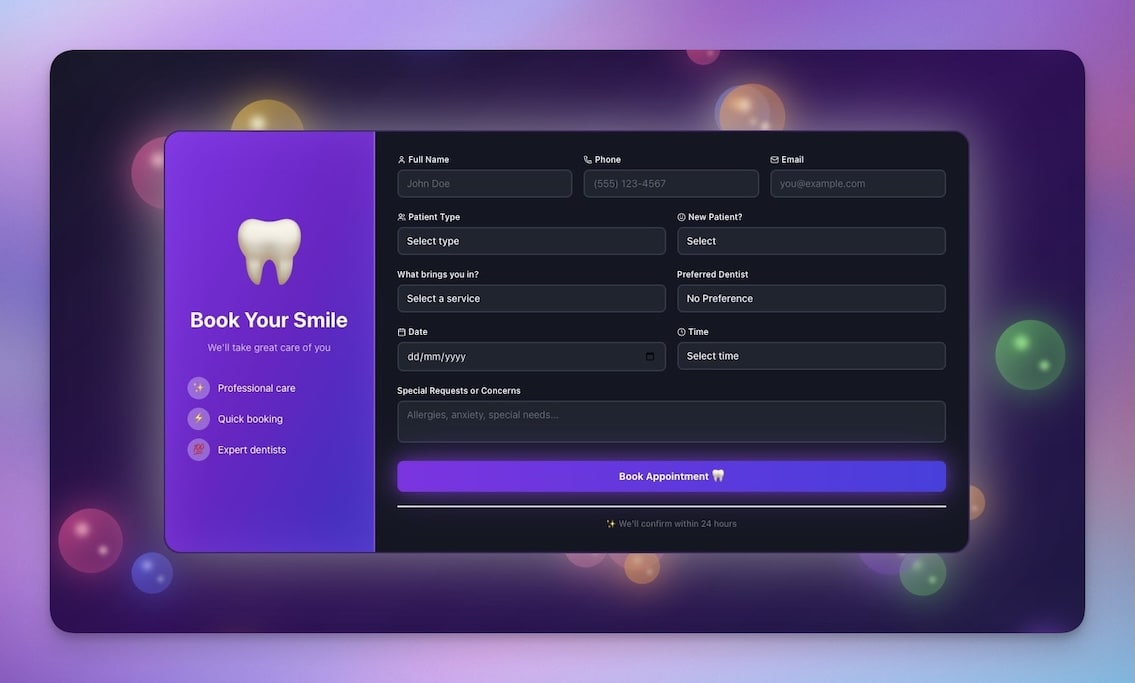
Schedule one-on-one meetings with community members — intake interviews, counseling sessions, mentoring calls, or volunteer coordination meetings. The AI agent handles scheduling conflicts and sends reminders automatically.
Best for: Counseling services, mentoring programs, volunteer coordination, intake assessments
Features:
- Time slot management with availability settings
- Booking confirmations via email
- Calendar sync through 100+ integrations
- Automated reminder sequences (48 hours, 24 hours, 1 hour before)
- Client notes stored in Projects for continuity across sessions
How Nonprofit Portals Connect: Workspace DNA
The real power of Taskade Genesis is not individual tools — it is how they connect. This is Workspace DNA: the self-reinforcing loop where Memory feeds Intelligence, Intelligence triggers Execution, and Execution creates new Memory.
| Traditional Nonprofit Tools | Genesis Community Systems |
|---|---|
| Manual volunteer coordination in spreadsheets | Automated scheduling with AI matching |
| Spreadsheet donor tracking | Integrated CRM with AI follow-ups |
| Static Squarespace website | Living portal that adapts through conversation |
| No personalization for visitors | AI-powered engagement based on visitor history |
| Hours of admin work per week | Automated workflows across 100+ integrations |
Taskade Genesis vs Nonprofit Software Alternatives
Here is how Taskade Genesis compares to the tools most nonprofits evaluate for portal and community management.
| Feature | Squarespace | Donorbox | Bloomerang | CiviCRM | Taskade Genesis |
|---|---|---|---|---|---|
| Starting price | $16/mo | $0 + fees | $125/mo | Free (self-hosted) | Free |
| Website builder | Yes | No | No | No | Yes |
| Donor tracking | No | Basic | Yes | Yes | Yes (AI-powered) |
| Volunteer management | No | No | No | Limited | Yes |
| Event coordination | Limited | No | Limited | Limited | Yes |
| AI agents | No | No | No | No | built-in tools |
| Workflow automation | No | Limited | Limited | Limited | 100+ integrations |
| Custom app building | No | No | No | Requires developer | Yes (prompt-to-deploy) |
| Self-hosted option | No | No | No | Yes | No (cloud-hosted) |
| Setup complexity | Low | Low | Medium | High | Low (conversational) |
Key takeaway: Donorbox excels at donation processing but cannot build portals. Bloomerang excels at donor retention analytics but starts at $125/month. CiviCRM is free but requires a developer for setup and maintenance. Squarespace builds beautiful static sites but has no AI, automation, or volunteer management. Taskade Genesis covers all four capabilities in one workspace.
Five Automations Every Nonprofit Should Set Up
Connect your portals to real workflows with Taskade Automations:
- Volunteer shift reminders — 48 hours and 2 hours before each shift, automatically send reminders with location, time, and preparation instructions
- Donor thank-you emails — Within 1 hour of a donation record being created, trigger a personalized acknowledgment letter with tax receipt information
- Event registration confirmations — When a community member registers for an event, send confirmation with calendar invite, parking instructions, and contact information
- Weekly impact newsletter — Every Monday morning, compile program updates, upcoming events, and volunteer highlights into a newsletter draft for review
- Post-event feedback requests — 24 hours after an event, send a feedback survey link to all attendees and compile results into the Support Rating Dashboard
Learn more: Automations guide
Build Your Community Portal in Six Steps
Create a custom portal in minutes:
- Open Taskade Genesis and describe your portal (e.g., "Build a nonprofit portal with volunteer sign-up, event calendar, donor tracking, and impact reporting")
- Use "Enhance Prompt" to add specifics about your organization, branding, and workflows
- Genesis creates the portal with Projects (your data layer), Agents (AI assistants), and Automations (workflow execution)
- Customize through conversation — tell the agent what to change ("add a board member section," "make the donation form more prominent")
- Set permissions using the role system — staff edit, board members view reports, volunteers see their schedule
- Publish and share — custom domain, password protection, or embedded in your existing website
Learn more: Create Your First App →
Start Building Your Nonprofit Portal
Resources:
- Explore Community Apps — Clone templates and share with volunteers
- Learn: Getting Started with Genesis — Step-by-step tutorial
- Learn: Workspace DNA — Understand the architecture
- Learn: Custom AI Agents — Build engagement assistants
- Learn: Automation Triggers — Set up coordination workflows
Related guides:
- 10 AI Client Portals You Can Deploy Instantly
- 12 AI Websites You Can Build from a Single Prompt
- 10 AI Event and Exhibit Systems
- 10 AI Booking Systems You Can Clone
- Build Without Permission
Explore Taskade AI:
- AI Nonprofits Tools — Built for community impact
- AI Website Builder — Generate portals from prompts
- AI App Builder — Build complete systems
- Browse All Generator Templates — Apps, dashboards, websites, and more
- Browse Agent Templates — AI agents for every use case
- Explore Community Apps — Clone and customize
Start building your nonprofit portal →

Frequently Asked Questions
How can nonprofits use AI to manage volunteers and donors?
Taskade Genesis builds AI-powered portals that handle donor tracking, volunteer coordination, event management, and impact reporting from a single prompt. AI agents automate donor follow-ups, match volunteers to opportunities, and generate impact reports. This gives nonprofits enterprise-level capabilities starting at $0 on the free tier.
What community portal templates are available for nonprofits?
Taskade Genesis offers cloneable nonprofit website templates, wellness program portals, community hubs, event management systems, class booking portals, testimonial collectors, community tour apps, and volunteer feedback dashboards. Each template includes AI agents powered by 15+ frontier models from OpenAI, Anthropic, and Google.
Can I build a nonprofit website without coding or a developer?
Yes. Taskade Genesis generates complete nonprofit portals from natural language prompts. Describe your needs such as donor management, event calendar, or volunteer signup, and Genesis builds a living system with databases, AI assistants, and automated workflows. No coding, design skills, or IT team required.
How do nonprofits control access to sensitive donor data?
Taskade provides a permission system (Owner to Viewer) for granular access control. Board members can get view-only access to reports, staff can edit operational data, and volunteers see only information relevant to their role.
How does Taskade Genesis compare to Squarespace for nonprofit websites?
Squarespace builds static websites starting at $16 per month. Taskade Genesis builds living portals with AI agents, automated workflows, donor tracking, and volunteer coordination starting at $0. Genesis portals adapt through conversation and connect to 100+ integrations for email, CRM, and payment processing.
Can Taskade Genesis replace Donorbox for fundraising?
Taskade Genesis can build donation tracking portals, donor CRMs, and thank-you automation sequences. While it does not process payments directly, it integrates with payment tools through 100+ integrations and provides AI agents that manage donor relationships, generate impact reports, and automate acknowledgment letters.
How do nonprofits automate volunteer coordination with AI?
Taskade Automations can send shift reminders before volunteer events, match volunteers to open opportunities based on skills and availability, trigger onboarding sequences for new volunteers, and generate attendance reports. AI agents with built-in tools handle scheduling conflicts and communicate updates automatically.
What is the best free portal builder for small nonprofits?
Taskade Genesis offers a free tier that includes AI-powered portal building, custom AI agents, project management across basic project views (List, Board, Calendar, Table, Mind Map), and basic automation. For growing organizations, Pro at $10 per month billed annually adds expanded capacity for up to 10 team members.
Can I embed a Taskade nonprofit portal on my existing website?
Yes. Taskade Genesis apps can be published as standalone sites with custom domains or embedded in existing websites. You can share direct links with donors and volunteers, or integrate portal components into your current web presence using embeddable widgets.
How does Workspace DNA benefit nonprofit operations?
Workspace DNA is the self-reinforcing loop at the core of Taskade: Memory (Projects store donor records, volunteer data, program history), Intelligence (AI Agents generate reports, draft communications, analyze trends), and Execution (Automations handle follow-ups, reminders, and coordination). Each layer feeds the next, reducing manual admin work.